1
7Phonebook
1Press 3 or select [Menu] >
access the phonebook list.
> [OK] to
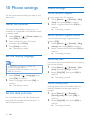
This phone has a phonebook that stores up
to 100 records. You can access the phonebook
from the handset. Each record can have a name
up to 14 characters long and a number up to
24 digits long.
There are 2 direct access memories (keys
and ). Depending on your country, keys
and are preset to the voice mail number and
information service number of your service
provider respectively. When you press and hold
on the key in standby mode , the saved phone
number is dialed automatically.
2Press 3 to scroll through the phonebook
View the phonebook
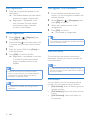
Call from the phonebook
1Press 3 or select [Menu] >
2
access the phonebook list.
only each time.
> [OK] to
2Press 3 to scroll through the phonebook
entries.
Search a record
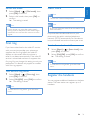
You can search the phonebook records in these
ways:
• Scroll the contacts list.
• Enter the first character of the contact.
> [OK] to
Press the alphanumerical key that
corresponds to the character.
»» The first record that starts with this
character is displayed.
access the phonebook list.
•• You can view the phonebook on one handset
access the phonebook list.
Enter the first character of a contact
1Press 3 or select [Menu] >
Note
1Press 3 or select [Menu] >
list.
> [OK] to
2 Select a contact in the phonebook list.
3Select [Option] > [View].
4Press to make the call.
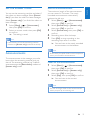
Access the phonebook during
a call
1Press [Option] and select [Phonebook].
2Press [OK] to confirm.
3 Select the contact, then press [View] to
confirm.
»» The number can be viewed.
EN
21
English
Scroll the contact list