1
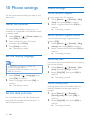
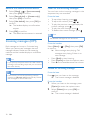
Change the PIN code
1Select [Menu] >
2
3
4
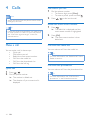
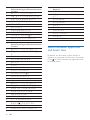
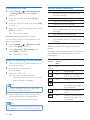
Remote access commands
> [Remote access]
> [Change PIN], then press [OK] to
confirm.
Key
Function
1
Repeat the current or listen to the
previous message.
Enter the old PIN, then press [OK] to
confirm.
2
Listen to messages.
Enter the new PIN code, then press [OK]
to confirm.
3
Skip to the next message.
6
Delete the current message.
7
Switch the answering machine on.
(not available when you listen to the
messages).
8
Stop listening to the message.
9
Switch the answering machine off.
(not available when you listen to the
messages).
Enter the new PIN code again, then press
[OK] to confirm.
»» The setting is saved.
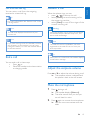
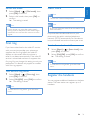
Activate/deactivate the remote access
You can allow or block remote access to the
answering machine.
1Select [Menu] >
> [Remote access],
then press [OK] to confirm.
2Select [Activate] / [Deactivate], then
press [OK] to confirm.
»» The setting is saved.
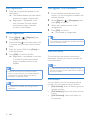
Access the answering machine remotely
1
Make a call to your home number with a
touch tone phone.
2Enter # when you hear the
3
announcement.
Enter your PIN code.
»» You now have access to your
answering machine, and you can now
listen to the new messages.
Note
•• You have 2 chances to enter the correct PIN
code before your phone hangs up.
4
Press a key to carry out a function. See
the Remote access commands table
below for a list of available functions.
Note
•• When there is no message, the phone hangs up
automatically if no key is pressed for 8 seconds.
40
EN
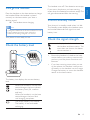
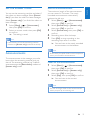
Behavior of the LED display on the base
station
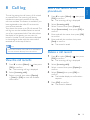
The table below shows you the current status
with different LED display behavior on the
base station.
LED
display
Answering Message status
machine
status
No
display
Off
--
On
No message
On
Steady on: message full
with 3 new messages
On
Flashing: memory full
On
Scrolling when recording
the incoming message or
announcement.
On
Displays the volume
level.
On
Flashing: remote access/
listen to messages from
the handset