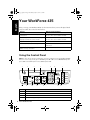
1
andes_p2_QG.book Page 11 Wednesday, May 25, 2011 3:39 PM
Printing From Your Computer
This section describes the basic steps for printing from a Windows or Mac® computer. For
detailed instructions on printing, see the online User’s Guide.
Before you start, make sure you’ve installed your printer software and connected your
Epson printer to your computer as described on the Start Here sheet.
Printing in Windows
1.
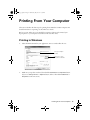
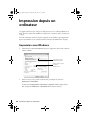
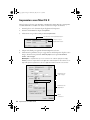
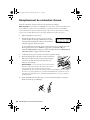
Select the Print command in your application. You see a window like this one:
Select your Epson
product
Click here to open
your printer software
2.
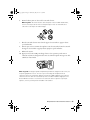
Make sure your product is selected, then click the Preferences or Properties button.
(If you see a Setup, Printer, or Options button, click it. Then click Preferences or
Properties on the next screen.)
Printing From Your Computer 11