1
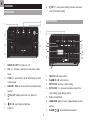
FLIP: flip projection 180°
9.
PROJECTION ON / OFF: switch projection on / off
EN
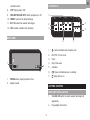
LCD DISPLAY
and radio alarm
8.
1
10. RESET: reset unit to default settings
11. EU / UK: select the nearest radio signal
2
4
12. RCC: enable / disable clock reception
3
5
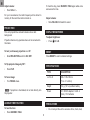
BACK view
6
1.
1
2
1.
FOCUS wheel: adjust projection focus
2.
Adaptor socket
: radio controlled clock reception icon
2.
AM / PM: 12 hour clock
3.
Clock
4.
Day of the week
5.
Calendar
6.
7.
7
: main unit batteries low / no battery
: daily alarm is on
Getting started
MAIN UNIT INSTALLATION
1.
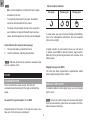
Slide EU / UK switch to select nearest radio signal (if
applicable).
2.
3
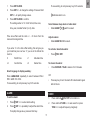
Plug adaptor into socket.