1
Note:
If the LAN IP address is changed, you must use the new IP address to log into the router. To guarantee
a normal communication, be sure to set the Gateway address and the Subnet Mask of the Hosts on
the LAN to the new LAN IP address and the Subnet Mask of the router.
3.1.4.2
DHCP
The router with its DHCP (Dynamic Host Configuration Protocol) server enabled can automatically
assign an IP address to the computers in the LAN.
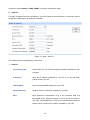
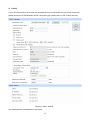
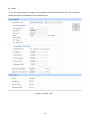
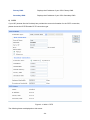
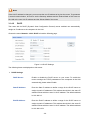
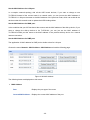
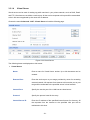
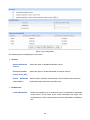
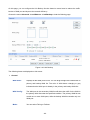
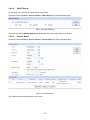
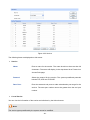
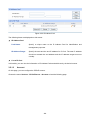
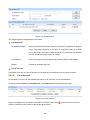
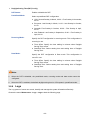
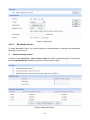
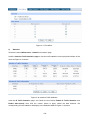
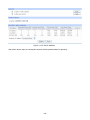
Choose the menu Network→LAN→DHCP to load the following page.
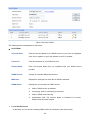
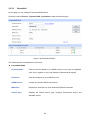
Figure 3-14 DHCP Settings
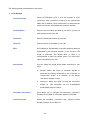
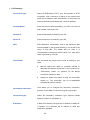
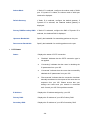
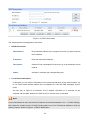
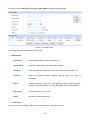
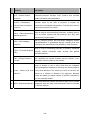
The following items are displayed on this screen:
¾
DHCP Settings
DHCP Server:
Enable or disable the DHCP server on your router. To enable the
router to assign the TCP/IP parameters to the computers in the LAN
automatically, please select Enable.
Start IP Address:
Enter the Start IP address to define a range for the DHCP server to
assign dynamic IP addresses. This address should be in the same IP
address subnet with the router’s LAN IP address. The default address
is 192.168.0.2.
End IP Address:
Enter the End IP address to define a range for the DHCP server to
assign dynamic IP addresses. This address should be in the same IP
address subnet with the router’s LAN IP address. The default address
is 192.168.0.254.
-30-