1
Contents
1 Important
Risk of swallowing batteries
2 Your Docking Speaker for
Android™
Introduction
What's in the box
Overview of the main unit
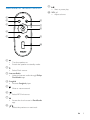
Overview of remote control
2
2
3
3
3
4
5
5 Other features
Use more features with DockStudio
Listen to Internet radio
Set sleep timer
Set alarm timer
Charge your device through the USB
socket
Play audio from an external device
6 Product information
3 Get started
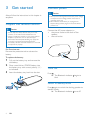
Prepare the remote control
Connect power
Turn on
Switch to standby mode
6
6
6
6
6
Compatible with Android™
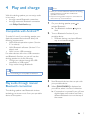
Play audio through manual Bluetooth
connection
Play audio through auto Bluetooth
connection with Philips DockStudio
Install DockStudio app onto
Android-powered device
Activate Bluetooth with
DockStudio app
Play audio from Android-powered
device
Play audio with Philips Songbird
Install Songbird on Androidpowered device
Install Songbird on PC
Sync with PC through Philips
Songbird
Dock and charge Android-powered
phone
Dock Android-powered device
Use dock extension
Charge Android-powered phone
7
7
19
20
21
7 Troubleshooting
22
22
About Bluetooth device
8 Notice
4 Play and charge
17
17
17
17
18
23
23
23
24
RSS
Disposal of your old product
Bluetooth Statement
7
8
8
11
13
13
13
15
15
15
15
16
16
EN
1