1
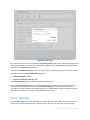
c. Mounted VMs view
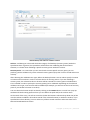
This is the link to Mounted VMs view. The Mounted virtual machines management is described in
the "Managing mounted VMs" section (p. 66).
d. Show logs view
This is the link to the Show logs view. The Logs management is described in the "Managing logs"
section" (p. 68).
3) Configure tab
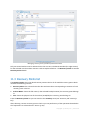
The third Configure tab contains the basic tools for Acronis vmProtect configuration and allows you
to specify the default settings for the basic backup/restore operations as well as other settings.
a. ESX hosts
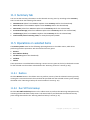
This is the link to the ESX hosts management page. Managing ESX(i) hosts is described in the
"Managing ESX hosts" section (p. 75).
b. Licenses
This is the link to the Licenses management page. Managing licenses is described in the "Managing
licenses" section (p. 71).
c. Settings
Activate online backup subscription settings and Online backup proxy settings are available on the
ribbon. For example, if your internet connection uses a proxy server, you can make all the necessary
settings here.
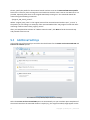
Also there are two links to the Backup settings and Restore settings on the Configure tab. These
backup/restore settings, as well as other settings, are described in detail in the "Managing settings"
section (p. 79).
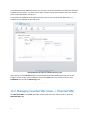
Click the Backup settings or Restore settings button to open the backup/restore settings page where
you can set up the defaults for all the backup/restore tasks.
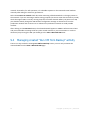
4) vmProtect dynamic tab
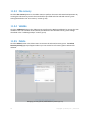
This is the dynamic tab which appears in the ribbon and changes depending on the currently selected
action of the View or Configure tabs. This dynamic tab shows the buttons which are specific to the
current View or Configure tab actions.
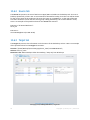
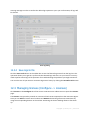
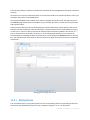
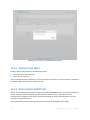
a. View -> Tasks
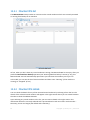
When the Tasks view is selected, the Tasks tab appears in the ribbon menu. The Tasks management
page is described in the "Managing tasks" section (p. 52).
b. View -> Recovery Points
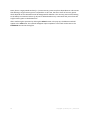
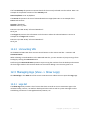
When the Recovery Points view is selected, the Recovery Points tab appears in the ribbon menu.
The Recovery Points management page is described in the "Managing recovery points" section (p.
57).
21
Copyright © Acronis, Inc., 2000-2011