1
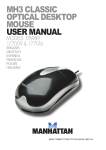
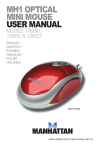
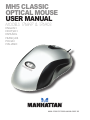
MH5 Classic Optical Mouse • User Manual
English
Thank you for purchasing the MANHATTAN® MH5 Classic Optical Mouse,
Model 176897 (PS/2) or Model 176903 (USB).
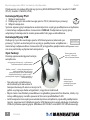
PS/2 Installation
1. Power off the computer.
2. Plug the mouse into an available PS/2 port (right).
3. Power on the computer.
The computer operating system will automatically detect the new device and
install the proper driver(s). NOTE: You must turn off the computer when installing
a PS/2 device; otherwise, damage to the computer could result.
USB Installation
Simply plug the mouse into an available USB port (right). The
computer operating system will automatically detect the new
device and install the proper driver(s).
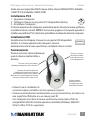
Operation
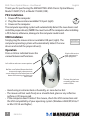
Press or click as indicated to use the
various features and functions.
Right-click to view
pop-up menus in
your programs.
Left-click to select on-screen options.
Roll the scroll wheel forward or back
to move through a document or
screen. Keep the scroll wheel pressed
down while moving the mouse to
auto-scroll.
The low-friction base
smoothly glides over
work surfaces.
• Avoid using in extreme heat or humidity, or near dust or dirt.
• The mouse will not work freely on a smooth desk, glass or any reflective
surface or 3D mouse pad.
• If the computer doesn’t detect the mouse, check the USB connection and
the USB compatibility of your operating system (Windows 2000/XP/Vista/7
or Mac OS 9.0 and higher).
2
ENGLISH