1
Lexmark
W840
Panasonic
WORKiO DP-6530
Imaging at Work
tm
Print
Printer Driver Functionality:
Lexmark W840 shares the same
PCL interface as the C920 and
the revamped T-series. So
workgroup users will feel at
home when they first open up
and print to this departmental
device.
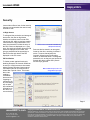
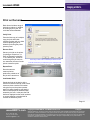
As with these other Lexmark
devices, the drivers are headed
by four tabs: Page Layout,
Paper, Print Quality and Other
Options. The tabs clearly define
which printing features they
cover, so no time is wasted
browsing from tab to tab.
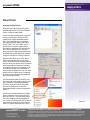
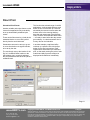
Within paper mode there is the
option to specify the paper source
for the document. However, there
is no ability to select a different
paper source for the front or back
cover, a feature we would have
like to have seen in this
departmental printer — for
example, using pre-printed
header stock or heavy card stock
for cover pages in manuals,
brochures, presentations, etc.
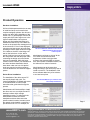
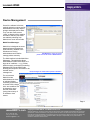
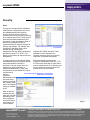
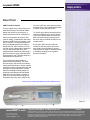
Stapling, hole punching and offset are also
selected from here (if installed.) Users can
select the staple position and the 2-hole
punch option when they click on the “More
Finishing Options” button.
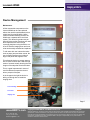
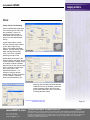
Users may select staple position and
optional 2-hole punching
www.BERTL.com
tel. (1) 732-761-2311
fax. (1) 732-761-2312
[email protected]
Copyright © 2005 BERTL, Inc./MCA Internet, LLC.
Page14
14
Page Number
5-Aug-05
All Rights Reserved. The license under which this document is made available and applicable law prohibit any
reproduction or further transmission of any portion of this document. This document may only be viewed electronically through the www.BERTL.com Web site and may not be stored in electronic or hard copy format. Any
reproduction of trademarks is strictly prohibited. BERTL accepts no responsibility for any inaccuracies or
omissions contained in this document.