1
ENGLISH
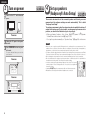
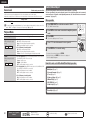
Input Setup
Important information
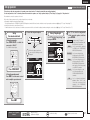
Items that can be set with the Input Setup procedure
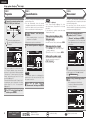
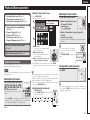
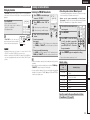
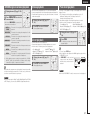
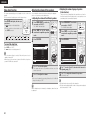
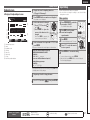
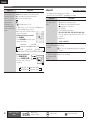
Auto Preset (vpage 48)
Preset Skip (vpage 48)
INPUT SETUP
PRESET SKIP
INPUT SETUP
AUTO PRESET
Block
A Block Presets
A1 FM 87.50MHz
A2 FM 89.10MHz
A3 FM 98.10MHz
A4 FM 108.00MHz
A5 FM 90.10MHz
A6 AM 90.10MHz
A7 AM 90.10MHz
A8 AM 90.10MHz
Start
ENTER Enter
Start the auto preset process
RETURN Return
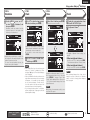
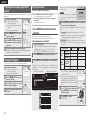
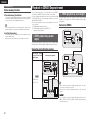
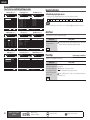
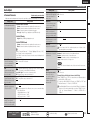
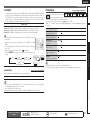
Input Assign (vpage 49)
BD
DVD
TV
SAT/CBL
DVR
GAME
V.AUX
[ HDMI
HDMI1
HDMI2
None
HDMI3
HDMI4
HDMI5
HDMI6
Video (vpage 50)
[ DIGITAL ]
[ COMP
None
Coax1
Opt1
Coax2
Opt2
None
None
]
None
1-RCA
None
2-RCA
None
None
None
Select
ENTER Enter
RETURN Return
Change HDMI input connector assignment
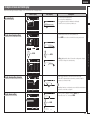
Video Select
Video Mode
Video Convert
i/p Scaler
Resolution(Analog)
Resolution(HDMI)
Progressive Mode
Aspect
Rename (vpage 51)
Source
Auto
ON
Analog & HDMI
Auto
Auto
Auto
Full
RETURN Return
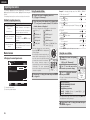
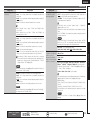
Source Level (vpage 52)
INPUT SETUP
SOURCE LEVEL
DVD
Analog Input
Digital Input
Default
RETURN Return
[1/7]
A
[
[
[
[
[
[
[
[
]
]
]
]
]
]
]
]
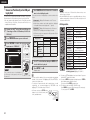
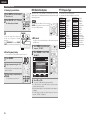
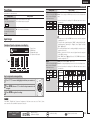
Input Mode (vpage 51)
Input Mode
Decode Mode
RETURN Return
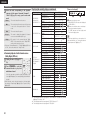
Compensate analog audio input playback level
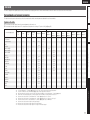
In this section, the configurable input sources for each item are shown as follows.
BD
DVD
TV
SAT/CBL
GAME
V.AUX
DOCK
USB/iPod
TUNER
NOTE
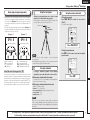
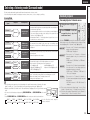
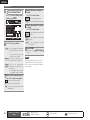
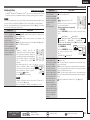
Auto Preset
Setting items
Auto
Auto
RETURN Return
Automatically detect input signal and playback
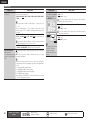
Playback Mode (vpage 52)
If an FM station cannot be preset automatically, select the desired
station by tuning it in manually, then preset it manually.
TUNER
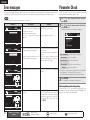
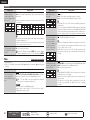
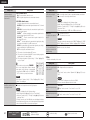
Preset Skip
Default settings are underlined.
Set preset ch to be skipped when selecting.
All
OFF
Repeat all songs
Setting details
RETURN Return
Setting items
Setting details
A–G
Set the preset channels you
do not want to display. You
can set by preset memory
block (A to G) or by preset
channel (1 to 8).
1 – 8 : Set by individual preset channels in the currently selected preset
memory block.
•ON : Display the selected preset channel.
•Skip : Do not display the selected preset channel.
If you set “Block Presets” to “Skip”, you can skip the preset memory
blocks (A to G).
TUNER
48
Remote control operation
buttons
CD
Input sources that have been set to “Delete” at “Source Delete” (vpage 64) cannot be selected.
Start
Start the auto preset
process.
Repeat
Shuffle
DVR
Use the auto preset function to program radio stations.
INPUT SETUP
PLAYBACK MODE
0dB
0dB
nnAbout the display of input sources
RETURN Return
Change memory blocks
INPUT SETUP
INPUT MODE
Select desired video input source
INPUT SETUP
RENAME
DVD
RETURN Return
INPUT SETUP
VIDEO
]
INPUT SETUP
PRESET NAME
Block
A1 FM 87.50MHz
A2 FM 89.10MHz
A3 FM 98.10MHz
A4 FM 108.00MHz
A5 FM 90.10MHz
A6 AM 90.10MHz
A7 AM 90.10MHz
A8 AM 90.10MHz
A
ON
ON
ON
ON
ON
ON
ON
ON
ON
Change memory blocks
INPUT SETUP
INPUT ASSIGN
Default
[1/7]
Preset Name (vpage 49)
Move the cursor
(Up/Down/Left/Right)
Confirm the setting
Return to previous menu