1
5
VBR133
Logging Into Your Pandora Account
Listening to Music Using Pandora
If you already have a Pandora account, you can sign in and listen to your
personalized stations.
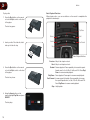
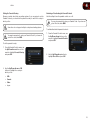
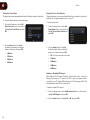
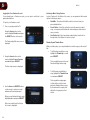
Log into Pandora. At the Station List screen, you are presented with several
options for listening to music:
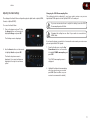
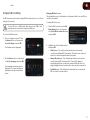
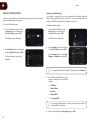
To log into your Pandora account:
•
QuickMix - This option will shuffle a selection of music from your
personalized stations.
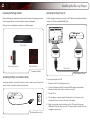
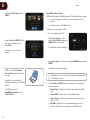
1. Turn on your player and the TV.
•
Create Station - Select this option then enter the name of an artist,
song, or composer, and Pandora will create and play a station based
upon your entry.
•
Your Station List - Select an already-created station from the list on
the right side of the Station List screen to play it.
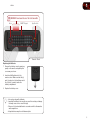
Using the Arrow buttons on the
remote, highlight Pandora and press
the SELECT button on the remote.
The Pandora App Welcome screen is
displayed.
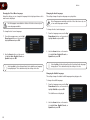
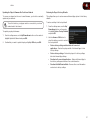
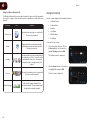
Thumbs Up and Thumbs Down
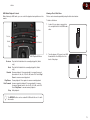
While your station plays, you can give feedback on which songs you like or don’t
like.
•
To tell Pandora you do like a song,
highlight the Thumbs Up icon and
press SELECT.
That song will play more often, and
Pandora will play similar songs.
•
To tell Pandora you don’t like a
song, highlight the Thumbs Down
icon and press SELECT.
That song will never play again
on that station, and if you have
previously thumbed down a song
by the same artist, songs by that
artist will no longer play on that
station.
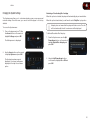
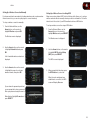
2. Using the Arrow buttons on the
remote, highlight I have a Pandora
account and press SELECT.
The User Login screen is displayed.
3. Use the Arrow and SELECT buttons
on the remote to enter your e-mail
address and Pandora password.
When you are finished with each entry,
highlight next >> and press SELECT.
After a successful login, the Station
List screen is displayed.
34