1
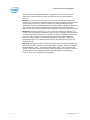
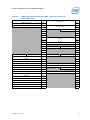
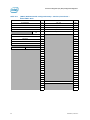
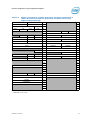
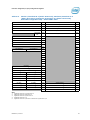
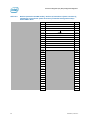
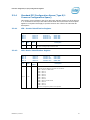
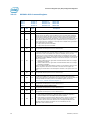
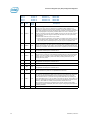
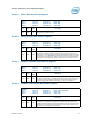
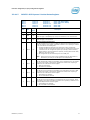
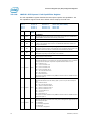
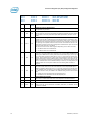
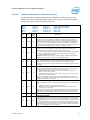
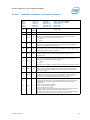
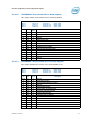
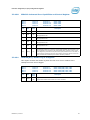
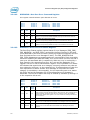
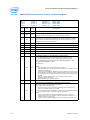
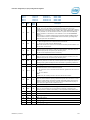
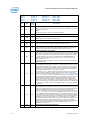
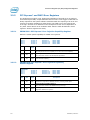
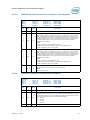
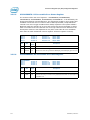
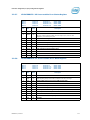
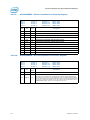
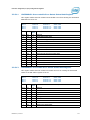
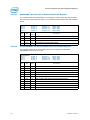
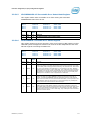
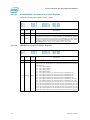
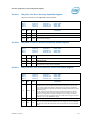
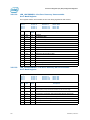
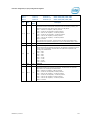
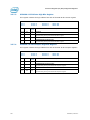
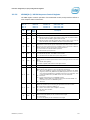
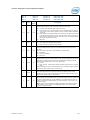
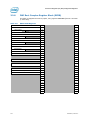
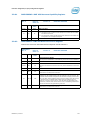
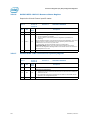
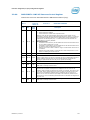
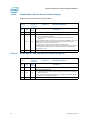
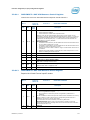
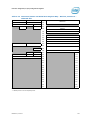
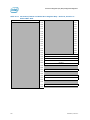
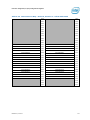
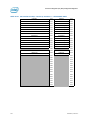
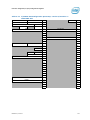
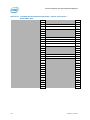
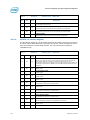
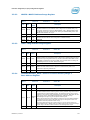
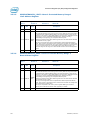
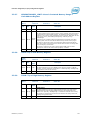
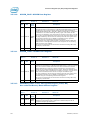
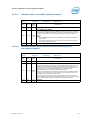
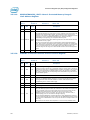
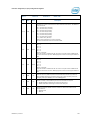
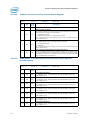
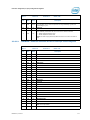
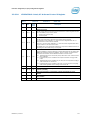
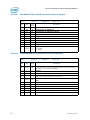
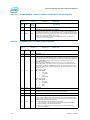
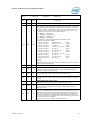
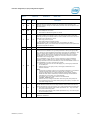
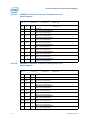
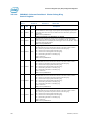
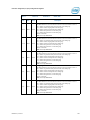
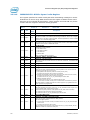
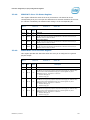
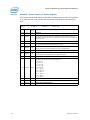
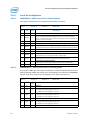
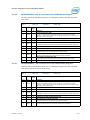
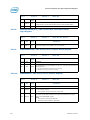
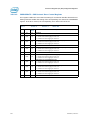
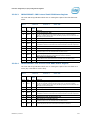
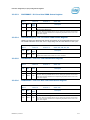
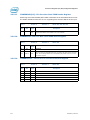
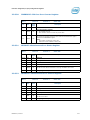
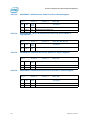
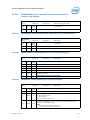
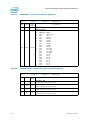
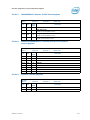
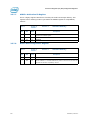
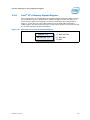
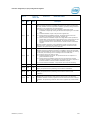
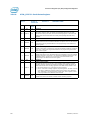
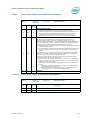
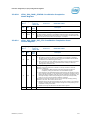
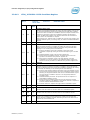
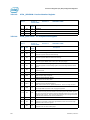
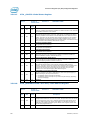
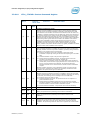
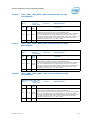
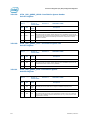
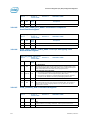
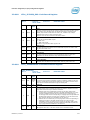
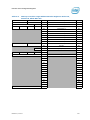
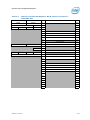
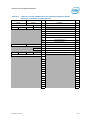
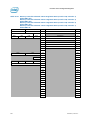
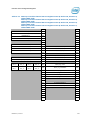
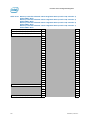
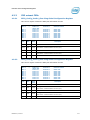
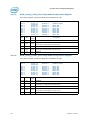
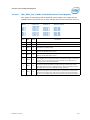
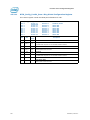
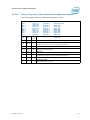
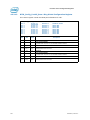
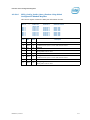
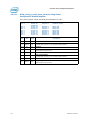
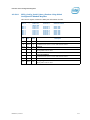
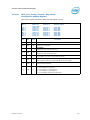
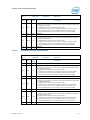
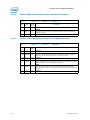
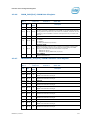
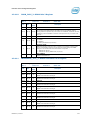
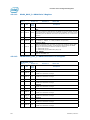
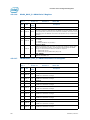
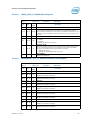
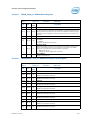
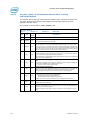
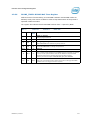
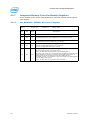
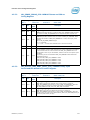
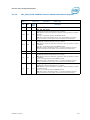
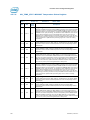
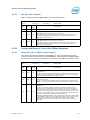
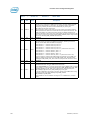
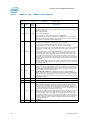
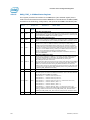
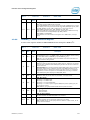
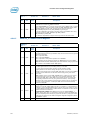
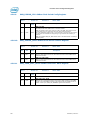
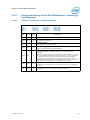
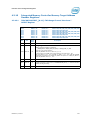
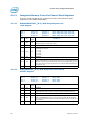
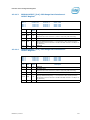
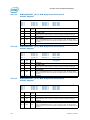
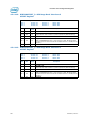
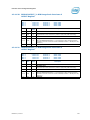
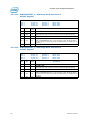
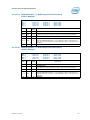
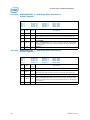
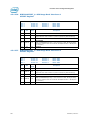
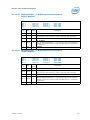
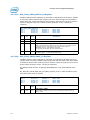
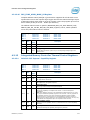
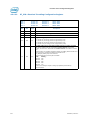
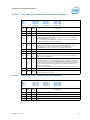
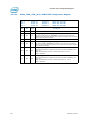
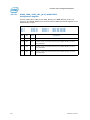
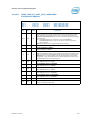
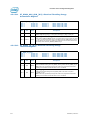
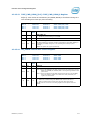
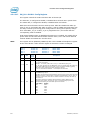
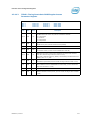
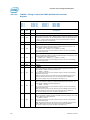
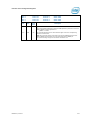
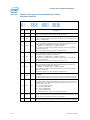
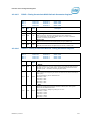
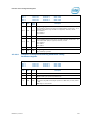
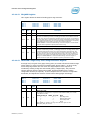
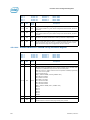
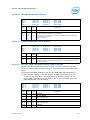
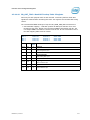
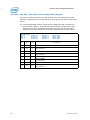
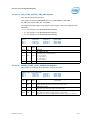
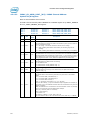
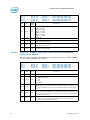
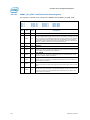
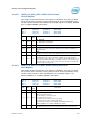
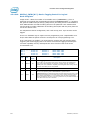
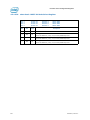
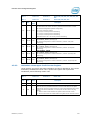
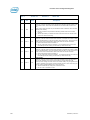
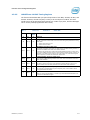
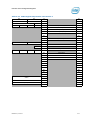
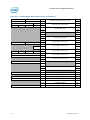
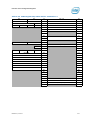
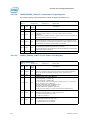
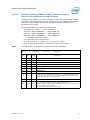
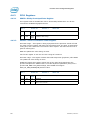
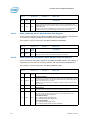
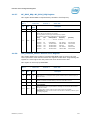
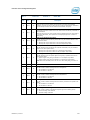
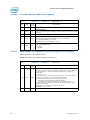
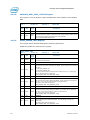
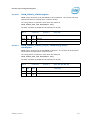
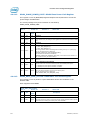
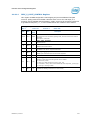
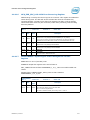
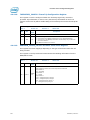
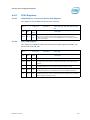
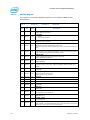
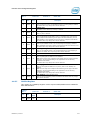
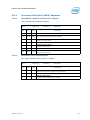
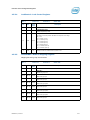
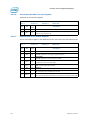
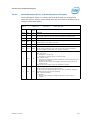
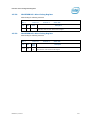
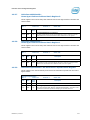
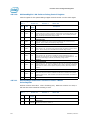
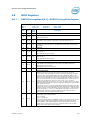
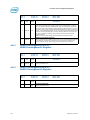
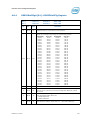
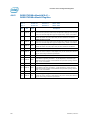
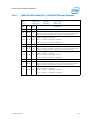
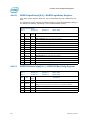
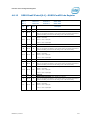
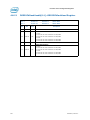
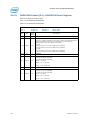
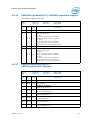
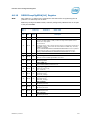
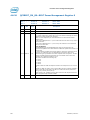
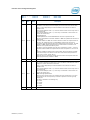
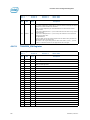
Processor Uncore Configuration Registers 4.6.2.4 PmonCntrCfg_[0:4]—Performance Counter Control Register PmonCntrCfg Bus: 1 Bus: 1 Bus: 1 Bus: 1 Bus: 1 Bit 31:24 23 22 21 530 Attr RW-V RW-V RW-V RW-V Device: Device: Device: Device: Device: 8 9 14 16 19 Function: Function: Function: Function: Function: 2 Offset: 2 Offset: 1 Offset: 0, 1,4,5 Offset: 1 Offset: D8h, D8h, D8h, D8h, D8h, DCh, DCh, DCh, DCh, DCh, E0h, E0h, E0h, E0h, E0h, E4h, E4h, E4h, E4h, E4h, E8h E8h E8h E8h E8h Reset Value Description 00h Threshold This field is compared directly against an incoming event value for events that can increment by 1 or more in a given cycle. Since the widest event from the UnCore is 7bits (queue occupancy), bit 31 is unused. The result of the comparison is effectively a 1 bit wide event; that is, the counter will be incremented by 1 when the comparison is true (the type of comparison depends on the setting of the ’invert’ bit - see bit 23 below) no matter how wide the original event was. When this field is zero, threshold comparison is disabled and the event is passed without modification. 0h Invert This bit indicates how the threshold field will be compared to the incoming event. When 0, the comparison that will be done is threshold event. When set to 1, the comparison that will be done is inverted from the case where this bit is set to 0; that is, threshold < event. The invert bit only works when Threshold != 0. Thus, to invert a non-occupancy event (like LLC Hit), set the threshold to 1. 0h Counter Enable This field is the local enable for the PerfMon Counter. This bit must be asserted in order for the PerfMon counter to begin counting the events selected by the 'event select', 'unit mask', and 'internal' bits (see the fields below). There is one bit per PerfMon Counter. If this bit is set to 1 but the Unit Control Registers have determined that counting is disabled, then the counter will not count. 0h Internal This bit needs to be asserted if the event which needs to be selected is an internal event. There will be some hardware that will disable counting on locked parts. This will be reused from DFX. This is a WIP. Note that MSR counters will signal GP if someone attempts to write to this bit on regular parts. This will not be the case on PCI CFG counters because ucode is not a part of the access flow. 20 RW-V 0h Overflow Enable Setting this bit will enable the counter to send an overflow signal. If this bit is not set, the counter will wrap around when it overflows without triggering anything. If this bit is set and the Unit’s configuration register has Overflow enabled, then a signal will be transmitted to the Ubox. 19 RV 0h ThreadID Filter Enable ThreadID filter enable. This is only used by Cbo. For other units, it is Reserved. 18 RW-V 0h Edge Detect Edge Detect allows one to count either 0 to 1 or 1 to 0 transitions of a given event. By using edge detect, one can count the number of times L0s mode was enterred (by detecting the rising edge). Edge detect only works in conjunction with thresholding. This is true even for events that can only increment by 1 in a given cycle (like the L0s example above). In this case, set a threshold of 1. One can also use Edge Detect with queue occupancy events. For example, to count the number of times when the TOR occupancy was larger than 5, select the TOR occupancy event with a threshold of 5 and set the Edge Detect bit. Edge detect can also be used with the invert. This is generally not particularly useful, as the count of falling edges compared to rising edges will always on differ by 1. 17 WO 0h Counter Reset When this bit is set, the corresponding counter will be reset to 0. This allows for a quick reset of the counter when changing event encodings. Datasheet, Volume 2