1
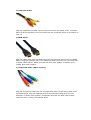
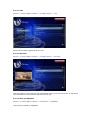
• Composite Video
Plug the supplied RCA cable into the A/V port on the rear panel of the TV Media
Player and the opposite end of the cable into the composite video in connector on
your TV.
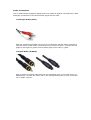
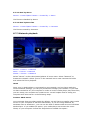
• HDMI Video
Plug the HDMI cable into the HDMI connector on the back panel of the TV Media
Player. Plug the opposite end to the matching HDMI connector on your television
or audio video system. HDMI provides the best video quality resolution up to
1080p, plus audio support.
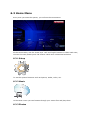
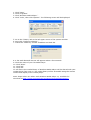
• Component Video (MD-272 only)
Plug the component cable into the corresponding ports on the back panel of the
TV Media Player. Plug the opposite ends to the corresponding ports on your
television or audio video system. Component provides the best video quality
resolution up to 1080p, but without audio.