1
detect and correct problems on the network.
1.2 Features
¾ Complies with
standards
IEEE802.3,
IEEE802.3u,
IEEE802.3ab
¾ 16/24 10/100/1000Mbps Auto-Sense RJ45 ports supporting
Auto-MDI/MDIX
¾ All ports Support Full/Half Duplex transfer mode for
10/100Mbps and Full Duplex transfer mode for 1000Mbps
¾ Supports IEEE802.3x flow control for full-duplex mode and
backpressure for half-duplex transfer mode
¾ Non-blocking switching architecture that forwards and filters
packets at full wire-speed for maximum throughput
¾ Supports MAC address auto-learning and auto-aging
¾ LED indicators for monitoring power, link, speed and activity
¾ Rack-mountable steel case
¾ Internal power supply
Chapter 2
Installation
2.1 Mounting the Switch on a Desk
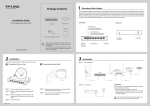
Before place the Switch on a desk, attach four rubber footpads
to the flutes on the Switch bottom, then lay the Switch on the
desktop, where can be have as much as 5kg placed on top.
Note:
1. The electrical outlet shall be installed near the device and
shall be easily accessible.
2. Make sure there is free space for radiating heat and air.
3. Make sure not to place anything too heavy on top of the switch.
2