1
Install and use the camcorder
software
1
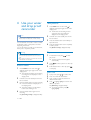
On your PC, click Start\(All) Programs\
ArcSoft MediaImpression HD Edition.
» The main screen of the software is
displayed.
2
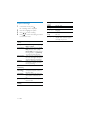
Click an option to select the corresponding
operation.
3
Follow the on-screen instructions to
complete the operation.
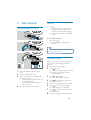
Transfer video/pictures to a PC/Mac
1
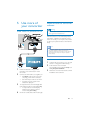
Connect the camcorder to a PC/Mac
(see ‘Get started’ > ‘Charge the built-in
battery’).
» It may take some time for the PC/Mac
to recognize the camcorder.
2
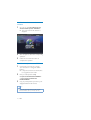
Find your video/pictures at My
Computer\CAM150\DCIM\100MEDIA
or My Computer\CAM150 SD\
DCIM\100MEDIA.
3
Copy any video/pictures you want to your
designated folder in the PC/Mac.
Tip
• You can also import the video/picture files with the
camcorder software (for PC) or iMovie (for Mac).
16
EN