1
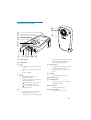
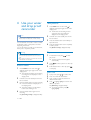
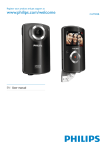
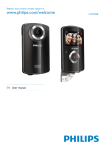
Functional overview
r
q
a
b
p
c
d
e
f
n
o
h i j kl m
g
a Built-in speaker
b Display panel
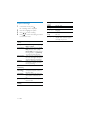
c
•
In viewfinder mode, switch to play
mode.
In play mode, play a selected video
clip.
Confirm settings.
•
•
d
/
•
•
•
•
•
Navigate left/right in a menu.
Select a menu option.
In play mode, turn to the previous/
next picture/video clip.
( ) In viewfinder mode, switch to
the scene selection window.
( ) In viewfinder mode, switch to
the settings menu.
e +/• In viewfinder mode, zoom in/out.
• Navigate up/down in a menu.
• Change a value in the settings menu.
•
•
During video play, change the volume.
Perform the specific function as
shown on the display panel.
f Shutter button
• In viewfinder mode, take a picture or
start/stop video recording.
• In play mode, switch to viewfinder
mode.
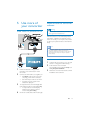
g Fastener
• Secure the protective cover.
h Protective cover
i Mini USB socket
• Connect to a PC/Mac through the
supplied USB cable.
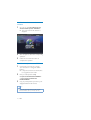
j Reset button
• Restore default settings.
k Micro SD socket
• Connect a Micro SD card.
EN
7