1
Vigor2830 Series User’s Guide
ii
Vigor2830 Series
ADSL2+ Security Firewall
User’s Guide
Version: 2.0
Firmware Version: V3.3.7.1
Date: 25/05/2012
iii
Vigor2830 Series User’s Guide
Copyright Information
Copyright
Declarations
Copyright 2012 All rights reserved. This publication contains information that is
protected by copyright. No part may be reproduced, transmitted, transcribed, stored in a
retrieval system, or translated into any language without written permission from the
copyright holders.
Trademarks
The following trademarks are used in this document:
z
Microsoft is a registered trademark of Microsoft Corp.
z
Windows, Windows 95, 98, Me, NT, 2000, XP, Vista and Explorer are
trademarks of Microsoft Corp.
z
Apple and Mac OS are registered trademarks of Apple Inc.
z
Other products may be trademarks or registered trademarks of their respective
manufacturers.
Safety Instructions and Approval
z
z
Warranty
Read the installation guide thoroughly before you set up the router.
The router is a complicated electronic unit that may be repaired only be
authorized and qualified personnel. Do not try to open or repair the router
yourself.
z
Do not place the router in a damp or humid place, e.g. a bathroom.
z
The router should be used in a sheltered area, within a temperature range of +5 to
+40 Celsius.
z
Do not expose the router to direct sunlight or other heat sources. The housing and
electronic components may be damaged by direct sunlight or heat sources.
z
Do not deploy the cable for LAN connection outdoor to prevent electronic shock
hazards.
z
Keep the package out of reach of children.
z
When you want to dispose of the router, please follow local regulations on
conservation of the environment.
We warrant to the original end user (purchaser) that the router will be free from any
defects in workmanship or materials for a period of two (2) years from the date of
purchase from the dealer. Please keep your purchase receipt in a safe place as it serves
as proof of date of purchase. During the warranty period, and upon proof of purchase,
should the product have indications of failure due to faulty workmanship and/or
materials, we will, at our discretion, repair or replace the defective products or
components, without charge for either parts or labor, to whatever extent we deem
necessary tore-store the product to proper operating condition. Any replacement will
consist of a new or re-manufactured functionally equivalent product of equal value, and
will be offered solely at our discretion. This warranty will not apply if the product is
modified, misused, tampered with, damaged by an act of God, or subjected to abnormal
working conditions. The warranty does not cover the bundled or licensed software of
other vendors. Defects which do not significantly affect the usability of the product will
not be covered by the warranty. We reserve the right to revise the manual and online
documentation and to make changes from time to time in the contents hereof without
obligation to notify any person of such revision or changes.
Be a Registered
Owner
Web registration is preferred. You can register your Vigor router via
http://www.DrayTek.com.
Firmware & Tools
Updates
Due to the continuous evolution of DrayTek technology, all routers will be regularly
upgraded. Please consult the DrayTek web site for more information on newest
firmware, tools and documents.
Safety
Instructions
http://www.DrayTek.com
Vigor2830 Series User’s Guide
iv
European Community Declarations
Manufacturer:
Address:
Product:
DrayTek Corp.
No. 26, Fu Shing Road, HuKou Township, HsinChu Industrial Park, Hsin-Chu, Taiwan 303
Vigor2830 Series Router
DrayTek Corp. declares that Vigor2830 Series of routers are in compliance with the following essential
requirements and other relevant provisions of R&TTE Directive 1999/5/EEC.
The product conforms to the requirements of Electro-Magnetic Compatibility (EMC) Directive 2004/108/EC by
complying with the requirements set forth in EN55022/Class B and EN55024/Class B.
The product conforms to the requirements of Low Voltage (LVD) Directive 2006/95/EC by complying with the
requirements set forth in EN60950-1.
Regulatory Information
Federal Communication Commission Interference Statement
This equipment has been tested and found to comply with the limits for a Class B digital device, pursuant to Part
15 of the FCC Rules. These limits are designed to provide reasonable protection against harmful interference in a
residential installation. This equipment generates, uses and can radiate radio frequency energy and, if not installed
and used in accordance with the instructions, may cause harmful interference to radio communications. However,
there is no guarantee that interference will not occur in a particular installation. If this equipment does cause
harmful interference to radio or television reception, which can be determined by turning the equipment off and
on, the user is encouraged to try to correct the interference by one of the following measures:
z
Reorient or relocate the receiving antenna.
z
Increase the separation between the equipment and receiver.
z
Connect the equipment into an outlet on a circuit different from that to which the receiver is connected.
z
Consult the dealer or an experienced radio/TV technician for help.
This device complies with Part 15 of the FCC Rules. Operation is subject to the following two conditions:
(1) This device may not cause harmful interference, and
(2) This device may accept any interference received, including interference that may cause undesired operation.
Please visit http://www.draytek.com/user/SupportDLRTTECE.php
This product is designed for the DSL, POTS, 2.4GHz/5GHz WLAN network throughout the EC region and
Switzerland with restrictions in France. Please see the user manual for the applicable networks on your product.
v
Vigor2830 Series User’s Guide
Vigor2830 Series User’s Guide
vi
Table of Contents
Preface ..........................................................................................................1
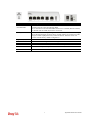
1.1 Web Configuration Buttons Explanation ................................................................................. 1
1.2 LED Indicators and Connectors .............................................................................................. 2
1.2.1 For Vigor2830 ................................................................................................................... 2
1.2.2 For Vigor2830n/ Vigor2830n-plus..................................................................................... 4
1.2.3 For Vigor2830Vn............................................................................................................... 6
1.3 Hardware Installation .............................................................................................................. 9
1.4 Printer Installation ................................................................................................................. 10
Initial Configuration ...................................................................................15
2.1 Accessing Web Page ............................................................................................................ 15
2.2 Changing Password .............................................................................................................. 16
2.3 Quick Start Wizard ................................................................................................................ 17
2.3.1 For WAN1 ....................................................................................................................... 18
2.3.2 For WAN2 (Ethernet) ...................................................................................................... 23
2.3.3 For WAN3 (USB) ............................................................................................................ 32
2.4 Service Activation Wizard...................................................................................................... 33
2.5 Online Status......................................................................................................................... 36
2.5.1 Physical Connection ....................................................................................................... 36
2.5.2 Virtual WAN .................................................................................................................... 37
2.6 Saving Configuration............................................................................................................. 38
2.7 Registering Vigor Router....................................................................................................... 38
Advanced Configuration............................................................................41
3.1 WAN ...................................................................................................................................... 41
3.1.1 Basics of Internet Protocol (IP) Network......................................................................... 41
3.1.2 General Setup................................................................................................................. 43
3.1.3 Internet Access ............................................................................................................... 49
3.1.4 Multi-PVCs...................................................................................................................... 64
3.1.5 Load-Balance Policy ....................................................................................................... 69
3.2 LAN ....................................................................................................................................... 71
3.2.1 Basics of LAN ................................................................................................................. 71
3.2.2 General Setup................................................................................................................. 73
3.2.3 Static Route .................................................................................................................... 78
3.2.4 VLAN (Multi-Subnet)....................................................................................................... 82
3.2.5 Bind IP to MAC ............................................................................................................... 84
3.2.6 LAN Port Mirror............................................................................................................... 85
vii
Vigor2830 Series User’s Guide
3.3 NAT ....................................................................................................................................... 86
3.3.1 Port Redirection .............................................................................................................. 87
3.3.2 DMZ Host........................................................................................................................ 89
3.3.3 Open Ports...................................................................................................................... 92
3.3.4 Address Mapping............................................................................................................ 93
3.3.5 Port Triggering ................................................................................................................ 95
3.4 Firewall .................................................................................................................................. 98
3.4.1 Basics for Firewall........................................................................................................... 98
3.4.2 General Setup............................................................................................................... 100
3.4.3 Filter Setup ................................................................................................................... 104
3.4.4 DoS Defense ................................................................................................................ 112
3.5 User Management................................................................................................................115
3.5.1 General Setup............................................................................................................... 116
3.5.2 User Profile ................................................................................................................... 117
3.5.3 User Group ................................................................................................................... 120
3.5.4 User Online Status........................................................................................................ 121
3.6 Objects Settings .................................................................................................................. 123
3.6.1 IP Object ....................................................................................................................... 123
3.6.2 IP Group ....................................................................................................................... 125
3.6.3 Service Type Object ..................................................................................................... 127
3.6.4 Service Type Group...................................................................................................... 129
3.6.5 Keyword Object ............................................................................................................ 130
3.6.6 Keyword Group............................................................................................................. 132
3.6.7 File Extension Object.................................................................................................... 134
3.7 CSM Profile ......................................................................................................................... 135
3.7.1 APP Enforcement Profile .............................................................................................. 136
3.7.2 URL Content Filter Profile............................................................................................. 139
3.7.3 Web Content Filter Profile............................................................................................. 143
3.8 Bandwidth Management ..................................................................................................... 146
3.8.1 Sessions Limit............................................................................................................... 147
3.8.2 Bandwidth Limit ............................................................................................................ 149
3.8.3 Quality of Service.......................................................................................................... 151
3.9 Applications ......................................................................................................................... 158
3.9.1 Dynamic DNS ............................................................................................................... 158
3.9.2 Schedule ....................................................................................................................... 161
3.9.3 RADIUS ........................................................................................................................ 163
3.9.4 UPnP............................................................................................................................. 164
3.9.5 IGMP............................................................................................................................. 166
3.9.6 Wake on LAN................................................................................................................ 167
3.9.7 Short Message Service................................................................................................. 168
3.10 VPN and Remote Access.................................................................................................. 169
3.10.1 VPN Client Wizard ...................................................................................................... 170
3.10.2 VPN Server Wizard..................................................................................................... 176
3.10.3 Remote Access Control .............................................................................................. 180
3.10.4 PPP General Setup .................................................................................................... 181
3.10.5 IPSec General Setup .................................................................................................. 182
3.10.6 IPSec Peer Identity ..................................................................................................... 184
3.10.7 Remote Dial-in User ................................................................................................... 186
3.10.8 LAN to LAN................................................................................................................. 189
3.10.9 VPN TRUNK Management......................................................................................... 199
3.10.10 Connection Management ......................................................................................... 204
3.11 Certificate Management .................................................................................................... 205
Vigor2830 Series User’s Guide
viii
3.11.1 Local Certificate .......................................................................................................... 205
3.11.2 Trusted CA Certificate ................................................................................................ 207
3.11.3 Certificate Backup....................................................................................................... 208
3.12 VoIP................................................................................................................................... 208
3.12.1 DialPlan ...................................................................................................................... 210
3.12.2 SIP Accounts .............................................................................................................. 219
3.12.3 Phone Settings ........................................................................................................... 223
3.12.4 Status.......................................................................................................................... 228
3.13 Wireless LAN .................................................................................................................... 229
3.13.1 Basic Concepts........................................................................................................... 229
3.13.2 General Setup............................................................................................................. 232
3.13.3 Security ....................................................................................................................... 235
3.13.4 Access Control............................................................................................................ 238
3.13.5 WPS............................................................................................................................ 239
3.13.6 WDS............................................................................................................................ 242
3.13.7 Advanced Setting........................................................................................................ 245
3.13.8 WMM Configuration .................................................................................................... 246
3.13.9 AP Discovery .............................................................................................................. 247
3.13.10 Station List ................................................................................................................ 249
3.13.11 Web Portal ................................................................................................................ 250
3.14 USB Application ................................................................................................................ 251
3.14.1 USB General Settings................................................................................................. 251
3.14.2 USB User Management.............................................................................................. 252
3.14.3 File Explorer................................................................................................................ 255
3.14.4 USB Disk Status ......................................................................................................... 255
3.14.5 Syslog Explorer........................................................................................................... 256
3.15 System Maintenance......................................................................................................... 257
3.15.1 System Status............................................................................................................. 258
3.15.2 TR-069 ........................................................................................................................ 260
3.15.3 Administrator Password.............................................................................................. 261
3.15.4 User Password ........................................................................................................... 262
3.15.5 Login Customization ................................................................................................... 263
3.15.6 Configuration Backup ................................................................................................. 264
3.15.7 Syslog/Mail Alert ......................................................................................................... 267
3.15.8 Time and Date ............................................................................................................ 270
3.15.9 Management............................................................................................................... 271
3.15.10 Reboot System ......................................................................................................... 272
3.15.11 Firmware Upgrade .................................................................................................... 273
3.15.12 Activation .................................................................................................................. 274
3.16 Diagnostics........................................................................................................................ 276
3.16.1 Dial-out Triggering ...................................................................................................... 276
3.16.2 Routing Table ............................................................................................................. 277
3.16.3 ARP Cache Table ....................................................................................................... 277
3.16.4 DHCP Table................................................................................................................ 278
3.16.5 NAT Sessions Table ................................................................................................... 279
3.16.6 Ping Diagnosis............................................................................................................ 279
3.16.7 Data Flow Monitor....................................................................................................... 281
3.16.8 Traffic Graph............................................................................................................... 283
3.16.9 Trace Route ................................................................................................................ 284
3.16.10 Syslog Explorer......................................................................................................... 285
3.17 External Devices ............................................................................................................... 286
ix
Vigor2830 Series User’s Guide
Application and Examples.......................................................................287
4.1 How to Configure Multi-Subnet in Vigor2830...................................................................... 287
4.2 How Can I Use FTP to Get the Files from USB Storage Device Connecting to Vigor Router?
.................................................................................................................................................. 294
4.3 How to Send out SMS via Vigor Router.............................................................................. 297
4.4 Web Portal Log-In Application for Wireless Client .............................................................. 300
4.5 How to Customize Your Login Page ................................................................................... 303
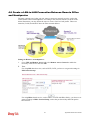
4.6 Create a LAN-to-LAN Connection Between Remote Office and Headquarter ................... 305
4.7 Create a Remote Dial-in User Connection Between the Teleworker and Headquarter...... 313
4.8 QoS Setting Example.......................................................................................................... 317
4.9 Upgrade Firmware for Your Router ..................................................................................... 322
4.10 Request a certificate from a CA server on Windows CA Server ....................................... 325
4.11 Request a CA Certificate and Set as Trusted on Windows CA Server ............................. 329
4.12 Creating an Account for MyVigor ...................................................................................... 331
4.12.1 Creating an Account via Vigor Router ........................................................................ 331
4.12.2 Creating an Account via MyVigor Web Site................................................................ 335
Trouble Shooting......................................................................................339
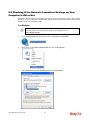
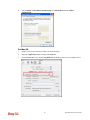
5.1 Checking If the Hardware Status Is OK or Not.................................................................... 339
5.2 Checking If the Network Connection Settings on Your Computer Is OK or Not ................. 340
5.3 Pinging the Router from Your Computer ............................................................................. 342
5.4 Checking If the ISP Settings are OK or Not ........................................................................ 343
5.5 Problems for 3G Network Connection ................................................................................ 343
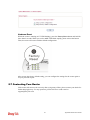
5.6 Backing to Factory Default Setting If Necessary ................................................................ 344
5.7 Contacting Your Dealer ....................................................................................................... 345
Vigor2830 Series User’s Guide
x
Preface
Vigor2830 series is an ADSL2+ router. It integrates IP layer QoS, NAT session/bandwidth
management to help users control works well with large bandwidth.
By adopting hardware-based VPN platform and hardware encryption of AES/DES/3DES, the
router increases the performance of VPN greatly, and offers several protocols (such as
IPSec/PPTP/L2TP) with up to 32 VPN tunnels.
The object-based design used in SPI (Stateful Packet Inspection) firewall allows users to set
firewall policy with ease. CSM (Content Security Management) provides users control and
management in IM (Instant Messenger) and P2P (Peer to Peer) more efficiency than before.
By the way, DoS/DDoS prevention and URL/Web content filter strengthen the security
outside and control inside.
Object-based firewall is flexible and allows your network be safe. In addition, Vigor2830
series supports USB interface for connecting USB printer to share printer or USB storage
device for sharing files.
Vigor2830 series provides two-level management to simplify the configuration of network
connection. The user mode allows user accessing into WEB interface via simple configuration.
However, if users want to have advanced configurations, they can access into WEB interface
through admin mode.
1.1 Web Configuration Buttons Explanation
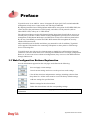
Several main buttons appeared on the web pages are defined as the following:
Save and apply current settings.
Cancel current settings and recover to the previous saved settings.
Clear all the selections and parameters settings, including selection from
drop-down list. All the values must be reset with factory default settings.
Add new settings for specified item.
Edit the settings for the selected item.
Delete the selected item with the corresponding settings.
Note: For the other buttons shown on the web pages, please refer to Chapter 3, 4 for detailed
explanation.
1
Vigor2830 Series User’s Guide
1.2 LED Indicators and Connectors
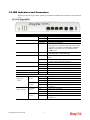
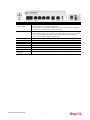
Before you use the Vigor router, please get acquainted with the LED indicators and connectors
first.
1.2.1 For Vigor2830
LED
Status
Explanation
ACT (Activity)
CSM
Blinking
Off
On
Blinking
On
WCF
On
DSL
On
The router is powered on and running normally.
The router is powered off.
USB device is connected and ready for use.
The data is transmitting.
The profile(s) of CSM (Content Security
Management) for IM/P2P, URL/Web Content Filter
application is enabled from Firewall >>General
Setup. (Such profile must be established under
CSM menu).
The Web Content Filter is active. (It is enabled
from Firewall >> General Setup).
The router is ready to access Internet through DSL
link.
Slowly: The DSL connection is ready.
Quickly: The connection is tranning.
The WAN2 connection is ready.
It will blink while transmitting data.
The DoS/DDoS function is active.
It will blink while an attack is detected.
The VPN tunnel is active.
The QoS function is active.
USB
Blinking
WAN2
On
Blinking
On
Blinking
On
On
DoS
VPN
QoS
LED on Connector
GigaLAN
1/2/3/4
Left LED
(Green)
Right LED
(Green)
WAN 2 (Giga)
Left LED
(Green)
Right LED
(Green)
Vigor2830 Series User’s Guide
On
Off
Blinking
On
Off
On
Off
Blinking
On
Off
2
The port is connected.
The port is disconnected.
The data is transmitting.
The port is connected with 1000Mbps.
The port is connected with 10/100Mbps when left
LED is on.
The port is connected.
The port is disconnected.
The data is transmitting.
The port is connected with 1000Mbps.
The port is connected with 10/100Mbps when left
LED is on.
Interface
Description
Factory Reset
GigaLAN (1-4)
DSL
WAN2(Giga)
USB
PWR
Restore the default settings. Usage: Turn on the router (ACT LED is blinking).
Press the hole and keep for more than 5 seconds. When you see the ACT LED
begins to blink rapidly than usual, release the button. Then the router will
restart with the factory default configuration.
Connecters for local networked devices.
Connecter for accessing the Internet through ADSL2/2+.
Connecters for remote networked devices.
Connecter for a USB device (for 3G USB Modem or printer).
Connecter for a power adapter.
ON/OFF
Power Switch.
3
Vigor2830 Series User’s Guide
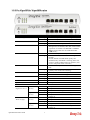
1.2.2 For Vigor2830n/ Vigor2830n-plus
LED
Status
Explanation
ACT (Activity)
Blinking
Off
On
Blinking
On
The router is powered on and running normally.
The router is powered off.
USB device is connected and ready for use.
The data is transmitting.
The profile(s) of CSM (Content Security
Management) for IM/P2P, URL/Web Content Filter
application is enabled from Firewall >>General
Setup. (Such profile must be established under
CSM menu).
Wireless access point is ready.
It will blink slowly while wireless traffic goes
through.
If ACT and WLAN LEDs blink quickly and
simultaneously when WPS is working, and it will
return to normal condition after two minutes. (You
need to setup WPS within 2 minutes.)
The router is ready to access Internet through DSL
link.
Slowly: The DSL connection is ready.
Quickly: The connection is tranning.
The WAN2 connection is ready.
It will blink while transmitting data.
The DoS/DDoS function is active.
It will blink while an attack is detected.
The VPN tunnel is active.
The QoS function is active.
USB
CSM
WLAN
On
Blinking
DSL
On
Blinking
WAN2
On
Blinking
On
Blinking
On
On
DoS
VPN
QoS
LED on Connector
GigaLAN 1/2/3/4
Left LED
(Green)
Right LED
(Green)
WAN 2 (Giga)
Left LED
(Green)
Right LED
(Green)
Vigor2830 Series User’s Guide
On
Off
Blinking
On
Off
On
Off
Blinking
On
Off
4
The port is connected.
The port is disconnected.
The data is transmitting.
The port is connected with 1000Mbps.
The port is connected with 10/100Mbps when left
LED is on.
The port is connected.
The port is disconnected.
The data is transmitting.
The port is connected with 1000Mbps.
The port is connected with 10/100Mbps when left
LED is on.
Interface
Description
Wireless LAN
ON/OFF/WPS
GigaLAN (1-4)
DSL
WAN2(Giga)
USB
PWR
Press "Wireless LAN ON/OFF/WPS" button once to wait for client device
making network connection through WPS.
Press "Wireless LAN ON/OFF/WPS" button twice to enable (WLAN LED on)
or disable (WLAN LED off) wireless connection.
Restore the default settings. Usage: Turn on the router (ACT LED is blinking).
Press the hole and keep for more than 5 seconds. When you see the ACT LED
begins to blink rapidly than usual, release the button. Then the router will
restart with the factory default configuration.
Connecters for local network devices.
Connecter for accessing the Internet through ADSL2/2+.
Connecters for remote networked devices.
Connecter for a USB device (for 3G USB Modem or printer).
Connecter for a power adapter.
ON/OFF
Power Switch.
Factory Reset
5
Vigor2830 Series User’s Guide
1.2.3 For Vigor2830Vn
LED
Status
Explanation
ACT (Activity)
Blinking
Off
On
Blinking
On
The router is powered on and running normally.
The router is powered off.
USB device is connected and ready for use.
The data is transmitting.
The profile(s) of CSM (Content Security
Management) for IM/P2P, URL/Web Content Filter
application can be enabled from Firewall
>>General Setup. (Such profile must be
established under CSM menu).
Wireless access point is ready.
It will blink slowly while wireless traffic goes
through.
If ACT and WLAN LEDs blink quickly and
simultaneously when WPS is working, and it will
return to normal condition after two minutes. (You
need to setup WPS within 2 minutes.)
The router is ready to access Internet through DSL
link.
Slowly: The DSL connection is ready.
Quickly: The connection is tranning.
The WAN2 connection is ready.
It will blink while transmitting data.
A PSTN phone call comes (in and out). However,
when the phone call is disconnected, the LED will
be off.
There is no PSTN phone call.
The phone connected to this port is off-hook.
The phone connected to this port is on-hook.
A phone call comes.
USB
CSM
WLAN
On
Blinking
DSL
On
Blinking
WAN2
On
Blinking
On
Line
Off
On
Off
Blinking
Phone 1/2
LED on Connector
GigaLAN 1/2/3/4
Left LED
(Green)
Right LED
(Green)
WAN2 (Giga)
Vigor2830 Series User’s Guide
Left LED
(Green)
On
Off
Blinking
On
Off
On
Off
Blinking
6
The port is connected.
The port is disconnected.
The data is transmitting.
The port is connected with 1000Mbps.
The port is connected with 10/100Mbps when left
LED is on.
The port is connected.
The port is disconnected.
The data is transmitting.
Right LED
(Green)
On
Off
The port is connected with 1000Mbps.
The port is connected with 10/100Mbps when left
LED is on.
7
Vigor2830 Series User’s Guide
Interface
Description
Wireless LAN
ON/OFF/WPS
Phone 1/2
Line
GigaLAN (1-4)
DSL
WAN2(Giga)
USB
PWR
Press "Wireless LAN ON/OFF/WPS" button once to wait for client device
making network connection through WPS.
Press "Wireless LAN ON/OFF/WPS" button twice to enable (WLAN LED on)
or disable (WLAN LED off) wireless connection.
Restore the default settings. Usage: Turn on the router (ACT LED is blinking).
Press the hole and keep for more than 5 seconds. When you see the ACT LED
begins to blink rapidly than usual, release the button. Then the router will
restart with the factory default configuration.
Connecter for analog phone(s).
Connector for PSTN life line.
Connecters for local networked devices.
Connecter for accessing the Internet through ADSL2/2+.
Connecters for remote networked devices.
Connecter for a USB device (for 3G USB Modem or printer).
Connecter for a power adapter.
ON/OFF
Power Switch.
Factory Reset
Vigor2830 Series User’s Guide
8
1.3 Hardware Installation
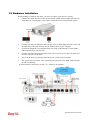
Before starting to configure the router, you have to connect your devices correctly.
1.
Connect the ADSL interface to the external ADSL splitter with an ADSL line cable for
all models. For Vigor2830Vn, also connect Line interface to external ADSL splitter.
2.
Connect one end of an Ethernet cable (RJ-45) to one of the LAN ports of the router and
the other end of the cable (RJ-45) into the Ethernet port on your computer.
3.
Connect the telephone set with phone lines (for using VoIP function). For the model
without phone ports, skip this step.
4.
Connect one end of the power adapter to the router’s power port on the rear panel, and
the other side into a wall outlet.
5.
Power on the device by pressing down the power switch on the rear panel.
6.
The system starts to initiate. After completing the system test, the ACT LED will light
up and start blinking.
(For the hardware connection, we take “Vn” model as an example.)
9
Vigor2830 Series User’s Guide
1.4 Printer Installation
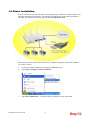
You can install a printer onto the router for sharing printing. All the PCs connected this router
can print documents via the router. The example provided here is made based on Windows
XP/2000. For Windows 98/SE/Vista, please visit www.DrayTek.com.
Before using it, please follow the steps below to configure settings for connected computers
(or wireless clients).
1.
Connect the printer with the router through USB/parallel port.
2.
Open Start->Settings-> Printer and Faxes.
3.
Open File->Add Printer. A welcome dialog will appear. Please click Next.
Vigor2830 Series User’s Guide
10
4.
Click Local printer attached to this computer and click Next.
5.
In this dialog, choose Create a new port Type of port and use the drop down list to
select Standard TCP/IP Port. Click Next.
11
Vigor2830 Series User’s Guide
6.
In the following dialog, type 192.168.1.1 (router’s LAN IP) in the field of Printer Name
or IP Address and type IP_192.168.1.1 as the port name. Then, click Next.
7.
Click Standard and choose Generic Network Card.
8.
Then, in the following dialog, click Finish.
Vigor2830 Series User’s Guide
12
9.
Now, your system will ask you to choose right name of the printer that you installed onto
the router. Such step can make correct driver loaded onto your PC. When you finish the
selection, click Next.
10. For the final stage, you need to go back to Control Panel-> Printers and edit the
property of the new printer you have added.
11. Select "LPR" on Protocol, type p1 (number 1) as Queue Name. Then click OK. Next
please refer to the red rectangle for choosing the correct protocol and LPR name.
13
Vigor2830 Series User’s Guide
The printer can be used for printing now. Most of the printers with different manufacturers are
compatible with vigor router.
Note 1: Some printers with the fax/scanning or other additional functions are not
supported. If you do not know whether your printer is supported or not, please visit
www.DrayTek.com to find out the printer list. Open Support >FAQ; find out the link of
Printer Server and click it; then click the What types of printers are compatible with
Vigor router? link.
Note 2: Vigor router supports printing request from computers via LAN ports but not
WAN port.
Vigor2830 Series User’s Guide
14
Initial Configuration
For using the router properly, it is necessary for you to change the password of web
configuration for security and adjust primary basic settings.
This chapter explains how to setup a password for accessing into the web configurator of
Vigor router and how to adjust settings for accessing Internet successfully.
2.1 Accessing Web Page
1.
Make sure your PC connects to the router correctly.
You may either simply set up your computer to get IP dynamically from the router or set
up the IP address of the computer to be the same subnet as the default IP address of
Vigor router 192.168.1.1. For the detailed information, please refer to the later section Trouble Shooting of the guide.
2.
Open a web browser on your PC and type http://192.168.1.1. The following window
will be open to ask for username and password.
3.
Please type “admin/admin” as the Username/Password and click Login.
Notice: If you fail to access to the web configuration, please go to “Trouble
Shooting” for detecting and solving your problem.
15
Vigor2830 Series User’s Guide
4.
Now, the Main Screen will appear.
Note: The home page will be different slightly in accordance with the type of the
router you have.
5.
The web page can be logged out according to the chosen condition. The default setting is
Auto Logout, which means the web configuration system will logout after 5 minutes
without any operation. Change the setting for your necessity.
2.2 Changing Password
Please change the password for the original security of the router.
1.
Open a web browser on your PC and type http://192.168.1.1. A pop-up window will
open to ask for username and password.
2.
Please type “admin/admin” as the Username/Password and click Login.
3.
Go to System Maintenance page and choose Administrator Password/User
Password.
Vigor2830 Series User’s Guide
16
4.
Enter the login password (the default is blank) on the field of Old Password. Type New
Password. Then click OK to continue.
5.
Now, the password has been changed. Next time, use the new password to access the
Web Configurator for this router.
2.3 Quick Start Wizard
If your router can be under an environment with high speed NAT, the configuration provide
here can help you to deploy and use the router quickly. The first screen of Quick Start
Wizard is entering login password. After typing the password, please click Next.
17
Vigor2830 Series User’s Guide
On the next page as shown below, please select the WAN interface that you use. If DSL
interface is used, please choose WAN1; if Ethernet interface is used, please choose WAN2; if
3G USB modem is used, please choose WAN3. Then click Next for next step.
WAN1, WAN2 and WAN3 will bring up different configuration page. Refer to the following
for detailed information.
2.3.1 For WAN1
WAN1 is specified for ADSL connection. Please select the appropriate Internet access type
according to the information from your ISP. For example, you should select PPPoE mode if
the ISP provides you PPPoE interface.
PPPoE/PPPoA
PPPoE/PPPoA: PPPoE stands for Point-to-Point Protocol over Ethernet. It relies on two
widely accepted standards: PPP and Ethernet. It connects users through an Ethernet to the
Internet with a common broadband medium, such as a single DSL line, wireless device or
cable modem. All the users over the Ethernet can share a common connection.
Vigor2830 Series User’s Guide
18
PPPoE is used for most of DSL modem users. All local users can share one PPPoE connection
for accessing the Internet. Your service provider will provide you information about user name,
password, and authentication mode.
1.
Choose WAN1 as WAN Interface and click the Next button; you will get the following
page.
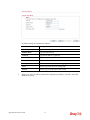
Available settings are explained as follows:
Item
Description
VPI
Type in the value provided by ISP.
Auto detect – Click this button to have the VPI and VCI to
be detected by the system automatically
VCI
Type in the value provided by ISP.
Protocol /
Encapsulation
There are several modes offered for you to choose for
WAN1 interface.
Choose PPPoE or PPPoA as the protocol.
Fixed IP
Click Yes to enable Fixed IP feature.
IP Address
Type the IP address if Fixed IP is enabled.
Primary DNS
Type in the primary IP address for the router.
Secondary DNS
Type in secondary IP address for necessity in the future.
19
Vigor2830 Series User’s Guide
2.
Back
Click it to return to previous setting page.
Next
Click it to get into the next setting page.
Cancel
Click it to give up the quick start wizard.
After finished the above settings, simply click Next.
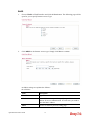
Available settings are explained as follows:
3.
Item
Description
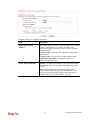
User Name
Type in the valid user name (maximum 63 characters)
provided by the ISP in this field.
Password
Type a valid password provided by the ISP.
Confirm Password
Retype the password.
Please manually enter the Username/Password provided by your ISP. Then click Next
for viewing summary of such connection.
Vigor2830 Series User’s Guide
20
4.
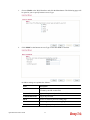
Click Finish. A page of Quick Start Wizard Setup OK!!! will appear. Then, the system
status of this protocol will be shown.
5.
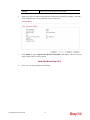
Now, you can enjoy surfing on the Internet.
1483 Bridged IP /1483 Routed IP
1.
Choose WAN1 as WAN Interface and click the Next button; you will get the following
page.
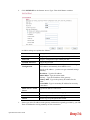
Available settings are explained as follows:
Item
Description
VPI
Type in the value provided by ISP.
Auto detect – Click this button to have the VPI and VCI to
be detected by the system automatically
VCI
Type in the value provided by ISP.
Protocol /
Encapsulation
There are several modes offered for you to choose for
WAN1 interface.
Choose 1483 Bridged IP /1483 Routed IP as the protocol.
Fixed IP
Click Yes to enable Fixed IP feature.
IP Address
Type the IP address if Fixed IP is enabled.
Subnet Mask
Type the subnet mask.
Primary DNS
Type in the primary IP address for the router.
Secondary DNS
Type in secondary IP address for necessity in the future.
Back
Click it to return to previous setting page.
Next
Click it to get into the next setting page.
21
Vigor2830 Series User’s Guide
Cancel
Click it to give up the quick start wizard.
2.
Please type in the IP address/mask/gateway information originally provided by your ISP.
Then click Next for viewing summary of such connection.
3.
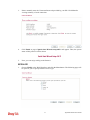
Click Finish. A page of Quick Start Wizard Setup OK!!! will appear. Then, the system
status of this protocol will be shown.
4.
Now, you can enjoy surfing on the Internet.
Vigor2830 Series User’s Guide
22
2.3.2 For WAN2 (Ethernet)
WAN2 is dedicated to physical mode in Ethernet. If you choose WAN2, please specify
physical type. Then, click Next.
On the next page as shown below, please select the appropriate Internet access type according
to the information from your ISP. For example, you should select PPPoE mode if the ISP
provides you PPPoE interface. Then click Next for next step.
PPPoE
PPPoE stands for Point-to-Point Protocol over Ethernet. It relies on two widely accepted
standards: PPP and Ethernet. It connects users through an Ethernet to the Internet with a
common broadband medium, such as a single DSL line, wireless device or cable modem. All
the users over the Ethernet can share a common connection.
PPPoE is used for most of DSL modem users. All local users can share one PPPoE connection
for accessing the Internet. Your service provider will provide you information about user name,
password, and authentication mode.
23
Vigor2830 Series User’s Guide
1.
Choose WAN2 as the WAN Interface and click the Next button. The following page will
be open for you to specify Internet Access Type.
2.
Click PPPoE as the Internet Access Type. Then click Next to continue.
Available settings are explained as follows:
Item
Description
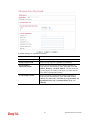
User Name
Type in the valid user name (maximum 63 characters)
provided by the ISP in this field.
Password
Type a valid password provided by the ISP.
Confirm Password
Retype the password.
Back
Click it to return to previous setting page.
Next
Click it to get into the next setting page.
Cancel
Click it to give up the quick start wizard.
Vigor2830 Series User’s Guide
24
3.
Please manually enter the Username/Password provided by your ISP. Click Next for
viewing summary of such connection.
4.
Click Finish. A page of Quick Start Wizard Setup OK!!! will appear. Then, the system
status of this protocol will be shown.
5.
Now, you can enjoy surfing on the Internet.
PPTP/L2TP
1.
Choose WAN2 as the WAN Interface and click the Next button. The following page will
be open for you to specify Internet Access Type.
25
Vigor2830 Series User’s Guide
2.
Click PPTP/L2TP as the Internet Access Type. Then click Next to continue.
Available settings are explained as follows:
3.
Item
Description
User Name
Assign a specific valid user name provided by the ISP.
Password
Assign a valid password provided by the ISP.
Confirm Password
Retype the password.
WAN IP
Configuration
Obtain an IP address automatically – the router will get
an IP address automatically from DHCP server.
Specify an IP address – you have to type relational settings
manually.
IP Address - Type the IP address.
Subnet Mask –Type the subnet mask.
Gateway – Type the IP address of the gateway.
Primary DNS –Type in the primary IP address for the
router.
Second DNS –Type in secondary IP address for necessity
in the future.
PPTP Server / L2TP
Server
Type the IP address of the server.
Back
Click it to return to previous setting page.
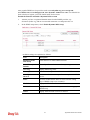
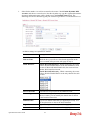
Next
Click it to get into the next setting page.
Cancel
Click it to give up the quick start wizard.
Please type in the IP address/mask/gateway information originally provided by your ISP.
Then click Next for viewing summary of such connection.
Vigor2830 Series User’s Guide
26
4.
Click Finish. A page of Quick Start Wizard Setup OK!!! will appear. Then, the system
status of this protocol will be shown.
5.
Now, you can enjoy surfing on the Internet.
Static IP
1.
Choose WAN2 as the WAN Interface and click the Next button. The following page will
be open for you to specify Internet Access Type.
2.
Click Static IP as the Internet Access type. Simply click Next to continue.
27
Vigor2830 Series User’s Guide
Available settings are explained as follows:
3.
Item
Description
WAN IP
Type the IP address.
Subnet Mask
Type the subnet mask.
Gateway
Type the IP address of gateway.
Primary DNS
Type in the primary IP address for the router.
Secondary DNS
Type in secondary IP address for necessity in the future.
Back
Click it to return to previous setting page.
Next
Click it to get into the next setting page.
Cancel
Click it to give up the quick start wizard.
Please type in the IP address information originally provided by your ISP. Then click
Next for next step.
Vigor2830 Series User’s Guide
28
4.
Click Finish. A page of Quick Start Wizard Setup OK!!! will appear. Then, the system
status of this protocol will be shown.
5.
Now, you can enjoy surfing on the Internet.
29
Vigor2830 Series User’s Guide
DHCP
1.
Choose WAN2 as WAN Interface and click the Next button. The following page will be
open for you to specify Internet Access Type.
2.
Click DHCP as the Internet Access type. Simply click Next to continue.
Available settings are explained as follows:
ed as follows:
Item
Description
Host Name
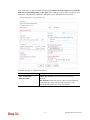
Type the name of the host.
MAC
Some Cable service providers specify a specific MAC
address for access authentication. In such cases you need to
enter the MAC address.
Back
Click it to return to previous setting page.
Vigor2830 Series User’s Guide
30
Next
Click it to get into the next setting page.
Cancel
Click it to give up the quick start wizard.
3.
After finished the settings above, click Next for viewing summary of such connection.
4.
Click Finish. A page of Quick Start Wizard Setup OK!!! will appear. Then, the system
status of this protocol will be shown.
5.
Now, you can enjoy surfing on the Internet.
31
Vigor2830 Series User’s Guide
2.3.3 For WAN3 (USB)
To use 3G USB modem for network connection, please choose WAN3.
1.
Choose WAN3 as WAN Interface.
2.
Then, click Next for viewing summary of such connection.
3.
Click Finish. A page of Quick Start Wizard Setup OK!!! will appear. Then, the system
status of this protocol will be shown.
4.
Now, you can enjoy surfing on the Internet.
Vigor2830 Series User’s Guide
32
2.4 Service Activation Wizard
Service Activation Wizard can guide you to activate WCF service (Web Content Filter) with a
quick and easy way. For the Service Activation Wizard is only available for admin
operation, therefore, please type “admin/admin” on Username/Password while Logging
into the web configurator.
Service Activation Wizard is a tool which allows you to use trial version or update the license
of WCF directly without accessing into the server (MyVigor) located on
http://myvigor.draytek.com. For using Web Content Filter Profile, please refer to later section
Web Content Filter Profile for detailed information.
Now, follow the steps listed below to activate WCF feature for your router.
1. Open Service Activation Wizard.
2.
The screen of Service Activation Wizard will be shown as follows. Choose the one you
need and click Next. In this case, we choose to activate free trail edition.
Free trial edition: it offers a period of trial for you to get acquainted with WCF function.
Formal edition with license key: you can extend the license valid time manually.
Note: If you activate Formal edition with license key first, the free trial edition will
be invalid.
33
Vigor2830 Series User’s Guide
3.
In the following page, you can activate the Web content filter services at the same time
or individually. When you finish the selection, please click Next.
Commtouch is the web content filter based on Commtouch operated in the worldwide.
There is a 30-day trial period. After trial, you can purchase DrayTek's prepared
Commtouch GlobalView WCF package from retailing outlets.
4.
Setting confirmation page will be displayed as follows, please click Next.
5.
Wait for a moment till the following page appears.
When such page appears, you can enable or disable these services for your necessity.
Then, click Finish.
Vigor2830 Series User’s Guide
34
Note: The service will be activated and applied as the default rule configured in
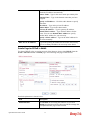
Firewall>>General Setup.
6.
Now, the web page will display the service that you have activated according to your
selection(s). The valid time for the free trial of these services is one month.
Later, if you need to extend the license valid time for the same service, you can also
use the Service Activation Wizard again to reach your goal by clicking the radio
button of Formal edition with license key and clicking Next.
35
Vigor2830 Series User’s Guide
2.5 Online Status
2.5.1 Physical Connection
Such page displays the physical connection status such as LAN connection status, WAN
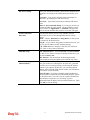
connection status, ADSL information, and so on.
If you select PPPoE as the protocol, you will find out a link of Dial PPPoE or Drop PPPoE
in the Online Status web page.
Detailed explanation is shown below:
Item
Description
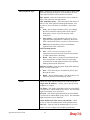
LAN Status
Primary DNS-Displays the primary DNS server address
for WAN interface.
Secondary DNS -Displays the secondary DNS server
address for WAN interface.
IP Address-Displays the IP address of the LAN interface.
TX Packets-Displays the total transmitted packets at the
LAN interface.
RX Packets-Displays the total received packets at the LAN
interface.
WAN1/WAN2/WAN3
Enable – Yes in red means such interface is available but
Vigor2830 Series User’s Guide
36
Item
Status
Description
not enabled. Yes in green means such interface is enabled.
Line – Displays the physical connection (VDSL, ADSL,
Ethernet, or USB) of this interface.
Name – Display the name of the router.
Mode - Displays the type of WAN connection (e.g.,
PPPoE).
Up Time - Displays the total uptime of the interface.
IP - Displays the IP address of the WAN interface.
GW IP - Displays the IP address of the default gateway.
TX Packets - Displays the total transmitted packets at the
WAN interface.
TX Rate - Displays the speed of transmitted octets at the
WAN interface.
RX Packets - Displays the total number of received packets
at the WAN interface.
RX Rate - Displays the speed of received octets at the
WAN interface.
Note: The words in green mean that the WAN connection of that interface is ready for
accessing Internet; the words in red mean that the WAN connection of that interface is not
ready for accessing Internet.
2.5.2 Virtual WAN
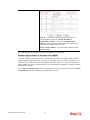
Such page displays the virtual WAN connection information.
Virtual WAN are used by TR-069 management, VoIP service and so on.
The field of Application will list the purpose of such WAN connection.
37
Vigor2830 Series User’s Guide
2.6 Saving Configuration
Each time you click OK on the web page for saving the configuration, you can find messages
showing the system interaction with you.
Ready indicates the system is ready for you to input settings.
Settings Saved means your settings are saved once you click Finish or OK button.
2.7 Registering Vigor Router
You have finished the configuration of Quick Start Wizard and you can surf the Internet at any
time. Now it is the time to register your Vigor router to MyVigor website for getting more
service. Please follow the steps below to finish the router registration.
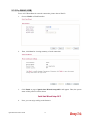
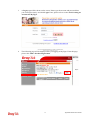
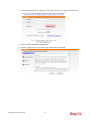
1
Please login the web configuration interface of Vigor router by typing “admin/admin”
as User Name / Password.
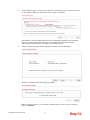
2
Click Support Area>>Production Registration from the home page.
Vigor2830 Series User’s Guide
38
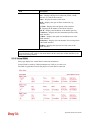
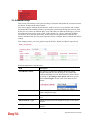
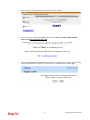
3
A Login page will be shown on the screen. Please type the account and password that
you created previously. And click Login. If not, please refer to section 4.12 Creating an
Account for MyVigor.
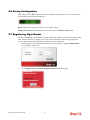
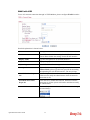
4
The following page will be displayed after you logging in MyVigor. From this page,
please click Add or Product Registration.
39
Vigor2830 Series User’s Guide
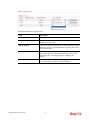
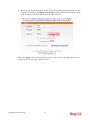
5
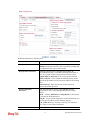
When the following page appears, please type in Nickname (for the router) and choose
the right registration date from the popup calendar (it appears when you click on the box
of Registration Date). After adding the basic information for the router, please click
Submit.
6
When the following page appears, your router information has been added to the
database.
7
Now, you have finished the product registration.
8
After clicking OK, you will see the following page. Your router has been registered to
myvigor website successfully.
Vigor2830 Series User’s Guide
40
Advanced Configuration
This chapter will guide users to execute advanced web configuration.
1.
Open a web browser on your PC and type http://192.168.1.1. The window will ask for
typing username and password.
2.
Please type “admin/admin” on Username/Password for administration operation.
Now, the Main Screen will appear. Note that different model will have different web pages.
3.1 WAN
Quick Start Wizard offers user an easy method to quick setup the connection mode for the
router. Moreover, if you want to adjust more settings for different WAN modes, please go to
WAN group.
3.1.1 Basics of Internet Protocol (IP) Network
IP means Internet Protocol. Every device in an IP-based Network including routers, print
server, and host PCs, needs an IP address to identify its location on the network. To avoid
address conflicts, IP addresses are publicly registered with the Network Information Centre
(NIC). Having a unique IP address is mandatory for those devices participated in the public
network but not in the private TCP/IP local area networks (LANs), such as host PCs under the
management of a router since they do not need to be accessed by the public. Hence, the NIC
has reserved certain addresses that will never be registered publicly. These are known as
private IP addresses, and are listed in the following ranges:
From 10.0.0.0 to 10.255.255.255
From 172.16.0.0 to 172.31.255.255
From 192.168.0.0 to 192.168.255.255
What are Public IP Address and Private IP Address
41
Vigor2830 Series User’s Guide
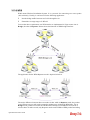
As the router plays a role to manage and further protect its LAN, it interconnects groups of
host PCs. Each of them has a private IP address assigned by the built-in DHCP server of the
Vigor router. The router itself will also use the default private IP address: 192.168.1.1 to
communicate with the local hosts. Meanwhile, Vigor router will communicate with other
network devices through a public IP address. When the data flow passing through, the
Network Address Translation (NAT) function of the router will dedicate to translate
public/private addresses, and the packets will be delivered to the correct host PC in the local
area network. Thus, all the host PCs can share a common Internet connection.
Get Your Public IP Address from ISP
In ADSL deployment, the PPP (Point to Point)-style authentication and authorization is
required for bridging customer premises equipment (CPE). Point to Point Protocol over
Ethernet (PPPoE) connects a network of hosts via an access device to a remote access
concentrator or aggregation concentrator. This implementation provides users with significant
ease of use. Meanwhile it provides access control, billing, and type of service according to
user requirement.
When a router begins to connect to your ISP, a serial of discovery process will occur to ask for
a connection. Then a session will be created. Your user ID and password is authenticated via
PAP or CHAP with RADIUS authentication system. And your IP address, DNS server, and
other related information will usually be assigned by your ISP.
Network Connection by 3G USB Modem
For 3G mobile communication through Access Point is popular more and more, Vigor2830
adds the function of 3G network connection for such purpose. By connecting 3G USB Modem
to the USB port of Vigor2830, it can support HSDPA/UMTS/EDGE/GPRS/GSM and the
future 3G standard (HSUPA, etc). Vigor2830n with 3G USB Modem allows you to receive 3G
signals at any place such as your car or certain location holding outdoor activity and share the
bandwidth for using by more people. Users can use four LAN ports on the router to access
Internet. Also, they can access Internet via 802.11n wireless function of Vigor2830n, and
enjoy the powerful firewall, bandwidth management, VPN features of Vigor2830n series.
After connecting into the router, 3G USB Modem will be regarded as the third WAN port.
However, the original WAN1 and WAN2 still can be used and Load-Balance can be done in
the router. Besides, 3G USB Modem in WAN3 also can be used as backup device. Therefore,
when WAN1 and WAN2 are not available, the router will use 3.5G for supporting
automatically. The supported 3G USB Modem will be listed on DrayTek web site. Please visit
www.draytek.com for more detailed information.
Below shows the menu items for WAN.
Vigor2830 Series User’s Guide
42
3.1.2 General Setup
This section will introduce some general settings of Internet and explain the connection modes
for WAN1, WAN2 and WAN3 in details.
This router supports multiple-WAN function. It allows users to access Internet and combine
the bandwidth of the multiple WANs to speed up the transmission through the network. Each
WAN port can connect to different ISPs, Even if the ISPs use different technology to provide
telecommunication service (such as DSL, Cable modem, etc.). If any connection problem
occurred on one of the ISP connections, all the traffic will be guided and switched to the
normal communication port for proper operation. Please configure WAN1, WAN2 and WAN3
settings.
This webpage allows you to set general setup for WAN1, WAN2 and WAN3 respectively.
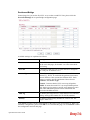
Detailed explanation is shown below:
Item
Description
Load Balance Mode
This option is available for multiple-WAN for getting
enough bandwidth for each WAN port. If you know the
practical bandwidth for your WAN interface, please choose
the setting of According to Line Speed. Otherwise, please
choose Auto Weigh to let the router reach the best load
balance.
Index
Click the WAN interface link under Index to access into the
WAN configuration page.
Enable
V means such WAN interface is enabled and ready to be
used.
Physical Mode / Type
Display the physical mode and physical type of such WAN
interface.
Line Speed
Display the downstream and upstream rate of such WAN
interface.
43
Vigor2830 Series User’s Guide
Active Mode
Display whether such WAN interface is Active device or
backup device.
Backup WAN
Display the Backup WAN interface for such WAN when it
is disabled.
Note: In default, each WAN port is enabled.
WAN1 with ADSL
WAN1 is fixed with physical mode of ADSL.
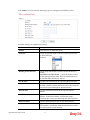
Detailed explanation is shown below:
Item
Description
Enable
Choose Yes to invoke the settings for this WAN interface.
Choose No to disable the settings for this WAN interface.
Display Name
Type the description for such WAN interface.
Physical Mode
Display the physical mode of such WAN interface.
Physical type
In such WAN interface, no type can be selected.
Line Speed
If your choose According to Line Speed as the Load
Balance Mode, please type the line speed for downloading
and uploading for such WAN interface. The unit is kbps.
Vigor2830 Series User’s Guide
44
VLAN Tag insertion
Enable – Enable the function of VLAN with tag.
The router will add specific VLAN number to all packets
on the WAN while sending them out.
Please type the tag value and specify the priority for the
packets sending by WAN1.
Disable – Disable the function of VLAN with tag.
Tag value – Type the value as the VLAN ID number. The
range is form 0 to 4095.
Priority – Type the packet priority number for such VLAN.
The range is from 0 to 7.
Send SMS if line drops
out
Use the drop down list to choose one of the profiles which
will be used to notify the administrator when the network
connection is off.
Send Mail Alert if line
drops out
Check the box to enable this function. When the network
connection is off, the system will send a mail alert to notify
the administrator.
Active Mode
Choose Always On to make the WAN1 connection being
activated always.
Backup WAN
If you choose Backup as the Active Mode, Backup WAN
will be changed into Backup Type. You have to specify
which role the WAN interface should play if you want to
backup multiple WANs. However, ignore this setting if you
want to backup a single WAN.
When any of selected WAN disconnect – Such backup
WAN will be activated when any master WAN interface
disconnects.
When all of selected WAN disconnect – Such backup
WAN will be activated only when all master WAN
interfaces disconnect.
45
Vigor2830 Series User’s Guide
WAN2 with Ethernet
WAN2 is fixed with physical mode of Ethernet.
Detailed explanation is shown below:
Item
Description
Enable
Choose Yes to invoke the settings for this WAN interface.
Choose No to disable the settings for this WAN interface.
Display Name
Type the description for such WAN interface.
Physical Mode
Display the physical mode of such WAN interface.
Physical type
You can change the physical type for WAN2 or choose
Auto negotiation for determined by the system.
Line Speed
If your choose According to Line Speed as the Load
Balance Mode, please type the line speed for downloading
and uploading for such WAN interface. The unit is kbps.
Vigor2830 Series User’s Guide
46
VLAN Tag insertion
Enable – Enable the function of VLAN with tag.
The router will add specific VLAN number to all packets
on the WAN while sending them out.
Please type the tag value and specify the priority for the
packets sending by WAN1.
Disable – Disable the function of VLAN with tag.
Tag value – Type the value as the VLAN ID number. The
range is form 0 to 4095.
Priority – Type the packet priority number for such VLAN.
The range is from 0 to 7.
Send SMS if line drops
out
Use the drop down list to choose one of the profiles which
will be used to notify the administrator when the network
connection is off.
Send Mail Alert if line
drops out
Check the box to enable this function. When the network
connection is off, the system will send a mail alert to notify
the administrator.
Active Mode
Choose Always On to make such WAN connection being
activated always.
Backup WAN
If you choose Backup as the Active Mode, Backup WAN
will be changed into Backup Type. You have to specify
which role the WAN interface should play if you want to
backup multiple WANs. However, ignore this setting if you
want to backup a single WAN.
When any of selected WAN disconnect – Such backup
WAN will be activated when any master WAN interface
disconnects.
When all of selected WAN disconnect – Such backup
WAN will be activated only when all master WAN
interfaces disconnect.
47
Vigor2830 Series User’s Guide
WAN3 with USB
To use 3G network connection through 3G USB Modem, please configure WAN3 interface.
Detailed explanation is shown below:
Item
Description
Enable
Choose Yes to invoke the settings for this WAN interface.
Choose No to disable the settings for this WAN interface.
Display Name
Type the description for such WAN interface.
Physical Mode
Display the physical mode of such WAN interface.
Physical type
In such WAN interface, no type can be selected.
Line Speed
If your choose According to Line Speed as the Load
Balance Mode, please type the line speed for downloading
and uploading for such WAN interface. The unit is kbps.
Send SMS if line drops
out
Use the drop down list to choose one of the profiles which
will be used to notify the administrator when the network
connection is off.
Send Mail Alert if line
drops out
Check the box to enable this function. When the network
connection is off, the system will send a mail alert to notify
the administrator.
Active Mode
Choose Always On to make such WAN connection being
activated always.
Vigor2830 Series User’s Guide
48
Backup WAN
If you choose Backup as the Active Mode, Backup WAN
will be changed into Backup Type. You have to specify
which role the WAN interface should play if you want to
backup multiple WANs. However, ignore this setting if you
want to backup a single WAN.
When any of selected WAN disconnect – Such backup
WAN will be activated when any master WAN interface
disconnects.
When all of selected WAN disconnect – Such backup
WAN will be activated only when all master WAN
interfaces disconnect.
3.1.3 Internet Access
For the router supports multi-WAN function, the users can set different WAN settings (for
WAN1/WAN2/WAN3) for Internet Access. Due to different Physical Mode for WAN
interface, the Access Mode for these connections also varies. Refer to the following figures.
49
Vigor2830 Series User’s Guide
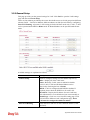
Detailed explanation is shown below:
Item
Description
Index
Display the WAN interface.
Display Name
It shows the name of the WAN1/WAN2/WAN3 that
entered in general setup.
Physical Mode
It shows the physical connection for WAN1(ADSL)/WAN2
(Ethernet) /WAN3 (3G USB Modem) according to the real
network connection.
Access Mode
Use the drop down list to choose a proper access mode. The
details page of that mode will be popped up. If not, click
Details Page for accessing the page to configure the
settings.
Details Page
This button will open different web page according to the
access mode that you choose in WAN interface
Vigor2830 Series User’s Guide
50
Details Page for PPPoE/PPPoA in WAN1
To choose PPPoE /PPPoA as the accessing protocol of the Internet, please select
PPPoE/PPPoA from the WAN>>Internet Access >>WAN1 page. The following web page
will be shown.
Detailed explanation is shown below:
Item
Description
Enable/Disable
Click Enable for activating this function. If you click
Disable, this function will be closed and all the settings that
you adjusted in this page will be invalid.
DSL Modem Settings
Set up the DSL parameters required by your ISP. These are
vital for building DSL connection to your ISP.
Multi-PVC channel - The selections displayed here are
determined by the page of Internet Access >> Multi
PVCs. Select M-PVCs Channel means no selection will be
chosen.
VPI - Type in the value provided by ISP.
VCI - Type in the value provided by ISP.
Encapsulating Type - Drop down the list to choose the
type provided by ISP.
Protocol - Drop down the list to choose the one (PPPoE or
PPPoA) provided by ISP.
If you have already used Quick Start Wizard to set the
51
Vigor2830 Series User’s Guide
protocol, then it is not necessary for you to change any
settings in this group.
Modulation –Default setting is Multimode. Choose the one
that fits the requirement of your router.
PPPoE Pass-through
The router offers PPPoE dial-up connection. Besides, you
also can establish the PPPoE connection directly from local
clients to your ISP via the Vigor router. When PPPoA
protocol is selected, the PPPoE package transmitted by PC
will be transformed into PPPoA package and sent to WAN
server. Thus, the PC can access Internet through such
direction.
For Wired LAN – If you check this box, PCs on the same
network can use another set of PPPoE session (different
with the Host PC) to access into Internet.
For Wireless LAN – If you check this box, PCs on the
same wireless network can use another set of PPPoE
session (different with the Host PC) to access into Internet.
Note: To have PPPoA Pass-through, please choose PPPoA
protocol and check the box(es) here. The router will behave
like a modem which only serves the PPPoE client on the
LAN. That’s, the router will offer PPPoA dial-up
connection.
WAN Connection
Detection
Such function allows you to verify whether network
connection is alive or not through ARP Detect or Ping
Detect.
Mode – Choose ARP Detect or Ping Detect for the system
to execute for WAN detection.
Ping IP – If you choose Ping Detect as detection mode, you
have to type IP address in this field for pinging.
TTL (Time to Live) – Displays value for your reference.
TTL value is set by telnet command.
Bridge Mode
Enable Bridge Mode - If you choose Bridged IP as the
protocol, you can check this box to invoke the function. The
router will work as a bridge modem.
ISP Access Setup
Enter your allocated username, password and authentication
parameters according to the information provided by your
ISP.
Username – Type in the valid user name (maximum 63
characters) provided by the ISP in this field.
Password – Type in the password provided by ISP in this
field.
Vigor2830 Series User’s Guide
52
PPP Authentication – Select PAP only or PAP or CHAP
for PPP. If you want to connect to Internet all the time, you
can check Always On.
Idle Timeout – Set the timeout for breaking down the
Internet after passing through the time without any action.
IP Address Assignment
Method (IPCP)
Usually ISP dynamically assigns IP address to you each
time you connect to it and request. In some case, your ISP
provides service to always assign you the same IP address
whenever you request. In this case, you can fill in this IP
address in the Fixed IP field. Please contact your ISP before
you want to use this function.
WAN IP Alias - If you have multiple public IP addresses
and would like to utilize them on the WAN interface, please
use WAN IP Alias. You can set up to 8 public IP addresses
other than the current one you are using.
Fixed IP – Click Yes to use this function and type in a
fixed IP address in the box of Fixed IP Address.
Default MAC Address – You can use Default MAC
Address or specify another MAC address by typing on the
boxes of MAC Address for the router.
Specify a MAC Address – Type the MAC address for the
router manually.
Index (1-15) in Schedule Setup - You can type in four sets
of time schedule for your request. All the schedules can be
set previously in Applications >> Schedule web page and
you can use the number that you have set in that web page.
After finishing all the settings here, please click OK to activate them.
53
Vigor2830 Series User’s Guide
Details Page for MPoA in WAN1
MPoA is a specification that enables ATM services to be integrated with existing LANs,
which use either Ethernet, token-ring or TCP/IP protocols. The goal of MPoA is to allow
different LANs to send packets to each other via an ATM backbone.
To use MPoA as the accessing protocol of the Internet, select MPoA from the
WAN>>Internet Access >>WAN1 page. The following web page will appear.
Detailed explanation is shown below:
Item
Description
Enable/Disable
Click Enable for activating this function. If you click
Disable, this function will be closed and all the settings that
you adjusted in this page will be invalid.
DSL Modem Settings
Set up the DSL parameters required by your ISP. These are
vital for building DSL connection to your ISP.
Multi-PVC channel - The selections displayed here are
determined by the page of Internet Access >>Multi PVCs.
Select M-PVCs Channel means no selection will be
chosen.
VPI - Type in the value provided by ISP.
VCI - Type in the value provided by ISP.
Encapsulating - Drop down the list to choose the type
provided by ISP.
Modulation –Default setting is Multimode. Choose the one
Vigor2830 Series User’s Guide
54
that fits the requirement of your router.
WAN Connection
Detection
Such function allows you to verify whether network
connection is alive or not through ARP Detect or Ping
Detect.
Mode – Choose ARP Detect or Ping Detect for the system
to execute for WAN detection.
Ping IP – If you choose Ping Detect as detection mode, you
have to type IP address in this field for pinging.
TTL (Time to Live) – Displays value for your reference.
TTL value is set by telnet command.
RIP Protocol
Routing Information Protocol is abbreviated as RIP
(RFC1058)specifying how routers exchange routing
tables information. Click Enable RIP for activating this
function.
Bridge Mode
If you choose Bridged IP as the protocol, you can check
this box to invoke the function. The router will work as a
bridge modem.
WAN IP Network
Settings
This group allows you to obtain an IP address automatically
and allows you type in IP address manually.
WAN IP Alias - If you have multiple public IP addresses
and would like to utilize them on the WAN interface, please
use WAN IP Alias. You can set up to 8 public IP addresses
other than the current one you are using. Notice that this
setting is available for WAN1 only. Type the additional
WAN IP address and check the Enable box. Then click OK
to exit the dialog.
55
Vigor2830 Series User’s Guide
Obtain an IP address automatically – Click this button to
obtain the IP address automatically.
Router Name – Type in the router name provided by ISP.
Domain Name – Type in the domain name that you have
assigned.
Specify an IP address – Click this radio button to specify
some data.
IP Address – Type in the private IP address.
Subnet Mask – Type in the subnet mask.
Gateway IP Address – Type in gateway IP address.
Default MAC Address – Type in MAC address for the
router. You can use Default MAC Address or specify
another MAC address for your necessity.
Specify a MAC Address – Type in the MAC address for
the router manually.
DNS Server IP Address
Type in the primary IP address for the router. If necessary,
type in secondary IP address for necessity in the future.
Details Page for PPPoE in WAN2
To choose PPPoE as the accessing protocol of the Internet, please select PPPoE from the
WAN>>Internet Access >>WAN2 page. The following web page will be shown.
Detailed explanation is shown below:
Item
Description
Enable/Disable
Click Enable for activating this function. If you click
Disable, this function will be closed and all the settings that
you adjusted in this page will be invalid.
Vigor2830 Series User’s Guide
56
ISP Access Setup
Enter your allocated username, password and authentication
parameters according to the information provided by your
ISP.
Username – Type in the valid user name (maximum 63
characters) provided by the ISP in this field.
Password – Type in the password provided by ISP in this
field.
Index (1-15) in Schedule Setup - You can type in four sets
of time schedule for your request. All the schedules can be
set previously in Application >> Schedule web page and
you can use the number that you have set in that web page.
WAN Connection
Detection
Such function allows you to verify whether network
connection is alive or not through ARP Detect or Ping
Detect.
Mode – Choose ARP Detect or Ping Detect for the system
to execute for WAN detection.
Ping IP – If you choose Ping Detect as detection mode, you
have to type IP address in this field for pinging.
TTL (Time to Live) – Displays value for your reference.
TTL value is set by telnet command.
PPP/MP Setup
PPP Authentication – Select PAP only or PAP or CHAP
for PPP. If you want to connect to Internet all the time, you
can check Always On.
Idle Timeout – Set the timeout for breaking down the
Internet after passing through the time without any action.
IP Address Assignment
Method (IPCP)
Usually ISP dynamically assigns IP address to you each
time you connect to it and request. In some case, your ISP
provides service to always assign you the same IP address
whenever you request. In this case, you can fill in this IP
address in the Fixed IP field. Please contact your ISP before
you want to use this function.
WAN IP Alias - If you have multiple public IP addresses
and would like to utilize them on the WAN interface, please
use WAN IP Alias. You can set up to 8 public IP addresses
other than the current one you are using. Type the
additional WAN IP address and check the Enable box. Then
click OK to exit the dialog.
57
Vigor2830 Series User’s Guide
Fixed IP – Click Yes to use this function and type in a
fixed IP address in the box of Fixed IP Address.
Default MAC Address – You can use Default MAC
Address or specify another MAC address by typing on the
boxes of MAC Address for the router.
Specify a MAC Address – Type the MAC address for the
router manually.
After finishing all the settings here, please click OK to activate them.
Details Page for Static or Dynamic IP in WAN2
For static IP mode, you usually receive a fixed public IP address or a public subnet, namely
multiple public IP addresses from your DSL or Cable ISP service providers. In most cases, a
Cable service provider will offer a fixed public IP, while a DSL service provider will offer a
public subnet. If you have a public subnet, you could assign an IP address or many IP address
to the WAN interface.
To use Static or Dynamic IP as the accessing protocol of the internet, please click the Static
or Dynamic IP tab. The following web page will be shown.
Vigor2830 Series User’s Guide
58
Detailed explanation is shown below:
Item
Description
Enable / Disable
Click Enable for activating this function. If you click
Disable, this function will be closed and all the settings that
you adjusted in this page will be invalid.
Keep WAN Connection
Normally, this function is designed for Dynamic IP
environments because some ISPs will drop connections if
there is no traffic within certain periods of time. Check
Enable PING to keep alive box to activate this function.
PING to the IP - If you enable the PING function, please
specify the IP address for the system to PING it for keeping
alive.
PING Interval - Enter the interval for the system to
execute the PING operation.
WAN Connection
Detection
Such function allows you to verify whether network
connection is alive or not through ARP Detect or Ping
Detect.
Mode – Choose ARP Detect or Ping Detect for the system
to execute for WAN detection.
Ping IP – If you choose Ping Detect as detection mode, you
have to type IP address in this field for pinging.
TTL (Time to Live) – Displays value for your reference.
TTL value is set by telnet command.
RIP Protocol
Routing Information Protocol is abbreviated as
59
Vigor2830 Series User’s Guide
RIP(RFC1058) specifying how routers exchange routing
tables information. Click Enable RIP for activating this
function.
WAN IP Network
Settings
This group allows you to obtain an IP address automatically
and allows you type in IP address manually.
WAN IP Alias - If you have multiple public IP addresses
and would like to utilize them on the WAN interface, please
use WAN IP Alias. You can set up to 8 public IP addresses
other than the current one you are using.
Obtain an IP address automatically – Click this button to
obtain the IP address automatically if you want to use
Dynamic IP mode.
Router Name: Type in the router name provided by ISP.
Domain Name: Type in the domain name that you have
assigned.
Specify an IP address – Click this radio button to specify
some data if you want to use Static IP mode.
IP Address: Type the IP address.
Subnet Mask: Type the subnet mask.
Gateway IP Address: Type the gateway IP address.
Default MAC Address: Click this radio button to use
default MAC address for the router.
Specify a MAC Address: Some Cable service providers
specify a specific MAC address for access authentication.
In such cases you need to click the Specify a MAC
Address and enter the MAC address in the MAC Address
field.
DNS Server IP Address
Type in the primary IP address for the router if you want to
use Static IP mode. If necessary, type in secondary IP
address for necessity in the future.
After finishing all the settings here, please click OK to activate them.
Details Page for PPTP/L2TP in WAN2
To use PPTP/L2TP as the accessing protocol of the internet, please click the PPTP/L2TP tab.
The following web page will be shown.
Vigor2830 Series User’s Guide
60
Detailed explanation is shown below:
Item
Description
PPTP/L2TP
Enable PPTP- Click this radio button to enable a PPTP
client to establish a tunnel to a DSL modem on the WAN
interface.
Enable L2TP - Click this radio button to enable a L2TP
client to establish a tunnel to a DSL modem on the WAN
interface.
Disable – Click this radio button to close the connection
through PPTP or L2TP.
Server Address - Specify the IP address of the PPTP/L2TP
server if you enable PPTP/L2TP client mode.
Specify Gateway IP Address – Specify the gateway IP
address for DHCP server.
ISP Access Setup
Username -Type in the username provided by ISP in this
field.
Password -Type in the password provided by ISP in this
field.
Index (1-15) in Schedule Setup - You can type in four sets
of time schedule for your request. All the schedules can be
set previously in Application >> Schedule web page and
you can use the number that you have set in that web page.
PPP Setup
PPP Authentication - Select PAP only or PAP or CHAP
for PPP.
Idle Timeout - Set the timeout for breaking down the
Internet after passing through the time without any action.
IP Address Assignment
Method(IPCP)
WAN IP Alias - If you have multiple public IP addresses
and would like to utilize them on the WAN interface, please
use WAN IP Alias. You can set up to 8 public IP addresses
61
Vigor2830 Series User’s Guide
other than the current one you are using.
Fixed IP - Usually ISP dynamically assigns IP address to
you each time you connect to it and request. In some case,
your ISP provides service to always assign you the same IP
address whenever you request. In this case, you can fill in
this IP address in the Fixed IP field. Please contact your ISP
before you want to use this function. Click Yes to use this
function and type in a fixed IP address in the box.
Fixed IP Address -Type a fixed IP address.
WAN IP Network
Settings
Obtain an IP address automatically – Click this button to
obtain the IP address automatically.
Specify an IP address – Click this radio button to specify
some data.
IP Address – Type the IP address.
Subnet Mask – Type the subnet mask.
After finishing all the settings here, please click OK to activate them.
Vigor2830 Series User’s Guide
62
Details Page for PPP in WAN3
To use PPP (for 3G USB Modem) as the accessing protocol of the internet, please choose
Internet Access from WAN menu. Then, select PPP mode for WAN2. The following web
page will be shown.
Detailed explanation is shown below:
Item
Description
3G Modem
Enable / Disable - Click Enable for activating this
function. If you click Disable, this function will be closed
and all the settings that you adjusted in this page will be
invalid.
SIM PIN code - Type PIN code of the SIM card that will
be used to access Internet.
Modem Initial String - Such value is used to initialize
USB modem. Please use the default value. If you have any
question, please contact to your ISP.
APN Name - APN means Access Point Name which is
provided and required by some ISPs. Type the name and
click Apply.
Modem Initial String2 - The initial string 1 is shared with
APN. In some cases, user may need another initial AT
command to restrict 3G band or do any special settings.
Modem Dial String - Such value is used to dial through
USB mode. Please use the default value. If you have any
question, please contact to your ISP.
63
Vigor2830 Series User’s Guide
PPP Username - Type the PPP username (optional).
PPP Password - Type the PPP password (optional).
PPP Authentication - Select PAP only or PAP or CHAP
for PPP.
Index (1-15) in Schedule Setup - You can type in four sets
of time schedule for your request. All the schedules can be
set previously in Application >> Schedule web page and
you can use the number that you have set in that web page
WAN Connection
Detection
Such function allows you to verify whether network
connection is alive or not through ARP Detect or Ping
Detect.
Mode – Choose ARP Detect or Ping Detect for the system
to execute for WAN detection.
Ping IP – If you choose Ping Detect as detection mode, you
have to type IP address in this field for pinging.
TTL (Time to Live) – Displays value for your reference.
TTL value is set by telnet command.
3.1.4 Multi-PVCs
This router allows you to create multi-PVCs for different data transferring for using. Simply
go to Internet Access and select Multi-PVCs page.
General
The system allows you to set up to eight channels which are ready for choosing as the first
PVC line that will be used as multi-PVCs.
Available settings are explained as follows:
Item
Description
Enable
Check this box to enable that channel. The channels that
Vigor2830 Series User’s Guide
64
you enabled here will be shown in the Multi-PVC channel
drop down list on the web page of Internet Access. Though
you can enable eight channels in this page, yet only one
channel can be chosen on the web page of Internet Access.
VPI
Type in the value provided by your ISP.
VCI
Type in the value provided by your ISP.
QoS Type
Select a proper QoS type for the channel.
Protocol
Select a proper protocol for this channel.
Encapsulation
Choose a proper type for this channel. The types will be
different according to the protocol setting that you choose.
WAN link for Channel 5, 6 and 7 are provided for router-borne application such as TR-069.
The settings must be applied and obtained from your ISP. For your special request, please
contact with your ISP and then click WAN link of Channel 5, 6 or 7 to configure your router.
65
Vigor2830 Series User’s Guide
Available settings are explained as follows:
Item
Description
WAN for Router-borne
Application
Choose the router service for channel 5, 6 or 7.
Management - It can be specified for general management
(Web configuration/telnet/TR069). If you choose
Management, the configuration for this PVC will be
effective for Web configuration/telnet/TR069.
VoIP - It can be specified for VoIP only. If you choose
VoIP, the configuration for this PVC will be effective for
VoIP data transmitting and receiving.
For other settings, refer to Details Page for PPPoE/PPPoA in WAN1.
Vigor2830 Series User’s Guide
66
ATM QoS
Such configuration is applied to upstream packets. Such information will be provided by ISP.
Please contact with your ISP for detailed information.
Available settings are explained as follows:
Item
Description
QoS Type
Select a proper QoS type for the channel according to the
information that your ISP provides.
PCR
It represents Peak Cell Rate. The default setting is “0”.
SCR
It represents Sustainable Cell Rate. The value of SCR
must be smaller than PCR.
MBS
It represents Maximum Burst Size. The range of the
value is 10 to 50.
67
Vigor2830 Series User’s Guide
Port-based Bridge
General page lets you set the first PVC. As to set the second PVC line, please click the
Port-based Bridge tab to open Bridge configuration page.
Available settings are explained as follows:
Item
Description
Enable
Check this box to enable that channel. Only channel 3 to 8
can be set in this page, for channel 1 to 2 are reserved for
NAT using.
P1 to P4
It means the LAN port 1 to 4. Check the box to designate
the LAN port for channel 3 to 8.
Service Type
Normally, service type is used for the service of video
stream (e.g., IPTV). It can divide the packets from remote
control and from video stream into different PVC. Such
feature is used for specific application. Please choose
Normal as the Service Type.
Normal – It means that the PVC can accept all packets.
IGMP –It means that such PVC can accept IGMP packets
only. Such type just meets a specific environment on some
ISPs. Data and IGMP packets will be transmitted and
received with different PVC.
Add Tag
To identify the usage of PVC, check this box to invoke this
setting. And type the number for VLAN ID (number).
Priority
To add the packet priority number for such VLAN. The
range is from 0 to 7.
Click Clear to remove all the configurations in this page if you do not satisfy it. When you
finish the configuration, please click OK to save and exit this page. Or click Cancel to abort
the configuration and exit this page.
Vigor2830 Series User’s Guide
68
3.1.5 Load-Balance Policy
This router supports the function of load balancing. It can assign traffic with protocol type, IP
address for specific host, a subnet of hosts, and port range to be allocated in WAN1, WAN2,
and WAN3 interface. The user can assign traffic category and force it to go to dedicate
network interface based on the following web page setup. Twenty policies of load-balance are
supported by this router.
Note: Load-Balance Policy is running only when WAN1, WAN2 and WAN3 are
activated.
Available settings are explained as follows:
Item
Description
Index
Click the number of index to access into the load-balance
policy configuration web page.
Enable
Check this box to enable this policy.
Protocol
Use the drop-down menu to change the protocol for the
WAN interface.
WAN
Use the drop-down menu to change the WAN interface.
Src IP Start
Displays the IP address for the start of the source IP.
Src IP End
Displays the IP address for the end of the source IP.
Dest IP Start
Displays the IP address for the start of the destination IP.
Dest IP End
Displays the IP address for the end of the destination IP.
Dest Port Start
Displays the IP address for the start of the destination port.
Dest Port End
Displays the IP address for the end of the destination port.
Move Up/Move Down
Use Up or Down link to move the order of the policy.
69
Vigor2830 Series User’s Guide
Click Index 1 to access into the following page for configuring load-balance policy.
Available settings are explained as follows:
Item
Description
Enable
Check this box to enable this policy.
Protocol
Use the drop-down menu to choose a proper protocol for
the WAN interface.
Binding WAN interface
Choose the WAN interface (WAN1/WAN2/WAN3) for
binding.
Auto failover to other WAN – Check this button to lead
the data passing through other WAN automatically when
the selected WAN interface is failover.
Src IP Start
Type the source IP start for the specified WAN interface.
Src IP End
Type the source IP end for the specified WAN interface. If
this field is blank, it means that all the source IPs inside the
LAN will be passed through the WAN interface.
Dest IP Start
Type the destination IP start for the specified WAN
interface.
Dest IP End
Type the destination IP end for the specified WAN
interface. If this field is blank, it means that all the
destination IPs will be passed through the WAN interface.
Dest Port Start
Type the destination port start for the destination IP.
Dest Port End
Type the destination port end for the destination IP. If this
field is blank, it means that all the destination ports will be
passed through the WAN interface.
Vigor2830 Series User’s Guide
70
3.2 LAN
Local Area Network (LAN) is a group of subnets regulated and ruled by router. The design of
network structure is related to what type of public IP addresses coming from your ISP.
3.2.1 Basics of LAN
The most generic function of Vigor router is NAT. It creates a private subnet of your own. As
mentioned previously, the router will talk to other public hosts on the Internet by using public
IP address and talking to local hosts by using its private IP address. What NAT does is to
translate the packets from public IP address to private IP address to forward the right packets
to the right host and vice versa. Besides, Vigor router has a built-in DHCP server that assigns
private IP address to each local host. See the following diagram for a briefly understanding.
In some special case, you may have a public IP subnet from your ISP such as
220.135.240.0/24. This means that you can set up a public subnet or call second subnet that
each host is equipped with a public IP address. As a part of the public subnet, the Vigor router
will serve for IP routing to help hosts in the public subnet to communicate with other public
hosts or servers outside. Therefore, the router should be set as the gateway for public hosts.
71
Vigor2830 Series User’s Guide
What is Routing Information Protocol (RIP)
Vigor router will exchange routing information with neighboring routers using the RIP to
accomplish IP routing. This allows users to change the information of the router such as IP
address and the routers will automatically inform for each other.
What is Static Route
When you have several subnets in your LAN, sometimes a more effective and quicker way for
connection is the Static routes function rather than other method. You may simply set rules to
forward data from one specified subnet to another specified subnet without the presence of
RIP.
What are Virtual LANs and Rate Control
You can group local hosts by physical ports and create up to 4 virtual LANs. To manage the
communication between different groups, please set up rules in Virtual LAN (VLAN) function
and the rate of each.
Vigor2830 Series User’s Guide
72
3.2.2 General Setup
This page provides you the general settings for LAN. Click LAN to open the LAN settings
page and choose General Setup.
There are four subnets provided by the router which allow users to divide groups into different
subnets (LAN1 – LAN4). In addition, different subnets can link for each other by configuring
Inter-LAN Routing. At present, LAN1 setting is fixed with NAT mode only. LAN2 – LAN4
can be operated under NAT or Route mode. IP Routed Subnet can be operated under Route
mode.
Available settings are explained as follows:
Item
Description
General Setup
Allow to configure settings for each subnet respectively.
Index - Display all of the LAN items.
Status - Basically, LAN1 status is enabled in default.
LAN2, LAN3, LAN3 and IP Routed Subnet can be
observed by checking the box of Status.
DHCP - LAN1 is configured with DHCP in default. If
required, please check the DHCP box for each LAN.
IP Address - Display the IP address for each LAN item.
Such information is set in default and you can not modify it.
Details Page - Click it to access into the setting page. Each
LAN will have different LAN configuration page. Each
LAN must be configured in different subnet.
Inter-LAN Routing
Check the box to link two or more different subnets (LAN
and LAN).
73
Vigor2830 Series User’s Guide
Details Page for LAN1
Available settings are explained as follows:
Item
Description
IP Address
Type in private IP address for connecting to a local private
network (Default: 192.168.1.1).
Subnet Mask
Type in an address code that determines the size of the
network. (Default: 255.255.255.0/ 24)
RIP Protocol Control
Disable - deactivate the RIP protocol. It will lead to a
stoppage of the exchange of routing information between
routers. (Default)
Enable – activate the RIP protocol.
DHCP Server
Configuration
DHCP stands for Dynamic Host Configuration Protocol.
The router by factory default acts a DHCP server for your
network so it automatically dispatch related IP settings to
any local user configured as a DHCP client. It is highly
recommended that you leave the router enabled as a DHCP
server if you do not have a DHCP server for your network.
If you want to use another DHCP server in the network
other than the Vigor Router’s, you can let Relay Agent help
you to redirect the DHCP request to the specified location.
Enable Server - Let the router assign IP address to every
host in the LAN.
Disable Server – Let you manually assign IP address to
every host in the LAN.
Relay Agent –Specify which subnet that DHCP server is
located the relay agent should redirect the DHCP request to.
Start IP Address - Enter a value of the IP address pool for
Vigor2830 Series User’s Guide
74
the DHCP server to start with when issuing IP addresses. If
the 1st IP address of your router is 192.168.1.1, the starting
IP address must be 192.168.1.2 or greater, but smaller than
192.168.1.254.
IP Pool Counts - Enter the maximum number of PCs that
you want the DHCP server to assign IP addresses to. The
default is 50 and the maximum is 253.
Gateway IP Address - Enter a value of the gateway IP
address for the DHCP server. The value is usually as same
as the 1st IP address of the router, which means the router is
the default gateway.
DHCP Server IP Address for Relay Agent - Set the IP
address of the DHCP server you are going to use so the
Relay Agent can help to forward the DHCP request to the
DHCP server.
DNS Server
Configuration
DNS stands for Domain Name System. Every Internet host
must have a unique IP address, also they may have a
human-friendly, easy to remember name such as
www.yahoo.com. The DNS server converts the
user-friendly name into its equivalent IP address.
Primary IP Address -You must specify a DNS server IP
address here because your ISP should provide you with
usually more than one DNS Server. If your ISP does not
provide it, the router will automatically apply default DNS
Server IP address: 194.109.6.66 to this field.
Secondary IP Address - You can specify secondary DNS
server IP address here because your ISP often provides you
more than one DNS Server. If your ISP does not provide it,
the router will automatically apply default secondary DNS
Server IP address: 194.98.0.1 to this field.
The default DNS Server IP address can be found via Online
Status:
If both the Primary IP and Secondary IP Address fields are
left empty, the router will assign its own IP address to local
users as a DNS proxy server and maintain a DNS cache.
If the IP address of a domain name is already in the DNS
cache, the router will resolve the domain name immediately.
Otherwise, the router forwards the DNS query packet to the
external DNS server by establishing a WAN (e.g.
DSL/Cable) connection.
Force router to use address for DNS- Force Vigor router
to use DNS servers in this page instead of DNS servers
given by the Internet Access server (PPPoE, PPTP, L2TP or
DHCP server).
75
Vigor2830 Series User’s Guide
Details Page for LAN2/LAN3/LAN4
Available settings are explained as follows:
Item
Description
Network Configuration
Enable/Disable - Click Enable to enable such
configuration. Click Disable to disable such configuration.
For NAT Usage - Click this radio button to invoke NAT
function.
For Routing Usage - Click this radio button to invoke this
function.
IP Address - Type in private IP address for connecting to a
local private network (Default: 192.168.1.1).
Subnet Mask - Type in an address code that determines the
size of the network. (Default: 255.255.255.0/ 24)
DHCP Server
Configuration
DHCP stands for Dynamic Host Configuration Protocol.
The router by factory default acts a DHCP server for your
network so it automatically dispatch related IP settings to
any local user configured as a DHCP client. It is highly
recommended that you leave the router enabled as a DHCP
server if you do not have a DHCP server for your network.
If you want to use another DHCP server in the network
other than the Vigor Router’s, you can let Relay Agent help
you to redirect the DHCP request to the specified location.
Enable Server - Let the router assign IP address to every
host in the LAN.
Disable Server – Let you manually assign IP address to
every host in the LAN.
Start IP Address - Enter a value of the IP address pool for
the DHCP server to start with when issuing IP addresses. If
the 1st IP address of your router is 192.168.1.1, the starting
IP address must be 192.168.1.2 or greater, but smaller than
192.168.1.254.
IP Pool Counts - Enter the maximum number of PCs that
you want the DHCP server to assign IP addresses to. The
Vigor2830 Series User’s Guide
76
default is 50 and the maximum is 253.
Gateway IP Address - Enter a value of the gateway IP
address for the DHCP server. The value is usually as same
as the 1st IP address of the router, which means the router is
the default gateway.
Details Page for IP Routed Subnet
Available settings are explained as follows:
Item
Description
Network Configuration
Enable/Disable - Click Enable to enable such
configuration. Click Disable to disable such configuration.
For NAT Usage - Click this radio button to invoke NAT
function.
For Routing Usage - Click this radio button to invoke this
function.
IP Address - Type in private IP address for connecting to a
local private network (Default: 192.168.1.1).
Subnet Mask - Type in an address code that determines the
size of the network. (Default: 255.255.255.0/ 24).
DHCP Server
Configuration
DHCP stands for Dynamic Host Configuration Protocol.
The router by factory default acts a DHCP server for your
network so it automatically dispatch related IP settings to
any local user configured as a DHCP client. It is highly
recommended that you leave the router enabled as a DHCP
server if you do not have a DHCP server for your network.
77
Vigor2830 Series User’s Guide
If you want to use another DHCP server in the network
other than the Vigor Router’s, you can let Relay Agent help
you to redirect the DHCP request to the specified location.
Start IP Address - Enter a value of the IP address pool for
the DHCP server to start with when issuing IP addresses. If
the 1st IP address of your router is 192.168.1.1, the starting
IP address must be 192.168.1.2 or greater, but smaller than
192.168.1.254.
IP Pool Counts - Enter the maximum number of PCs that
you want the DHCP server to assign IP addresses to. The
default is 50 and the maximum is 253.
Use LAN Port – Specify an IP for IP Route Subnet. If it is
enabled, DHCP server will assign IP address automatically
for the clients coming from P1 and/or P2. Please check the
box of P1 and P2.
Use MAC Address - Check such box to specify MAC
address.
MAC Address: Enter the MAC Address of the host one by
one and click Add to create a list of hosts to be assigned,
deleted or edited IP address from above pool. Set a list of
MAC Address for 2nd DHCP server will help router to
assign the correct IP address of the correct subnet to the
correct host. So those hosts in 2nd subnet won’t get an IP
address belonging to 1st subnet.
Add – Type the MAC address in the boxes and click this
button to add.
Delete – Click it to delete the selected MAC address.
Edit – Click it to edit the selected MAC address.
Cancel – Click it to cancel the job of adding, deleting and
editing.
3.2.3 Static Route
Go to LAN to open setting page and choose Static Route.
Available settings are explained as follows:
Vigor2830 Series User’s Guide
78
Item
Description
Set to Factory Default
Click it to return to factory default settings.
Viewing Routing Table
Displays the routing table for your reference.
Index
The number (1 to 10) under Index allows you to open next
page to set up static route.
Destination Address
Displays the destination address of the static route.
Status
Displays the status of the static route.
Add Static Routes to Private and Public Networks
Here is an example of setting Static Route in Main Router so that user A and B locating in
different subnet can talk to each other via the router. Assuming the Internet access has been
configured and the router works properly:
z
use the Main Router to surf the Internet.
z
create a private subnet 192.168.10.0 using an internal Router A (192.168.1.2)
z
create a public subnet 211.100.88.0 via an internal Router B (192.168.1.3).
z
have set Main Router 192.168.1.1 as the default gateway for the Router A 192.168.1.2.
Before setting Static Route, user A cannot talk to user B for Router A can only forward
recognized packets to its default gateway Main Router.
79
Vigor2830 Series User’s Guide
1.
Go to LAN page and click General Setup, select 1st Subnet as the RIP Protocol
Control. Then click the OK button.
Note: There are two reasons that we have to apply RIP Protocol Control on 1st
Subnet. The first is that the LAN interface can exchange RIP packets with the
neighboring routers via the 1st subnet (192.168.1.0/24). The second is that those
hosts on the internal private subnets (ex. 192.168.10.0/24) can access the Internet via
the router, and continuously exchange of IP routing information with different
subnets.
2.
Click the LAN - Static Route and click on the Index Number 1. Check the Enable box.
Please add a static route as shown below, which regulates all packets destined to
192.168.10.0 will be forwarded to 192.168.1.2. Click OK.
3.
Return to Static Route Setup page. Click on another Index Number to add another
static route as show below, which regulates all packets destined to 211.100.88.0 will be
forwarded to 192.168.1.3.
Vigor2830 Series User’s Guide
80
4.
Go to Diagnostics and choose Routing Table to verify current routing table.
81
Vigor2830 Series User’s Guide
3.2.4 VLAN (Multi-Subnet)
Virtual LAN function provides you a very convenient way to manage hosts by grouping them
based on the physical port. Go to LAN page and select VLAN. The following page will
appear. Click Enable to invoke VLAN function. The multi-subnet can let a small businesses
have much better isolation for multi-occupancy applications.
Tagged VLAN
The tagged VLANs (802.1q) can also mark data with a VLAN identifier. This identifier can be
carried through an onward Ethernet switch to specific ports. The specific VLAN clients can
also pick up this identifier as it passes to the LAN. Users can set the priorities for LAN-side
QoS and can assign each of the VLANs to each of the different IP subnets that the router may
also be operating in order to provide even more isolation. This functionality is tag-based
multi-subnet.
Port-Based VLAN
Relative to tag-based VLAN which groups clients with an identifier, port-based VLAN uses
physical ports to separate the clients into different VLAN group.
Note: Such page will be different slightly in accordance with the type of the router you have
and settings in this page only applied to LAN port but not WAN port.
Available settings are explained as follows:
Item
Description
Enable
Check this box to enable such function.
LAN
P1 – P4 – Check the LAN port(s) to be grouped under the
selected VLAN.
Wireless LAN
SSID1 – SSID4 – Check the SSID box(es) for the wireless
clients to be grouped under the selected VLAN.
Vigor2830 Series User’s Guide
82
Subnet
Choose one of them to make the selected VLAN mapping
to the specified subnet only. For example, LAN1 is
specified for VLAN0. It means that PCs grouped under
VLAN0 can get the IP address(es) that specified by the
subnet.
VLAN Tag
Enable – Check it to enable the function of VLAN with
tag.
The router will add specific VLAN number to all packets
on the LAN while sending them out.
Please type the tag value and specify the priority for the
packets sending by LAN.
VID – Type the value as the VLAN ID number. The range
is form 0 to 4095.
Priority – Type the packet priority number for such VLAN.
The range is from 0 to 7.
Note: Leave one VLAN untagged at least to prevent from not connecting to Vigor router
due to unexpected error.
To add or remove a VLAN, please refer to the following example.
1.
If, VLAN 0 is consisted of hosts linked to P1 and P2 and VLAN 1 is consisted of hosts
linked to P3 and P4.
2.
After checking the box to enable VLAN function, you will check the table according to
the needs as shown below.
To remove VLAN, uncheck the needed box and click OK to save the results.
83
Vigor2830 Series User’s Guide
3.2.5 Bind IP to MAC
This function is used to bind the IP and MAC address in LAN to have a strengthening control
in network. When this function is enabled, all the assigned IP and MAC address binding
together cannot be changed. If you modified the binding IP or MAC address, it might cause
you not access into the Internet.
Click LAN and click Bind IP to MAC to open the setup page.
Available settings are explained as follows:
Item
Description
Enable
Click this radio button to invoke this function. However,
IP/MAC which is not listed in IP Bind List also can connect
to Internet.
Disable
Click this radio button to disable this function. All the
settings on this page will be invalid.
Strict Bind
Click this radio button to block the connection of the
IP/MAC which is not listed in IP Bind List.
ARP Table
This table is the LAN ARP table of this router. The
information for IP and MAC will be displayed in this field.
Each pair of IP and MAC address listed in ARP table can
be selected and added to IP Bind List by clicking Add
below.
Select All
Click this link to select all the items in the ARP table.
Sort
Reorder the table based on the IP address.
Vigor2830 Series User’s Guide
84
Refresh
Refresh the ARP table listed below to obtain the newest
ARP table information.
IP Bind List
It displays a list for the IP bind to MAC information.
Add and Edit
IP Address – Type the IP address that will be used for the
specified MAC address.
Mac Address – Type the MAC address that is used to
bind with the assigned IP address.
Comment – Type a brief description for the entry.
Show Comment – Check it to display the content of the
comment.
Add
It allows you to add the one you choose from the ARP table
or the IP/MAC address typed in Add and Edit to the table
of IP Bind List.
Edit
It allows you to edit and modify the selected IP address and
MAC address that you create before.
Delete
You can remove any item listed in IP Bind List. Simply
click and select the one, and click Delete. The selected item
will be removed from the IP Bind List.
Note: Before you select Strict Bind, you have to bind one set of IP/MAC address for one
PC. If not, no one of the PCs can access into Internet. And the web configurator of the
router might not be accessed.
3.2.6 LAN Port Mirror
LAN port mirror can be applied for the users in LAN. Generally speaking, this function copies
traffic from one or more specific ports to a target port. This mechanism helps manager track
the network errors or abnormal packets transmission without interrupting the flow of data
access the network. By the way, user can apply this function to monitor all traffics which user
needs to check.
There are some advantages supported in this feature. First, it is more economical without other
detecting equipments to be set up. Second, it may be able to view traffic on one or more ports
within a VLAN at the same time. Third, it can transfer all data traffics to be mirrored to one
analyzer connect to the mirroring port. Next, it is more convenient and easy to configure in
user’s interface. Last, connect a PC with Smart Monitor installed to the mirror port of this
router to capture monitored information.
Available settings are explained as follows:
85
Vigor2830 Series User’s Guide
Item
Description
Port Mirror
Check Enable to activate this function. Or, check Disable
to close this function.
Mirror Port
Select a port to view traffic sent from mirrored ports.
Mirrored port
Select which ports are necessary to be mirrored.
After finishing all the settings here, please click OK to save the configuration.
3.3 NAT
Usually, the router serves as an NAT (Network Address Translation) router. NAT is a
mechanism that one or more private IP addresses can be mapped into a single public one.
Public IP address is usually assigned by your ISP, for which you may get charged. Private IP
addresses are recognized only among internal hosts.
When the outgoing packets destined to some public server on the Internet reach the NAT
router, the router will change its source address into the public IP address of the router, select
the available public port, and then forward it. At the same time, the router shall list an entry in
a table to memorize this address/port-mapping relationship. When the public server response,
the incoming traffic, of course, is destined to the router’s public IP address and the router will
do the inversion based on its table. Therefore, the internal host can communicate with external
host smoothly.
The benefit of the NAT includes:
z
Save cost on applying public IP address and apply efficient usage of IP address.
NAT allows the internal IP addresses of local hosts to be translated into one public IP
address, thus you can have only one IP address on behalf of the entire internal hosts.
z
Enhance security of the internal network by obscuring the IP address. There are
many attacks aiming victims based on the IP address. Since the attacker cannot be aware
of any private IP addresses, the NAT function can protect the internal network.
On NAT page, you will see the private IP address defined in RFC-1918. Usually we use the
192.168.1.0/24 subnet for the router. As stated before, the NAT facility can map one or
more IP addresses and/or service ports into different specified services. In other words, the
NAT function can be achieved by using port mapping methods.
Below shows the menu items for NAT.
Vigor2830 Series User’s Guide
86
3.3.1 Port Redirection
Port Redirection is usually set up for server related service inside the local network (LAN),
such as web servers, FTP servers, E-mail servers etc. Most of the case, you need a public IP
address for each server and this public IP address/domain name are recognized by all users.
Since the server is actually located inside the LAN, the network well protected by NAT of the
router, and identified by its private IP address/port, the goal of Port Redirection function is to
forward all access request with public IP address from external users to the mapping private IP
address/port of the server.
The port redirection can only apply to incoming traffic.
To use this function, please go to NAT page and choose Port Redirection web page. The
Port Redirection Table provides 20 port-mapping entries for the internal hosts.
Press any number under Index to access into next page for configuring port redirection.
87
Vigor2830 Series User’s Guide
Available settings are explained as follows:
Item
Description
Enable
Check this box to enable such port redirection setting.
Mode
Two options (Single and Range) are provided here for you
to choose. To set a range for the specific service, select
Range. In Range mode, if the public port (start port and end
port) and the starting IP of private IP had been entered, the
system will calculate and display the ending IP of private IP
automatically.
Service Name
Enter the description of the specific network service.
Protocol
Select the transport layer protocol (TCP or UDP).
WAN IP
Select the WAN IP used for port redirection. There are
eight WAN IP alias that can be selected and used for port
redirection. The default setting is All which means all the
incoming data from any port will be redirected to specified
range of IP address and port.
Public Port
Specify which port can be redirected to the specified
Private IP and Port of the internal host. If you choose
Range as the port redirection mode, you will see two boxes
on this field. Simply type the required number on the first
box. The second one will be assigned automatically later.
Private IP
Specify the private IP address of the internal host providing
the service. If you choose Range as the port redirection
mode, you will see two boxes on this field. Type a complete
IP address in the first box (as the starting point) and the
fourth digits in the second box (as the end point).
Private Port
Specify the private port number of the service offered by
the internal host.
Vigor2830 Series User’s Guide
88
Note that the router has its own built-in services (servers) such as Telnet, HTTP and FTP etc.
Since the common port numbers of these services (servers) are all the same, you may need to
reset the router in order to avoid confliction.
For example, the built-in web configurator in the router is with default port 80, which may
conflict with the web server in the local network, http://192.168.1.13:80. Therefore, you need
to change the router’s http port to any one other than the default port 80 to avoid conflict,
such as 8080. This can be set in the System Maintenance >>Management Setup. You then
will access the admin screen of by suffixing the IP address with 8080, e.g.,
http://192.168.1.1:8080 instead of port 80.
3.3.2 DMZ Host
As mentioned above, Port Redirection can redirect incoming TCP/UDP or other traffic on
particular ports to the specific private IP address/port of host in the LAN. However, other IP
protocols, for example Protocols 50 (ESP) and 51 (AH), do not travel on a fixed port. Vigor
router provides a facility DMZ Host that maps ALL unsolicited data on any protocol to a
single host in the LAN. Regular web surfing and other such Internet activities from other
clients will continue to work without inappropriate interruption. DMZ Host allows a defined
internal user to be totally exposed to the Internet, which usually helps some special
applications such as Netmeeting or Internet Games etc.
89
Vigor2830 Series User’s Guide
The security properties of NAT are somewhat bypassed if you set up DMZ host. We suggest
you to add additional filter rules or a secondary firewall.
Click DMZ Host to open the following page:
DMZ Host for WAN2 and WAN3 is slightly different with WAN1. Active True IP selection
is available for WAN1 only.
See the following figure.
Vigor2830 Series User’s Guide
90
If you previously have set up WAN Alias for PPPoE or Static or Dynamic IP mode in
WAN2 interface, you will find them in Aux. WAN IP for your selection.
Available settings are explained as follows:
Item
Description
Enable
Check to enable the DMZ Host function.
Private IP
Enter the private IP address of the DMZ host, or click
Choose PC to select one.
Choose PC
Click this button and then a window will automatically pop
up, as depicted below. The window consists of a list of
private IP addresses of all hosts in your LAN network.
Select one private IP address in the list to be the DMZ host.
When you have selected one private IP from the above
dialog, the IP address will be shown on the following
screen. Click OK to save the setting.
91
Vigor2830 Series User’s Guide
3.3.3 Open Ports
Open Ports allows you to open a range of ports for the traffic of special applications.
Common application of Open Ports includes P2P application (e.g., BT, KaZaA, Gnutella,
WinMX, eMule and others), Internet Camera etc. Ensure that you keep the application
involved up-to-date to avoid falling victim to any security exploits.
Click Open Ports to open the following page:
Available settings are explained as follows:
Item
Description
Index
Indicate the relative number for the particular entry that you
want to offer service in a local host. You should click the
appropriate index number to edit or clear the corresponding
entry.
Comment
Specify the name for the defined network service.
Local IP Address
Display the private IP address of the local host offering the
service.
Status
Display the state for the corresponding entry. X or V is to
represent the Inactive or Active state.
To add or edit port settings, click one index number on the page. The index entry setup page
will pop up. In each index entry, you can specify 10 port ranges for diverse services.
Vigor2830 Series User’s Guide
92
Available settings are explained as follows:
Item
Description
Enable Open Ports
Check to enable this entry.
Comment
Make a name for the defined network application/service.
WAN IP
Specify the WAN IP address that will be used for this entry.
This setting is available when WAN IP Alias is configured.
Local Computer
Enter the private IP address of the local host or click
Choose PC to select one.
Choose PC - Click this button and, subsequently, a window
having a list of private IP addresses of local hosts will
automatically pop up. Select the appropriate IP address of
the local host in the list.
Protocol
Specify the transport layer protocol. It could be TCP, UDP,
or ----- (none) for selection.
Start Port
Specify the starting port number of the service offered by
the local host.
End Port
Specify the ending port number of the service offered by
the local host.
3.3.4 Address Mapping
This page is used to map specific private IP to specific WAN IP alias.
If you have "a group of IP Addresses" and want to apply to the router, please use WAN IP
alias function to record these IPs first. Then, use address mapping function to map specific
private IP to specific WAN IP alias.
For example, you have IP addresses ranging from 86.123.123.1 ~ 86.123.123.8. However,
your router uses 86.123.123.1, and the rest of the IPs are recorded in WAN IP alias. You want
that private IP 192.168.1.10 can use 86.123.123.2 as source IP when it sends packet out to
Internet. You can use address mapping function to achieve this demand. Simply type
192.168.1.10 as the Private IP; and type 86.123.123.2 as the WAN IP.
93
Vigor2830 Series User’s Guide
Available settings are explained as follows:
Item
Description
Protocol
Display the protocol used for this address mapping.
Public IP
Display the public IP address selected for this entry, e.g.,
172.16.3.102.
Private IP
Display the private IP set for this address mapping, e.g.,
192.168.1.10.
Mask
Display the subnet mask selected for this address mapping.
Status
Display the status for the entry, enable or disable.
Click the index number link to open the configuration page.
Available settings are explained as follows:
Item
Description
Enable
Check to enable this entry.
Protocol
Specify the transport layer protocol. It could be TCP, UDP,
or ALL for selection.
Vigor2830 Series User’s Guide
94
WAN Interface
Choose the WAN interface for such address mapping
profile.
WAN IP
Select an IP address (the selections provided here are set in
IP Alias List of Network >>WAN interface). Local host
can use this IP to connect to Internet.
If you want to choose any one of the Public IP settings, you
must specify some IP addresses in the IP Alias List of the
Static/DHCP Configuration page first. If you did not type in
any IP address in the IP Alias List, the Public IP setting will
be empty in this field. When you click Apply, a message
will appear to inform you.
Private IP
Assign an IP address (e.g., 192.168.1.10) or a subnet to be
compared with the Public IP address for incoming packets.
Subnet Mask
Select a value of subnet mask for private IP address.
3.3.5 Port Triggering
Port Triggering is a variation of open ports function; the difference is that the port triggering
has the dynamic characteristics. It is more secure comparing to open ports.
In Open Ports setting, once we setup the ports be opened, all traffic can go through these open
ports into LAN device; with Port Triggering function, the ports will be opened only when
specific application triggers the specific ports, and then the needed ports will be opened
automatically.
Available settings are explained as follows:
Item
Description
Comment
Display the text which memorizes the application of this
rule.
Triggering Protocol
Display the protocol of the triggering packets.
95
Vigor2830 Series User’s Guide
Triggering Port
Display the port of the triggering packets.
Incoming Protocol
Display the protocol for the incoming data of such
triggering profile.
Incoming Port
Display the port for the incoming data of such triggering
profile.
Status
Display if the rule is active or de-active.
Click the index number link to open the configuration page.
Available settings are explained as follows:
Item
Description
Enable
Check to enable this entry.
Service
Choose the predefined service to apply for such trigger
profile.
Comment
Type the text to memorize the application of this rule.
Triggering Protocol
Select the protocol (TCP, UDP or TCP/UDP) for such
triggering profile.
Vigor2830 Series User’s Guide
96
Triggering Port
Type the port or port range for such trigger profile.
Incoming Protocol
When the triggering packets received, it is expected the
incoming packets will use the selected protocol. Select the
protocol (TCP, UDP or TCP/UDP) for the incoming data of
such triggering profile.
Incoming Port
Type the port or port range for the incoming packets.
97
Vigor2830 Series User’s Guide
3.4 Firewall
3.4.1 Basics for Firewall
While the broadband users demand more bandwidth for multimedia, interactive applications,
or distance learning, security has been always the most concerned. The firewall of the Vigor
router helps to protect your local network against attack from unauthorized outsiders. It also
restricts users in the local network from accessing the Internet. Furthermore, it can filter out
specific packets that trigger the router to build an unwanted outgoing connection.
Firewall Facilities
The users on the LAN are provided with secured protection by the following firewall facilities:
z
User-configurable IP filter (Call Filter/ Data Filter).
z
Stateful Packet Inspection (SPI): tracks packets and denies unsolicited incoming data
z
Selectable Denial of Service (DoS) /Distributed DoS (DDoS) attacks protection
IP Filters
Depending on whether there is an existing Internet connection, or in other words “the WAN
link status is up or down”, the IP filter architecture categorizes traffic into two: Call Filter and
Data Filter.
z
Call Filter - When there is no existing Internet connection, Call Filter is applied to all
traffic, all of which should be outgoing. It will check packets according to the filter rules.
If legal, the packet will pass. Then the router shall “initiate a call” to build the Internet
connection and send the packet to Internet.
z
Data Filter - When there is an existing Internet connection, Data Filter is applied to
incoming and outgoing traffic. It will check packets according to the filter rules. If legal,
the packet will pass the router.
The following illustrations are flow charts explaining how router will treat incoming traffic
and outgoing traffic respectively.
Vigor2830 Series User’s Guide
98
Stateful Packet Inspection (SPI)
Stateful inspection is a firewall architecture that works at the network layer. Unlike legacy
static packet filtering, which examines a packet based on the information in its header, stateful
inspection builds up a state machine to track each connection traversing all interfaces of the
firewall and makes sure they are valid. The stateful firewall of Vigor router not just examine
the header information also monitor the state of the connection.
Denial of Service (DoS) Defense
The DoS Defense functionality helps you to detect and mitigate the DoS attack. The attacks
are usually categorized into two types, the flooding-type attacks and the vulnerability attacks.
The flooding-type attacks will attempt to exhaust all your system's resource while the
vulnerability attacks will try to paralyze the system by offending the vulnerabilities of the
protocol or operation system.
The DoS Defense function enables the Vigor router to inspect every incoming packet based on
the attack signature database. Any malicious packet that might duplicate itself to paralyze the
host in the secure LAN will be strictly blocked and a Syslog message will be sent as warning, if
you set up Syslog server.
Also the Vigor router monitors the traffic. Any abnormal traffic flow violating the pre-defined
parameter, such as the number of thresholds, is identified as an attack and the Vigor router will
activate its defense mechanism to mitigate in a real-time manner.
The below shows the attack types that DoS/DDoS defense function can detect:
1. SYN flood attack
2. UDP flood attack
3. ICMP flood attack
4. Port Scan attack
5. IP options
6. Land attack
7. Smurf attack
8. Trace route
9. SYN fragment
10. Fraggle attack
11. TCP flag scan
12. Tear drop attack
13. Ping of Death attack
14. ICMP fragment
15. Unknown protocol
Below shows the menu items for Firewall.
99
Vigor2830 Series User’s Guide
3.4.2 General Setup
General Setup allows you to adjust settings of IP Filter and common options. Here you can
enable or disable the Call Filter or Data Filter. Under some circumstance, your filter set can
be linked to work in a serial manner. So here you assign the Start Filter Set only. Also you
can configure the Log Flag settings, Apply IP filter to VPN incoming packets, and Accept
incoming fragmented UDP packets.
Click Firewall and click General Setup to open the general setup page.
General Setup Page
Such page allows you to enable / disable Call Filter and Data Filter, determine general rule for
filtering the incoming and outgoing data.
Available settings are explained as follows:
Item
Description
Call Filter
Check Enable to activate the Call Filter function. Assign a
start filter set for the Call Filter.
Data Filter
Check Enable to activate the Data Filter function. Assign a
start filter set for the Data Filter.
Accept large incoming…
Some on-line games (for example: Half Life) will use lots
of fragmented UDP packets to transfer game data.
Instinctively as a secure firewall, Vigor router will reject
these fragmented packets to prevent attack unless you
enable “Accept large incoming fragmented UDP or
ICMP Packets”. By checking this box, you can play these
kinds of on-line games. If security concern is in higher
priority, you cannot enable “Accept large incoming
fragmented UDP or ICMP Packets”.
Enable Strict Security
Firewall
Check the box to enable such function.
All the packets, while transmitting through Vigor router,
Vigor2830 Series User’s Guide
100
will be filtered by firewall settings configured by Vigor
router if such feature is enabled. If the firewall system does
not have any response (pass or block) for these packets,
such as no response coming from web content filter, then
the router’s firewall will block the packets directly.
Default Rule Page
Such page allows you to choose filtering profiles including QoS, Load-Balance policy, WCF,
APP Enforcement, URL Content Filter, AI/AV, AS, for data transmission via Vigor router.
Available settings are explained as follows:
Item
Description
Filter
Select Pass or Block for the packets that do not match with
the filter rules.
Sessions Control
The number typed here is the total sessions of the packets
that do not match the filter rule configured in this page. The
default setting is 60000.
Quality of Service
Choose one of the QoS rules to be applied as firewall rule.
For detailed information of setting QoS, please refer to the
related section later.
101
Vigor2830 Series User’s Guide
Load-Balance Policy
Choose the WAN interface for applying Load-Balance
Policy.
User Management
Such item is available only when Rule-Based is selected in
User Management>>General Setup. The general firewall
rule will be applied to the user/user group/all users specified
here.
Note: When there is no user profile or group profile existed,
Create New User or Create New Group item will appear
for you to click to create a new one.
APP Enforcement
Select an APP Enforcement profile for global IM/P2P
application blocking. If there is no profile for you to select,
please choose [Create New] from the drop down list in this
page to create a new profile. All the hosts in LAN must
follow the standard configured in the APP Enforcement
profile selected here. For detailed information, refer to the
section of APP Enforcement profile setup. For
troubleshooting needs, you can specify to record information
for IM/P2P by checking the Log box. It will be sent to
Syslog server. Please refer to section Syslog/Mail Alert for
more detailed information.
URL Content Filter
Select one of the URL Content Filter profile settings
(created in CSM>> URL Content Filter) for applying with
this router. Please set at least one profile for choosing in
CSM>> URL Content Filter web page first. Or choose
[Create New] from the drop down list in this page to create
a new profile. For troubleshooting needs, you can specify to
record information for URL Content Filter by checking
the Log box. It will be sent to Syslog server. Please refer to
section Syslog/Mail Alert for more detailed information.
Web Content Filter
Select one of the Web Content Filter profile settings
(created in CSM>> Web Content Filter) for applying with
this router. Please set at least one profile for anti-virus in
Vigor2830 Series User’s Guide
102
CSM>> Web Content Filter web page first. Or choose
[Create New] from the drop down list in this page to create
a new profile. For troubleshooting needs, you can specify to
record information for Web Content Filter by checking the
Log box. It will be sent to Syslog server. Please refer to
section Syslog/Mail Alert for more detailed information.
Advance Setting
Click Edit to open the following window. However, it is
strongly recommended to use the default settings here.
Codepage - This function is used to compare the characters
among different languages. Choose correct codepage can
help the system obtaining correct ASCII after decoding data
from URL and enhance the correctness of URL Content
Filter. The default value for this setting is ANSI 1252 Latin
I. If you do not choose any codepage, no decoding job of
URL will be processed. Please use the drop-down list to
choose a codepage.
If you do not have any idea of choosing suitable codepage,
please open Syslog. From Codepage Information of Setup
dialog, you will see the recommended codepage listed on
the dialog box.
Window size – It determines the size of TCP protocol
(0~65535). The more the value is, the better the
performance will be. However, if the network is not stable,
small value will be proper.
Session timeout – Setting timeout for sessions can make
the best utilization of network resources.
103
Vigor2830 Series User’s Guide
3.4.3 Filter Setup
Click Firewall and click Filter Setup to open the setup page.
To edit or add a filter, click on the set number to edit the individual set. The following page
will be shown. Each filter set contains up to 7 rules. Click on the rule number button to edit
each rule. Check Active to enable the rule.
Available settings are explained as follows:
Item
Description
Filter Rule
Click a button numbered (1 ~ 7) to edit the filter rule. Click
the button will open Edit Filter Rule web page. For the
detailed information, refer to the following page.
Active
Enable or disable the filter rule.
Comment
Enter filter set comments/description. Maximum length is
23–character long.
Move Up/Down
Use Up or Down link to move the order of the filter rules.
Next Filter Set
Set the link to the next filter set to be executed after the
current filter run. Do not make a loop with many filter sets.
Vigor2830 Series User’s Guide
104
To edit Filter Rule, click the Filter Rule index button to enter the Filter Rule setup page.
Available settings are explained as follows:
Item
Description
Check to enable the Filter
Rule
Check this box to enable the filter rule.
Comments
Enter filter set comments/description. Maximum length is
14- character long.
Index(1-15)
Set PCs on LAN to work at certain time interval only. You
may choose up to 4 schedules out of the 15 schedules
pre-defined in Applications >> Schedule setup. The
default setting of this field is blank and the function will
always work.
Direction
Set the direction of packet flow. It is for Data Filter only.
For the Call Filter, this setting is not available since Call
Filter is only applied to outgoing traffic.
Note: RT means routing domain for 2nd subnet or other
105
Vigor2830 Series User’s Guide
LAN.
Source/Destination IP
Click Edit to access into the following dialog to choose the
source/destination IP or IP ranges.
To set the IP address manually, please choose Any
Address/Single Address/Range Address/Subnet Address
as the Address Type and type them in this dialog. In
addition, if you want to use the IP range from defined
groups or objects, please choose Group and Objects as the
Address Type.
From the IP Group drop down list, choose the one that you
want to apply. Or use the IP Object drop down list to
choose the object that you want.
Service Type
Click Edit to access into the following dialog to choose a
suitable service type.
To set the service type manually, please choose User
defined as the Service Type and type them in this dialog. In
addition, if you want to use the service type from defined
groups or objects, please choose Group and Objects as the
Vigor2830 Series User’s Guide
106
Service Type.
Protocol - Specify the protocol(s) which this filter rule will
apply to.
Source/Destination Port –
(=) – when the first and last value are the same, it indicates
one port; when the first and last values are different, it
indicates a range for the port and available for this service
type.
(!=) – when the first and last value are the same, it
indicates all the ports except the port defined here;
when the first and last values are different, it indicates that
all the ports except the range defined here are available for
this service type.
(>) – the port number greater than this value is available.
(<) – the port number less than this value is available for
this profile.
Service Group/Object - Use the drop down list to choose
the one that you want.
Fragments
Specify the action for fragmented packets. And it is used for
Data Filter only.
Don’t care -No action will be taken towards fragmented
packets.
Unfragmented -Apply the rule to unfragmented packets.
Fragmented - Apply the rule to fragmented packets.
Too Short - Apply the rule only to packets that are too short
to contain a complete header.
Filter
Specifies the action to be taken when packets match the rule.
Block Immediately - Packets matching the rule will be
dropped immediately.
Pass Immediately - Packets matching the rule will be
passed immediately.
Block If No Further Match - A packet matching the rule,
and that does not match further rules, will be dropped.
Pass If No Further Match - A packet matching the rule,
and that does not match further rules, will be passed
through.
Branch to other Filter Set
If the packet matches the filter rule, the next filter rule will
branch to the specified filter set. Select next filter rule to
branch from the drop-down menu. Be aware that the router
will apply the specified filter rule for ever and will not
return to previous filter rule any more.
Sessions Control
The number typed here is the total sessions of the packets
that do not match the filter rule configured in this page. The
default setting is 60000.
107
Vigor2830 Series User’s Guide
MAC Bind IP
Strict –Make the MAC address and IP address settings
configured in IP Object for Source IP and Destination IP
be bound for applying such filter rule.
No-Strict - no limitation.
Quality of Service
Choose one of the QoS rules to be applied as firewall rule.
For detailed information of setting QoS, please refer to the
related section later.
Load-Balance policy
Choose the WAN interface for applying Load-Balance
Policy.
User Management
uch item is available only when Rule-Based is selected in
User Management>>General Setup. The general firewall
rule will be applied to the user/user group/all users specified
here.
Note: When there is no user profile or group profile existed,
Create New User or Create New Group item will appear
for you to click to create a new one
APP Enforcement
Select an APP Enforcement profile for global IM/P2P
application blocking. If there is no profile for you to selelct,
please choose [Create New] from the drop down list in this
page to create a new profile. All the hosts in LAN must
follow the standard configured in the APP Enforcement
profile selected here. For detailed information, refer to the
section of APP Enforcement profile setup. For
troubleshooting needs, you can specify to record information
for IM/P2P by checking the Log box. It will be sent to
Syslog server. Please refer to section Syslog/Mail Alert for
more detailed information.
URL Content Filter
Select one of the URL Content Filter profile settings
(created in CSM>> URL Content Filter) for applying with
this router. Please set at least one profile for choosing in
CSM>> URL Content Filter web page first. Or choose
[Create New] from the drop down list in this page to create
a new profile. For troubleshooting needs, you can specify to
record information for URL Content Filter by checking
the Log box. It will be sent to Syslog server. Please refer to
section Syslog/Mail Alert for more detailed information.
Vigor2830 Series User’s Guide
108
Web Content Filter
Select one of the Web Content Filter profile settings
(created in CSM>> Web Content Filter) for applying with
this router. Please set at least one profile for anti-virus in
CSM>> Web Content Filter web page first. Or choose
[Create New] from the drop down list in this page to create
a new profile. For troubleshooting needs, you can specify to
record information for Web Content Filter by checking the
Log box. It will be sent to Syslog server. Please refer to
section Syslog/Mail Alert for more detailed information.
Advance Setting
Click Edit to open the following window. However, it is
strongly recommended to use the default settings here.
Codepage - This function is used to compare the characters
among different languages. Choose correct codepage can
help the system obtaining correct ASCII after decoding data
from URL and enhance the correctness of URL Content
Filter. The default value for this setting is ANSI 1252 Latin
I. If you do not choose any codepage, no decoding job of
URL will be processed. Please use the drop-down list to
choose a codepage.
If you do not have any idea of choosing suitable codepage,
please open Syslog. From Codepage Information of Setup
dialog, you will see the recommended codepage listed on
the dialog box.
109
Vigor2830 Series User’s Guide
Window size – It determines the size of TCP protocol
(0~65535). The more the value is, the better the
performance will be. However, if the network is not stable,
small value will be proper.
Session timeout–Setting timeout for sessions can make the
best utilization of network resources. However, Queue
timeout is configured for TCP protocol only; session
timeout is configured for the data flow which matched with
the firewall rule.
DrayTek Banner – Please uncheck this box and the
following screen will not be shown for the unreachable web
page. The default setting is Enabled.
Strict Security Checking - All the packets, while
transmitting through Vigor router, will be filtered by
firewall settings configured by Vigor router. When the
resource is inadequate, the packets will be blocked if Strict
Security Checking is enabled. If Strict Security Checking is
not enabled, then the packets will pass through the router.
APP Enforcement – Check this box to execute the critical
checking for all the files transferred via IM/P2P.
Example
As stated before, all the traffic will be separated and arbitrated using on of two IP filters: call
filter or data filter. You may preset 12 call filters and data filters in Filter Setup and even link
them in a serial manner. Each filter set is composed by 7 filter rules, which can be further
defined. After that, in General Setup you may specify one set for call filter and one set for
data filter to execute first.
Vigor2830 Series User’s Guide
110
111
Vigor2830 Series User’s Guide
3.4.4 DoS Defense
As a sub-functionality of IP Filter/Firewall, there are 15 types of detect/ defense function in
the DoS Defense setup. The DoS Defense functionality is disabled for default.
Click Firewall and click DoS Defense to open the setup page.
Available settings are explained as follows:
Item
Description
Enable Dos Defense
Check the box to activate the DoS Defense Functionality.
Select All
Click this button to select all the items listed below.
Enable SYN flood defense
Check the box to activate the SYN flood defense function.
Once detecting the Threshold of the TCP SYN packets from
the Internet has exceeded the defined value, the Vigor
router will start to randomly discard the subsequent TCP
SYN packets for a period defined in Timeout. The goal for
this is prevent the TCP SYN packets’ attempt to exhaust the
limited-resource of Vigor router. By default, the threshold
and timeout values are set to 50 packets per second and 10
seconds, respectively.
Enable UDP flood defense
Check the box to activate the UDP flood defense function.
Once detecting the Threshold of the UDP packets from the
Internet has exceeded the defined value, the Vigor router
will start to randomly discard the subsequent UDP packets
for a period defined in Timeout. The default setting for
threshold and timeout are 150 packets per second and 10
seconds, respectively.
Vigor2830 Series User’s Guide
112
Enable ICMP flood
defense
Check the box to activate the ICMP flood defense function.
Similar to the UDP flood defense function, once if the
Threshold of ICMP packets from Internet has exceeded the
defined value, the router will discard the ICMP echo
requests coming from the Internet. The default setting for
threshold and timeout are 50 packets per second and 10
seconds, respectively.
Enable PortScan
detection
Port Scan attacks the Vigor router by sending lots of packets
to many ports in an attempt to find ignorant services would
respond. Check the box to activate the Port Scan detection.
Whenever detecting this malicious exploration behavior by
monitoring the port-scanning Threshold rate, the Vigor
router will send out a warning. By default, the Vigor router
sets the threshold as 150 packets per second.
Block IP options
Check the box to activate the Block IP options function.
The Vigor router will ignore any IP packets with IP option
field in the datagram header. The reason for limitation is IP
option appears to be a vulnerability of the security for the
LAN because it will carry significant information, such as
security, TCC (closed user group) parameters, a series of
Internet addresses, routing messages...etc. An eavesdropper
outside might learn the details of your private networks.
Block Land
Check the box to enforce the Vigor router to defense the
Land attacks. The Land attack combines the SYN attack
technology with IP spoofing. A Land attack occurs when an
attacker sends spoofed SYN packets with the identical
source and destination addresses, as well as the port number
to victims.
Block Smurf
Check the box to activate the Block Smurf function. The
Vigor router will ignore any broadcasting ICMP echo
request.
Block trace router
Check the box to enforce the Vigor router not to forward any
trace route packets.
Block SYN fragment
Check the box to activate the Block SYN fragment function.
The Vigor router will drop any packets having SYN flag and
more fragment bit set.
Block Fraggle Attack
Check the box to activate the Block fraggle Attack function.
Any broadcast UDP packets received from the Internet is
blocked.
Activating the DoS/DDoS defense functionality might
block some legal packets. For example, when you activate
the fraggle attack defense, all broadcast UDP packets
coming from the Internet are blocked. Therefore, the RIP
packets from the Internet might be dropped.
Block TCP flag scan
Check the box to activate the Block TCP flag scan function.
Any TCP packet with anomaly flag setting is dropped. Those
scanning activities include no flag scan, FIN without ACK
scan, SYN FINscan, Xmas scan and full Xmas scan.
Block Tear Drop
Check the box to activate the Block Tear Drop function.
113
Vigor2830 Series User’s Guide
Many machines may crash when receiving ICMP datagrams
(packets) that exceed the maximum length. To avoid this
type of attack, the Vigor router is designed to be capable of
discarding any fragmented ICMP packets with a length
greater than 1024 octets.
Block Ping of Death
Check the box to activate the Block Ping of Death function.
This attack involves the perpetrator sending overlapping
packets to the target hosts so that those target hosts will
hang once they re-construct the packets. The Vigor routers
will block any packets realizing this attacking activity.
Block ICMP Fragment
Check the box to activate the Block ICMP fragment
function. Any ICMP packets with more fragment bit set are
dropped.
Block Unknown Protocol
Check the box to activate the Block Unknown Protocol
function. Individual IP packet has a protocol field in the
datagram header to indicate the protocol type running over
the upper layer. However, the protocol types greater than 100
are reserved and undefined at this time. Therefore, the router
should have ability to detect and reject this kind of packets.
Warning Messages
We provide Syslog function for user to retrieve message
from Vigor router. The user, as a Syslog Server, shall receive
the report sending from Vigor router which is a Syslog
Client.
All the warning messages related to DoS Defense will be
sent to user and user can review it through Syslog daemon.
Look for the keyword DoS in the message, followed by a
name to indicate what kind of attacks is detected.
Vigor2830 Series User’s Guide
114
3.5 User Management
User Management is a security feature which disallows any IP traffic (except DHCP-related
packets) from a particular host until that host has correctly supplied a valid username and
password. Instead of managing with IP address/MAC address, User Management function
manages hosts with user account. Network administrator can give different firewall policies or
rules for different hosts with different User Management accounts. This is more flexible and
convenient for network management. Not only offering the basic checking for Internet access,
User Management also provides additional firewall rules, e.g. CSM checking for protecting
hosts.
Note: Filter rules configured under Firewall usually are applied to the host (the one that
the router installed) only. With user management, the rules can be applied to every user
connected to the router with customized profiles.
Note: If Transparency Mode is selected in Firewall>>General Setup, User
Management cannot be used any more. Please uncheck Transparency Mode first if you
want to utilize user management to handle users in LAN, WAN or WLAN.
115
Vigor2830 Series User’s Guide
3.5.1 General Setup
General Setup can determine the standard (rule-based or user-based) for the users controlled
by User Management. The mode (standard) selected here will influence the contents of the
filter rule(s) applied to every user.
Available settings are explained as follows:
Item
Description
Mode
There are two modes offered here for you to choose. Each
mode will bring different filtering effect to the users
involved.
User-Based - If you choose such mode, the router will
apply the filter rules configured in User
Management>>User Profile to the users.
Rule-Based –If you choose such mode, the router will
apply the filter rules configured in Firewall>>General
Setup and Filter Rule to the users.
Vigor2830 Series User’s Guide
116
3.5.2 User Profile
This page allows you to set customized profiles (up to 200) which will be applied for users
controlled under User Management. Simply open User Management>>User Profile.
To set the user profile, please click any index number link to open the following page. Notice that
profile 1 (admin) and profile 2 (System Reservation) are factory default settings. Profile 2 is
reserved for future use.
117
Vigor2830 Series User’s Guide
Available settings are explained as follows:
Item
Description
Enable this account
Check this box to enable such user profile.
User Name
Type a name for such user profile (e.g.,
LAN_User_Group_1, WLAN_User_Group_A,
WLAN_User_Group_B, etc). When a user tries to access
Internet through this router, an authentication step must be
performed first. The user has to type the User Name
specified here to pass the authentication. When the user
passes the authentication, he/she can access Internet via this
router. However the accessing operation will be restricted
with the conditions configured in this user profile.
Password
Type a password for such profile (e.g., lug123,
wug123,wug456, etc). When a user tries to access Internet
through this router, an authentication step must be
performed first. The user has to type the password specified
here to pass the authentication. When the user passes the
authentication, he/she can access Internet via this router
with the limitation configured in this user profile.
Confirm Password
Type the password again for confirmation.
Idle Timeout
If the user is idle over the limitation of the timer, the
network connection will be stopped for such user. By
default, the Idle Timeout is set to 10 minutes.
Max User Login
Such profile can be used by many users. You can set the
limitation for the number of users accessing Internet with
the conditions of such profile. The default setting is 0 which
means no limitation in the number of users.
Policy
It is available only when User-Based mode selected in
User Management>>General Setup.
Default – If you choose such item, the filter rules
pre-configured in Firewall can be adopted for such user
profile.
Create New Policy – If you choose such item, the
following page will be popped up for you to define another
filter rule as a new policy.
Vigor2830 Series User’s Guide
118
For the detailed configuration, simply refer to
Firewall>>Filter Rule. The firewall filter rules that are not
selected in Firewall>>General>>Default rule can be
available for use in User Management>>User Profile.
External Service
Authentication
The router will authenticate the dial-in user by itself or by
external service such as LDAP server or Radius server. If
LDAP or Radius is selected here, it is not necessary to
configure the password setting above.
Log
Time of login/log out, block/unblock for the user(s) can be
sent to and displayed in Syslog. Please choose any one of
the log items to take down relational records for the user(s).
Pop Browser Tracking
Window
If such function is enabled, a pop up window will be
displayed on the screen with time remaining for connection
if Idle Timeout is set. However, the system will update the
time periodically to keep the connection always on. Thus,
Idle Timeout will not interrupt the network connection.
Authentication
Any user (from LAN side or WLAN side) tries to connect
to Internet via Vigor router must be authenticated by the
router first. There are three ways offered by the router for
the user to choose for authentication.
Web – If it is selected, the use can type the URL of the
router from any browser. Then, a login window will be
popped up and ask the user to type the user name and
password for authentication. If succeed, a Welcome
Message (configured in User Management >> General
Setup) will be displayed. After authentication, the
destination URL (if requested by the user) will be guided
automatically by the router.
Alert Tool – If it is selected, the user can open Alert Tool
and type the user name and password for authentication. A
119
Vigor2830 Series User’s Guide
window with remaining time of connection for such user
will be displayed. Next, the user can access Internet through
any browser on Windows. Note that Alert Tool can be
downloaded from DrayTek web site.
Telnet – If it is selected, the user can use Telnet command
to perform the authentication job.
Landing Page
When a user tries to access into the web configurator of
Vigor router series with the user name and password
specified in this profile, he/she will be lead into the web
page configured in Landing Page field in User
Management>>General Setup.
Check this box to enable such function.
Enable Time Quota
Time quota means the total connection time allowed by the
router for the user with such profile. Check the box to
enable the function of time quota. The first box displays the
remaining time of the network connection. The second box
allows to type the number of time (unit is minute) which is
available for the user (using such profile) to access Internet.
Refresh – Click this button to recalculate the time quota.
Add – Click this box to set the time quota for such profile.
Index (1-15) in Schedule
Setup
You can type in four sets of time schedule for your request.
All the schedules can be set previously in Application >>
Schedule web page and you can use the number that you
have set in that web page.
3.5.3 User Group
This page allows you to bind several user profiles into one group. These groups will be used in
Firewall>>General Setup as part of filter rules.
Please click any index number link to open the following page.
Vigor2830 Series User’s Guide
120
Available settings are explained as follows:
Item
Description
Name
Type a name for this user group.
Available User Objects
You can gather user profiles (objects) from User Profile
page within one user group. All the available user objects
that you have created will be shown in this box. Notice that
user object, Admin and Dial-In User are factory settings.
User defined profiles will be numbered with 3, 4, 5 and so
on.
Selected Keyword Objects
Click
box.
button to add the selected user objects in this
3.5.4 User Online Status
This page displays the user(s) connected to the router and refreshes the connection status in an
interval of several seconds.
121
Vigor2830 Series User’s Guide
Available settings are explained as follows:
Item
Description
Refresh Seconds
Use the drop down list to choose the time interval of
refreshing data flow that will be done by the system
automatically.
Refresh
Click this link to refresh this page manually.
Index
Display the number of the data flow.
Active User
Display the users which connect to Vigor router currently.
You can click the link under the username to open the user
profile setting page for that user.
IP Address
Display the IP address of the device.
Last Login Time
Display the login time that such user connects to the router
last time.
Expired Time
Display the expired time of the network connection for the
user.
Idle Time
Display the idle timeout setting for such profile.
Action
Block - can prevent specified user accessing into Internet.
Unblock – the user will be blocked.
Logout – the user will be logged out forcefully.
Vigor2830 Series User’s Guide
122
3.6 Objects Settings
For IPs in a range and service ports in a limited range usually will be applied in configuring
router’s settings, therefore we can define them with objects and bind them with groups for
using conveniently. Later, we can select that object/group that can apply it. For example, all
the IPs in the same department can be defined with an IP object (a range of IP address).
3.6.1 IP Object
You can set up to 192 sets of IP Objects with different conditions.
Available settings are explained as follows:
Item
Description
Set to Factory Default
Clear all profiles.
123
Vigor2830 Series User’s Guide
Click the number under Index column for settings in detail.
Available settings are explained as follows:
Item
Description
Name
Type a name for this profile. Maximum 15 characters are
allowed.
Interface
Choose a proper interface.
For example, the Direction setting in Edit Filter Rule will
ask you specify IP or IP range for WAN or LAN or any IP
address. If you choose LAN as the Interface here, and
choose LAN as the direction setting in Edit Filter Rule,
then all the IP addresses specified with LAN interface will
be opened for you to choose in Edit Filter Rule page.
Address Type
Vigor2830 Series User’s Guide
Determine the address type for the IP address.
Select Single Address if this object contains one IP address
only.
Select Range Address if this object contains several IPs
within a range.
Select Subnet Address if this object contains one subnet
for IP address.
Select Any Address if this object contains any IP address.
Select Mac Address if this object contains Mac address.
124
MAC Address
Type the MAC address of the network card which will be
controlled.
Start IP Address
Type the start IP address for Single Address type.
End IP Address
Type the end IP address if the Range Address type is
selected.
Subnet Mask
Type the subnet mask if the Subnet Address type is
selected.
Invert Selection
If it is checked, all the IP addresses except the ones listed
above will be applied later while it is chosen.
Below is an example of IP objects settings.
3.6.2 IP Group
This page allows you to bind several IP objects into one IP group.
Available settings are explained as follows:
Item
Description
Set to Factory Default
Clear all profiles.
125
Vigor2830 Series User’s Guide
Click the number under Index column for settings in detail.
Available settings are explained as follows:
Item
Description
Name
Type a name for this profile. Maximum 15 characters are
allowed.
Interface
Choose WAN, LAN or Any to display all the available IP
objects with the specified interface.
Available IP Objects
All the available IP objects with the specified interface
chosen above will be shown in this box.
Selected IP Objects
Click >> button to add the selected IP objects in this box.
Vigor2830 Series User’s Guide
126
3.6.3 Service Type Object
You can set up to 96 sets of Service Type Objects with different conditions.
Available settings are explained as follows:
Item
Description
Set to Factory Default
Clear all profiles.
Click the number under Index column for settings in detail.
Available settings are explained as follows:
Item
Description
Name
Type a name for this profile.
127
Vigor2830 Series User’s Guide
Protocol
Specify the protocol(s) which this profile will apply to.
Source/Destination Port
Source Port and the Destination Port column are available
for TCP/UDP protocol. It can be ignored for other
protocols. The filter rule will filter out any port number.
(=) – when the first and last value are the same, it indicates
one port; when the first and last values are different, it
indicates a range for the port and available for this profile.
(!=) – when the first and last value are the same, it
indicates all the ports except the port defined here;
when the first and last values are different, it indicates that
all the ports except the range defined here are available for
this service type.
(>) – the port number greater than this value is available.
(<) – the port number less than this value is available for
this profile.
Below is an example of service type objects settings.
Vigor2830 Series User’s Guide
128
3.6.4 Service Type Group
This page allows you to bind several service types into one group.
Available settings are explained as follows:
Item
Description
Set to Factory Default
Clear all profiles.
Click the number under Index column for settings in detail.
Available settings are explained as follows:
Item
Description
Name
Type a name for this profile.
129
Vigor2830 Series User’s Guide
Available Service Type
Objects
All the available service objects that you have added on
Objects Setting>>Service Type Object will be shown in
this box.
Selected Service Type
Objects
Click >> button to add the selected IP objects in this box.
3.6.5 Keyword Object
You can set 200 keyword object profiles for choosing as black /white list in CSM >>URL
Web Content Filter Profile.
Available settings are explained as follows:
Item
Description
Set to Factory Default
Clear all profiles.
Vigor2830 Series User’s Guide
130
Click the number under Index column for setting in detail.
Available settings are explained as follows:
Item
Description
Name
Type a name for this profile, e.g., game.
Contents
Type the content for such profile. For example, type
gambling as Contents. When you browse the webpage, the
page with gambling information will be watched out and be
passed/blocked based on the configuration on Firewall
settings.
131
Vigor2830 Series User’s Guide
3.6.6 Keyword Group
This page allows you to bind several keyword objects into one group. The keyword groups set
here will be chosen as black /white list in CSM >>URL /Web Content Filter Profile.
Available settings are explained as follows:
Item
Description
Set to Factory Default
Clear all profiles.
Click the number under Index column for setting in detail.
Available settings are explained as follows:
Item
Description
Name
Type a name for this group.
Vigor2830 Series User’s Guide
132
Available Keyword
Objects
You can gather keyword objects from Keyword Object
page within one keyword group. All the available Keyword
objects that you have created will be shown in this box.
Selected Keyword Objects
Click
this box.
133
button to add the selected Keyword objects in
Vigor2830 Series User’s Guide
3.6.7 File Extension Object
This page allows you to set eight profiles which will be applied in CSM>>URL Content
Filter. All the files with the extension names specified in these profiles will be processed
according to the chosen action.
Available settings are explained as follows:
Item
Description
Set to Factory Default
Clear all profiles.
Click the number under Profile column for configuration in details.
Available settings are explained as follows:
Vigor2830 Series User’s Guide
134
Item
Description
Profile Name
Type a name for this profile.
Type a name for such profile and check all the items of file extension that will be processed in
the router. Finally, click OK to save this profile.
3.7 CSM Profile
Content Security Management (CSM)
CSM is an abbreviation of Content Security Management which is used to control IM/P2P
usage, filter the web content and URL content to reach a goal of security management.
APP Enforcement Filter
As the popularity of all kinds of instant messenger application arises, communication cannot
become much easier. Nevertheless, while some industry may leverage this as a great tool to
connect with their customers, some industry may take reserve attitude in order to reduce
employee misusage during office hour or prevent unknown security leak. It is similar situation
for corporation towards peer-to-peer applications since file-sharing can be convenient but
insecure at the same time. To address these needs, we provide CSM functionality.
URL Content Filter
To provide an appropriate cyberspace to users, Vigor router equips with URL Content Filter
not only to limit illegal traffic from/to the inappropriate web sites but also prohibit other web
feature where malicious code may conceal.
Once a user type in or click on an URL with objectionable keywords, URL keyword blocking
facility will decline the HTTP request to that web page thus can limit user’s access to the
website. You may imagine URL Content Filter as a well-trained convenience-store clerk who
won’t sell adult magazines to teenagers. At office, URL Content Filter can also provide a
job-related only environment hence to increase the employee work efficiency. How can URL
Content Filter work better than traditional firewall in the field of filtering? Because it checks
the URL strings or some of HTTP data hiding in the payload of TCP packets while legacy
firewall inspects packets based on the fields of TCP/IP headers only.
On the other hand, Vigor router can prevent user from accidentally downloading malicious
codes from web pages. It’s very common that malicious codes conceal in the executable objects,
such as ActiveX, Java Applet, compressed files, and other executable files. Once downloading
these types of files from websites, you may risk bringing threat to your system. For example, an
ActiveX control object is usually used for providing interactive web feature. If malicious code
hides inside, it may occupy user’s system.
Web Content Filter
We all know that the content on the Internet just like other types of media may be
inappropriate sometimes. As a responsible parent or employer, you should protect those in your
trust against the hazards. With Web filtering service of the Vigor router, you can protect your
business from common primary threats, such as productivity, legal liability, network and
security threats. For parents, you can protect your children from viewing adult websites or chat
rooms.
Once you have activated your Web Filtering service in Vigor router and chosen the categories of
website you wish to restrict, each URL address requested (e.g.www.bbc.co.uk) will be checked
against our server database. This database is updated as frequent as daily by a global team of
Internet researchers. The server will look up the URL and return a category to your router. Your
135
Vigor2830 Series User’s Guide
Vigor router will then decide whether to allow access to this site according to the categories you
have selected. Please note that this action will not introduce any delay in your Web surfing
because each of multiple load balanced database servers can handle millions of requests for
categorization.
Note: The priority of URL Content Filter is higher than Web Content Filter.
3.7.1 APP Enforcement Profile
You can define policy profiles for IM (Instant Messenger)/P2P (Peer to Peer)/Protocol/Misc
application. This page allows you to set 32 profiles for different requirements. The APP
Enforcement Profile will be applied in Default Rule of Firewall>>General Setup for
filtering.
Available settings are explained as follows:
Item
Description
Set to Factory Default
Clear all profiles.
Profile
Display the number of the profile which allows you to click
to set different policy.
Name
Display the name of the APP Enforcement Profile.
Click the number under Index column for settings in detail.
There are four tabs IM, P2P, Protocol and Misc displayed on this page. Each tab will bring out
different items that you can choose to disallow people using.
Vigor2830 Series User’s Guide
136
Below shows the items which are categorized under Protocol.
Available settings are explained as follows:
Item
Description
Profile Name
Type a name for the CSM profile.
Select All
Click it to choose all of the items in this page.
Clear All
Uncheck all the selected boxes.
The profiles configured here can be applied in the Firewall>>General Setup and
Firewall>>Filter Setup pages as the standard for the host(s) to follow.
Below shows the items which are categorized under IM.
137
Vigor2830 Series User’s Guide
The items categorized under P2P -----
The items categorized under Misc -----
Vigor2830 Series User’s Guide
138
3.7.2 URL Content Filter Profile
To provide an appropriate cyberspace to users, Vigor router equips with URL Content Filter
not only to limit illegal traffic from/to the inappropriate web sites but also prohibit other web
feature where malicious code may conceal.
Once a user type in or click on an URL with objectionable keywords, URL keyword blocking
facility will decline the HTTP request to that web page thus can limit user’s access to the
website. You may imagine URL Content Filter as a well-trained convenience-store clerk who
won’t sell adult magazines to teenagers. At office, URL Content Filter can also provide a
job-related only environment hence to increase the employee work efficiency. How can URL
Content Filter work better than traditional firewall in the field of filtering? Because it checks
the URL strings or some of HTTP data hiding in the payload of TCP packets while legacy
firewall inspects packets based on the fields of TCP/IP headers only.
On the other hand, Vigor router can prevent user from accidentally downloading malicious
codes from web pages. It’s very common that malicious codes conceal in the executable objects,
such as ActiveX, Java Applet, compressed files, and other executable files. Once downloading
these types of files from websites, you may risk bringing threat to your system. For example, an
ActiveX control object is usually used for providing interactive web feature. If malicious code
hides inside, it may occupy user’s system.
For example, if you add key words such as “sex”, Vigor router will limit web access to web
sites or web pages such as “www.sex.com”, ”www.backdoor.net/images/sex/p_386.html”. Or
you may simply specify the full or partial URL such as “www.sex.com” or “sex.com”.
Also the Vigor router will discard any request that tries to retrieve the malicious code.
Click CSM and click URL Content Filter Profile to open the profile setting page.
You can set eight profiles as URL content filter. Simply click the index number under Profile
to open the following web page.
139
Vigor2830 Series User’s Guide
Available settings are explained as follows:
Item
Description
Profile Name
Type a name for the CSM profile.
Priority
It determines the action that this router will apply.
Both: Pass – The router will let all the packages that match
with the conditions specified in URL Access Control and
Web Feature below passing through. When you choose this
setting, both configuration set in this page for URL Access
Control and Web Feature will be inactive.
Both:Block –The router will block all the packages that
match with the conditions specified in URL Access Control
and Web Feature below. When you choose this setting, both
configuration set in this page for URL Access Control and
Web Feature will be inactive.
Either: URL Access Control First – When all the
packages matching with the conditions specified in URL
Access Control and Web Feature below, such function can
determine the priority for the actions executed. For this one,
the router will process the packages with the conditions set
below for URL first, then Web feature second.
Either: Web Feature First –When all the packages
matching with the conditions specified in URL Access
Control and Web Feature below, such function can
determine the priority for the actions executed. For this one,
the router will process the packages with the conditions set
below for web feature first, then URL second.
Vigor2830 Series User’s Guide
140
Log
None – There is no log file will be recorded for this profile.
Pass – Only the log about Pass will be recorded in Syslog.
Block – Only the log about Block will be recorded in
Syslog.
All – All the actions (Pass and Block) will be recorded in
Syslog.
URL Access Control
Enable URL Access Control - Check the box to activate
URL Access Control. Note that the priority for URL
Access Control is higher than Restrict Web Feature. If
the web content match the setting set in URL Access
Control, the router will execute the action specified in this
field and ignore the action specified under Restrict Web
Feature.
Prevent web access from IP address - Check the box to
deny any web surfing activity using IP address, such as
http://202.6.3.2. The reason for this is to prevent someone
dodges the URL Access Control. You must clear your
browser cache first so that the URL content filtering facility
operates properly on a web page that you visited before.
Action – This setting is available only when Either : URL
Access Control First or Either : Web Feature First is
selected. Pass - Allow accessing into the corresponding
webpage with the keywords listed on the box below.
Block - Restrict accessing into the corresponding webpage
with the keywords listed on the box below.
If the web pages do not match with the keyword set here, it
will be processed with reverse action.
Group/Object Selections – The Vigor router provides
several frames for users to define keywords and each frame
supports multiple keywords. The keyword could be a noun,
a partial noun, or a complete URL string. Multiple
keywords within a frame are separated by space, comma, or
semicolon. In addition, the maximal length of each frame is
32-character long. After specifying keywords, the Vigor
router will decline the connection request to the website
whose URL string matched to any user-defined keyword. It
141
Vigor2830 Series User’s Guide
should be noticed that the more simplified the blocking
keyword list is, the more efficiently the Vigor router
performs.
Web Feature
Vigor2830 Series User’s Guide
Enable Restrict Web Feature - Check this box to make
the keyword being blocked or passed.
Action - This setting is available only when Either: URL
Access Control First or Either: Web Feature Firs is
selected. Pass allows accessing into the corresponding
webpage with the keywords listed on the box below.
Pass - Allow accessing into the corresponding webpage
with the keywords listed on the box below.
Block - Restrict accessing into the corresponding webpage
with the keywords listed on the box below.
If the web pages do not match with the specified feature set
here, it will be processed with reverse action.
Cookie - Check the box to filter out the cookie transmission
from inside to outside world to protect the local user's
privacy.
Proxy - Check the box to reject any proxy transmission. To
control efficiently the limited-bandwidth usage, it will be of
great value to provide the blocking mechanism that filters
out the multimedia files downloading from web pages.
Upload – Check the box to block the file upload by way of
web page.
File Extension Profile – Choose one of the profiles that
you configured in Object Setting>> File Extension
Objects previously for passing or blocking the file
downloading.
142
3.7.3 Web Content Filter Profile
There are three ways to activate WCF on vigor router, using Service Activation Wizard, by
means of CSM>>Web Content Filter Profile or via System Maintenance>>Activation.
Service Activation Wizard allows you to use trial version or update the license of WCF
directly without accessing into the server (MyVigor) located on http://myvigor.draytek.com.
However, if you use the Web Content Filter Profile page to activate WCF feature, it is
necessary for you to access into the server (MyVigor) located on http://myvigor.draytek.com.
Therefore, you need to register an account on http://myvigor.draytek.com for using
corresponding service. Please refer to section of creating MyVigor account.
Note: If you have used Service Activation Wizard to activate WCF service, you can skip
this section.
WCF adopts the mechanism developed and offered by certain service provider (e.g., DrayTek).
No matter activating WCF feature or getting a new license for web content filter, you have to
click Activate to satisfy your request. Be aware that service provider matching with Vigor
router currently offers a period of time for trial version for users to experiment. If you want to
purchase a formal edition, simply contact with the channel partner or your dealer.
Click CSM and click Web Content Filter Profile to open the profile setting page. The default
setting for Setup Query Server /Setup Test Server is auto-selected. You can choose another
server for your necessity by clicking Find more to open http://myvigor.draytek.com for
searching another qualified and suitable one.
Available settings are explained as follows:
Item
Description
Activate
Click it to access into MyVigor for activating WCF service.
143
Vigor2830 Series User’s Guide
Setup Query Server
It is recommended for you to use the default setting,
auto-selected. You need to specify a server for categorize
searching when you type URL in browser based on the web
content filter profile.
Setup Test Server
It is recommended for you to use the default setting,
auto-selected.
Find more
Click it to open http://myvigor.draytek.com for searching
another qualified and suitable server.
Test a site to verify
whether it is categorized
Click this link to do the verification.
Set to Factory Default
Click this link to retrieve the factory settings.
Cache
None – the router will check the URL that the user wants to
access via WCF precisely, however, the processing rate is
normal. Such item can provide the most accurate URL
matching.
L1 – the router will check the URL that the user wants to
access via WCF. If the URL has been accessed previously,
it will be stored for a short time (about 1 second) in the
router to be accessed quickly if required. Such item can
provide accurate URL matching with faster rate.
L2 – the router will check the URL that the user wants to
access via WCF. If the data has been accessed previously,
the IP addresses of source and destination IDs will be
memorized for a short time (about 1 second) in the router.
When the user tries to access the same destination ID, the
router will check it by comparing the record stored. If it
matches, the page will be retrieved quickly. Such item can
provide URL matching with the fastest rate.
L1+L2 Cache – the router will check the URL with fast
processing rate combining the feature of L1 and L2.
Eight profiles are provided here as Web content filters. Simply click the index number under
Profile to open the following web page. The items listed in Categories will be changed
according to the different service providers. If you have and activate another web content filter
license, the items will be changed simultaneously. All of the configuration made for web
content filter will be deleted automatically. Therefore, please backup your data before you
change the web content filter license.
Vigor2830 Series User’s Guide
144
Available settings are explained as follows:
Item
Description
Black/White List
Enable – Activate white/black list function for such profile.
Group/Object Selections – Click Edit to choose the group
or object profile as the content of white/black list.
Pass - allow accessing into the corresponding webpage
with the characters listed on Group/Object Selections. If
the web pages do not match with the specified feature set
here, they will be processed with the categories listed on the
box below.
Block - restrict accessing into the corresponding webpage
with the characters listed on Group/Object Selections.
If the web pages do not match with the specified feature set
here, they will be processed with the categories listed on the
box below.
145
Vigor2830 Series User’s Guide
Action
Pass - allow accessing into the corresponding webpage with
the categories listed on the box below.
Block - restrict accessing into the corresponding webpage
with the categories listed on the box below.
If the web pages do not match with the specified feature set
here, it will be processed with reverse action.
Log
None – There is no log file will be recorded for this profile.
Pass – Only the log about Pass will be recorded in Syslog.
Block – Only the log about Block will be recorded in
Syslog.
All – All the actions (Pass and Block) will be recorded in
Syslog.
3.8 Bandwidth Management
Below shows the menu items for Bandwidth Management.
Vigor2830 Series User’s Guide
146
3.8.1 Sessions Limit
A PC with private IP address can access to the Internet via NAT router. The router will
generate the records of NAT sessions for such connection. The P2P (Peer to Peer) applications
(e.g., BitTorrent) always need many sessions for procession and also they will occupy over
resources which might result in important accesses impacted. To solve the problem, you can
use limit session to limit the session procession for specified Hosts.
In the Bandwidth Management menu, click Sessions Limit to open the web page.
To activate the function of limit session, simply click Enable and set the default session limit.
Available settings are explained as follows:
Item
Description
Session Limit
Enable - Click this button to activate the function of limit
session.
Disable - Click this button to close the function of limit
session.
Default session limit - Defines the default session number
used for each computer in LAN.
Limitation List
Displays a list of specific limitations that you set on this
web page.
147
Vigor2830 Series User’s Guide
Specific Limitation
Start IP- Defines the start IP address for limit session.
End IP - Defines the end IP address for limit session.
Maximum Sessions - Defines the available session number
for each host in the specific range of IP addresses. If you do
not set the session number in this field, the system will use
the default session limit for the specific limitation you set
for each index.
Add - Adds the specific session limitation onto the list
above.
Edit - Allows you to edit the settings for the selected
limitation.
Delete - Remove the selected settings existing on the
limitation list.
Administration Message
Type the words which will be displayed when reaches the
maximum number of Internet sessions permitted.
Click Default Message to display the default message on
the screen.
Time Schedule
Index (1-15) in Schedule Setup - You can type in four sets
of time schedule for your request. All the schedules can be
set previously in Application >> Schedule web page and
you can use the number that you have set in that web page.
Vigor2830 Series User’s Guide
148
3.8.2 Bandwidth Limit
The downstream or upstream from FTP, HTTP or some P2P applications will occupy large of
bandwidth and affect the applications for other programs. Please use Limit Bandwidth to make
the bandwidth usage more efficient.
In the Bandwidth Management menu, click Bandwidth Limit to open the web page.
To activate the function of limit bandwidth, simply click Enable and set the default upstream
and downstream limit.
Available settings are explained as follows:
Item
Description
Bandwidth Limit
Enable - Click this button to activate the function of limit
bandwidth.
IP Routed Subnet – Check this box to apply the
bandwidth limit to the second subnet specified in
LAN>>General Setup.
Disable - Click this button to close the function of limit
bandwidth.
Default TX limit - Define the default speed of the upstream
for each computer in LAN.
Default RX limit - Define the default speed of the
downstream for each computer in LAN.
Limitation List
Display a list of specific limitations that you set on this web
page.
149
Vigor2830 Series User’s Guide
Specific Limitation
Start IP - Define the start IP address for limit bandwidth.
End IP - Define the end IP address for limit bandwidth.
Each /Shared - Select Each to make each IP within the
range of Start IP and End IP having the same speed defined
in TX limit and RX limit fields; select Shared to make all
the IPs within the range of Start IP and End IP share the
speed defined in TX limit and RX limit fields.
TX limit - Define the limitation for the speed of the
upstream. If you do not set the limit in this field, the system
will use the default speed for the specific limitation you set
for each index.
RX limit - Define the limitation for the speed of the
downstream. If you do not set the limit in this field, the
system will use the default speed for the specific limitation
you set for each index.
Add - Add the specific speed limitation onto the list above.
Edit - Allow you to edit the settings for the selected
limitation.
Delete - Remove the selected settings existing on the
limitation list.
Smart Bandwidth Limit
Check this box to have the bandwidth limit determined by
the system automatically.
TX limit - Define the limitation for the speed of the
upstream. If you do not set the limit in this field, the system
will use the default speed for the specific limitation you set
for each index.
RX limit - Define the limitation for the speed of the
downstream. If you do not set the limit in this field, the
system will use the default speed for the specific limitation
you set for each index.
Time Schedule
Index (1-15) in Schedule Setup - You can type in four sets
of time schedule for your request. All the schedules can be
set previously in Application >> Schedule web page and
you can use the number that you have set in that web page.
Vigor2830 Series User’s Guide
150
3.8.3 Quality of Service
Deploying QoS (Quality of Service) management to guarantee that all applications receive the
service levels required and sufficient bandwidth to meet performance expectations is indeed
one important aspect of modern enterprise network.
One reason for QoS is that numerous TCP-based applications tend to continually increase their
transmission rate and consume all available bandwidth, which is called TCP slow start. If
other applications are not protected by QoS, it will detract much from their performance in the
overcrowded network. This is especially essential to those are low tolerant of loss, delay or
jitter (delay variation).
Another reason is due to congestions at network intersections where speeds of interconnected
circuits mismatch or traffic aggregates, packets will queue up and traffic can be throttled back
to a lower speed. If there’s no defined priority to specify which packets should be discarded
(or in another term “dropped”) from an overflowing queue, packets of sensitive applications
mentioned above might be the ones to drop off. How this will affect application performance?
There are two components within Primary configuration of QoS deployment:
z
Classification: Identifying low-latency or crucial applications and marking them for
high-priority service level enforcement throughout the network.
z
Scheduling: Based on classification of service level to assign packets to queues and
associated service types
The basic QoS implementation in Vigor routers is to classify and schedule packets based on
the service type information in the IP header. For instance, to ensure the connection with the
headquarter, a teleworker may enforce an index of QoS Control to reserve bandwidth for
HTTPS connection while using lots of application at the same time.
One more larger-scale implementation of QoS network is to apply DSCP (Differentiated
Service Code Point) and IP Precedence disciplines at Layer 3. Compared with legacy IP
Precedence that uses Type of Service (ToS) field in the IP header to define 8 service classes,
DSCP is a successor creating 64 classes possible with backward IP Precedence compatibility.
In a QoS-enabled network, or Differentiated Service (DiffServ or DS) framework, a DS
domain owner should sign a Service License Agreement (SLA) with other DS domain owners
to define the service level provided toward traffic from different domains. Then each DS node
in these domains will perform the priority treatment. This is called per-hop-behavior (PHB).
The definition of PHB includes Expedited Forwarding (EF), Assured Forwarding (AF), and
Best Effort (BE). AF defines the four classes of delivery (or forwarding) classes and three
levels of drop precedence in each class.
Vigor routers as edge routers of DS domain shall check the marked DSCP value in the IP
header of bypassing traffic, thus to allocate certain amount of resource execute appropriate
policing, classification or scheduling. The core routers in the backbone will do the same
checking before executing treatments in order to ensure service-level consistency throughout
the whole QoS-enabled network.
151
Vigor2830 Series User’s Guide
However, each node may take different attitude toward packets with high priority marking
since it may bind with the business deal of SLA among different DS domain owners. It’s not
easy to achieve deterministic and consistent high-priority QoS traffic throughout the whole
network with merely Vigor router’s effort.
In the Bandwidth Management menu, click Quality of Service to open the web page.
This page displays the QoS settings result of the WAN interface. Click the Setup link to
access into next page for the general setup of WAN interface. As to class rule, simply click the
Edit link to access into next for configuration.
You can configure general setup for the WAN interface, edit the Class Rule, and edit the
Service Type for the Class Rule for your request.
Online Statistics
Display an online statistics for quality of service for your reference.
General Setup for WAN Interface
When you click Setup, you can configure the bandwidth ratio for QoS of the WAN interface.
There are four queues allowed for QoS control. The first three (Class 1 to Class 3) class rules
Vigor2830 Series User’s Guide
152
can be adjusted for your necessity. Yet, the last one is reserved for the packets which are not
suitable for the user-defined class rules.
Available settings are explained as follows:
Item
Description
Enable the QoS Control
The factory default for this setting is checked.
Please also define which traffic the QoS Control settings
will apply to.
IN- apply to incoming traffic only.
OUT- apply to outgoing traffic only.
BOTH- apply to both incoming and outgoing traffic.
Check this box and click OK, then click Setup link again.
You will see the Online Statistics link appearing on this
page.
WAN Inbound
Bandwidth
It allows you to set the connecting rate of data input for
WAN2/WAN3. For example, if your ADSL supports 1M of
downstream and 256K upstream, please set 1000kbps for
this box. The default value is 10000kbps.
WAN Outbound
Bandwidth
It allows you to set the connecting rate of data output for
WAN2/WAN3. For example, if your ADSL supports 1M of
downstream and 256K upstream, please set 256kbps for this
box. The default value is 10000kbps.
Reserved Bandwidth
Ratio
It is reserved for the group index in the form of ratio of
reserved bandwidth to upstream speed and reserved
bandwidth to downstream speed.
Enable UDP Bandwidth
Control
Check this and set the limited bandwidth ratio on the right
field. This is a protection of TCP application traffic since
UDP application traffic such as streaming video will
exhaust lots of bandwidth.
153
Vigor2830 Series User’s Guide
Outbound TCP ACK
Prioritize
The difference in bandwidth between download and upload
are great in ADSL2+ environment. For the download speed
might be impacted by the uploading TCP ACK, you can
check this box to push ACK of upload faster to speed the
network traffic.
Limited_bandwidth Ratio
The ratio typed here is reserved for limited bandwidth of
UDP application.
Reserved Bandwidth
Ratio
It is reserved for the group index in the form of ratio of
reserved bandwidth to upstream speed and reserved
bandwidth to downstream speed.
Enable UDP Bandwidth
Control
Check this and set the limited bandwidth ratio on the right
field. This is a protection of TCP application traffic since
UDP application traffic such as streaming video will
exhaust lots of bandwidth.
Outbound TCP ACK
Prioritize
The difference in bandwidth between download and upload
are great in ADSL2+ environment. For the download speed
might be impacted by the uploading TCP ACK, you can
check this box to push ACK of upload faster to speed the
network traffic.
Limited_bandwidth Ratio
The ratio typed here is reserved for limited bandwidth of
UDP application.
Note: The rate of outbound/inbound must be smaller than the real bandwidth to ensure
correct calculation of QoS. It is suggested to set the bandwidth value for inbound/outbound
as 80% - 85% of physical network speed provided by ISP to maximize the QoS
performance.
Vigor2830 Series User’s Guide
154
Edit the Class Rule for QoS
The first three (Class 1 to Class 3) class rules can be adjusted for your necessity. To add, edit
or delete the class rule, please click the Edit link of that one.
After you click the Edit link, you will see the following page. Now you can define the name
for that Class. In this case, “Test” is used as the name of Class Index #1.
For adding a new rule, click Add to open the following page.
Available settings are explained as follows:
Item
Description
ACT
Check this box to invoke these settings.
155
Vigor2830 Series User’s Guide
Local Address
Click the Edit button to set the local IP address (on LAN)
for the rule.
Remote Address
Click the Edit button to set the remote IP address (on
LAN/WAN) for the rule.
Edit
It allows you to edit source address information.
Address Type – Determine the address type for the source
address.
For Single Address, you have to fill in Start IP address.
For Range Address, you have to fill in Start IP address and
End IP address.
For Subnet Address, you have to fill in Start IP address
and Subnet Mask.
DiffServ CodePoint
All the packets of data will be divided with different levels
and will be processed according to the level type by the
system. Please assign one of the levels of the data for
processing with QoS control.
Service Type
It determines the service type of the data for processing
with QoS control. It can also be edited. You can choose the
predefined service type from the Service Type drop down
list. Those types are predefined in factory. Simply choose
the one that you want for using by current QoS.
Address Type – Determine the address type for the source
address.
For Single Address, you have to fill in Start IP address.
For Range Address, you have to fill in Start IP address and
End IP address.
For Subnet Address, you have to fill in Start IP address
and Subnet Mask.
DiffServ CodePoint
All the packets of data will be divided with different levels
and will be processed according to the level type by the
system. Please assign one of the levels of the data for
processing with QoS control.
Service Type
It determines the service type of the data for processing
with QoS control. It can also be edited. You can choose the
predefined service type from the Service Type drop down
list. Those types are predefined in factory. Simply choose
the one that you want for using by current QoS.
Vigor2830 Series User’s Guide
156
By the way, you can set up to 20 rules for one Class. If you want to edit an existed rule, please
select the radio button of that one and click Edit to open the rule edit page for modification.
Edit the Service Type for Class Rule
To add a new service type, edit or delete an existed service type, please click the Edit link
under Service Type field.
After you click the Edit link, you will see the following page.
157
Vigor2830 Series User’s Guide
For adding a new service type, click Add to open the following page.
Available settings are explained as follows:
Item
Description
Service Name
Type in a new service for your request.
Service Type
Choose the type (TCP, UDP or TCP/UDP or other) for the
new service.
Port Configuration
Type - Click Single or Range as the Type. If you select
Range, you have to type in the starting port number and the
end porting number on the boxes below.
Port Number – Type in the starting port number and the
end porting number here if you choose Range as the type.
By the way, you can set up to 10 service types. If you want to edit/delete an existed service
type, please select the radio button of that one and click Edit/Edit for modification.
3.9 Applications
Below shows the menu items for Applications.
3.9.1 Dynamic DNS
The ISP often provides you with a dynamic IP address when you connect to the Internet via
your ISP. It means that the public IP address assigned to your router changes each time you
access the Internet. The Dynamic DNS feature lets you assign a domain name to a dynamic
WAN IP address. It allows the router to update its online WAN IP address mappings on the
specified Dynamic DNS server. Once the router is online, you will be able to use the
registered domain name to access the router or internal virtual servers from the Internet. It is
particularly helpful if you host a web server, FTP server, or other server behind the router.
Before you use the Dynamic DNS feature, you have to apply for free DDNS service to the
DDNS service providers. The router provides up to three accounts from three different DDNS
service providers. Basically, Vigor routers are compatible with the DDNS services supplied by
Vigor2830 Series User’s Guide
158
most popular DDNS service providers such as www.dyndns.org, www.no-ip.com,
www.dtdns.com, www.changeip.com, www.dynamic- nameserver.com. You should visit
their websites to register your own domain name for the router.
Enable the Function and Add a Dynamic DNS Account
1.
Assume you have a registered domain name from the DDNS provider, say
hostname.dyndns.org, and an account with username: test and password: test.
2.
In the DDNS setup menu, check Enable Dynamic DNS Setup.
Available settings are explained as follows:
Item
Description
Enable Dynamic
DNS Setup
Check this box to enable DDNS function.
Set to Factory
Default
Clear all profiles and recover to factory settings.
View Log
Display DDNS log status.
Force Update
Force the router updates its information to DDNS server.
Auto-Update
interval
Set the time for the router to perform auto update for DDNS
service.
Index
Click the number below Index to access into the setting
page of DDNS setup to set account(s).
WAN Interface
Display the WAN interface used.
Domain Name
Display the domain name that you set on the setting page of
DDNS setup.
Active
Display if this account is active or inactive.
159
Vigor2830 Series User’s Guide
3.
Select Index number 1 to add an account for the router. Check Enable Dynamic DNS
Account, and choose correct Service Provider: dyndns.org, type the registered hostname:
hostname and domain name suffix: dyndns.org in the Domain Name block. The
following two blocks should be typed your account Login Name: test and Password: test.
Available settings are explained as follows:
Item
Description
Enable Dynamic
DNS Account
Check this box to enable the current account. If you did
check the box, you will see a check mark appeared on the
Active column of the previous web page in step 2).
WAN Interface
WAN1/WAN2/WAN3 First - While connecting, the router
will use WAN1/WAN2/WAN3 as the first channel for such
account. If WAN1/WAN2/WAN3 fails, the router will use
another WAN interface instead.
WAN1/WAN2/WAN3 Only - While connecting, the router
will use WAN1/WAN2/WAN3 as the only channel for such
account.
Service Provider
Select the service provider for the DDNS account.
Service Type
Select a service type (Dynamic, Custom or Static). If you
choose Custom, you can modify the domain that is chosen
in the Domain Name field.
Domain Name
Type in one domain name that you applied previously. Use
the drop down list to choose the desired domain.
Login Name
Type in the login name that you set for applying domain.
Password
Type in the password that you set for applying domain.
Vigor2830 Series User’s Guide
160
4.
Wildcard and
Backup MX
The Wildcard and Backup MX (Mail Exchange) features
are not supported for all Dynamic DNS providers. You
could get more detailed information from their websites.
Mail Extender
If the mail server is defined with another name, please type
the name in this area. Such mail server will be used as
backup mail exchange.
Force WAN IP
Update
The system will renew the DDNS IP automatically within
certain time.
If WAN IP of the router is a private IP, you can check this
box to find real public IP and use it to update DDNS.
Click OK button to activate the settings. You will see your setting has been saved.
Disable the Function and Clear all Dynamic DNS Accounts
In the DDNS setup menu, uncheck Enable Dynamic DNS Setup, and push Clear All button
to disable the function and clear all accounts from the router.
Delete a Dynamic DNS Account
In the DDNS setup menu, click the Index number you want to delete and then push Clear All
button to delete the account.
3.9.2 Schedule
The Vigor router has a built-in real time clock which can update itself manually or
automatically by means of Network Time Protocols (NTP). As a result, you can not only
schedule the router to dialup to the Internet at a specified time, but also restrict Internet access
to certain hours so that users can connect to the Internet only during certain hours, say,
business hours. The schedule is also applicable to other functions.
You have to set your time before set schedule. In System Maintenance>> Time and Date
menu, press Inquire Time button to set the Vigor router’s clock to current time of your PC.
The clock will reset once if you power down or reset the router. There is another way to set up
time. You can inquiry an NTP server (a time server) on the Internet to synchronize the router’s
clock. This method can only be applied when the WAN connection has been built up.
Available settings are explained as follows:
Item
Description
Set to Factory Default
Clear all profiles and recover to factory settings.
161
Vigor2830 Series User’s Guide
Index
Click the number below Index to access into the setting
page of schedule.
Status
Display if this schedule setting is active or inactive.
You can set up to 15 schedules. Then you can apply them to your Internet Access or VPN
and Remote Access >> LAN-to-LAN settings.
To add a schedule, please click any index, say Index No. 1. The detailed settings of the call
schedule with index 1 are shown below.
Available settings are explained as follows:
Item
Description
Enable Schedule Setup
Check to enable the schedule.
Start Date (yyyy-mm-dd)
Specify the starting date of the schedule.
Start Time (hh:mm)
Specify the starting time of the schedule.
Duration Time (hh:mm)
Specify the duration (or period) for the schedule.
Action
Specify which action Call Schedule should apply during the
period of the schedule.
Force On -Force the connection to be always on.
Force Down -Force the connection to be always down.
Enable Dial-On-Demand -Specify the connection to be
dial-on-demand and the value of idle timeout should be
specified in Idle Timeout field.
Disable Dial-On-Demand -Specify the connection to be up
when it has traffic on the line. Once there is no traffic over
idle timeout, the connection will be down and never up
again during the schedule.
Vigor2830 Series User’s Guide
162
Specify the duration (or period) for the schedule.
How often -Specify how often the schedule will be applied
Once -The schedule will be applied just once
Weekdays -Specify which days in one week should
perform the schedule.
Idle Timeout
Example
Suppose you want to control the PPPoE Internet access connection to be always on (Force On)
from 9:00 to 18:00 for whole week. Other time the Internet access connection should be
disconnected (Force Down).
Office
Hour:
(Force On)
Mon - Sun
9:00 am
to
6:00 pm
1.
Make sure the PPPoE connection and Time Setup is working properly.
2.
Configure the PPPoE always on from 9:00 to 18:00 for whole week.
3.
Configure the Force Down from 18:00 to next day 9:00 for whole week.
4.
Assign these two profiles to the PPPoE Internet access profile. Now, the PPPoE Internet
connection will follow the schedule order to perform Force On or Force Down action
according to the time plan that has been pre-defined in the schedule profiles.
3.9.3 RADIUS
Remote Authentication Dial-In User Service (RADIUS) is a security authentication
client/server protocol that supports authentication, authorization and accounting, which is
widely used by Internet service providers. It is the most common method of authenticating and
authorizing dial-up and tunneled network users.
The built-in RADIUS client feature enables the router to assist the remote dial-in user or a
wireless station and the RADIUS server in performing mutual authentication. It enables
centralized remote access authentication for network management.
163
Vigor2830 Series User’s Guide
Available settings are explained as follows:
Item
Description
Enable
Check to enable RADIUS client feature.
Server IP Address
Enter the IP address of RADIUS server
Destination Port
The UDP port number that the RADIUS server is using.
The default value is 1812, based on RFC 2138.
Shared Secret
The RADIUS server and client share a secret that is used to
authenticate the messages sent between them. Both sides
must be configured to use the same shared secret.
Confirm Shared Secret
Re-type the Shared Secret for confirmation.
3.9.4 UPnP
The UPnP (Universal Plug and Play) protocol is supported to bring to network connected
devices the ease of installation and configuration which is already available for directly
connected PC peripherals with the existing Windows 'Plug and Play' system. For NAT routers,
the major feature of UPnP on the router is “NAT Traversal”. This enables applications inside
the firewall to automatically open the ports that they need to pass through a router. It is more
reliable than requiring a router to work out by itself which ports need to be opened. Further,
the user does not have to manually set up port mappings or a DMZ. UPnP is available on
Windows XP and the router provide the associated support for MSN Messenger to allow full
use of the voice, video and messaging features.
Available settings are explained as follows:
Item
Description
Enable UPNP Service
Accordingly, you can enable either the Connection Control
Service or Connection Status Service.
After setting Enable UPNP Service setting, an icon of IP Broadband Connection on Router
on Windows XP/Network Connections will appear. The connection status and control status
will be able to be activated. The NAT Traversal of UPnP enables the multimedia features of
your applications to operate. This has to manually set up port mappings or use other similar
methods. The screenshots below show examples of this facility.
Vigor2830 Series User’s Guide
164
The UPnP facility on the router enables UPnP aware applications such as MSN Messenger to
discover what are behind a NAT router. The application will also learn the external IP address
and configure port mappings on the router. Subsequently, such a facility forwards packets from
the external ports of the router to the internal ports used by the application.
The reminder as regards concern about Firewall and UPnP
Can't work with Firewall Software
Enabling firewall applications on your PC may cause the UPnP function not working
properly. This is because these applications will block the accessing ability of some network
ports.
Security Considerations
Activating the UPnP function on your network may incur some security threats. You should
consider carefully these risks before activating the UPnP function.
¾ Some Microsoft operating systems have found out the UPnP weaknesses and hence
you need to ensure that you have applied the latest service packs and patches.
¾ Non-privileged users can control some router functions, including removing and
adding port mappings.
165
Vigor2830 Series User’s Guide
The UPnP function dynamically adds port mappings on behalf of some UPnP-aware
applications. When the applications terminate abnormally, these mappings may not be
removed.
3.9.5 IGMP
IGMP is the abbreviation of Internet Group Management Protocol. It is a communication
protocol which is mainly used for managing the membership of Internet Protocol multicast
groups.
Available settings are explained as follows:
Item
Description
Enable IGMP Proxy
Check this box to enable this function. The application of
multicast will be executed through WAN port. In addition,
such function is available in NAT mode.
Enable IGMP Snooping
Check this box to enable this function. Multicast traffic will
be forwarded to ports that have members of that group.
Disabling IGMP snooping will make multicast traffic
treated in the same manner as broadcast traffic.
Refresh
Click this link to renew the working multicast group status.
Group ID
This field displays the ID port for the multicast group. The
available range for IGMP starts from 224.0.0.0 to
239.255.255.254.
P1 to P4
It indicates the LAN port used for the multicast group.
Vigor2830 Series User’s Guide
166
3.9.6 Wake on LAN
A PC client on LAN can be woken up by the router it connects. When a user wants to wake up
a specified PC through the router, he/she must type correct MAC address of the specified PC
on this web page of Wake on LAN (WOL) of this router.
In addition, such PC must have installed a network card supporting WOL function. By the
way, WOL function must be set as “Enable” on the BIOS setting.
Available settings are explained as follows:
Item
Description
Wake by
Two types provide for you to wake up the binded IP. If you
choose Wake by MAC Address, you have to type the
correct MAC address of the host in MAC Address boxes. If
you choose Wake by IP Address, you have to choose the
correct IP address.
IP Address
The IP addresses that have been configured in
Firewall>>Bind IP to MAC will be shown in this drop
down list. Choose the IP address from the drop down list
that you want to wake up.
MAC Address
Type any one of the MAC address of the bound PCs.
Wake Up
Click this button to wake up the selected IP. See the
following figure. The result will be shown on the box.
167
Vigor2830 Series User’s Guide
3.9.7 Short Message Service
The function of Short Message Service is that Vigor router sends a message to user’s mobile
through specified service provider to assist the user knowing the real-time abnormal situations.
Vigor router allows you to set up to 8 SMS profiles which will be sent out according to
different conditions.
Click any index number line to access into the web page for detailed configuration.
Vigor2830 Series User’s Guide
168
Available settings are explained as follows:
Item
Description
Enable SMS Setup
Click Enable to enable SMS function.
Click Disable to close SMS function.
Profile Name
Type a name for such SMS profile.
Service Provider
Use the drop down list to specify the service provider which
offers SMS service.
Username
Type a user name that the sender can use to register to
selected SMS provider.
Password
Type a password that the sender can use to register to
selected SMS provider.
Destination Number
Type the mobile phone number that you want it to receive
the SMS.
Quota
Type the total number of the messages that the router will
send out.
Sending Interval
Type the shortest time interval for the system to send SMS.
For example, it is set with 60 (seconds). If WAN1
disconnects for three times within 60 seconds, the system
will send the SMS notification just for once.
Send a test Message
Send one SMS to the user just for test.
3.10 VPN and Remote Access
A Virtual Private Network (VPN) is the extension of a private network that encompasses links
across shared or public networks like the Internet. In short, by VPN technology, you can send
data between two computers across a shared or public network in a manner that emulates the
properties of a point-to-point private link.
Below shows the menu items for VPN and Remote Access.
169
Vigor2830 Series User’s Guide
3.10.1 VPN Client Wizard
Such wizard is used to configure VPN settings for VPN client. Such wizard will guide to set
the LAN-to-LAN profile for VPN dial out connection (from server to client) step by step.
1. Open VPN and Remote Access>>VPN Client Wizard. The following page will appear.
Available settings are explained as follows:
Item
Description
LAN-to-LAN Client
Mode Selection
Choose the client mode.
Route Mode/NAT Mode – If the remote network only
allows you to dial in with single IP, please choose this
mode, otherwise please choose Route Mode.
Please choose a
LAN-to-LAN Profile
There are 32 VPN profiles for users to set.
Vigor2830 Series User’s Guide
170
2. When you finish the mode and profile selection, please click Next to open the following
page.
In this page, you have to select suitable VPN type for the VPN client profile. There are
six types provided here. Different type will lead to different configuration page. After
making the choices for the client profile, please click Next. You will see different
configurations based on the selection(s) you made.
171
Vigor2830 Series User’s Guide
z
When you choose PPTP (None Encryption) or PPTP (Encryption), you will see the
following graphic:
z
When you choose IPSec, you will see the following graphic:
Vigor2830 Series User’s Guide
172
z
When you choose L2TP, you will see the following graphic:
z
When you choose L2TP over IPSec (Nice to Have) or L2TP over IPSec (Must), you
will see the following graphic:
Available settings are explained as follows:
Item
Description
Profile Name
Type a name for such profile. The length of the file is
limited to 10 characters.
173
Vigor2830 Series User’s Guide
VPN Dial-Out
Through
Use the drop down menu to choose a proper WAN interface
for this profile. This setting is useful for dial-out only.
WAN1 First - While connecting, the router will use WAN1
as the first channel for VPN connection. If WAN1 fails, the
router will use another WAN interface instead.
WAN1 Only - While connecting, the router will use WAN1
as the only channel for VPN connection.
WAN2 First - While connecting, the router will use WAN2
as the first channel for VPN connection. If WAN2 fails, the
router will use another WAN interface instead.
WAN2 Only - While connecting, the router will use WAN2
as the only channel for VPN connection.
Always On
Check to enable router always keep VPN connection.
Pre-Shared Key
IKE Authentication Method usually applies to those are
remote dial-in user or node (LAN to LAN) which uses
dynamic IP address and IPSec-related VPN connections
such as L2TP over IPSec and IPSec tunnel.
Pre-Shared Key- Specify a key for IKE authentication.
Confirm Pre-Shared Key-Confirm the pre-shared key.
Digital Signature
(X.509)
Click Digital Signature to invoke this function. Use the
drop down list to choose one of the certificates for using.
You have to configure one certificate at least previously in
Certificate Management >> Local Certificate. Otherwise,
the setting you choose here will not be effective.
Peer ID – Choose the peer ID selection from the drop down
list.
Local ID – Choose Alternative Subject Name First or
Subject Name First.
IPSec Security
Method
Medium - Authentication Header (AH) means data will be
authenticated, but not be encrypted. By default, this option
is active.
High - Encapsulating Security Payload (ESP) means
payload (data) will be encrypted and authenticated. You
may select encryption algorithm from Data Encryption
Standard (DES), Triple DES (3DES), and AES.
User Name
This field is used to authenticate for connection when you
select PPTP or L2TP with or without IPSec policy above.
Password
This field is used to authenticate for connection when you
select PPTP or L2TP with or without IPSec policy above.
Remote Network IP
Please type one LAN IP address (according to the real
location of the remote host) for building VPN connection.
Remote Network
Mask
Please type the network mask (according to the real location
of the remote host) for building VPN connection.
Vigor2830 Series User’s Guide
174
3. After finishing the configuration, please click Next. The confirmation page will be shown
as follows. If there is no problem, you can click one of the radio buttons listed on the page
and click Finish to execute the next action.
Available settings are explained as follows:
Item
Description
Go to the VPN
Connection
Management
Click this radio button to access VPN and Remote
Access>>Connection Management for viewing VPN
Connection status.
Do another VPN
Server Wizard Setup
Click this radio button to set another profile of VPN Server
through VPN Server Wizard.
View more detailed
configuration
Click this radio button to access VPN and Remote
Access>>LAN to LAN for viewing detailed configuration.
175
Vigor2830 Series User’s Guide
3.10.2 VPN Server Wizard
Such wizard is used to configure VPN settings for VPN server. Such wizard will guide to set
the LAN-to-LAN profile for VPN dial in connection (from client to server) step by step.
1. Open VPN and Remote Access>>VPN Server Wizard. The following page will appear.
Available settings are explained as follows:
Item
Description
VPN Server Mode
Selection
Choose the direction for the VPN server.
Site to Site VPN – To set a LAN-to-LAN profile
automatically, please choose Site to Site VPN.
Remote Dial-in User –You can manage remote access by
maintaining a table of remote user profile, so that users can
be authenticated to dial-in via VPN connection.
Vigor2830 Series User’s Guide
176
Please choose a
LAN-to-LAN Profile
This item is available when you choose Site to Site VPN
(LAN-to-LAN) as VPN server mode. There are 32 VPN
profiles for users to set.
Please choose a
Dial-in User
Accounts
This item is available when you choose Remote Dial-in
User (Teleworker) as VPN server mode. There are 32 VPN
tunnels for users to set.
Allowed Dial-in Type
This item is available after you choose any one of dial-in
user account profiles. Next, you have to select suitable
dial-in type for the VPN server profile. There are several
types provided here (similar to VPN Client Wizard).
Different Dial-in Type will lead to different configuration
page. In addition, adjustable items for each dial-in type will
be changed according to the VPN Server Mode (Site to Site
VPN and Remote Dial-in User) selected.
2. After making the choices for the server profile, please click Next. You will see different
configurations based on the selection you made.
Here we take the examples of choosing Remote-Dial-in User as the VPN Server Mode.
177
Vigor2830 Series User’s Guide
z
When you check PPTP, you will see the following graphic:
z
When you check PPTP/IPSec/L2TP (three types) or PPTP/IPSec (two types) or L2TP
with Policy (Nice to Have/Must), you will see the following graphic:
Vigor2830 Series User’s Guide
178
z
When you check IPSec, you will see the following graphic:
Available settings are explained as follows:
Item
Description
Profile Name
Type a name for such profile. The length of the file is
limited to 10 characters.
User Name
This field is used to authenticate for connection when you
select PPTP or L2TP with or without IPSec policy above.
Password
This field is used to authenticate for connection when you
select PPTP or L2TP with or without IPSec policy above.
Pre-Shared Key
For IPSec/L2TP IPSec authentication, you have to type a
pre-shared key.
Confirm Pre-Shared
Key
Type the pre-shared key again for confirmation.
Digital Signature
(X.509)
Check the box of Digital Signature to invoke this function.
Use the drop down list to choose one of the certificates for
using. You have to configure one certificate at least
previously in Certificate Management >> Local
Certificate. Otherwise, the setting you choose here will not
be effective.
Peer IP/VPN Client
IP
Type the WAN IP address or VPN client IP address for the
remote client.
Peer ID
Type the ID name for the remote client.
Remote Network IP
Please type one LAN IP address (according to the real
location of the remote host) for building VPN connection.
Remote Network
Mask
Please type the network mask (according to the real location
of the remote host) for building VPN connection.
179
Vigor2830 Series User’s Guide
3. After finishing the configuration, please click Next. The confirmation page will be shown
as follows. If there is no problem, you can click one of the radio buttons listed on the page
and click Finish to execute the next action.
Available settings are explained as follows:
Item
Description
Go to the VPN
Connection
Management
Click this radio button to access VPN and Remote
Access>>Connection Management for viewing VPN
Connection status.
Do another VPN
Server Wizard Setup
Click this radio button to set another profile of VPN Server
through VPN Server Wizard.
View more detailed
configuration
Click this radio button to access VPN and Remote
Access>>LAN to LAN for viewing detailed configuration.
3.10.3 Remote Access Control
Enable the necessary VPN service as you need. If you intend to run a VPN server inside your
LAN, you should disable the VPN service of Vigor Router to allow VPN tunnel pass through,
as well as the appropriate NAT settings, such as DMZ or open port.
Vigor2830 Series User’s Guide
180
3.10.4 PPP General Setup
This submenu only applies to PPP-related VPN connections, such as PPTP, L2TP, L2TP over
IPSec.
Available settings are explained as follows:
Item
Description
Dial-In PPP
Authentication
PAP Only - elect this option to force the router to
authenticate dial-in users with the PAP protocol.
PAP or CHAP - Selecting this option means the router will
attempt to authenticate dial-in users with the CHAP
protocol first. If the dial-in user does not support this
protocol, it will fall back to use the PAP protocol for
authentication.
Dial-In PPP Encryption
(MPPE)
Optional MPPE - This option represents that the MPPE
encryption method will be optionally employed in the
router for the remote dial-in user. If the remote dial-in user
does not support the MPPE encryption algorithm, the router
will transmit “no MPPE encrypted packets”. Otherwise, the
MPPE encryption scheme will be used to encrypt the data.
Require MPPE (40/128bits) - Selecting this option will
force the router to encrypt packets by using the MPPE
encryption algorithm. In addition, the remote dial-in user
will use 40-bit to perform encryption prior to using 128-bit
for encryption. In other words, if 128-bit MPPE encryption
method is not available, then 40-bit encryption scheme will
be applied to encrypt the data.
Maximum MPPE - This option indicates that the router
will use the MPPE encryption scheme with maximum bits
(128-bit) to encrypt the data.
181
Vigor2830 Series User’s Guide
Mutual Authentication
(PAP)
The Mutual Authentication function is mainly used to
communicate with other routers or clients who need
bi-directional authentication in order to provide stronger
security, for example, Cisco routers. So you should enable
this function when your peer router requires mutual
authentication. You should further specify the User Name
and Password of the mutual authentication peer.
Assigned IP Start
Enter a start IP address for the dial-in PPP connection. You
should choose an IP address from the local private network.
For example, if the local private network is
192.168.1.0/255.255.255.0, you could choose
192.168.1.200 as the Start IP Address.
You can configure up to four start IP addresses for LAN.
3.10.5 IPSec General Setup
In IPSec General Setup, there are two major parts of configuration.
There are two phases of IPSec.
¾
Phase 1: negotiation of IKE parameters including encryption, hash, Diffie-Hellman
parameter values, and lifetime to protect the following IKE exchange, authentication of
both peers using either a Pre-Shared Key or Digital Signature (x.509). The peer that
starts the negotiation proposes all its policies to the remote peer and then remote peer
tries to find a highest-priority match with its policies. Eventually to set up a secure tunnel
for IKE Phase 2.
¾
Phase 2: negotiation IPSec security methods including Authentication Header (AH) or
Encapsulating Security Payload (ESP) for the following IKE exchange and mutual
examination of the secure tunnel establishment.
There are two encapsulation methods used in IPSec, Transport and Tunnel. The Transport
mode will add the AH/ESP payload and use original IP header to encapsulate the data payload
only. It can just apply to local packet, e.g., L2TP over IPSec. The Tunnel mode will not only
add the AH/ESP payload but also use a new IP header (Tunneled IP header) to encapsulate the
whole original IP packet.
Authentication Header (AH) provides data authentication and integrity for IP packets passed
between VPN peers. This is achieved by a keyed one-way hash function to the packet to create
a message digest. This digest will be put in the AH and transmitted along with packets. On the
receiving side, the peer will perform the same one-way hash on the packet and compare the
value with the one in the AH it receives.
Encapsulating Security Payload (ESP) is a security protocol that provides data confidentiality
and protection with optional authentication and replay detection service.
Vigor2830 Series User’s Guide
182
Available settings are explained as follows:
Item
Description
IKE Authentication
Method
This usually applies to those are remote dial-in user or node
(LAN-to-LAN) which uses dynamic IP address and
IPSec-related VPN connections such as L2TP over IPSec
and IPSec tunnel.
Pre-Shared Key -Currently only support Pre-Shared Key
authentication.
Pre-Shared Key- Specify a key for IKE authentication
Confirm Pre-Shared Key- Retype the characters to
confirm the pre-shared key.
IPSec Security Method
Medium - Authentication Header (AH) means data will be
authenticated, but not be encrypted. By default, this option
is active.
High - Encapsulating Security Payload (ESP) means
payload (data) will be encrypted and authenticated. You
may select encryption algorithm from Data Encryption
Standard (DES), Triple DES (3DES), and AES.
183
Vigor2830 Series User’s Guide
3.10.6 IPSec Peer Identity
To use digital certificate for peer authentication in either LAN-to-LAN connection or Remote
User Dial-In connection, here you may edit a table of peer certificate for selection. As shown
below, the router provides 32 entries of digital certificates for peer dial-in users.
Available settings are explained as follows:
Item
Description
Set to Factory Default
Click it to clear all indexes.
Index
Click the number below Index to access into the setting
page of IPSec Peer Identity.
Name
Display the profile name of that index.
Click each index to edit one peer digital certificate. There are three security levels of digital
signature authentication: Fill each necessary field to authenticate the remote peer. The
following explanation will guide you to fill all the necessary fields.
Vigor2830 Series User’s Guide
184
Available settings are explained as follows:
Item
Description
Profile Name
Type the name of the profile.
Accept Any Peer ID
Click to accept any peer regardless of its identity.
Accept Subject
Alternative Name
Click to check one specific field of digital signature to
accept the peer with matching value. The field can be IP
Address, Domain, or E-mail Address. The box under the
Type will appear according to the type you select and ask
you to fill in corresponding setting.
Accept Subject Name
Click to check the specific fields of digital signature to
accept the peer with matching value. The field includes
Country (C), State (ST), Location (L), Organization (O),
Organization Unit (OU), Common Name (CN), and
Email (E).
185
Vigor2830 Series User’s Guide
3.10.7 Remote Dial-in User
You can manage remote access by maintaining a table of remote user profile, so that users can
be authenticated to dial-in via VPN connection. You may set parameters including specified
connection peer ID, connection type (VPN connection - including PPTP, IPSec Tunnel, and
L2TP by itself or over IPSec) and corresponding security methods, etc.
The router provides 32 access accounts for dial-in users. Besides, you can extend the user
accounts to the RADIUS server through the built-in RADIUS client function. The following
figure shows the summary table.
Available settings are explained as follows:
Item
Description
Set to Factory Default
Click to clear all indexes.
Index
Click the number below Index to access into the setting
page of Remote Dial-in User.
User
Display the username for the specific dial-in user of the
LAN-to-LAN profile. The symbol ??? represents that the
profile is empty.
Status
Display the access state of the specific dial-in user. The
symbol V and X represent the specific dial-in user to be
active and inactive, respectively.
Vigor2830 Series User’s Guide
186
Click each index to edit one remote user profile. Each Dial-In Type requires you to fill the
different corresponding fields on the right. If the fields gray out, it means you may leave it
untouched. The following explanation will guide you to fill all the necessary fields.
Available settings are explained as follows:
Item
Description
User account and
Authentication
Enable this account - Check the box to enable this
function.
Idle Timeout- If the dial-in user is idle over the limitation
of the timer, the router will drop this connection. By
default, the Idle Timeout is set to 300 seconds.
187
Vigor2830 Series User’s Guide
Allowed Dial-In Type
PPTP - Allow the remote dial-in user to make a PPTP VPN
connection through the Internet. You should set the User
Name and Password of remote dial-in user below.
IPSec Tunnel - Allow the remote dial-in user to make an
IPSec VPN connection through Internet.
L2TP with IPSec Policy - Allow the remote dial-in user to
make a L2TP VPN connection through the Internet. You
can select to use L2TP alone or with IPSec. Select from
below:
z
None - Do not apply the IPSec policy. Accordingly,
the VPN connection employed the L2TP without
IPSec policy can be viewed as one pure L2TP
connection.
z
Nice to Have - Apply the IPSec policy first, if it is
applicable during negotiation. Otherwise, the dial-in
VPN connection becomes one pure L2TP connection.
z
Must -Specify the IPSec policy to be definitely
applied on the L2TP connection.
Netbios Naming Packet
z
Pass – Click it to have an inquiry for data
transmission between the hosts located on both sides
of VPN Tunnel while connecting.
z
Block – When there is conflict occurred between the
hosts on both sides of VPN Tunnel in connecting,
such function can block data transmission of Netbios
Naming Packet inside the tunnel.
Multicast via VPN - Some programs might send multicast
packets via VPN connection.
Subnet
z
Pass – Click this button to let multicast packets pass
through the router.
z
Block – This is default setting. Click this button to let
multicast packets be blocked by the router.
Choose one of the subnet selections for such VPN profile.
Assign Static IP Address – Allows you to specify certain
IP address as a subnet.
User Name - This field is applicable when you select PPTP
or L2TP with or without IPSec policy above. The maximum
length for username is 16 characters.
Password - This field is applicable when you select PPTP
or L2TP with or without IPSec policy above. The maximum
length for password is 16 characters.
Enable Mobile One-Time Passwords (mOTP) - Check
this box to make the authentication with mOTP function.
PIN Code – Type the code for authentication (e.g, 1234).
Secret – Use the 32 digit-secret number generated by
Vigor2830 Series User’s Guide
188
mOTP in the mobile phone (e.g., e759bb6f0e94c7ab4fe6).
IKE Authentication
Method
This group of fields is applicable for IPSec Tunnels and
L2TP with IPSec Policy when you specify the IP address of
the remote node. The only exception is Digital Signature
(X.509) can be set when you select IPSec tunnel either with
or without specify the IP address of the remote node.
Pre-Shared Key - Check the box of Pre-Shared Key to
invoke this function and type in the required characters
(1-63) as the pre-shared key.
Digital Signature (X.509) – Check the box of Digital
Signature to invoke this function and Select one predefined
Profiles set in the VPN and Remote Access >>IPSec Peer
Identity.
IPSec Security Method
This group of fields is a must for IPSec Tunnels and L2TP
with IPSec Policy when you specify the remote node.
Check the Medium, DES, 3DES or AES box as the security
method.
Medium-Authentication Header (AH) means data will be
authenticated, but not be encrypted. By default, this option
is invoked. You can uncheck it to disable it.
High-Encapsulating Security Payload (ESP) means
payload (data) will be encrypted and authenticated. You
may select encryption algorithm from Data Encryption
Standard (DES), Triple DES (3DES), and AES.
Local ID - Specify a local ID to be used for Dial-in setting
in the LAN-to-LAN Profile setup. This item is optional and
can be used only in IKE aggressive mode.
3.10.8 LAN to LAN
Here you can manage LAN-to-LAN connections by maintaining a table of connection profiles.
You may set parameters including specified connection direction (dial-in or dial-out),
connection peer ID, connection type (VPN connection - including PPTP, IPSec Tunnel, and
L2TP by itself or over IPSec) and corresponding security methods, etc.
The router supports up to 32 VPN tunnels simultaneously.
189
Vigor2830 Series User’s Guide
The following figure shows the summary table according to the item (All/Trunk) selected for
View.
The following shows profiles joined into VPN Backup mechanism.
Available settings are explained as follows:
Item
Description
View
All – Click it to display the LAN to LAN profiles.
Trunk – Click it to display the Trunk profiles.
Set to Factory Default
Click to clear all indexes.
Name
Indicate the name of the LAN-to-LAN profile. The
symbol ??? represents that the profile is empty.
Status
Indicate the status of individual profiles. The symbol V and
X represent the profile to be active and inactive,
respectively.
Click each index to edit each profile and you will get the following page. Each LAN-to-LAN
profile includes 4 subgroups. If the fields gray out, it means you may leave it untouched. The
following explanations will guide you to fill all the necessary fields.
For the web page is too long, we divide the page into several sections for explanation.
Vigor2830 Series User’s Guide
190
Available settings are explained as follows:
Item
Description
Common Settings
Profile Name – Specify a name for the profile of the
LAN-to-LAN connection.
Enable this profile - Check here to activate this profile.
VPN Dial-Out Through - Use the drop down menu to
choose a proper WAN interface for this profile. This setting
is useful for dial-out only.
191
Vigor2830 Series User’s Guide
z
WAN1 /WAN2 /WAN3 First - While connecting, the
router will use WAN1 /WAN2 /WAN3 as the first
channel for VPN connection. If WAN1 fails, the
router will use another WAN interface instead.
WAN1 /WAN2 /WAN3 Only - While connecting, the
router will use WAN1 /WAN2 /WAN3 as the only
channel for VPN connection.
Netbios Naming Packet
z Pass – click it to have an inquiry for data transmission
between the hosts located on both sides of VPN
Tunnel while connecting.
z Block – When there is conflict occurred between the
hosts on both sides of VPN Tunnel in connecting,
such function can block data transmission of Netbios
Naming Packet inside the tunnel.
Multicast via VPN - Some programs might send multicast
packets via VPN connection.
z Pass – Click this button to let multicast packets pass
through the router.
z Block – This is default setting. Click this button to let
multicast packets be blocked by the router.
Call Direction - Specify the allowed call direction of this
LAN-to-LAN profile.
z Both:-initiator/responder
z Dial-Out- initiator only
z Dial-In- responder only.
Always On-Check to enable router always keep VPN
connection.
Idle Timeout: The default value is 300 seconds. If the
connection has been idled over the value, the router will
drop the connection.
Enable PING to keep alive - This function is to help the
router to determine the status of IPSec VPN connection,
especially useful in the case of abnormal VPN IPSec tunnel
disruption. For details, please refer to the note below.
Check to enable the transmission of PING packets to a
specified IP address.
Enable PING to keep alive is used to handle abnormal
IPSec VPN connection disruption. It will help to provide
the state of a VPN connection for router’s judgment of
redial. Normally, if any one of VPN peers wants to
disconnect the connection, it should follow a serial of
packet exchange procedure to inform each other. However,
if the remote peer disconnect without notice, Vigor router
will by no where to know this situation. To resolve this
dilemma, by continuously sending PING packets to the
remote host, the Vigor router can know the true existence of
this VPN connection and react accordingly. This is
independent of DPD (dead peer detection).
PING to the IP - Enter the IP address of the remote host
that located at the other-end of the VPN tunnel.
Vigor2830 Series User’s Guide
192
Dial-Out Settings
Type of Server I am calling - PPTP - Build a PPTP VPN
connection to the server through the Internet. You should
set the identity like User Name and Password below for the
authentication of remote server.
IPSec Tunnel - Build an IPSec VPN connection to the
server through Internet.
L2TP with IPSec Policy - Build a L2TP VPN connection
through the Internet. You can select to use L2TP alone or
with IPSec. Select from below:
z None: Do not apply the IPSec policy. Accordingly,
the VPN connection employed the L2TP without
IPSec policy can be viewed as one pure L2TP
connection.
z Nice to Have: Apply the IPSec policy first, if it is
applicable during negotiation. Otherwise, the dial-out
VPN connection becomes one pure L2TP connection.
Must: Specify the IPSec policy to be definitely applied on
the L2TP connection.
User Name - This field is applicable when you select,
PPTP or L2TP with or without IPSec policy above. The
maximum length for username is 49 characters.
Password - This field is applicable when you select PPTP
or L2TP with or without IPSec policy above. The maximum
length for password is 15 characters.
PPP Authentication - This field is applicable when you
select, PPTP or L2TP with or without IPSec policy above.
PAP/CHAP is the most common selection due to wild
compatibility.
VJ compression - This field is applicable when you select
PPTP or L2TP with or without IPSec policy above. VJ
Compression is used for TCP/IP protocol header
compression. Normally set to Yes to improve bandwidth
utilization.
IKE Authentication Method - This group of fields is
applicable for IPSec Tunnels and L2TP with IPSec Policy.
z Pre-Shared Key - Input 1-63 characters as pre-shared
key.
z Digital Signature (X.509) - Click Digital Signature to
invoke this function and select one predefined Profiles
set in the VPN and Remote Access >>IPSec Peer
Identity as Peer ID.
Local ID – Specify which one will be inspected first.
z
Alternative Subject Name First – The
alternative subject name (configured in
Certificate Management>>Local Certificate)
will be inspected first.
z
Subject Name First – The subject name
(configured in Certificate
Management>>Local Certificate) will be
inspected first.
193
Vigor2830 Series User’s Guide
IPSec Security Method - This group of fields is a must for
IPSec Tunnels and L2TP with IPSec Policy.
z Medium AH (Authentication Header) means data
will be authenticated, but not be encrypted. By default,
this option is active.
z High (ESP-Encapsulating Security Payload)- means
payload (data) will be encrypted and authenticated.
Select from below:
z DES without Authentication -Use DES encryption
algorithm and not apply any authentication scheme.
z DES with Authentication-Use DES encryption
algorithm and apply MD5 or SHA-1 authentication
algorithm.
z 3DES without Authentication-Use triple DES
encryption algorithm and not apply any authentication
scheme.
z 3DES with Authentication-Use triple DES
encryption algorithm and apply MD5 or SHA-1
authentication algorithm.
z AES without Authentication-Use AES encryption
algorithm and not apply any authentication scheme.
z AES with Authentication-Use AES encryption
algorithm and apply MD5 or SHA-1 authentication
algorithm.
Advanced - Specify mode, proposal and key life of each
IKE phase, Gateway, etc.
The window of advance setup is shown as below:
IKE phase 1 mode -Select from Main mode and
Aggressive mode. The ultimate outcome is to exchange
security proposals to create a protected secure channel.
Main mode is more secure than Aggressive mode since
more exchanges are done in a secure channel to set up the
IPSec session. However, the Aggressive mode is faster. The
default value in Vigor router is Main mode.
z IKE phase 1 proposal-To propose the local available
authentication schemes and encryption algorithms to
the VPN peers, and get its feedback to find a match.
Two combinations are available for Aggressive mode
and nine for Main mode. We suggest you select the
combination that covers the most schemes.
z IKE phase 2 proposal-To propose the local available
algorithms to the VPN peers, and get its feedback to
find a match. Three combinations are available for
both modes. We suggest you select the combination
Vigor2830 Series User’s Guide
194
z
z
z
that covers the most algorithms.
IKE phase 1 key lifetime-For security reason, the
lifetime of key should be defined. The default value is
28800 seconds. You may specify a value in between
900 and 86400 seconds.
IKE phase 2 key lifetime-For security reason, the
lifetime of key should be defined. The default value is
3600 seconds. You may specify a value in between
600 and 86400 seconds.
Perfect Forward Secret (PFS)-The IKE Phase 1 key
will be reused to avoid the computation complexity in
phase 2. The default value is inactive this function.
Local ID-In Aggressive mode, Local ID is on behalf
of the IP address while identity authenticating with
remote VPN server. The length of the ID is limited to
47 characters.
Available settings are explained as follows:
Item
Description
Allowed Dial-In Type
Determine the dial-in connection with different types.
PPTP - Allow the remote dial-in user to make a PPTP VPN
connection through the Internet. You should set the User Name
195
Vigor2830 Series User’s Guide
and Password of remote dial-in user below.
IPSec Tunnel- Allow the remote dial-in user to trigger an
IPSec VPN connection through Internet.
L2TP with IPSec Policy - Allow the remote dial-in user to
make a L2TP VPN connection through the Internet. You can
select to use L2TP alone or with IPSec. Select from below:
z None - Do not apply the IPSec policy. Accordingly, the
VPN connection employed the L2TP without IPSec
policy can be viewed as one pure L2TP connection.
z
Nice to Have - Apply the IPSec policy first, if it is
applicable during negotiation. Otherwise, the dial-in VPN
connection becomes one pure L2TP connection.
z
Must - Specify the IPSec policy to be definitely applied
on the L2TP connection.
Specify Remote VPN Gateway - You can specify the IP
address of the remote dial-in user or peer ID (should be the
same with the ID setting in dial-in type) by checking the box.
Also, you should further specify the corresponding security
methods on the right side. If you uncheck the checkbox, the
connection type you select above will apply the authentication
methods and security methods in the general settings.
User Name - This field is applicable when you select PPTP or
L2TP with or without IPSec policy above. The maximum
length for both username is 11 characters.
Password - This field is applicable when you select PPTP or
L2TP with or without IPSec policy above. The maximum
length for both username is 11 characters.
VJ Compression - VJ Compression is used for TCP/IP
protocol header compression. This field is applicable when you
select PPTP or L2TP with or without IPSec policy above.
IKE Authentication Method - This group of fields is
applicable for IPSec Tunnels and L2TP with IPSec Policy
when you specify the IP address of the remote node. The only
exception is Digital Signature (X.509) can be set when you
select IPSec tunnel either with or without specify the IP
address of the remote node.
Pre-Shared Key - Check the box of Pre-Shared Key to invoke
this function and type in the required characters (1-63) as the
pre-shared key. Digital Signature (X.509) –Check the box of
Digital Signature to invoke this function and select one
predefined Profiles set in the VPN and Remote Access
>>IPSec Peer Identity.
Local ID – Specify which one will be inspected first.
Vigor2830 Series User’s Guide
z
Alternative Subject Name First – The alternative
subject name (configured in Certificate
Management>>Local Certificate) will be inspected
first.
z
Subject Name First – The subject name (configured in
196
Certificate Management>>Local Certificate) will be
inspected first.
IPSec Security Method - This group of fields is a must for
IPSec Tunnels and L2TP with IPSec Policy when you specify
the remote node.
Medium- Authentication Header (AH) means data will be
authenticated, but not be encrypted. By default, this option is
active.
High- Encapsulating Security Payload (ESP) means payload
(data) will be encrypted and authenticated. You may select
encryption algorithm from Data Encryption Standard (DES),
Triple DES (3DES), and AES.
GRE over IPSec
Settings
Enable IPSec Dial-Out function GRE over IPSec: Check
this box to verify data and transmit data in encryption with
GRE over IPSec packet after configuring IPSec Dial-Out
setting. Both ends must match for each other by setting same
virtual IP address for communication.
Logical Traffic: Such technique comes from RFC2890.
Define logical traffic for data transmission between both sides
of VPN tunnel by using the characteristic of GRE. Even hacker
can decipher IPSec encryption, he/she still cannot ask LAN
site to do data transmission with any information. Such
function can ensure the data transmitted on VPN tunnel is
really sent out from both sides. This is an optional function.
However, if one side wants to use it, the peer must enable it,
too.
My GRE IP: Type the virtual IP for router itself for verified
by peer.
Peer GRE IP: Type the virtual IP of peer host for verified by
router.
TCP/IP Network
Settings
My WAN IP - This field is only applicable when you select
PPTP or L2TP with or without IPSec policy above. The default
value is 0.0.0.0, which means the Vigor router will get a PPP
IP address from the remote router during the IPCP negotiation
phase. If the PPP IP address is fixed by remote side, specify
the fixed IP address here. Do not change the default value if
you do not select PPTP or L2TP.
Remote Gateway IP - This field is only applicable when you
select PPTP or L2TP with or without IPSec policy above. The
default value is 0.0.0.0, which means the Vigor router will get
a remote Gateway PPP IP address from the remote router
during the IPCP negotiation phase. If the PPP IP address is
fixed by remote side, specify the fixed IP address here. Do not
change the default value if you do not select PPTP or L2TP.
Remote Network IP/ Remote Network Mask - Add a static
route to direct all traffic destined to this Remote Network IP
Address/Remote Network Mask through the VPN connection.
For IPSec, this is the destination clients IDs of phase 2 quick
mode.
Local Network IP / Local Network Mask - Add a static route
to direct all traffic destined to Local Network IP Address/Local
197
Vigor2830 Series User’s Guide
Network Mask through the VPN connection.
More - Add a static route to direct all traffic destined to more
Remote Network IP Addresses/ Remote Network Mask
through the VPN connection. This is usually used when you
find there are several subnets behind the remote VPN router.
RIP Direction - The option specifies the direction of RIP
(Routing Information Protocol) packets. You can
enable/disable one of direction here. Herein, we provide four
options: TX/RX Both, TX Only, RX Only, and Disable.
From first subnet to remote network, you have to do If the remote network only allows you to dial in with single IP,
please choose NAT, otherwise choose Route.
Change default route to this VPN tunnel - Check this box to
change the default route with this VPN tunnel. Note that this
setting is available only for one WAN interface is enabled. It is
not available when both WAN interfaces are enabled.
Vigor2830 Series User’s Guide
198
3.10.9 VPN TRUNK Management
VPN trunk includes some features - VPN Backup, GRE over IPSec, and Binding tunnel
policy.
Features of VPN TRUNK – VPN Backup Mechanism
VPN TRUNK Management is a backup mechanism which can set multiple VPN tunnels as
backup tunnel. It can assure the network connection not to be cut off due to network
environment blocked by any reason.
¾
VPN TRUNK-VPN Backup mechanism can judge abnormal situation for the
environment of VPN server and correct it to complete the backup of VPN Tunnel in
real-time.
¾
VPN TRUNK-VPN Backup mechanism is compliant with all WAN modes
(single/multi)
¾
Dial-out connection types contain IPSec, PPTP, L2TP, L2TP over IPSec and ISDN
(depends on hardware specification)
¾
The web page is simple to understand and easy to configure
¾
Filly compliant with VPN Server LAN Sit Single/Multi Network
¾
Mail Alert support, please refer to System Maintenance >> SysLog / Mail Alert for
detailed configuration
¾
Syslog support, please refer to System Maintenance >> SysLog / Mail Alert for
detailed configuration
¾
Specific ERD (Environment Recovery Detection) mechanism which can be operated by
using Telnet command
VPN TRUNK-VPN Backup mechanism profile will be activated when initial connection
of single VPN tunnel is off-line. Before setting VPN TRUNK -VPN Backup mechanism
backup profile, please configure at least two sets of LAN-to-LAN profiles (with fully
configured dial-out settings) first, otherwise you will not have selections for grouping
Member1 and Member2.
199
Vigor2830 Series User’s Guide
Available settings are explained as follows:
Item
Description
Backup Profile List
Set to Factory Default - Click to clear all VPN
TRUNK-VPN Backup mechanism profile.
No – The order of VPN TRUNK-VPN Backup mechanism
profile.
Status - “v” means such profile is enabled; “x” means such
profile is disabled.
Name - Display the name of VPN TRUNK-VPN Backup
mechanism profile.
Member1 - Display the dial-out profile selected from the
Member1 drop down list below.
Active - “Yes” means normal condition. ”No” means the
state might be disabled or that profile currently is set with
Dial-in mode (for call direction) in LAN-to-LAN.
Type - Display the connection type for that profile, such as
IPSec, PPTP, L2TP, L2TP over IPSec (NICE), L2TP over
IPSec(MUST) and so on.
Member2 - Display the dial-out profile selected from the
Member2 drop down list below.
Advanced – This button is available only when LAN to
LAN profile (or more) is created.
Vigor2830 Series User’s Guide
200
Detailed information for this dialog, see later section Advanced Backup.
General Setup
Status- After choosing one of the profile listed above,
please click Enable to activate this profile. If you click
Disable, the selected or current used VPN
TRUNK-Backup/Load Balance mechanism profile will not
have any effect for VPN tunnel.
Profile Name- Type a name for VPN TRUNK profile.
Each profile can group two VPN connections set in
LAN-to-LAN. The saved VPN profiles in LAN-to-LAN
will be shown on Member1 and Member2 fields.
Member 1/Member2 - Display the selection for
LAN-to-LAN dial-out profiles (configured in VPN and
Remote Access >> LAN-to-LAN) for you to choose for
grouping under certain VPN TRUNK-VPN Backup
mechanism profile.
z
No - Index number of LAN-to-LAN dial-out profile.
z
Name - Profile name of LAN-to-LAN dial-out profile.
z
Connection Type - Connection type of LAN-to-LAN
dial-out profile.
z
VPN ServerIP (Private Network) - VPN Server IP
of LAN-to-LAN dial-out profiles.
Active Mode - Display available mode for you to choose.
Add - Add and save new profile to the backup profile list.
Edit - Click this button to save the changes to the Status
(Enable or Disable), profile name, member1 or member2.
Delete - Click this button to delete the selected VPN
TRUNK profile. The corresponding members
(LAN-to-LAN profiles) grouped in the deleted VPN
TRUNK profile will be released and that profiles in
LAN-to-LAN will be displayed in black.
Time for activating VPN TRUNK – VPN Backup mechanism profile
VPN TRUNK – VPN Backup mechanism will be activated automatically after the initial
connection of single VPN Tunnel off-line. The content in Member1/2 within VPN TRUNK –
VPN Backup mechanism backup profile is similar to dial-out profile configured in
LAN-to-LAN web page. VPN TRUNK – VPN Backup mechanism backup profile will
process and handle everything unless it is off-line once it is activated.
201
Vigor2830 Series User’s Guide
How can you set a VPN TRUNK-VPN Backup mechanism profile?
1.
First of all, go to VPN and Remote Access>>LAN-to-LAN. Set two or more
LAN-to-LAN profiles first that will be used for Member1 and Member2. If you do not set
enough LAN-to-LAN profiles, you cannot operate VPN TRUNK – VPN Backup
mechanism profile management well.
2.
Access into VPN and Remote Access>>VPN TRUNK Management.
3.
Set one group of VPN TRUNK – VPN Backup mechanism backup profile by choosing
Enable radio button; type a name for such profile (e.g., 071023); choose one of the
LAN-to-LAN profiles from Member1 drop down list; choose one of the LAN-to-LAN
profiles from Member2 drop down list; and click Add at last.
4.
Take a look for LAN-to-LAN profiles. Index 1 is chosen as Member1; index 2 is chosen
as Member2. For such reason, LAN-to-LAN profiles of 1 and 2 will be expressed in red
to indicate that they are fixed. If you delete the VPN TRUNK – VPN Backup mechanism
profile, the selected LAN-to-LAN profiles will be released and expressed in black.
How can you set a GRE over IPSec profile?
1.
Please go to LAN to LAN to set a profile with IPSec.
2.
If the router will be used as the VPN Server (i.e., with virtual address 192.168.50.200).
Please type 192.168.50.200 in the field of My GRE IP. Type IP address (192.168.50.100)
of the client in the field of Peer GRE IP. See the following graphic for an example.
Vigor2830 Series User’s Guide
202
3.
Later, on peer side (as VPN Client): please type 192.168.50.100 in the field of My
GRE IP and type IP address of the server (192.168.50.200) in the field of Peer GRE IP.
Advanced Backup
After setting profiles for backup, you can choose any one of them and click Advance for more
detailed configuration.
Available settings are explained as follows:
Item
Description
Profile Name
List the backup profile name.
ERD Mode
ERD means “Environment Recovers Detection”.
Normal – choose this mode to make all dial-out VPN
TRUNK backup profiles being activated alternatively.
Resume – when VPN connection breaks down or
disconnects, Member 1 will be the top priority for the
system to do VPN connection.
Detail Information
This field will display detailed information for Environment
Recovers Detection.
203
Vigor2830 Series User’s Guide
3.10.10 Connection Management
You can find the summary table of all VPN connections. You may disconnect any VPN
connection by clicking Drop button. You may also aggressively Dial-out by using Dial-out
Tool and clicking Dial button.
Available settings are explained as follows:
Item
Description
Dial-out Tool
General Mode - This filed displays the profile configured
in LAN-to-LAN (with Index number and VPN Server IP
address). The VPN connection built by General Mode does
not support VPN backup function.
Backup Mode - This filed displays the profile name saved
in VPN TRUNK Management (with Index number and
VPN Server IP address). The VPN connection built by
Backup Mode supports VPN backup function.
Dial - Click this button to execute dial out function.
Refresh Seconds - Choose the time for refresh the dial
information among 5, 10, and 30.
Refresh - Click this button to refresh the whole connection
status.
Vigor2830 Series User’s Guide
204
3.11 Certificate Management
A digital certificate works as an electronic ID, which is issued by a certification authority
(CA). It contains information such as your name, a serial number, expiration dates etc., and the
digital signature of the certificate-issuing authority so that a recipient can verify that the
certificate is real. Here Vigor router support digital certificates conforming to standard X.509.
Any entity wants to utilize digital certificates should first request a certificate issued by a CA
server. It should also retrieve certificates of other trusted CA servers so it can authenticate the
peer with certificates issued by those trusted CA servers.
Here you can manage generate and manage the local digital certificates, and set trusted CA
certificates. Remember to adjust the time of Vigor router before using the certificate so that
you can get the correct valid period of certificate.
Below shows the menu items for Certificate Management.
3.11.1 Local Certificate
Available settings are explained as follows:
Item
Description
Generate
Click this button to open Generate Certificate Request
window.
205
Vigor2830 Series User’s Guide
Type in all the information that the window requests. Then
click Generate again.
Import
Click this button to import a saved file as the certification
information.
Refresh
Click this button to refresh the information listed below.
View
Click this button to view the detailed settings for certificate
request.
After clicking Generate, the generated information will be displayed on the window below:
Vigor2830 Series User’s Guide
206
3.11.2 Trusted CA Certificate
Trusted CA certificate lists three sets of trusted CA certificate.
To import a pre-saved trusted CA certificate, please click IMPORT to open the following
window. Use Browse… to find out the saved text file. Then click Import. The one you
imported will be listed on the Trusted CA Certificate window. Then click Import to use the
pre-saved file.
For viewing each trusted CA certificate, click View to open the certificate detail information
window. If you want to delete a CA certificate, choose the one and click Delete to remove all
the certificate information.
207
Vigor2830 Series User’s Guide
3.11.3 Certificate Backup
Local certificate and Trusted CA certificate for this router can be saved within one file. Please
click Backup on the following screen to save them. If you want to set encryption password for
these certificates, please type characters in both fields of Encrypt password and Retype
password.
Also, you can use Restore to retrieve these two settings to the router whenever you want.
3.12 VoIP
Note: This function is used for “V” models.
Voice over IP network (VoIP) enables you to use your broadband Internet connection to make
toll quality voice calls over the Internet.
There are many different call signaling protocols, methods by which VoIP devices can talk to
each other. The most popular protocols are SIP, MGCP, Megaco and H.323. These protocols
are not all compatible with each other (except via a soft-switch server).
The Vigor V models support the SIP protocol as this is an ideal and convenient deployment
for the ITSP (Internet Telephony Service Provider) and softphone and is widely supported.
SIP is an end-to-end, signaling protocol that establishes user presence and mobility in VoIP
structure. Every one who wants to talk using his/her SIP Uniform Resource Identifier, “SIP
Address”. The standard format of SIP URI is
sip: user:password @ host: port
Some fields may be optional in different use. In general, "host” refers to a domain. The
“userinfo” includes the user field, the password field and the @ sign following them. This is
very similar to a URL so some may call it “SIP URL”. SIP supports peer-to-peer direct calling
and also calling via a SIP proxy server (a role similar to the gatekeeper in H.323 networks),
while the MGCP protocol uses client-server architecture, the calling scenario being very
similar to the current PSTN/ISDN network.
After a call is setup, the voice streams transmit via RTP (Real-Time Transport Protocol).
Different codecs (methods to compress and encode the voice) can be embedded into RTP
packets. Vigor V models provide various codecs, including G.711 A/μ-law, G.723, G.726 and
G.729 A & B. Each codec uses a different bandwidth and hence provides different levels of
voice quality. The more bandwidth a codec uses the better the voice quality, however the
codec used must be appropriate for your Internet bandwidth.
Usually there will be two types of calling scenario, as illustrated below:
Vigor2830 Series User’s Guide
208
z
Calling via SIP Servers
First, the Vigor V models of yours will have to register to a SIP Registrar by sending
registration messages to validate. Then, both parties’ SIP proxies will forward the
sequence of messages to caller to establish the session.
If you both register to the same SIP Registrar, then it will be illustrated as below:
The major benefit of this mode is that you don’t have to memorize your friend’s IP
address, which might change very frequently if it’s dynamic. Instead of that, you will
only have to using dial plan or directly dial your friend’s account name if you are with
the same SIP Registrar.
z
Peer-to-Peer
Before calling, you have to know your friend’s IP Address. The Vigor VoIP Routers will
build connection between each other.
z
Our Vigor V models firstly apply efficient codecs designed to make the best use of
available bandwidth, but Vigor V models also equip with automatic QoS assurance.
QoS Assurance assists to assign high priority to voice traffic via Internet. You will
always have the required inbound and outbound bandwidth that is prioritized exclusively
for Voice traffic over Internet but you just get your data a little slower and it is tolerable
for data traffic.
209
Vigor2830 Series User’s Guide
3.12.1 DialPlan
This page allows you to set phone book and digit map for the VoIP function. Click the Phone
Book and Digit Map links on the page to access into next pages for dialplan settings.
Available settings are explained as follows:
Item
Description
Enable Secure Phone
It allows users to have encrypted RTP stream with the peer
side using the same protocol (ZRTP+SRTP). Check this
box to have secure call.
Enable SAS Voice Prompt If it is enabled, SAS prompt will be heard for both ends
every time. If it is disabled, no SAS prompt will be heard
any more.
Application for Secure Phone
Enable SAS Voice Prompt, for ex: if vigor router A calls vigor router B with checking Enable
Secure Phone and Enable SAS Voice Prompt, then:
1. After the connection established, vigor router A will send SAS voice prompt to A and
vigor router B will send the SAS voice prompt to B.
2. Then the RTP traffic is secured until the call ends.
3. If vigor router A wants to call vigor router B again next time, both A and B will not hear
any voice prompt again even checking Enable SAS Voice Prompt on web UI. It means
only the first call between them will have voice prompt.
Enable SAS Voice Prompt, for ex: if vigor router A calls vigor router B with checking Enable
Secure Phone but not Enable SAS Voice Prompt, then:
1. After the connection established, vigor router A will NOT send SAS voice prompt to
vigor router A and vigor router B will NOT send the SAS voice prompt to vigor router B.
2. Even no voice prompt, but the RTP traffic is still secured until the call ends.
Note: If the incoming or outgoing calls do not match any entry on the phonebook, the
router will try to make the call "being protected". But, if the call ends up "unprotected"(e.g.
peer side does not support ZRTP+SRTP), the router will not play out a warning message.
Vigor2830 Series User’s Guide
210
Phone Book
In this section, you can set your VoIP contacts in the “phonebook”. It can help you to make
calls quickly and easily by using “speed-dial” Phone Number. There are total 60 index entries
in the phonebook for you to store all your friends and family members’ SIP addresses. Loop
through and Backup Phone Number will be displayed if you are using Vigor2830Vn for
setting the phone book.
Click any index number to display the dial plan setup page.
Available settings are explained as follows:
Item
Description
Enable
Click this to enable this entry.
Phone Number
The speed-dial number of this index. This can be any
number you choose, using digits 0-9 and * .
211
Vigor2830 Series User’s Guide
Display Name
The Caller-ID that you want to be displayed on your
friend’s screen. This let your friend can easily know who’s
calling without memorizing lots of SIP URL Address.
SIP URL
Enter your friend’s SIP Address.
Dial Out Account
Choose one of the SIP accounts for this profile to dial out. It
is useful for both sides (caller and callee) that registered to
different SIP Registrar servers. If caller and callee do not
use the same SIP server, sometimes, the VoIP phone call
connection may not succeed. By using the specified dial out
account, the successful connection can be assured.
Loop through
Choose PSTN to enable loop through function.
Backup Phone Number
When the VoIP phone is obstructs or the Internet breaks
down for some reasons, the backup phone will be dialed out
to replace the VoIP phone number. At this time, the phone
call will be changed from VoIP phone into PSTN call
according to the loop through direction chosen. Note that,
during the phone switch, the blare of phone will appear for
a short time. And when the VoIP phone is switched into the
PSTN phone, the telecom co. might charge you for the
connection fee. Please type in backup phone number (PSTN
number/ISDN number) for this VoIP phone setting.
Secure Phone
ZRTP+SRTP - It allows users to have encrypted RTP
stream with the peer side using the same protocol
(ZRTP+SRTP). Check this box to have secure call.
Note: If the incoming or outgoing calls do not match any entry on the phonebook, the
router will try to make the call "being protected". But, if the call ends up "unprotected"(e.g.
peer side does not support ZRTP+SRTP), the router will not play out a warning message.
Vigor2830 Series User’s Guide
212
Digit Map
For the convenience of user, this page allows users to edit prefix number for the SIP account
with adding number, stripping number or replacing number. It is used to help user having a
quick and easy way to dial out through VoIP interface.
Available settings are explained as follows:
Item
Description
Enable
Check this box to invoke this setting.
Match Prefix
It is used to match with the number you dialed and can be
modified with the OP Number by the mode (add, strip or
replace).
Mode
None - No action.
Add - When you choose this mode, the OP number will be
added with the prefix number for calling out through the
specific VoIP interface.
Strip - When you choose this mode, the OP number will be
deleted by the prefix number for calling out through the
specific VoIP interface. Take the above picture (Prefix
Table Setup web page) as an example, the OP number of
886 will be deleted completely for the prefix number is set
with 886.
Replace - When you choose this mode, the OP number will
be replaced by the prefix number for calling out through the
specific VoIP interface. Take the above picture (Prefix
Table Setup web page) as an example, the prefix number of
03 will be replaced by 8863. For example: dial number of
“031111111” will be changed to “88631111111” and sent
to SIP server.
213
Vigor2830 Series User’s Guide
OP Number
The front number you type here is the first part of the
account number that you want to execute special function
(according to the chosen mode) by using the prefix number.
Min Len
Set the minimal length of the dial number for applying the
prefix number settings. Take the above picture (Prefix
Table Setup web page) as an example, if the dial number is
between 7 and 9, that number can apply the prefix number
settings here.
Max Len
Set the maximum length of the dial number for applying the
prefix number settings.
Route
Choose the one that you want to enable the prefix number
settings from the saved SIP accounts. Please set up one SIP
account first to make this interface available. This item will
be changed according to the port settings configured in
VoIP>> Phone Settings.
Move UP /Move Down
Click the link to move the selected entry up or down.
Call Barring
Call barring is used to block phone calls coming from the one that is not welcomed.
Click any index number to display the dial plan setup page.
Vigor2830 Series User’s Guide
214
Available settings are explained as follows:
Item
Description
Enable
Check it to enable this entry.
Call Direction
Determine the direction for the phone call, IN – incoming
call, OUT-outgoing call, IN & OUT – both incoming and
outgoing calls.
Barring Type
Determine the type of the VoIP phone call, URI/URL or
number.
Specific URI/URL or
Specific Number
This field will be changed based on the type you selected
for barring Type.
Route
All means all the phone calls will be blocked with such
mechanism.
Index (1-15) in Schedule
Enter the index of schedule profiles to control the call
barring according to the preconfigured schedules. Refer to
section Applications>>Schedule for detailed
configuration.
Additionally, you can set advanced settings for call barring such as Block Anonymous, Block
Unknown Domain or Block IP Address. Simply click the relational links to open the web
page.
For Block Anonymous – this function can block the incoming calls without caller ID on the
interface (Phone port) specified in the following window. Such control also can be done based
on preconfigured schedules.
215
Vigor2830 Series User’s Guide
For Block Unknown Domain – this function can block incoming calls (through Phone port)
from unrecognized domain that is not specified in SIP accounts. Such control also can be done
based on preconfigured schedules.
For Block IP Address – this function can block incoming calls (through Phone port) coming
from IP address. Such control also can be done based on preconfigured schedules.
Vigor2830 Series User’s Guide
216
Regional
This page allows you to process incoming or outgoing phone calls by regional. Default values
(common used in most areas) will be shown on this web page. You can change the number
based on the region that the router is placed.
Available settings are explained as follows:
Item
Description
Enable Regional
Check this box to enable this function.
Last Call Return [Miss]
Sometimes, people might miss some phone calls. Please
dial number typed in this field to know where the last phone
call comes from and call back to that one.
Last Call Return [In]
You have finished an incoming phone call, however you
want to call back again for some reason. Please dial number
typed in this field to call back to that one.
Last Call Return [Out]
Dial the number typed in this field to call the previous
outgoing phone call again.
Call Forward [All][Act]
Dial the number typed in this field to forward all the
incoming calls to the specified place.
Call Forward [Deact]
Dial the number typed in this field to release the call
forward function.
Call Forward [Busy][Act]
Dial the number typed in this field to forward all the
incoming calls to the specified place while the phone is
busy.
Call Forward [No
Ans][Act]
Dial the number typed in this field to forward all the
incoming calls to the specified place while there is no
answer of the connected phone.
217
Vigor2830 Series User’s Guide
Do Not Disturb [Act]
Dial the number typed in this field to invoke the function of
DND.
Do Not Distrub [Deact]
Dial the number typed in this field to release the DND
function.
Hide caller ID [Act]
Dial the number typed in this field to make your phone
number (ID) not displayed on the display panel of remote
end.
Hide caller ID [Deact]
Dial the number typed in this field to release this function.
Call Waiting [Act]
Dial the number typed in this field to make all the incoming
calls waiting for your answer.
Call Waiting [Deact]
Dial the number typed in this field to release this function.
Block Anonymous[Act]
Dial the number typed in this field to block all the incoming
calls with unknown ID.
Block Anonymous[Deact]
Dial the number typed in this field to release this function.
Block Unknown Domain
[Act]
Dial the number typed in this field to block all the incoming
calls from unknown domain.
Block Unknown Domain
[Deact]
Dial the number typed in this field to release this function.
Block IP Calls [Act]
Dial the number typed in this filed to block all the incoming
calls from IP address.
Block IP Calls [Deact]
Dial the number typed in this field to release this function.
Block Last Calls [Act]
Dial the number typed in this field to block the last
incoming phone call.
PSTN Setup
Some emergency phone (e.g., 911) or special phone cannot be dialed out by using VoIP and
can be called out through PSTN line only. To solve this problem, this page allows you to set
five sets of PSTN number for dialing without passing through Internet. Please type the number
in the field of phone number for PSTN relay.
Then, check the Enable box to make the PSTN number available for dial whenever you need.
Vigor2830 Series User’s Guide
218
3.12.2 SIP Accounts
In this section, you set up your own SIP settings. When you apply for an account, your SIP
service provider will give you an Account Name or user name, SIP Registrar, Proxy, and
Domain name. (The last three might be the same in some case). Then you can tell your folks
your SIP Address as in Account Name@ Domain name
As Vigor VoIP Router is turned on, it will first register with Registrar using
AuthorizationUser@Domain/Realm. After that, your call will be bypassed by SIP Proxy to the
destination using AccountName@Domain/Realm as identity.
Note: Selection items for Ring Port will differ according to the router you have.
Available settings are explained as follows:
Item
Description
Index
Click this link to access into next page for setting SIP
account.
Profile
Display the profile name of the account.
Domain/Realm
Display the domain name or IP address of the SIP registrar
server.
Proxy
Display the domain name or IP address of the SIP proxy
server.
Account Name
Display the account name of SIP address before @.
219
Vigor2830 Series User’s Guide
Codec
Display the codec type for the account.
Ring Port
Specify which port will ring when receiving a phone call.
Set Phone, ISDN1-S0 or ISDN-TE as the default ring port
for the SIP account. If you choose Phone or ISDN1-S0, the
ISDN2-TE selection will be dimmed, vice versa. There are
ten internal lines with numbers (30 – 39) offered for
ISDN-S0. You can specify any one of them as ring port for
specified SIP account. By the way, ISDN-S0 can be used by
mapping with MSN numbers.
Status
Show the status for the corresponding SIP account. R
means such account is registered on SIP server
successfully. – means the account is failed to register on
SIP server.
STUN Server
Type in the IP address or domain of the STUN server.
External IP
Type in the gateway IP address.
SIP PING interval
The default value is 150 (sec). It is useful for a Nortel
server NAT Traversal Support.
Click any index link to access into the following page for configuring SIP account.
Available settings are explained as follows:
Vigor2830 Series User’s Guide
220
Item
Description
Profile Name
Assign a name for this profile for identifying. You can type
similar name with the domain. For example, if the domain
name is draytel.org, then you might set draytel-1 in this
field.
Register via
If you want to make VoIP call without register personal
information, please choose None and check the box to
achieve the goal. Some SIP server allows user to use VoIP
function without registering. For such server, please check
the box of Call without Registration. Choosing Auto is
recommended. The system will select a proper way for your
VoIP call.
SIP Port
Set the port number for sending/receiving SIP message for
building a session. The default value is 5060. Your peer
must set the same value in his/her Registrar.
Domain/Realm
Set the domain name or IP address of the SIP Registrar
server.
Proxy
Set domain name or IP address of SIP proxy server. By the
time you can type :port number after the domain name to
specify that port as the destination of data transmission
(e.g., nat.draytel.org:5065)
Act as Outbound Proxy
Check this box to make the proxy acting as outbound proxy.
Display Name
The caller-ID that you want to be displayed on your friend’s
screen.
Account Number/Name
Enter your account name of SIP Address, e.g. every text
before @.
Authentication ID
Check the box to invoke this function and enter the name or
number used for SIP Authorization with SIP Registrar. If
this setting value is the same as Account Name, it is not
necessary for you to check the box and set any value in this
field.
Password
The password provided to you when you registered with a
SIP service.
Expiry Time
The time duration that your SIP Registrar server keeps your
registration record. Before the time expires, the router will
send another register request to SIP Registrar again.
NAT Traversal Support
If the router (e.g., broadband router) you use connects to
internet by other device, you have to set this function for
221
Vigor2830 Series User’s Guide
your necessity.
None – Disable this function.
Stun – Choose this option if there is Stun server provided
for your router.
Manual – Choose this option if you want to specify an
external IP address as the NAT transversal support.
Nortel – If the soft-switch that you use supports Nortel
solution, you can choose this option.
Call Forwarding
There are four options for you to choose. Disable is to close
call forwarding function. Always means all the incoming
calls will be forwarded into SIP URL without any reason.
Busy means the incoming calls will be forwarded into SIP
URL only when the local system is busy. No Answer
means if the incoming calls do not receive any response,
they will be forwarded to the SIP URL by the time out.
SIP URL – Type in the SIP URL (e.g., [email protected] or
[email protected]) as the site for call forwarded.
Time Out – Set the time out for the call forwarding. The
default setting is 30 sec.
Ring Port
Set Phone 1 and/or Phone 2 as the default ring port(s) for
this SIP account.
Ring Pattern
Choose a ring tone type for the VoIP phone call.
Prefer Codec
Select one of five codecs as the default for your VoIP calls.
The codec used for each call will be negotiated with the
peer party before each session, and so may not be your
default choice. The default codec is G.729A/B; it occupies
little bandwidth while maintaining good voice quality.
If your upstream speed is only 64Kbps, do not use G.711
codec. It is better for you to have at least 256Kbps upstream
if you would like to use G.711.
Vigor2830 Series User’s Guide
222
Single Codec – If the box is checked, only the selected
Codec will be applied.
Packet Size
The amount of data contained in a single packet. The
default value is 20 ms, which means the data packet will
contain 20 ms voice information.
Voice Active Detector
This function can detect if the voice on both sides is active
or not. If not, the router will do something to save the
bandwidth for other using. Click On to invoke this function;
click off to close the function.
3.12.3 Phone Settings
This page allows user to set phone settings for Phone 1 and Phone 2 respectively. However, it
changes slightly according to different model you have.
Available settings are explained as follows:
Item
Description
Phone List
Port – there are two phone ports provided here for you to
223
Vigor2830 Series User’s Guide
configure. Phone1/Phone2 allows you to set general
settings for PSTN phones.
Call Feature – A brief description for call feature will be
shown in this field for your reference.
Tone - Display the tone settings that configured in the
advanced settings page of Phone Index.
Gain - Display the volume gain settings for Mic/Speaker
that configured in the advanced settings page of Phone
Index.
Default SIP Account – “draytel_1” is the default SIP
account. You can click the number below the Index field to
change SIP account for each phone port.
DTMF Relay – Display DTMF mode that configured in the
advanced settings page of Phone Index.
RTP
Vigor2830 Series User’s Guide
Symmetric RTP – Check this box to invoke the function.
To make the data transmission going through on both ends
of local router and remote router not misleading due to IP
lost (for example, sending data from the public IP of remote
router to the private IP of local router), you can check this
box to solve this problem.
Dynamic RTP Port Start - Specifies the start port for RTP
stream. The default value is 10050.
Dynamic RTP Port End - Specifies the end port for RTP
stream. The default value is 15000.
RTP TOS – It decides the level of VoIP package. Use the
drop down list to choose any one of them.
224
Detailed Settings for Phone Port
Click the number link for Phone port, you can access into the following page for configuring
Phone settings.
Available settings are explained as follows:
Item
Description
Hotline
Check the box to enable it. Type in the SIP URL in the field
for dialing automatically when you pick up the phone set.
Session Timer
Check the box to enable the function. In the limited time
that you set in this field, if there is no response, the
connecting call will be closed automatically.
T.38 Fax Function
Check the box to enable T.38 fax function.
Error Correction Mode – choose a mode for error
correction.
DND (Do Not Disturb)
mode
Set a period of peace time without disturbing by VoIP
phone call. During the period, the one who dial in will listen
busy tone, yet the local user will not listen any ring tone.
Index (1-15) in Schedule - Enter the index of schedule
profiles to control when the phone will ring and when will
not according to the preconfigured schedules. Refer to
section Application >>Schedule for detailed configuration.
Index (1-60) in Phone Book - Enter the index of phone
book profiles. Refer to section DialPlan – Phone Book for
detailed configuration.
CLIR (hide caller ID)
Check this box to hide the caller ID on the display panel of
the phone set.
225
Vigor2830 Series User’s Guide
Call Waiting
Check this box to invoke this function. A notice sound will
appear to tell the user new phone call is waiting for your
response. Click hook flash to pick up the waiting phone
call.
Call Transfer
Check this box to invoke this function. Click hook flash to
initiate another phone call. When the phone call connection
succeeds, hang up the phone. The other two sides can
communicate, then.
Default SIP Account
You can set SIP accounts (up to six groups) on SIP Account
page. Use the drop down list to choose one of the profile
names for the accounts as the default one for this phone
setting.
Play dial tone only when account registered - Check this
box to invoke the function.
In addition, you can press the Advanced button to configure tone settings, volume gain, MISC
and DTMF mode. Advanced setting is provided for fitting the telecommunication custom for
the local area of the router installed. Wrong tone settings might cause inconvenience for users.
To set the sound pattern of the phone set, simply choose a proper region to let the system find
out the preset tone settings and caller ID type automatically. Or you can adjust tone settings
manually if you choose User Defined. TOn1, TOff1, TOn2 and TOff2 mean the cadence of the
tone pattern. TOn1 and TOn2 represent sound-on; TOff1 and TOff2 represent the sound-off.
Available settings are explained as follows:
Item
Description
Region
Select the proper region which you are located. The
common settings of Caller ID Type, Dial tone, Ringing
tone, Busy tone and Congestion tone will be shown
automatically on the page. If you cannot find out a suitable
Vigor2830 Series User’s Guide
226
one, please choose User Defined and fill out the
corresponding values for dial tone, ringing tone, busy tone,
congestion tone by yourself for VoIP phone.
Also, you can specify each field for your necessity. It is
recommended for you to use the default settings for VoIP
communication.
Volume Gain
Mic Gain (1-10)/Speaker Gain (1-10) - Adjust the volume
of microphone and speaker by entering number from 1- 10.
The larger of the number, the louder the volume is.
MISC
Dial Tone Power Level - This setting is used to adjust the
loudness of the dial tone. The smaller the number is, the
louder the dial tone is. It is recommended for you to use the
default setting.
Ring Frequency - This setting is used to drive the
frequency of the ring tone. It is recommended for you to use
the default setting.
Call Waiting Tone Power Level - This setting is used to
adjust the loudness of the call waiting tone. The smaller the
number is, the louder the tone is. It is recommended for you
to use the default setting.
DTMF
DTMF Mode – There are four DTMF modes for you to
choose.
227
Vigor2830 Series User’s Guide
z
InBand - Choose this one then the Vigor will send the
DTMF tone as audio directly when you press the
keypad on the phone.
z OutBand - Choose this one then the Vigor will
capture the keypad number you pressed and transform
it to digital form then send to the other side; the
receiver will generate the tone according to the digital
form it receive. This function is very useful when the
network traffic congestion occurs and it still can
remain the accuracy of DTMF tone.
z SIP INFO- Choose this one then the Vigor will
capture the DTMF tone and transfer it into SIP form.
Then it will be sent to the remote end with SIP
message.
Payload Type (rfc2833) - Choose a number from 96 to
127, the default value was 101. This setting is available for
the OutBand (RFC2833) mode.
3.12.4 Status
From this page, you can find codec, connection and other important call status for each port.
Available settings are explained as follows:
Item
Description
Refresh Seconds
Specify the interval of refresh time to obtain the latest VoIP
calling information. The information will update
immediately when the Refresh button is clicked.
Vigor2830 Series User’s Guide
228
Port
It shows current connection status for Phone(s) and ISDN
ports.
Status
It shows the VoIP connection status.
IDLE - Indicates that the VoIP function is idle.
HANG_UP - Indicates that the connection is not
established (busy tone).
CONNECTING - Indicates that the user is calling out.
WAIT_ANS - Indicates that a connection is launched and
waiting for remote user’s answer.
ALERTING - Indicates that a call is coming.
ACTIVE-Indicates that the VoIP connection is launched.
Codec
Indicates the voice codec employed by present channel.
PeerID
The present in-call or out-call peer ID (the format may be
IP or Domain).
Elapse
The format is represented as hours:minutes:seconds.
Tx Pkts
Total number of transmitted voice packets during this
connection session.
Rx Pkts
Total number of received voice packets during this
connection session.
Rx Losts
Total number of lost packets during this connection session.
Rx Jitter
The jitter of received voice packets.
In Calls
Accumulation for the times of in call.
Out Calls
Accumulation for the times of out call.
Miss Calls
Accumulation for the times of missing call.
Speaker Gain
The volume of present call.
Log
Display logs of VoIP calls.
3.13 Wireless LAN
This function is used for “n” models only.
3.13.1 Basic Concepts
Over recent years, the market for wireless communications has enjoyed tremendous growth.
Wireless technology now reaches or is capable of reaching virtually every location on the
surface of the earth. Hundreds of millions of people exchange information every day via
wireless communication products. The Vigor “n” model, a.k.a. Vigor wireless router, is
designed for maximum flexibility and efficiency of a small office/home. Any authorized staff
can bring a built-in WLAN client PDA or notebook into a meeting room for conference
without laying a clot of LAN cable or drilling holes everywhere. Wireless LAN enables high
229
Vigor2830 Series User’s Guide
mobility so WLAN users can simultaneously access all LAN facilities just like on a wired
LAN as well as Internet access.
The Vigor wireless routers are equipped with a wireless LAN interface compliant with the
standard IEEE 802.11n draft 2 protocol. To boost its performance further, the Vigor Router is
also loaded with advanced wireless technology to lift up data rate up to 300 Mbps*. Hence,
you can finally smoothly enjoy stream music and video.
Note: * The actual data throughput will vary according to the network conditions and
environmental factors, including volume of network traffic, network overhead and
building materials.
In an Infrastructure Mode of wireless network, Vigor wireless router plays a role as an Access
Point (AP) connecting to lots of wireless clients or Stations (STA). All the STAs will share the
same Internet connection via Vigor wireless router. The General Settings will set up the
information of this wireless network, including its SSID as identification, located channel etc.
Multiple SSIDs
Vigor router supports four SSID settings for wireless connections. Each SSID can be defined
with different name and download/upload rate for selecting by stations connected to the router
wirelessly.
Security Overview
Real-time Hardware Encryption: Vigor Router is equipped with a hardware AES encryption
engine so it can apply the highest protection to your data without influencing user experience.
Complete Security Standard Selection: To ensure the security and privacy of your wireless
communication, we provide several prevailing standards on market.
WEP (Wired Equivalent Privacy) is a legacy method to encrypt each frame transmitted via
radio using either a 64-bit or 128-bit key. Usually access point will preset a set of four keys
and it will communicate with each station using only one out of the four keys.
WPA (Wi-Fi Protected Access), the most dominating security mechanism in industry, is
separated into two categories: WPA-personal or called WPA Pre-Share Key (WPA/PSK), and
WPA-Enterprise or called WPA/802.1x.
Vigor2830 Series User’s Guide
230
In WPA-Personal, a pre-defined key is used for encryption during data transmission. WPA
applies Temporal Key Integrity Protocol (TKIP) for data encryption while WPA2 applies AES.
The WPA-Enterprise combines not only encryption but also authentication.
Since WEP has been proved vulnerable, you may consider using WPA for the most secure
connection. You should select the appropriate security mechanism according to your needs.
No matter which security suite you select, they all will enhance the over-the-air data
protection and /or privacy on your wireless network. The Vigor wireless router is very flexible
and can support multiple secure connections with both WEP and WPA at the same time.
Separate the Wireless and the Wired LAN- WLAN Isolation enables you to isolate your
wireless LAN from wired LAN for either quarantine or limit access reasons. To isolate means
neither of the parties can access each other. To elaborate an example for business use, you
may set up a wireless LAN for visitors only so they can connect to Internet without hassle of
the confidential information leakage. For a more flexible deployment, you may add filters of
MAC addresses to isolate users’ access from wired LAN.
Manage Wireless Stations - Station List will display all the station in your wireless network
and the status of their connection.
Below shows the menu items for Wireless LAN.
231
Vigor2830 Series User’s Guide
3.13.2 General Setup
By clicking the General Settings, a new web page will appear so that you could configure the
SSID and the wireless channel. Please refer to the following figure for more information.
Available settings are explained as follows:
Item
Description
Enable Wireless LAN
Check the box to enable wireless function.
Mode
At present, the router can connect to 11n Only, 11g Only,
11b Only, Mixed (11b+11g), Mixed (11a+11n), Mixed
(11g+11n), and Mixed (11b+11g+11n) stations
simultaneously. Simply choose Mixed (11b+11g+11n)
mode.
Vigor2830 Series User’s Guide
232
or
In which, 802.11b/g operates on 2.4G band, 802.11a
operates on 5G band, and 802.11n operates on either 2.4G
or 5G band.
Index(1-15)
Set the wireless LAN to work at certain time interval only.
You may choose up to 4 schedules out of the 15 schedules
pre-defined in Applications >> Schedule setup. The
default setting of this field is blank and the function will
always work.
Hide SSID
Check it to prevent from wireless sniffing and make it
harder for unauthorized clients or STAs to join your
wireless LAN. Depending on the wireless utility, the user
may only see the information except SSID or just cannot
see any thing about Vigor wireless router while site
surveying. The system allows you to set four sets of SSID
for different usage. In default, the first set of SSID will be
enabled. You can hide it for your necessity.
SSID
Means the identification of the wireless LAN. SSID can be
any text numbers or various special characters. The default
SSID is "DrayTek”. We suggest you to change it.
Isolate
VPN – Check this box to make the wireless clients
(stations) with different VPN not accessing for each other.
Member –Check this box to make the wireless clients
(stations) with the same SSID not accessing for each other.
Channel
Means the channel of frequency of the wireless LAN. The
default channel is 6. You may switch channel if the selected
channel is under serious interference. If you have no idea of
choosing the frequency, please select Auto to let system
determine for you.
233
Vigor2830 Series User’s Guide
Long Preamble
This option is to define the length of the sync field in an
802.11 packet. Most modern wireless network uses short
preamble with 56 bit sync field instead of long preamble
with 128 bit sync field. However, some original 11b
wireless network devices only support long preamble.
Check it to use Long Preamble if needed to communicate
with this kind of devices.
Packet-OVERDRIVE
This feature can enhance the performance in data
transmission about 40%* more (by checking Tx Burst). It
is active only when both sides of Access Point and Station
(in wireless client) invoke this function at the same time.
That is, the wireless client must support this feature and
invoke the function, too.
Note: Vigor N61 wireless adapter supports this function.
Therefore, you can use and install it into your PC for
matching with Packet-OVERDRIVE (refer to the following
picture of Vigor N61 wireless utility window, choose
Enable for TxBURST on the tab of Option).
Note: * means the real transmission rate depends on the
environment of the network.
Vigor2830 Series User’s Guide
234
Rate Control
It controls the data transmission rate through wireless
connection.
Upload – Check Enable and type the transmitting rate for
data upload. Default value is 30,000 kbps.
Download – Type the transmitting rate for data download.
Default value is 30,000 kbps.
3.13.3 Security
This page allows you to set security with different modes for SSID 1, 2, 3 and 4 respectively.
After configuring the correct settings, please click OK to save and invoke it.
The default security mode is Mixed (WPA+WPA2)/PSK. Default Pre-Shared Key (PSK) is
provided and stated on the label pasted on the bottom of the router. For the wireless client who
wants to access into Internet through such router, please input the default PSK value for
connection.
By clicking the Security Settings, a new web page will appear so that you could configure the
settings of WPA and WEP.
235
Vigor2830 Series User’s Guide
Available settings are explained as follows:
Item
Description
Mode
There are several modes provided for you to choose.
Note: You should also set RADIUS Server simultaneously
if 802.1x mode is selected.
Disable - Turn off the encryption mechanism.
WEP-Accepts only WEP clients and the encryption key
should be entered in WEP Key.
WEP/802.1x Only - Accepts only WEP clients and the
encryption key is obtained dynamically from RADIUS
server with 802.1X protocol.
Vigor2830 Series User’s Guide
236
WPA/802.1x Only- Accepts only WPA clients and the
encryption key is obtained dynamically from RADIUS
server with 802.1X protocol.
WPA2/802.1x Only- Accepts only WPA2 clients and the
encryption key is obtained dynamically from RADIUS
server with 802.1X protocol.
Mixed (WPA+WPA2/802.1x only) - Accepts WPA and
WPA2 clients simultaneously and the encryption key is
obtained dynamically from RADIUS server with 802.1X
protocol.
WPA/PSK-Accepts only WPA clients and the encryption
key should be entered in PSK.
WPA2/PSK-Accepts only WPA2 clients and the
encryption key should be entered in PSK.
Mixed (WPA+ WPA2)/PSK - Accepts WPA and WPA2
clients simultaneously and the encryption key should be
entered in PSK.
WPA
The WPA encrypts each frame transmitted from the radio
using the key, which either PSK (Pre-Shared Key) entered
manually in this field below or automatically negotiated via
802.1x authentication. Either 8~63 ASCII characters, such
as 012345678(or 64 Hexadecimal digits leading by 0x, such
as "0x321253abcde...").
Type - Select from Mixed (WPA+WPA2) or WPA2 only.
Pre-Shared Key (PSK) - Either 8~63 ASCII characters,
such as 012345678..(or 64 Hexadecimal digits leading by
0x, such as "0x321253abcde...").
WEP
64-Bit - For 64 bits WEP key, either 5 ASCII characters,
such as 12345 (or 10 hexadecimal digitals leading by 0x,
such as 0x4142434445.)
128-Bit - For 128 bits WEP key, either 13 ASCII
characters, such as ABCDEFGHIJKLM (or 26 hexadecimal
digits leading by 0x, such as
0x4142434445464748494A4B4C4D).
All wireless devices must support the same WEP encryption
bit size and have the same key. Four keys can be entered
here, but only one key can be selected at a time. The keys
can be entered in ASCII or Hexadecimal. Check the key
you wish to use.
237
Vigor2830 Series User’s Guide
3.13.4 Access Control
In the Access Control, the router may restrict wireless access to certain wireless clients only
by locking their MAC address into a black or white list. The user may block wireless clients
by inserting their MAC addresses into a black list, or only let them be able to connect by
inserting their MAC addresses into a white list.
In the Access Control web page, users may configure the white/black list modes used by
each SSID and the MAC addresses applied to their lists.
Available settings are explained as follows:
Item
Description
Enable Mac Address
Filter
Select to enable the MAC Address filter for wireless LAN
identified with SSID 1 to 4 respectively. All the clients
(expressed by MAC addresses) listed in the box can be
grouped under different wireless LAN. For example, they
can be grouped under SSID 1 and SSID 2 at the same time
if you check SSID 1 and SSID 2.
MAC Address Filter
Display all MAC addresses that are edited before.
Client’s MAC Address
Manually enter the MAC address of wireless client.
Apply SSID
After entering the client’s MAC address, check the box of
the SSIDs desired to insert this MAC address into their
access control list.
Attribute
s: Isolate the station from LAN - select to isolate the
wireless connection of the wireless client of the MAC
address from LAN.
Add
Add a new MAC address into the list.
Vigor2830 Series User’s Guide
238
Delete
Delete the selected MAC address in the list.
Edit
Edit the selected MAC address in the list.
Cancel
Give up the access control set up.
OK
Click it to save the access control list.
Clear All
Clean all entries in the MAC address list.
3.13.5 WPS
WPS (Wi-Fi Protected Setup) provides easy procedure to make network connection
between wireless station and wireless access point (vigor router) with the encryption of
WPA and WPA2.
Note: Such function is available for the wireless station with WPS supported.
It is the simplest way to build connection between wireless network clients and vigor router.
Users do not need to select any encryption mode and type any long encryption passphrase to
setup a wireless client every time. He/she only needs to press a button on wireless client, and
WPS will connect for client and router automatically.
There are two methods to do network connection through WPS between AP and Stations:
pressing the Start PBC button or using PIN Code.
z
On the side of Vigor 2830 series which served as an AP, press WPS button once on the
front panel of the router or click Start PBC on web configuration interface. On the side
of a station with network card installed, press Start PBC button of network card.
239
Vigor2830 Series User’s Guide
z
If you want to use PIN code, you have to know the PIN code specified in wireless client.
Then provide the PIN code of the wireless client you wish to connect to the vigor router.
For WPS is supported in WPA-PSK or WPA2-PSK mode, if you do not choose such mode in
Wireless LAN>>Security, you will see the following message box.
Please click OK and go back Wireless LAN>>Security to choose WPA-PSK or WPA2-PSK
mode and access WPS again.
Vigor2830 Series User’s Guide
240
Below shows Wireless LAN>>WPS web page.
Available settings are explained as follows:
Item
Description
Enable WPS
Check this box to enable WPS setting.
WPS Status
Display related system information for WPS. If the wireless
security (encryption) function of the router is properly
configured, you can see ‘Configured’ message here.
SSID
Display the SSID1 of the router. WPS is supported by
SSID1 only.
Authentication Mode
Display current authentication mode of the router. Only
WPA2/PSK and WPA/PSK support WPS.
Configure via Push
Button
Click Start PBC to invoke Push-Button style WPS setup
procedure. The router will wait for WPS requests from
wireless clients about two minutes. The WPS LED on the
router will blink fast when WPS is in progress. It will return
to normal condition after two minutes. (You need to setup
WPS within two minutes)
Configure via Client
PinCode
Please input the PIN code specified in wireless client you
wish to connect, and click Start PIN button. The WPS
LED on the router will blink fast when WPS is in progress.
It will return to normal condition after two minutes. (You
need to setup WPS within two minutes)
241
Vigor2830 Series User’s Guide
3.13.6 WDS
WDS means Wireless Distribution System. It is a protocol for connecting two access points
(AP) wirelessly. Usually, it can be used for the following application:
y
y
Provide bridge traffic between two LANs through the air.
Extend the coverage range of a WLAN.
To meet the above requirement, two WDS modes are implemented in Vigor router. One is
Bridge, the other is Repeater. Below shows the function of WDS-bridge interface:
The application for the WDS-Repeater mode is depicted as below:
The major difference between these two modes is that: while in Repeater mode, the packets
received from one peer AP can be repeated to another peer AP through WDS links. Yet in
Bridge mode, packets received from a WDS link will only be forwarded to local wired or
wireless hosts. In other words, only Repeater mode can do WDS-to-WDS packet forwarding.
Vigor2830 Series User’s Guide
242
In the following examples, hosts connected to Bridge 1 or 3 can communicate with hosts
connected to Bridge 2 through WDS links. However, hosts connected to Bridge 1 CANNOT
communicate with hosts connected to Bridge 3 through Bridge 2.
Click WDS from Wireless LAN menu. The following page will be shown.
Available settings are explained as follows:
Item
Description
Mode
Choose the mode for WDS setting. Disable mode will not
243
Vigor2830 Series User’s Guide
invoke any WDS setting. Bridge mode is designed to fulfill
the first type of application. Repeater mode is for the
second one.
Security
There are three types for security, Disable, WEP and
Pre-shared key. The setting you choose here will make the
following WEP or Pre-shared key field valid or not. Choose
one of the types for the router.
WEP
Check this box to use the same key set in Security Settings
page. If you did not set any key in Security Settings page,
this check box will be dimmed.
Pre-shared Key
Type – There are some types for you to choose. WPA and
WPA2 are used for WDS devices (e.g.2920n wireless
router, you can set the encryption mode as WPA or WPA2
to establish your WDS system between AP and the router.
Key - Type 8 ~ 63 ASCII characters or 64 hexadecimal
digits leading by “0x”.
Bridge
If you choose Bridge as the connecting mode, please type in
the peer MAC address in these fields. Four peer MAC
addresses are allowed to be entered in this page at one time.
Yet please disable the unused link to get better
performance. If you want to invoke the peer MAC address,
remember to check Enable box in the front of the MAC
address after typing.
Repeater
If you choose Repeater as the connecting mode, please type
in the peer MAC address in these fields. Four peer MAC
addresses are allowed to be entered in this page at one time.
Similarly, if you want to invoke the peer MAC address,
remember to check Enable box in the front of the MAC
address after typing.
Access Point Function
Click Enable to make this router serving as an access point;
click Disable to cancel this function.
Status
It allows user to send “hello” message to peers. Yet, it is
valid only when the peer also supports this function.
Vigor2830 Series User’s Guide
244
3.13.7 Advanced Setting
This page allows users to set advanced settings such as operation mode, channel bandwidth,
guard interval, and aggregation MSDU for wireless data transmission.
Available settings are explained as follows:
Item
Description
Operation Mode
Mixed Mode – the router can transmit data with the ways
supported in both 802.11a/b/g and 802.11n standards.
However, the entire wireless transmission will be slowed
down if 802.11g or 802.11b wireless client is connected.
Green Field – to get the highest throughput, please choose
such mode. Such mode can make the data transmission
happening between 11n systems only. In addition, it does
not have protection mechanism to avoid the conflict with
neighboring devices of 802.11a/b/g.
Channel Bandwidth
20- the router will use 20Mhz for data transmission and
receiving between the AP and the stations.
20/40 – the router will use 20Mhz or 40Mhz for data
transmission and receiving according to the station
capability. Such channel can increase the performance for
data transit.
Guard Interval
It is to assure the safety of propagation delays and
reflections for the sensitive digital data. If you choose auto
as guard interval, the AP router will choose short guard
interval (increasing the wireless performance) or long guard
interval for data transmit based on the station capability.
Aggregation MSDU
Aggregation MSDU can combine frames with different
sizes. It is used for improving MAC layer’s performance
for some brand’s clients. The default setting is Enable.
245
Vigor2830 Series User’s Guide
3.13.8 WMM Configuration
WMM is an abbreviation of Wi-Fi Multimedia. It defines the priority levels for four access
categories derived from 802.1d (prioritization tabs). The categories are designed with specific
types of traffic, voice, video, best effort and low priority data. There are four accessing
categories - AC_BE , AC_BK, AC_VI and AC_VO for WMM.
APSD (automatic power-save delivery) is an enhancement over the power-save mechanisms
supported by Wi-Fi networks. It allows devices to take more time in sleeping state and
consume less power to improve the performance by minimizing transmission latency.
Available settings are explained as follows:
Item
Description
WMM Capable
To apply WMM parameters for wireless data transmission,
please click the Enable radio button.
APSD Capable
The default setting is Disable.
Aifsn
It controls how long the client waits for each data
transmission. Please specify the value ranging from 1 to 15.
Such parameter will influence the time delay for WMM
accessing categories. For the service of voice or video
image, please set small value for AC_VI and AC_VO
categories For the service of e-mail or web browsing, please
set large value for AC_BE and AC_BK categories.
CWMin/CWMax
CWMin means contention Window-Min and CWMax
means contention Window-Max. Please specify the value
ranging from 1 to 15. Be aware that CWMax value must be
greater than CWMin or equals to CWMin value. Both
values will influence the time delay for WMM accessing
categories. The difference between AC_VI and AC_VO
Vigor2830 Series User’s Guide
246
categories must be smaller; however, the difference
between AC_BE and AC_BK categories must be greater.
Txop
It means transmission opportunity. For WMM categories of
AC_VI and AC_VO that need higher priorities in data
transmission, please set greater value for them to get
highest transmission opportunity. Specify the value ranging
from 0 to 65535.
ACM
It is an abbreviation of Admission control Mandatory. It can
restrict stations from using specific category class if it is
checked.
Note: Vigor2920 provides standard WMM configuration in
the web page. If you want to modify the parameters, please
refer to the Wi-Fi WMM standard specification.
AckPolicy
“Uncheck” (default value) the box means the AP router will
answer the response request while transmitting WMM
packets through wireless connection. It can assure that the
peer must receive the WMM packets.
“Check” the box means the AP router will not answer any
response request for the transmitting packets. It will have
better performance with lower reliability.
3.13.9 AP Discovery
Vigor router can scan all regulatory channels and find working APs in the neighborhood.
Based on the scanning result, users will know which channel is clean for usage. Also, it can be
used to facilitate finding an AP for a WDS link. Notice that during the scanning process (about
5 seconds), no client is allowed to connect to Vigor.
This page is used to scan the existence of the APs on the wireless LAN. Yet, only the AP
which is in the same channel of this router can be found. Please click Scan to discover all the
connected APs.
247
Vigor2830 Series User’s Guide
Available settings are explained as follows:
Item
Description
Scan
It is used to discover all the connected AP. The results will
be shown on the box above this button.
Statistics
It displays the statistics for the channels used by APs.
Add to
If you want the found AP applying the WDS settings,
please type in the AP’s MAC address on the bottom of the
page and click Bridge or Repeater. Next, click Add to.
Later, the MAC address of the AP will be added to Bridge
or Repeater field of WDS settings page.
Vigor2830 Series User’s Guide
248
3.13.10 Station List
Station List provides the knowledge of connecting wireless clients now along with its status
code. There is a code summary below for explanation. For convenient Access Control, you
can select a WLAN station and click Add to Access Control below.
Available settings are explained as follows:
Item
Description
Refresh
Click this button to refresh the status of station list.
Add
Click this button to add current typed MAC address into
Access Control.
249
Vigor2830 Series User’s Guide
3.13.11 Web Portal
This page allows you to specify an URL for accessing into or display a message when a
wireless user connects to Internet through this router. No matter what the purpose of the
wireless client is, he/she will be forced into the URL configured here while trying to access
into the Internet or the desired web page through this router. That is, a company which wants
to have an advertisement for its products to the users, can specify the URL in this page to
reach its goal.
Available settings are explained as follows:
Item
Description
Disable
Click this button to close this function.
Redirect to URL
Any user who wants to access into Internet through this
router will be redirected to the URL specified here first. It is
a useful method for the purpose of advertisement. For
example, force the wireless user(s) in hotel to access into
the web page that the hotel wants the user(s) to visit.
Show the message
Type words or sentences here. The message will be
displayed on the screen for several seconds when the
wireless users access into the web page through the router.
Vigor2830 Series User’s Guide
250
3.14 USB Application
USB storage disk connected on Vigor router can be regarded as a server. By way of Vigor
router, clients on LAN can access, write and read data stored in USB storage disk with
different applications. After setting the configuration in USB Application, you can type the IP
address of the Vigor router and username/password created in USB Application>>USB User
Management on the client software. Then, the client can use the FTP site (USB storage disk)
or share the Samba service through Vigor router.
3.14.1 USB General Settings
This page will determine the number of concurrent FTP connection, default charset for FTP
server and enable Samba service. At present, the Vigor router can support USB storage disk
with formats of FAT16 and FAT32 only. Therefore, before connecting the USB storage disk
into the Vigor router, please make sure the memory format for the USB storage disk is FAT16
or FAT32. It is recommended for you to use FAT32 for viewing the filename completely
(FAT16 cannot support long filename).
Available settings are explained as follows:
Item
Description
General Settings
Simultaneous FTP Connections - This field is used to
specify the quantity of the FTP sessions. The router allows
up to 6 FTP sessions connecting to USB storage disk at one
time.
Default Charset - At present, Vigor router supports four
251
Vigor2830 Series User’s Guide
types of character sets. Default Charset is for English based
file name.
Samba Service Settings
Click Enable to invoke samba service via the router.
Access Mode
LAN Only – Users coming from internet cannot connect to
the samba server of the router.
LAN And WAN - Both LAN and WAN users can
access samba server of the router.
NetBios Name Service
For the NetBios service of USB storage disk, you have to
specify a workgroup name and a host name. A workgroup
name must not be the same as the host name. The
workgroup name can have as many as 15 characters and the
host name can have as many as 23 characters. Both them
cannot contain any of the following--- ; : " < > * + = \ | ?.
Workgroup Name – Type a name for the workgroup.
Host Name – Type the host name for the router.
3.14.2 USB User Management
This page allows you to set profiles for FTP/Samba users. Any user who wants to access into
the USB storage disk must type the same username and password configured in this page.
Before adding or modifying settings in this page, please insert a USB storage disk first.
Otherwise, an error message will appear to warn you.
Click index number to access into configuration page.
Vigor2830 Series User’s Guide
252
Available settings are explained as follows:
Item
Description
FTP/Samba User
Enable – Click this button to activate this profile (account)
for FTP service or Samba User service. Later, the user can
use the username specified in this page to login into FTP
server.
Disable – Click this button to disable such profile.
Username
Type the username for FTP/Samba users for accessing into
FTP server (USB storage disk). Be aware that users cannot
access into USB storage disk in anonymity. Later, you can
open FTP client software and type the username specified
here for accessing into USB storage disk.
Note: “Admin” could not be typed here as username, for
the word is specified for accessing into web pages of Vigor
router only. Also, it is reserved for FTP firmware upgrade
usage.
Note: FTP Passive mode is not supported by Vigor Router.
Please disable the mode on the FTP client.
Password
Type the password for FTP/Samba users for accessing FTP
server. Later, you can open FTP client software and type
the password specified here for accessing into USB storage
disk.
Confirm Password
Type the password again to make confirmation.
Home Folder
It determines the folder for the client to access into.
The user can enter a directory name in this field. Then, after
clicking OK, the router will create the specific/new folder
in the USB storage disk. In addition, if the user types “/”
here, he/she can access into all of the disk folders and files
in USB storage disk.
Note: When write protect status for the USB storage disk is
ON, you cannot type any new folder name in this field.
Only “/” can be used in such case.
You can click
253
to open the following dialog to add any
Vigor2830 Series User’s Guide
new folder which can be specified as the Home Folder.
Access Rule
It determines the authority for such profile. Any user, who
uses such profile for accessing into USB storage disk, must
follow the rule specified here.
File – Check the items (Read, Write and Delete) for such
profile.
Directory –Check the items (List, Create and Remove) for
such profile.
Before you click OK, you have to insert a USB storage disk into the USB interface of the
Vigor router. Otherwise, you cannot save the configuration.
Vigor2830 Series User’s Guide
254
3.14.3 File Explorer
File Explorer offers an easy way for users to view and manage the content of USB storage disk
connected on Vigor router.
Available settings are explained as follows:
Item
Description
Click this icon to refresh files list.
Refresh
Click this icon to return to the upper directory.
Back
Click this icon to add a new folder.
Create
Current Path
Display current folder.
Upload
Click this button to upload the selected file to the USB
storage disk. The uploaded file in the USB diskette can be
shared for other user through FTP.
3.14.4 USB Disk Status
This page is to monitor the status for the users who accessing into FTP or Samba server (USB
storage disk) via the Vigor router. If you want to remove the storage disk from USB port in
router, please click Disconnect USB Disk first. And then, remove the USB storage disk later.
Available settings are explained as follows:
255
Vigor2830 Series User’s Guide
Item
Description
Connection Status
If there is no USB storage disk connected to Vigor router,
“No Disk Connected” will be shown here.
Disk Capacity
It displays the total capacity of the USB storage disk.
Free Capacity
It displays the free space of the USB storage disk. Click
Refresh at any time to get new status for free capacity.
Index
It displays the number of the client which connecting to
FTP server.
IP Address
It displays the IP address of the user’s host which
connecting to the FTP server.
Username
It displays the username that user uses to login to the FTP
server.
When you insert USB storage disk into the Vigor router, the system will start to find out such
device within several seconds.
3.14.5 Syslog Explorer
Such page provides real-time syslog and displays the information on the screen.
For Web Syslog
Available settings are explained as follows:
Item
Description
Enable Web Syslog
Check this box to enable the function of Web Syslog.
Syslog Type
Use the drop down list to specify a type of Syslog to be
displayed.
Display Mode
There are two modes for you to choose.
Vigor2830 Series User’s Guide
256
Stop record when fulls – when the capacity of syslog is
full, the system will stop recording.
Always record the new event – only the newest events
will be recorded by the system.
Time
Display the time of the event occurred.
Message
Display the information for each event.
For USB Syslog
This page displays the syslog recorded on the USB storage disk.
Available settings are explained as follows:
Item
Description
Time
Display the time of the event occurred.
Log Type
Display the type of the record.
Message
Display the information for each event.
3.15 System Maintenance
For the system setup, there are several items that you have to know the way of configuration:
Status, Administrator Password, Configuration Backup, Syslog, Time setup, Reboot System,
Firmware Upgrade.
Below shows the menu items for System Maintenance.
257
Vigor2830 Series User’s Guide
3.15.1 System Status
The System Status provides basic network settings of Vigor router. It includes LAN and
WAN interface information. Also, you could get the current running firmware version or
firmware related information from this presentation.
Available settings are explained as follows:
Item
Description
Model Name
Display the model name of the router.
Firmware Version
Display the firmware version of the router.
Build Date/Time
Display the date and time of the current firmware build.
LAN
MAC Address
- Display the MAC address of the LAN Interface.
IP Address
- Display the IP address of the LAN interface.
Subnet Mask
- Display the subnet mask address of the LAN interface.
DHCP Server
- Display the current status of DHCP server of the LAN
interface
DNS
- Display the assigned IP address of the primary DNS.
Wireless LAN
MAC Address
- Display the MAC address of the wireless LAN.
Frequency Domain
Vigor2830 Series User’s Guide
258
- It can be Europe (13 usable channels), USA (11 usable
channels) etc. The available channels supported by the
wireless products in different countries are various.
Firmware Version
- It indicates information about equipped WLAN miniPCi
card. This also helps to provide availability of some
features that are bound with some WLAN miniPCi.
SSID - Display the SSID of the router.
WAN
Link Status
- Display current connection status.
MAC Address
- Display the MAC address of the WAN Interface.
Connection
- Display the connection type.
IP Address
- Display the IP address of the WAN interface.
Default Gateway
- Display the assigned IP address of the default gateway.
VoIP
Profile
- Display the VoIP profile for the phone port.
In/Out
- Display the number of incoming /outgoing phone call.
259
Vigor2830 Series User’s Guide
3.15.2 TR-069
This device supports TR-069 standard. It is very convenient for an administrator to manage a
TR-069 device through an Auto Configuration Server, e.g., VigorACS.
Available settings are explained as follows:
Item
Description
ACS Server On
Choose the interface for the router connecting to ACS
server.
ACS Server
URL/Username/Password – Such data must be typed
according to the ACS (Auto Configuration Server) you
want to link. Please refer to Auto Configuration Server
user’s manual for detailed information.
CPE Client
Such information is useful for Auto Configuration Server.
Enable/Disable – Allow/Deny the CPE Client to connect
with Auto Configuration Server.
Port – Sometimes, port conflict might be occurred. To
solve such problem, you might change port number for
CPE.
Vigor2830 Series User’s Guide
260
Periodic Inform Settings
The default setting is Enable. Please set interval time or
schedule time for the router to send notification to CPE. Or
click Disable to close the mechanism of notification.
STUN Settings
The default is Disable. If you click Enable, please type the
relational settings listed below:
Server IP – Type the IP address of the STUN server.
Server Port – Type the port number of the STUN server.
Minimum Keep Alive Period – If STUN is enabled, the
CPE must send binding request to the server for the purpose
of maintaining the binding in the Gateway. Please type a
number as the minimum period. The default setting is “60
seconds”.
Maximum Keep Alive Period – If STUN is enabled, the
CPE must send binding request to the server for the purpose
of maintaining the binding in the Gateway. Please type a
number as the maximum period. A value of “-1” indicates
that no maximum period is specified.
3.15.3 Administrator Password
This page allows you to set new password.
Available settings are explained as follows:
Item
Description
Old Password
Type in the old password. The factory default setting for
password is “admin”.
New Password
Type in new password in this field.
Confirm Password
Type in the new password again.
When you click OK, the login window will appear. Please use the new password to access
into the web configurator again.
261
Vigor2830 Series User’s Guide
3.15.4 User Password
This page allows you to set new password for user operation.
Available settings are explained as follows:
Item
Description
Enable User Mode for
simple web configuration
After checking this box, you can access into the web
configurator with the password typed here for simple web
configuration.
The settings on simple web configurator will be different
with full web configurator accessed by using the
administrator password.
Password
Type in new password in this field.
Confirm Password
Type in the new password again.
When you click OK, the login window will appear. Please use the new password to access
into the web configurator again.
Vigor2830 Series User’s Guide
262
3.15.5 Login Customization
When you want to access into the web configurator of Vigor router, the system will ask you to
offer username and password first. At that moment, the background of the web page is blank
and no heading will be displayed on the Login window. This page allows you to specify
background message and the heading on the Login window if you have such requirement.
Available settings are explained as follows:
Item
Description
Enable
Check this box to enable the login customization function.
Login Description
Type a brief description (e.g., Welcome to DrayTek) which
will be shown on the heading of the login dialog.
Bulletin
Type words or sentences here. It will be displayed for
bulletin message. In addition, it can be displayed on the
login dialog at the bottom.
Note that do not type URL redirect link here.
Below shows an example of login customization with the information typed in Login
Description and Bulletin.
263
Vigor2830 Series User’s Guide
Please refer to 4.5 How to Customize Your Login Page for more details.
3.15.6 Configuration Backup
Backup the Configuration
Follow the steps below to backup your configuration.
1.
Go to System Maintenance >> Configuration Backup. The following windows will be
popped-up, as shown below.
Vigor2830 Series User’s Guide
264
2.
Click Backup button to get into the following dialog. Click Save button to open another
dialog for saving configuration as a file.
3.
In Save As dialog, the default filename is config.cfg. You could give it another name by
yourself.
4.
Click Save button, the configuration will download automatically to your computer as a
file named config.cfg.
The above example is using Windows platform for demonstrating examples. The Mac or
Linux platform will appear different windows, but the backup function is still available.
Note: Backup for Certification must be done independently. The Configuration Backup
does not include information of Certificate.
265
Vigor2830 Series User’s Guide
Restore Configuration
1.
Go to System Maintenance >> Configuration Backup. The following windows will be
popped-up, as shown below.
2.
Click Browse button to choose the correct configuration file for uploading to the router.
3.
Click Restore button and wait for few seconds, the following picture will tell you that
the restoration procedure is successful.
Vigor2830 Series User’s Guide
266
3.15.7 Syslog/Mail Alert
SysLog function is provided for users to monitor router. There is no bother to directly get into
the Web Configurator of the router or borrow debug equipments.
Available settings are explained as follows:
Item
Description
SysLog Access Setup
Enable - Check Enable to activate function of syslog.
Syslog Save to – Check Syslog Server to save the log to
Syslog server.
Check USB Disk to save the log to the attached USB
storage disk.
Router Name
Display the name for such router configured in System
Maintenance>>Management.
If there is no name here, simply lick the link to access into
System Maintenance>>Management to set the router
name.
Server IP Address -The IP address of the Syslog server.
Destination Port - Assign a port for the Syslog protocol.
Mail Syslog – Check the box to recode the mail event on
Syslog.
Enable syslog message - Check the box listed on this web
page to send the corresponding message of firewall, VPN,
267
Vigor2830 Series User’s Guide
User Access, Call, WAN, Router/DSL information to
Syslog.
AlertLog Setup
Check “Enable” to activate function of alert log.
AlertLog Port - Type the port number for alert log. The
default setting is 514.
Mail Alert Setup
Check “Enable” to activate function of mail alert.
Send a test e-mail - Make a simple test for the e-mail
address specified in this page. Please assign the mail
address first and click this button to execute a test for verify
the mail address is available or not.
SMTP Server - The IP address of the SMTP server.
Mail To - Assign a mail address for sending mails out.
Return-Path - Assign a path for receiving the mail from
outside.
Authentication - Check this box to activate this function
while using e-mail application.
User Name - Type the user name for authentication.
Password - Type the password for authentication.
Enable E-mail Alert - Check the box to send alert message
to the e-mail box while the router detecting the item(s) you
specify here.
Click OK to save these settings.
For viewing the Syslog, please do the following:
1.
Just set your monitor PC’s IP address in the field of Server IP Address
2.
Install the Router Tools in the Utility within provided CD. After installation, click on the
Router Tools>>Syslog from program menu.
3.
From the Syslog screen, select the router you want to monitor. Be reminded that in
Network Information, select the network adapter used to connect to the router.
Otherwise, you won’t succeed in retrieving information from the router.
Vigor2830 Series User’s Guide
268
269
Vigor2830 Series User’s Guide
3.15.8 Time and Date
It allows you to specify where the time of the router should be inquired from.
Available settings are explained as follows:
Item
Description
Current System Time
Click Inquire Time to get the current time.
Use Browser Time
Select this option to use the browser time from the remote
administrator PC host as router’s system time.
Use Internet Time
Select to inquire time information from Time Server on the
Internet using assigned protocol.
Time Protocol
Select a time protocol.
Server IP Address
Type the IP address of the time server.
Time Zone
Select the time zone where the router is located.
Enable Daylight Saving
Check the box to enable the daylight saving. Such feature is
available for certain area.
Automatically Update
Interval
Select a time interval for updating from the NTP server.
Click OK to save these settings.
Vigor2830 Series User’s Guide
270
3.15.9 Management
This page allows you to manage the settings for access control, access list, port setup, and
SNMP setup. For example, as to management access control, the port number is used to
send/receive SIP message for building a session.
Available settings are explained as follows:
Item
Description
Router Name
Type in the router name provided by ISP.
Management Access
Control
Allow management from the Internet - Enable the
checkbox to allow system administrators to login from the
Internet. There are several servers provided by the system to
allow you managing the router from Internet. Check the
box(es) to specify.
Disable PING from the Internet - Check the checkbox to
reject all PING packets from the Internet. For security issue,
this function is enabled by default.
Access List
You could specify that the system administrator can only
login from a specific host or network defined in the list. A
maximum of three IPs/subnet masks is allowed.
List IP - Indicate an IP address allowed to login to the
router.
Subnet Mask - Represent a subnet mask allowed to login to
the router.
Management Port Setup
User Defined Ports - Check to specify user-defined port
numbers for the Telnet, HTTP and FTP servers.
Default Ports - Check to use standard port numbers for the
271
Vigor2830 Series User’s Guide
Telnet and HTTP servers.
Enable SNMP Agent - Check it to enable this function.
Get Community - Set the name for getting community by
typing a proper character. The default setting is public.
Set Community - Set community by typing a proper name.
The default setting is private.
Manager Host IP - Set one host as the manager to execute
SNMP function. Please type in IP address to specify certain
host.
Trap Community - Set trap community by typing a proper
name. The default setting is public.
Notification Host IP - Set the IP address of the host that
will receive the trap community.
Trap Timeout - The default setting is 10 seconds.
3.15.10 Reboot System
The Web Configurator may be used to restart your router. Click Reboot System from System
Maintenance to open the following page.
Index (1-15) in Schedule Setup - You can type in four sets of time schedule for performing
system reboot. All the schedules can be set previously in Applications >> Schedule web page
and you can use the number that you have set in that web page.
If you want to reboot the router using the current configuration, check Using current
configuration and click OK. To reset the router settings to default values, check Using
factory default configuration and click OK. The router will take 5 seconds to reboot the
system.
Note: When the system pops up Reboot System web page after you configure web settings,
please click OK to reboot your router for ensuring normal operation and preventing
unexpected errors of the router in the future.
Vigor2830 Series User’s Guide
272
3.15.11 Firmware Upgrade
Before upgrading your router firmware, you need to install the Router Tools. The Firmware
Upgrade Utility is included in the tools. The following web page will guide you to upgrade
firmware by using an example. Note that this example is running over Windows OS
(Operating System).
Download the newest firmware from DrayTek's web site or FTP site. The DrayTek web site is
www.DrayTek.com (or local DrayTek's web site) and FTP site is ftp.DrayTek.com.
Click System Maintenance>> Firmware Upgrade to launch the Firmware Upgrade Utility.
Click OK. The following screen will appear. Please execute the firmware upgrade utility first.
273
Vigor2830 Series User’s Guide
3.15.12 Activation
There are three ways to activate WCF on vigor router, using Service Activation Wizard, by
means of CSM>>Web Content Filter Profile or via System Maintenance>>Activation.
After you have finished the setting profiles for WCF (refer to Web Content Filter Profile), it
is the time to activate the mechanism for your computer.
Click System Maintenance>>Activation to open the following page for accessing
http://myvigor.draytek.com.
Available settings are explained as follows:
Item
Description
Activate via Interface
Choose WAN interface used by such device for activating
Web Content Filter.
Activate
The Activate link brings you accessing into
www.vigorpro.com to finish the activation of the account
and the router.
Authentication Message
As for authentication information of web filter, the process
of authenticating will be displayed on this field for your
reference.
Vigor2830 Series User’s Guide
274
Below shows the successful activation of Web Content Filter:
275
Vigor2830 Series User’s Guide
3.16 Diagnostics
Diagnostic Tools provide a useful way to view or diagnose the status of your Vigor router.
Below shows the menu items for Diagnostics.
3.16.1 Dial-out Triggering
Click Diagnostics and click Dial-out Triggering to open the web page. The internet
connection (e.g., PPPoE) is triggered by a package sending from the source IP address.
Available settings are explained as follows:
Item
Description
Decoded Format
It shows the source IP address (local), destination IP
(remote) address, the protocol and length of the package.
Refresh
Click it to reload the page.
Vigor2830 Series User’s Guide
276
3.16.2 Routing Table
Click Diagnostics and click Routing Table to open the web page.
Available settings are explained as follows:
Item
Description
Refresh
Click it to reload the page.
3.16.3 ARP Cache Table
Click Diagnostics and click ARP Cache Table to view the content of the ARP (Address
Resolution Protocol) cache held in the router. The table shows a mapping between an Ethernet
hardware address (MAC Address) and an IP address.
Available settings are explained as follows:
Item
Description
Clear
Click it to clear the whole table.
Refresh
Click it to reload the page.
277
Vigor2830 Series User’s Guide
3.16.4 DHCP Table
The facility provides information on IP address assignments. This information is helpful in
diagnosing network problems, such as IP address conflicts, etc.
Click Diagnostics and click DHCP Table to open the web page.
Available settings are explained as follows:
Item
Description
Index
It displays the connection item number.
IP Address
It displays the IP address assigned by this router for
specified PC.
MAC Address
It displays the MAC address for the specified PC that
DHCP assigned IP address for it.
Leased Time
It displays the leased time of the specified PC.
HOST ID
It displays the host ID name of the specified PC.
Refresh
Click it to reload the page.
Vigor2830 Series User’s Guide
278
3.16.5 NAT Sessions Table
Click Diagnostics and click NAT Sessions Table to open the list page.
Available settings are explained as follows:
Item
Description
Private IP:Port
It indicates the source IP address and port of local PC.
#Pseudo Port
It indicates the temporary port of the router used for NAT.
Peer IP:Port
It indicates the destination IP address and port of remote
host.
Interface
It displays the representing number for different interface.
Refresh
Click it to reload the page.
3.16.6 Ping Diagnosis
Click Diagnostics and click Ping Diagnosis to pen the web page.
279
Vigor2830 Series User’s Guide
Available settings are explained as follows:
Item
Description
Ping through
Use the drop down list to choose the WAN interface that
you want to ping through or choose Unspecified to be
determined by the router automatically.
Ping to
Use the drop down list to choose the destination that you
want to ping.
IP Address
Type the IP address of the Host/IP that you want to ping.
Run
Click this button to start the ping work. The result will be
displayed on the screen.
Clear
Click this link to remove the result on the window.
Vigor2830 Series User’s Guide
280
3.16.7 Data Flow Monitor
This page displays the running procedure for the IP address monitored and refreshes the data
in an interval of several seconds. The IP address listed here is configured in Bandwidth
Management. You have to enable IP bandwidth limit and IP session limit before invoke Data
Flow Monitor. If not, a notification dialog box will appear to remind you enabling it.
Click Diagnostics and click Data Flow Monitor to open the web page. You can click IP
Address, TX rate, RX rate or Session link for arranging the data display.
Available settings are explained as follows:
Item
Description
Enable Data Flow
Monitor
Check this box to enable this function.
Refresh Seconds
Use the drop down list to choose the time interval of
refreshing data flow that will be done by the system
automatically.
281
Vigor2830 Series User’s Guide
Refresh
Click this link to refresh this page manually.
Index
Display the number of the data flow.
IP Address
Display the IP address of the monitored device.
TX rate (kbps)
Display the transmission speed of the monitored device.
RX rate (kbps)
Display the receiving speed of the monitored device.
Sessions
Display the session number that you specified in Limit
Session web page.
Action
Block - can prevent specified PC accessing into Internet
within 5 minutes.
Unblock – the device with the IP address will be blocked in
five minutes. The remaining time will be shown on the
session column.
Current /Peak/Speed
Vigor2830 Series User’s Guide
Current means current transmission rate and receiving rate
for WAN interface.
Peak means the highest peak value detected by the router in
data transmission.
Speed means line speed specified in WAN>>General
Setup. If you do not specify any rate at that page, here will
display Auto for instead.
282
3.16.8 Traffic Graph
Click Diagnostics and click Traffic Graph to pen the web page. Choose
WAN1/WAN2/WAN3 Bandwidth, Sessions, daily or weekly for viewing different traffic
graph. Click Refresh to renew the graph at any time.
The horizontal axis represents time. Yet the vertical axis has different meanings. For
WAN1/WAN2/WAN3Bandwidth chart, the numbers displayed on vertical axis represent the
numbers of the transmitted and received packets in the past.
For Sessions chart, the numbers displayed on vertical axis represent the numbers of the NAT
sessions during the past.
283
Vigor2830 Series User’s Guide
3.16.9 Trace Route
Click Diagnostics and click Trace Route to open the web page. This page allows you to trace
the routes from router to the host. Simply type the IP address of the host in the box and click
Run. The result of route trace will be shown on the screen.
Available settings are explained as follows:
Item
Description
Trace through
Use the drop down list to choose the interface that you want
to ping through.
Protocol
Use the drop down list to choose the protocol that you want
to ping through.
Host/IP Address
It indicates the IP address of the host.
Trace Host/IP Address
It indicates the IPv6 address of the host.
Run
Click this button to start route tracing work.
Clear
Click this link to remove the result on the window.
Vigor2830 Series User’s Guide
284
3.16.10 Syslog Explorer
Such page provides real-time syslog and displays the information on the screen.
For Web Syslog
This page displays the time and message for User/Firewall/call/WAN/VPN settings. You can
check Enable Web Syslog, specify the type of Syslog and choose the display mode you want.
Later, the event of Syslog with specified type will be shown for your reference.
Available settings are explained as follows:
Item
Description
Enable Web Syslog
Check this box to enable the function of Web Syslog.
Syslog Type
Use the drop down list to specify a type of Syslog to be
displayed.
Refresh
Click this link to refresh this page manually.
Clear
Click this link to clear information on this page.
Display Mode
There are two modes for you to choose.
Stop record when fulls – when the capacity of syslog is
full, the system will stop recording.
Always record the new event – only the newest events
will be recorded by the system.
Time
Display the time of the event occurred.
Message
Display the information for each event.
285
Vigor2830 Series User’s Guide
For USB Syslog
This page displays the syslog recorded on the USB storage disk.
Available settings are explained as follows:
Item
Description
Time
Display the time of the event occurred.
Log Type
Display the type of the record.
Message
Display the information for each event.
3.17 External Devices
This page allows you to enable or disable the function of detecting external devices.
Available settings are explained as follows:
Item
Description
External Device Auto
Discovery
Check this box to detect the external device automatically
and display on this page.
Vigor2830 Series User’s Guide
286
Application and Examples
4.1 How to Configure Multi-Subnet in Vigor2830
There are two types of VLAN. One is Port Based VLAN; the other is Tag Based VLAN. Refer
to the following sections for learning the usage of VLAN.
I. Port Based VLAN
Vigor2830 can divide the physical LAN ports into several groups. For example, it can divide
the internal departments of a company into three different groups. Each group uses different
network segment. See the following graphic for an example.
Group 0 (VLAN0)(Human Resource): LAN Port 1 IP: 192.168.1.0/24
Group 1 (VLAN1)(Finance Dept): LAN Port 2 IP: 192.168.3.0/24
Group 2 (VLAN2)(Sales Dept.): LAN Port 3、Port 4 IP: 192.168.5.0/24
Configuration:
1.
In the page of LAN >> VLAN Configuration, check the box of Enable to enable the
function of VLAN Configuration.
2.
For VLAN0 setting, check P1 and set LAN1 as the Subnet.
3.
For VLAN1 setting, check P2 and set LAN2 as the Subnet.
4.
For VLAN2 setting, check P3 and P4, and set LAN3 as the Subnet.
287
Vigor2830 Series User’s Guide
5.
In the page of LAN >> General Setup, check the Status box of LAN2 and LAN3 and
enable the function of DHCP.
After finishing the above configuration, the equipment connecting to Vigor2830 LAN
Port can get the corresponding IP address of the network segment.
The equipment connecting to Vigor2830 LAN Port 1 (LAN1) can get the IP address of
192.168.1.0/24
The equipment connecting to Vigor2830 LAN Port 2 (LAN2) can get the IP address of
192.168.3.0/24
The equipment connecting to Vigor2830 LAN Port 3 and Port 4 (LAN3) can get the IP
address of 192.168.5.0/24
For the detailed settings of the network segment, open LAN>>General Setup and click
Details Page. Adjust the settings for your request. Refer to the following figure.
Vigor2830 Series User’s Guide
288
6.
To make any two of VLAN groups linked with each other, just check the boxes of the
ones in the field of Inter-LAN Routing in the page of LAN >> General Setup. Refer to
the following figure. LAN2 and LAN3 are linked.
289
Vigor2830 Series User’s Guide
II. Tag Based VLAN
By identifying the tagged message, Vigor2830 can divide the LAN Port into several VLAN
groups. Such LAN port with tagged information will accept the packets only with VLAN ID
number.
For example, Vigor2830 can divide the internal departments of a company into four different
groups by using VigorSwitch 2240. Each group uses different network segment and does not
link for each other. VigorSwitch 2240 Trunk Port 23 and Vigor2830 LAN Port 4 are
connected with network cable. See the following graphic for an example.
Group 0 (VLAN0)( Human Resource): LAN Port 4 IP: 192.168.1.0/24
Group 1 (VLAN1)( Finance Dept): LAN Port 4 IP: 192.168.3.0/24
Group 2 (VLAN2)( Sales Dept.): LAN Port 4 IP: 192.168.5.0/24
Group 3 (VLAN3)(R&D): LAN Port 4 IP: 192.168.7.0/24
Configuration for Vigor2830:
1.
In the page of LAN >> VLAN Configuration, check the box of Enable to enable the
function of VLAN Configuration.
2.
To activate the function of VLAN Tag for VLAN0 setting, check the box of Enable and
type the value (7) for VID setting. Then check P4 and set LAN1 as the Subnet.
3.
To activate the function of VLAN Tag for VLAN1 setting, check the box of Enable and
type the value (8) for VID setting. Then check P4 and set LAN2 as the Subnet.
4.
To activate the function of VLAN Tag for VLAN2 setting, check the box of Enable and
type the value (9) for VID setting. Then check P4 and set LAN3 as the Subnet.
Vigor2830 Series User’s Guide
290
5.
To activate the function of VLAN Tag for VLAN3 setting, check the box of Enable and
type the value (10) for VID setting. Then check P4 and set LAN4 as the Subnet.
6.
In the page of LAN >> General Setup, check the Status box of LAN2, LAN3 and
LAN4 and enable the function of DHCP.
For the detailed settings of the network segment, open LAN>>General Setup and click
Details Page. Adjust the settings for your request. Refer to the following figure.
Configuration for VigorSwitch 2240:
1.
Open Vlan>>Tag-based Group.
291
Vigor2830 Series User’s Guide
2.
Add four VID groups. In this case, we can explanation it with Port 15, 16, 17, 18 and
Trunk Port 23.
VLAN Name 2830-VID7, Port Members = 15、23
VLAN Name 2830-VID8, Port Members = 16、23
VLAN Name 2830-VID9, Port Members = 17、23
VLAN Name 2830-VID10, Port Members = 18、23
3.
Open Vlan>> Ports and set the VID value with role for each Port:
Port 15 VID = 7 Role = Access
Port 16 VID = 8 Role = Access
Port 17 VID = 9 Role = Access
Port 18 VID = 10 Role = Access
Port 23 VID = 1 Role = Trunk
Port 23 is set with Trunk in this example and will transfer the packets with VLAN Tag
information. That is, packets with VID 7, 8, 9 and 10 will be transferred to Vigor2830 by
Port 23 and VID information will be retained.
Vigor2830 Series User’s Guide
292
4.
5.
After finishing the above configuration, the equipment connecting to VigorSwitch Port
15, 16, 17 and 18 can get the corresponding IP address(es) of the network segment.
The equipment connecting to VigorSwitch Port 15 can get the IP address of
192.168.1.0/24
The equipment connecting to VigorSwitch Port 16 can get the IP address of
192.168.3.0/24
The equipment connecting to VigorSwitch Port 17 can get the IP address of
192.168.5.0/24
The equipment connecting to VigorSwitch Port 18 can get the IP address of
192.168.7.0/24
To make any two of VLAN groups of Tag Based VLAN linked with each other, just
check the boxes of the ones in the field of Inter-LAN Routing in the page of LAN >>
General Setup. Refer to the following figure. LAN2 and LAN3 are linked.
293
Vigor2830 Series User’s Guide
4.2 How Can I Use FTP to Get the Files from USB Storage Device
Connecting to Vigor Router?
There are three methods to get files from USB devices connecting to router.
z
File Explorer – Under Administration operation, the administer can control the files on
USB storage device through USB Application>>File Explorer.
z
FTP – Use common FTP utility.
z
Samba – Invoke Samba service and use \\192.168.1.1 to access into the USB storage
device.
Files on USB storage device can be reviewed by opening USB Applicaiton>>File Explorer.
Below shows the example of getting files from FTP:
1.
Plug the USB device to the USB port on the router. Make sure Disk Connected appears
on the Connection Status as the figure shown below:
2.
Then, please open USB Application >> USB General Settings to enable Samba service.
Vigor2830 Series User’s Guide
294
3.
Setup a user account for the FTP service by using USB Application >>USB User
Management. Click Enable to enable FTP/Samba User account. Here we add a new
account "user1" and assign authorities “Read”, “Write” and “List” to it.
4.
Click OK to save the configuration.
5.
Make sure the FTP service is running properly. Please open a browser and type
ftp://192.168.1.1. Use the account "user1" to login.
6.
When the following screen appears, it means the FTP service is running properly.
295
Vigor2830 Series User’s Guide
7.
Return to USB Application >> USB Disk Status. The information for FTP server will
be shown as below.
Now, users in LAN of Vigor2830 can access into the USB storage device by typing
ftp://192.168.1.1 on any browser. They can add or remove files / directories, depending on the
Access Rule for FTP account settings in USB Application >>USB User Management.
Vigor2830 Series User’s Guide
296
4.3 How to Send out SMS via Vigor Router
Such vigor router supports the feature of SMS.
1. Go to Application >>Short Message Service to create a new SMS profile.
2. Click any index number link to access into the following web page.
3. In the configuration page, please type profile name, username, password, destination name,
quota, sending interval and choose a correct Service Provider. Click OK to save the
settings and exit this page.
Click Enable to enable SMS setup; type a name for identification as Profile Name; use
the drop down list to choose the Service Provider that you apply for SMS; type the
Username and Password that you apply for SMS; type the telephone number that you
297
Vigor2830 Series User’s Guide
want to receive the SMS in the field of Destination Number; type the total number of
the messages that the router will send out in the field of Quota; type the shortest time
interval for the system to send SMS in the field of Sending Interval. For example, it is
set with 60 (seconds). If WAN1 disconnects for three times within 60 seconds, the system
will send the SMS notification just for once. The Send a test Message button allows you
to send one SMS to the user just for test.
4. Now, a new SMS proifle has been created.
5. Go to WAN>>General Setup. In this case, choose the WAN2 link as an example.
Vigor2830 Series User’s Guide
298
6. Configure the settings as the following figure. Choose one of the SMS profiles. In this
example, the profile “For warning” is selected. Then, click OK to save the settings.
When such WAN (e.g., WAN2 in this example) disconnects due to some reason, the
system will use other WAN for connection instead and send SMS to notify the user
(destination number #123456789). However, if there is no available WAN for connection,
the system will send SMS to inform the user after reconnecting WAN2 successfully.
299
Vigor2830 Series User’s Guide
4.4 Web Portal Log-In Application for Wireless Client
With the increase of hotspot deployed via Wi-Fi technology in the world, we may easily get
Internet connection with the served wireless connection facility provided by the campus,
chain store, the coffee shop, the airport, department store, municipal...etc.. Such hotspot
deployment contributes to seamless Internet connection which enables the remote workers
or wireless users to get onto the cyber space anywhere at anytime.
In contrast to the real wireless user's advantage earn from hotspot, the Wi-Fi connection
providers may also earn placement marketing advantage via Vigor2830n as offering
wireless connection service at its hotspot. With the smart, easy configuration of WLAN on
Vigor2830n, the free riders of Wi-Fi connection at hotspot would be automatically directed
to dedicated web site. In a department store with Vigor2830n deployed, the mobile users
will be directed to its own company web site or dedicated special promotion program web
page as firstly get wireless connection to the Internet. The Internet surfers would have a
glance at least on the dedicated web site and related contents.
Vigor2830 Series User’s Guide
300
Wireless General Setup
1.
From Vigor router web configuration page, select Wireless LAN>>General Setup.
2.
Check Enable Wireless LAN and set the SSID. Then click OK to save the settings.
Wireless Portal Log-in Setting
1.
Open Wireless LAN>>Web Portal.
2.
Click Redirect to URL and type the URL in the field below. User’s first HTTP request
will be redirected to the URL defined here. (Here we take www.draytek.com for an
example.)
3.
Click OK to save the settings. Note that do not choose Redirect to URL for this page if
you have already enabled the user-based mode under User Management. For such case,
choosing Show the message will be accepted.
Note: This feature is useful for restaurant, hotel, shopping store and so on.
Wireless clients will be redirected to the specified web sites when they open the
browser through the wireless environment set by the restaurant, hotel, shopping
store, and so on. It can gain the result of advertisement effectively.
301
Vigor2830 Series User’s Guide
4.
Use a Notebook or mobile device supporting Wireless function to connect Vigor2830 via
Wireless LAN.
5.
Try to open a new tab in the same browser (for IE 7.0/FireFox and above) or open a new
web browser.
6.
The first connection session will be redirected to DrayTek Website (specified in step 2)
automatically.
However, if open another new tab again in the same browser, the browser will open default
page based on the default setting.
Vigor2830 Series User’s Guide
302
4.5 How to Customize Your Login Page
Login page can be customized to fit the request of the administrator.
1.
Open User Management>>General Setup. Set User-Based as the Mode and click OK
to save teh settings.
2.
Open User Management>>User Profile to create a new user profle.
3.
Click any link (e.g., #3) to access into the following page. Type a User Name and a
Password. Then, click OK.
303
Vigor2830 Series User’s Guide
4.
Open System Maintenance>>Login Customization. Check the box to enable this
function. Type a brief description (e.g., Just for Carrie) in the field of Login Description
which will be shown on the heading of the login dialog. Next, click OK.
5.
Open a new tab in the same browser (for IE 7.0/FireFox and above) or open a new web
browser.
6.
Try to access into the web configurator (e.g., 192.168.1.1) of Vigor router. Please note
“Just for Carrie” is displayed as a heading on the login dialog box.
7.
After typing the username and password (defined in User Management>>User Profile),
click Login. You can access into Internet or access into the Landing Page if configured
in User Management>>General Setup.
Vigor2830 Series User’s Guide
304
4.6 Create a LAN-to-LAN Connection Between Remote Office
and Headquarter
The most common case is that you may want to connect to network securely, such as the
remote branch office and headquarter. According to the network structure as shown in the
below illustration, you may follow the steps to create a LAN-to-LAN profile. These two
networks (LANs) should NOT have the same network address.
Settings in Router A in headquarter:
1.
Go to VPN and Remote Access and select Remote Access Control to enable the
necessary VPN service and click OK.
2.
Then,
For using PPP based services, such as PPTP, L2TP, you have to set general settings in
PPP General Setup.
For using IPSec-based service, such as IPSec or L2TP with IPSec Policy, you have to set
general settings in IPSec General Setup, such as the pre-shared key that both parties
have known.
305
Vigor2830 Series User’s Guide
3.
Go to LAN-to-LAN. Click on one index number to edit a profile.
4.
Set Common Settings as shown below. You should enable both of VPN connections
because any one of the parties may start the VPN connection.
Vigor2830 Series User’s Guide
306
5.
Set Dial-Out Settings as shown below to dial to connect to Router B aggressively with
the selected Dial-Out method.
If an IPSec-based service is selected, you should further specify the remote peer IP
Address, IKE Authentication Method and IPSec Security Method for this Dial-Out
connection.
If a PPP-based service is selected, you should further specify the remote peer IP Address,
Username, Password, PPP Authentication and VJ Compression for this Dial-Out
connection.
307
Vigor2830 Series User’s Guide
6.
Set Dial-In settings to as shown below to allow Router B dial-in to build VPN
connection.
If an IPSec-based service is selected, you may further specify the remote peer IP
Address, IKE Authentication Method and IPSec Security Method for this Dial-In
connection. Otherwise, it will apply the settings defined in IPSec General Setup above.
If a PPP-based service is selected, you should further specify the remote peer IP Address,
Username, Password, and VJ Compression for this Dial-In connection.
Vigor2830 Series User’s Guide
308
7.
At last, set the remote network IP/subnet in TCP/IP Network Settings so that Router A
can direct the packets destined to the remote network to Router B via the VPN
connection.
Settings in Router B in the remote office:
1.
Go to VPN and Remote Access and select Remote Access Control to enable the
necessary VPN service and click OK.
2.
Then, for using PPP based services, such as PPTP, L2TP, you have to set general
settings in PPP General Setup.
For using IPSec-based service, such as IPSec or L2TP with IPSec Policy, you have to
set general settings in IPSec General Setup, such as the pre-shared key that both parties
have known.
309
Vigor2830 Series User’s Guide
3.
Go to LAN-to-LAN. Click on one index number to edit a profile.
4.
Set Common Settings as shown below. You should enable both of VPN connections
because any one of the parties may start the VPN connection.
5.
Set Dial-Out Settings as shown below to dial to connect to Router B aggressively with
the selected Dial-Out method.
If an IPSec-based service is selected, you should further specify the remote peer IP
Address, IKE Authentication Method and IPSec Security Method for this Dial-Out
connection.
Vigor2830 Series User’s Guide
310
If a PPP-based service is selected, you should further specify the remote peer IP
Address, Username, Password, PPP Authentication and VJ Compression for this
Dial-Out connection.
6.
Set Dial-In settings to as shown below to allow Router A dial-in to build VPN
connection.
If an IPSec-based service is selected, you may further specify the remote peer IP
Address, IKE Authentication Method and IPSec Security Method for this Dial-In
connection. Otherwise, it will apply the settings defined in IPSec General Setup above.
311
Vigor2830 Series User’s Guide
If a PPP-based service is selected, you should further specify the remote peer IP Address,
Username, Password, and VJ Compression for this Dial-In connection.
7.
At last, set the remote network IP/subnet in TCP/IP Network Settings so that Router B
can direct the packets destined to the remote network to Router A via the VPN
connection.
Vigor2830 Series User’s Guide
312
4.7 Create a Remote Dial-in User Connection Between the
Teleworker and Headquarter
The other common case is that you, as a teleworker, may want to connect to the enterprise
network securely. According to the network structure as shown in the below illustration, you
may follow the steps to create a Remote User Profile and install Smart VPN Client on the
remote host.
Settings in VPN Router in the enterprise office:
1.
Go to VPN and Remote Access and select Remote Access Control to enable the
necessary VPN service and click OK.
2.
Then, for using PPP based services, such as PPTP, L2TP, you have to set general settings
in PPP General Setup.
For using IPSec-based service, such as IPSec or L2TP with IPSec Policy, you have to set
general settings in IKE/IPSec General Setup, such as the pre-shared key that both
parties have known.
313
Vigor2830 Series User’s Guide
3.
Go to Remote Dial-In User. Click on one index number to edit a profile.
4.
Set Dial-In settings to as shown below to allow the remote user dial-in to build VPN
connection.
If an IPSec-based service is selected, you may further specify the remote peer IP
Address, IKE Authentication Method and IPSec Security Method for this Dial-In
connection. Otherwise, it will apply the settings defined in IPSec General Setup above.
Vigor2830 Series User’s Guide
314
If a PPP-based service is selected, you should further specify the remote peer IP
Address, Username, Password, and VJ Compression for this Dial-In connection.
Settings in the remote host:
1.
For Win98/ME, you may use "Dial-up Networking" to create the PPTP tunnel to Vigor
router. For Win2000/XP, please use "Network and Dial-up connections" or “Smart VPN
Client”, complimentary software to help you create PPTP, L2TP, and L2TP over IPSec
tunnel. You can find it in CD-ROM in the package or go to www.DrayTek.com
download center. Install as instructed.
2.
After successful installation, for the first time user, you should click on the Step 0.
Configure button. Reboot the host.
3.
In Step 2. Connect to VPN Server, click Insert button to add a new entry.
If an IPSec-based service is selected as shown below,
315
Vigor2830 Series User’s Guide
You may further specify the method you use to get IP, the security method, and
authentication method. If the Pre-Shared Key is selected, it should be consistent with the
one set in VPN router.
If a PPP-based service is selected, you should further specify the remote VPN server IP
address, Username, Password, and encryption method. The User Name and Password
should be consistent with the one set up in the VPN router. To use default gateway on
remote network means that all the packets of remote host will be directed to VPN server
then forwarded to Internet. This will make the remote host seem to be working in the
enterprise network.
Vigor2830 Series User’s Guide
316
4.
Click Connect button to build connection. When the connection is successful, you will
find a green light on the right down corner.
4.8 QoS Setting Example
Assume a teleworker sometimes works at home and takes care of children. When working
time, he would use Vigor router at home to connect to the server in the headquarter office
downtown via either HTTPS or VPN to check email and access internal database. Meanwhile,
children may chat on Skype in the restroom.
1.
Go to Bandwidth Management>>Quality of Service.
2.
Click Setup link of WAN(1/2/3). Make sure the QoS Control on the left corner is
checked. And select BOTH in Direction.
317
Vigor2830 Series User’s Guide
3.
Set Inbound/Outbound bandwidth.
Note: The rate of outbound/inbound must be smaller than the real bandwidth to
ensure correct calculation of QoS. It is suggested to set the bandwidth value for
inbound/outbound as 80% - 85% of physical network speed provided by ISP to
maximize the QoS performance.
4.
Return to previous page. Enter the Name of Index Class 1 by clicking Edit link. Type the
name “E-mail” for Class 1.
Vigor2830 Series User’s Guide
318
5.
For this index, the user will set reserved bandwidth (e.g., 25%) for E-mail using protocol
POP3 and SMTP.
6.
Return to previous page. Enter the Name of Index Class 2 by clicking Edit link. In this
index, the user will set reserved bandwidth for HTTPS. And click OK.
7.
Click Setup link for WAN2.
319
Vigor2830 Series User’s Guide
8.
Check Enable UDP Bandwidth Control on the bottom to prevent enormous UDP traffic
of influent other application. Click OK.
9.
If the worker has connected to the headquarter using host to host VPN tunnel. (Please
refer to Chapter 3 VPN for detail instruction), he may set up an index for it. Enter the
Class Name of Index 3. In this index, he will set reserved bandwidth for 1 VPN tunnel.
10. Click Edit to open a new window.
Vigor2830 Series User’s Guide
320
11. Click Add to open the following window. Check the ACT box, first.
12. Then click Edit of Local Address to set a worker’s subnet address. Click Edit of
Remote Address to set headquarter’s IP address. Leave other fields and click OK.
321
Vigor2830 Series User’s Guide
4.9 Upgrade Firmware for Your Router
Using Firmware Upgrade Utility
Before upgrading your router firmware, you need to install the Router Tools. The Firmware
Upgrade Utility is included in the tools.
1. Go to www.DrayTek.com.
2. Access into Support >> Downloads. Please find out Firmware menu and click it. Search
the model you have and click on it to download the newly update firmware for your router.
3. Access into Support >> Downloads. Please find out Utility menu and click it.
4. Click on the link of Router Tools to download the file. After downloading the files,
please decompressed the file onto your host.
Vigor2830 Series User’s Guide
322
5. Double click on the icon of router tool. The setup wizard will appear.
6. Follow the onscreen instructions to install the tool. Finally, click Finish to end the
installation.
7. From the Start menu, open Programs and choose Router Tools XXX >> Firmware
Upgrade Utility.
8. Type in your router IP, usually 192.168.1.1.
9. Click the button to the right side of Firmware file typing box. Locate the files that you
download from the company web sites. You will find out two files with different
extension names, xxxx.all (keep the old custom settings) and xxxx.rst (reset all the
custom settings to default settings). Choose any one of them that you need.
323
Vigor2830 Series User’s Guide
10. Click Send.
11. Now the firmware update is finished.
Using Web Page
The web page also can guide you to upgrade firmware. Note that this example is running over
Windows OS (Operating System).
1.
Download the newest firmware from DrayTek's web site or FTP site. The DrayTek web
site is www.DrayTek.com (or local DrayTek's web site) and FTP site is
ftp.DrayTek.com.
2.
Click System Maintenance>> Firmware Upgrade.
3.
Select a firmware file by clicking Browse.
4.
Click Upgrade to perform the firmware upgrade.
Vigor2830 Series User’s Guide
324
4.10 Request a certificate from a CA server on Windows CA
Server
1.
Go to Certificate Management and choose Local Certificate.
325
Vigor2830 Series User’s Guide
2.
You can click GENERATE button to start to edit a certificate request. Enter the
information in the certificate request.
3.
Copy and save the X509 Local Certificate Requet as a text file and save it for later use.
4.
Connect to CA server via web browser. Follow the instruction to submit the request.
Below we take a Windows 2000 CA server for example. Select Request a Certificate.
Vigor2830 Series User’s Guide
326
Select Advanced request.
Select Submit a certificate request a base64 encoded PKCS #10 file or a renewal
request using a base64 encoded PKCS #7 file
Import the X509 Local Certificate Requet text file. Select Router (Offline request) or
IPSec (Offline request) below.
Then you have done the request and the server now issues you a certificate. Select Base
64 encoded certificate and Download CA certificate. Now you should get a certificate
(.cer file) and save it.
327
Vigor2830 Series User’s Guide
5.
Back to Vigor router, go to Local Certificate. Click IMPORT button and browse the
file to import the certificate (.cer file) into Vigor router. When finished, click refresh and
you will find the below window showing “------BEGINE CERTIFICATE------.....”
6.
You may review the detail information of the certificate by clicking View button.
Vigor2830 Series User’s Guide
328
4.11 Request a CA Certificate and Set as Trusted on Windows
CA Server
1.
Use web browser connecting to the CA server that you would like to retrieve its CA
certificate. Click Retrive the CA certificate or certificate recoring list.
329
Vigor2830 Series User’s Guide
2.
In Choose file to download, click CA Certificate Current and Base 64 encoded, and
Download CA certificate to save the .cer. file.
3.
Back to Vigor router, go to Trusted CA Certificate. Click IMPORT button and browse
the file to import the certificate (.cer file) into Vigor router. When finished, click refresh
and you will find the below illustration.
4.
You may review the detail information of the certificate by clicking View button.
Note: Before setting certificate configuration, please go to System Maintenance >> Time
and Date to reset current time of the router first.
Vigor2830 Series User’s Guide
330
4.12 Creating an Account for MyVigor
The website of MyVigor (a server located on http://myvigor.draytek.com) provides several
useful services (such as Anti-Spam, Web Content Filter, Anti-Intrusion, and etc.) to filtering
the web pages for the sake of protecting your system.
To access into MyVigor for getting more information, please create an account for MyVigor.
4.12.1 Creating an Account via Vigor Router
1. Click CSM>> Web Content Filter Profile. The following page will appear.
Or
Click System Maintenance>>Activation to open the following page.
331
Vigor2830 Series User’s Guide
2. Click the Activate link. A login page for MyVigor web site will pop up automatically.
3. Click the link of Create an account now.
4. Check to confirm that you accept the Agreement and click Accept.
Vigor2830 Series User’s Guide
332
5. Type your personal information in this page and then click Continue.
6. Choose proper selection for your computer and click Continue.
333
Vigor2830 Series User’s Guide
7. Now you have created an account successfully. Click START.
8. Check to see the confirmation email with the title of New Account Confirmation
Letter from myvigor.draytek.com.
9. Click the Activate my Account link to enable the account that you created. The following
screen will be shown to verify the register process is finished. Please click Login.
Vigor2830 Series User’s Guide
334
10. When you see the following page, please type in the account and password (that you just
created) in the fields of UserName and Password.
11. Now, click Login. Your account has been activated. You can access into MyVigor server
to activate the service (e.g., WCF) that you want.
4.12.2 Creating an Account via MyVigor Web Site
1. Access into http://myvigor.draytek.com. Find the line of Not registered yet?. Then, click
the link Click here! to access into next page.
335
Vigor2830 Series User’s Guide
2. Check to confirm that you accept the Agreement and click Accept.
3. Type your personal information in this page and then click Continue.
4. Choose proper selection for your computer and click Continue.
Vigor2830 Series User’s Guide
336
5. Now you have created an account successfully. Click START.
6. Check to see the confirmation email with the title of New Account Confirmation
Letter from myvigor.draytek.com.
7. Click the Activate my Account link to enable the account that you created. The following
screen will be shown to verify the register process is finished. Please click Login.
337
Vigor2830 Series User’s Guide
8. When you see the following page, please type in the account and password (that you just
created) in the fields of UserName and Password. Then type the code in the box of Auth
Code according to the value displayed on the right side of it.
Now, click Login. Your account has been activated. You can access into MyVigor server to
activate the service (e.g., WCF) that you want.
.
Vigor2830 Series User’s Guide
338
Trouble Shooting
This section will guide you to solve abnormal situations if you cannot access into the Internet
after installing the router and finishing the web configuration. Please follow sections below to
check your basic installation status stage by stage.
z
Checking if the hardware status is OK or not.
z
Checking if the network connection settings on your computer are OK or not.
z
Pinging the router from your computer.
z
Checking if the ISP settings are OK or not.
z
Backing to factory default setting if necessary.
If all above stages are done and the router still cannot run normally, it is the time for you to
contact your dealer for advanced help.
5.1 Checking If the Hardware Status Is OK or Not
Follow the steps below to verify the hardware status.
1.
Check the power line and WLAN/LAN cable connections.
Refer to “1.3 Hardware Installation” for details.
2.
Turn on the router. Make sure the ACT LED blink once per second and the
correspondent LAN LED is bright.
3.
If not, it means that there is something wrong with the hardware status. Simply back to
“1.3 Hardware Installation” to execute the hardware installation again. And then, try
again.
339
Vigor2830 Series User’s Guide
5.2 Checking If the Network Connection Settings on Your
Computer Is OK or Not
Sometimes the link failure occurs due to the wrong network connection settings. After trying
the above section, if the link is stilled failed, please do the steps listed below to make sure the
network connection settings is OK.
For Windows
The example is based on Windows XP. As to the examples for other operation
systems, please refer to the similar steps or find support notes in
www.DrayTek.com.
1.
Go to Control Panel and then double-click on Network Connections.
2.
Right-click on Local Area Connection and click on Properties.
3.
Select Internet Protocol (TCP/IP) and then click Properties.
Vigor2830 Series User’s Guide
340
4.
Select Obtain an IP address automatically and Obtain DNS server address
automatically.
For Mac OS
1.
Double click on the current used Mac OS on the desktop.
2.
Open the Application folder and get into Network.
3.
On the Network screen, select Using DHCP from the drop down list of Configure IPv4.
341
Vigor2830 Series User’s Guide
5.3 Pinging the Router from Your Computer
The default gateway IP address of the router is 192.168.1.1. For some reason, you might need
to use “ping” command to check the link status of the router. The most important thing is
that the computer will receive a reply from 192.168.1.1. If not, please check the IP address
of your computer. We suggest you setting the network connection as get IP automatically.
(Please refer to the section 5.2)
Please follow the steps below to ping the router correctly.
For Windows
1.
Open the Command Prompt window (from Start menu> Run).
2.
Type command (for Windows 95/98/ME) or cmd (for Windows NT/ 2000/XP/Vista).
The DOS command dialog will appear.
3.
Type ping 192.168.1.1 and press [Enter]. If the link is OK, the line of “Reply from
192.168.1.1:bytes=32 time<1ms TTL=255” will appear.
4.
If the line does not appear, please check the IP address setting of your computer.
For MacOs (Terminal)
1.
Double click on the current used MacOs on the desktop.
2.
Open the Application folder and get into Utilities.
3.
Double click Terminal. The Terminal window will appear.
4.
Type ping 192.168.1.1 and press [Enter]. If the link is OK, the line of “64 bytes from
192.168.1.1: icmp_seq=0 ttl=255 time=xxxx ms” will appear.
Vigor2830 Series User’s Guide
342
5.4 Checking If the ISP Settings are OK or Not
Open WAN >> Internet Access page and then check whether the ISP settings are set
correctly. Click Details Page of WAN1/WAN2 to review the settings that you configured
previously.
5.5 Problems for 3G Network Connection
When you have trouble in using 3G network transmission, please check the following:
Check if USB LED lights on or off
You have to wait about 15 seconds after inserting 3G USB Modem into your Vigor2830. Later,
the USB LED will light on which means the installation of USB Modem is successful. If the
USB LED does not light on, please remove and reinsert the modem again. If it still fails,
restart Vigor2830.
USB LED lights on but the network connection does not work
Check the PIN Code of SIM card is disabled or not. Please use the utility of 3G USB Modem
to disable PIN code and try again. If it still fails, it might be the compliance problem of system.
Please open DrayTek Syslog Tool to capture the connection information (WAN Log) and send
the page (similar to the following graphic) to the service center of DrayTek.
343
Vigor2830 Series User’s Guide
Transmission Rate is not fast enough
Please connect your Notebook with 3G USB Modem to test the connection speed to verify if
the problem is caused by Vigor2830. In addition, please refer to the manual of 3G USB
Modem for LED Status to make sure if the modem connects to Internet via HSDPA mode. If
you want to use the modem indoors, please put it on the place near the window to obtain better
signal receiving.
5.6 Backing to Factory Default Setting If Necessary
Sometimes, a wrong connection can be improved by returning to the default settings. Try to
reset the router by software or hardware. Such function is available in Admin Mode only.
Warning: After pressing factory default setting, you will loose all settings you did
before. Make sure you have recorded all useful settings before you pressing. The
password of factory default is null.
Software Reset
You can reset the router to factory default via Web page. Such function is available in Admin
Mode only.
Go to System Maintenance and choose Reboot System on the web page. The following
screen will appear. Choose Using factory default configuration and click OK. After few
seconds, the router will return all the settings to the factory settings.
Vigor2830 Series User’s Guide
344
Hardware Reset
While the router is running (ACT LED blinking), press the Factory Reset button and hold for
more than 5 seconds. When you see the ACT LED blinks rapidly, please release the button.
Then, the router will restart with the default configuration.
After restore the factory default setting, you can configure the settings for the router again to
fit your personal request.
5.7 Contacting Your Dealer
If the router still cannot work correctly after trying many efforts, please contact your dealer for
further help right away. For any questions, please feel free to send e-mail to
[email protected].
345
Vigor2830 Series User’s Guide