1
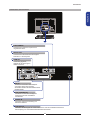
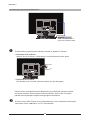
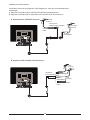
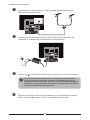
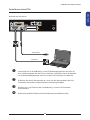
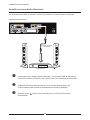
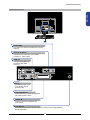
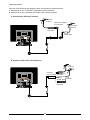
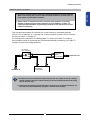
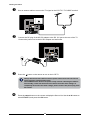
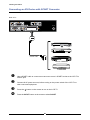
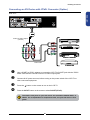
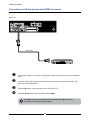
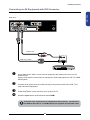
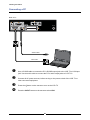
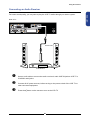
Installing the LCD TV Connecting a PC Rear of TV CABlE/AIR AUDIO Cable VGA Cable PC Use a D-SUB cable to connect the PC’s D-SUB output jack to the LCD TV’s VGA input jack. Use an audio cable to connect the PC’s audio output jacks to LCD TV’s. Connect all AC power sources, before turning on the power switch of the LCD TV or other connected equipment. Press the button on the remote to turn on the LCD TV. Press the INPUT button on the remote to select VGA. 24