1
English
Table of contents
Important safety
instructions .................................. 3
Overview ...................................... 6
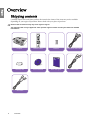
Shipping contents ..................................6
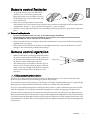
Remote control batteries .......................7
Remote control operation.....................7
Projector features...................................8
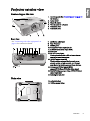
Projector exterior view ..........................9
Controls and functions........................10
Control panel ............................................10
Remote control .........................................11
Positioning your projector........ 12
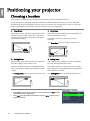
Choosing a location.............................12
Obtaining a preferred projected
image size .............................................13
Adjusting the projection angle ................ 25
Correcting picture distortion................... 25
Using the preset and user modes ........26
Fine-tuning the picture quality...........28
Advanced picture quality controls......29
Selecting the aspect ratio .....................32
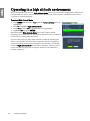
Operating in a high altitude
environment ........................................34
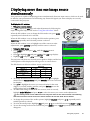
Displaying more than one image
source simultaneously .........................35
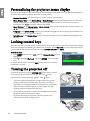
Personalizing the projector menu
display ..................................................36
Locking control keys ...........................36
Turning the projector off ....................36
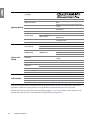
On-Screen Display (OSD) menus ......37
Additional information ............. 43
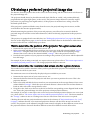
How to determine the position of the
projector for a given screen size ...............13
How to determine the recommended
screen size for a given distance.................13
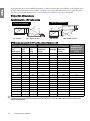
Projection dimensions ..............................14
Shifting the projection lens ......................16
Care of the projector ...........................43
Lamp information ...............................44
Connecting with video
equipment.................................. 17
Indicators .............................................48
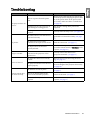
Troubleshooting ..................................49
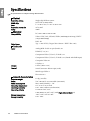
Specifications .......................................50
Preparations ..............................................17
Connecting HDMI devices.......................17
Connecting component-video devices ....18
Connecting S-Video or video devices ......18
Connecting a computer ............................19
Using the projector.................... 20
Turning the projector on ....................20
Selecting an input source ....................21
Fine-tuning the image size and
clarity....................................................21
Using the menus ..................................22
Securing the projector .........................22
Using a security cable lock........................22
Utilizing the password function...............23
Adjusting the projected image ............25
2
Table of contents
Getting to know the lamp hour ............... 44
Extending lamp life .................................. 44
Timing of replacing the lamp .................. 45
Replacing the lamp................................... 45
Warranty and Copyright
information................................ 54
Regulation statements ............... 55