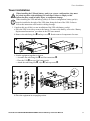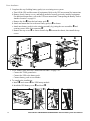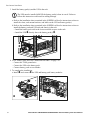
1
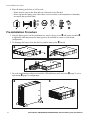
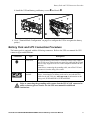
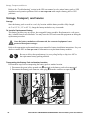
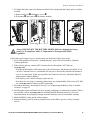
Pre-installation Procedure 4. Place the battery pack where it will be used. – Ensure that air vents on the front and rear of the unit are not blocked. – Do not operate the battery pack where there is excessive dust or the temperature or humidity are outside the specified limits. 40°C 104°F 2.5 cm 95% 0% 2.5 cm Pre-installation Procedure 1. Once the battery pack is at the installation site, remove the top cover and battery modules to lighten the load and prepare the battery pack to be installed in a tower or rack-mount configuration. 2. To disengage the battery from the chassis, push the battery tabs inward. 3. Go to the installation procedures to install the UPS and battery pack as a tower (page 3) or in a rack-mount (page 5) configuration. 2 Smart-UPS RT SURTA48XLBP/SURTA48XLBPJ External Battery Pack User Manual