1
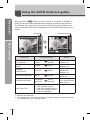
Using the menus
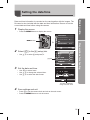
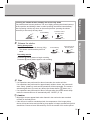
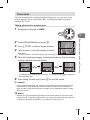
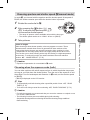
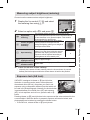
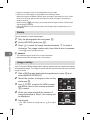
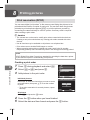
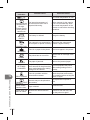
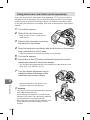
Press the MENU button to display the
menus.
Tab
CARD SETUP
CUSTOM RESET
PICTURE MODE
K
j
IMAGE ASPECT
Operation
guide
BACK
Press the MENU
button to go back
one screen
Press the i
button to confirm
the setting
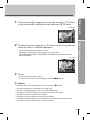
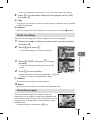
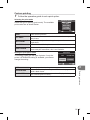
Use FG to select a tab and press i.
Select an item using FG and press i to display options for
the selected item.
Function
The current setting is displayed
j/ Yo
j/ Y
o
j/ Y
IMAGE STABILIZER
BRACKETING
MULTIPLE EXPOSURE
OFF
o OFF
IMAGE STABILIZER
BRACKETING j
W
MULTIPLE EXPOSURE
w
Y 0.0
#RC MODE
OFF
w
#RC MODE
BACK
4
SET
OFF
0.0
OFF
i
SET
BACK
Basic operations
2
3
4:3
Basic guide
1
SET
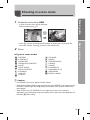
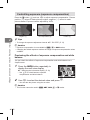
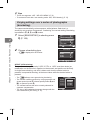
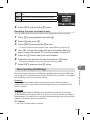
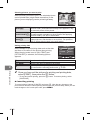
Press the i button to confirm the setting.
• Press the MENU button repeatedly to exit the menu.
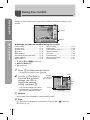
$ Notes
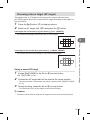
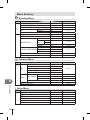
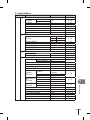
• For details on the functions that can be set with the menu, refer to “Menu directory”
(P. 108).
% Tips
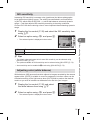
• Camera settings can be customized to your shooting style: g “Customizing
camera settings” (P. 71)
The settings on the Custom Menu are for customizing the camera to suit your
personal preferences or needs. They are not suited to frequent changing. The
initial menu is more than adequate for setting both simple and advanced shooting
functions. Normally, there is no need to display the Custom Menu.
EN 21