1
Contents
3
Notations Used in This Guide . . . . . . . . . . . . . . . . . . . . . . . . 2
Changing the Projected Image . . . . . . . . . . . . . . . . . . . . . . . . . . . . . . 27
Automatically Detect Input Signal and Change the Projected Image (Source Search)
. . . . . . . . . . . . . . . . . . . . . . . . . . . . . . . . . . . . . . . . . . . . . . . . . . . . . . . . . . 27
Switch to the Target Image by Remote Control . . . . . . . . . . . . . . . . . . . . . . . . . 28
Introduction
Changing the Aspect Ratio of the Projected Image . . . . . . . . . . . . 29
Projector Features . . . . . . . . . . . . . . . . . . . . . . . . . . . . . . . . . . . . . . . . . . 8
Ease of Use when Installed on a Ceiling Mount . . . . . . . . . . . . . . . . . . . . . . . .
Reliability You can Depend on . . . . . . . . . . . . . . . . . . . . . . . . . . . . . . . . . . . .
Meets a Wide Range of Needs . . . . . . . . . . . . . . . . . . . . . . . . . . . . . . . . . . . .
Enhanced Security Functions . . . . . . . . . . . . . . . . . . . . . . . . . . . . . . . . . . . .
Easy to Handle . . . . . . . . . . . . . . . . . . . . . . . . . . . . . . . . . . . . . . . . . . . . . .
Monitoring and Control Functions . . . . . . . . . . . . . . . . . . . . . . . . . . . . . . . . .
Taking Full Advantage of a Network Connection (EB-G5950/G5650W only) . . . . .
.
.
.
.
.
.
.
.
.
.
.
.
.
.
8
8
8
8
9
9
9
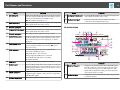
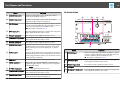
Part Names and Functions . . . . . . . . . . . . . . . . . . . . . . . . . . . . . . . . . . 10
Front/Top . . . . . . . . . . . . . . . . . . . . . . . . . . . . . . . . . . . . . . . . . . . .
Base . . . . . . . . . . . . . . . . . . . . . . . . . . . . . . . . . . . . . . . . . . . . . . .
Rear . . . . . . . . . . . . . . . . . . . . . . . . . . . . . . . . . . . . . . . . . . . . . . . .
Interface . . . . . . . . . . . . . . . . . . . . . . . . . . . . . . . . . . . . . . . . . . . .
EB-G5950/G5650W . . . . . . . . . . . . . . . . . . . . . . . . . . . . . . . . . . .
EB-G5900/G5600 . . . . . . . . . . . . . . . . . . . . . . . . . . . . . . . . . . . . .
EB-G5800/G5500 . . . . . . . . . . . . . . . . . . . . . . . . . . . . . . . . . . . . .
Control Panel . . . . . . . . . . . . . . . . . . . . . . . . . . . . . . . . . . . . . . . . .
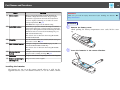
Remote Control . . . . . . . . . . . . . . . . . . . . . . . . . . . . . . . . . . . . . . . .
Installing the batteries . . . . . . . . . . . . . . . . . . . . . . . . . . . . . . . . .
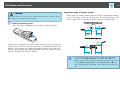
Operating range of remote control . . . . . . . . . . . . . . . . . . . . . . . . .
.
.
.
.
.
.
.
.
.
.
.
.
.
.
.
.
.
.
.
.
.
.
.
.
.
.
.
.
.
.
.
.
.
.
.
.
.
.
.
.
.
.
.
.
.
.
.
.
.
.
.
.
.
.
.
.
.
.
.
.
.
.
.
.
.
.
.
.
.
.
.
.
.
.
.
.
.
10
11
12
12
12
13
14
15
16
18
19
. . 30
. . 30
.
.
.
.
.
.
.
.
.
.
30
30
31
31
31
Selecting the Projection Quality (Selecting Color Mode) . . . . . . . 33
Projecting Two Images Simultaneously (Split Screen) (EBG5950/G5900/G5650W/G5600 only) . . . . . . . . . . . . . . . . . . . . . . . . . 34
Input Sources for Split Screen Projection . . . . . . . . . . . . . . . . . . . . . . . .
Operating Procedures . . . . . . . . . . . . . . . . . . . . . . . . . . . . . . . . . . . .
Projecting on a split screen . . . . . . . . . . . . . . . . . . . . . . . . . . . . . . .
Switching the left and right screens . . . . . . . . . . . . . . . . . . . . . . . . .
Switching the left and right image sizes . . . . . . . . . . . . . . . . . . . . . .
Ending the split screen . . . . . . . . . . . . . . . . . . . . . . . . . . . . . . . . . .
Restrictions during Split Screen Projection . . . . . . . . . . . . . . . . . . . . . .
Operating restrictions . . . . . . . . . . . . . . . . . . . . . . . . . . . . . . . . . .
Restriction relating to images . . . . . . . . . . . . . . . . . . . . . . . . . . . . .
.
.
.
.
.
.
.
.
.
.
.
.
.
.
.
.
.
.
.
.
.
.
.
.
.
.
.
.
.
.
.
.
.
.
.
.
.
.
.
.
.
.
.
.
.
.
.
.
.
.
.
.
.
.
34
34
34
35
35
36
36
36
37
Functions for Enhancing Projection . . . . . . . . . . . . . . . . . . . . . . . . . 38
Useful Functions
Adjusting the Projected Image . . . . . . . . . . . . . . . . . . . . . . . . . . . . . . 21
Displaying a Test Pattern . . . . . . . . . . . . . . . . . . . . . . . . . . . . . . . . .
Adjusting the Position of the Projected Image (Lens Shift) . . . . . . . . . . .
Correcting Distortion in the Projected Image . . . . . . . . . . . . . . . . . . . .
Quick Corner . . . . . . . . . . . . . . . . . . . . . . . . . . . . . . . . . . . . . . . .
H/V-Keystone . . . . . . . . . . . . . . . . . . . . . . . . . . . . . . . . . . . . . . .
Changing the Aspect Mode (EB-G5950/G5900/G5800/G5600/G5500) . . . . . . . .
Projecting images from video equipment . . . . . . . . . . . . . . . . . . . . . . . . .
Projecting images from the HDMI input port (EB-G5950/G5900/G5600 only)
...... .. ..... ...... ..... .. ...... ..... ....... ...... ....
Projecting images from a computer . . . . . . . . . . . . . . . . . . . . . . . . . . . . .
Changing the Aspect Mode (EB-G5650W) . . . . . . . . . . . . . . . . . . . . . . . . . . .
Projecting images from video equipment or from the HDMI input port . . . . .
Projecting images from a computer . . . . . . . . . . . . . . . . . . . . . . . . . . . . .
.
.
.
.
.
.
.
.
.
.
.
.
.
.
.
.
.
.
.
.
.
.
.
.
.
.
.
.
.
.
.
.
.
.
.
21
22
22
23
25
Hiding the Image and Sound Temporarily (A/V Mute) . . . . . . . . . . . . .
Freezing the Image (Freeze) . . . . . . . . . . . . . . . . . . . . . . . . . . . . . .
Pointer Function (Pointer) . . . . . . . . . . . . . . . . . . . . . . . . . . . . . . . .
Enlarging Part of the Image (E-Zoom) . . . . . . . . . . . . . . . . . . . . . . . .
.
.
.
.
.
.
.
.
.
.
.
.
.
.
.
.
.
.
.
.
.
.
.
.
.
.
.
.
.
.
.
.
38
38
39
40
Limitation of the Number of the Target Projectors when Using
Multiple Projectors . . . . . . . . . . . . . . . . . . . . . . . . . . . . . . . . . . . . . . . . 42
Setting the Projector ID . . . . . . . . . . . . . . . . . . . . . . . . . . . . . . . . . . . . . . . . . 42
Checking the Projector ID . . . . . . . . . . . . . . . . . . . . . . . . . . . . . . . . . . . . . . . . 42