1
Chapter 4: Accessing the PM PDU via the Command Line Interface
63
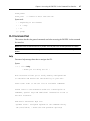
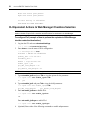
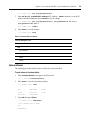
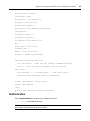
device_status = enabled
ipv4_method = dhcp
ipv4_address = 192.168.160.10
ipv4_mask = 255.255.255.0
ipv4_default_gateway =
ipv6_method = ipv6_address_unconfigured
ipv6_address =
ipv6_prefix_length =
ipv6_default_gateway =
mac address: 00:e0:86:21:67:72
dns:
primary_dns = 172.26.29.4
secondary_dns =
domain = corp.avocent.com
hostname = PM3000-10-0011223344
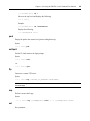
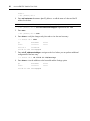
Some basic and useful keys are:
- tab (once/twice) - shows the next possible commands/option(s)
- cntrl e - gets the current parameter value for editing
Other hints:
- Use backslash '\' to escape spaces, '\' and other control
characters when assigning values to parameters.
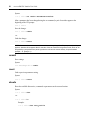
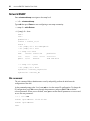
current ipv4 address: 172.26.30.249
current ipv6 address:
eth0:
device_status (disabled, enabled) [enabled]:
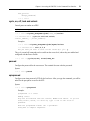
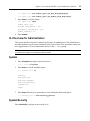
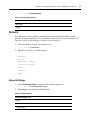
Authentication
Enter cd authentication to navigate to the authentication level.
--:- / cli-> cd authentication
NOTE: Kerberos does not work unless the administrator copies the /etc/krb5.keytab file from the Kerberos server
and overwrites the /etc/krb5.keytab file in the PM PDU.