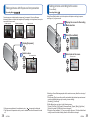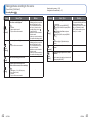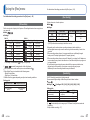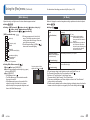
1
Standard Accessories
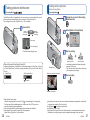
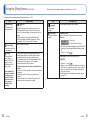
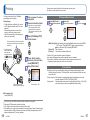
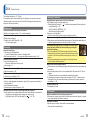
Names of parts
Shutter button (→18)
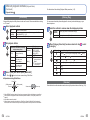
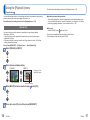
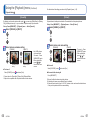
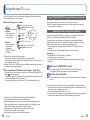
Check that all the accessories are supplied before using the camera.
●The accessories and their shape will differ depending on the country or area where the
camera was purchased.
For details on the accessories, refer to Basic Operating Instructions.
●Battery Pack is indicated as battery pack or battery in the text.
●Battery Charger is indicated as battery charger or charger in the text.
●Please dispose of all packaging appropriately.
●Keep small parts in a safe place out of the reach of children.
DC coupler cover (→13)
Flash (→36)
Lens barrel
Lens (→4)
Card/Battery door
(→11)
Microphone (→21)
Tripod receptacle
• Ensure that the tripod is stable.
■ Optional accessories
• Memory cards and AV cable are optional. You can record or play back pictures on the
built-in memory when you are not using a card.
• Consult the dealer or your nearest Service Centre if you lose the supplied
accessories. (You can purchase the accessories separately.)
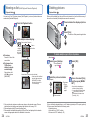
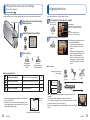
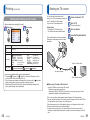
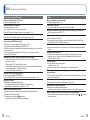
Speaker
Power button (→16)
Self-timer indicator (→35)/
AF Assist Lamp (→51)
Hand strap eyelet
Zoom button (→20)
We recommend using
the supplied hand strap
to avoid dropping the
camera.
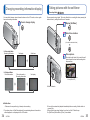
LCD monitor (→70)
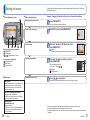
[MODE] button (→32, 53)
Cursor button
Playback button (→22)
[ / ] (Delete/Return)
button (→25)
[AV OUT/DIGITAL] socket
(→63, 66, 69)
Terminal cover
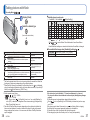
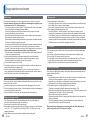
Cursor button
[MENU/SET]
Up cursor button (▲)
Left cursor button (◄)
Right cursor button (►)
(menu display/set) (→26)
• Self-timer (→35)
• Exposure Compensation (→38)
• Flash (→36)
Down cursor button (▼)
• Changing information display (→34)
●In this manual, the button that is used is shaded or indicated by▲▼◄►.
●The illustrations and screens in this manual may differ from the actual product.
●Some tripods or unipods, and some methods of holding the camera may block the
speaker, making it difficult to hear the beep, etc.
6
VQT3E49
VQT3E49
7