1
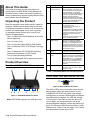
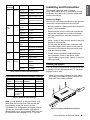
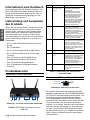
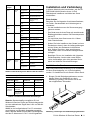
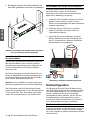
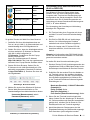
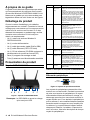
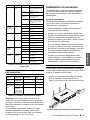
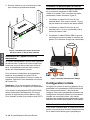
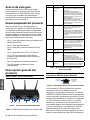
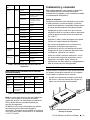
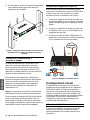
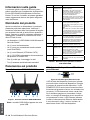
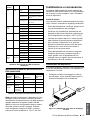
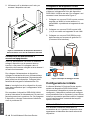
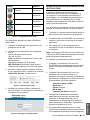
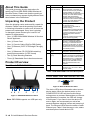
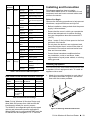
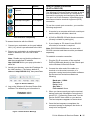
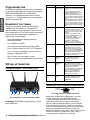
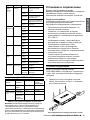
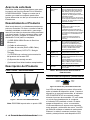
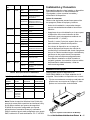
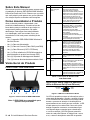
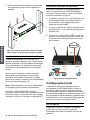
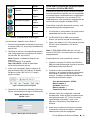
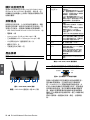
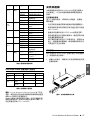
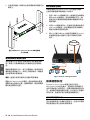
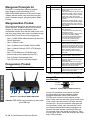
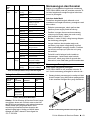
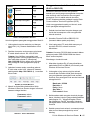
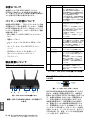
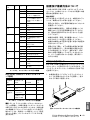
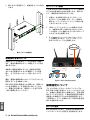
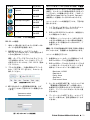
ENGLISH About This Guide Item Feature Description A LED (Top to bottom) Power LED: Indicates the Wireless N Services Router is powered on. 5GHz WLAN LED (only available on DSR-1000N): A solid light indicates that the wireless segment is ready. This LED blinks during wireless data transmission. 2.4GHz WLAN LED: A solid light indicates that the wireless segment is ready. This LED blinks during wireless data transmission. B USB Ports (2) It can support various USB 1.1 or 2.0 devices below: 1. Flash Disk or Hard Disk for network sharing. 2. 3G Adaptor for WAN redundant (Available on DSR-1000N only) 3. WCN Configuration (It will be supported by future firmware upgrade) 4. Printer (It will be supported by future firmware upgrade) C WPS Button Wi-Fi Protected Setup (WPS) System is a simplified method for securing your wireless network during the “Initial setup” as well as the “Add New Device” processes. Please refer to the user manual for more detail process. D Gigabit LAN port (1-4) Connect Ethernet devices, such as computers, switches and hubs. E Gigabit WAN port Two auto MDI/MDIX WAN ports (1-2) are the connection for the Ethernet cable to the cable or DSL modem. The WAN2 port is a configurable port which can support WAN2 or DMZ port for dual WAN connections or internal Server Farm purpose. F Console Port This guide gives step by step instructions for setting up D-Link DSR-500N/1000N Wireless N Services Router. Please note that the model you have purchased may appear slightly different from those shown in the illustrations. Unpacking the Product Open the shipping carton and carefully unpack its contents. Please consult the packing list located in following information to make sure all items are present and undamaged. If any item is missing or damaged, please contact your local D-Link reseller for replacement. -- One (1) DSR-500N/1000N Wireless N Services Router Appliance. -- One (1) Power Cord -- One (1) Console Cable (RJ45-to-DB9 Cable) -- One (1) Ethernet (CAT5 UTP/Straight Through) Cable -- One (1) Reference CD (CD-ROM containing product documentation in PDF format) -- Two (2) Rack Mounting Brackets -- Three (3) Detachable Omni-direction antennas Product Overview Front Panel - DSR-500N/1000N Used to access Command Line Interface (CLI) via RJ45-to-DB9 console Cable. Table 1. DSR-500N/1000N Front Panel Descriptions Device Status LEDs and Ethernet Port LEDs Link Speed TX/RX Status Figure 2. Ethernet RJ-45 Port LEDs A B C D E F Figure 1. DSR-500N/1000N Front Panel Note: DSR-500N supports one USB port only. 2 D-Link Wireless N Services Router The device LEDs show information about current device status. When the device power up, the POWER/STATUS LED will show solid orange during power on process. Startup takes one minute approximately to complete, the LED will change to solid green. If you want to turn the device off and on again, we recommend you wait a few seconds between shutting it down and powering it back. The Ethernet LEDs show the status of each Ethernet port. Table 2 lists the name, color, status and description of each device LED.