1
SUPERSERVER 5016I-M6F User's Manual
B-2 Installing Windows to a Non-RAID System
1. Insert Microsoft's Windows OS Setup CD in the CD-ROM drive and the system will start booting up from the CD.
2. Continue with the installation. The Windows OS Setup screen will display.
3. From the Windows OS Setup screen, press the <Enter> key. The OS Setup
will automatically load all device files and then continue with the Windows
installation.
4. After the installation has completed, the system will automatically reboot.
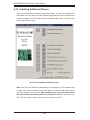
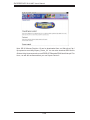
5. Insert the Supermicro Setup CD that came with your system into the CDROM drive during system boot and the main screen will display.
B-2