1
4
Programming additional codes
NOTE: Maintain a record of the factory code, user, and manager codes, and
store them in a secure location other than in this safe.
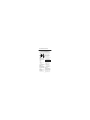
Icon Identification
(Error) indicates one of the
following:
1. You have pressed Program key out of
sequence.
2. You have entered an invalid code.
3. You have let 5 seconds or more elapse
between key presses.
There are 3 possible ways to unlock
and access the safe:
(Program) Lights after pressing
the Program key and stays lit while
programming a manager or user code.
2. Manager Code
If you prefer to employ your own code,
you can program the safe to open to a
4-8 digit manager code of your choice.
Lights after three consecutive
invalid codes are input and stays lit
during the 2-minute delay mode.
1. Factory Code
(Found on the first page of this guide)
You can always open the safe by
entering the pre-set 5-digit factory code.
This code cannot be deleted.
Programming the manager code
NOTE: One (1) manager code is
allowed.
NOTE: Remember, once you have
decided on your access codes,
open the unit first then test it
with the door open. All zeros is an
invalid code.
5-E
To add:
1. Press the Prog/Enter key , then enter
the 5-digit factory code and then
press the Prog/Enter key .
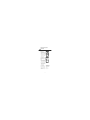
2. An empty lit box icon ( ) means
no manager code is programmed.
A boxed lighted * icon ( ) means
a manager code is programmed.
3. Enter a 4 to 8 digit code and
press the Prog/Enter key to finish
programming the code into the unit.