1
DMRBW880&780EB-VQT2J65_eng.book
62 ページ 2010年4月8日 木曜日 午後3時59分
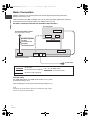
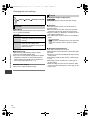
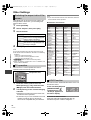
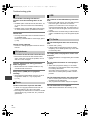
Recording from external equipment
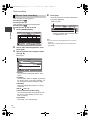
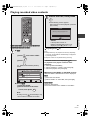
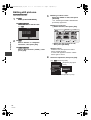
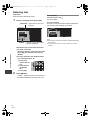
Recording from video
equipment
Manual recording
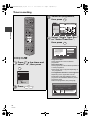
≥Turn off the unit and other video equipment before
connecting.
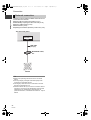
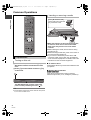
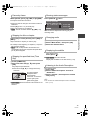
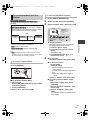
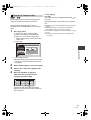
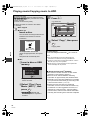
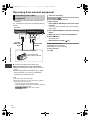
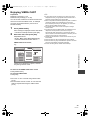
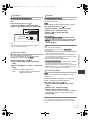
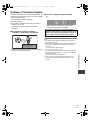
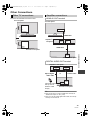
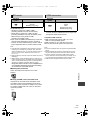
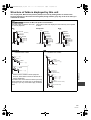
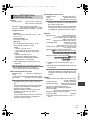
e.g., Connecting to the AV3 or DV input terminals on
the front
This unit
Recording disc: [HDD]
Recording mode: XP, SP, LP, EP
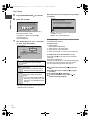
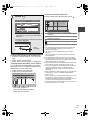
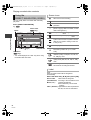
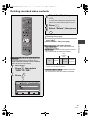
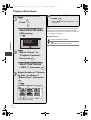
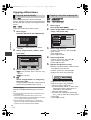
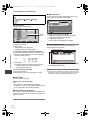
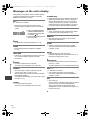
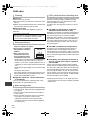
1 While stopped
Press [INPUT SELECT] to select the input
channel.
e.g., If you have connected to AV3 input terminals,
select “AV3”.
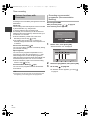
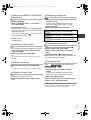
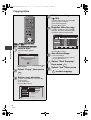
2 Press [REC MODE] to select the recording
mode.
DV IN
VIDEO
L/MONO-AUDIO-R
AV3 IN
3 Start play on the connected equipment.
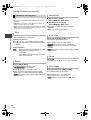
4 Press [¥ REC].
Recording starts.
5 Set the time to record. (> 21)
With Other Equipment
DV cable
(IEEE 1394,
4-pin)
Audio/Video
cable§
Other video equipment
Connect to Audio/
Video output terminals.
§
Connect to terminals of the same colour.
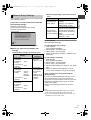
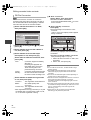
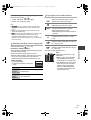
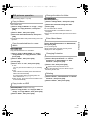
When recording from the unit’s DV terminal
≥Select the audio type in “Audio Type for DV Input”
(> 81).
≥When recording from DV equipment (e.g., digital
video camcorder), you can record audio/video
recordings from the DV tape only.
≥ The video quality will be degraded.
≥ While copying from DV input or executing the “Flexible
Recording via AV input” (> 63)
– Copy will stop when timer recording starts.
– Chasing playback, simultaneous rec and play, switching
of input cannot be performed.
– [-R] [-RW‹V›] [+R] [+RW] Chapter will be created
automatically.
62
VQT2J65
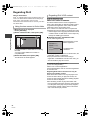
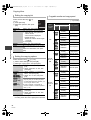
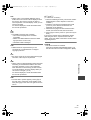
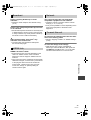
To skip unwanted parts
Press [;] to pause recording.
≥Press again to restart recording.
To stop recording
Press [∫].