1
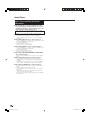
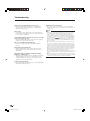
Playback Functions
BD VIDEO
BD-R
DVD VIDEO
BD-RE
DVD-R
Repeat Playback of a
Title or Chapter (Repeat
Playback)
DVD-RW
AUDIO CD
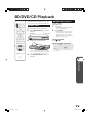
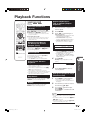
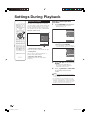
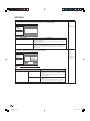
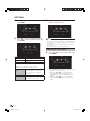
Fast Forward/Reverse
(Search)
Fast Forward/Reverse functions when G
REV or J FWD is pressed during playback.
Example: When J FWD is pressed
• The search speed will cycle as follows each time
you press the button.
When playing back a DVD
• You cannot fast forward or fast reverse from one
title and continue to another title (except when
playing audio CDs).
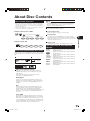
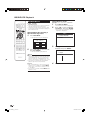
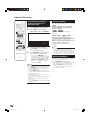
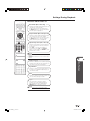
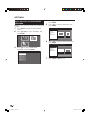
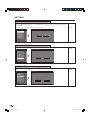
1
Play back the title or chapter you
want to repeat.
2
3
Press REPEAT.
Press c/d to select the type of
Repeat Playback.
• PLAY BACK TITLE: Repeats the title
currently being played back.
• PLAY BACK CHAP: Repeats the
chapter currently being played back.
• SCENE SELECTION: Repeats the
specified scene of title or chapter.
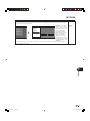
Skipping to the Next or
the Start of the Current
Chapter (Track)
PLAY BACK TITLE
PLAY BACK CHAP
SCENE SELECTION
Skipping (to the beginning of a chapter or track)
functions when T SKIP or U SKIP is
pressed during playback.
• Press n RETURN to cancel without
setting the type of Repeat Playback.
• For Audio CD, you can select
“PLAYING DISC” “PLAYING TRACK”
and “SPECIFY THE PART” as Repeat
Playback options.
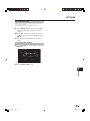
Slow Playback
Slow Playback functions when
pressed during playback.
SLOW is
4
Playback skips 30 seconds ahead when SKIP
SEARCH is pressed during playback.
Replay
Playback jumps back 10 seconds when
REPLAY is pressed during playback.
Disc Playback
Skip Search
Press ENTER.
Example: Repeat playback of a title
(TITLE)
Pause/Frame Advance
Playback
• Pause functions when F PAUSE is pressed
during playback. (If you are playing back an audio
CD, the CD will also pause.)
• Frame Advance Playback functions when U
SKIP is pressed during Pause.
• Frame Advance Playback may not function
properly with discs other than DVD-RW (VR mode).
• Some BD/DVD Video discs are not compatible
with Pause/Frame Advance Playback.
p
• This doesn't work for audio CDs.
• Press d PLAY to return to normal playback.
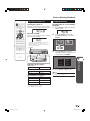
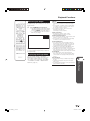
TITLE REPEAT
5
Press REPEAT-OFF to return to
normal playback.
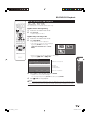
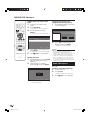
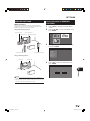
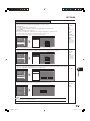
Enlarge the playback image
(Zoom function)
1
Press ZOOM k while playback.
• Three steps can be operated.
• Some discs will not be performed on
this player.
2
The area that you want to watch is
moved using a/b/c/d.
3
If you want to return the image,
press ZOOM l.
Press ZOOM l several times until
it will return.
NOTE
• This function is not available for AUDIO CD.
• Zoom function will not operate when subtitle is set
to ON.
• Zoom function will be cancelled when G REV or
J FWD is pressed.
• Zoom function will be cancelled when F PAUSE
is pressed, depending on the disc.
29
BD-HP20S_en_c.indd 29
2007/10/04 9:30:28