1
INTRODUCTION
NAVIGATION
RADIO
CD / MP3
CD CHANGER
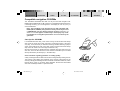
Each directory can be named using a PC. The device can display the directory
name if there are no ID tags available. You should name the directories and
tracks/files using the method provided by your CD burner software. The software’s instruction manual will provide details on how to do this.
Note: When naming directories and tracks/files you should avoid
using accents and special characters since they might not be displayed correctly. You can use a maximum of 32 characters (including the “.MP3” file extension) for track names and directory names.
Names that are longer than 32 characters cannot be displayed correctly.
MP3 tracks can contain additional information such as the artist, album and
track names (ID3 tags). This device can display ID3 tags of version type 1 and 2.
When creating (encoding) MP3 files from audio files, you should use bit rates up
to a maximum of 256 kbits/sec.
This device can only play MP3 files that have the “.MP3” file extension.
Notes: To ensure uninterrupted playback,
●
Do not try changing the file extension to “.MP3” of any files other than MP3 files and then attempt to play them! The device will
ignore these invalid files during playback.
●
Do not use “mixed” CDs containing both non-MP3 data and MP3
tracks (the device only reads MP3 files during MP3 playback).
●
Do not use mix-mode CDs containing both CD-audio tracks and
MP3 tracks. If you try playing a mix-mode CD, the device will
only play the CD-audio tracks.
4 BA TPAmsterd_gb
62
26.09.2005, 12:48 Uhr
SETUP
APPENDIX
62