1
709 47 0237.A1 58AF-2 Pen/Sam
27.07.2010
15:16 Uhr
Seite 1
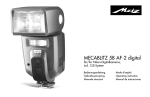
MECABLITZ 58 AF-1 digital
für/for Pentax-/Samsung SLR-Digitalkameras
mit/with P-TTL / TTL
Bedienungsanleitung
Gebruiksaanwijzing
Manuale istruzioni
Mode d’emploi
Operating instruction
Manual de instrucciones
709 47 0237.A1 58AF-2 Pen/Sam
Ķ
27.07.2010
15:16 Uhr
Seite 2
1 Sicherheitshinweise. . . . . . . . . . . . . . . . . . . . . . . . . . . . . . . . . . . . . . . . . . . . . . 3
2 Dedicated-Blitzfunktionen . . . . . . . . . . . . . . . . . . . . . . . . . . . . . . . . . . . . . . . . . 4
3 Blitzgerät vorbereiten . . . . . . . . . . . . . . . . . . . . . . . . . . . . . . . . . . . . . . . . . . . . 4
3.1 Montage des Blitzgerätes . . . . . . . . . . . . . . . . . . . . . . . . . . . . . . . . . . . . . . . . 4
3.2 Stromversorgung . . . . . . . . . . . . . . . . . . . . . . . . . . . . . . . . . . . . . . . . . . . . . . 5
3.3 Ein- und Ausschalten des Blitzgerätes. . . . . . . . . . . . . . . . . . . . . . . . . . . . . . . . 5
3.4 Power Pack P76 (Sonderzubehör) . . . . . . . . . . . . . . . . . . . . . . . . . . . . . . . . . . 5
3.5 Automatische Geräteabschaltung / Auto - OFF . . . . . . . . . . . . . . . . . . . . . . . . 6
4 Displaybeleuchtung . . . . . . . . . . . . . . . . . . . . . . . . . . . . . . . . . . . . . . . . . . . . . 6
5 Blitzbetriebsarten (Mode - Menü). . . . . . . . . . . . . . . . . . . . . . . . . . . . . . . . . . . . 6
5.1 Einstellvorgang für die Blitzbetriebsarten . . . . . . . . . . . . . . . . . . . . . . . . . . . . . 6
5.2 TTL-Blitzbetrieb. . . . . . . . . . . . . . . . . . . . . . . . . . . . . . . . . . . . . . . . . . . . . . . . 7
5.3 P-TTL-Blitzbetrieb . . . . . . . . . . . . . . . . . . . . . . . . . . . . . . . . . . . . . . . . . . . . . . 7
5.4 TTL-/P-TTL-Aufhellblitzbetrieb . . . . . . . . . . . . . . . . . . . . . . . . . . . . . . . . . . . . . 8
5.5 Automatik-Blitzbetrieb . . . . . . . . . . . . . . . . . . . . . . . . . . . . . . . . . . . . . . . . . . 8
5.6 Automatik-Aufhellblitzbetrieb . . . . . . . . . . . . . . . . . . . . . . . . . . . . . . . . . . . . . 9
5.7 Manueller Blitzbetrieb. . . . . . . . . . . . . . . . . . . . . . . . . . . . . . . . . . . . . . . . . . . 9
5.8 Stroboskop-Blitzbetrieb . . . . . . . . . . . . . . . . . . . . . . . . . . . . . . . . . . . . . . . . . 10
5.9 Spot-Beam-Betrieb . . . . . . . . . . . . . . . . . . . . . . . . . . . . . . . . . . . . . . . . . . . . 11
6 Blitzparameter (Parameter-Menü) . . . . . . . . . . . . . . . . . . . . . . . . . . . . . . . . . . 11
6.1 Einstellvorgang für die Blitzparameter . . . . . . . . . . . . . . . . . . . . . . . . . . . . . . 12
6.2 Hauptreflektorposition (Zoom) . . . . . . . . . . . . . . . . . . . . . . . . . . . . . . . . . . . . 12
6.3 Belichtungskorrektur . . . . . . . . . . . . . . . . . . . . . . . . . . . . . . . . . . . . . . . . . . . 13
6.4 Manuelle Teillichtleistung. . . . . . . . . . . . . . . . . . . . . . . . . . . . . . . . . . . . . . . . 13
7 Sonderfunktionen . . . . . . . . . . . . . . . . . . . . . . . . . . . . . . . . . . . . . . . . . . . . . . 14
7.1 Einstellvorgang für die Sonderfunktionen . . . . . . . . . . . . . . . . . . . . . . . . . . . . 14
7.2 Beep-Funktion . . . . . . . . . . . . . . . . . . . . . . . . . . . . . . . . . . . . . . . . . . . . . . . 14
7.3 Blitzbelichtungsreihen . . . . . . . . . . . . . . . . . . . . . . . . . . . . . . . . . . . . . . . . . . 15
7.4 Extended-Zoom-Betrieb. . . . . . . . . . . . . . . . . . . . . . . . . . . . . . . . . . . . . . . . . 16
7.5 Aufnahmeformat-Anpassung. . . . . . . . . . . . . . . . . . . . . . . . . . . . . . . . . . . . . 17
7.6 Drahtloser Remote-Betrieb. . . . . . . . . . . . . . . . . . . . . . . . . . . . . . . . . . . . . . . 17
7.7 m - ft Umschaltung . . . . . . . . . . . . . . . . . . . . . . . . . . . . . . . . . . . . . . . . . . . . 18
7.8 Zweitreflektor . . . . . . . . . . . . . . . . . . . . . . . . . . . . . . . . . . . . . . . . . . . . . . . . 18
7.9 Einstelllicht (ML) „Modelling Light“ . . . . . . . . . . . . . . . . . . . . . . . . . . . . . . . . . 19
7.10 Automatische Geräteabschaltung (Standby) . . . . . . . . . . . . . . . . . . . . . . . . . 19
7.11 Tastatur-Verriegelung (KEYLOCK) . . . . . . . . . . . . . . . . . . . . . . . . . . . . . . . . 20
7.12 Kontrast-Steuerung . . . . . . . . . . . . . . . . . . . . . . . . . . . . . . . . . . . . . . . . . . . 21
8 Anzeigen im Kamerasucher . . . . . . . . . . . . . . . . . . . . . . . . . . . . . . . . . . . . . . 22
8.1 Blitzbereitschaftsanzeige . . . . . . . . . . . . . . . . . . . . . . . . . . . . . . . . . . . . . . . . 22
2
8.2 Belichtungskontrollanzeige im TTL-Blitzbetrieb. . . . . . . . . . . . . . . . . . . . . . . . . 22
8.3 Warnanzeigen. . . . . . . . . . . . . . . . . . . . . . . . . . . . . . . . . . . . . . . . . . . . . . . 22
9 Motor-Zoom-Reflektor. . . . . . . . . . . . . . . . . . . . . . . . . . . . . . . . . . . . . . . . . . . 23
10 Weitwinkelstreuscheibe. . . . . . . . . . . . . . . . . . . . . . . . . . . . . . . . . . . . . . . . . 23
11 Blitztechniken . . . . . . . . . . . . . . . . . . . . . . . . . . . . . . . . . . . . . . . . . . . . . . . . 24
11.1 Indirektes Blitzen . . . . . . . . . . . . . . . . . . . . . . . . . . . . . . . . . . . . . . . . . . . . 24
11.2 Indirektes Blitzen mit Reflektorkarte . . . . . . . . . . . . . . . . . . . . . . . . . . . . . . . 24
11.3 Indirektes Blitzen mit Zweitreflektor . . . . . . . . . . . . . . . . . . . . . . . . . . . . . . . 24
11.4 Nahaufnahmen / Makroaufnahmen . . . . . . . . . . . . . . . . . . . . . . . . . . . . . . 24
11.5 Manuelle Blitzbelichtungskorrekturen . . . . . . . . . . . . . . . . . . . . . . . . . . . . . . 25
12 Blitzbereitschaftsanzeige . . . . . . . . . . . . . . . . . . . . . . . . . . . . . . . . . . . . . . . . 25
13 Automatische Blitzsynchronzeitsteuerung . . . . . . . . . . . . . . . . . . . . . . . . . . . . 25
14 Belichtungskontrollanzeige . . . . . . . . . . . . . . . . . . . . . . . . . . . . . . . . . . . . . . 26
15 Reichweitenanzeige . . . . . . . . . . . . . . . . . . . . . . . . . . . . . . . . . . . . . . . . . . . 26
16 Blitzsynchronisation . . . . . . . . . . . . . . . . . . . . . . . . . . . . . . . . . . . . . . . . . . . 26
16.1 Normalsynchronisation. . . . . . . . . . . . . . . . . . . . . . . . . . . . . . . . . . . . . . . . 26
16.2 Synchronisation auf den 2.Verschlussvorhang. . . . . . . . . . . . . . . . . . . . . . . . 27
16.3 Langzeitsynchronisation . . . . . . . . . . . . . . . . . . . . . . . . . . . . . . . . . . . . . . . 27
16.4 High-Speed-Blitzbetrieb P-TTL-HSS. . . . . . . . . . . . . . . . . . . . . . . . . . . . . . . . 28
16.5 Zündungssteuerung . . . . . . . . . . . . . . . . . . . . . . . . . . . . . . . . . . . . . . . . . . 28
17 Vorblitzfunktion gegen „Rote-Augen-Effekt“. . . . . . . . . . . . . . . . . . . . . . . . . . 28
18 Mehrzonen-AF-Meßblitz . . . . . . . . . . . . . . . . . . . . . . . . . . . . . . . . . . . . . . . . 28
19 Drahtloses P-TTL - Remote -System. . . . . . . . . . . . . . . . . . . . . . . . . . . . . . . . . 29
19.1 Aktivieren des Remote-Blitzbetriebes als Master . . . . . . . . . . . . . . . . . . . . . . 29
19.2 Aktivieren des Remote-Blitzbetriebes als Controller . . . . . . . . . . . . . . . . . . . . 30
19.3 Aktivieren des Remote-Blitzbetriebes als Slave . . . . . . . . . . . . . . . . . . . . . . . 31
19.4 Deaktivieren des Remote-Betriebes. . . . . . . . . . . . . . . . . . . . . . . . . . . . . . . . 31
20 Wartung und Pflege . . . . . . . . . . . . . . . . . . . . . . . . . . . . . . . . . . . . . . . . . . . 32
20.1 Firmware-Update . . . . . . . . . . . . . . . . . . . . . . . . . . . . . . . . . . . . . . . . . . . . 32
20.2 Reset . . . . . . . . . . . . . . . . . . . . . . . . . . . . . . . . . . . . . . . . . . . . . . . . . . . . . 32
20.3 Formieren des Blitzkondensators . . . . . . . . . . . . . . . . . . . . . . . . . . . . . . . . . 32
21 Hilfe bei Störungen . . . . . . . . . . . . . . . . . . . . . . . . . . . . . . . . . . . . . . . . . . . . 32
22 Technische Daten . . . . . . . . . . . . . . . . . . . . . . . . . . . . . . . . . . . . . . . . . . . . . 35
23 Sonderzubehör. . . . . . . . . . . . . . . . . . . . . . . . . . . . . . . . . . . . . . . . . . . . . . . 36
Garantiebestimmungen. . . . . . . . . . . . . . . . . . . . . . . . . . . . . . . . . . . . . . . . . 37
Tabelle 3: Leitzahlen bei maximaler Lichtleistung (P 1/1) . . . . . . . . . . . . . . . . . . . 222
Tabelle 4: Blitzleuchtzahlen in den Teillichtleistungsstufen . . . . . . . . . . . . . . . . . . . 223
Tabelle 5: Kameraverschlusszeiten im Stroboskop-Betrieb . . . . . . . . . . . . . . . . . . 234
Tabelle 6: Blitzfolgezeiten und Blitzanzahl bei den versch. Batterietype . . . . . . . . . 222
Tabelle 7: Maximale Leitzahlen* im HSS-Betrieb . . . . . . . . . . . . . . . . . . . . . . . . . 225
709 47 0237.A1 58AF-2 Pen/Sam
27.07.2010
15:16 Uhr
Seite 3
Vorwort
Vielen Dank, dass Sie sich für ein Metz Produkt entschieden haben.
Wir freuen uns, Sie als Kunde begrüßen zu dürfen.
Natürlich können Sie es kaum erwarten, das Blitzgerät in Betrieb zu nehmen. Es
lohnt sich aber, die Bedienungsanleitung zu lesen, denn nur so lernen Sie, mit
dem Gerät problemlos umzugehen.
Dieses Blitzgerät ist geeignet für:
• Analoge und digitale Pentax - Kameras mit TTL- bzw. P-TTL - Blitzsteuerung
und System-Blitzschuh, sowie dazu kompatible Digitalkameras von Samsung.
☞ Für Kameras anderer Hersteller ist das Blitzgerät nicht geeignet !
Schlagen Sie bitte auch die Bildseite des Umschlages am Ende der
Anleitung auf.
1 Sicherheitshinweise
• Das Blitzgerät ist ausschließlich zur Verwendung im fotografischen Bereich
vorgesehen und zugelassen!
• In Umgebung von entflammbaren Gasen oder Flüssigkeiten (Benzin,
Lösungsmittel etc.) darf das Blitzgerät keinesfalls ausgelöst werden!
EXPLOSIONSGEFAHR!
• Auto-, Bus-, Fahrrad-, Motorrad- oder Zugfahrer etc. niemals während der
Fahrt mit einem Blitzgerät fotografieren. Durch die Blendung kann der
Fahrer einen Unfall verursachen!
• Lösen Sie in unmittelbarer Nähe der Augen keinesfalls einen Blitz aus! Ein Blitzlicht
direkt vor den Augen von Personen und Tieren kann zur Netzhautschädigung führen und schwere Sehstörungen verursachen - bis hin zur Erblindung!
• Nur die in der Bedienungsanleitung bezeichneten und zugelassenen
Stromquellen verwenden!
• Batterien/Akkus nicht übermäßiger Wärme wie Sonnenschein, Feuer oder
dergleichen aussetzen!
• Verbrauchte Batterien/Akkus nicht ins Feuer werfen!
• Aus verbrauchten Batterien kann Lauge austreten, was zur Beschädigung der
Kontakte führt. Verbrauchte Batterien deshalb immer aus dem Gerät entnehmen.
• Trockenbatterien dürfen nicht geladen werden.
• Blitz- und Ladegerät nicht Tropf- und Spritzwasser (z.B. Regen) aussetzen!
• Schützen Sie Ihr Blitzgerät vor großer Hitze und hoher Luftfeuchtigkeit!
Blitzgerät nicht im Handschuhfach des Autos aufbewahren!
• Beim Auslösen eines Blitzes darf sich kein lichtundurchlässiges Material
unmittelbar vor oder direkt auf der Reflektorscheibe befinden. Die Reflektorscheibe darf nicht verunreinigt sein. Bei Nichtbeachtung kann es,
durch die hohe Energie des Blitzlichtes, zu Verbrennungen des Materials
bzw. der Reflektorscheibe führen.
• Nach mehrfachem Blitzen nicht die Reflektorscheibe berühren.
Verbrennungsgefahr!
• Blitzgerät nicht zerlegen! HOCHSPANNUNG!
Im Geräteinneren befinden sich keine Bauteile, die von einem Laien repariert werden können.
• Bei Serienblitzaufnahmen mit voller Lichtleistung und den kurzen Blitzfolgezeiten des NC-/NiMH-Akku-Betriebes ist darauf zu achten, dass nach
jeweils 15 Blitzen eine Pause von mindestens 10 Minuten eingehalten wird.
Somit vermeiden Sie eine Überlastung des Gerätes.
• Bei Serienblitzaufnahmen mit voller Lichtleistung und kurzen Blitzfolgezeiten
wärmt sich die Streuscheibe bei Zoompositionen von 35mm und weniger durch
die hohe Lichtenergie stark auf. Das Blitzgerät schützt sich gegen Überhitzung,
indem die Blitzfolgezeit automatisch verlängert wird.
• Das Blitzgerät darf nur dann zusammen mit einem in die Kamera eingebauten
Blitzgerät verwendet werden, wenn dieses vollständig ausgeklappt werden kann!
• Bei raschem Temperaturwechsel kann Feuchtigkeitsbeschlag auftreten.
Gerät akklimatisieren lassen!
• Keine schadhaften Batterien oder Akkus verwenden!
3
Ķ
709 47 0237.A1 58AF-2 Pen/Sam
27.07.2010
Ķ 2 Dedicated-Blitzfunktionen
15:16 Uhr
Seite 4
Die Dedicated-Blitzfunktionen sind speziell auf das Kamerasystem abgestimmte
Blitzfunktionen. In Abhängigkeit vom Kameratyp werden dabei verschiedene
Blitzfunktionen unterstützt.
• Blitzbereitschaftsanzeige im Kamerasucher/Kameradisplay
• Belichtungskontrollanzeige im Kamerasucher bei TTL
• Automatische Blitzsynchronzeitsteuerung
• Blitzbelichtungsreihen (Flash bracketing)
• Automatikblitz / Zündungssteuerung
• Kontraststeuerung
• Spot-Beam-Betrieb
• TTL-Blitzsteuerung
• P-TTL-Blitzsteuerung
• Automatische TTL-/P-TTL-Aufhellblitzsteuerung
• Manuelle Blitzbelichtungskorrektur
• Synchronisation auf den 1. oder 2. Verschlussvorhang (REAR)
• High-Speed-Blitzbetrieb P-TTL-HSS
• Automatische Motor-Zoom-Steuerung
• AF-Messblitzsteuerung (Mehrzonen AF-Messblitz)
• Automatische Blitzreichweitenanzeige
• Programmblitzautomatik
• Vorblitzfunktion zur Reduzierung des Rote-Augen-Effektes
• Drahtloser P-TTL-Remote-Blitzbetrieb
• Wake-Up-Funktion für das Blitzgerät
• Firmware-Update über USB-Buchse
4
☞ Im Rahmen dieser Bedienungsanleitung ist es nicht möglich, alle Kameratypen mit den einzelnen Blitzfunktionen detailliert zu beschreiben.
Beachten Sie deshalb die Hinweise zum Blitzbetrieb in der
Bedienungsanleitung Ihrer Kamera, welche Blitzfunktionen von Ihrem
Kameratyp unterstützt werden bzw. an der Kamera selbst eingestellt
werden müssen!
3 Blitzgerät vorbereiten
3.1 Montage des Blitzgerätes
Blitzgerät auf die Kamera montieren
☞ Kamera und Blitzgerät vor der Montage oder Demontage ausschalten.
• Rändelmutter bis zum Anschlag gegen das Blitzgerät drehen. Der Sicherungsstift im Fuß ist jetzt vollkommen im Gehäuse des Blitzgerätes versenkt.
• Blitzgerät mit dem Anschlussfuß bis zum Anschlag in den Zubehörschuh der
Kamera schieben.
• Rändelmutter bis zum Anschlag gegen das Kameragehäuse drehen und das
Blitzgerät festklemmen. Bei Kameragehäusen, die kein Sicherungsloch aufweisen, versenkt sich der federgelagerte Sicherungsstift im Gehäuse des
Blitzgerätes, damit die Oberfläche nicht beschädigt wird.
Blitzgerät von der Kamera abnehmen
☞ Kamera und Blitzgerät vor der Montage oder Demontage ausschalten.
• Rändelmutter bis zum Anschlag gegen das Blitzgerät drehen.
• Blitzgerät aus dem Zubehörschuh der Kamera herausziehen.
709 47 0237.A1 58AF-2 Pen/Sam
27.07.2010
15:16 Uhr
Seite 5
3.2 Stromversorgung
Batterien- bzw. Akkuauswahl
Das Blitzgerät darf wahlweise betrieben werden mit hochwertigen:
• 4 NC-Akkus 1,2 V, Typ IEC KR6 (AA / Mignon), sie bieten sehr kurze
Blitzfolgezeiten und sparsamen Betrieb, da sie wiederaufladbar sind.
• 4 Nickel-Metall-Hydrid Akkus 1,2 V, Typ IEC HR6 (AA / Mignon), deutlich höhere Kapazität als NC-Akku und weniger umweltschädlich, da cadmiumfrei.
• 4 Alkali-Mangan-Trockenbatterien 1,5 V, Typ IEC LR6 (AA / Mignon), wartungsfreie Stromquelle für gemäßigte Leistungsanforderungen.
• 4 Lithium-Batterien 1,5 V, Typ IEC FR6 (AA / Mignon), wartungsfreie Stromquelle mit hoher Kapazität und geringer Selbstentladung.
• Power Pack P76 mit Verbindungskabel V58-50 (Sonderzubehör)
☞ Wenn Sie das Blitzgerät längere Zeit nicht benutzen, entfernen Sie bitte
die Batterien bzw. Akkus aus dem Gerät.
Batterien austauschen
Die Akkus/Batterien sind leer bzw. verbraucht, wenn die Blitzfolgezeit (Zeit vom
Auslösen eines Blitzes mit voller Lichtleistung, z.B. bei M, bis zum erneuten
Aufleuchten der Blitzbereitschaftsanzeige ) über 60 Sekunden ansteigt.
• Blitzgerät mit dem Hauptschalter ausschalten.
• Den Batteriefachdeckel nach unten schieben und aufklappen.
• Batterien oder Akkus in Längsrichtung entsprechend den angegebenen
Batteriesymbolen einsetzen und Batteriefachdeckel schließen.
☞ Achten Sie beim Einsetzen der Batterien bzw. Akkus auf die richtige
Polarität gemäß den Symbolen im Batteriefach. Vertauschte Pole können
zur Zerstörung des Gerätes führen! Explosionsgefahr bei unsachgemäßem Auswechseln der Batterien.
Ersetzen Sie immer alle Batterien durch gleiche, hochwertige Batterien
eines Herstellertyps mit gleicher Kapazität! Verbrauchte Batterien bzw.
Akkus gehören nicht in den Hausmüll! Leisten Sie einen Beitrag zum
Ķ
Umweltschutz und geben Sie verbrauchte Batterien bzw. Akkus bei entsprechenden Sammelstellen ab!
3.3 Ein- und Ausschalten des Blitzgerätes
✴
Das Blitzgerät wird mit dem Hauptschalter eingeschaltet. In der Stellung „ON“ ist das Blitzgerät eingeschaltet.
Zum Ausschalten den Hauptschalter in die linke
Position schieben.
☞ Wird das Blitzgerät längere Zeit nicht gebraucht, so empfehlen wir:
Blitzgerät mit dem Hauptschalter ausschalten und die Stromquellen
(Batterien, Akkus) entnehmen.
3.4 Power Pack P76 (Sonderzubehör)
Wenn die Blitzanzahl und die Blitzfolgezeiten für Ihren Anwendungsfall nicht
ausreichen, kann das Blitzgerät von einem Power Pack P76 (Sonderzubehör) mit
Energie versorgt werden. Das Power Pack P76 wird mit dem Verbindungskabel
V58-50 (Sonderzubehör) über den Anschluss an das Blitzgerät angeschlossen.
☞ Eingelegte Batterien / Akkus dürfen nicht im Blitzgerät verbleiben.
Zum Anschließen des Power Pack P76 bzw. des Verbindungskabels V58-50
(Zubehör) am Blitzgerät muss der Hauptschalter des Blitzgerätes in die linke
Position (AUS bzw. OFF) geschaltet werden.
Das Blitzgerät wird dann mit dem Schalter am Power Pack P76 ein- bzw. ausgeschaltet (siehe Bedienungsanleitung des Power Pack).
☞ Um das Blitzgerät beim Betrieb mit Power Pack vor einer thermischen
Überlastung zu schützen wird bei extremer Beanspruchung durch eine
Überwachungsschaltung die Blitzfolgezeit entsprechend verlängert!
Vor dem Anschließen und Abziehen des Verbindungskabels bzw. des
Power Pack das Blitzgerät und das Power Pack ausschalten!
5
709 47 0237.A1 58AF-2 Pen/Sam
27.07.2010
15:16 Uhr
Seite 6
Ķ 3.5 Automatische Geräteabschaltung / Auto - OFF
Werksseitig ist das Blitzgerät so eingestellt, dass es ca. 10 Minuten • nach dem Einschalten,
• nach dem Auslösen eines Blitzes,
• nach dem Antippen des Kameraauslösers,
• nach dem Ausschalten des Kamerabelichtungsmesssystems...
...in den Standby-Betrieb schaltet (Auto-OFF), um Energie zu sparen und die
Stromquellen vor unbeabsichtigtem Entladen zu schützen.
Die Blitzbereitschaftsanzeige und die Anzeigen auf dem LC-Display verlöschen.
Die zuletzt benutzte Betriebseinstellung bleibt nach der automatischen Abschaltung
erhalten und steht nach dem Einschalten sofort wieder zur Verfügung. Das
Blitzgerät wird durch Drücken einer beliebigen Taste bzw. durch Antippen des
Kameraauslösers (Wake-Up-Funktion) wieder eingeschaltet.
☞ Wenn das Blitzgerät längere Zeit nicht benötigt wird, sollte das Gerät
grundsätzlich immer mit dem Hauptschalter ausgeschaltet werden!
Bei Bedarf kann die automatische Geräteabschaltung bereits nach 1 Minute
erfolgen oder ausgeschaltet werden (siehe 7.10).
4 Displaybeleuchtung
Das Blitzgerät unterstützt die Blitzbetriebsarten TTL , P TTL , Automatik A ,
Manuell M , SB und Stroboskop
.
☞ In Abhängigkeit vom Kameratyp werden zusätzliche Blitzbetriebsarten
unterstützt. Diese Blitzbetriebsarten können nach einem Datenaustausch
mit der Kamera im Mode-Menü ausgewählt bzw. aktiviert werden.
Systembedingt wird bei einigen Kameratypen, in Abhängigkeit von der
Kamerabetriebsart, nur die Blitzbetriebsart TTL bzw. P-TTL unterstützt.
Andere Blitzbetriebsarten (Automatik A, Manuell M usw.) lassen sich
dabei nicht anwählen, bzw. nicht aktivieren!
5.1 Einstellvorgang für die Blitzbetriebsarten
• Taste Mode so oft drücken, bis im Display „Mode“ angezeigt wird.
Folgende Betriebsarten stehen zur Auswahl:
TTL
TTL-Blitzbetrieb
TTL
P
P-TTL-Blitzbetrieb
P TTL HSS High-Speed-Blitzbetrieb P-TTL-HSS (Kurzzeitsynchronisation)
A
Automatik-Blitzbetrieb
M
Manueller Blitzbetrieb
Stroboskop-Blitzbetrieb
SB
Spot-Beam-Betrieb (ohne Blitzauslösung)
• Mit den Tasten und die gewünschte
Mode
TTL
Blitzbetriebsart ( TTL , Automatik A , Manuell M ,
A
usw.) einstellen. Die ausgewählte Blitzbetriebsart
M
wird dabei von einem Balken hinterlegt. Die
Set
Einstellung wird sofort wirksam.
• Die Taste
drücken. Das Display schaltet auf die
normale Anzeige zurück. Wenn die Taste
nicht
gedrückt wird, schaltet das Display nach ca. 5 s
automatisch auf die normale Anzeige zurück.
☛
Bei jedem Tastendruck am Blitzgerät wird für ca. 10 Sek. die
Displaybeleuchtung des Blitzgerätes aktiviert. Beim Auslösen eines Blitzes durch
die Kamera oder durch den Handauslöser
am Blitzgerät wird die
Displaybeleuchtung abgeschaltet.
5 Blitzbetriebsarten (Mode - Menü)
6
27.07.2010
15:16 Uhr
Seite 7
Die Blitzparameter für ISO, Blende und Objektiv-Brennweite bzw.
Reflektorposition werden automatisch eingestellt, wenn die Kamera die entsprechenden Daten an das Blitzgerät überträgt.
Die Reichweitenanzeige im Display des Blitzgerätes erfolgt gemäß den von der
Kamera übertragenen Blitzparametern.
☞ Falls die Kamera einen oder mehrere Blitzparameter nicht überträgt,
müssen diese von Hand am Blitzgerät eingestellt werden (siehe 6).
Einstellvorgang:
• Taste Mode so oft drücken, bis im Display „Mode“
angezeigt wird.
• Mit den Tasten und die Blitzbetriebsart TTL
einstellen. Die ausgewählte Blitzbetriebsart wird dabei
von einem Balken hinterlegt.
Die Einstellung wird sofort wirksam.
5.2 TTL-Blitzbetrieb
Im Standard-TTL-Blitzbetrieb erreichen Sie auf einfache Art sehr gute Blitzlichtaufnahmen. In dieser Blitzbetriebsart wird die Belichtungsmessung von einem
Sensor in der Kamera vorgenommen. Dieser misst das durchs Objektiv
(TTL = „Trough The Lens“) einfallende Licht. Beim Erreichen der erforderlichen
Lichtmenge sendet die Kameraelektronik ein Stopp-Signal an das Blitzgerät und
die Lichtabstrahlung wird sofort unterbrochen. Der Vorteil dieses Blitzbetriebes
liegt darin, dass alle Faktoren, welche die Belichtung beeinflussen
(Aufnahmefilter, Blenden- und Brennweitenänderungen bei Zoom-Objektiven,
Auszugsverlängerungen für Nahaufnahmen usw.), automatisch bei der Regelung des Blitzlichtes berücksichtigt werden.
Der TTL-Blitzbetrieb wird von allen Kamerabetriebsarten unterstützt.
☞ Verschiedene Typen von Digitalkameras unterstützen nur den
P-TTL-Blitzbetrieb (siehe 5.3)!
Ķ
Mode
TTL
P
A
Set
☛
709 47 0237.A1 58AF-2 Pen/Sam
• Die Taste
drücken. Das Display schaltet auf die
normale Anzeige zurück. Wenn die Taste
nicht
gedrückt wird, schaltet das Display nach ca. 5 s
automatisch auf die normale Anzeige zurück.
Bei einer korrekt belichteten Aufnahme leuchtet für ca.
3s die Belichtungskontrollanzeige „o.k.“ (siehe 14).
F 5.6
TTL
AZoom 35
12 m
Mode
ISO 100
Para
Sel
5.3 P-TTL-Blitzbetrieb
Der P-TTL - Blitzbetrieb mit Messvorblitz ist eine Weiterentwicklung des Standard
TTL-Blitzbetriebes analoger Kameras. Bei der Aufnahme wird vor der eigentlichen Belichtung ein oder mehrere fast unsichtbarere Messvorblitze vom
Blitzgerät abgegeben. Das reflektierte Licht des Messvorblitzes wird von der
Kamera ausgewertet. Entsprechend der Auswertung wird die nachfolgende
Blitzbelichtung von der Kamera an die Aufnahmesituation angepasst (siehe
Kamerabedienungsanleitung).
☞ In Abhängigkeit vom Kameratyp erfolgen die Messvorblitze zeitlich so
kurz vor dem Hauptblitz, dass diese praktisch nicht vom Hauptblitz
unterschieden werden können! Die Messvorblitze tragen nicht zur
Belichtung der Aufnahme bei.
7
Ķ
27.07.2010
15:16 Uhr
Seite 8
Einstellvorgang:
Mode
Set
☛
PTTL
A
PTTL HSS
PTTL
• Taste Mode so oft drücken, bis im Display „Mode“
angezeigt wird.
• Mit den Tasten und die Blitzbetriebsart
P TTL einstellen. Die ausgewählte Blitzbetriebsart
wird dabei von einem Balken hinterlegt.
Die Einstellung wird sofort wirksam.
F 5.6
• Die Taste
drücken. Das Display schaltet auf die
normale Anzeige zurück. Wenn die Taste
nicht
gedrückt wird, schaltet das Display nach ca. 5 s
Mode Para
Sel
automatisch auf die normale Anzeige zurück.
Bei einer korrekt belichteten Aufnahme leuchtet für ca.
3s die Belichtungskontrollanzeige „o.k.“ (siehe 14).
Um
mit
kürzeren
Verschlusszeiten
als der Blitzsynchronzeit arbeiten zu
☞
können kann in Abhängigkeit vom Kameratyp im P-TTL-Blitzbetrieb der
High-Speed-Blitzbetrieb P–TTL–HSS aktiviert werden (siehe 16.4).
AZoom 35
12 m
ISO 200
✴
5.4 TTL -/P TTL -Aufhellblitzbetrieb
Bei den meisten Kameratypen wird bei TTL- bzw. P–TTL–Blitzbetrieb in der
Programmautomatik P, und den Motiv-Programmen bei Tageslicht der automatische Aufhellblitzbetrieb aktiviert (siehe Kamerabedienungsanleitung).
Mit dem Aufhellblitz können Sie lästige Schatten beseitigen und bei
Gegenlichtaufnahmen eine ausgewogene Belichtung zwischen Motiv und
Bildhintergrund erreichen. Ein computergesteuertes Messsystem der Kamera
sorgt für die geeignete Kombination von Verschlusszeit, Arbeitsblende und
Blitzleistung.
☞ Achten Sie darauf, dass die Gegenlichtquelle nicht direkt ins Objektiv
scheint. Das Messsystem der Kamera würde dadurch getäuscht werden!
8
Eine Einstellung oder Anzeige für den automatischen Aufhellblitzbetrieb am
Blitzgerät erfolgt in diesem Fall nicht.
5.5 Automatik-Blitzbetrieb
Im Automatik-Blitzbetrieb A misst der Fotosensor des Blitzgerätes das vom
Motiv reflektierte Licht. Der Fotosensor hat einen Messwinkel von ca. 25° und
misst nur während der eigenen Lichtabgabe. Bei ausreichender Lichtmenge
schaltet die Belichtungsautomatik des Blitzgerätes das Blitzlicht ab. Der
Fotosensor muss auf das Motiv gerichtet sein.
Am Display wird die maximale Reichweite angezeigt. Die kürzeste
Aufnahmeentfernung beträgt ca. 10 % der maximalen Reichweite. Das Motiv
sollte sich etwa im mittleren Drittel der angezeigten Reichweite befinden, damit
die Belichtungsautomatik Spielraum zum Ausgleichen hat.
Einstellvorgang:
Mode
PTTL HSS
• Taste Mode so oft drücken, bis im Display „Mode“
A
M
angezeigt wird.
Set
• Mit den Tasten und die Blitzbetriebsart A
einstellen. Die ausgewählte Blitzbetriebsart wird
dabei von einem Balken hinterlegt.
Die Einstellung wird sofort wirksam.
☛
709 47 0237.A1 58AF-2 Pen/Sam
F 4.5
A
• Die Taste
drücken. Das Display schaltet auf die
normale Anzeige zurück. Wenn die Taste
nicht
gedrückt wird, schaltet das Display nach ca. 5 s
automatisch auf die normale Anzeige zurück.
Bei einer korrekt belichteten Aufnahme leuchtet für ca.
3s die Belichtungskontrollanzeige „o.k.“ (siehe 14).
AZoom 35
12 m
Mode
ISO 200
✴
Para
Sel
27.07.2010
15:17 Uhr
Seite 9
5.6 Automatik-Aufhellblitzbetrieb
Beim Automatik-Aufhellblitzbetrieb bei Tageslicht wird am Blitzgerät im
Automatik-Blitzbetrieb A ein Korrekturwert von ca. -1 EV ... -2 EV für die
Blitzbelichtung eingestellt (siehe 6.3 und 11.5). Dadurch entsteht bei der
Aufnahme ein natürlich wirkender abgestufter Aufhelleffekt für die
Schattenpartien.
5.7 Manueller Blitzbetrieb
Im manuellen Blitzbetrieb M wird vom Blitzgerät ungeregelt die volle Energie
abgestrahlt, sofern keine Teillichtleistung eingestellt ist. Die Anpassung an die
Aufnahmesituation kann z.B. durch die Blendeneinstellung an der Kamera oder
durch die Auswahl einer geeigneten manuellen Teillichtleistung erfolgen.
Einstellvorgang:
A
M
A
Mode
Ķ
F 4.0
M
AZoom 35
2,1 m
• Mit den + und – -Tasten den gewünschten
Wert (1/1 - 1/256) einstellen.
Die Einstellung wird sofort wirksam.
P1/8
Para
–
+
• Die Taste
drücken. Das Display schaltet auf die normale Anzeige zurück.
Wenn die Taste
nicht gedrückt wird, schaltet das Display nach ca. 5 s
automatisch auf die normale Anzeige zurück.
Am Display wird die Entfernung angezeigt, bei der das Motiv korrekt belichtet
wird.
☞ Verschiedene Kameras unterstützen den manuellen Blitzbetrieb M nur
in der Kamerabetriebsart Manuell!
Set
• Mit den Tasten und die Blitzbetriebsart
M einstellen. Die ausgewählte Blitzbetriebsart wird
dabei von einem Balken hinterlegt.
Die Einstellung wird sofort wirksam.
☛
• Taste Mode so oft drücken, bis im Display „Mode“
angezeigt wird.
Teillichtleistung einstellen:
• Taste Para so oft drücken, bis im Display „P“ für
Teillichtleistung angezeigt wird.
☛
☛
709 47 0237.A1 58AF-2 Pen/Sam
F 4.0
M
AZoom 35
6,1 m
Mode
ISO 200
Para
Sel
• Die Taste
drücken. Das Display schaltet auf die
normale Anzeige zurück. Wenn die Taste
nicht
gedrückt wird, schaltet das Display nach ca. 5 s
automatisch auf die normale Anzeige zurück.
9
27.07.2010
15:17 Uhr
Seite 10
Ķ 5.8 Stroboskop-Blitzbetrieb
Der Stroboskop-Betrieb
ist eine manuelle Blitzbetriebsart. Dabei können
mehrere Blitzbelichtungen auf einem Bild gemacht werden. Das ist besonders
interessant bei Bewegungsstudien und Effektaufnahmen.
Beim Stroboskop-Betrieb werden mehrere Blitze mit einer bestimmten
Blitzfrequenz abgegeben. Die Funktion ist daher nur mit einer Teillichtleistung
von max. 1/4 oder weniger realisierbar.
Für eine Stroboskop-Aufnahme kann die Blitzfrequenz (Blitze pro Sekunde) von
1 ... 50 Hz in 1 Hz Schritten und die Anzahl der Blitze von 2 ... 50 in 1er
Schritten gewählt werden.
Einstellvorgang:
M
M
SB
Mode
Set
☛
N5:f10Hz
AZoom 24
1.0 m
Mode
10
P1/32
Para
Sel
• Taste Mode so oft drücken, bis im Display „Mode“
angezeigt wird.
• Mit den Tasten und die Blitzbetriebsart
einstellen. Die ausgewählte Blitzbetriebsart wird
dabei von einem Balken hinterlegt.
Die Einstellung wird sofort wirksam.
• Die Taste
drücken. Das Display schaltet auf die
normale Anzeige zurück. Wenn die Taste
nicht
gedrückt wird, schaltet das Display nach ca. 5 s
automatisch auf die normale Anzeige zurück.
Stroboskop-Blitzanzahl (N)
Im Stroboskop-Blitzbetrieb kann die Blitzanzahl (N) pro Auslösung eingestellt
werden.
Die Blitzanzahl lässt sich von 2 bis 50 in Einer-Schritten einstellen. Die maximal
mögliche manuelle Teillichtleistung wird dabei automatisch angepasst.
Stroboskop-Blitzfrequenz (f)
Im Stroboskop-Blitzbetrieb kann die Blitzfrequenz (f) eingestellt werden. Die
Blitzfrequenz gibt die Anzahl der Blitze pro Sekunde an. Die Blitzfrequenz lässt
sich von 1 bis 50 in Einer-Schritten einstellen. Die maximal mögliche manuelle
Teillichtleistung wird dabei automatisch angepasst.
Einstellvorgang:
• Taste Para so oft drücken, bis im Display der
N10
gewünschte Blitzparameter (N bzw. f) angezeigt
2.1 m
wird.
+
Para
–
• Mit den + und – -Tasten den gewünschten
Wert einstellen.
Die Einstellung wird sofort wirksam.
• Die Taste
drücken. Das Display schaltet auf die
normale Anzeige zurück. Wenn die Taste
nicht gedrückt wird, schaltet
das Display nach ca. 5 s automatisch auf die normale Anzeige zurück.
Die maximal mögliche Teillichtleistung stellt sich im Stroboskop-Betrieb automatisch ein. Sie ist abhängig von ISO- und Blendenwert. Sie können zur Erzielung
von kurzen Blitzleuchtzeiten die Teillichtleistung manuell bis auf den
Minimalwert von 1/256 einstellen.
☛
☛
709 47 0237.A1 58AF-2 Pen/Sam
709 47 0237.A1 58AF-2 Pen/Sam
27.07.2010
15:17 Uhr
Seite 11
Im Display wird die zu den eingestellten Parametern gültige Entfernung angezeigt. Durch Verändern des Blendenwertes oder der Teillichtleistung kann der
angezeigte Entfernungswert an die Entfernung zum Motiv angeglichen werden.
Einstellvorgang:
F 4.0
MZoom 24
4,6 m
P1/1
–
+
☛
Para
2.1 m
• Mit den + und – -Tasten den gewünschten
Wert einstellen.
Die Einstellung wird sofort wirksam.
P1/32
☛
Para
• Taste Para so oft drücken, bis im Display der
gewünschte Blitzparameter (P = manuelle
Teillichtleistung) angezeigt wird.
–
+
• Die Taste
drücken. Das Display schaltet auf die
normale Anzeige zurück. Wenn die Taste
nicht
gedrückt wird, schaltet das Display nach ca. 5 s
automatisch auf die normale Anzeige zurück.
☞ Der Zweitreflektor wird im Stroboskop-Blitzbetrieb nicht unterstützt. Wenn
der Zweitreflektor im Select-Menü aktiviert wurde blitzt er im StroboskopBlitzbetrieb nicht mit! Im Display wird dabei das Symbol für den
Zweitreflektor nicht angezeigt!
5.9 Spot-Beam-Betrieb
Im Spot-Beam-Betrieb kann bei geringem Umgebungslicht die Scharfstellung auf
das Motiv mit Hilfe des AF-Messblitzes erfolgen ohne dass bei der Aufnahme
ein Blitz ausgelöst wird.
Im Spot-Beam-Betrieb erfolgt keine Blitzbereitschaftsanzeige und keine
Belichtungskontrollanzeige im Kamerasucher. Die Kamera wird nicht auf ihre
Synchronzeit umgeschaltet und verhält sich so als ob kein Blitzgerät angeschlossen wäre.
☞ Der Spot-Beam-Betrieb wird nur ausgeführt, wenn das Blitzgerät eingeschaltet und blitzbereit ist (Blitzbereitschaftsanzeige am Blitzgerät beachten)!
Beim Betätigen des Kameraauslösers wird kein Blitz ausgelöst! Beachten Sie die
Hinweise zum AF–Messblitz im Kapitel 18.
6 Blitzparameter (Parameter-Menü)
Für eine korrekte Funktion des Blitzgerätes ist es erforderlich, dass verschiedene
Blitzparameter wie z.B. die Zoomposition des Hauptreflektors, Blende,
Lichtempfindlichkeit ISO usw. an die Einstellungen der Kamera angepasst werden.
Für die automatische Anpassung der Blitzparameter muss die Kombination aus
Kamera und Blitzgerät montiert und eingeschaltet sein. Zusätzlich muss ein
Datenaustausch zwischen Kamera und Blitzgerät stattfinden. Dazu den
Kameraauslöser kurz antippen. Im Display wird die maximale Reichweite entsprechend den eingestellten Blitzparametern angezeigt.
11
Ķ
15:17 Uhr
Seite 12
Ķ 6.1 Einstellvorgang für die Blitzparameter
☞
6.2 Hauptreflektorposition (Zoom)
Beim ersten Tastendruck wird zunächst die Displaybeleuchtung aktiviert.
In Abhängigkeit von der eingestellten Blitzbetriebsart werden im Menü verschiedene Blitzparameter angezeigt. Bei Kameras mit digitaler Datenübertragung
werden die Blitzparameter für Blende (F), Objektivbrennweite (Zoom) und
Lichtempfindlichkeit (ISO) automatisch am Blitzgerät eingestellt. Die
Blitzparameter für Blende (F) und Lichtempfindlichkeit (ISO) können dabei nicht
verändert werden.
• Taste Para so oft drücken, bis im Display der gewünschte Blitzparameter
(siehe unten) angezeigt wird.
Folgende Parameter sind möglich:
TTL/P-TTL/
M/M HSS
P-TTL-HSS/A/SB
Tabelle 1
—
—
N
Stroboskop-Blitzanzahl
—
—
f
Stroboskop-Blitzfrequenz
—
P
P
Manuelle-Teillichtleistung
Zoom
Zoom
EV
—
Zoom Reflektorposition
—
• Taste Para so oft drücken, bis im Display „Zoom“
angezeigt wird.
• Mit den + und – -Tasten die gewünschte
Reflektorposition einstellen.
Die Einstellung wird sofort wirksam.
F 8.0
A
MZoom 35
8,7 m
ISO 200
Para
• Die Taste
drücken. Das Display schaltet auf die
normale Anzeige zurück. Wenn die Taste
nicht
gedrückt wird, schaltet das Display nach ca. 5 s
automatisch auf die normale Anzeige zurück.
Manuelle-Blitzbelichtungskorrektur
• Mit den + und – -Tasten den gewünschten Wert einstellen. Die
Einstellung wird sofort wirksam.
• Die Taste
drücken. Das Display schaltet auf die normale Anzeige zurück.
Wenn die Taste
nicht gedrückt wird, schaltet das Display nach ca. 5 s
automatisch auf die normale Anzeige zurück.
☞ Systembedingt wird der Blendenwert im Display des Blitzgerätes nicht
angezeigt!
12
Wenn keine digitale Datenübertragung zwischen Kamera und Blitzgerät stattfindet, können die Reflektorpositionen
24 mm - 28 mm - 35 mm - 50 mm - 70 mm - 85 mm - 105 mm
(Kleinbildformat 24 x 36)
manuell eingestellt werden. Im Display wird MZoom angezeigt.
Einstellvorgang:
Bei digitaler Datenübertragung zwischen Kamera und
Blitzgerät werden die Hauptreflektorpositionen automatisch eingestellt.
Im Display wird AZoom angezeigt.
–
+
F 8.0
A
MZoom 70
11 m
ISO 200
Para
–
☛
27.07.2010
☛
709 47 0237.A1 58AF-2 Pen/Sam
+
27.07.2010
15:17 Uhr
Seite 13
6.3 Blitzbelichtungskorrektur (EV) (EV = Exposure Value; Blendenwert)
6.4 Manuelle Teillichtleistung (P = Teillichtleistung)
Bei starken Kontrastunterschieden zwischen Motiv und Bildhintergrund kann
eine manuelle Blitzbelichtungskorrektur (EV) erforderlich sein. Es lassen sich
Korrekturwerte von -3 Blendenwerten (EV) bis +3 Blendenwerte (EV) in
Drittelstufen einstellen (siehe auch 11.5).
☞ Die Einstellung einer Blitzbelichtungskorrektur am Blitzgerät wird in den
Blitzbetriebsarten TTL und P-TTL nur dann wirksam wenn die Kamera
diese Funktion unterstützt (siehe Kamerabedienungsanleitung)! In der
Blitzbetriebsart Automatik A wird die Blitzbelichtungskorrektur unabhängig vom Kameratyp wirksam!
• Taste Para so oft drücken, bis im Display „P“ angezeigt wird.
MZoom 70
11 m
EV 0
–
+
☛
Para
F 8.0
A
MZoom 70
5,7 m
EV+2
–
☛
Para
+
• Taste Para so oft drücken, bis im Display „EV“ angezeigt wird.
• Mit den + und – -Tasten den gewünschten
EV–Wert (entspricht Korrekturwert) einstellen.
Die Einstellung wird sofort wirksam.
• Die Taste
drücken. Das Display schaltet auf die
normale Anzeige zurück. Wenn die Taste
nicht
gedrückt wird, schaltet das Display nach ca. 5 s
automatisch auf die normale Anzeige zurück.
• Mit den + und – -Tasten den gewünschten
Wert (1/1 . . 1/256) einstellen.
Die Einstellung wird sofort wirksam.
MZoom 35
11 m
P1/1
Para
–
+
☛
F 8.0
F 8.0
M
Einstellvorgang:
A
Ķ
Im manuellen Blitzbetrieb M und Stroboskop-Betrieb
lässt sich die
Lichtleistung durch Einstellen einer manuellen Teillichtleistung (P) der
Aufnahmesituation anpassen. Der Einstellbereich erstreckt sich im manuellen
Blitzbetrieb M von P 1/1 (volle Lichtleistung) bis P1/256 in Drittel-Stufen.
Einstellvorgang:
F 8.0
M
MZoom 35
4,0 m
• Die Taste
drücken. Das Display schaltet auf die
normale Anzeige zurück. Wenn die Taste
nicht
gedrückt wird, schaltet das Display nach ca. 5 s
automatisch auf die normale Anzeige zurück.
P1/8
Para
–
+
☛
709 47 0237.A1 58AF-2 Pen/Sam
☞ Im Stroboskop-Betrieb
passt sich die maximal einstellbare
Teillichtleistung den eingestellten Blitzparametern an.
☞ Im Stroboskop-Blitzbetrieb
ist die Verringerung der manuellen
Teillichtleistung nur in ganzen Stufen möglich!
☞ Beim Zurückstellen der Blitzanzahl (N) und der Blitzfrequenz (f) wird die
Teillichtleistung nicht zurückgestellt.
13
27.07.2010
15:17 Uhr
Seite 14
Ķ 7 Sonderfunktionen (Select-Menü)
Die Sonderfunktionen werden mit der Taste Sel (Select) ausgewählt. Je nach
Kameratyp und eingestellter Blitzbetriebsart stehen verschiedene Sonderfunktionen
zur Auswahl. Bei Kameras die bestimmte Sonderfunktionen nicht unterstützen, werden diese im Menü eventuell nicht angezeigt! Beachten Sie hierzu auch Tabelle 2!
7.1 Einstellvorgang für die Sonderfunktionen
Select
☛
• Taste Sel so oft drücken, bis im Display „Select“
angezeigt wird.
Beep
Mode Para
Sel
• Mit den Tasten und den gewünschten
Menü-Punkt bzw. die Sonderfunktion auswählen. Der
ausgewählte Menü-Punkt wird dabei mit einem dunklen Balken hinterlegt.
Folgende Sonderfunktionen stehen je nach Betriebsart u. verwendeter Kamera
zur Auswahl:
TTL/P-TTL
A
M/M HSS
-
14
REAR
REAR
REAR
-
Contrast
-
-
-
Beep
Beep
Beep
Beep
Remote
Remote
Remote
Remote
FB
FB
-
-
Standby
Standby
Standby
Standby
ML
ML
ML
ML
KEYLOCK
KEYLOCK
KEYLOCK
KEYLOCK
ZoomExt
ZoomExt
ZoomExt
ZoomExt
ZoomSize
ZoomSize
ZoomSize
ZoomSize
m / ft
m / ft
m / ft
m / ft
Tabelle 2
• Taste Set drücken und damit die Auswahl der
Sonderfunktion bestätigen.
1/1
Set
• Mit den Tasten und die gewünschte
Einstellung vornehmen.
Die Einstellung wird sofort wirksam.
• Taste
so oft drücken, bis im Display die normale
Anzeige erfolgt. Wenn die Taste
nicht gedrückt wird,
schaltet das Display nach ca. 5s automatisch auf die normale Anzeige
zurück.
☛
709 47 0237.A1 58AF-2 Pen/Sam
7.2 Beep-Funktion (Beep)
Mit der Beep-Funktion kann sich der Benutzer einige Gerätefunktionen des
Blitzgerätes akustisch mitteilen lassen. Dadurch kann sich der Fotograf voll auf
Motiv und Aufnahme konzentrieren und muss nicht auf zusätzliche optische
Statusanzeigen achten!
Die Beep-Funktion signalisiert akustisch das Erreichen der Blitzbereitschaft, die
korrekte Blitzbelichtung oder eine Fehlbedienung.
Akustische Meldung nach dem Einschalten des Blitzgerätes:
• Ein kurzes (ca. 2s) ununterbrochenes Beep-Signal nach dem Einschalten zeigt
die Blitzbereitschaft des Blitzgerätes an.
Beep-Signale nach der Aufnahme:
• Ein kurzes (ca. 2s) ununterbrochenes Beep-Signal direkt nach der Aufnahme
zeigt an, dass die Aufnahme richtig belichtet wurde und die Blitzbereitschaft
weiter fortbesteht. Erfolgt direkt nach der Aufnahme kein Beep-Signal, so wurde die Aufnahme unterbelichtet.
• Ein intermittierendes (— — —) Beep-Signal direkt nach der Aufnahme, ist das
Zeichen für eine korrekt belichtete Blitzlichtaufnahme. Die Blitzbereitschaft
besteht aber erst nach einem folgenden (ca. 2s) Dauerton (Beep).
15:17 Uhr
Seite 15
Beep-Signale bei den Einstellungen im Automatik-Blitzbetrieb:
• Ein kurzes Beep-Signal als Alarm erfolgt, wenn im Automatik-Blitzbetrieb die
Blenden- und ISO-Einstellung zu einer Überschreitung des zulässigen
Lichtregelbereiches führen würde. Die Automatik-Blende wird automatisch auf
den nächstliegenden zulässigen Wert geändert.
Einstellvorgang:
Select
Set
☛
☛
Beep
Remote
ON
Set
☛
PTTL
10 m
• Taste Sel so oft drücken, bis im Display „Select“
angezeigt wird.
• Mit den Tasten und den Menü-Punkt
„BEEP“ auswählen. Der ausgewählte Menü-Punkt
wird dabei mit einem dunklen Balken hinterlegt.
• Taste Set drücken und damit die Auswahl der
Sonderfunktion bestätigen.
• Mit den Tasten und die gewünschte
Einstellung vornehmen.
Die Einstellung wird sofort wirksam.
• Taste
so oft drücken, bis im Display die normale
Anzeige erfolgt. Wenn die Taste
nicht gedrückt
wird, schaltet das Display nach ca. 5s automatisch
auf die normale Anzeige zurück.
☞ Bei eingeschalteter Beep-Funktion
F 4.0
wird im Display zusätzlich das
MZoom 24
ISO 200
Symbol angezeigt.
7.3 Blitzbelichtungsreihen (FB)
In den Blitzbetriebsarten TTL und Automatik A kann eine
Blitzbelichtungsreihe (Flash-Bracketing FB) durchgeführt werden. Eine
Blitzbelichtungsreihe besteht aus drei aufeinander folgenden Blitzlichtaufnahmen
mit unterschiedlichen Blitzbelichtungskorrekturwerten.
Beim Einstellen einer Blitzbelichtungsreihe wird im Display FB und der
Korrekturwert angezeigt. Die möglichen Korrekturwerte reichen von 1/3 bis 3
Blenden in Drittel-Blendenstufen.
Einstellvorgang:
Remote
FB
Standby
Select
Sel
• Taste
so oft drücken, bis im Display „Select“
angezeigt wird.
• Mit den Tasten und den Menü-Punkt „FB“
auswählen. Der ausgewählte Menü-Punkt wird dabei
mit einem dunklen Balken hinterlegt.
Set
☛
☛
27.07.2010
• Taste Set drücken und damit die Auswahl der
FB
Sonderfunktion bestätigen.
11/3
• Mit den Tasten
und
die gewünschte
Set
Einstellung vornehmen.
Die Einstellung wird sofort wirksam.
• Taste
so oft drücken, bis im Display die normale
Anzeige erfolgt. Wenn die Taste
nicht gedrückt
wird, schaltet das Display nach ca. 5s automatisch auf die normale Anzeige
zurück.
☛
☛
709 47 0237.A1 58AF-2 Pen/Sam
15
Ķ
15:17 Uhr
Seite 16
• Die erste Aufnahme wird ohne
Korrekturwert ausgeführt. Im Display
7.7 m
ISO 100
wird zusätzlich „FB1“ angezeigt.
• Die zweite Aufnahme erfolgt mit MinusPTTL
F 5.1 FB2
Korrektur. Im Display wird zusätzlich
1
EV– /3
AZoom 28
„FB2“ und der Minus-Korrekturwert
1
7.7 m
EV– /3
(EV) angezeigt.
• Die dritte Aufnahme erfolgt mit Plus-Korrektur. Im Display wird zusätzlich
„FB3“ und der Plus-Korrekturwert (EV) angezeigt.
• Nach der dritten Aufnahme wird die Blitzbelichtungsreihe automatisch
gelöscht. Die Anzeige „FB“ im Display verlischt.
☞ Beim Einstellen der Blitzbelichtungsreihe wird der Korrekturwert immer
positiv angezeigt!
FB1
PTTL
F 5.1 FB1
AZoom 28
Blitzbelichtungsreihe im TTL-/P-TTL-Blitzbetrieb
Eine Blitzbelichtungsreihe im TTL-Blitzbetrieb kann nur dann erfolgen, wenn die
Kamera die Einstellung einer manuellen Blitzbelichtungskorrektur am Blitzgerät
unterstützt (siehe Kamerabedienungsanleitung)! Andernfalls erfolgen die
Aufnahmen ohne Korrekturwert!
Blitzbelichtungsreihe im Automatik-Blitzbetrieb A
Für eine Blitzbelichtungsreihe im Automatik-Blitzbetrieb A ist der Kameratyp
unerheblich.
7.4 Extended-Zoom-Betrieb (Zoom Ext)
Beim Extended-Zoom-Betrieb wird die Brennweite des Hauptreflektors um eine
Stufe gegenüber der Objektivbrennweite der Kamera reduziert. Die resultierende großflächigere Ausleuchtung sorgt in Räumen für zusätzliches Streulicht
(Reflexionen) und damit für eine weichere Blitzlicht-Ausleuchtung.
16
Beispiel:
Die Objektivbrennweite an der Kamera beträgt 50 mm. Im Extended-ZoomBetrieb steuert das Blitzgerät auf die Hauptreflektorposition 35 mm. Im Display
wird weiter 50 mm angezeigt.
• Bei der Anzeige „Ext ON“ ist der Extended-Zoom-Betrieb aktiviert.
• Bei der Anzeige „Ext OFF“ ist der Extended-Zoom-Betrieb deaktiviert.
Einstellvorgang:
• Taste Sel so oft drücken, bis im Display „Select“
Select
KEYLOCK
angezeigt wird.
m/ft
Zoom Ext
• Mit den Tasten und den Menü-Punkt
Set
„ZoomExt“ auswählen. Der ausgewählte Menü-Punkt
wird dabei mit einem dunklen Balken hinterlegt.
• Taste Set drücken und damit die Auswahl der
Sonderfunktion bestätigen.
☛
☛
Ķ
27.07.2010
• Mit den Tasten und die gewünschte
Einstellung vornehmen.
Die Einstellung wird sofort wirksam.
• Taste
so oft drücken, bis im Display die normale
Anzeige erfolgt. Wenn die Taste
nicht gedrückt
wird, schaltet das Display nach ca. 5s automatisch
auf die normale Anzeige zurück.
Nach der Aktivierung des
Extended–Zoom–Betriebes wird im Display
neben der Brennweite „EZoom“ angezeigt. EZoom
Ext OFF/ON
Set
☛
709 47 0237.A1 58AF-2 Pen/Sam
☞ Systembedingt wird der Extended-
PTTL
F 5.6
EZoom 35
10 m
ISO 200
Zoom-Betrieb für Objektivbrennweiten ab 28 mm (Kleinbild-Format)
unterstützt.
709 47 0237.A1 58AF-2 Pen/Sam
27.07.2010
15:17 Uhr
Seite 17
7.6 Drahtloser Remote-Betrieb (Remote)
Bei einigen Digitalkameras kann der Leuchtwinkel des Hauptreflektors an das
Chip-Format (Abmessungen des Bildaufnahmebausteines) angepasst werden.
• Bei der Anzeige „Size ON“ ist die Aufnahmeformat-Anpassung aktiviert.
Die Anzeige der Reflektorposition erfolgt angepasst an das Aufnahmeformat
der Digitalkameras.
• Bei der Anzeige „Size OFF“ ist die Aufnahmeformat-Anpassung deaktiviert.
Die Anzeige der Reflektorposition erfolgt im Kleinbild-Format (24 x 36).
Einstellvorgang
• Taste Sel so oft drücken, bis im Display „Select“
Select
Zoom Ext
angezeigt wird.
Zoom Size
m/ft
• Mit den Tasten und den Menü-Punkt
Set
„ZoomSize“ auswählen. Der ausgewählte MenüPunkt wird dabei mit einem dunklen Balken hinterlegt.
• Taste Set drücken und damit die Auswahl der
Sonderfunktion bestätigen.
• Mit den Tasten und die gewünschte
Size ON
Einstellung vornehmen. Die Einstellung wird sofort
wirksam.
Set
• Taste
so oft drücken, bis im Display die normale
Anzeige erfolgt. Wenn die Taste
nicht gedrückt
wird, schaltet das Display nach ca. 5s automatisch
auf die normale Anzeige zurück.
Nach der Aktivierung der
PTTL
F 5.0
Aufnahmeformat-Anpassung wird im
SZoom 35
SZoom
10 m
ISO 200
Display neben der Brennweite SZoom
angezeigt.
Nähere
Hinweise
entnehmen
Sie
der Kamerabedienungsanleitung.
☞
• Bei der Anzeige „Remote OFF“ ist der drahtlose Remote-Betrieb deaktiviert.
• Bei der Anzeige „Remote Master“ arbeitet das Blitzgerät als steuerndes
Master-Blitzgerät auf der Kamera.
• Bei der Anzeige „Remote Slave“ arbeitet das Blitzgerät entfesselt als SlaveBlitzgerät. Siehe auch Kap. 19.
Einstellvorgang:
BEEP
Remote
FB
Select
Set
☛
☛
• Taste Sel so oft drücken, bis im Display „Select“
angezeigt wird.
• Mit den Tasten und den Menü-Punkt
„Remote“ auswählen. Der ausgewählte Menü-Punkt
wird dabei mit einem dunklen Balken hinterlegt.
• Taste Set drücken und damit die Auswahl der
Sonderfunktion bestätigen.
• Mit den Tasten und die gewünschte
Einstellung vornehmen. Die Einstellung wird sofort
wirksam.
Remote
Master
Set
☛
☛
☛
☛
7.5 Aufnahmeformat-Anpassung (Zoom Size)
• Taste
so oft drücken, bis im Display die normale
Anzeige erfolgt. Wenn die Taste
nicht gedrückt
wird, schaltet das Display nach ca. 5s automatisch
auf die normale Anzeige zurück.
P TTL
Master
Para
CH1
AZoom 35
F32
Sel
17
Ķ
15:17 Uhr
Seite 18
Ķ 7.7 m - ft Umschaltung
Die Reichweitenanzeige im Display des Blitzgerätes kann wahlweise in Meter m
oder Feet ft erfolgen. Die Einstellung erfolgt im Menü-Punkt m / ft.
Einstellvorgang:
Zoom Ext
m/ft
AF-BEAM
Select
Set
☛
☛
m
Set
☛
m
PTTL
14 m
• Taste Sel so oft drücken, bis im Display „Select“
angezeigt wird.
• Mit den Tasten und den Menü-Punkt
„m/ft“ auswählen. Der ausgewählte Menü-Punkt
wird dabei mit einem dunklen Balken hinterlegt.
• Taste Set drücken und damit die Auswahl der
Sonderfunktion bestätigen.
• Mit den Tasten und die gewünschte
Einstellung vornehmen. Die Einstellung wird sofort
wirksam.
– Bei der Anzeige „m“ erfolgt die
Entfernungsanzeige in Metern.
– Bei der Anzeige „ft“ erfolgt die
Entfernungsanzeige in Feet.
• Taste
so oft drücken, bis im Display
die normale Anzeige erfolgt. Wenn die
F 4.5
AZoom 70
Taste
nicht gedrückt wird, schaltet
ISO 200
das Display nach ca. 5s automatisch auf
die normale Anzeige zurück.
7.8 Zweitreflektor
Der Zweitreflektor dient zur Frontalaufhellung bei indirekter Beleuchtung wenn
der Hauptreflektor seitlich oder nach oben abgeschwenkt ist (siehe 11.3).
Ist die Lichtmenge des Zweitreflektors zu groß so kann diese verringert werden.
• Einstellung „ Off“: Zweitreflektor ausgeschaltet.
• Einstellung „ P1/1“: Zweitreflektor arbeitet mit voller Lichtleistung.
• Einstellung „ P1/2“: Zweitreflektor arbeitet mit halber Lichtleistung
• Einstellung „ P1/4“: Zweitreflektor arbeitet mit 1/4 Lichtleistung
Bei aktiviertem Zweitreflektor wird nach dem Speichern das Symbol
im Display angezeigt.
☞ In Abhängigkeit vom Kameratyp werden bei der Vorblitzfunktion zur
Reduzierung des „Rote-Augen-Effektes“ die Vorblitze vom Zweitreflektor
auch dann ausgeführt wenn dieser nicht aktiviert ist!
Einstellvorgang:
Select
• Taste Sel so oft drücken, bis im Display „Select“
Beep
angezeigt wird.
Mode Para
Sel
• Mit den Tasten und den Menü-Punkt
auswählen. Der ausgewählte Menü-Punkt wird dabei
mit einem dunklen Balken hinterlegt.
• Taste Set drücken und damit die Auswahl der
Sonderfunktion bestätigen.
• Mit den Tasten und die gewünschte
1/1
Einstellung vornehmen. Die Einstellung wird sofort
wirksam.
Set
• Taste
so oft drücken, bis im Display die normale
Anzeige erfolgt. Wenn die Taste
nicht gedrückt
wird, schaltet das Display nach ca. 5s automatisch
auf die normale Anzeige zurück.
☞ Beachten Sie auch die Hinweise in
PTTL
F 4.5
Kapitel 11.3!
☛
27.07.2010
☛
709 47 0237.A1 58AF-2 Pen/Sam
AZoom 70
14 m
18
ISO 200
709 47 0237.A1 58AF-2 Pen/Sam
27.07.2010
15:17 Uhr
Seite 19
7.10 Automatische Geräteabschaltung (Standby)
Beim Einstelllicht handelt es sich um ein Stroboskop-Blitzlicht mit hoher
Frequenz. Bei einer Dauer von ca. 3 Sekunden entsteht der Eindruck eines
Quasi-Dauerlichtes. Mit dem Einstelllicht kann die Lichtverteilung und
Schattenbildung bereits vor einer Aufnahme beurteilt werden.
• Bei der Anzeige „ML ON“ ist das Einstelllicht aktiviert.
• Bei der Anzeige „ML OFF“ ist das Einstelllicht deaktiviert.
Einstellvorgang:
• Taste Sel so oft drücken, bis im Display „Select“
Select
Standby
angezeigt wird.
ML
KEYLOCK
• Mit den Tasten und den Menü-Punkt „ML“
Set
auswählen. Der ausgewählte Menü-Punkt wird dabei
mit einem dunklen Balken hinterlegt.
• Taste Set drücken und damit die Auswahl der
Sonderfunktion bestätigen.
• Mit den Tasten und die gewünschte
Einstellung vornehmen. Die Einstellung wird sofort
ML
ON
wirksam.
• Taste
so oft drücken, bis im Display die normale
Set
Anzeige erfolgt. Wenn die Taste
nicht gedrückt
wird, schaltet das Display nach ca. 5s automatisch
auf die normale Anzeige zurück.
Nach der Aktivierung der EinstelllichtFunktion wird über der
PTTL
F 4.5
AZoom 70
Blitzbereitschaftsanzeige bzw. dem
14 m
ISO 200
Handauslöser das Symbol
angeMode Para
Sel
zeigt. Beim Betätigen des Handauslösers wird das Einstelllicht ausgelöst.
☞ Im drahtlosen Remote-System wird die Funktion des Einstelllichtes nicht
unterstützt. Der Zweitreflektor wird von der Einstelllicht-Funktion nicht
unterstützt!
Werksseitig ist das Blitzgerät so eingestellt, dass es ca. 10 Minuten • nach dem Einschalten,
• nach dem Auslösen eines Blitzes,
• nach dem Antippen des Kameraauslösers,
• nach dem Ausschalten des Kamerabelichtungsmesssystems...
... in den Standby-Betrieb schaltet (Auto-OFF) um Energie zu sparen und die
Stromquellen vor unbeabsichtigtem Entladen zu schützen. Die
Blitzbereitschaftsanzeige und die Anzeigen auf dem LC-Display verlöschen.
Die zuletzt benutzte Betriebseinstellung bleibt nach der automatischen
Abschaltung erhalten, und steht nach dem Einschalten sofort wieder zur
Verfügung. Das Blitzgerät wird durch Drücken einer beliebigen Taste bzw. durch
Antippen des Kameraauslösers wieder eingeschaltet (Wake-Up-Funktion).
Wenn das Blitzgerät längere Zeit nicht benötigt wird, sollte das Gerät grundsätzlich immer mit dem Hauptschalter ausgeschaltet werden!
☛
☛
☛
7.9 Einstelllicht (ML) „Modelling Light“
Bei eingeschalteter automatischer
Geräteabschaltung wird im Display das
Symbol
angezeigt.
PTTL
F 5.6
AZoom 35
12 m
ISO 200
Das Blitzgerät schaltet dann, wenn es nicht benutzt wird, nach einer bzw. nach
zehn Minuten in den Strom sparenden Standby–Zustand. Zum
Wiedereinschalten eine beliebige Taste drücken, bzw. den Kameraauslöser
antippen (Wake-Up-Funktion).
19
Ķ
709 47 0237.A1 58AF-2 Pen/Sam
15:17 Uhr
Seite 20
Einstellvorgang:
☛
☛
Set
Sel
• Taste
so oft drücken, bis im Display „Select“
angezeigt wird.
• Mit den Tasten und den Menü-Punkt
„Standby“ auswählen. Der ausgewählte Menü-Punkt
wird dabei mit einem dunklen Balken hinterlegt.
☛
• Taste Set drücken und damit die Auswahl der
Sonderfunktion bestätigen.
Standby
10 min
• Mit den Tasten und die gewünschte
Einstellung vornehmen. Die Einstellung wird sofort
Set
wirksam.
– Bei der Anzeige „Standby 10min“ erfolgt die
automatische Geräteabschaltung nach
10 Minuten.
– Bei der Anzeige „Standby 1min“ erfolgt die automatische Geräteabschaltung nach 1 Minute.
– Bei der Anzeige „Standby OFF“ ist die automatische Geräteabschaltung deaktiviert.
• Taste
so oft drücken, bis im Display die normale Anzeige erfolgt. Wenn
die Taste
nicht gedrückt wird, schaltet das Display nach ca. 5s automatisch auf die normale Anzeige zurück.
20
Mit der Funktion zur Tastatur-Verriegelung (KEYLOCK) lassen sich die Tasten des
Blitzgerätes gegen unbeabsichtigte Verstellung verriegeln. Bei aktivierter
Tastatur-Verriegelung wird im Display über drei Tasten das Symbol
angezeigt.
Aktivierung der Tastatur-Verriegelung:
Select
ML
• Taste Sel so oft drücken, bis im Display „Select“
KEYLOCK
angezeigt wird.
Zoom Ext
• Mit den Tasten und den Menü-Punkt „KEY
Set
LOCK“ auswählen. Der ausgewählte Menü-Punkt
wird dabei mit einem dunklen Balken hinterlegt.
• Taste Set drücken und damit die Auswahl der
Sonderfunktion bestätigen.
☛
☛
FB
Standby
ML
Select
7.11 Tastatur-Verriegelung (KEYLOCK)
KEYLOCK?
• Mit den Tasten und die gewünschte
YES
Einstellung vornehmen.
Set
– Bei der Anzeige „KEYLOCK YES?“ wird die
Tastaturverriegelung aktiviert.
– Bei der Anzeige „KEYLOCK NO?“ wird die
Tastaturverriegelung deaktiviert.
• Taste Set drücken und damit die Auswahl Bestätigen
Aufheben der Tastaturverriegelung
PTTL
F 5.6
Beim Betätigen einer Taste erscheint im Display die
AZoom 35
Anzeige „UNLOCK? Press these keys“. Als
12 m
ISO 200
Hinweis, dass die Tastatur verriegelt ist,
erscheint das Symbol
. Zum Aufheben
der Tastaturverriegelung die beiden mittleren Tasten für ca. 3 Sekunden drücken. Das Display schaltet auf die normale Anzeige zurück, wenn die TastaturVerriegelung ausgeschaltet ist.
☛
Ķ
27.07.2010
27.07.2010
15:17 Uhr
Seite 21
7.12 Kontrast-Steuerung (Contrast)
Um eine Motiv- und Bildgestaltung zu ermöglichen, besteht in der
Blitzbetriebsart TTL bzw. P-TTL die Möglichkeit das integrierte Kamerablitzgerät
mit einem externen Blitzgerät (mecablitz) zu kombinieren und dabei eine
Kontraststeuerung durchzuführen. Dabei gibt das Kamerablitzgerät 1/3 der
erforderlichen Blitzleistung ab, während das externe Blitzgerät 2/3 der erforderlichen Blitzleistung abgibt.
☞ Beachten Sie die maximal mögliche Reichweite (Leitzahl) der beiden
Blitzgeräte für das korrekte Arbeiten der Kontraststeuerung!
☛
☛
Die Vorteile der Kontraststeuerung können jedoch erst dann optimal genutzt
werden, wenn das externe Blitzgerät in einer größeren Entfernung vom
Kamerablitzgerät eingesetzt wird. Dafür steht folgendes Original-PentaxZubehör zur Auswahl:
Das „Synchronkabel F 5P“ bzw. „F 5P(L)“ kombiniert mit „Blitzfußadapter F“
(zur Aufnahme des externen Blitzgerätes) und „Blitzschuhadapter FG“ (für den
Anschluss an die Kamera). Beachten Sie hierzu die Hinweise in der
Kamerabedienungsanleitung.
Der Einsatz des Autofokus-Messblitzes im mecablitz ist bei Kontraststeuerung
nicht möglich.
Einstellvorgang
• Taste Sel so oft drücken, bis im Display „Select“
Select
REAR
angezeigt wird.
Contrast
Beep
• Mit den Tasten und den Menü-Punkt
Set
„Contrast“ (= Kontraststeuerung) auswählen. Der
ausgewählte Menü-Punkt wird dabei mit einem dunklen Balken hinterlegt.
• Taste Set drücken und damit die Auswahl der
Sonderfunktion bestätigen.
• Mit den Tasten und die gewünschte
Einstellung vornehmen.
ON
Die Einstellung wird sofort wirksam.
Set
- In der Einstellung
ON ist die Kontraststeuerung
aktiviert.
- In der Einstellung
OFF ist die Kontraststeuerung
deaktiviert.
• Taste
so oft drücken, bis im Display die normale Anzeige erfolgt. Wenn
die Taste
nicht gedrückt wird, schaltet das Display nach ca. 5s automatisch auf die normale Anzeige zurück.
Wenn das externe Blitzgerät (mecablitz) und
PTTL
F 4.5
das Kamerablitzgerät blitzbereit sind, wird
AZoom 70
im Display des Blitzgerätes
angezeigt
14 m
ISO 200
und bei der Aufnahme wird die
Kontraststeuerung ausgeführt.
Wenn eines der Blitzgeräte nicht blitzbereit ist, wird
nicht angezeigt und die
Kontraststeuerung wird nicht ausgeführt. Die Aufnahme erfolgt dann mit
Normalsynchronisation (Synchronisation auf den 1.Verschlussvorhang).
☞ Ist das Kamerablitzgerät nicht ausgeklappt oder ist am Blitzgerät nicht
die Blitzbetriebsart TTL bzw. P-TTL eingestellt, erfolgt keine
Kontraststeuerung. Es wird auf den ersten Verschlussvorhang synchronisiert. Die Kontraststeuerung wird automatisch gelöscht wenn der REARBetrieb (siehe 16.2) oder der High-Speed-Blitzbetrieb P-TTL-HSS (siehe
16.4) aktiviert wird.
☛
709 47 0237.A1 58AF-2 Pen/Sam
Die meisten Kamerablitzgeräte leuchten nur Objektivbrennweiten bis 35mm aus
(siehe Kamerabedienungsanleitung). Wird in diesem Fall eine
Objektivbrennweite kleiner als 35mm verwendet, blinkt im LC-Display der
Kamera bzw. im Kamerasucher ein Blitzsymbol als Warnhinweis für eine mögliche unvollständige Randausleuchtung des Motivs! Näheres siehe
Kamerabedienungsanleitung.
21
Ķ
709 47 0237.A1 58AF-2 Pen/Sam
27.07.2010
15:17 Uhr
Seite 22
Ķ 8 Anzeigen im Kamerasucher
☞ Die Anzeigen im Kamerasucher erfolgen nur wenn das Meßsystem der
Kamera aktiviert ist, z.B. beim Antippen des Kameraauslösers. Unter
Umständen kann die Darstellung im Sucher Ihrer Kamera von den nachfolgenden Ausführungen abweichen. Näheres zu den Anzeigen im
Kamerasucher entnehmen Sie der Kamerabedienungsanleitung.
8.1 Blitzbereitschaftsanzeige
Leuchtet
Das Blitzgerät ist blitzbereit. Beim Betätigen des Kameraauslösers wird
geblitzt.
Leuchtet nicht
Das Blitzgerät ist nicht blitzbereit. Warten Sie bis der mecablitz blitzbereit
ist.
Oder bei blitzbereitem Blitzgerät:
Die Kamera hat bei großer Umgebungshelligkeit die Zündungssteuerung aktiviert (siehe Kapitel 16.5). Für die Aufnahme ist dann kein Blitzlicht erforderlich!
8.2 Belichtungskontrollanzeige im TTL-Blitzbetrieb
☞ Im P-TTL-Blitzbetrieb erfolgt Kamerasystem bedingt keine
Belichtungskontrollanzeige für eine korrekt belichtete Aufnahme im
Kamerasucher!
Blinkt schnell nach der Aufnahme
Die Aufnahme wurde korrekt belichtet.
Verlischt unmittelbar nach der Aufnahme
Die Aufnahme wurde unterbelichtet. Verringern Sie den Abstand zum Motiv,
wählen Sie eine größere Blende (= kleinerer Blendenwert) oder verwenden
Sie eine höhere Filmempfindlichkeit. Warten Sie für die nächste Aufnahme
bis das Blitzgerät wieder blitzbereit ist.
22
8.3 Warnanzeigen
[ ] Blinkt langsam
Für die aktuelle Aufnahmesituation ist Blitzlicht erforderlich. Aufforderung
ein Blitzgerät einzusetzen bzw. das (interne oder externe) Blitzgerät einzuschalten.
[ ] Blinkt schnell vor der Aufnahme
Die Aufnahme kann bei der gewählten Objektivbrennweite (z.B. bei
Weitwinkelobjektiv 28 mm) mit dem kamerainternen Blitz an den
Bildrändern nicht vollständig ausgeleuchtet werden, weil die
Objektivbrennweite kleiner als 35 mm ist.
Blinkt schnell vor der Aufnahme
Die Aufnahme kann bei der gewählten Objektivbrennweite (z.B. bei
Weitwinkelobjektiv) mit der aktuellen Reflektorposition des mecablitz an den
Bildrändern nicht vollständig ausgeleuchtet werden, z.B. wenn der Wert für
die Reflektorposition (mm) größer als die Objektivbrennweite ist.
709 47 0237.A1 58AF-2 Pen/Sam
27.07.2010
15:17 Uhr
Seite 23
9 Motor-Zoom-Reflektor
10 Weitwinkelstreuscheibe
Die Anpassung der Zoomposition des Hauptreflektors kann für
Objektivbrennweiten ab 24 mm (Kleinbildformat 24 x 36) erfolgen. Für
Objektive mit Brennweiten ab 12 mm kann die integrierte
Weitwinkelstreuscheibe vor den Hauptreflektor geklappt werden.
Es stehen folgende Zoompositionen zur Verfügung:
24 - 28 - 35 - 50 - 70 - 85 - 105 (Brennweite in mm)
(entsprechend Kleinbild-Format 24 x 36)
☞ Bei Verwendung der Weitwinkelstreuscheibe wird der Hauptreflektor
automatisch in die Position 24 mm gesteuert! Im Display wird wegen
der Weitwinkel-Streuscheibe 12 mm angezeigt (siehe 9).
Mit der Weitwinkelstreuscheibe können Brennweiten ab 12 mm ausgeleuchtet
werden (Kleinbild-Format).
Weitwinkelstreuscheibe aus dem Hauptreflektor nach vorne bis zum Anschlag herausziehen und loslassen. Die Weitwinkelstreuscheibe klappt automatisch
nach unten.
Der Hauptreflektor wird automatisch in die erforderliche
Position gesteuert. Am Display werden die
Entfernungsangaben und der Zoomwert auf 12 (mm) korrigiert.
Zum Einschieben die Weitwinkelscheibe um 90° nach oben klappen und
vollständig einschieben.
Automatische Zoom-Anpassung
Dabei passt sich die Zoomposition des Hauptreflektors automatisch der
Objektivbrennweite an. Im Display des Blitzgerätes wird „AZoom“ und die
Reflektorposition angezeigt.
Manuelle Verstellung der Zoomposition bei A-Zoom
Die Zoomposition des Haupteflektors kann auch beim Betrieb des
Blitzgerätes mit einer Kamera, die Daten überträgt, verändert werden, um z.B.
bestimmte Beleuchtungseffekte zu erzielen (z.B. hot-spot usw.). Siehe auch 6.2.
Nach dem Speichern wird „MZoom“ im Display angezeigt.
Rückstellung auf A-Zoom-Betrieb
• Kameraauslöser antippen damit ein Datenaustausch zwischen Blitzgerät und
Kamera stattfindet.
• Die Zoomposition so oft verändern, bis im Display „AZoom“ angezeigt wird.
Mecabounce 58-90
Wenn der Mecabounce 58-90 (Sonderzubehör; siehe 23) am Hauptreflektor des Blitzgerätes montiert ist, wird der Hauptreflektor automatisch in die erforderliche Position gesteuert. Die Entfernungsangaben und der Zoomwert werden
auf 16 mm korrigiert.
☞ Die automatische Anpassung des Motorzoom-Hauptreflektor erfolgt
nicht bei der Verwendung eines Mecabounce.
☞ Die gleichzeitige Verwendung von Weitwinkelstreuscheibe und
Mecabounce ist nicht möglich.
23
Ķ
709 47 0237.A1 58AF-2 Pen/Sam
27.07.2010
15:17 Uhr
Seite 24
Ķ 11 Blitztechniken
11.3 Indirektes Blitzen mit Zweitreflektor
Durch indirektes Blitzen wird das Motiv weicher ausgeleuchtet und die ausgeprägte Schattenbildung verringert. Zusätzlich wird der physikalisch bedingte
Lichtabfall vom Vordergrund zum Hintergrund vermindert.
Für indirektes Blitzen ist der Hauptreflektor des Blitzgerätes horizontal und vertikal schwenkbar. Zur Vermeidung von Farbstichen in den Aufnahmen sollte die
Reflexfläche farbneutral bzw. weiß sein. Für eine Frontalaufhellung kann der
Zweitreflektor im Select-Menü zusätzlich aktiviert werden (siehe 7.8).
☞ Beim vertikalen Schwenken des Hauptreflektors ist darauf zu achten,
dass um einen genügend großen Winkel geschwenkt wird, damit kein
direktes Licht vom Reflektor auf das Motiv fallen kann. Deshalb mindestens bis zur 60° Rastposition schwenken.
Bei geschwenktem Hauptreflektor kann für eine Frontalaufhellung des Motivs
der Zweitreflektor im Select-Menü zusätzlich aktiviert werden (siehe 7.8).
Der Einsatz des Zweitreflektors ist grundsätzlich nur bei indirektem Blitzen
mit geschwenktem Hauptreflektor sinnvoll und möglich. Wenn der
Hauptreflektor nicht geschwenkt ist wird der Zweitreflektor bei der Aufnahme
nicht ausgelöst.
Ist die Lichtmenge des Zweitreflektors zu groß, so kann diese im Select-Menü verringert werden (siehe 7.8).
☞ Der Zweitreflektor wird von den Blitzbetriebsarten Stroboskop und
Einstelllicht ML nicht unterstützt! Der Zweitreflektor blitzt nicht, wenn der
Hauptreflektor in der Normalposition ist oder nach unten geschwenkt
wird. Bei aktiviertem Zweitreflektor blitzt dieser in den genannten
Betriebsarten nicht mit!
Bei geschwenktem Hauptreflektor erfolgt keine Reichweitenanzeige im Display.
11.4 Nahaufnahmen / Makroaufnahmen
11.2 Indirektes Blitzen mit Reflektorkarte
Im Nahbereich und bei Makroaufnahmen kann es durch den Parallaxefehler
zwischen Blitzgerät und Objektiv am unteren Bildrand zu Abschattungen kommen. Um dies auszugleichen, kann der Hauptreflektor um einen Winkel von -7°
nach unten geschwenkt werden. Dazu den Entriegelungsknopf des Reflektors
drücken und den Reflektor nach unten schwenken.
11.1 Indirektes Blitzen
Durch indirektes Blitzen mit der integrierten Reflektorkarte können bei
Personen Spitzlichter in den Augen erzeugt werden:
• Den Reflektorkopf um 90° nach oben schwenken.
• Die Reflektorkarte zusammen mit der
Weitwinkelstreuscheibe oben aus dem
Reflektorkopf nach vorne heraus ziehen.
• Die Reflektorkarte halten und die
Weitwinkelstreuscheibe in den Reflektorkopf einschieben.
24
☞ Ist der Hauptreflektor nach unten
geschwenkt, so wird im Display als
Hinweis dafür „TILT“ angezeigt.
TILT
PTTL
F 5.6
TILT 35
12 m
ISO 200
Bei Aufnahmen im Nahbereich ist zu beachten, dass bestimmte Mindestbeleuchtungsabstände eingehalten werden müssen, um eine Überbelichtung zu vermeiden.
☞ Der Mindestbeleuchtungsabstand beträgt ca. 10 % der im LC–Display
angezeigten Reichweite. Achten Sie darauf, dass bei Nahaufnahmen das
Blitzlicht nicht durch das Objektiv abgeschattet wird!
709 47 0237.A1 58AF-2 Pen/Sam
27.07.2010
15:17 Uhr
Seite 25
11.5 Manuelle Blitzbelichtungskorrekturen
Die Blitzbelichtungsautomatik des Blitzgerätes und der meisten Kameras ist auf
einen Reflexionsgrad von 25 % (durchschnittlicher Reflexionsgrad von
Blitzmotiven) abgestimmt. Ein dunkler Hintergrund, der viel Licht absorbiert oder
ein heller Hintergrund, der stark reflektiert (z.B. Gegenlichtaufnahmen), können
zu Über- bzw. Unterbelichtung des Motivs führen.
Um den oben genannten Effekt zu kompensieren, kann die Blitzbelichtung manuell
mit einem Korrekturwert der Aufnahme angepasst werden. Die Höhe des
Korrekturwertes ist vom Kontrast zwischen Motiv und Bildhintergrund abhängig!
Am Blitzgerät können im TTL-, P-TTL und Automatik-Blitzbetrieb manuelle
Korrekturwerte für die Blitzbelichtung von –3 EV (Blendenwerte) bis +3 EV
(Blendenwerte) in Drittel-Stufen eingestellt werden.
Viele Kameras haben ein Einstellelement für die Belichtungskorrekturen, welches
auch bei TTL-/P-TTL-Blitzbetrieb verwendbar ist. Beachten Sie die Angaben in
der Bedienungsanleitung von Kamera.
Dunkles Motiv vor hellem Hintergrund:
Positiver Korrekturwert (etwa +1 bis +2 Blendenwerte EV).
Helles Motiv vor dunklem Hintergrund:
Negativer Korrekturwert (etwa -1 bis -2 Blendenwerte EV).
Beim Einstellen eines Korrekturwertes kann sich die Reichweitenanzeige im
Display des Blitzgerätes ändern und dem Korrekturwert angepasst werden
(abhängig von Kameratyp). Einstellung siehe 6.3.
☞ Eine manuelle Blitzbelichtungskorrektur im TTL-/P-TTL-Blitzbetrieb kann
nur dann erfolgen, wenn die Kamera diese Funktion unterstützt (siehe
Bedienungsanleitung von Kamera)! Wenn die Kamera diese Funktion
nicht unterstützt bleibt der eingestellte Korrekturwert unwirksam. Bei
verschiedenen Kameratypen muss der manuelle
Blitzbelichtungskorrekturwert an der Kamera eingestellt werden. Im
Display des Blitzgerätes wird dann kein Korrekturwert angezeigt.
12 Blitzbereitschaftsanzeige
✴
Bei aufgeladenem Blitzkondensator leuchtet am Blitzgerät
die Blitzbereitschaftsanzeige auf und zeigt damit die
Blitzbereitschaft an. Das bedeutet, dass für die nächste
Aufnahme Blitzlicht verwendet werden kann. Die Blitzbereitschaft wird auch an die
Kamera übertragen und sorgt im Kamerasucher für eine entsprechende Anzeige.
Wird eine Aufnahme gemacht, bevor im Kamerasucher die Anzeige für die
Blitzbereitschaft erscheint, so wird das Blitzgerät nicht ausgelöst und die Aufnahme unter Umständen falsch belichtet, falls die Kamera bereits auf die Blitzsynchronzeit (siehe 13) umgeschaltet hat.
☞ Der im Blitzgerät integrierte Mehrzonen-AF-Meßblitz kann von
AF–Kameras nur bei angezeigter Blitzbereitschaft aktiviert werden (siehe 18)!
13 Automatische Blitzsynchronzeitsteuerung
Je nach Kameratyp und Kamerabetriebsart wird bei Erreichen der
Blitzbereitschaft die Verschlusszeit auf die Blitzsynchronzeit umgeschaltet (siehe
Kamerabedienungsanleitung).
Kürzere Verschlusszeiten als die Blitzsynchronzeit können nicht eingestellt werden, bzw. werden auf die Blitzsynchronzeit umgeschaltet. Verschiedene
Kameras verfügen über einen Synchronzeitbereich, z.B. 1/30s bis 1/125s (siehe Kamerabedienungsanleitung). Welche Synchronzeit die Kamera einsteuert,
ist dann von der Kamerabetriebsart, vom Umgebungslicht und der verwendeten
Objektivbrennweite abhängig.
Längere Verschlusszeiten als die Blitzsynchronzeit können je nach
Kamerabetriebsart und gewählter Blitzsynchronisation (siehe auch
Kamerabedienungsanleitung und 16) verwendet werden.
☞ Bei Kameras mit Zentralverschluss (siehe Kamerabedienungsanleitung)
und bei High-Speed-Blitzbetrieb P-TTL-HSS (siehe 16.4) erfolgt keine
automatische Blitzsynchronzeitsteuerung. Dadurch kann mit allen
Verschlusszeiten geblitzt werden. Sollten Sie die volle Lichtleistung des
Blitzgerätes benötigen, so sollten Sie keine kürzeren Verschlusszeiten als
1/125s wählen.
25
Ķ
709 47 0237.A1 58AF-2 Pen/Sam
27.07.2010
15:17 Uhr
Seite 26
Ķ 14 Belichtungskontrollanzeige
✴
Die Belichtungskontrollanzeige „o.k.“ leuchtet nur,
wenn die Aufnahme im TTL-/P-TTL- bzw. AutomatikBlitzbetrieb richtig belichtet wurde!
Erfolgt keine Belichtungskontrollanzeige „o.k.“ nach
der Aufnahme, so wurde die Aufnahme unterbelichtet und Sie müssen die
nächst kleinere Blendenzahl einstellen (z.B. anstatt Blende 11 die Blende 8)
oder die Entfernung zum Motiv bzw. zur Reflexfläche (z.B. beim indirekten
Blitzen) verkleinern und die Aufnahme wiederholen. Beachten Sie die
Reichweitenanzeige im Display des Blitzgerätes (siehe 15).
15 Reichweitenanzeige
Im Display des Blitzgerätes wird der Wert
für die maximale Reichweite des
14 m
14 m
ISO 200
Blitzlichtes angezeigt. Der angezeigte Wert
bezieht sich auf einen Reflexionsgrad von
25% des Motivs, was für die meisten Aufnahmesituationen zutrifft. Starke
Abweichungen des Reflexionsgrades, z.B. bei sehr stark oder sehr schwach
reflektierenden Motiven können die Reichweite beeinflussen.
Im TTL- und Automatik-Blitzbetrieb sollte sich das Motiv im mittleren Drittel des
angezeigten Wertes befinden. Damit wird der Belichtungsautomatik genügend
Spielraum zum Ausgleich gegeben. Der Mindestabstand zum Motiv sollte 10%
des angezeigten Wertes nicht unterschreiten um Überbelichtungen zu vermeiden! Die Anpassung an die jeweilige Aufnahmesituation kann z.B. durch
Ändern des Blendenwertes erreicht werden.
Im manuellen Blitzbetrieb M wird die Entfernung zum Motiv angezeigt, die für
eine korrekte Blitzbelichtung einzuhalten ist. Die Anpassung an die jeweilige
Aufnahmesituation kann z.B. durch Ändern der Objektivblende und durch
Wahl zwischen voller Lichtleistung und einer Teillichtleistung „P“ erreicht werden.
PTTL
F 4.5
AZoom 70
26
☞ Die Reichweite kann wahlweise in Meter (m) oder Feet (ft) erfolgen (siehe
7.7). Bei geschwenktem Hauptreflektor und im Remote-Betrieb erfolgt
keine Reichweitenanzeige!
Automatische Anpassung der Reichweitenanzeige
Die Kameras übertragen die Blitzparameter (z.B.für Lichtempfindlichkeit ISO,
Objektivbrennweite, Blende und Belichtungskorrektur) an das Blitzgerät. Das
Blitzgerät passt dadurch seine Einstellungen automatisch an. Aus den
Blitzparametern und der Leitzahl wird die maximale Reichweite berechnet und
im Display angezeigt.
Dazu muss zwischen Kamera und Blitzgerät ein Datenaustausch stattfinden, z.B.
durch Antippen des Kameraauslösers!
16 Blitzsynchronisation
16.1 Normalsynchronisation
Bei der Normalsynchronisation wird das Blitzgerät zum Beginn der Verschlusszeit
ausgelöst (Synchronisation auf den 1.Verschlussvorhang). Die Normalsynchronisation ist der Standardbetrieb und wird von
allen Kameras ausgeführt. Sie ist für die meisten
Blitzaufnahmen geeignet. Die Kamera wird abhängig
von ihrer Betriebsart auf die Blitzsynchronzeit umgeschaltet. Üblich sind Zeiten zwischen 1/30 s und
1/125 s (siehe Kamerabedienungsanleitung). Am
Blitzgerät erfolgt keine Einstellung bzw. Anzeige für
diesen Betrieb.
27.07.2010
15:17 Uhr
Seite 27
16.2 Synchronisation auf den 2.Verschlussvorhang (REAR)
☛
☛
Einige Kameras bieten die Möglichkeit zur Synchronisation auf den
2.Verschlussvorhang (REAR,2nd curtain SLOW2). Dabei wird das Blitzgerät erst
zum Ende der Verschlusszeit ausgelöst. Dies ist vor allem bei Belichtungen mit
langen Verschlusszeiten (> 1/30s) und bewegten
Motiven mit eigener Lichtquelle von Vorteil, weil
bewegte Lichtquellen dann einen Lichtschweif hinter
sich herziehen, anstatt ihn - wie beim Synchronisieren
auf den 1.Verschlussvorhang - vor sich aufzubauen.
Dadurch wird bei bewegten Lichtquellen eine „natürlichere“ Wiedergabe der Aufnahmesituation bewirkt!
In Abhängigkeit der Betriebsart steuert die Kamera längere Verschlusszeiten als
die Blitzsynchronzeit ein.
Bei einigen Kameras ist in bestimmten Betriebsarten (z.B. bestimmte Vari- bzw.
Motiv-Programme) der REAR-Betrieb nicht möglich. Der REAR-Betrieb lässt sich
dann nicht anwählen, bzw. wird automatisch gelöscht oder nicht ausgeführt
(siehe Kamerabedienungsanleitung).
Einstellvorgang
• Taste Sel so oft drücken, bis im Display „Select“
Select
angezeigt wird.
REAR
Contrast
• Mit den Tasten und den Menü-Punkt
Set
„REAR“ (= Synchronisation auf den
2.Verschlussvorhang) auswählen. Der ausgewählte
Menü-Punkt wird dabei mit einem dunklen Balken
hinterlegt.
• Taste Set drücken und damit die Auswahl der
Sonderfunktion bestätigen.
• Mit den Tasten und die gewünschte
Einstellung vornehmen. Die Einstellung wird sofort
REAR ON
wirksam.
Set
– Bei der Einstellung „REAR ON“ erfolgt die
Synchronisation auf den 2. Verschlussvorhang.
– Bei der Einstellung „REAR OFF“ ist die
Normalsynchronisation eingestellt.
• Taste
so oft drücken, bis im Display die normale Anzeige erfolgt. Wenn
die Taste
nicht gedrückt wird, schaltet das Display nach ca. 5s automatisch auf die normale Anzeige zurück.
PTTL
F 5.0
Wenn die Synchronisation auf den
REAR
AZoom 35
2.Verschlussvorhang eingestellt ist wird im
REAR
11 m
ISO 200
Display „REAR“ angezeigt!
☞ Der REAR-Betrieb wird automatisch gelöscht wenn am Blitzgerät die
Betriebsart Kontraststeuerung bzw. der High-Speed-Blitzbetrieb P-TTLHSS eingestellt wird.
☛
709 47 0237.A1 58AF-2 Pen/Sam
☞ Verwenden Sie bei langen Verschlusszeiten ein Stativ um verwackelte
Aufnahmen zu vermeiden!
16.3 Langzeitsynchronisation (SLOW)
Verschiedene Kameras bieten in bestimmten Betriebsarten die Möglichkeit zum
Blitzbetrieb mit Langzeitsynchronisation SLOW. Diese Betriebsart bietet die Möglichkeit,
bei geringer Umgebungshelligkeit den Bildhintergrund stärker zur Geltung zu bringen.
Erreicht wird dies durch Kameraverschlusszeiten, die dem Umgebungslicht angepasst
sind. Dabei werden von der Kamera automatisch Verschlusszeiten, die länger als die
Blitzsynchronzeit sind, eingesteuert. Bei verschiedenen Kameras wird die Langzeitsynchronisation in bestimmten Kameraprogrammen (z.B. Nachtaufnahme-Programm
usw.) automatisch aktiviert (siehe Kamerabedienungsanleitung). Am Blitzgerät erfolgt keine Einstellung bzw. Anzeige für diesen Betrieb.
☞ Verwenden Sie bei langen Verschlusszeiten ein Stativ, um verwackelte
Aufnahmen zu vermeiden!
27
Ķ
709 47 0237.A1 58AF-2 Pen/Sam
27.07.2010
15:17 Uhr
Seite 28
Ķ 16.4 High-Speed-Blitzbetrieb P-TTL-HSS
Verschiedene Kameras mit Schlitzverschluss unterstützen den High-SpeedBlitzbetrieb P-TTL- HSS (= Kurzzeitsynchronisation; siehe
Kamerabedienungsanleitung). Mit dieser Blitzbetriebsart ist es möglich, auch bei
kürzeren Verschlusszeiten als der Blitzsynchronzeit ein Blitzgerät einzusetzen.
Interessant ist diese Betriebsart z.B. bei Portrait-Aufnahmen in sehr hellem
Umgebungslicht, wenn durch eine weit geöffnete Blende (z.B. F 2,0) die
Schärfentiefe begrenzt werden soll! Das Blitzgerät unterstützt die
Kurzzeitsynchronisation in der Blitzbetriebsart P-TTL (P-TTL-HSS).
Physikalisch bedingt, wird jedoch durch den High-Speed-Blitzbetrieb die
Leitzahl, und damit auch die Reichweite des Blitzgerätes zum Teil erheblich eingeschränkt! Beachten Sie daher die Reichweitenanzeige am LC-Display des
Blitzgerätes! Der High-Speed-Blitzbetrieb wird automatisch ausgeführt, wenn an
der Kamera manuell oder automatisch durch das Blichtungsprogramm eine kürzere Verschlusszeit als die Blitzsynchronzeit eingestellt ist.
☞ Beachten Sie das die Leitzahl des Blitzgerätes im High-Speed-Blitzbetrieb
zusätzlich von der Verschlusszeit abhängig ist: Je kürzer die
Verschlusszeit desto geringer die Leitzahl! Die Einstellung erfolgt im
Mode-Menü (siehe 5.1). Im High-Speed-Blitzbetrieb P-TTL-HSS können
keine Kontraststeuerung und kein REAR-Betrieb aktiviert werden, bzw.
werden diese Betriebsarten automatisch gelöscht wenn P-TTL-HSS aktiviert wird (siehe Kapitel 7.12 und 16.2).
16.5 Zündungssteuerung
Ist das vorhandene Umgebungslicht für eine Belichtung im normalen Modus
ausreichend, so verhindert die Kamera die Blitzauslösung. Die Belichtung erfolgt
dann mit der im Display bzw. Sucher der Kamera angezeigten Verschlusszeit.
Die Aktivierung der Zündungssteuerung wird bei einigen Kameras durch das
Verlöschen der Blitzbereitschaftsanzeige im Kamerasucher signalisiert. Beim
Betätigen des Kameraauslösers wird kein Blitzlicht ausgelöst.
Die Zündungssteuerung arbeitet bei einigen Kameras nur in der Betriebsart
Vollprogramm bzw. Programm „P“ (siehe Kamerabedienungsanleitung).
28
17 Vorblitzfunktion gegen „Rote-Augen-Effekt“
Der „Rote-Augen-Effekt“ tritt auf, wenn die zu fotografierende Person mehr oder
weniger voll in die Kamera blickt, die Umgebung dunkel ist und das Blitzgerät
sich nah an der Kamera befindet. Das Blitzgerät hellt dabei durch die Pupille
den Augenhintergrund auf.
Einige Kameratypen verfügen über eine Vorblitzfunktion gegen den „RoteAugen-Effekt“. Dabei führen ein oder mehrere Vorblitze dazu, dass sich die
Pupillen der Personen weiter schließen und damit den Effekt der roten Augen
verringern.
☞ Bei einigen Kameras unterstützt die Vorblitzfunktion nur das kamerainterne
Blitzgerät bzw. einen Scheinwerfer im Kameragehäuse. Die Einstellung der
Vorblitzfunktion erfolgt an der Kamera (siehe
Kamerabedienungsanleitung)! Bei Verwendung der Vorblitzfunktion ist die
Synchronisation auf den 2.Verschlussvorhang (REAR/2nd curtain, SLOW2)
nicht möglich!
18 Mehrzonen-AF-Meßblitz
Sobald die Umlichtverhältnisse für eine automatische Fokussierung nicht mehr
ausreichen, wird von der Kamera der Mehrzonen-AF-Meßblitz im Blitzgerät
aktiviert. Dabei wird ein Streifenmuster auf das Motiv projiziert auf das die
Kamera scharf stellen kann. Die Reichweite beträgt je nach aktiviertem
AF–Sensor der Kamera ca. 6m ... 9m (bei Standardobjektiv 1,7/50 mm). Die
maximale Reichweite wird mit dem zentralen AF-Sensor der Kamera erreicht.
Wegen der Parallaxe zwischen Objektiv und AF-Meßblitz im Blitzgerät beträgt
die Naheinstellgrenze mit AF-Meßblitz ca. 0,7m bis 1m.
☞ Damit der Mehrzonen-AF-Meßblitz von der Kamera aktiviert werden
kann, muss an der Kamera die Autofokus-Betriebsart „Single-AF (S)“ eingestellt sein und das Blitzgerät muss Blitzbereitschaft anzeigen. Einige
Kameratypen unterstützen nur den kamerainternen AF–Meßblitz. Der
Mehrzonen-AF-Meßblitz des Blitzgerätes wird dann nicht aktiviert
(z.B. Kompaktkameras; siehe Kamerabedienungsanleitung)!
15:17 Uhr
Seite 29
Zoomobjektive mit geringer Anfangsblendenöffnung schränken die Reichweite
des Mehrzonen-AF-Meßblitz zum Teil erheblich ein!
Verschiedene Kameratypen unterstützen nur mit dem zentralen AF-Sensor der
Kamera den AF-Meßblitz im Blitzgerät. Wird ein dezentraler AF-Sensor
gewählt, so wird der AF-Meßblitz im Blitzgerät nicht aktiviert!
19 Drahtloses P-TTL - Remote -System
Das drahtlose P-TTL-Remote-System besteht aus einem Master- bzw. ControllerBlitzgerät auf der Kamera bzw. dem eingebauten Kamerablitzgerät (siehe
Kamerabedienungsanleitung) und einem oder mehreren entfesselten SlaveBlitzgeräten. Das - bzw. die Slave-Blitzgeräte werden vom Zweitreflektor des
Controller- bzw. Master-Blitzgerätes drahtlos ferngesteuert. Das Licht des
Zweitreflektors trägt dabei nicht zur Belichtung der Aufnahme bei.
Bei der Funktion als Master übernimmt das Blitzgerät auf der Kamera mit seinem Blitzlicht die steuernde Funktion und trägt zusätzlich mit zur Belichtung der
Aufnahme bei.
Bei der Funktion als Controller übernimmt das Blitzgerät auf der Kamera mit seinem Blitzlicht nur steuernde Funktion. Das Blitzlicht des Controllers trägt nicht
zur Belichtung der Aufnahme bei.
Das Blitzlicht des Slave-Blitzgerätes wird drahtlos über Blitzlichtimpulse vom
Controller- bzw. Master-Blitzgerät auf der Kamera geregelt (P-TTL-Remote).
Damit sich mehrere Remote-Systeme im gleichen Raum nicht gegenseitig stören
stehen vier unabhängige Remote-Kanäle (Channel 1 bis 4) zur Verfügung.
Master- und Slave-Blitzgeräte die zum gleichen Remote-System gehören müssen
auf den gleichen Remote-Kanal eingestellt werden. Die Slave-Blitzgeräte müssen
mit dem integrierten Sensor für Remote-Betrieb das Licht des Master- bzw.
Controller-Blitzgerätes empfangen können.
☞ Im Remote-Blitzbetrieb als Controller- oder Slave-Blitzgerät erfolgt keine
Reichweitenanzeige am Display des Blitzgerätes.
Ķ
19.1 Aktivieren des Remote-Blitzbetriebes als Master
• Taste Sel so oft drücken, bis im Display „Select“
angezeigt wird.
• Mit den Tasten und den Menü-Punkt
„Remote“ auswählen. Der ausgewählte Menü-Punkt
wird dabei mit einem dunklen Balken hinterlegt.
• Taste Set drücken und damit die Auswahl von
„Remote“ bestätigen.
BEEP
Remote
FB
Select
Set
☛
☛
27.07.2010
• Mit den Tasten und „Remote
Master/Control“ einstellen.
Die Einstellung wird sofort wirksam.
• Taste
so oft drücken, bis im Display die normale
Anzeige erfolgt. Wenn die Taste
nicht gedrückt
wird, schaltet das Display nach ca. 5s automatisch
auf die normale Anzeige zurück.
Remote
Master/Controller
Set
☛
709 47 0237.A1 58AF-2 Pen/Sam
P TTL
Master
CH1
AZoom 35
F32
• Taste Para so oft drücken bis die Taste Mode
Para
Sel
zusätzlich angezeigt wird.
Mode
• Taste
so oft drücken bis im Display „Master“
angezeigt wird.
• Die Einstellung wird automatisch gespeichert.
Nach ca. 5s schaltet das Display auf die normale Anzeige zurück und die
Mode Taste wird im Display gelöscht.
29
709 47 0237.A1 58AF-2 Pen/Sam
15:17 Uhr
Seite 30
Parametereinstellung
AZoom 35
EV 0
• Taste Para so oft drücken bis der gewünschte
Parameter angezeigt wird. Dabei sind Einstellungen
für...
Sel
☛
Para
CH1
P TTL
Master
Para
EV+1
–
EV+1
- EV: Blitzbelichtungskorrektur; -3 EV bis
+3 EV in Drittel-Stufen sind möglich
CH3
- Channel: Remote-Kanal; Channel 1 bis
Channel 4 sind möglich
+
☛
Mode
CH1
AZoom 35
CH3
AZoom 35
–
☛
Para
+
- und MZoom: Reflektorposition; 24mm (12mm mit
Weitwinkelstreuscheibe) bis 105mm sind möglich.
• Mit den Tasten + und – die gewünschten Einstellungen vornehmen.
• Mit der Taste
die Einstellung speichern. Wenn die Taste
nicht gedrückt
wird, werden die Einstellungen nach ca. 5s automatisch gespeichert.
30
• Taste Sel so oft drücken, bis im Display „Select“
Select
BEEP
angezeigt wird.
Remote
FB
• Mit den Tasten und den Menü-Punkt
Set
„Remote“ auswählen. Der ausgewählte Menü-Punkt
wird dabei mit einem dunklen Balken hinterlegt.
• Taste Set drücken und damit die Auswahl von
„Remote“ bestätigen.
• Mit den Tasten und „Remote
Master/Control einstellen.
Remote
Die Einstellung wird sofort wirksam.
Master/Controller
• Taste
so oft drücken, bis im Display die normale
Set
Anzeige erfolgt. Wenn die Taste
nicht gedrückt
wird, schaltet das Display nach ca. 5s automatisch
auf die normale Anzeige zurück.
• Taste Para so oft drücken bis die Taste Mode
zusätzlich angezeigt wird.
P TTL
CH1
• Taste Mode so oft drücken bis im Display „Control“
Controller AZoom 35
angezeigt wird.
F32
Para
Sel
Parametereinstellung
Para
• Taste
so oft drücken bis der gewünschte
Parameter angezeigt wird. Dabei sind Einstellungen
für...
- Channel: Remote-Kanal; Channel 1 bis Channel 4 sind möglich
- und MZoom: Reflektorposition; 24mm (12mm mit Weitwinkelstreuscheibe)
bis 105mm sind möglich.
• Mit den Tasten + und – die gewünschten Einstellungen vornehmen.
• Mit der Taste
die Einstellung speichern. Wenn die Taste
nicht gedrückt
wird, werden die Einstellungen nach ca. 5s automatisch gespeichert.
☛
☛
P TTL
Master
19.2 Aktivieren des Remote-Blitzbetriebes als Controller
☛
Ķ
27.07.2010
15:17 Uhr
Seite 31
19.3 Aktivieren des Remote-Blitzbetriebes als Slave
BEEP
Remote
FB
Select
Set
☛
☛
Remote
Slave
Set
☛
SLAVE
GROUP:A
AZoom 35
CHANNEL:1
Para
Sel
• Taste Sel so oft drücken, bis im Display „Select“
angezeigt wird.
• Mit den Tasten und den Menü-Punkt
„Remote“ auswählen. Der ausgewählte Menü-Punkt
wird dabei mit einem dunklen Balken hinterlegt.
• Taste Set drücken und damit die Auswahl von
„Remote“ bestätigen.
• Mit den Tasten und „Remote Slave“ einstellen. Die Einstellung wird sofort wirksam.
• Taste
so oft drücken, bis im Display die normale
Anzeige erfolgt. Wenn die Taste
nicht gedrückt
wird, schaltet das Display nach ca. 5s automatisch
auf die normale Anzeige zurück.
☞ Das Slave-Blitzgerät muss auf den gleichen
Remote-Kanal wie das Master- bzw. ControllerBlitzgerät eingestellt werden! Die SlaveBlitzbetriebsart (P-TTL-Remote) kann am SlaveBlitzberät nicht eingestellt werden, weil die
Steuerung vom Master- bzw. ControllerBlitzgerät automatisch erfolgt!
• Mit der Taste
die Einstellung speichern. Wenn die
Taste „Return
nicht gedrückt wird, werden die
Einstellungen nach ca. 5s automatisch gespeichert.
Parametereinstellung
• Taste Para so oft drücken bis der gewünschte Parameter angezeigt wird.
Dabei sind Einstellungen für...
- EV: Blitzbelichtungskorrektur; -3 EV bis +3 EV in Drittel-Stufen sind möglich
- Channel: Remote-Kanal; Channel 1 bis Channel 4 sind möglich
- und MZoom: Reflektorposition; 24mm (12mm mit Weitwinkelstreuscheibe)
bis 105mm sind möglich.
• Mit den Tasten + und – die gewünschten Einstellungen vornehmen.
• Mit der Taste
die Einstellung speichern. Wenn die Taste „Return
nicht
gedrückt wird, werden die Einstellungen nach ca. 5s automatisch gespeichert.
19.4 Deaktivieren des Remote-Betriebes
• Taste Sel so oft drücken, bis im Display „Select“
angezeigt wird.
• Mit den Tasten und den Menü-Punkt
„Remote“ auswählen. Der ausgewählte Menü-Punkt
wird dabei mit einem dunklen Balken hinterlegt.
• Taste Set drücken und damit die Auswahl von
„Remote“ bestätigen.
• Mit den Tasten und „Remote OFF“ einstellen. Die Einstellung wird sofort wirksam.
• Taste
so oft drücken, bis im Display die normale
Anzeige erfolgt. Wenn die Taste
nicht gedrückt
wird, schaltet das Display nach ca. 5s automatisch
auf die normale Anzeige zurück.
BEEP
Remote
FB
Select
Set
☛
☛
27.07.2010
Remote
OFF
Set
☛
709 47 0237.A1 58AF-2 Pen/Sam
31
Ķ
709 47 0237.A1 58AF-2 Pen/Sam
27.07.2010
15:17 Uhr
Seite 32
Ķ 20 Wartung und Pflege
Entfernen Sie Schmutz und Staub mit einem weichen, trockenen Tuch.
Verwenden Sie keine Reinigungsmittel - die Kunststoffteile könnten beschädigt
werden.
20.1 Firmware-Update
Die Firmware des Blitzgerätes kann über die USB-Buchse aktualisiert und im
technischen Rahmen an die Funktionen zukünftiger Kameras angepasst werden
(Firmware-Update).
☞ Nähere Informationen finden Sie im Internet auf der Metz-Homepage:
www.metz.de
20.2 Reset
Das Blitzgerät kann auf die Werkseinstellung bei Auslieferung zurück gestellt
werden. Dazu die Taste Mode drücken und für ca. 3 s gedrückt halten.
Anschließend wird im Display „Reset“ angezeigt. Nach ca.3 s wechselt die
Anzeige im Display auf den Auslieferungszustand.
☞ Firmware-Updates des Blitzgerätes sind dabei nicht betroffen!
20.3 Formieren des Blitzkondensators
Der im Blitzgerät eingebaute Blitzkondensator erfährt eine physikalische
Veränderung, wenn das Gerät längere Zeit nicht eingeschaltet wird. Aus diesem
Grund ist es notwendig, das Gerät im vierteljährlichen Abstand für ca. 10 Min.
einzuschalten. Die Stromquellen müssen dabei so viel Energie liefern, dass die
Blitzbereitschaft längstens 1 Min. nach dem Einschalten aufleuchtet.
32
21 Hilfe bei Störungen
☞ Sollte es einmal vorkommen dass z.B. im Display des Blitzgerätes unsin-
nige Anzeigen erscheinen oder das Blitzgerät funktioniert nicht so wie es
soll, so schalten Sie das Blitzgerät für ca. 10 Sekunden mit dem
Hauptschalter aus. Überprüfen Sie die korrekte Montage des
Blitzgerätefußes im Zubehörschuh der Kamera und die
Kameraeinstellungen.
Tauschen Sie die Batterien bzw. Akkus gegen neue Batterien bzw. frisch geladene Akkus aus!
Das Blitzgerät sollte nach dem Einschalten wieder „normal“ funktionieren. Ist
dies nicht der Fall, so wenden Sie sich bitte an Ihren Fachhändler.
Nachfolgend sind einige Probleme aufgeführt, die in der Blitz-Praxis auftreten
können. Unter den jeweiligen Punkten sind mögliche Ursachen bzw. Abhilfen für
diese Probleme aufgeführt.
Am Blitzgerät lässt sich nur die Blitzbetriebsart TTL anwählen und einstellen.
• Systembedingt wird bei einigen Kameratypen in Abhängigkeit von der
Kamerabetriebsart nur die Blitzbetriebsart TTL unterstützt. Andere
Blitzbetriebsarten (Automatik A, Manuell M usw.) lassen sich dabei nicht
anwählen, bzw. nicht aktivieren! Siehe Kapitel 5.
Im Display erfolgt keine Reichweitenanzeige.
• Der Hauptreflektor befindet sich nicht in der Normalposition.
• Am Blitzgerät ist der Remote-Betrieb eingestellt.
Im Display erscheint die Anzeige „TILT“
• Der Hauptreflektor ist für Nah- bzw. Makroaufnahmen nach unten
geschwenkt.
709 47 0237.A1 58AF-2 Pen/Sam
27.07.2010
15:17 Uhr
Seite 33
Im Display erscheint die Anzeige „POWERPACK“
• Am mecablitz ist ein nicht zulässiges Power Pack angeschlossen. Schließen
Sie nur ein Metz Power Pack P76 an.
• Ein Metz Power Pack P76 ist angeschlossen und im Batteriefach des mecablitz
sind noch Batterien/Akkus eingelegt. Batterien/Akkus aus dem Batteriefach
des mecablitz entnehmen.
Im Display erscheint eine Batteriewarnanzeige
• Bei Erscheinen der Batteriewarnanzeige steht noch so viel Energie zur
Verfügung, dass einige Blitze abgegeben werden können. Siehe auch Kap.
3.2 „Batterien austauschen“. Es gibt aber auch Batteriechargen, bei denen die
Batteriewarnanzeige relativ früh erscheint, obwohl noch bis zu 50% der Blitze
verfügbar sein können. Im Drahtlosen Remote-Betrieb ist eine
Batteriewarnanzeige systembedingt nicht möglich.
Im Display erscheint ein Batteriesymbol
• Am mecablitz ist ein Metz Power Pack P76 angeschlossen und im Batteriefach
des mecablitz befinden sich Batterien. Batterien aus dem mecablitz entnehmen.
Der AF-Meßblitz des Blitzgerätes wird nicht aktiviert.
• Das Blitzgerät ist nicht blitzbereit.
• Die Kamera arbeitet nicht in der Betriebsart Single-AF (S-AF).
• Die Kamera unterstützt nur den eigenen internen AF-Meßblitz.
• Verschiedene Kameratypen unterstützen nur mit dem zentralen AF-Sensor der
Kamera den AF-Meßblitz im Blitzgerät. Wird ein dezentraler AF–Sensor
gewählt, so wird der AF-Meßblitz im Blitzgerät nicht aktiviert! Zentralen
AF–Sensor aktivieren!
Die Reflektor-Position wird nicht automatisch der aktuellen Zoom-Position des
Objektivs angepasst.
• Die Kamera überträgt keine digitalen Daten an das Blitzgerät
• Es findet kein Datenaustausch zwischen Blitzgerät und Kamera statt.
Kameraauslöser antippen!
• Der Hauptreflektor ist aus seiner verriegelten Normalposition geschwenkt.
• Die Weitwinkelstreuscheibe ist vor dem Hauptreflektor geklappt.
• Vor dem Hauptreflektor ist ein Mecabounce montiert.
Im Display blinkt die Anzeige für die Zoom-Position des Reflektors
• Warnhinweis wegen Abschattung am Bildrand: Die an der Kamera eingestellte Brennweite des Objektivs (umgerechnet auf das 35 mm - Kleinbild-Format
24x36) ist kleiner als die eingestellte Zoom-Position des Reflektors.
Der Zweitreflektor lässt sich nicht aktivieren bzw. löst kein Blitzlicht aus
• Die Blitzbetriebsarten Stroboskop und Einstelllicht (ML) werden vom
Zweitreflektor nicht unterstützt. In diesen Betriebsarten kann der Zweitreflektor
nicht aktiviert werden bzw. löst der Zweitreflektor kein Blitzlicht aus.
• Der Hauptreflektor ist in der Normalposition oder nach unten geschwenkt.
Am Blitzgerät lässt sich der P-TTL- bzw. P-TTL-HSS Blitzbetrieb nicht aufrufen
bzw. einstellen.
• Die Kamera unterstützt diese Blitzbetriebsarten nicht. Siehe
Kamerabedienungsanleitung.
• Es hat kein Datenaustausch zwischen Blitzgerät und Kamera stattgefunden.
Kameraauslöser antippen.
Der Zweitreflektor blitzt, obwohl er ausgeschaltet ist.
• Der mecablitz arbeitet als Master im Remote-System. Der Zweitreflektor des
Master-Blitzgerätes steuert die Slave-Blitzgeräte. Das Licht des Zweitreflektors
trägt dabei nichts zur Belichtung der Aufnahme bei.
33
Ķ
709 47 0237.A1 58AF-2 Pen/Sam
Ķ
27.07.2010
15:17 Uhr
Seite 34
Die Einstellung für die manuelle TTL-/P-TTL-Blitzbelichtungskorrektur wird nicht
wirksam.
• Die Kamera unterstützt die manuelle TTL-Blitzbelichtungskorrektur am
Blitzgerät nicht.
Der drahtlose P-TTL-Remote-Betrieb als Master-Blitzgerät lässt sich nicht einstellen.
• Es hat kein Datenaustausch zwischen Blitzgerät und Kamera stattgefunden.
Kameraauslöser antippen.
• Die Kamera unterstützt den P-TTL-Remote-Betrieb nicht
Es findet keine automatische Umschaltung auf die Blitzsynchronzeit statt
• Die Kamera hat einen Zentralverschluss (die meisten Kompaktkameras). Die
Umschaltung auf Synchronzeit ist daher nicht erforderlich.
• Die Kamera arbeitet im High-Speed-Blitzbetrieb P-TTL-HSS
(Kameraeinstellung). Dabei findet keine Umschaltung auf Synchronzeit statt.
• Die Kamera arbeitet mit Verschlusszeiten die länger als die Blitzsynchronzeit
sind. In Abhängigkeit von der Kamerabetriebsart wird dabei nicht auf die
Blitzsynchronzeit umgeschaltet (siehe kamerabedienungsanleitung).
Die Aufnahmen sind an der Bildunterseite abgeschattet.
• Durch die Parallaxe zwischen Objektiv und Blitzgerät kann die Aufnahme im
Nahbereich in Abhängigkeit von der Brennweite an der Bildunterseite nicht
vollständig ausgeleuchtet werden. Neigen Sie den Hauftreflektor nach unten
bzw. schwenken Sie die Weitwinkelstreuscheibe vor den Reflektor.
Die Aufnahmen sind zu dunkel.
• Das Motiv liegt außerhalb der Reichweite des Blitzgerätes. Beachten Sie: Beim
indirekten Blitzen verringert sich die Reichweite des Blitzgerätes.
• Das Motiv enthält sehr helle oder reflektierende Bildpartien. Dadurch wird das
Messsystem der Kamera bzw. des Blitzgerätes getäuscht. Stellen Sie eine positive manuelle Blitzbelichtungskorrektur ein, z.B. +1 EV.
34
Die Aufnahmen sind zu hell.
• Bei Aufnahmen im Nahbereich ist zu beachten, dass bestimmte Mindestbeleuchtungsabstände eingehalten werden müssen, um eine Überbelichtung zu
vermeiden. Der Mindestabstand zu Motiv sollte mindestens 10% der im
Display angezeigten Reichweite betragen.
Die Blitzparameter für Lichtempfindlichkeit ISO und die Blende F lassen sich
am Blitzgerät nicht verstellen.
• Zwischen Blitzgerät und Kamera findet ein digitaler Datenaustausch statt.
Dabei werden die Werte für ISO und Blende F automatisch am Blitzgerät eingestellt. Ein manuelles Verstellen von ISO und Blende ist dabei nicht möglich!
Am Blitzgerät lässt sich der REAR-Betrieb nicht einstellen.
• Es hat kein Datenaustausch zwischen Blitzgerät und Kamera stattgefunden.
Kameraauslöser antippen.
• Am Blitzgerät ist der High-Speed-Blitzbetrieb P-TTL-HSS eingestellt (siehe
16.4).
Am Blitzgerät lässt sich die Kontraststeuerung nicht einstellen.
• Es hat kein Datenaustausch zwischen Blitzgerät und Kamera stattgefunden.
Kameraauslöser antippen.
• Am Blitzgerät ist der High-Speed-Blitzbetrieb P-TTL-HSS eingestellt (siehe
16.4).
• Das interne Kamerablitzgerät ist nicht ausgeklappt.
• Das interne Kamerablitzgerät oder das externe Blitzgerät (mecablitz) ist nicht
blitzbereit.
709 47 0237.A1 58AF-2 Pen/Sam
27.07.2010
15:17 Uhr
Seite 35
22 Technische Daten
max. Leitzahl bei ISO 100/21°, Zoom 105 mm:
im Metersystem: 58
im Feet-System: 192
Blitzbetriebsarten:
TTL (ohne Vorblitz), P-TTL, P-TTL HSS, Manuell M, Automatik-Blitzbetrieb,
Spot–Beam, Stroboskop-Blitzbetrieb, Remote-Blitzbetrieb
automatische Blendeneinstellung bei ISO 100/21°:
F1,0 bis F45 einschließlich Zwischenwerten
Manuelle Teillichtleistungen:
P1/1 . . . P1/256 in Drittelstufen.
Blitzleuchtzeiten siehe Tabelle 4 (Seite 223):
Fotosensor-Messwinkel: ca. 25°
Farbtemperatur:
ca. 5600 K
Filmempfindlichkeit:
ISO 6 bis ISO 6400
Synchronisation:
Niederspannungs-IGBT-Zündung
Blitzanzahlen (bei jeweils voller Lichtleistung):
• Ca. 250 mit NiMH Akkus 2100mAh
• Ca. 180 mit Hochleistungs Alkali-Mangan-Batterien
• Ca. 430 mit Metz Power-Pack P76 (Sonderzubehör)
(bei jeweils voller Lichtleistung)
Blitzfolgezeit (bei jeweils voller Lichtleistung):
• Ca. 4,5 Sekunden NiMH Akkus
• Ca. 4,5 Sekunden Hochleistungs Alkali-Mangan-Batterien
• Ca. 2,5 Sekunden mit Power Pack P76
(bei jeweils voller Lichtleistung)
Ausleuchtung:
Hauptreflektor ab 24 mm (Kleinbild 24x36)
Hauptreflektor mit Weitwinkelscheibe ab 12 mm (Kleinbild 24x36)
Zweitreflektor ab 35 mm (Kleinbild 24x36)
Schwenkbereiche und Raststellungen des Reflektors:
vertikal
-7° 45° 60° 75° 90°
horizontal gegen den Uhrzeigersinn 30° 60° 90° 120° 150° 180°
horizontal im Uhrzeigersinn 30° 60° 90° 120°
Abmaße ca. in mm (B x H x T):
71 x 148 x 99
Gewicht:
Blitzgerät ohne Stromquellen: 355 gr
Auslieferungsumfang:
Blitzgerät mit integrierter Weitwinkelstreuscheibe, Reflektorscheibe,
Bedienungsanleitung, Gürteltasche T58, Standfuß.
35
Ķ
709 47 0237.A1 58AF-2 Pen/Sam
27.07.2010
15:17 Uhr
Seite 36
Ķ 23 Sonderzubehör
☞
Für Fehlfunktionen und Schäden am Blitzgerät, verursacht durch die
Verwendung von Zubehör anderer Hersteller, wird keine Gewährleistung
übernommen!
• Mecabounce 58-90
(Bestellnr. 000058902)
Mit diesem Diffusor erreichen Sie auf einfachste Weise eine weiche Ausleuchtung. Die Wirkung ist großartig, weil die Bilder einen softartigen Effekt
erhalten. Die Gesichtsfarbe von Personen wird natürlicher wiedergegeben.
Die Grenzreichweiten verringern sich entsprechend dem Lichtverlust circa auf
die Hälfte.
• Reflexschirm 58-23
(Bestellnr. 000058235)
Mildert durch sein weiches gerichtetes Licht harte Schlagschatten.
• Power-Pack P76
(Bestellnr. 000129768)
für mehr Leistung bei der Blitzanzahl.
Verbindungskabel V58-50 (Bestellnr. 000058504) erforderlich.
Technische Änderungen und Irrtümer vorbehalten !
36
Batterie-Entsorgung
Batterien/Akkus gehören nicht in den Hausmüll! Bitte bedienen Sie sich bei der
Rückgabe verbrauchter Batterien/Akkus eines vorhandenen Rücknahmesystems.
Bitte geben Sie nur entladene Batterien/Akkus ab. Batterien sind in der Regel
dann entladen, wenn das damit betriebene Gerät
- abschaltet und signalisiert „Batterien leer“
- nach längerem Gebrauch der Batterien nicht mehr einwandfrei funktioniert.
Zur Kurzschlusssicherheit sollten die Batteriepole mit einem Klebestreifen überdeckt werden.
Deutschland: Als Verbraucher sind Sie gesetzlich verpflichtet, gebrauchte
Batterien zurückzugeben. Sie können Ihre alten Batterien überall dort unentgeltlich abgeben, wo die Batterien gekauft wurden. Ebenso bei den öffentlichen
Sammelstellen in Ihrer Stadt oder Gemeinde.
Diese Zeichen finden Sie auf schadstoffhaltigen Batterien:
Pb
= Batterie enthält Blei
Cd
= Batterie enthält Cadmium
Hg
= Batterie enthält Quecksilber
Li
= Batterie enthält Lithium
709 47 0237.A1 58AF-2 Pen/Sam
27.07.2010
15:17 Uhr
Seite 37
Ķ
Garantiebestimmungen
Bundesrepublik Deutschland
1. Die Garantiebestimmungen gelten ausschließlich für Käufe in der
Bundesrepublik Deutschland.
2. Im Ausland gelten die Gewährleistungsregelungen des jeweiligen Landes
bzw. die Garantieregelungen des Verkäufers.
3. Die nachfolgenden Bestimmungen haben nur für den privaten Gebrauch
Gültigkeit.
4. Die Garantiezeit - 24 Monate - beginnt mit dem Abschluss des Kaufvertrages
bzw. mit dem Tag der Auslieferung des Gerätes an den Käufer
(Endverbraucher).
5. Garantieansprüche können nur unter Nachweis des Kaufdatums durch
Vorlage des vom Verkäufer maschinell erstellten Original-Kaufbeleges geltend gemacht werden.
6. Beanstandete Geräte bitten wir zusammen mit dem Kaufbeleg entweder über
den Fachhändler oder direkt an die Firma Metz-Werke GmbH & Co KG Zentralkundendienst - Ohmstrasse 55, 90513 Zirndorf, transportsicher verpackt unter genauer Schilderung der Beanstandung einzusenden. Sie können
unter den gleichen Bedingungen auch an die autorisierten
Kundendienststellen der Firma Metz-Werke GmbH & Co KG eingesandt werden. Hin- und Rücksendung erfolgen auf Gefahr des Käufers.
7. Die Garantie besteht darin, dass Geräte, die infolge eines anerkannten
Fabrikations- oder Materialfehlers defekt geworden sind, kostenlos repariert
oder, soweit eine Reparatur unverhältnismäßig ist, ausgetauscht werden.
Eine weitergehende Haftung, insbesondere für Schäden, die nicht am Gerät
selbst entstanden sind, ist ausgeschlossen. Dies gilt nicht, soweit im Falle des
Vorsatzes oder der groben Fahrlässigkeit zwingend gehaftet wird.
Garantieleistungen bewirken weder eine Verlängerung der Garantiezeit,
noch wird für die ersetzten oder nachgebesserten Teile eine neue
Garantiezeit begründet.
8. Unsachgemäße Behandlung und Eingriffe durch den Käufer oder Dritte
schließen die Garantieverpflichtungen sowie alle weiteren Ansprüche aus.
Ausgenommen von der Garantie sind ferner Schäden oder Fehler, die durch
Nichtbeachtung der Gebrauchsanleitung, mechanische Beschädigung, ausgelaufene Batterien oder durch höhere Gewalt, Wasser, Blitz etc. entstanden
sind.
Ferner sind Verschleiß, Verbrauch sowie übermäßige Nutzung von der
Garantie ausgenommen. Hiervon sind vor allem folgende Teile betroffen:
Blitzröhre, fest eingebaute Akkus, Kontakte, Verbindungskabel.
9. Durch diese Garantiebestimmungen werden die Gewährleistungsansprüche
des Käufers gegenüber dem Verkäufer nicht berührt.
Metz-Werke GmbH & Co KG
37
709 47 0237.A1 58AF-2 Pen/Sam
ĸ
27.07.2010
15:17 Uhr
Seite 38
1 Consignes de sécurité . . . . . . . . . . . . . . . . . . . . . . . . . . . . . . . . . . . . . . . . . . . . . 39
2 Fonctions flash dédiées . . . . . . . . . . . . . . . . . . . . . . . . . . . . . . . . . . . . . . . . . . . . 40
3 Préparation du flash . . . . . . . . . . . . . . . . . . . . . . . . . . . . . . . . . . . . . . . . . . . . . . 40
3.1 Montage du flash . . . . . . . . . . . . . . . . . . . . . . . . . . . . . . . . . . . . . . . . . . . . . . . 40
3.2 Alimentation . . . . . . . . . . . . . . . . . . . . . . . . . . . . . . . . . . . . . . . . . . . . . . . . . . 41
3.3 Mise en marche et coupure du flash . . . . . . . . . . . . . . . . . . . . . . . . . . . . . . . . . 41
3.4 Power Pack P76 (accessoire spécial) . . . . . . . . . . . . . . . . . . . . . . . . . . . . . . . . . 41
3.5 Coupure automatique du flash / Auto - OFF . . . . . . . . . . . . . . . . . . . . . . . . . . . . 42
4 Éclairage de l’écran. . . . . . . . . . . . . . . . . . . . . . . . . . . . . . . . . . . . . . . . . . . . . . . 42
5 Modes de fonctionnement du flash (Menu „Mode“) . . . . . . . . . . . . . . . . . . . . . . . . 42
5.1 Procédure de réglage des modes de fonctionnement du flash . . . . . . . . . . . . . . . . 42
5.2 Mode flash TTL . . . . . . . . . . . . . . . . . . . . . . . . . . . . . . . . . . . . . . . . . . . . . . . . . 43
5.3 Mode flash P-TTL. . . . . . . . . . . . . . . . . . . . . . . . . . . . . . . . . . . . . . . . . . . . . . . . 43
5.4 Dosage flash/ambiance TTL-/P-TTL . . . . . . . . . . . . . . . . . . . . . . . . . . . . . . . . . . 44
5.5 Mode flash automatique . . . . . . . . . . . . . . . . . . . . . . . . . . . . . . . . . . . . . . . . . . 44
5.6 Dosage automatique flash/ambiance . . . . . . . . . . . . . . . . . . . . . . . . . . . . . . . . . 45
5.7 Mode flash manuel . . . . . . . . . . . . . . . . . . . . . . . . . . . . . . . . . . . . . . . . . . . . . . 45
5.8 Mode flash stroboscope. . . . . . . . . . . . . . . . . . . . . . . . . . . . . . . . . . . . . . . . . . . 46
5.9 Mode spot beam "SB" . . . . . . . . . . . . . . . . . . . . . . . . . . . . . . . . . . . . . . . . . . . . 47
6 Paramètres du flash (menu „Parameter“. . . . . . . . . . . . . . . . . . . . . . . . . . . . . . . . 47
6.1 Procédure de réglage des paramètres du flash . . . . . . . . . . . . . . . . . . . . . . . . . . 48
6.2 Position du réflecteur principal (zoom) . . . . . . . . . . . . . . . . . . . . . . . . . . . . . . . . 48
6.3 Correction d’exposition au flash . . . . . . . . . . . . . . . . . . . . . . . . . . . . . . . . . . . . 49
6.4 Puissance partielle manuelle . . . . . . . . . . . . . . . . . . . . . . . . . . . . . . . . . . . . . . . 49
7 Fonctions spéciales . . . . . . . . . . . . . . . . . . . . . . . . . . . . . . . . . . . . . . . . . . . . . . . 50
7.1 Procédure de réglage pour les fonctions spéciales . . . . . . . . . . . . . . . . . . . . . . . . 50
7.2 Fonction bip . . . . . . . . . . . . . . . . . . . . . . . . . . . . . . . . . . . . . . . . . . . . . . . . . . 50
7.3 Séries d’expositions au flash . . . . . . . . . . . . . . . . . . . . . . . . . . . . . . . . . . . . . . . 51
7.4 Mode zoom étendu . . . . . . . . . . . . . . . . . . . . . . . . . . . . . . . . . . . . . . . . . . . . . . 52
7.5 Adaptation au format de la prise de vue (Zoom Size) . . . . . . . . . . . . . . . . . . . . . 53
7.6 Mode remote sans fil . . . . . . . . . . . . . . . . . . . . . . . . . . . . . . . . . . . . . . . . . . . . . 53
7.7 Commutation mètres - pieds (m / ft) . . . . . . . . . . . . . . . . . . . . . . . . . . . . . . . . . . 54
7.8 Réflecteur secondaire . . . . . . . . . . . . . . . . . . . . . . . . . . . . . . . . . . . . . . . . . . . . 54
7.9 Lumière pilote (ML - Modelling Light) . . . . . . . . . . . . . . . . . . . . . . . . . . . . . . . . . 55
7.10 Coupure automatique du flash . . . . . . . . . . . . . . . . . . . . . . . . . . . . . . . . . . . . . 55
7.11 Verrouillage du clavier (KEYLOCK) . . . . . . . . . . . . . . . . . . . . . . . . . . . . . . . . . . 56
7.12 Contrôle du contraste . . . . . . . . . . . . . . . . . . . . . . . . . . . . . . . . . . . . . . . . . . . 57
8 Affichage dans le viseur de l'appareil photo. . . . . . . . . . . . . . . . . . . . . . . . . . . . . 58
8.1 Affichage de disponibilité du flash . . . . . . . . . . . . . . . . . . . . . . . . . . . . . . . . . . . 58
38
8.2 Affichage du contrôle d'exposition en mode TTL . . . . . . . . . . . . . . . . . . . . . . . . . 58
8.3 Affichages d'avertissement. . . . . . . . . . . . . . . . . . . . . . . . . . . . . . . . . . . . . . . . . 58
9 Asservissement de la tête zoom motorisée . . . . . . . . . . . . . . . . . . . . . . . . . . . . . . 59
10 Diffuseur grand-angle . . . . . . . . . . . . . . . . . . . . . . . . . . . . . . . . . . . . . . . . . . . . 59
11 Techniques de photographie au flash . . . . . . . . . . . . . . . . . . . . . . . . . . . . . . . . . 60
11.1 Éclairage indirect au flash . . . . . . . . . . . . . . . . . . . . . . . . . . . . . . . . . . . . . . . . 60
11.2 Éclairage indirect au flash avec carte-réflecteur . . . . . . . . . . . . . . . . . . . . . . . . . 60
11.3 Éclairage indirect au flash avec un réflecteur secondaire . . . . . . . . . . . . . . . . . . 60
11.4 Macrophotographie (photographie rapprochée) . . . . . . . . . . . . . . . . . . . . . . . . 60
11.5 Corrections manuelles d’exposition au flash . . . . . . . . . . . . . . . . . . . . . . . . . . . 61
12 Témoin de disponibilité du flash . . . . . . . . . . . . . . . . . . . . . . . . . . . . . . . . . . . . . 61
13 Commutation automatique sur la vitesse de synchro flash . . . . . . . . . . . . . . . . . . 61
14 Témoin de bonne exposition avec flash . . . . . . . . . . . . . . . . . . . . . . . . . . . . . . . 62
15 Affichage de la portée. . . . . . . . . . . . . . . . . . . . . . . . . . . . . . . . . . . . . . . . . . . . 62
16 Synchronisation du flash . . . . . . . . . . . . . . . . . . . . . . . . . . . . . . . . . . . . . . . . . . 62
16.1 Synchronisation normale . . . . . . . . . . . . . . . . . . . . . . . . . . . . . . . . . . . . . . . . . 62
16.2 Synchronisation sur le 2ème rideau (REAR) . . . . . . . . . . . . . . . . . . . . . . . . . . . . 63
16.3 Synchronisation en vitesse lente / SLOW . . . . . . . . . . . . . . . . . . . . . . . . . . . . . 63
16.4 Mode flash haute vitesse P-TTL-HSS . . . . . . . . . . . . . . . . . . . . . . . . . . . . . . . . . 64
16.5 Inhibition du flash . . . . . . . . . . . . . . . . . . . . . . . . . . . . . . . . . . . . . . . . . . . . . . 64
17 Pré-éclairs réducteurs d’yeux rouges . . . . . . . . . . . . . . . . . . . . . . . . . . . . . . . . . 64
18 Illuminateur AF à plusieurs zones . . . . . . . . . . . . . . . . . . . . . . . . . . . . . . . . . . . . 64
19 Système de télécommande sans fil P-TTL-Remote-System . . . . . . . . . . . . . . . . . . . 65
19.1 Activation du mode remote en tant que maître. . . . . . . . . . . . . . . . . . . . . . . . . . 65
19.2 Activation du mode remote en tant que contrôleur . . . . . . . . . . . . . . . . . . . . . . . 66
19.3 Activation du mode remote en tant qu'esclave . . . . . . . . . . . . . . . . . . . . . . . . . . 67
19.4 Désactivation du mode remote . . . . . . . . . . . . . . . . . . . . . . . . . . . . . . . . . . . . . 67
20 Maintenance et entretien . . . . . . . . . . . . . . . . . . . . . . . . . . . . . . . . . . . . . . . . . . 68
20.1 Mise à jour du micrologicie . . . . . . . . . . . . . . . . . . . . . . . . . . . . . . . . . . . . . . . 68
20.2 Réinitialisation . . . . . . . . . . . . . . . . . . . . . . . . . . . . . . . . . . . . . . . . . . . . . . . . 68
20.3 Formation du condensateur de flash . . . . . . . . . . . . . . . . . . . . . . . . . . . . . . . . . 68
21 Remède en cas de mauvais fonctionnement . . . . . . . . . . . . . . . . . . . . . . . . . . . . 68
22 Caractéristiques techniques . . . . . . . . . . . . . . . . . . . . . . . . . . . . . . . . . . . . . . . . 71
23 Accessoires en option . . . . . . . . . . . . . . . . . . . . . . . . . . . . . . . . . . . . . . . . . . . . 72
Tableau 3: Nombres-guides pour la puissance maximale (P 1) . . . . . . . . . . . . . . . . . 222
Tableau 4: Durée de l’éclair pour les différents niveaux de puissance . . . . . . . . . . . . 223
Tableau 5: Vitesses d’obturation du reflex en mode stroboscope . . . . . . . . . . . . . . . . 224
Tableau 6: Temps de recyclage et autonomie pour différents types de piles . . . . . . . . 225
Tableau 7: Nombres-guides en mode HSS . . . . . . . . . . . . . . . . . . . . . . . . . . . . . . . 225
709 47 0237.A1 58AF-2 Pen/Sam
27.07.2010
15:17 Uhr
Seite 39
Avant-propos
Nous vous remercions d’avoir choisi un produit Metz et sommes heureux de
vous saluer au sein de la grande famille de nos clients.
Nous savons que vous brûlez d’envie d’essayer votre flash. Prenez tout de
même le temps de lire le mode d’emploi. C’est la seule manière de découvrir les
potentialités de votre flash et d’apprendre à les utiliser.
Ce flash convient aux
• Appareils photo Pentax argentiques et numériques avec contrôle du flash TTL ou PTTL et sabot du flash système, et appareils photo numériques compatibles
Samsung.
☞ Ce flash n’est pas compatible avec les appareils d’autres fabricants !
Veuillez également déplier le rabat en dernière page pour consulter les
illustrations.
1 Consignes de sécurité
• Le flash est conçu et agréé pour l’emploi exclusif en photographie.
• Ne déclenchez en aucun cas un éclair à proximité de gaz ou de liquides
inflammables (essence, diluants, etc.) ! RISQUE D’EXPLOSION !
• Ne photographiez jamais au flash le conducteur d’un bus, d’un train, d’une
voiture, d’une moto ni un cycliste, car sous le coup de l’éblouissement il risque de provoquer un accident !
• Ne déclenchez jamais le flash à proximité des yeux ! L’amorçage d’un
éclair directement devant les yeux de personnes ou d’animaux peut entraîner une lésion de la rétine et occasionner de graves troubles visuels pouvant aller jusqu’à l’aveuglement.
• Utilisez exclusivement les sources d’énergie autorisées mentionnées dans le
mode d’emploi.
• N’exposez pas les piles ou accus à une trop grande chaleur, par ex. au
soleil, aux flammes ou autre.
• Ne jetez pas au feu les piles ni les accus usés !
• Sortez immédiatement les piles usées du flash ! En effet, les piles usées peuvent „couler“ et provoquer une dégradation du flash.
• Ne rechargez pas les piles sèches !
• Maintenez votre flash et le chargeur à l’abri de l’eau tombant en gouttes et
des projections d’eau !
• Ne soumettez pas le flash à une trop grande chaleur ni à une trop forte humidité de l’air ! Ne conservez pas le flash dans la boîte à gants de votre voiture !
• Au moment de déclencher un éclair, il ne doit pas y avoir de matière opaque directement devant ni sur la glace du réflecteur. La glace du réflecteur
ne doit pas non plus être souillée. En cas de non-respect de cette consigne
de sécurité, l’énergie de l’éclair peut provoquer des brûlures sur la matière
opaque ou sur la glace du réflecteur.
• Après une séquence d’éclairs, la glace du réflecteur est très chaude. Ne la
touchez pas, risque de brûlure !
• Ne démontez pas le flash ! DANGER HAUTE TENSION !
Le flash ne renferme pas de pièces susceptibles de pouvoir être réparées
par un non-spécialiste.
• Si vous êtes amené(e) à faire des séries de photos au flash à pleine puissance en bénéficiant du recyclage rapide procuré par le fonctionnement sur
accus NiCd/NiMH, veillez à faire une pause d’au moins 10 minutes après
15 éclairs pour éviter toute surcharge du flash.
• Si vous effectuez des séries de photos au flash à pleine puissance en bénéficiant de temps de recyclage courts avec une position zoom à 35 mm et en
dessous, le diffuseur grand-angle risque de beaucoup chauffer en raison de
la forte énergie de l'éclair. Le flash se protège contre la surchauffe en prolongeant automatiquement le temps de recyclage.
• Le flash ne peut être utilisé conjointement avec le flash intégré de l’appareil
photo que si celui-ci peut être complètement déployé !
• Un changement rapide de température peut entraîner la formation de buée.
Laissez le temps à l’appareil pour s’acclimater !
• N’utilisez pas des piles ou accus défectueux !
39
ĸ
709 47 0237.A1 58AF-2 Pen/Sam
27.07.2010
15:17 Uhr
Seite 40
2 Fonctions flash dédiées
ĸ
Les fonctions flash dédiées sont des fonctions de flash adaptées spécialement à
un système d’appareil photo. Les fonctions de flash supportées dépendent alors
du type d’appareil.
• Témoin de disponibilité du flash dans le viseur de l'appareil photo
• Témoin d'exposition dans le viseur, en mode TTL
• Vitesse de synchro-flash automatique
• Séquences d’exposotion au flash „FB“ (Flash bracketing)
• Flash automatique / Commande de l'activation
• Contrôle du contraste
• Mode spot beam „SB“
• Contrôle TTL du flash
• Contrôle P-TTL du flash
• Dosage flash/ambience TTL/P-TTL automatique
• Correction manuelle de l'exposition au flash
• Synchronisation sur le 1er ou 2ème rideau (2nd curtain/SLOW2)
• Mode flash haute vitesse P-TTL-HSS
• Contrôle automatique de la tête zoom motorisée
• Commande de l'éclair d'assistance AF (illuminateur AF à plusiers zones)
• Affichage automatique de la portée de l'éclair
• Flash auto programmé
• Pré-éclairs pour réduire l'effet yeux rouges
• Mode remote sans fil P-TTL
• Fonction de réveil du flash
• Mise à jour du micrologiciel via la prise USB
40
☞ Dans le cadre du présent mode d’emploi, il n’est pas possible d’aborder
en détail tous les types d’appareils photo et leurs fonctions flash correspondantes. Nous vous renvoyons à ce sujet à la description de l’emploi
du flash figurant dans le mode d’emploi de l’appareil photo où sont indiquées les fonctions de flash supportées par votre appareil photo ou à
régler directement sur l’appareil photo !
3 Préparation du flash
3.1 Montage du flash
Fixation du flash sur l’appareil
☞ Éteindre l’appareil photo et le flash avant le montage ou le démontage
du flash !
• Tournez l’écrou moleté jusqu’en butée contre le flash. À présent, le pion d’immobilisation dans le sabot est complètement éclipsé dans le boîtier du flash.
• Engagez le sabot du flash dans la griffe porte-accessoires de l’appareil
photo.
• Tournez l’écrou moleté jusqu’en butée contre le boîtier de l’appareil photo
pour bloquer le flash. Sur les reflex sans trou d’immobilisation, le pion monté
sur ressort reste éclipsé dans le boîtier du flash et n’abîme pas la surface.
Retirer le flash de l’appareil photo
☞ Éteindre l’appareil photo et le flash avant le montage ou le démontage
du flash !
• Tournez l’écrou moleté jusqu’en butée contre le flash.
• Dégagez le flash de la griffe porte-accessoires de l’appareil photo.
709 47 0237.A1 58AF-2 Pen/Sam
27.07.2010
15:17 Uhr
Seite 41
3.2 Alimentation
Choix des piles ou accus
Le flash peut fonctionner sur :
• 4 accus NiCd de 1,2 V, type CEI KR6 (AA / Mignon), ils procurent des temps
de recyclage très courts et sont économiques à l’usage car rechargeables.
• 4 accus au nickel-hydrure métallique de 1,2 V, type CEI HR6 (AA / Mignon),
capacité nettement supérieure à celle des accus NiCd et moins nuisibles à
l’environnement car sans cadmium.
• 4 piles sèches alcalines au manganèse de 1,5 V, type CEI LR6 (AA /
Mignon), source de courant sans entretien pour exigences de performances
moyennes.
• 4 piles au lithium de 1,5 V, type CEI FR6 (AA / Mignon), source de courant
sans entretien à haute performance et avec une perte de capacité minime.
• Power Pack P76 avec câble de connexion V58-50 (accessoire spécial)
☞ Si le flash reste inutilisé pendant une longue période, retirez les piles ou
accus de l’appareil.
Remplacement des piles
Les accus ou les piles sont vides ou usé(e)s lorsque le temps de recyclage (délai
entre le déclenchement d’un éclair à pleine puissance, par ex. sur M, et l’instant
d’allumage du témoin de disponibilité ) dépasse les 60 secondes.
• Éteignez le flash en appuyant sur l’interrupteur général .
• Repoussez le couvercle du compartiment des piles vers le bas et rabattez-le.
• Introduisez les piles ou les accus dans le sens de la longueur en vous conformant aux symboles de piles puis refermez-le couvercle du compartiment des
piles .
☞ À la mise en place des piles ou accus, respectez la polarité (voir les symboles de piles figurant dans le compartiment des piles). Une inversion de
polarité peut conduire à la destruction de l’appareil ! Remplacez toujours
les piles et accus par jeu complet de piles/accus identiques d’un même
fabricant et de même capacité ! Pensez à la protection de l’environnement ! Ne jetez pas les piles ou accus à la poubelle, mais apportez-les à
un point de collecte !
3.3 Mise en marche et coupure du flash
✴ĸ
Mettez le flash en marche en appuyant sur l’interrupteur général . Le flash est sous tension lorsque l’interrupteur général est sur „ON“.
Pour éteindre le flash, repoussez l’interrupteur général
vers la gauche.
☞ Si le flash reste inutilisé pendant une période prolongée,nous recommandons d’éteindre le flash avec l’interrupteur général et de retirer
les piles ou accus.
3.4 Power Pack P76 (accessoire spécial)
Il est possible d’utiliser le Power Pack P76 (accessoire spécial) pour alimenter le
flash en énergie si le nombre d’éclairs et les temps de recyclage ne suffisent pas
pour votre application. Le câble de connexion V58-50 (accessoire spécial) permet de brancher le Power Pack P76 sur la prise du flash. Il n’est alors pas
nécessaire de mettre des batteries/accus dans le flash.
☞ Les piles / accus insérées ne doivent pas rester dans le flash
Poussez l’interrupteur général du flash vers la gauche (ARRÊT ou OFF) pour
pouvoir brancher le Power Pack P76 ou le câble de connexion sur le flash.
L’interrupteur du Power Pack P76 permet alors d’allumer ou d’éteindre le flash
(voir le mode d’emploi du Power Pack).
☞ Pour protéger le flash contre toute surcharge thermique lorsqu’il fonctionne avec le Power Pack, le temps de recyclage est prolongé en conséquence par un circuit de surveillance en cas de sollicitations extrêmes !
Éteindre systématiquement le flash et le Power Pack avant de brancher
ou de débrancher le câble de connexion !
41
27.07.2010
15:17 Uhr
Seite 42
3.5 Coupure automatique du flash / Auto - OFF
ĸ
En usine, le flash est réglé pour se mettre en veille (Auto-OFF) 10 minutes environ après
• la mise en marche,
• le déclenchement d’un éclair,
• l’enfoncement à mi-course du déclencheur de l’appareil photo,
• l’arrêt du système de mesure d’exposition de l’appareil photo...
...pour éviter une consommation inutile d’énergie et ménager ainsi les piles ou
accus. Le témoin de disponibilité et les affichages sur l’écran ACL du flash
s’éteignent.
Les réglages effectués avant l’arrêt automatique sont conservés et sont rétablis
immédiatement à la remise en marche. Le flash est réactivé en appuyant sur une
touche quelconque ou en enfonçant à mi-course le déclencheur de l’appareil
photo (fonction de réveil).
prolongée, il est conseillé de
☞ Si le flash reste inutilisé pendant une période
couper le flash avec l’interrupteur général Si nécessaire, le flash peut s’éteindre déjà après 1 minute ou il est possible de
désactiver la fonction d’arrêt automatique (voir 7.10).
4 Éclairage de l’écran
L’écran s’allume pour environ 10 secondes dès que vous appuyez sur une touche quelconque du flash. L’écran s’éteint lorsqu’un éclair est déclenché avec
.
l’appareil photo ou avec le bouton du flash
42
5 Modes de fonctionnement du flash (Menu „Mode“)
Le flash prend en charge les modes de fonctionnement du flash TTL , P TTL ,
automatique A , manuel M , SB et stroboscope
.
☞ Le flash prend en charge d’autres types de fonctionnement du flash en
fonction du type de l’appareil photo. Il est possible de sélectionner ou d’activer ces modes de fonctionnement du flash dans le menu „Mode“ après un
échange des données avec l’appareil photo. Seul le mode flash TTL/P-TTL
est pris en charge sur certains modèles d'appareils photo, pour des raisons
inhérentes au système et en fonction du mode de fonctionnement de l'appareil photo. Il est impossible de sélectionner ou d'activer alors d'autres
modes de fonctionnement du flash (automatique A, manuel M, etc.)!
5.1 Procédure de réglage des modes de fonctionnement du flash
• Appuyez à plusieurs reprises sur la touche Mode jusqu’à ce que „Mode“
apparaisse sur l’écran. Les modes de fonctionnement suivants sont possibles :
TTL
Mode flash TTL
P TTL
Mode flash P-TTL
TTL
P
HSS Mode flash TTL haute vitesse rapide P-TTL-HSS
A
Mode flash automatique
M
Mode flash manuel
Mode flash stroboscope
SB
Mode spot beam „SB“ (sans déclenchement du flash)
• Réglez le mode de fonctionnement du flash souhaité avec les touches et
( TTL , automatique A , manuel M , etc.).
Le mode de fonctionnement du flash sélectionné est
Mode
TTL
A
mis en surbrillance. Le réglage prend immédiatement
M
effet.
Set
• Appuyez sur la touche
. L’écran revient à
l’affichage normal. Si vous n’appuyez pas sur la
touche
, l’écran revient automatiquement à
l’affichage normal après 5 secondes environ.
☛
709 47 0237.A1 58AF-2 Pen/Sam
709 47 0237.A1 58AF-2 Pen/Sam
27.07.2010
15:17 Uhr
Seite 43
Les paramètres du flash pour les valeurs ISO, l'ouverture du diaphragme, la
distance focale de l'objectif ou la position du réflecteur sont réglées automatiquement lorsque l'appareil photo transmet les données correspondantes au
flash.
L'affichage de la portée apparaît sur l'écran du flash selon les paramètres transmis par l'appareil photo.
☞ Si l’appareil photo ne transmet pas un ou plusieurs paramètres du flash,
ces derniers doivent être réglés manuellement sur le flash (voir 6).
Procédure de réglage:
5.2 Mode flash TTL
• Appuyez sur la touche
. L’écran revient à l’affichage normal. Si vous n’appuyez pas sur la touche
, l’écran revient automatiquement à l’affichage
normal après 5 secondes environ.
Lorsque la photo est correctement exposée, le témoin
de bonne exposition „o.k.“ s’affiche pendant environ 3 secondes sur l’écran du flash (voir 14).
Le mode flash TTL standard vous permet de réussir sans peine vos photos au
flash. Dans ce mode, la mesure de l’exposition est effectuée par la cellule dans
le reflex. Cette cellule mesure la lumière pénétrant par l’objectif (TTL = „Through
The Lens“). Lorsque la quantité de lumière nécessaire pour une lumination correcte du film est atteinte, l’électronique de l’appareil photo envoie un signal au
flash qui provoque l’interruption immédiate de l’éclair. L’avantage du mode TTL
réside dans le fait que tous les facteurs exerçant une influence sur la lumination
sont automatiquement pris en compte, tels les filtres, les modifications d’ouverture et de couverture des zooms, l’augmentation du tirage en macrophotographie,
etc.
Le mode flash TTL est pris en charge par tous les modes de fonctionnement de
l’appareil photo.
☞ Différents types d'appareils photo numériques ne prennent en charge
que le mode flash P-TTL (voir 5.3) !
Mode
TTL
P
A
Set
ĸ
☛
• Appuyez à plusieurs reprises sur la touche Mode
jusqu’à ce que „Mode“ apparaisse sur l’écran.
• Réglez le mode de fonctionnement du flash TTL avec
les touches et . Le mode de fonctionnement
du flash sélectionné est mis en surbrillance. Le réglage
prend immédiatement effet.
F 5.6
TTL
AZoom 35
12 m
Mode
ISO 100
Para
Sel
5.3 Mode flash P-TTL
Le mode flash P-TTL avec pré-éclair de mesure est un perfectionnement du mode
flash TTL standard des appareils photo argentiques. Au moment de prendre une
photo, le flash émet un ou plusieurs pré-éclair(s) de mesure presque invisible(s)
avant l'exposition proprement dite. La lumière réfléchie du pré-éclair de mesure
est analysée par l'appareil photo numérique. L'exposition consécutive est adaptée aux conditions d'exposition (voir le mode d'emploi de l'appareil photo) en
fonction de cette analyse.
☞ En fonction du modèle de l'appareil photo, les pré-éclairs de mesure sont
déclenchés tout juste avant le flash principal, si bien qu'il est pratiquement impossible de les différencier du flash principal ! Les pré-éclairs de
mesure ne jouent aucun rôle dans l'exposition de la prise de vue.
43
27.07.2010
15:17 Uhr
Seite 44
Procédure de réglage:
Mode
• Appuyez à plusieurs reprises sur la touche
jusqu’à ce que „Mode“ apparaisse sur l’écran.
• Réglez le mode de fonctionnement du flash P TTL
Set
avec les touches et . Le mode de fonctionnement du flash sélectionné est mis en surbrillance.
Le réglage prend immédiatement effet.
• Appuyez sur la touche
. L’écran revient à
l’affichage normal. Si vous n’appuyez pas sur la
touche
, l’écran revient automatiquement à
PTTL
F 5.6
AZoom 35
l’affichage normal après 5 secondes environ.
12 m
ISO 200
Lorsque la photo est correctement exposée, le témoin
Mode Para
Sel
de bonne exposition „o.k.“ s’affiche pendant environ 3 secondes sur l’écran du flash (voir 14).
☞ Afin de pouvoir travailler avec des temps de
pose plus courts que le temps de synchronisation
du flash, il est possible, selon le type d'appareil
photo, en mode flash P–TTL, d'activer le mode
flash haute vitesse P–TTL–HSS (voir 16.4).
5.4 Dosage flash/ambiance TTL /P TTL
Mode
PTTL
A
PTTL HSS
☛
ĸ
✴
Sur la plupart des appareils photo, en mode flash TTL ou P–TTL, le mode de
dosage automatique flash/ambiance est activé dans le mode automatique des
programmes P et dans les modes Sujet à la lumière du jour (voir le mode d'emploi de l'appareil photo).
Le dosage flash/ambiance (fill-in) permet de déboucher les ombres et d'obtenir
un éclairage plus équilibré dans les contre-jours en lumière du jour. Le calculateur du système de mesure de l'appareil photo choisit la combinaison optimale
entre vitesse d'obturation, ouverture de diaphragme et puissance de l'éclair.
☞ Veillez à ce que la source en contre-jour ne frappe pas directement l'objectif car cela fausserait la mesure TTL de l'appareil photo !
44
Aucun affichage/réglage n'a lieu sur le flash pour le dosage automatique
flash/ambiance en mode TTL.
5.5 Mode flash automatique
En mode flash automatique A, le capteur photographique du flash mesure la
lumière réfléchie par le sujet. Le capteur photographique a un angle de mesure
de 25° environ et ne mesure qu’au cours de sa propre émission de lumière.
L’automatisme d’exposition du flash désactive le flash si la quantité de lumière est
suffisante. Le capteur photographique doit être orienté vers le sujet.
La portée maximale apparaît sur l’écran. La distance minimale à respecter pour
obtenir une photo correctement exposée au flash est égale à 10 % de la portée
maximale. Le sujet devrait se trouver environ au tiers médian de la portée affichée pour laisser à l’automatisme d’exposition une latitude suffisante pour doser
la lumière.
Procédure de réglage:
Mode
PTTL HSS
• Appuyez à plusieurs reprises sur la touche Mode
A
jusqu’à ce que „Mode“ apparaisse sur l’écran.
M
Set
• Réglez le mode de fonctionnement du flash A avec
les touches et . Le mode de fonctionnement
du flash sélectionné est mis en surbrillance.
Le réglage prend immédiatement effet.
☛
709 47 0237.A1 58AF-2 Pen/Sam
• Appuyez sur la touche
. L’écran revient à l’affichage normal. Si vous n’appuyez pas sur la touche
, l’écran revient automatiquement à l’affichage
normal après 5 secondes environ.
Lorsque la photo est correctement exposée, le témoin
de bonne exposition „o.k.“ s’affiche pendant environ 3 secondes sur l’écran du flash (voir 14).
F 4.5
A
AZoom 35
12 m
Mode
ISO 200
✴
Para
Sel
27.07.2010
15:17 Uhr
Seite 45
5.6 Dosage automatique flash/ambiance
Pour le dosage automatique flash/ambiance en lumière du jour, une valeur de
correction d’environ -1 EV à -2 EV (Exposure Value = indice de lumination - IL)
est réglée sur le flash en mode flash automatique A (voir 6.3 et 11.5). Cela
permet de créer un effet permettant de déboucher les ombres gradué à l’air
naturel sur l’exposition.
5.7 Mode flash manuel
En mode flash manuel M , le flash émet un éclair non dosé avec sa pleine
puissance si aucune puissance partielle n’est réglée. L’adaptation à la situation
de prise de vue s’effectue par ex. en jouant sur le réglage de l’ouverture sur
l’appareil photo ou en sélectionnant une puissance partielle manuelle adaptée.
Procédure de réglage :
A
M
A
Mode
Set
• Réglez le mode de fonctionnement du flash M avec
les touches et . Le mode de fonctionnement
du flash sélectionné est mis en surbrillance.
Le réglage prend immédiatement effet.
☛
• Appuyez à plusieurs reprises sur la touche Mode
jusqu’à ce que „Mode“ apparaisse sur l’écran.
Réglage de la puissance partielle :
• Appuyez à plusieurs reprises sur la touche Para
M
F 4.0
AZoom 35
(Paramètres) jusqu’à ce que „P“ pour „Puissance
2,1 m
P1/8
partielle“ apparaisse sur l’écran.
+
Para
–
• Réglez la valeur souhaitée (1/1 à 1/256) avec les
touches + et – .
Le réglage prend immédiatement effet.
• Appuyez sur la touche
. L’écran revient à
l’affichage normal. Si vous n’appuyez pas sur la touche
,
l’écran revient automatiquement à l’affichage normal après
5 secondes environ.
La distance flash-sujet à respecter pour obtenir une photo correctement exposée
au flash s’affiche à l’écran.
appareils photo ne prennent en charge le mode flash manuel
☞ Différents
M que dans le mode de fonctionnement de l’appareil photo manuel M !
☛
☛
709 47 0237.A1 58AF-2 Pen/Sam
F 4.0
M
AZoom 35
6,1 m
Mode
ISO 200
Para
Sel
• Appuyez sur la touche
. L’écran revient à
l’affichage normal. Si vous n’appuyez pas sur la
touche
, l’écran revient automatiquement à
l’affichage normal après 5 secondes environ.
45
ĸ
27.07.2010
15:17 Uhr
Seite 46
5.8 Mode flash stroboscope
ĸ
Le mode stroboscope
est un mode flash manuel. Il est possible d’effectuer
plusieurs expositions au flash sur une prise de vue. Cela est particulièrement
intéressant en cas d’études de mouvements et de prises de vues à effet. Dans le
mode stroboscope, le flash émet plusieurs éclairs à une certaine fréquence d’éclairs. C’est pourquoi cette fonction n’est possible qu’avec une puissance partielle maximale de 1/4 ou inférieure.
Il est possible de sélectionner la fréquence d’éclairs (éclairs par seconde) comprise entre 1 et 50 Hz en pas de 1 Hz et le nombre d’éclairs compris entre 2 et
50 en pas de 1.
Procédure de réglage :
M
M
SB
Mode
Set
☛
• Appuyez à plusieurs reprises sur la touche Mode
jusqu’à ce que „Mode“ apparaisse sur l’écran.
• Réglez le mode de fonctionnement du flash
avec
les touches et . Le mode de fonctionnement
du flash sélectionné est mis en surbrillance.
Le réglage prend immédiatement effet.
N5:f10Hz
AZoom 24
1.0 m
Mode
46
P1/32
Para
Sel
• Appuyez sur la touche
. L’écran revient à l’affichage normal. Si vous n’appuyez pas sur la touche
, l’écran revient automatiquement à l’affichage
normal après 5 secondes environ.
Nombre d’éclairs en mode flash stroboscope (N)
Il est possible de régler le nombre d’éclairs (N) par déclenchement en mode
flash stroboscope.
Le nombre d’éclairs peut être réglé entre 2 et 50 en pas de 1. La puissance partielle manuelle maximale possible est alors réglée automatiquement.
Fréquence des éclairs (f) en mode stroboscope
Il est possible de régler la fréquence des éclairs (f) en mode flash stroboscope.
La fréquence des éclairs indique le nombre d’éclairs par seconde. Il est possible
de régler la fréquence des éclairs en pas de 1 entre 1 et 50 éclairs. La puissance partielle manuelle maximale possible est alors automatiquement réglée.
Procédure de réglage :
• Appuyez à plusieurs reprises sur la touche Para
N10
(Paramètres) jusqu’à ce que le paramètre du flash
2.1 m
souhaité (N ou f) apparaisse sur l’écran.
+
Para
–
• Réglez la valeur souhaitée avec les touches + et
– . Le réglage prend immédiatement effet.
• Appuyez sur la touche
. L’écran revient à
l’affichage normal. Si vous n’appuyez pas sur la
touche
, l’écran revient automatiquement à
l’affichage normal après 5 secondes environ.
La puissance partielle manuelle maximale possible est automatiquement réglée
dans le mode stroboscope. Elle dépend des valeurs ISO et de l’ouverture du
diaphragme. Il est possible de régler manuellement la puissance partielle sur la
valeur minimale 1/256 pour obtenir des durées d’éclairs courtes.
☛
☛
709 47 0237.A1 58AF-2 Pen/Sam
709 47 0237.A1 58AF-2 Pen/Sam
27.07.2010
15:17 Uhr
Seite 47
La distance valable pour les paramètres réglés s’affiche à l’écran. Il est possible
d’adapter la valeur de la distance affichée à la distance au sujet en modifiant
l’ouverture du diaphragme ou la puissance partielle.
Procédure de réglage :
F 4.0
MZoom 24
4,6 m
P1/1
–
+
☛
Para
2.1 m
P1/32
–
+
• Appuyez sur la touche
. L’écran revient à
l’affichage normal. Si vous n’appuyez pas sur la
touche
, l’écran revient automatiquement à
l’affichage normal après 5 secondes environ.
☛
Para
• Appuyez à plusieurs reprises sur la touche Para
(Paramètres) jusqu’à ce que le paramètre du flash
souhaité (P = Puissance partielle manuelle) apparaisse sur l’écran.
• Réglez la valeur souhaitée avec les touches + et
– . Le réglage prend immédiatement effet.
☞ Le réflecteur additionnel n'est pas pris en charge en mode flash strobo-
scope. Lorsque le réflecteur additionnel a été activé au menu " Select ", il
ne produit aucun éclair en mode flash stroboscope ! Le symbole
du
réflecteur additionnel n'apparaît pas sur l'écran!
5.9 Mode spot beam "SB"
En mode spot beam, la mise au point peut être effectuée en cas de lumière
ambiante insuffisante sur le motif à l'aide du flash de mesure autofocus, sans
que lors de la prise de vue le flash ne se déclenche.
En mode spot beam, il n'y a pas d'affichage de disponibilité du flash et pas de
contrôle de l'exposition dans le viseur de l'appareil photo. L'appareil photo ne
passe pas en vitesse de synchronisation et se comporte comme si aucun flash
n'était raccordé.
☞ Le mode spot beam n'est réalisé que si le flash est allumé et prêt (vérifier
l'affichage de disponibilité du flash sur le flash !).
Le flash ne se déclenche pas en activant le déclencheur de l'appareil photo !
Reportez-vous à la remarque concernant le flash de mesure autofocus au
chapitre 18.
6 Paramètres du flash (menu „Parameter“ (Paramètres)
Il est nécessaire d’adapter différents paramètres du flash, comme par ex. la position du zoom du réflecteur principal, l’ouverture, la sensibilité ISO, etc. aux paramètres de l’appareil photo pour garantir un bon fonctionnement du flash.
L’appareil photo et le flash doivent, en plus, échanger des données. Pour cela,
enfoncez à mi-course le déclencheur de l’appareil photo. Pour cela, enfoncez à
mi-course le déclencheur de l’appareil photo. La portée maximale s’affiche
alors à l’écran en fonction des paramètres du flash réglés.
47
ĸ
709 47 0237.A1 58AF-2 Pen/Sam
15:17 Uhr
Seite 48
6.1 Procédure de réglage des paramètres du flash
6.2 Position du réflecteur principal (zoom)
☞ La première touche enfoncée active tout d’abord l’éclairage de l’écran.
Différents paramètres de flash s’affichent dans le menu en fonction du mode
flash sélectionné. En ce qui concerne les appareils photo à transmission numérique des données, les paramètres du flash relatifs à l’ouverture (F), la distance
focale de l’objectif (zoom) et la sensibilité (ISO) sont automatiquement réglées
sur le flash. Il n’est cependant pas possible de modifier les paramètres du flash
pour l’ouverture (F) et la sensibilité (ISO).
• Appuyez à plusieurs reprises sur la touche Para (Paramètres) jusqu’à ce que
le paramètre du flash souhaité (voir ci-dessous) apparaisse sur l’écran.
Les paramètres suivants sont possibles :
S’il n’y a pas de transmission numérique des données entre l’appareil photo et
le flash, il est possible de régler manuellement les positions suivantes du réflecteur :
24 mm - 28 mm - 35 mm - 50 mm - 70 mm - 85 mm - 105 mm
(film de petit format 24 x 36). „MZoom“ s’affiche à l’écran.
Procédure de réglage :
Tableau 1
N
Nombre d’éclairs du stroboscope
—
f
Fréquence des éclairs du stroboscope
P
P
Puissance partielle manuelle
—
—
—
—
Zoom
Zoom
EV
—
Zoom Position du réflecteur
—
Correction manuelle d’exposition au flash
• Réglez la valeur souhaitée avec les touches + et – . Le réglage prend
immédiatement effet.
• Appuyez sur la touche
. L’écran revient à l’affichage normal. Si vous
n’appuyez pas sur la touche
, l’écran revient automatiquement à
l’affichage normal après 5 secondes environ.
☞ Pour des raisons inhérentes au système, l'ouverture du diaphragme
n'apparaît pas sur l'écran du flash !
48
MZoom 35
8,7 m
ISO 200
Para
• Appuyez sur la touche
. L’écran revient à
l’affichage normal. Si vous n’appuyez pas sur la
touche
, l’écran revient automatiquement à
l’affichage normal après 5 secondes environ.
En cas de transmission numérique des données entre
l’appareil photo et le flash, les positions du réflecteur
principal sont réglées automatiquement. „AZoom“
s’affiche à l’écran.
–
+
F 8.0
A
MZoom 70
11 m
ISO 200
Para
–
☛
TTL/P-TTL/
M/M HSS
P-TTL-HSS/A/SB
F 8.0
A
• Appuyez à plusieurs reprises sur la touche Para
(Paramètres) jusqu’à ce que „ Zoom“ apparaisse sur
l’écran.
• Réglez la valeur souhaitée avec les touches + et
– . Le réglage prend immédiatement effet.
☛
ĸ
27.07.2010
+
709 47 0237.A1 58AF-2 Pen/Sam
27.07.2010
15:17 Uhr
Seite 49
6.3 Correction d’exposition au flash (IL)
6.4 Puissance partielle manuelle (P)
Une correction manuelle d’exposition au flash (IL) peut être nécessaire en cas de
contrastes importants entre le sujet et l’arrière-plan. Il est possible d’afficher des
valeurs de correction de -3 IL à +3 IL par 1/3 IL (voir également 11.5).
☞ Le réglage de la correction d'exposition au flash sur le flash lui-même
n'est effectif dans les modes de flash TTL et P-TTL que si l'appareil photo
prend en charge cette fonction (voir le mode d'emploi de l'appareil
photo) ! En mode flash automatique A, la correction d'exposition au
flash est active, indépendamment du type d'appareil photo !
Dans le mode flash manuel M et le mode stroboscope
, il est possible d’adapter la puissance lumineuse à la situation de prise de vue en réglant une puissance partielle manuelle (P). La plage de réglage pour le mode flash manuel M s’étend
de P 1/1 (pleine puissance lumineuse) à P1/256 par tiers de valeur.
Procédure de réglage :
MZoom 70
11 m
EV 0
–
+
☛
Para
F 8.0
A
MZoom 70
5,7 m
EV+2
–
☛
Para
+
• Appuyez à plusieurs reprises sur la touche Para
(Paramètres) jusqu’à ce que „EV“ (IL) apparaisse sur
l’écran.
• Réglez la valeur IL souhaitée avec les touches + et
– . Le réglage prend immédiatement effet.
• Appuyez sur la touche
. L’écran revient à l’affichage normal. Si vous n’appuyez pas sur la touche
, l’écran revient automatiquement à l’affichage
normal après 5 secondes environ.
11 m
P1/1
Para
–
+
• Réglez la valeur souhaitée (1/1 à 1/256) avec les
touches + et – . Le réglage prend immédiatement effet.
M
F 8.0
MZoom 35
4,0 m
P1/8
+
Para
–
• Appuyez sur la touche
. L’écran revient à
l’affichage normal. Si vous n’appuyez pas sur la
touche
, l’écran revient automatiquement à
l’affichage normal après 5 secondes environ.
☞ En mode stroboscope , la puissance partielle manuelle maximale
réglable s’adapte aux paramètres de flash réglés.
☞ Dans le mode flash stroboscope , la réduction de la puissance
partielle manuelle n’est possible qu’en valeurs entières !
La
☞ puissance partielle n’est pas remise à zéro en cas de remise à la
position initiale du nombre d’éclairs (N) et de la fréquence des éclairs (f).
☛
F 8.0
A
MZoom 35
☛
Procédure de réglage :
F 8.0
M
• Appuyez à plusieurs reprises sur la touche Para
(Paramètres) jusqu’à ce que „P“ apparaisse sur
l’écran.
49
ĸ
27.07.2010
15:17 Uhr
Seite 50
7 Fonctions spéciales (menu „Select“ (Sélectionner))
La touche Sel (Select (Sélectionner) permet de sélectionner les fonctions spéciales. Il existe plusieurs fonctions spéciales en fonction du type de l’appareil photo
et du mode flash réglé. En ce qui concerne les appareils photo qui ne prennent
pas en charge certaines fonctions spéciales, ces dernières n’apparaissent éventuellement pas dans le menu ! Tenez compte également du tableau 2 à ce sujet !
ĸ 7.1 Procédure de réglage pour les fonctions spéciales
• Appuyez à plusieurs reprises sur la touche Sel jusqu’à ce que „Select“
(Sélectionner) apparaisse sur l’écran.
• Réglez l’option de menu ou la fonction spéciale souhaitée avec les touches
et . L’option de menu sélectionnée est alors mise en surbrillance.
Les fonctions spéciales suivantes sont disponibles en fonction du mode flash
sélectionné et de l’appareil photo utilisé :
TTL/P-TTL
A
M/M HSS
-
50
REAR
REAR
REAR
-
Contrast
-
-
-
Beep
Beep
Beep
Beep
Remote
Remote
Remote
Remote
FB
FB
-
-
Standby
Standby
Standby
Standby
ML
ML
ML
ML
KEYLOCK
KEYLOCK
KEYLOCK
KEYLOCK
ZoomExt
ZoomExt
ZoomExt
ZoomExt
ZoomSize
ZoomSize
ZoomSize
ZoomSize
m / ft
m / ft
m / ft
m / ft
Tableau 2
• Appuyez sur la touche touche Set et confirmez
ainsi la sélection de la fonction spéciale.
• Procédez au réglage souhaité avec les touches et . Le réglage prend immédiatement effet.
• Appuyez sur la touche
. L’écran revient à l’affichage normal. Si vous n’appuyez pas sur la touche
, l’écran revient automatiquement à l’affichage
normal après 5 secondes environ.
1/1
Set
☛
709 47 0237.A1 58AF-2 Pen/Sam
7.2 Fonction bip (Beep)
L’utilisateur peut souhaiter que certaines fonctions de l’appareil du flash soit signalées par un bip sonore. Le photographe peut ainsi concentrer toute son attention sur le sujet et la prise de vue et ne doit pas faire attention à des affichages
visuels supplémentaires de l’état de l’appareil !
La fonction bip signale acoustiquement que le flash est prêt à fonctionner, que
l’exposition au flash est correcte ou une mauvaise manipulation.
Message sonore après la mise en marche du flash :
• Un bref bip (env. 2 s) et continu émis après la mise en marche du flash signale que le flash est prêt à fonctionner.
Messages sonores après la prise de vue :
• Un bref bip (env. 2 s) et continu émis immédiatement après la prise de vue
signale que la prise de vue a été correctement exposée et que le flash est de
nouveau prêt à fonctionner. En cas d’absence de bip immédiatement après la
prise de vue, cette dernière a été sous-exposée.
• Un bip discontinu (— — —) émis directement après la prise de vue signale que
la prise de vue au flash a été correctement exposée. Le flash est cependant de
nouveau prêt à fonctionner seulement après un bip continu d’env. 2s.
15:17 Uhr
Seite 51
Signaux acoustiques pour les réglages en mode flash automatique :
• Un bref bip fait œuvre d’alarme lorsque les réglages de l’ouverture du diaphragme et ISO entraîneraient un dépassement de la plage de réglage de la
lumière autorisée dans le mode flash automatique. Le diaphragme automatique est modifié automatiquement à la valeur autorisée la plus proche.
Procédure de réglage :
Select
Set
☛
☛
Beep
Remote
ON
Set
☛
PTTL
10 m
• Appuyez à plusieurs reprises sur la touche Sel
jusqu’à ce que „Select“ (Sélectionner) apparaisse sur
l’écran.
• Sélectionnez l’option de menu „Beep“ (BIP) avec les
touches et . L’option de menu sélectionnée
est alors mise en surbrillance.
• Appuyez sur la touche Set (Réglage) et confirmez
ainsi la sélection de la fonction spéciale.
• Procédez au réglage souhaité avec les
touches et .
Le réglage prend immédiatement effet.
• Appuyez sur la touche
. L’écran revient à l’affichage normal. Si vous n’appuyez pas sur la touche
, l’écran revient automatiquement à l’affichage
normal après 5 secondes environ.
☞ Lorsque la fonction „Beep“ est actiF 4.0
MZoom 24
vée, le symbole
s’affiche en plus à
ISO 200
l’écran.
7.3 Séries d’expositions au flash (FB - Flash-Bracketing)
Dans les modes flash TTL et automatique A , il est possible d’effectuer une
série d’expositions au flash (FB - Flash-Bracketing). Une série d’expositions au
flash est composée de trois prises de vue au flash qui se succèdent mais avec
des valeurs de correction d’exposition au flash différentes.
Au moment de régler une série d’expositions au flash, „FB“ et la valeur de correction s’affichent à l’écran. La valeur de correction est réglable entre 1/3 et 3
EV (IL) par tiers de valeur.
Procédure de réglage :
Remote
FB
Standby
Select
Sel
• Appuyez à plusieurs reprises sur la touche
jusqu’à ce que „Select“ (Sélectionner) apparaisse sur
l’écran.
• Sélectionnez l’option de menu „FB“ (FlashBracketing) avec les touches et . L’option de
menu sélectionnée est alors mise en surbrillance.
Set
☛
☛
27.07.2010
FB
• Appuyez sur la touche Set (Réglage) et confirmez
11/3
ainsi la sélection de la fonction spéciale.
Set
• Procédez au réglage souhaité avec les
touches et .
Le réglage prend immédiatement effet.
• Appuyez sur la touche
. L’écran revient à
l’affichage normal. Si vous n’appuyez pas sur la
touche
, l’écran revient automatiquement à l’affichage normal
après 5 secondes environ.
☛
☛
709 47 0237.A1 58AF-2 Pen/Sam
51
ĸ
Seite 52
PTTL
F 5.1 FB1
AZoom 28
Série d’expositions au flash en mode flash TTL/P-TTL
Une série d’expositions au flash en mode TTL n’est seulement possible que si
l’appareil photo prend en charge le réglage d’une correction manuelle d’exposition au flash sur le flash (voir le mode d’emploi de l’appareil photo) ! Les
photos sont sinon prises sans valeur de correction !
Série d’expositions au flash en mode flash automatique A
Le type de l’appareil photo n’a aucune importance pour la série d’expositions
au flash en mode flash automatique A.
7.4 Mode zoom étendu (Zoom Ext)
Dans le mode zoom étendu, la focale du réflecteur principal est décalée automatiquement d’un cran vers les grands-angles par rapport à la focale réglée sur
l’objectif de l’appareil photo. L’élargissement du faisceau procure en intérieur
davantage de lumière diffuse (réflexions) et adoucit ainsi l’éclairage au flash.
52
Exemple :
La focale de l’objectif monté sur le reflex est de 50 mm. En mode zoom étendu,
le flash se règle sur la position du réflecteur principal de 35 mm. L’écran continue cependant d’afficher 50 mm !
• Lorsque „Ext ON“ apparaît sur l’écran, le mode zoom étendu est activé.
• Lorsque „Ext OFF“ apparaît sur l’écran, le mode zoom étendu est désactivé.
Procédure de réglage :
• Appuyez à plusieurs reprises sur la touche Sel
Select
KEYLOCK
jusqu’à ce que „Select“ (Sélectionner) apparaisse sur
m/ft
Zoom Ext
l’écran.
Set
• Sélectionnez l’option de menu „ZoomExt“ (Zoom
étendu) avec les touches et . L’option de
menu sélectionnée est alors mise en surbrillance.
• Appuyez sur la touche Set (Réglage) et confirmez
ainsi la sélection de la fonction spéciale.
• Procédez au réglage souhaité avec les touches Ext OFF/ON
et . Le réglage prend immédiatement effet.
• Appuyez sur la touche
. L’écran revient à
Set
l’affichage normal. Si vous n’appuyez pas sur la
touche
, l’écran revient automatiquement à
l’affichage normal après 5 secondes environ.
Après avoir activé le mode zoom étendu, „EZoom“
apparaît à côté de la focale sur l’écran.
PTTL
F 5.6
☞ Pour des raisons inhérentes au
EZoom 35
système, le mode zoom étendu n’est EZoom
10 m
ISO 200
pris en charge que par les focales
d’objectifs d’au moins 28 mm
(film de petit format).
☛
☛
15:17 Uhr
• La première photo est prise sans valeur
de correction. „FB1“ apparaît également
7.7 m
ISO 100
sur l’écran.
• La deuxième photo est prise avec une
PTTL
F 5.1 FB2
valeur de correction négative. „FB2“ et
1
EV– /3
AZoom 28
la
valeur de correction négative (IL)
1
7.7 m
EV– /3
apparaissent également sur l’écran.
• La troisième photo est prise avec une valeur de correction positive. „FB3“ et la
valeur de correction positive (IL) apparaissent également sur l’écran.
• Après la troisième photo, la série d’expositions au flash est automatiquement
effacée. L’affichage „FB“ disparaît de l’écran.
☞ La valeur de correction qui s’affiche est toujours positive au moment de
régler la série d’expositions au flash !
FB1
ĸ
27.07.2010
☛
709 47 0237.A1 58AF-2 Pen/Sam
709 47 0237.A1 58AF-2 Pen/Sam
27.07.2010
15:17 Uhr
Seite 53
7.6 Mode remote sans fil (Remote)
Sur certains appareils photo numériques, l'angle d'éclairage du réflecteur principal peut
être adapté au format de la puce électronique (dimensions de l'élément de prise de vue).
• Lorsque " Size ON " apparaît sur l'écran, l'adaptation du format de la prise
de vue est activée. L'affichage de la position du réflecteur dépend du format
de prise de vue de l'appareil photo numérique.
• Lorsque " Size OFF " apparaît sur l'écran, l'adaptation du format de la prise
de vue est désactivée. La position du réflecteur s'affiche dans le format film de
petit format (24 x 36).
Procédure de réglage :
• Appuyez à plusieurs reprises sur la touche Sel
Select
Zoom Ext
jusqu’à ce que „ Select“ (Sélectionner) apparaisse
Zoom Size
sur l’écran.
m/ft
Set
• Sélectionnez l’option de menu „ZoomSize“ avec les
touches et . L’option de menu sélectionnée
est alors mise en surbrillance.
• Appuyez sur la touche Set (Réglage) et confirmez
ainsi la sélection de la fonction spéciale.
• Procédez au réglage souhaité avec les touches Size ON
et . Le réglage prend immédiatement effet.
Set
• Appuyez sur la touche
. L’écran revient à
l’affichage normal. Si vous n’appuyez pas sur la
touche
, l’écran revient automatiquement à
l’affichage normal après 5 secondes environ.
Après avoir activé l’adaptation au format
PTTL
F 5.0
de la prise de vue, „SZoom“ apparaît à
SZoom 35
SZoom
côté de la focale sur l’écran.
10 m
ISO 200
• Lorsque „Remote OFF“ apparaît sur l’écran, le mode remote sans fil est
désactivé.
• Lorsque „Remote Master“ apparaît sur l’écran, le flash fonctionne comme un
flash maître qui commande sur l’appareil photo.
• Lorsque „Remote Slave“ apparaît sur l’écran, le flash fonctionne de manière
effrénée comme un flash esclave. Voir également le chapitre 19.
Procédure de réglage :
BEEP
Remote
FB
Select
Set
☛
☛
• Appuyez à plusieurs reprises sur la touche Sel
jusqu’à ce que „Select“ (Sélectionner) apparaisse sur
l’écran.
• Sélectionnez l’option de menu „Remote“ avec les
touches et . L’option de menu sélectionnée
est alors mise en surbrillance.
• Appuyez sur la touche Set (Réglage) et confirmez ainsi la sélection de la fonction spéciale.
• Procédez au réglage souhaité avec les
touches et .
Le réglage prend immédiatement effet.
• Appuyez sur la touche
. L’écran revient à
l’affichage normal. Si vous n’appuyez pas sur la
touche
, l’écran revient automatiquement à
l’affichage normal après 5 secondes environ.
Remote
Master
Set
☛
☛
☛
☛
7.5 Adaptation au format de la prise de vue (Zoom Size)
P TTL
Master
Para
CH1
AZoom 35
F32
Sel
☞ Reportez-vous au mode d’emploi de l’appareil photo pour de plus
amples détails.
53
ĸ
709 47 0237.A1 58AF-2 Pen/Sam
15:17 Uhr
Seite 54
7.8 Réflecteur secondaire
La portée peut être affichée sur l’écran du flash soit en mètres (m) soit en pieds
(feet = ft). Le réglage a lieu à l’option du menu „m / ft“.
Procédure de réglage :
Le réflecteur secondaire i permet l'éclairage frontal dans les situations de luminosité indirecte lorsque le réflecteur principal g est orienté vers le côté ou vers le haut (voir 11.3).
Si la quantité de lumière du réflecteur secondaire est trop importante, il est
possible de la réduire à 1/2 ou à 1/4.
• Réglage „ Off“ (désactivé) : le réflecteur secondaire est éteint.
• Réglage „ P1/1“ : le réflecteur fonctionne à pleine puissance.
• Réglage „ P1/2“ : le réflecteur fonctionne à mi-puissance.
• Réglage „ P1/4“ : le réflecteur fonctionne à 1/4 de la puissance.
Le symbole s’affiche à l’écran après la mémorisation lorsque le réflecteur
secondaire est activé.
☞ En fonction du modèle d'appareil photo, les pré-éclairs sont également
déclenchés par le réflecteur additionnel mÍme si
Select
ce dernier n'est pas activé pour la fonction prééclairs de réduction de l'"effet yeux rouges" !
Beep
Procédure de réglage :
Mode Para
Sel
• Appuyez à plusieurs reprises sur la touche Sel
jusqu’à ce que „Select“apparaisse sur l’écran.
• Sélectionnez l’option de menu „ “ avec les touches
et . L’option de menu sélectionnée est alors
mise en surbrillance.
1/1
• Appuyez sur la touche Set et confirmez ainsi la
sélection de la fonction spéciale.
Set
• Procédez au réglage souhaité avec les touches et . Le réglage prend immédiatement effet.
• Appuyez sur la touche
. L’écran revient à l’affichage normal. Si vous n’appuyez pas sur la touche
,
l’écran revient automatiquement à l’affichage
normal après 5 secondes environ.
PTTL
F 4.5
AZoom 70
Veuillez
également
tenir
compte
des
14 m
ISO 200
☞
remarques du chapitre 11.3 !
Set
m
Set
☛
m
54
PTTL
14 m
• Appuyez à plusieurs reprises sur la touche Sel
jusqu’à ce que „Select“ (Sélectionner) apparaisse sur
l’écran.
• Sélectionnez l’option de menu „m / ft“ (mètrespieds) avec les touches et . L’option de
menu sélectionnée est alors mise en surbrillance.
• Appuyez sur la touche Set (Réglage) et confirmez ainsi la sélection de la fonction spéciale.
• Procédez au réglage souhaité avec les touches et . Le réglage prend immédiatement effet.
– La distance s’affiche en mètres si „m“ apparaît sur
l’écran.
– La distance s’affiche en pieds si „ft“ apparaît sur
l’écran.
• Appuyez sur la touche
. L’écran
revient à l’affichage normal. Si vous
F 4.5
AZoom 70
n’appuyez pas sur la touche
,
ISO 200
l’écran revient automatiquement à
l’affichage normal après 5 secondes
environ.
☛
Zoom Ext
m/ft
AF-BEAM
Select
☛
7.7 Commutation mètres - pieds (m / ft)
☛
☛
ĸ
27.07.2010
709 47 0237.A1 58AF-2 Pen/Sam
27.07.2010
15:17 Uhr
Seite 55
7.10 Coupure automatique du flash (veille)
La lumière pilote est une séquence d’éclairs stroboscopiques à haute fréquence
d’une durée de 3 secondes donnant l’impression d’une lumière pour ainsi dire
continue. La lumière pilote permet de mieux apprécier la répartition de la lumière et des ombres avant même la prise de vue.
• Lorsque „ML ON“ apparaît sur l’écran, la fonction „Lumière pilote „ est activée.
• Lorsque „ML OFF“ apparaît sur l’écran, la fonction „Lumière pilote“ est désactivée.
Procédure de réglage :
• Appuyez à plusieurs reprises sur la touche Sel
Select
Standby
jusqu’à ce que „Select“ apparaisse sur l’écran.
ML
KEYLOCK
• Sélectionnez l’option de menu „ML“ avec les touches
Set
et . L’option de menu sélectionnée est alors
mise en surbrillance.
• Appuyez sur la touche Set et confirmez ainsi la
sélection de la fonction spéciale.
En usine, le flash est réglé pour se mettre en veille (Auto-OFF) 10 minutes
environ après
• la mise en marche,
• le déclenchement d’un éclair,
• l’enfoncement à mi-course du déclencheur du reflex,
• la coupure du système de mesure d’exposition du reflex...
...pour éviter une consommation inutile d’énergie et ménager ainsi les piles ou
accus. Le témoin de disponibilité et les affichages sur l’écran ACL du flash
s’éteignent.
Les réglages effectués avant la coupure automatique restent conservés et sont
rétablis immédiatement à la remise en marche. Le flash est réactivé en appuyant
sur une touche quelconque ou en enfonçant à mi-course le déclencheur de
l’appareil photo (fonction de réveil).
Si le flash reste inutilisé pendant une période prolongée, il est conseillé de
l’éteindre avec l’interrupteur général !
☛
☛
7.9 Lumière pilote (ML - Modelling Light)
• Procédez au réglage souhaité avec les touches et . Le réglage prend immédiatement effet.
Set
• Appuyez sur la touche
. L’écran revient à
l’affichage normal. Si vous n’appuyez pas sur la
touche
, l’écran revient automatiquement à
l’affichage normal après 5 secondes environ.
Après avoir activé la fonction „Lumière piloPTTL
F 4.5
te“, le symbole
s’affiche au dessus du
AZoom 70
témoin de disponibilité ou du bouton du
14 m
ISO 200
flash . Appuyez sur le bouton du flash Mode Para
Sel
pour déclencher la lumière pilote.
La
fonction
"
Lumière
pilote
"
n'est
pas prise en charge en mode remote
☞
sans fil. La fonction „Lumière pilote“ ne prend pas en charge le réflecteur
secondaire !
☛
ML
ON
Le symbole
s’affiche à l’écran lorsque
la coupure automatique du flash est activée.
PTTL
F 5.6
AZoom 35
12 m
ISO 200
Le flash se met alors en veille pour économiser de l’énergie lorsqu’il reste inutilisé une ou dix minute(s). Appuyez sur une touche quelconque pour le remettre
en marche ou enfoncez à mi-course le déclencheur du reflex (fonction de réveil).
55
ĸ
709 47 0237.A1 58AF-2 Pen/Sam
27.07.2010
15:17 Uhr
Seite 56
Procédure de réglage :
Set
☛
☛
ĸ
Standby
10 min
• Appuyez à plusieurs reprises sur la touche
jusqu’à ce que „Select“ apparaisse sur l’écran.
• Sélectionnez l’option de menu „Standby“ (Veille)
avec les touches et . L’option de menu sélectionnée est alors mise en surbrillance.
☛
• Appuyez sur la touche Set (Réglage) et confirmez
ainsi la sélection de la fonction spéciale.
Set
• Procédez au réglage souhaité avec les touches et . Le réglage prend immédiatement effet.
– Lorsque „Standby 10min“ (Veille 10 mn) s’affiche à
l’écran, cela signifie que la coupure automatique du
flash a lieu après 10 minutes.
– Lorsque „Standby 1min“ (Veille 1 mn) s’affiche à l’écran, cela signifie que
la coupure automatique du flash a lieu après 1 minute.
– Lorsque „Standby OFF“ (Veille DÉSACTIVÉE) s’affiche à l’écran, cela signifie que la coupure automatique du flash est désactivée.
• Appuyez sur la touche
. L’écran revient à l’affichage normal.
Si vous n’appuyez pas sur la touche
, l’écran revient automatiquement à
l’affichage normal après 5 secondes environ.
56
La fonction de verrouillage du clavier (KEYLOCK) permet de verrouiller les touches du flash pour empêcher tout déréglage inopportun. Le symbole
s’affiche à l’écran au-dessus des trois touches du centre lorsque le verrouillage
du clavier est activé.
Activation du verrouillage du clavier :
Select
ML
KEYLOCK
• Appuyez à plusieurs reprises sur la touche Sel
Zoom Ext
jusqu’à ce que „Select“apparaisse sur l’écran.
Set
• Sélectionnez l’option de menu „KEYLOCK“
(Verrouillage du clavier) avec les
touches et . L’option de menu sélectionnée
est alors mise en surbrillance.
• Appuyez sur la touche Set (Réglage) et confirmez
ainsi la sélection de la fonction spéciale.
KEYLOCK?
• Procédez au réglage souhaité avec les touches et .
YES
– Lorsque „KEYLOCK YES?“ (Verrouillage clavier
Set
actif ?) s’affiche à l’écran, le verrouillage du
clavier sera activé.
– Lorsque „KEYLOCK NO?“ (Verrouillage clavier
non actif ?) s’affiche à l’écran, le verrouillage du
clavier sera désactivé.
• Appuyez sur la touche Set (Réglage) et confirmez
ainsi votre choix.
PTTL
F 5.6
AZoom 35
Suppression du verrouillage du clavier
12 m
ISO 200
Le fait d’appuyer sur une touche quelconque
fait apparaître „UNLOCK? Press these keys“
(DÉVERROUILLER ?) Appuyez sur ces touches à l’écran. Le symbole
signale à l’utilisateur que le clavier est verrouillé. Pour supprimer le verrouillage du
clavier, appuyez environ 3 secondes sur les deux touches du centre. L’écran
revient à l’affichage normal si le verrouillage du clavier est désactivé.
☛
☛
Sel
☛
FB
Standby
ML
Select
7.11 Verrouillage du clavier (KEYLOCK)
27.07.2010
15:17 Uhr
Seite 57
7.12 Contrôle du contraste
Pour permettre la conception d'un motif et d'une image, il est possible, en mode
flash TTL ou P-TTL, de combiner le flash de l'appareil photo avec un flash externe (mecablitz) et d'effectuer ce qu'on appelle un contrôle du contraste. Le flash
de l'appareil photo donne 1/3 de la puissance nécessaire du flash et le flash
externe donne 2/3 de la puissance nécessaire.
☞ Tenir compte de la portée maximale possible (nombre guide) des deux
flashs pour un bon contrôle du contraste !
☛
☛
Les avantages du contrôle du contraste ne peuvent cependant être utilisés de
manière optimale que si le flash externe est utilisé très éloigné du flash de l'appareil photo. L'accessoire original Pentax est disponible à cet effet:
Le "câble de synchronisation F 5P" ou " F 5P (L) " de l'entreprise Pentax combiné à " l'adaptateur du pied du flash F " (pour accueillir le flash externe) et "
adaptateur porte flash FG " (pour le raccordement à l'appareil photo).
Reportez-vous à cet effet au mode d'emploi de l'appareil photo.
L'utilisation de l'illuminateur autofocus n'est pas possible dans le cas du contrôle
de contraste.
Procédure de réglage
• Appuyez à plusieurs reprises sur la touche Sel
Select
REAR
jusqu'à ce que "Select" apparaisse sur l'écran.
Contrast
Beep
• Sélectionnez l'option de menu "Contraste" (= contrô
Set
le de contraste) avec les touches et .
L'option de menu sélectionnée est alors mise en
surbrillance.
• Appuyez sur la touche Set et confirmez ainsi
votre choix.
• Procédez au réglage souhaité avec les
touches et .
ON
Le réglage prend immédiatement effet.
Set
– Le contrôle de contraste est activé pour le
réglage
ON.
– Le contrôle de contraste est désactivé pour le
réglage
OFF.
• Appuyez plusieurs fois sur la touche
PTTL
F 4.5
jusqu'à ce que l'écran revienne à
AZoom 70
l'affichage normal. Si vous n'appuyez
14 m
ISO 200
pas sur la touche
l'écran revient
automatiquement à l'affichage normal après 5 secondes environ.
Lorsque le flash externe (mecablitz) et le flash de l'appareil photo sont prêts, cette situation est affichée sur l'écran
du flash et le contrôle de contraste effectif
lors de la prise de vue.
Si l'un des flashs n'est pas prêt, rien ne s'affiche sur l'écran du flash et le contrôle contraste n'est pas appliqué. La prise de vue est réalisée alors en synchronisation normale (synchronisation sur le premier rideau).
☞ Si le flash de l'appareil photo n'est pas déployé ou si le mode flash TTL
ou P-TTL n'est pas réglé sur le flash, il n'y a pas de contrôle du contraste.
La synchronisation se fera sur le premier rideau. Le contrôle de contraste
est automatiquement supprimé si le mode REAR (voir 16.2) ou le mode
flash haute vitesse P-TTL-HSS (voir 16.4) est activé.
☛
709 47 0237.A1 58AF-2 Pen/Sam
La plupart des flashs d'appareil photo n'éclairent que jusqu'à une distance
focale de l'objectif de 35mm (voir le mode d'emploi de l'appareil photo). Si
dans ce cas, une distance focale de l'objectif inférieure à 35mm est utilisée, un
symbole du flash clignote sur l'écran ACL de l'appareil photo ou dans le viseur
de l'appareil photo pour informer d'un éclairage périphérique éventuellement
insuffisant du motif ! Pour plus d'informations, voir le mode d'emploi de l'appareil photo.
57
ĸ
709 47 0237.A1 58AF-2 Pen/Sam
27.07.2010
15:17 Uhr
Seite 58
8 Affichage dans le viseur de l'appareil photo
☞ Les affichages dans le viseur de l'appareil photo n'apparaissent que si le
système de mesure de l'appareil photo est activé, par exemple après
l'activation du déclencheur. Dans certains cas, la présentation dans le
viseur de votre appareil photo peut être différente des présentations ciaprès. Pour plus de renseignements sur les affichages dans le viseur de
l'appareil photo, veuillez consulter le mode d'emploi de l'appareil photo.
ĸ 8.1 Affichage de disponibilité du flash
Est allumé
Le flash est prêt. Le flash se déclenchera lors de l'appui sur le déclencheur de
l'appareil photo.
Est éteint
Le flash n'est pas prêt. Veuillez attendre que le flash soit prêt.
Ou, dans le cas où le flash est prêt :
Si la luminosité environnante est importante, l'appareil photo a activé l'inhibition du flash (voir chapitre 16.5). Le flash n'est pas nécessaire pour la prise de vue !
8.2 Affichage du contrôle d'exposition en mode TTL
☞ Selon le système d'appareil photo, aucun affichage du contrôle d'exposition n'apparaît en mode flash P-TTL dans le viseur de l'appareil photo,
dans le cas d'une prise de vue correctement exposée !
Clignote rapidement après la prise de vue
La prise de vue a été exposée correctement
S'éteint immédiatement après la prise de vue
La prise de vue a été sous-exposée. Si la distance aux motifs diminue, choisissez un diaphragme plus grand (= valeur de diaphragme plus petite) ou utilisez une plus grande sensibilité de film. Attendez que le flash soit à nouveau
prêt, avant de passer à la prise de vue suivante.
58
8.3 Affichages d'avertissement
[ ] Clignotement lent
Le flash est nécessaire pour la situation actuelle de prise de vue. Il s'agit
d'une demande de mettre en oeuvre un flash ou d'enclencher le flash (interne ou externe).
[ ] Clignotement rapide avant la prise de vue
La prise de vue ne peut pas être exposée complètement pour la focale choisie (par exemple un objectif grand-angle de 28 mm) avec le flash interne,
au niveau des bords de la photo, car la focale est inférieure à 35 mm.
Clignotement rapide avant la prise de vue
La prise de vue ne peut pas être exposée entièrement au niveau des bords de
la photo pour la focale choisie (par exemple dans le cas d'un objectif grandangle) avec la position actuelle du réflecteur du flash, par exemple si la
valeur pour la position du réflecteur (mm) est supérieure à la focale.
709 47 0237.A1 58AF-2 Pen/Sam
27.07.2010
15:17 Uhr
Seite 59
9 Asservissement de la tête zoom motorisée
10 Diffuseur grand-angle
La position du zoom du réflecteur principal peut s’adapter à des distances focales d’au moins 24 mm (film de petit format 24 x 36). Il est possible de rabattre
le diffuseur grand-angle devant le réflecteur principal pour les objectifs de
focale d’au moins 12 mm.
Les positions du zoom suivantes sont possibles :
24 - 28 - 35 - 50 - 70 - 85 - 105 (Focale en mm)
correspondant au film de petit format 24 x 36)
☞ En cas d’utilisation du diffuseur grand-angle , le réflecteur principal est amené automatiquement à la position 24 mm ! 12 mm s’affiche à
l’écran à cause du diffuseur grand-angle (voir 9).
Adaptation automatique du zoom
La position du zoom du réflecteur principal s'adapte automatiquement à la
distance focale de l'objectif. " AZoom " et la position du réflecteur s'affichent à
l'écran du flash.
Réglage manuel de la position du zoom pour le „A-Zoom“
Il est possible de modifier la position du zoom du réflecteur principal en cas
d’utilisation du flash avec un appareil photo qui transmet des données pour par
ex. obtenir des effets d’éclairage spéciaux tels que hot-spot, etc. Voir aussi 6.2.
„MZoom“ s’affiche à l’écran après la mémorisation.
Retour au mode „AZoom“
• Enfoncez à mi-course le déclencheur de l’appareil photo pour provoquer un
échange de données entre le flash et l’appareil photo.
• Modifiez la position du zoom à plusieurs reprises jusqu’à ce que „AZoom“
s’affiche à l’écran.
Le diffuseur grand-angle permet de couvrir des focales d’objectifs à partir de
12 mm (film de petit format).
Retirez vers l’avant jusqu’en butée le diffuseur grandangle du réflecteur principal puis relâchez-le.
Le diffuseur grand-angle se rabat automatiquement
vers le bas.
Le réflecteur principal est amené automatiquement à
la position nécessaire. Les données relatives à la
distance et la valeur du zoom sont corrigées à
12 mm sur l’écran.
Pour l’introduire, relevez le diffuseur grand-angle de 90° vers le haut et
introduisez-le complètement.
Mecabounce 58-90
Lorsque le Mecabounce 58-90 (accessoires en option ; voir 23) est monté sur le
réflecteur principal du flash, le réflecteur principal est amené automatiquement dans sa position requise. Les données relatives à la distance et la valeur
du zoom sont corrigées à 16 mm.
☞ L’adaptation automatique du réflecteur principal du zoom motorisé ne
s’effectue pas si un Mecabounce est utilisé.
☞ L’utilisation simultanée du diffuseur grand angle et d’un Mecabounce est
impossible.
59
ĸ
709 47 0237.A1 58AF-2 Pen/Sam
27.07.2010
15:17 Uhr
Seite 60
11 Techniques de photographie au flash
11.1 Éclairage indirect au flash
ĸ
Avec l’éclairage indirect, le sujet est éclairé en douceur et les ombres portées
sont moins nombreuses. De plus, la perte de lumière due aux lois de la physique du premier plan à l’arrière plan est réduite.
Pour l’éclairage indirect au flash, le réflecteur principal du flash est orientable dans les sens vertical et horizontal. Pour éviter des dominantes colorées sur
les prises de vue, la surface réfléchissante devrait être de teinte neutre ou blanche. Il est en plus possible d’activer le réflecteur secondaire dans le menu
„Select“ (Sélectionner) pour déboucher frontalement les ombres (voir 7.8).
☞ Veillez à basculer le réflecteur principal d’un angle suffisant dans le sens
vertical pour empêcher que de la lumière directe ne vienne frapper le
sujet. On basculera donc au moins jusqu’à la position de crantage à 60°.
Les indications de portée disparaissent de l’écran lorsque le réflecteur principal
est pivoté.
11.2 Éclairage indirect au flash avec carte-réflecteur
L’éclairage indirect avec carte-réflecteur intégrée permet de générer des
reflets de lumière dans les yeux de personnes :
• Orientez la tête zoom vers le haut à 90°.
• Retirez par l’avant la carte-réflecteur et le diffuseur grand-angle hors de la tête zoom.
• Tenez la carte-réflecteur et introduisez le diffuseur
grand-angle dans la tête zoom.
11.3 Éclairage indirect au flash avec un réflecteur secondaire
Il est également possible d’activer le réflecteur secondaire dans le menu
„Select“ (Sélectionner) pour déboucher frontalement les ombres du sujet lorsque
le réflecteur principal est basculé (voir 7.8).
Le recours au réflecteur secondaire n’est, par principe, judicieux et possible
qu’en cas d’éclairage indirect au flash avec un réflecteur principal basculé.
Lorsque le réflecteur principal n’est pas basculé, le réflecteur secondaire n’est
pas déclenché pour la prise de vue.
Si la quantité de la lumière du réflecteur secondaire est trop importante, il est
possible de la réduire à 1/2 dans le menu „Select“ (Sélectionner) (voir 7.8).
☞ Les modes flash stroboscope et lumière pilote (ML) ne prennent pas en
charge le réflecteur secondaire ! Le réflecteur secondaire ne produit pas
de flash lorsque le réflecteur principal est en position normale ou orienté
vers le bas.
11.4 Macrophotographie (photographie rapprochée)
En macrophotographie et en photographie rapprochée il peut se produire des
obscurcissements au bord inférieur de la prise de vue en raison de l’erreur de
parallaxe entre le flash et l’appareil photo. Pour compenser l’erreur de parallaxe, le réflecteur principal est orientable vers le bas d’un angle de
-7°. Pour l’abaisser, appuyez sur le bouton de déverrouillage du réflecteur
puis basculez ce dernier vers le bas.
☞ Si le réflecteur principal est orienté
vers le bas, l'écran le précise en
affichant " TILT ".
TILT
PTTL
F 5.6
TILT 35
12 m
ISO 200
En macrophotographie, il faut veiller à respecter une certaine distance
d’éclairage minimale au sujet pour éviter une surexposition.
☞ La distance d’éclairage minimale est d’environ 10 % de la portée affichée sur l’écran ACL du flash. Veillez à ce que l’objectif ne projette pas
une ombre sur l’éclair en macrophotographie.
60
709 47 0237.A1 58AF-2 Pen/Sam
27.07.2010
15:17 Uhr
Seite 61
11.5 Corrections manuelles d’exposition au flash
L’automatisme d’exposition au flash du flash de la plupart des appareils photo
est calibré pour une réflectance de 25 % (réflectance moyenne des sujets pris au
flash). Les fonds sombres qui absorbent beaucoup de lumière ou les fonds clairs
très réfléchissants (par ex. contre-jour) peuvent se traduire respectivement par
une sous-exposition ou une surexposition.
Pour rattraper l’erreur d’exposition mentionnée ci-dessus, certains appareils
photo permettent de corriger manuellement l’exposition au flash d’une valeur
adaptée à la prise de vue. La valeur de la correction dépend du contraste entre
le sujet et le fond !
En mode flash TTL/P-TTL et flash automatique, il est possible de régler des
valeurs de correction manuelles d'exposition au flash comprises entre -3 IL (indice de lumination) et +3 IL (indice de lumination) par tiers de valeur.
De nombreux appareils photo disposent d’un élément de réglage pour les corrections d’exposition au flash qu’il est également possible d’utiliser en mode flash
TTL/P-TTL. Veuillez tenir compte des indications du mode d’emploi de l’appareil
photo.
Sujet sombre sur fond clair :
Valeur de correction positive (environ +1 à +2 indice de lumination IL)
Sujet clair sur fond sombre :
Valeur de correction négative (environ -1 à -2 indice de lumination IL)
Le réglage d’une valeur de correction peut entraîner la modification de la portée affichée sur l’écran du flash et son adaptation à la valeur de correction (suivant le type d’appareil photo) ! Réglage voir 6.3.
☞ Une correction manuelle d’exposition au flash en mode flash TTL/P-TTL
n’est possible que si l’appareil photo prend en charge cette fonction (voir
mode d’emploi du reflex) ! Si l’appareil photo ne prend pas en charge
cette fonction, la valeur de correction réglée n’a toujours aucun effet. Sur
différents appareils photo il est nécessaire de régler la valeur de correction manuelle d'exposition au flash sur l'appareil photo. Aucune valeur
de correction ne s'affiche alors à l'écran du flash.
12 Témoin de disponibilité du flash
✴
Lorsque le condensateur du flash est chargé, le témoin de
disponibilité s’allume sur le flash pour signaler que
la prochaine photo peut être prise avec l’éclairage par le flash. La disponibilité du
flash est aussi transmise à l’appareil photo et est signalée dans le viseur (voir 14).
Si l’on prend la photo avant l’apparition du témoin de disponibilité, le flash
n’est pas déclenché, ce qui peut conduire éventuellement à une sous-exposition
si l’appareil photo a déjà été réglé sur la vitesse de synchro-flash (voir 13).
☞ L’illuminateur AF à plusieurs zones intégré dans le flash ne peut être
activé que si la disponibilité du flash est affichée (voir 18) !
13 Commutation automatique sur la vitesse de synchro flash
Suivant le type d’appareil et le mode sélectionné, le recyclage du flash s’accompagne de la commutation automatique sur la vitesse de synchro-flash (voir le
mode d’emploi de l’appareil photo).
Il n’est pas possible de régler une vitesse plus rapide que la vitesse de synchro
flash de l’appareil photo ou alors elle est commutée automatiquement sur cette
vitesse. Certains appareils disposent d’une plage de synchronisation, par ex.
entre 1/30e s et 1/125e s (voir le mode d’emploi du reflex). La vitesse de synchronisation choisie par l’appareil dépend alors du mode sélectionné sur l’appareil, du niveau de l’éclairage ambiant et de la distance focale de l’objectif.
Suivant le mode sélectionné sur l’appareil et le mode de synchronisation choisi
pour le flash, il est possible de sélectionner une vitesse plus lente que la vitesse
de synchro-flash (voir également le mode d’emploi du reflex et 16).
☞ Sur les appareils photo qui disposent d'un obturateur focal (voir le mode
d'emploi de l'appareil photo) et en cas de mode flash haute vitesse
P–TTL–HSS (voir 16.4), il ne se produit pas de réglage automatique de la
vitesse de synchro-flash. Il est ainsi possible d'opérer au flash à toutes
les vitesses d'obturation. Pour obtenir la pleine puissance lumineuse du
flash, nous recommandons de ne pas régler sur l'appareil photo une
vitesse d'obturation inférieure à 1/125 s.
61
ĸ
709 47 0237.A1 58AF-2 Pen/Sam
27.07.2010
15:17 Uhr
Seite 62
14 Témoin de bonne exposition avec flash
✴
ĸ
Le témoin de bonne exposition „o.k.“ ne s'affiche
que si la prise de vue effectuée avec le mode flash
TTL/P-TTL ou le mode flash automatique à été correctement exposée !
Si le témoin de bonne exposition „o.k.“ ne s’allume pas après la prise de vue,
c’est que la photo a été sous-exposée et il faut répéter la photo avec une plus
grande ouverture du diaphragme (plus petit indice d’ouverture, par ex. f/8 au
lieu de f/11) ou en se rapprochant du sujet ou de la surface réfléchissante (en
éclairage indirect). Observer l’indication de la portée sur l’écran du flash (voir
15).
15 Affichage de la portée
L’écran du flash affiche la valeur de la porPTTL
F 4.5
tée maximale de l’éclair. La valeur affichée
AZoom 70
14 m
se rapporte à une réflectance de 25 % du
14 m
ISO 200
sujet, ce qui est le cas dans la plupart des
situations de prise de vue. Des écarts importants du degré de réflectance, par
ex. pour des objets très fortement ou très faiblement réfléchissants, peuvent fausser le calcul de la portée.
En modes flash TTL- et automatique, le sujet devrait se trouver environ au tiers
médian de la portée affichée pour laisser à l’automatisme d’exposition une latitude suffisante pour doser la lumière. La distance minimale flash-sujet à respecter pour éviter toute surexposition au flash devrait être égale à 10 % de la
valeur affichée ! L’adaptation à la situation de prise de vue est possible par ex.
en modifiant l’ouverture du diaphragme.
En mode flash manuel M, la distance au sujet à respecter pour obtenir une
photo avec une exposition flash correcte apparaît sur l’écran. L’adaptation à la
situation de prise de vue peut par ex. se faire en jouant sur l’ouverture de l’objectif et en choisissant entre la pleine puissance lumineuse et la puissance partielle „P“.
62
☞ La portée peut être affichée soit en mètres (m) soit en pieds (ft) (voir 7.7).
La portée n’est pas indiquée lorsque le réflecteur principal est basculé et
en mode remote.
Adaptation automatique de l’indication de la portée
Les appareils photo transmettent les paramètres du flash (par ex. relatifs à la
sensibilité ISO, l'ouverture du diaphragme, la distance focale de l'objectif et la
valeur de correction d'exposition) au flash. Le flash adapte ainsi automatiquement ses réglages. La portée maximale de l'éclair est calculée à partir des paramètres du flash et du nombre-guide et s'affiche à l'écran.
Pour cela, l’appareil photo et le flash doivent échanger des données par ex. en
enfonçant à mi-course le déclencheur de l’appareil photo !
16 Synchronisation du flash
16.1 Synchronisation normale
En synchronisation normale, le flash est déclenché au
début du temps de pose (synchronisation sur le 1er
rideau). La synchronisation normale est le mode de
fonctionnement standard et est effectuée par tous les
reflex. Elle convient à la majorité des prises de vue au
flash. Suivant le mode sélectionné, l’appareil photo est
commuté sur la vitesse de synchro flash, en général
comprise entre 1/30e s et 1/125e s (voir le mode d’emploi du reflex). Ce mode
de synchronisation n’exige pas de réglage sur le flash et n’y est pas signalé de
façon particulière.
27.07.2010
15:17 Uhr
Seite 63
16.2 Synchronisation sur le 2ème rideau (REAR)
☛
☛
Certains appareils photo offrent la possibilité de synchroniser sur le 2ème rideau
(REAR). Dans ce cas, l’éclair n’est déclenché que sur la fin du temps de pose. La
synchronisation sur le second rideau ne produit de l’effet que pour les prises de
vue avec temps de pose long (supérieur à 1/30e de seconde) et pour des sujets
animés portant une source lumineuse, car la source lumineuse mobile laisse alors
derrière elle une traînée, contrairement à ce qui est le cas
pour la synchronisation sur le premier rideau où la
„traînée“ précède la source lumineuse. La synchronisation sur le second rideau permet donc de rendre avec
naturel les sujets lumineux animés ! Suivant le mode
sélectionnée sur l’appareil photo, celui-ci réglera un
temps de pose plus long que celui correspondant à sa
vitesse de synchro.
Sur quelques appareils photos, le mode REAR n'est pas disponible dans certains
modes (p. ex. certains programmes Vari ou programmes-résultats). Le mode
REAR ne peut être sélectionné, est automatiquement effacé ou n'est pas exécuté
(voir le mode d'emploi de l'appareil photo).
Procédure de réglage
• Appuyez à plusieurs reprises sur la touche Sel
Select
jusqu'à ce que " Select " apparaisse sur l'écran.
REAR
Contrast
• Sélectionnez l'option de menu " REAR " (= synchro
Set
nisation sur le 2ème rideau) avec les touches et
. L'option de menu sélectionnée est alors mise
en surbrillance.
• Appuyez sur la touche Sel et confirmez ainsi
votre choix..
• Procédez au réglage souhaité avec les touches et . Le réglage prend immédiatement effet.
REAR ON
– Lors du réglage " REAR ON ", la
Set
synchronisation a lieu sur le 2ème rideau.
– Dans le cas du réglage " REAR OFF ", la
synchronisation est normale.
• Appuyez plusieurs fois sur la touche
jusqu'à ce
que l'écran revienne à l'affichage normal. Si vous n'appuyez pas sur la
touche
, l'écran revient automatiquement à l'affichage normal après
5 secondes environ.
PTTL
F 5.0
Lorsque la synchronisation est réglée sur le
REAR
AZoom 35
2ème rideau, " REAR " apparaît sur l'écran REAR
11 m
ISO 200
!
☞ Le mode REAR est automatiquement supprimé si le mode de contrôle
de contraste ou le mode flash haute vitesse P-TTL-HSS est réglé sur
l'appareil photo.
☛
709 47 0237.A1 58AF-2 Pen/Sam
ĸ
☞ Utilisez un trépied pour éviter le bougé dans le cas de long temps de pose !
16.3 Synchronisation en vitesse lente / SLOW
Dans certains modes de fonctionnement, certains appareils photos sont compatibles
avec une synchronisation du flash en vitesse lente. Ce mode de contrôle permet une
meilleure mise en valeur de l’arrière-plan en faible lumière. Cela s’obtient en adaptant la vitesse d’obturation au niveau de lumière ambiante, ce qui donne en règle
générale des vitesses plus lente que la vitesse de synchro-flash. Sur certains appareils photos, la synchronisation en vitesse lente est activée automatiquement dans
certains modes (par ex. programme „nuit“, etc.) (voir le mode d’emploi du reflex).
Ce mode n’exige pas de réglage sur le flash et n’y est pas signalé de façon particulière.
☞ Pour les temps de pose longs, montez votre appareil sur un trépied pour
éviter les bougés !
63
709 47 0237.A1 58AF-2 Pen/Sam
27.07.2010
15:17 Uhr
Seite 64
16.4 Mode flash haute vitesse P-TTL-HSS
ĸ
De nombreux appareils photos avec obturateurs de type plan focal prennent en
charge le mode flash haute vitesse P-TTL-HSS (= synchronisation rapide ; voir le
mode d'emploi de l'appareil photo). Ce mode flash permet d'utiliser un flash
même en cas de temps de pose plus court que le temps de synchronisation du
flash. Ce mode est intéressant p. ex. pour les portraits en lumière ambiante très
claire, si la profondeur de champ doit être limitée par une large ouverture du
diaphragme (p. ex. F 2,0) ! Le flash prend en compte la synchronisation rapide
en mode P-TTL (P-TTL-HSS).
En raison des lois de la physique, le nombre guide et donc aussi la portée du
flash sont en partie considérablement limités par le mode flash haute vitesse !
C'est pourquoi vous devez tenir compte de l'affichage de la portée à l'écran du
flash ! Le mode flash haute vitesse est automatiquement utilisé si un temps de
pose plus court que la vitesse de synchro-flash est réglé sur l'appareil photo de
manière manuelle ou automatique par le programme d'exposition.
☞ Tenez compte du fait que le nombre guide du flash dépend en plus du
temps de pose pour la synchronisation haute vitesse : plus le temps de
pose est court, plus le nombre guide est petit ! Le réglage se fait dans le
menu Mode (voir 5.1). Le contrôle de contraste et le mode REAR ne peuvent pas être activés en mode flash haute vitesse P-TTL-HSS, ou ces
modes sont automatiquement supprimés lorsque le mode P-TTL-HSS est
activé (voir chapitres 7.12 et 16.2).
16.5 Inhibition du flash
Si l'éclairage ambiant existant est suffisant pour l'exposition en mode normal, l'appareil photo empêche le déclenchement du flash. L'exposition se fait alors avec la
vitesse de pose indiquée dans l'afficheur ou le viseur de l'appareil photo. L'activation
de l'inhibition du flash est signalisée sur certains appareils photo par l'extinction de
l'affichage de disponibilité du flash dans le viseur de l'appareil photo. Le flash ne se
déclenche pas lors de l'activation du déclencheur de l'appareil photo.
L'inhibition du flash ne fonctionne sur certains appareils photo qu'en mode
"Programme complet" ou avec le programme "P" (voir le mode d'emploi de
l'appareil photo
64
17 Pré-éclairs réducteurs d’yeux rouges
L’ „effet des yeux rouges „ se présente toujours lorsque la personne photographiée regarde plus ou moins directement en direction de l’appareil photo, lorsque la lumière ambiante est faible et que le flash est monté directement sur l’appareil photo ou à sa proximité directe. L’éclair vient alors frapper le fond des
yeux par l’intermédiaire de la pupille.
Certains types d’appareils photo disposent d’une fonction de réduction d’yeux
rouges pour remédier à l’ „effet des yeux rouges“. Pour cela, un ou plusieurs
pré-éclairs provoquent un rétrécissement de la pupille au moment de l’éclair
principal atténuant ainsi l’effet d’yeux rouges.
☞ Sur certains appareils, la fonction de réduction d’yeux rouges n’est supportée
que par le flash intégré à l’appareil photo ou un illuminateur spécial incorporé dans le boîtier du reflex. Le réglage de la fonction de réduction d’yeux
rouges a lieu sur l’appareil photo (voir le mode d’emploi de l’appareil photo).
On ne peut pas utiliser conjointement la fonction de réduction d’yeux rouges
et la synchronisation sur le 2ème rideau (REAR/2nd curtain, SLOW2) !
18 Illuminateur AF à plusieurs zones
Lorsque la lumière ambiante est insuffisante pour permettre une mise au point
automatique, l’appareil photo active l’illuminateur AF à plusieurs zones du
flash. Pour cela, un réseau de bandes est projeté sur le sujet qui permet à l’appareil photo de réaliser la mise au point. La portée en fonction du capteur AF
activé est d’environ 6 m à 9 m (pour un objectif standard f1,7/50 mm). La portée maximale est obtenue avec le capteur AF central de l’appareil photo. En raison de l’erreur de parallaxe entre l’objectif et l’illuminateur AF, la limite de mise
au point rapprochée de l’illuminateur AF est comprise entre env. 0,7 m à 1 m.
☞ Afin que l’illuminateur AF à plusieurs zones AF puisse être activé par l’appareil photo, l’objectif monté sur le reflex doit être réglé sur le mode autofocus
„Single-AF (S) „ et le flash doit afficher qu’il est prêt à fonctionner. Certains
types d’appareils photo ne prennent en charge que l’illuminateur AF interne au
reflex. L’illuminateur AF à plusieurs zones du flash n’est alors pas activé
(par ex. appareils compacts ; voir le mode d’emploi de l’appareil photo) !
15:17 Uhr
Seite 65
Les objectifs zooms peu lumineux (petite ouverture maximale) peuvent, en partie, réduire considérablement la portée de l’illuminateur AF à plusieurs zones !
Différents types d’appareils photo prennent en charge l’illuminateur AF du flash
seulement avec le capteur AF central. L’illuminateur AF du flash n’est pas activé
en cas de sélection d’un capteur AF décentralisé.
19 Système de télécommande sans fil P-TTL-Remote-System
Le système de télécommande sans fil P-TTL-Remote-System est composé d'un
flash maître ou d'un flash contrôleur monté sur l'appareil photo, ou du flash
intégré à l'appareil (voir le mode d'emploi de l'appareil photo) et d'un ou de
plusieurs flashs esclaves distants. Le ou les flashs esclaves sont commandés à
distance sans fil par le réflecteur secondaire du flash maître ou du flash contrôleur. La lumière du réflecteur secondaire ne participe pas à l'exposition de la
prise de vue.
En cas d'utilisation comme maître, le flash de l'appareil photo prend la fonction
de commande avec sa lumière et contribue à l'exposition de la prise de vue.
En cas d'utilisation comme contrôleur, le flash de l'appareil photo ne prend que
la fonction de commande. La lumière du contrôleur ne participe pas à l'exposition de la prise de vue.
La lumière du flash esclave est réglée sans fil par des impulsions de lumière émises par le flash maître ou le flash contrôleur sur l'appareil photo (P-TTL-Remote).
Pour éviter que plusieurs systèmes remote se dérangent mutuellement dans le
même espace, il existe quatre canaux remote autonomes. Les flashs maître et
esclaves qui font partie du même système remote doivent être réglés sur le
même canal remote. Les flashs esclaves doivent pouvoir recevoir la lumière du
flash maître ou du flash contrôleur avec le photocapteur intégré.
☞ En mode remote du flash contrôleur ou esclave, la portée n'apparaît pas
sur l'écran du flash.
19.1 Activation du mode remote en tant que maître
• Appuyez à plusieurs reprises sur la touche Sel
jusqu'à ce que " Select " apparaisse sur l'écran.
• Sélectionnez l'option de menu " Remote " avec les
touches et . L'option de menu sélectionnée
est alors mise en surbrillance.
• Appuyez sur la touche Set et confirmez ainsi la
sélection de " Remote ".
BEEP
Remote
FB
Select
Set
ĸ
☛
☛
27.07.2010
• Procédez au réglage " Remote Master/Control "
souhaité avec les touches et . Le réglage
prend immédiatement effet.
• Appuyez plusieurs fois sur la touche
jusqu'à ce
que l'écran revienne à l'affichage normal. Si vous
n'appuyez pas sur la touche
, l'écran revient
automatiquement à l'affichage normal après
5 secondes environ.
Remote
Master/Controller
Set
☛
709 47 0237.A1 58AF-2 Pen/Sam
Para
P TTL
Master
CH1
AZoom 35
• Appuyez plusieurs fois sur la touche
jusqu'à
F32
Para
Sel
ce que la touche Mode s'affiche également.
Mode
• Appuyez plusieurs fois sur la touche
jusqu'à
ce que " Maître " apparaisse sur l'écran.
• Ce réglage est enregistré automatiquement.
Après environ cinq secondes, l'affichage revient en mode normal et
la touche Mode disparaît de l'écran.
65
709 47 0237.A1 58AF-2 Pen/Sam
27.07.2010
15:17 Uhr
Seite 66
Réglage des paramètres
Para
CH1
AZoom 35
EV 0
Sel
Para
• Appuyez plusieurs fois sur la touche
jusqu'à
ce que le paramètre souhaité s'affiche. Il s'agit des
réglages pour...
P TTL
Master
Para
EV+1
–
EV+1
– EV : correction d'exposition du flash ;
-3 EV à +3 EV par pas d'un tiers
CH3
– Canal : canal Remote ; les canaux 1 à 4
sont possibles
+
☛
Mode
CH1
AZoom 35
☛
☛
☛
ĸ
CH3
AZoom 35
–
☛
Para
+
– et Mzoom : position du réflecteur ; 24mm (12mm
avec disque de diffusion grand-angle) jusqu'à
105mm sont possibles.
• Procédez au réglage souhaité à l'aide des touches + et – .
• Appuyez sur la touche
pour mémoriser le réglage. Si vous n'appuyez pas
sur la touche
, les réglages sont automatiquement mémorisés après
5 secondes environ.
66
• Appuyez à plusieurs reprises sur la touche Sel
Select
BEEP
jusqu'à ce que " Select " apparaisse sur l'écran.
Remote
FB
• Sélectionnez l'option de menu " Remote " avec les
Set
touches et . L'option de menu sélectionnée
est alors mise en surbrillance.
• Appuyez sur la touche Set et confirmez ainsi la
sélection de " Remote ".
• Procédez au réglage " Remote Master/Control "
souhaité avec les touches et .
Remote
Le réglage prend immédiatement effet.
Master/Controller
• Appuyez plusieurs fois sur la touche " Return "
Set
jusqu'à ce que l'écran revienne à l'affichage normal.
Si vous n'appuyez pas sur la touche " Return "
,
l'écran revient automatiquement à l'affichage normal après 5 secondes environ.
• Appuyez plusieurs fois sur la touche Para jusqu'à
ce que la touche Mode s'affiche également.
P TTL
CH1
Controller AZoom 35
• Appuyez plusieurs fois sur la touche Mode jusqu'à
F32
ce que " Control " apparaisse sur l'écran.
Para
Sel
Réglage des paramètres
• Appuyez plusieurs fois sur la touche Para jusqu'à
ce que le paramètre souhaité s'affiche. Il s'agit des
réglages pour...
- Canal : canal Remote ; les canaux 1 à 4 sont possibles
- et Mzoom : position du réflecteur ; 24mm (12mm avec disque de diffusion
grand-angle) jusqu'à 105mm sont possibles.
• Procédez au réglage souhaité à l'aide des touches + et – .
pour mémoriser le réglage. Si vous n'appuyez pas sur la
• Appuyez sur la touche
touche
, les réglages sont automatiquement mémorisés après 5 secondes environ.
☛
P TTL
Master
19.2 Activation du mode remote en tant que contrôleur
15:17 Uhr
Seite 67
19.3 Activation du mode remote en tant qu'esclave
BEEP
Remote
FB
Select
Set
☛
☛
Remote
Slave
Set
☛
SLAVE
GROUP:A
AZoom 35
CHANNEL:1
Para
Sel
• Appuyez à plusieurs reprises sur la touche Sel
jusqu'à ce que " Select " apparaisse sur l'écran.
• Sélectionnez l'option de menu " Remote " avec les
touches et . L'option de menu sélectionnée
est alors mise en surbrillance.
• Appuyez sur la touche Set et confirmez ainsi la
sélection de " Remote ".
• Procédez au réglage " Remote Slave " souhaité avec
les touches et . Le réglage prend immédiatement effet..
• Appuyez plusieurs fois sur la touche
jusqu'à ce
que l'écran revienne à l'affichage normal. Si vous
n'appuyez pas sur la touche
, l'écran revient
automatiquement à l'affichage normal après
5 secondes environ.
☞ Le flash esclave doit être réglé sur le même canal
remote que le flash maître ou le flash contrôleur!
Le mode de fonctionnement du flash esclave
(P–TTL-Remote) ne peut pas être réglé au niveau
du flash esclave, car la commande du flash maître ou du flash contrôleur est automatique !
• Appuyez sur la touche
pour mémoriser le réglage. Si vous n'appuyez pas
sur la touche
, les réglages sont automatiquement mémorisés après
5 secondes environ.
Réglage des paramètres
• Appuyez plusieurs fois sur la touche Para jusqu'à ce que le paramètre souhaité s'affiche. Il s'agit des réglages pour...
- EV : correction d'exposition du flash ; -3 EV à +3 EV par pas d'un tiers
- Canal : canal Remote; les canaux 1 à 4 sont possibles
- et Mzoom : position du réflecteur ; 24mm (12mm avec disque de diffusion
grand-angle) jusqu'à 105mm sont possibles.
• Procédez au réglage souhaité à l'aide des touches + et – .
• Appuyez sur la touche
pour mémoriser le réglage. Si vous n'appuyez pas
sur la touche
, les réglages sont automatiquement mémorisés après
5 secondes environ.
19.4 Désactivation du mode remote
• Appuyez à plusieurs reprises sur la touche Sel
jusqu'à ce que " Select " apparaisse sur l'écran.
• Sélectionnez l'option de menu " Remote " avec les
touches et . L'option de menu sélectionnée
est alors mise en surbrillance.
• Appuyez sur la touche Set et confirmez ainsi la
sélection de " Remote ".
• Sélectionnez " Remote OFF " avec les touches et . Le réglage prend immédiatement effet.
• Appuyez plusieurs fois sur la touche
jusqu'à ce
que l'écran revienne à l'affichage normal. Si vous
n'appuyez pas sur la touche
, l'écran revient
automatiquement à l'affichage normal après
5 secondes environ.
BEEP
Remote
FB
Select
Set
☛
☛
27.07.2010
Remote
OFF
Set
☛
709 47 0237.A1 58AF-2 Pen/Sam
67
ĸ
709 47 0237.A1 58AF-2 Pen/Sam
27.07.2010
15:17 Uhr
Seite 68
20 Maintenance et entretien
21 Remède en cas de mauvais fonctionnement
Éliminez la poussière et la saleté au moyen d’un chiffon doux, sec ou siliconé.
N’utilisez pas de détergent sous risque d’endommager la matière plastique.
☞ S’il devait arriver que l’écran de contrôle ACL du flash affiche des valeurs
20.1 Mise à jour du micrologiciel
ĸ
Il est possible de mettre à jour le micrologiciel du flash via la prise USB et de
l’adapter aux fonctions des futurs appareils photo dans le cadre des possibilités
techniques.
☞ Vous trouverez de plus amples informations à ce sujet sur Internet, sur le
site Metz à l’adresse www.metz.de.
20.2 Réinitialisation
Pour la livraison, il est possible de réinitialiser le flash aux réglages départ usine. Pour cela, appuyez sur la touche Mode et maintenez-la enfoncée pendant
3 secondes environ. „Reset“ (Réinitialisation ) s’affiche ensuite à l’écran. Trois
secondes plus tard, l’affichage de l’écran revient à l’état au moment de la livraison.
☞ Cette réinitialisation n’affecte pas les mises à jour du micrologiciel !
20.3 Formation du condensateur de flash
Si le flash reste longtemps sans être mis sous tension, le condensateur de flash
subit une modification physique. Pour éviter ce phénomène, il est nécessaire de
mettre le flash en marche pendant 10 minutes env. à intervalles de trois mois
environ. La charge des piles ou accus doit être suffisante pour que le témoin de
recyclage s’allume au plus tard 1 minute après la mise en marche.
68
aberrantes ou que le flash ne fonctionne pas comme il le devrait dans les
différents modes, coupez le flash pendant environ 10 secondes au moyen
de l’interrupteur général . Vérifiez les réglages sur l’appareil photo et
si le pied du flash est engagé correctement dans la griffe porte-accessoires.
Remplacez les piles ou les accus par des piles neuves ou des accus que vous
venez de recharger.
Le flash devrait alors refonctionner normalement. Si ce n’est pas le cas, adressez-vous à votre revendeur.
Vous trouverez ci-après quelques problèmes qui se sont produits dans la pratique.
Vous trouverez également les causes et solutions possibles pour ces problèmes.
Il n'est possible de sélectionner et de régler que le mode flash TTL sur le flash.
• Seul le mode flash TTL est pris en charge sur certains modèles d'appareils
photo, pour des raisons inhèrentes au système et en fonction du mode de
fonctionnement de l'appareil photo. Il est impossible de sélectionner ou d'activer alors d'autres modes de fonctionnement du flash (automatique A, manuel
M, etc.) ! Voir le chapitre 5.
La portée n’est pas indiquée sur l’écran.
• Le réflecteur principal n’est pas dans sa position usuelle.
• Le mode remote est réglé sur le flash.
Le message " TILT " s'affiche à l'écran.
• Pour procéder à une prise de vue en gros plan ou macro, orienter le réflecteur
principal vers le bas.
709 47 0237.A1 58AF-2 Pen/Sam
27.07.2010
15:17 Uhr
Seite 69
Le message " POWERPACK " s'affiche à l'écran.
• Le bloc d'alimentation raccordé au mecablitz n'est pas autorisé. Veuillez utiliser exclusivement un bloc d'alimentation Metz P76.
• Une alimentation Metz Power Pack P76 est raccordée et des piles/accumulateurs sont encore présents dans le compartiment à piles du flash. Retirez les
piles/accumulateurs du comportement à piles du flash.
Un signal d'épuisement de batterie s'affiche à l'écran.
• Lorsque le signal d'épuisement de batterie s'affiche, celle-ci contient encore
suffisamment d'énergie pour fournir quelques éclairs. Voir aussi chap. 3.2 "
Remplacer les piles ". Il existe également des piles avec lesquelles le signal
d'épuisement apparaît relativement tôt bien que 50% des flashes soient encore disponibles. Lorsque l'on commande l'appareil à distance sans fil, celui-ci
ne peut pas afficher le signal d'épuisement de batterie pour des raisons techniques.
Un symbole de pile s'affiche à l'écran.
• Un bloc d'alimentation Metz P76 est connecté au mecablitz et des piles se trouvent dans le compartiment à piles du mecablitz. Ôter les piles du mecablitz.
Il est impossible d’activer l’illuminateur AF.
• Le flash n’est pas prêt à fonctionner.
• L’appareil photo ne fonctionne pas dans le mode Single-AF (S-AF).
• L’appareil photo ne prend en charge que son propre illuminateur AF.
• Différents types d’appareils photo prennent en charge l’illuminateur AF du flash
seulement avec le capteur AF central. L’illuminateur AF du flash n’est pas activé
en cas de sélection d’un capteur AF décentralisé ! Activez le capteur AF central !
Il est impossible de régler automatiquement la position du réflecteur à
la position actuelle du zoom de l’objectif.
• L’appareil photo ne transmet pas de données numériques au flash
• Il n’y a pas d’échange de données entre le flash et l’appareil photo. Enfoncez
à mi-course le déclencheur de l’appareil photo !
• Le réflecteur principal est basculé en-dehors de sa position normale verrouillée.
• Le diffuseur grand angle est rabattu devant le réflecteur principal.
• Un Mecabounce est monté devant le réflecteur principal.
L'affichage de position du zoom du réflecteur clignote à l'affichage.
• Avertissement à cause d'obscurcissement au bord de la photo : la focale
réglée sur l'appareil photo (convertie au film de petit format 35 mm - 24 x
36) est inférieure à la position du zoom réglée du réflecteur.
Il est impossible d’activer le réflecteur secondaire ou il ne déclenche
pas d’éclair.
• Les modes flash stroboscope et lumière pilote (ML) ne sont pas pris en charge
par le réflecteur secondaire. Il n’est pas possible d’activer le réflecteur secondaire dans ces modes flash et le réflecteur secondaire ne déclenche pas d’éclair.
• Le réflecteur principal est en position normale ou orienté vers le bas
Le mode flash P-TTL ou P-TTL-HSS ne peut être appelé ou réglé sur le flash.
• L'appareil photo ne prend pas en charge ces modes de flash. Voir le mode
d'emploi de l'appareil photo.
• EL'échange de données entre le flash et l'appareil photo ne s'est pas produit.
Activez le déclencheur de l'appareil.
69
ĸ
709 47 0237.A1 58AF-2 Pen/Sam
ĸ
27.07.2010
15:17 Uhr
Seite 70
Le réflecteur secondaire produit des flashes alors qu'il est éteint.
• Le mecablitz a la fonction de maître dans le système de commande à distance. Le réflecteur secondaire du flash maître commande les flashes esclaves. La
lumière du réflecteur secondaire ne participe pas à l'exposition de la prise de
vue.
Le réglage de la correction manuelle d’exposition au flash en
mode TTL/P-TTL ne prend pas effet.
• L’appareil photo ne prend pas en charge la correction manuelle d’exposition
au flash en mode TTL sur le flash.
Il est impossible de régler le mode remote sans fil en tant que flash maître.
• Il n’y a pas eu d’échange de données entre le flash et l’appareil photo.
Enfoncez à mi-course le déclencheur de l’appareil photo !
• L'appareil photo ne prend pas en charge le mode P-TTL-Remote
Pas de commutation automatique sur la vitesse de synchro flash
• L’appareil photo est doté d’un obturateur focal (la plupart des appareils photo
compacts). Il n’est donc pas nécessaire de commuter sur la vitesse de synchro.
• Appareil photo fonctionne en mode flash haute vitesse P-TTL-HSS. Aucune
commutation sur la vitesse de synchronisation n'a lieu.
• L’appareil photo fonctionne avec des temps de pose plus longs que la vitesse
de synchro flash. L’appareil photo ne commute pas sur la vitesse de synchro
flash en fonction du mode de fonctionnement de l’appareil photo (voir le
mode d’emploi de l’appareil photo).
Le bord inférieur des photos présente des obscurcissements.
• L’erreur de parallaxe entre le flash et l’appareil photo peut provoquer une
exposition incomplète du bord inférieur des photos en macrophotographie en
fonction de la distance focale. Inclinez le réflecteur principal vers le bas ou
orientez le diffuseur grand-angle devant le réflecteur.
70
Les prises de vue sont trop sombres.
• Le sujet est situé en dehors de la portée du flash. Tenez compte du fait que l’éclairage indirect réduit la portée du flash.
• Le sujet comprend des parties très claires ou réfléchissantes. Le système de
mesure de l’appareil photo ou du flash est ainsi induit en erreur. Réglez une
correction manuelle d’exposition au flash positive par ex. + 1 IL.
Les prises de vue sont trop claires.
• En macrophotographie, il faut veiller à respecter une certaine distance au
sujet pour éviter une surexposition. La distance d’éclairage minimale devrait
être d’environ 10 % de la portée affichée sur l’écran du flash.
Il est impossible de modifier les paramètres du flash pour la sensibilité ISO et
l’ouverture du diaphragme F.
• L’appareil photo transmet des données numériques au flash. Pendant cette
transmission, les valeurs pour ISO et l’ouverture du diaphragme F sont réglées
automatiquement sur le flash. Il est impossible de régler manuellement la sensibilité ISO et le diaphragme !
Le mode REAR ne peut être réglé sur le flash.
• L'échange de données entre le flash et l'appareil photo ne s'est pas produit.
Activez le déclencheur de l'appareil.
• Le mode flash haute vitesse P-TTL-HSS est réglé sur le flash (voir 16.4).
Le contrôle de contraste ne peut être réglé sur le flash.
• L'échange de données entre le flash et l'appareil photo ne s'est pas produit.
Activez le déclencheur de l'appareil.
• Le mode flash haute vitesse P-TTL-HSS est réglé sur le flash (voir 16.4).
• Le flash interne n'est pas déployé.
• Le flash interne ou le flash externe n'est pas prêt.
709 47 0237.A1 58AF-2 Pen/Sam
27.07.2010
15:17 Uhr
Seite 71
22 Caractéristiques techniques
Nombre-guide max. pour ISO 100/21°, Zoom 105 mm :
pour mètres : 58
pour pieds : 192
Modes flash:
TTL standard non pré-éclair de mesure, P-TTL, P-TTL HSS, Manuell M, Mode
flash automatique, Mode flash stroboscope, Mode remote, Spot-Beam
Ajuste de apertura automática a ISO 100/21°:
F1.0 hasta F45 incl. valores intermedios
Potencias parciales manuales:
De P1/1 a P1/256 en tercios.
Durées de l’éclair (voir Tableau 4), page 223
Champ de mesure du senseur :
25° env.
Température de couleur : 5600 K env.
Sensibilité du film :
ISO 6 à ISO 6400
Synchronisation :
amorçage à très basse tension
Autonomie (à pleine puissance lumineuse) :
• env. 250 avec des accus NiMH 2100mAh
• env. 180 avec des piles alcalines au manganèse haute performance
• env. 430 avec le Power-Pack P76 de Metz (accessoire spécial)
(à chaque fois à pleine puissance lumineuse)
Temps de recyclage (à pleine puissance lumineuse) :
• env. 4,5 s avec des accus NiMH
• env. 4,5 s avec des piles alcalines au manganèse haute performance
• env. 2,5 s avec le Power-Pack P76 de Metz (accessoire spécial)
(à chaque fois à pleine puissance lumineuse)
Iluminación:
Reflector principal a partir de 24 mm (pequeño formato 24 x 36)
Reflector principal con difusor de gran angular a partir de 12 mm
(pequeño formato 24 x 36)
Segundo reflector a partir de 35 mm (pequeño formato 24 x 36)
Orientation et crantages de la tête zoom :
vers le haut/bas
-7° 45° 60° 75° 90°
vers la gauche
30° 60° 90° 120° 150° 180°
vers la droite
30° 60° 90° 120°
Dimensions en mm (H x L x P) :
71 x 148 x 99
Poids :
flash avec piles/accus : 355 grammes env.
Fourniture :
Flash con difusor de gran angular integrado, manual de instrucciones,
bolsa T58, pie de apoyo.
71
ĸ
709 47 0237.A1 58AF-2 Pen/Sam
ĸ
27.07.2010
15:17 Uhr
Seite 72
23 Accessoires en option
Elimination des batteries
☞ Nous déclinons toute responsabilité pour le mauvais fonctionnement et
l’endommagement du flash dus à l’utilisation d’accessoires d’autres constructeurs !
• Mecabounce 58-90
(réf. 000058902)
Ce diffuseur offre un moyen simple pour obtenir un éclairage doux. L’effet est
sensationnel en raison de l’effet soyeux des photos. La teinte des visages est
rendue avec plus de naturel. Les limites de portée sont réduites dans le rapport de la perte de lumière, soit environ de moitié.
• Ecran réfléchissant 58-23
(réf. 000058235)
Renvoie une lumière diffuse pour atténuer les ombres portées.
• Power-Pack P76
(réf. 000129768)
Pour plus de performance au niveau du nombre d’éclairs
Le câble de connexion V58-50 (réf. 000058504) est nécessaire.
Ne pas jeter les batteries dans les ordures ménagères.
Veuillez rendre vos batteries usées là où elles sont éventuellement reprises dans
votre pays.
Veillez à ne rendre que des batteries/accus déchargés.
En règle générale, les batteries/accus sont déchargés lorsque l’appareil qu’elles
alimentaient :
— arrête de fonctionner et signale « batteries vides »
— ne fonctionne plus très bien au bout d’une longue période d’utilisation des
batteries.
Pour éviter les courts—circuits, il est recommandé de couvrir les pôles des batteries de ruban adhésif.
Sous réserve de modifications et d’erreus !
72
709 47 0237.A1 58AF-2 Pen/Sam
27.07.2010
15:17 Uhr
Seite 73
ĸ
73
709 47 0237.A1 58AF-2 Pen/Sam
ń
27.07.2010
15:17 Uhr
Seite 74
1 Veiligheidsinstructies . . . . . . . . . . . . . . . . . . . . . . . . . . . . . . . . . . . . . . . . . . . . . . 75
2 Dedicated flitsfuncties . . . . . . . . . . . . . . . . . . . . . . . . . . . . . . . . . . . . . . . . . . . . . 76
3 Flitser gereedmaken . . . . . . . . . . . . . . . . . . . . . . . . . . . . . . . . . . . . . . . . . . . . . . 76
3.1 Het aanbrengen van de flitser . . . . . . . . . . . . . . . . . . . . . . . . . . . . . . . . . . . . . . 76
3.2 Voeding . . . . . . . . . . . . . . . . . . . . . . . . . . . . . . . . . . . . . . . . . . . . . . . . . . . . . . 76
3.3 In- en uitschakelen van de flitser . . . . . . . . . . . . . . . . . . . . . . . . . . . . . . . . . . . . . 77
3.4 Power-pack P76 (optioneel accessoire) . . . . . . . . . . . . . . . . . . . . . . . . . . . . . . . . 77
3.5 Automatische uitschakeling / Auto – OFF . . . . . . . . . . . . . . . . . . . . . . . . . . . . . . 78
4 Displayverlichting . . . . . . . . . . . . . . . . . . . . . . . . . . . . . . . . . . . . . . . . . . . . . . . . 78
5 Flitsfuncties (menu ‘Mode’). . . . . . . . . . . . . . . . . . . . . . . . . . . . . . . . . . . . . . . . . . 78
5.1 Het instellen van de flitsfuncties . . . . . . . . . . . . . . . . . . . . . . . . . . . . . . . . . . . . . 78
5.2 TTL-flitsen . . . . . . . . . . . . . . . . . . . . . . . . . . . . . . . . . . . . . . . . . . . . . . . . . . . . . 79
5.3 P-TTL-flitsregeling . . . . . . . . . . . . . . . . . . . . . . . . . . . . . . . . . . . . . . . . . . . . . . . 79
5.4 TTL/ P-TTL-invulflitsregeling . . . . . . . . . . . . . . . . . . . . . . . . . . . . . . . . . . . . . . . . 80
5.5 Automatisch flitsenfunctie. . . . . . . . . . . . . . . . . . . . . . . . . . . . . . . . . . . . . . . . . . 80
5.6 Automatisch invulflitsfunctie . . . . . . . . . . . . . . . . . . . . . . . . . . . . . . . . . . . . . . . . 81
5.7 Flitsen met manual-instellingen . . . . . . . . . . . . . . . . . . . . . . . . . . . . . . . . . . . . . . 81
5.8 Stroboscopisch flitsen . . . . . . . . . . . . . . . . . . . . . . . . . . . . . . . . . . . . . . . . . . . . 82
5.9 Spot-Beam-functie . . . . . . . . . . . . . . . . . . . . . . . . . . . . . . . . . . . . . . . . . . . . . . . 83
6 Flitsparameters (menu ‘Parameter’) . . . . . . . . . . . . . . . . . . . . . . . . . . . . . . . . . . . 83
6.1 Het instellen van de flitsparameters. . . . . . . . . . . . . . . . . . . . . . . . . . . . . . . . . . . 84
6.2 Stand van de hoofdreflector (Zoom) . . . . . . . . . . . . . . . . . . . . . . . . . . . . . . . . . . 84
6.3 Correcties op de flitsbelichting (EV). . . . . . . . . . . . . . . . . . . . . . . . . . . . . . . . . . . 85
6.4 Met de hand in te stellen deelvermogen . . . . . . . . . . . . . . . . . . . . . . . . . . . . . . . 85
7 Extra functies (menu ‘Select’) . . . . . . . . . . . . . . . . . . . . . . . . . . . . . . . . . . . . . . . . 86
7.1 Het instellen van extra functies . . . . . . . . . . . . . . . . . . . . . . . . . . . . . . . . . . . . . . 86
7.2 Beep-functie (Beep) . . . . . . . . . . . . . . . . . . . . . . . . . . . . . . . . . . . . . . . . . . . . . . 86
7.3 Flitsbelichtingstrapje . . . . . . . . . . . . . . . . . . . . . . . . . . . . . . . . . . . . . . . . . . . . . 87
7.4 Extended-zoomfunctie . . . . . . . . . . . . . . . . . . . . . . . . . . . . . . . . . . . . . . . . . . . . 88
7.5 Aanpassing aan het formaat van de opnamechip . . . . . . . . . . . . . . . . . . . . . . . . 89
7.6 Draadloze bediening van de flitser . . . . . . . . . . . . . . . . . . . . . . . . . . . . . . . . . . . 89
7.7 Schakelen tussen meter en feet (m / ft) . . . . . . . . . . . . . . . . . . . . . . . . . . . . . . . . 90
7.8 Hulpreflector. . . . . . . . . . . . . . . . . . . . . . . . . . . . . . . . . . . . . . . . . . . . . . . . . . . 90
7.9 Instellicht (ML) ‘Modelling Light’ . . . . . . . . . . . . . . . . . . . . . . . . . . . . . . . . . . . . . 91
7.10 Automatische uitschakeling (Standby) . . . . . . . . . . . . . . . . . . . . . . . . . . . . . . . . 91
7.11 Vergrendeling van de toetsen (KeyLock) . . . . . . . . . . . . . . . . . . . . . . . . . . . . . . 92
7.12 Contrastregeling . . . . . . . . . . . . . . . . . . . . . . . . . . . . . . . . . . . . . . . . . . . . . . . 93
8 Aanduidingen in de zoeker van de camera . . . . . . . . . . . . . . . . . . . . . . . . . . . . . 94
8.1 Aanduiding van flitsparaatheid . . . . . . . . . . . . . . . . . . . . . . . . . . . . . . . . . . . . . 94
74
8.2 Aanduiding van de belichtingscontrole in de TTL/flitsfunctie . . . . . . . . . . . . . . . . . 94
8.3 Waarschuwingsaanduidingen . . . . . . . . . . . . . . . . . . . . . . . . . . . . . . . . . . . . . . 94
9 Motorisch gestuurde zoomreflector. . . . . . . . . . . . . . . . . . . . . . . . . . . . . . . . . . . . 95
10 Groothoekdiffusor . . . . . . . . . . . . . . . . . . . . . . . . . . . . . . . . . . . . . . . . . . . . . . . 95
11 Flitstechnieken. . . . . . . . . . . . . . . . . . . . . . . . . . . . . . . . . . . . . . . . . . . . . . . . . . 96
11.1 Indirect flitsen . . . . . . . . . . . . . . . . . . . . . . . . . . . . . . . . . . . . . . . . . . . . . . . . . 96
11.2 Indirect flitsen met de reflecterende kaart . . . . . . . . . . . . . . . . . . . . . . . . . . . . . 96
11.3 Indirect flitsen met de hulpreflector . . . . . . . . . . . . . . . . . . . . . . . . . . . . . . . . . . 96
11.4 Dichtbijopnamen / macro-opnamen. . . . . . . . . . . . . . . . . . . . . . . . . . . . . . . . . 96
11.5 Met de hand in te stellen correcties op de flitsbelichting . . . . . . . . . . . . . . . . . . . 97
12 Aanduiding van flitsparaatheid . . . . . . . . . . . . . . . . . . . . . . . . . . . . . . . . . . . . . 97
13 Automatisch instellen van de flitssynchronisatietijd . . . . . . . . . . . . . . . . . . . . . . . 97
14 Aanduiding van de belichtingscontrole . . . . . . . . . . . . . . . . . . . . . . . . . . . . . . . . 98
15 Aanduiding van de flitsreikwijdte. . . . . . . . . . . . . . . . . . . . . . . . . . . . . . . . . . . . 98
16 Flitssynchronisatie . . . . . . . . . . . . . . . . . . . . . . . . . . . . . . . . . . . . . . . . . . . . . . . 98
16.1 Normale synchronisatie . . . . . . . . . . . . . . . . . . . . . . . . . . . . . . . . . . . . . . . . . . 98
16.2 Synchronisatie bij het dichtgaan van de sluiter (REAR) . . . . . . . . . . . . . . . . . . . . 99
16.3 Synchronisatie met lange belichtingstijden / SLOW . . . . . . . . . . . . . . . . . . . . . . 99
16.4 High-Speed-flitsfunctie P-TTL-HSS . . . . . . . . . . . . . . . . . . . . . . . . . . . . . . . . . . 100
16.5 Ontsteeksturing . . . . . . . . . . . . . . . . . . . . . . . . . . . . . . . . . . . . . . . . . . . . . . . 100
17 Flitsen vooraf tegen het ‘rode-ogeneffect’ . . . . . . . . . . . . . . . . . . . . . . . . . . . . . 100
18 Meerzone AF-meetflits . . . . . . . . . . . . . . . . . . . . . . . . . . . . . . . . . . . . . . . . . . . 100
19 Draadloos P-TTL-Remote-systeem . . . . . . . . . . . . . . . . . . . . . . . . . . . . . . . . . . . 101
19.1 Activeren van de Remote-flitsfunctie als master . . . . . . . . . . . . . . . . . . . . . . . . 101
19.2 Activeren van de Remote-flitsfunctie als Controller . . . . . . . . . . . . . . . . . . . . . . 102
19.3 Activeren van de Remote-flitsfunctie als slaaf . . . . . . . . . . . . . . . . . . . . . . . . . . 103
19.4 Deactiveren van de Remote-functie . . . . . . . . . . . . . . . . . . . . . . . . . . . . . . . . . 103
20 Onderhoud en verzorging . . . . . . . . . . . . . . . . . . . . . . . . . . . . . . . . . . . . . . . . 104
20.1 Het updaten van de firmware. . . . . . . . . . . . . . . . . . . . . . . . . . . . . . . . . . . . . 104
20.2 Reset . . . . . . . . . . . . . . . . . . . . . . . . . . . . . . . . . . . . . . . . . . . . . . . . . . . . . . 104
20.3 Formeren van de flitscondensator . . . . . . . . . . . . . . . . . . . . . . . . . . . . . . . . . . 104
21 Troubleshooting. . . . . . . . . . . . . . . . . . . . . . . . . . . . . . . . . . . . . . . . . . . . . . . . 104
22 Technische gegevens . . . . . . . . . . . . . . . . . . . . . . . . . . . . . . . . . . . . . . . . . . . . 107
23 Bijzondere toebehoren. . . . . . . . . . . . . . . . . . . . . . . . . . . . . . . . . . . . . . . . . . . 108
Tabel 3: Richtgetallen bij vol vermogen (P 1) . . . . . . . . . . . . . . . . . . . . . . . . . . . . . . 222
Tabel 4: Flitsduur en deelvermogensstappen . . . . . . . . . . . . . . . . . . . . . . . . . . . . . . 223
Tabel 5: Belichtingstijden bij de stroboscoopfunctie . . . . . . . . . . . . . . . . . . . . . . . . . 224
Tabel 6: Flitsvolgtijden en aantallen flitsen bij de verschillende voedingstypes. . . . . . . 225
Tabel 7: Max. Richtgetallen bij de HSS functie . . . . . . . . . . . . . . . . . . . . . . . . . . . . . 225
709 47 0237.A1 58AF-2 Pen/Sam
27.07.2010
15:17 Uhr
Seite 75
Voorwoord
Hartelijk dank voor uw beslissing om een product van Metz aan te schaffen.
Wij verheugen ons, u als klant te mogen begroeten.
Natuurlijk kunt u nauwelijks wachten, de flitser in gebruik te nemen. Het loont
echter de moeite deze gebruiksaanwijzing door te lezen, want alleen dan leert
u om zonder problemen met het apparaat om te gaan
Deze flitser is geschikt voor:
• Analoge en digitale Pentax - camera's met TTL-, c.q. P-TTL - flitsregeling en
een systeem flitsschoen, alsook voor de daarmee compatibele, digitale
camera's van Samsung.
☞ Voor camera’s van andere fabrikanten is deze flitser niet geschikt!
Sla s.v.p. ook de bladzijde met afbeeldingen aan het eind van de gebruiks-aanwijzing open.
1 Veiligheidsinstructies
• De flitser is uitsluitend bedoeld en toegelaten voor gebruik bij fotografie!
• In de omgeving van ontvlambare gassen of vloeistoffen (benzine, oplosmiddelen
enz.) mag de flitser absoluut niet worden ontstoken! GEVAAR VOOR EXPLOSIE!
• Fotografeer nooit bestuurders van auto’s, bussen, treinen, fietsers of motorrijders tijdens de rit met een flitser. Door verblinding zouden ze een ongeluk
kunnen veroorzaken!
• Ontsteek nooit een flits in de nabijheid van de ogen! Een flits vlak voor de
ogen van personen en dieren kan beschadiging van het netvlies veroorzaken
en aanleiding zijn tot zware storingen in het kijken, tot blindheid aan toe!
• Gebruik alleen de in de gebruiksaanwijzing opgevoerde en toegelaten
stroombronnen!
• Stel batterijen / accu’s niet bloot aan overmatige warmte van bijvoorbeeld
zonneschijn, vuur of dergelijke!
• Gooi verbruikte batterijen / accu’s niet in vuur!
• Uit verbruikte batterijen kan loog lekken, wat beschadiging van de contactpunten tot gevolg heeft. Haal daarom verbruikte batterijen altijd uit het apparaat.
• Batterijen kunnen niet worden opgeladen.
• Stel de flitser en het laadapparaat niet bloot aan drup- of spatwater (bijv. regen)!
• Bescherm uw flitser tegen grote hitte en hoge luchtvochtigheid! Bewaar de
flitser niet in het handschoenvak van de auto!
• Bij het ontsteken van een flits mag er zich geen materiaal dat geen licht
doorlaat direct op of vlak voor het venster van de reflector bevinden. Het
venster van de reflector mag niet vuil zijn. Als u hierop niet let zou, door de
hoge energie van de het flitslicht, dat materiaal of het venster van de reflector kunnen verbranden.
• Raak het venster van de reflector niet aan als u een serie van meerdere flitsen achterelkaar ontstoken heeft. Gevaar voor verbranding!
• Neem de flitser niet uit elkaar! HOOGSPANNING! In het interieur van het
apparaat bevinden zich geen componenten die door een leek gerepareerd
zouden kunnen worden.
• Bij serieflitsen met vol vermogen en de korte flitsvolgtijden zoals die bij
gebruik van NiCd-accu’s optreden, moet u er op letten dat er telkens na 15
flitsen een pauze van minstens 10 minuten ingelast wordt! Daarmee vermijdt u overbelasting van het apparaat.
• Bij serieflitsopnamen met vol vermogen en korte flitsvolgtijden wordt de
groothoekdiffusor bij zoomstanden van 35 mm en minder, flink heet. De
flitser beschermt zich tegen oververhitting door de flitsvolgtijden automatisch langer te maken.
• De flitser mag alleen samen met de in de camera ingebouwde flitser worden gebruikt als deze volledig uitgeklapt kan worden!
• Bij snelle wisseling van temperaturen kan vocht op het apparaat neerslaan.
Laat de flitser vóór gebruik acclimatiseren!
• Gebruik geen beschadigde batterijen of accu’s!
75
ń
709 47 0237.A1 58AF-2 Pen/Sam
27.07.2010
15:17 Uhr
Seite 76
2 Dedicated flitsfuncties
ń
Dedicated flitsfuncties zijn speciaal op het camerasysteem ingestelde flitsfuncties. Afhankelijk van het type camera worden daarbij verschillende flitsfuncties
ondersteund.
• Aanduiding van flitsparaatheid in de zoeker van de camera/het display van
de camera
• Aanduiding van belichtingscontrole in de zoeker van de camera
• Automatische omschakeling naar de flitssynchronisatietijd
• Flitsbelichtingstrapjes (Flash bracketing)
• Automatisch flitsen / ontsteeksturing
• Contraststuring
• Spot-Beam-functie
• TTL-flitsfunctie
• P-TTL-flitsfunctie
• Automatische TTL-/P-TTL invulflitsstiring
• Met de hand in te stellen correctie op de flitsbelichting
• Synchronisatie bij het open- of dichtgaan va de sluiter (REAR)
• High-Speed-flitsfunctie P-TTL-HSS
• Automatische sturing van de motorische zoomreflector
• Sturing van de AF-meetflits (Meerzone AF-meetflits)
• Automatische aanduiding van de flitsreikwijdte
• Automatisch geprogrammeerd flitsen
• Flits vooraf ter vermindering van het 'rode ogen-effect'
• Draadloze P-TTL-Remote-flitsfunctie
• Wake-Up-functie voor de flitser
• Firmware-update via USB-aansluiting
76
☞ In het kader van deze gebruiksaanwijzing is het niet mogelijk, alle cameramodellen met hun individuele flitsfuncties gedetailleerd te beschrijven. Zie
daarvoor de aanwijzingen in de gebruiksaanwijzing van uw camera met
betrekking tot de mogelijke flitsfuncties, welke flitsfuncties door uw camera
worden ondersteund, c.q. op de camera zelf moeten worden ingesteld!
3 Flitser gereedmaken
3.1 Het aanbrengen van de flitser
Flitser op de camera monteren
☞ Camera en flitser vóór het aanbrengen of afnemen uitschakelen.
• De gekartelde moer tot de aanslag tegen de flitser draaien. De borgpen in
de voet is nu geheel in het huis van de flitser verzonken.
• Flitser met de aansluitvoet tot de aanslag in de accessoireschoen van de
camera schuiven.
• De gekartelde moer tot de aanslag tegen het camerahuis draaien en de
flitser vastklemmen. Bij een camerahuis dat geen borggat bezit, blijft de geveerde borgpen in de flitser zitten, zodat het oppervlak van de camera niet
wordt beschadigd.
Flitser van de camera afnemen
☞ Camera en flitser vóór het aanbrengen of afnemen uitschakelen.
• De gekartelde moer tot de aanslag tegen het huis van de flitser draaien.
• Flitser uit de accessoireschoen schuiven.
3.2 Voeding
Batterij-, c.q. accukeuze
De flitser kan naar keuze worden gevoed uit:
• 4 NiCd-accu’s, 1,2 V, type IEC KR6 (AA / Penlight), deze bieden zeer korte
flitsvolgtijden en zijn spaarzaam in het gebruik omdat ze herlaadbaar zijn.
• 4 Nikkel-metaal-hydride accu’s 1,2 V, type IEC HR6 (AA / Penlight) deze
709 47 0237.A1 58AF-2 Pen/Sam
27.07.2010
15:17 Uhr
Seite 77
hebben een duidelijk hogere capaciteit dan de NiCd-accu en zijn minder
bezwaarlijk voor het milieu omdat ze geen cadmium bevatten.
• 4 super-alkalimangaanbatterijen 1,5 V, type IEC LR6 (AA / Penlight), onderhoudsvrije voeding voor gematigde eisen aan de prestatie.
• 4 Lithiumbatterijen 1,5 V, type IEC FR6 (AA / Penlight), onderhoudsvrije voeding met hoge capaciteit en geringe zelfontlading.
• Power-Pack P76 met verbindingskabel V58-50 (optioneel accessoire).
☞ Als u denkt, de flitser gedurende een langere tijd niet te gebruiken, haal
de batterijen er dan s.v.p. uit.
De flitser moet via zijn hoofdschakelaar ingeschakeld worden. In de stand ‘ON’ is de flitser ingeschakeld.
Schuif de hoofdschakelaar naar de linker positie
(AUS, c.q. OFF) om de flitser uit te schakelen.
☞ Als u denkt, de flitser gedurende langere tijd niet te gebruiken, dan
bevelen wij aan: de flitser via zijn hoofdschakelaar uit te schakelen
en de voeding (batterijen, c.q. accu’s) er uit te halen.
Batterijen verwisselen
3.4 Power-pack P76 (optioneel accessoire)
De accu’s / batterijen zijn leeg, c.q. verbruikt. Als de flitsvolgtijd (tijd tussen het
ontsteken van een flits met vol vermogen, bijv. bij ‘M’ tot het opnieuw oplichten
van de aanduiding van flitsparaatheid ) meer dan 60 seconden duurt
• Schakel de flitser via zijn hoofdschakelaar uit.
• Schuif het deksel van het batterijvak naar beneden en klap het open.
• Leg de batterijen in de lengterichting, overeenkomstig de aangegeven batterijsymbolen in en sluit het deksel van het batterijvak .
☞ Let bij het inzetten van de batterijen, c.q. accu’s op de juiste polariteit,
overeenkomstig de symbolen in het batterijvak. Verkeerd ingezette batterijen kunnen het apparaat vernielen! Vervang altijd alle batterijen
tegelijk en door dezelfde batterijen van één type fabrikant, met gelijke
capaciteit! Verbruikte batterijen horen niet in het huisvuil! Lever uw bijdrage aan bescherming van het milieu en lever ze in bij de daarvoor
bestemde verzamelplaatsen!
3.3 In- en uitschakelen van de flitser
✴
Als het aantal flitsen en de flitsvolgtijden voor uw toepassing niet voldoen, kan
de flitser door een Power-Pack P76 (optioneel accessoire) van energie worden
voorzien. Het Power-Pack P76 wordt met de verbindingskabel V58–50 (optioneel accessoire) via de aansluiting aan de flitser aangesloten. Daarbij hoeven er in de flitser geen batterijen / accu’s ingelegd te zijn.
☞ Ingelegde batterijen / accu’s mogen niet in de flitser blijven.
Voor het aansluiten van het Power-Pack P76, c.q. de verbindingskabel V58–50
(optioneel accessoire) moet de hoofdschakelaar van de flitser in de linker
positie (AUS, c.q. OFF) worden geschoven.
De flitser moet dan met de hoofdschakelaar van het Power-Pack P76 in-, c.q.
uitgeschakeld worden (zie de gebruiksaanwijzing van het Power-Pack P76).
☞ Om de flitser bij het gebruik van het Power-Pack tegen thermische overbelasting te beschermen wordt bij extreme belasting de flitsvolgtijd door
een bewakingsschakeling overeenkomstig verlengd! Voor het aansluiten
en afnemen van de verbindingskabel, c.q. het Power–Pack de flitser en
het Power-Pack uitschakelen!
77
ń
709 47 0237.A1 58AF-2 Pen/Sam
27.07.2010
15:17 Uhr
Seite 78
3.5 Automatische uitschakeling / Auto – OFF
4 Displayverlichting
Bij elke druk op de betreffende toets wordt gedurende ong. 10 seconden de verlichting van het LC-display van de flitser geactiveerd. Bij het ontsteken van een
flits door de camera of via de handontspanknop
op de flitser wordt de
displayverlichting uitgeschakeld.
5 Flitsfuncties (menu ‘Mode’)
De flitser ondersteunt de flitsfuncties TTL , P TTL , automatisch flitsen A ,
Manual M , SB en stroboscoop
.
☞ Afhankelijk van het type camera worden extra flitsfuncties ondersteund.
Deze flitsfuncties kunnen na een oberdracht van gegevens met de
camera in het ‘Mode’ menu geselecteerd, c.q. geactiveerd worden.
Het systeem bepaalt, dat bij enkele typen camera's, afhankelijk van de
erop ingestelde camerafunctie alleen de functie TTL/P-TTL wordt ondersteund. Andere flitsregelingen (Automatisch flitsen A, Manual M, enz.)
zijn dan niet in te stellen, c.q. te activeren!
5.1 Het instellen van de flitsfuncties
• Druk zo vak op de toets ‘Mode’, dat in het display ‘Mode’ wordt aangegeven.
De volgende functies staan ter beschikking:
TTL
TTL-flitsfunctie
P TTL
TTL-flitsfunctie
TTL
P
HSS High-Speed-flitsfunctie P-TTL-HSS
A
Automatisch-flitsenfunctie
M
Met de hand in te stellen flitsfunctie
Stroboscoop-flitsfunctie
SB
Spot-Beam flitsfunctie (zonder flitsontsteking)
• Met de toetsen en de gewenste flitsfunctie
Mode
TTL
( TTL , Automatisch flitsen A , manual M enz.)
A
instellen. De instelling reedt onmiddellijk in werking.
M
Set
• Druk op de toets
. Het display schakelt naar de
normale weergave terug. Als u niet op de toets
drukt, schakelt het display na ong. 5 sec. automatisch naar de normale weergave terug.
☛
ń
In de fabriek wordt de flitser zo ingesteld, dat hij ong. 10 minuten –
• na het inschakelen;
• na het ontsteken van een flits;
• na het aantippen van de ontspanknop op de camera;
• na het uitschakelen van het belichtingsmeetsysteem van de camera …
… naar de stand-by-functie (Auto-OFF) omschakelt om energie te sparen en
de voeding tegen onbedoeld ontladen te beschermen. De aanduiding van de
flitsparaatheid en de aanduidingen in het LC-display verdwijnen.
De het laatst ingestelde flitsfunctie blijft na het automatisch uitschakelen behouden en staat na het inschakelen onmiddellijk weer ter beschikking. De flitser
wordt door op een willekeurige toets te drukken, c.q. door het aantippen van de
ontspanknop op de camera (Wake-Up-functie) weer ingeschakeld.
☞ Als u de flitser langere tijd niet gaat gebruiken, schakel hem dan in principe altijd via zijn hoofdschakelaar uit!
Indien noodzakelijk kan de automatische uitschakeling reeds na 1 minuut
plaatsvinden of worden gedeactiveerd (zie 7.10).
78
27.07.2010
15:17 Uhr
Seite 79
De flitsparameters voor ISO, diafragmawaarde en brandpuntsafstand van het
objectief, c.q. de stand van de zoomreflector worden automatisch ingesteld, als
de camera de betreffende gegevens naar de flitser doorgeeft.
De aanduiding van de reikwijdte in het display van de flitser vindt naar aanleiding van de door de camera naar de flitser gestuurde flitsparameters plaats.
☞ Als de camera een of meer flitsparameters niet doorgeeft, moeten deze
met de hand op de flitser worden ingesteld (zie 6).
5.2 TTL-flitsen
In de TTL-flitsfunctie (standaard-TTL-flitsfunctie) krijgt u op de eenvoudigste
manier zeer goede flitsopnamen. In deze functie wordt de belichtingsmeting
door een sensor in de camera uitgevoerd. Deze meet het door het objectief
(TTL = ‘Through The Lens’) binnenkomende licht. Bij het bereiken van de vereiste
hoeveelheid licht stuurt de elektronica van de camera een stopsignaal naar de
flitser en deze breekt onmiddellijk het uitstralen van licht af. Het voordeel van
deze flitsmethode ligt daarin, dat alle factoren die de belichting beïnvloeden
(opnamefilters, uittrekverlenging bij dichtbijopnamen etc.) automatisch bij het
regelen van het flitslicht in acht worden genomen.
De TTL-flitsfunctie wordt door alle camerafuncties ondersteund.
☞ Sommige typen digitale camera's ondersteunen alleen de P-TTL-flitsregeling (zie 5.3)!
Het instellen:
• Druk zo vaak op de toets Mode , dat in het display
‘Mode’ wordt aangegeven.
• Stel met de toetsen en de flitsfunctie TTL
in. De geselecteerde flitsfunctie wordt daarbij tegen
een balkje geplaatst. De instelling treedt onmiddellijk
in werking.
• Druk op de toets
. Het display schakelt naar de
normale weergave terug. Als u niet op de toets
drukt, schakelt het display na ong. 5 sec. automatisch naar de normale weergave terug.
Bij een correct belichte opname licht de aanduiding
van de flitscontrole “o.k.’ gedurende 3 seconden op
(zie 14).
Mode
TTL
P
A
Set
☛
709 47 0237.A1 58AF-2 Pen/Sam
F 5.6
TTL
AZoom 35
12 m
Mode
ISO 100
Para
ń
Sel
5.3 P-TTL-flitsregeling
De P-TTL - flitsregeling met meetflits vooraf, is een doorontwikkeling van de standaard TTL-flitsregeling zoals die op analoge camera's te vinden is. Bij de opname worden, onmiddellijk voorafgaand aan de eigenlijke opname, een of meer
vrijwel onzichtbare meetflitsen door de flitser afgegeven. Het door het onderwerp gereflecteerde licht van de meetflits wordt door de camera geëvalueerd.
Overeenkomstig die evaluatie wordt de erna volgende flitsbelichting door de
camera aangepast aan de opnamesituatie (zie de gebruiksaanwijzing van de
camera).
☞ Afhankelijk van het type camera worden de meetflitsen zo kort voor de
eigenlijke hoofdflits ontstoken, dat ze daarvan niet of nauwelijks zijn te
onderscheiden! De meetflitsen dragen niet bij aan de belichting van de
eigenlijke opname.
79
27.07.2010
15:17 Uhr
Seite 80
Het instellen:
Mode
Mode
PTTL
A
PTTL HSS
Set
☛
PTTL
F 5.6
AZoom 35
ń
12 m
Mode
ISO 200
✴
Para
Sel
• Druk zo vaak op de toets
, dat in het display
‘Mode’ wordt aangegeven.
• Stel met de toetsen en de flitsfunctie P TTL
in. De geselecteerde flitsfunctie wordt daarbij tegen
een balkje geplaatst. De instelling treedt onmiddellijk
in werking.
• Druk op de toets
. Het display schakelt naar de
normale weergave terug. Als u niet op de toets
drukt, schakelt het display na ong. 5 sec. automatisch naar de normale weergave terug.
Bij een correct belichte opname licht de aanduiding van de
flitscontrole “o.k.’ gedurende 3 seconden op (zie 14).
☞ Om met kortere belichtingstijden dan de flitssynchronisatietijd te kunnen
werken kan, afhankelijk van het type camera, in de P–TTL–flitsregeling
de High-Speed-flitsregeling P–TTL–HSS worden geactiveerd (zie 16.4).
5.4 TTL / P TTL -invulflitsregeling
Bij de meeste camera's wordt bij de TTL-, c.q. P–TTL–flitsregeling bij daglicht de
automatische invulflitsregeling geactiveerd in de standen Automatisch geprogrammeerd P en de onderwerpsprogramma's (Zie de gebruiksaanwijzing van
de camera).
Met de invulflits kunt u lastige schaduwen wegwerken en bij tegenlicht een uitgebalanceerde verlichting tussen onderwerp en achtergrond bereiken. Een computergestuurd meetsysteem in de camera zorgt voor de meest geschikte combinatie van belichtingstijd, werkdiafragma en flitstijd.
☞ Let er op, dat de bron van het tegenlicht niet rechtstreeks in het objectief
schijnt. Het meetsysteem van de camera zou daardoor in de war kunnen
raken!
80
Voor de automatische TTL-invulflitsregeling behoeft niets te worden ingesteld en
er vindt in die gevallen ook geen aanduiding van plaats.
5.5 Automatisch flitsenfunctie
In de automatisch-flitsenfunctie A meet de fotosensor van de flitser het door
het onderwerp gereflecteerde licht. De fotosensor heeft een meethoek van
ong. 25° en meet alleen tijdens de eigen lichtafgifte. Als de flitser voldoende
licht heeft gegeven, schakelt de belichtingsautomaat van de flitser hem onmiddellijk uit. De fotosensor moet op het onderwerp gericht zijn.
In het display wordt de maximale reikwijdte van het flitslicht aangegeven. De
kortste flitsafstand bedraagt ong. 10% van de maximale reikwijdte. De flitsopnamen lukken het beste als het onderwerp zich ongeveer in het midden van de
reikwijdte bevindt, daarmee wordt de belichtingsautomatiek dan voldoende
speelruimte voor een uitgewogen verlichting.
Het instellen:
Mode
PTTL HSS
• Druk zo vaak op de toets Mode , dat in het display
A
‘Mode’ aangegeven staat.
M
Set
• Stel met de toetsen en u de functie A in.
De geselecteerd functie verschijnt dan tegen een balkje.
De instelling treedt onmiddellijk in werking.
• Druk op de toets
. Het display schakelt naar de
normale weergave terug. Als u niet op de toets
drukt, schakelt het display na ong. 5 sec. naar de
A
F 4.5
normale weergave terug.
AZoom 35
12
m
ISO 200
Bij een correct belichte opname licht de aanduiding
Mode
Para
Sel
van de flitscontrole “o.k.’ gedurende 3 seconden op
(zie 14).
☛
709 47 0237.A1 58AF-2 Pen/Sam
✴
27.07.2010
15:17 Uhr
Seite 81
5.6 Automatisch invulflitsfunctie
Bij de automatisch invulflitsfunctie bij daglicht wordt op de flitser in de automatisch-flitsenfunctie A een correctiewaarde van ong. -1 EV … -2 EV voor de
flitsbelichting ingesteld (zie 6.3 en 11.5). Daardoor ontstaat bij de opname een
natuurlijk werkend ophelderingseffect voor de schaduwpartijen.
5.7 Flitsen met manual-instellingen
In de functie van flitsen met manual-instellingen M wordt door de flitser de
volle energie uitgestraald zonder dat die geregeld wordt. De aanpassing aan
de opnamesituatie kan bijv. door de diafragma-instelling op de camera of door
het kiezen van een geschikt deelvermogen worden bereikt.
Het instellen:
A
M
A
Mode
Set
• Stel met de toetsen en u de functie M in.
De geselecteerd functie verschijnt dan tegen een
balkje. De instelling treedt onmiddellijk in werking.
☛
F 4.0
M
AZoom 35
6,1 m
Mode
ISO 200
Para
• Druk zo vaak op de toets Mode , dat in het display
‘Mode’ aangegeven staat.
Het instellen van een deelvermogen:
M
F 4.0
• Druk zo vaak op de toets Para (parameter), dat in
AZoom 35
het display ‘P’ voor deelvermogen wordt aangege2,1 m
P1/8
+
Para
–
ven.
• Stel met de toetsen + en – de gewenste waarde
(1/1 – 1/256) in. De instelling treedt onmiddellijk in
werking.
• Druk op de toets
. Het display schakelt naar de normale weergave terug.
Als u niet op de toets
drukt, schakelt het display na ong. 5 sec. naar de
normale weergave terug.
In het display wordt de afstand aangegeven, waarbij het onderwerp correct
wordt belicht.
ondersteunen de functie van flitsen met manual☞ Sommige camera’s
instellingen M alleen in de cameramodus Manual !
☛
☛
709 47 0237.A1 58AF-2 Pen/Sam
Sel
• Druk op de toets
. Het display schakelt naar de
normale weergave terug. Als u niet op de toets
drukt, schakelt het display na ong. 5 sec. naar de
normale weergave terug.
81
ń
27.07.2010
15:17 Uhr
Seite 82
5.8 Stroboscopisch flitsen
De functie stroboscopisch flitsen
is een flitsfunctie met handinstelling (manual). Hierbij kunnen meerdere flitsbelichtingen op één enkel beeld gemaakt worden. Dat is bijzonder interessant bij bewegingsstudies en effectopnamen. In de
stroboscopisch flitsenfunctie geeft de flitser meerdere flitsen met een bepaalde
flitsfrequentie af. De functie is daarom alleen met een deelvermogen van max.
1/4 of minder te realiseren.
Voor een stroboscoop-opname kan de flitsfrequentie (flitsen per seconde) van 1
… 50 Hz in stappen van 1 Hz en het aantal flitsen van 2 … 50 in stappen van
1 flits worden gekozen.
Het instellen:
ń
M
M
SB
Mode
Set
☛
N5:f10Hz
AZoom 24
1.0 m
Mode
82
P1/32
Para
Sel
• Druk zo vaak op de toets Mode , dat in het display
‘Mode’ aangegeven staat.
• Stel met de toetsen en u de functie
in.
De geselecteerd functie verschijnt dan tegen een
balkje. De instelling treedt onmiddellijk in werking.
• Druk op de toets
. Het display schakelt naar de
normale weergave terug. Als u niet op de toets
drukt, schakelt het display na ong.
5 sec. naar de normale weergave terug.
Aantal flitsen (N) bij stroboscopisch flitsen
In deze functie kan het aantal flitsen (N) per opname worden ingesteld.
Het aantal flitsen kan tussen 2 en 50 stapsgewijs worden ingesteld. Het daarbij
maximaal mogelijke, met de hand ingestelde deelvermogen wordt dan automatisch aangepast.
Flitsfrequentie (f) bij stroboscopisch flitsen
In deze functie kan de flitsfrequentie (f) worden ingesteld. De flitsfrequentie geeft
het aantal flitsen per seconde aan. De flitsfrequentie kan tussen 1 en 50 stapsgewijs worden ingesteld Het daarbij maximaal mogelijke, met de hand ingestelde deelvermogen wordt dan automatisch aangepast.
Het instellen:
• Druk zo vaak op de toets Para (parameter), dat in
N10
het display de gewenste flitsparameter (N, c.q. f)
2.1 m
wordt aangegeven.
+
Para
–
• Stel met de + en – toetsen de gewenste waarde
in. De instelling treedt onmiddellijk in werking.
• Druk op de toets
. Het display schakelt naar de
normale weergave terug. Als u niet op de toets
drukt, schakelt het display na ong. 5 sec. naar de normale weergave terug.
Het maximaal mogelijke deelvermogen stelt zich in de stroboscoopfunctie automatisch in. Het is afhankelijk van de ingestelde ISO- en diafragmawaarden.
Om de kortst mogelijke flitsduur te bereiken kunt u het deelvermogen op de
minimale waarde van 1/256 instellen.
☛
☛
709 47 0237.A1 58AF-2 Pen/Sam
709 47 0237.A1 58AF-2 Pen/Sam
27.07.2010
15:17 Uhr
Seite 83
In het display wordt de bij de ingestelde parameters geldende afstand aangegeven. Door het veranderen van de diafragmawaarde of het deelvermogen kan
de waarde van de afstand tot het onderwerp worden aangepast.
Het instellen:
F 4.0
MZoom 24
4,6 m
P1/1
–
+
☛
Para
2.1 m
• Stel met de + en – toetsen de gewenste waarde
in. De instelling treedt onmiddellijk in werking.
P1/32
–
+
• Druk op de toets
. Het display schakelt naar de
normale weergave terug. Als u niet op de toets
drukt, schakelt het display na ong. 5 sec. naar de
normale weergave terug.
☛
Para
• Druk zo vaak op de toets Para (parameter), dat in
het display de gewenste flitsparameter (P= met de
hand in te stellen deelvermogen) wordt aangegeven.
☞ De hulpreflector wordt in de stroboscoopfunctie niet ondersteund.
Ook als de hulpreflector in het Selectmenu geactiveerd werd, flitst hij in
de stroboscoopfunctie niet mee! In het display wordt het symbool voor de
hulpreflector dan ook niet aangegeven!
5.9 Spot-Beam-functie
In de Spot-Beam-functie kan, bij een lage omgevingshelderheid, scherpstelling
op het onderwerp met behulp van de AF-meetflits plaatsvinden, ook zonder dat
er bij de opname een flits wordt ontstoken.
In de Spot-Beam-functie verschijnt in de zoeker van de camera geen aanduiding van flitsparaatheid en geen belichtingscontrole. De camera wordt niet
omgeschakeld naar de flitssynchronisatietijd en gedraagt zich alsof er geen flitser op aangesloten is.
☞ De Spot-Beam-functie wordt slechts uitgevoerd als de flitser ingeschakeld
en opgeladen is. (Let op de aanduiding van de flitsparaatheid op de flitser zelf!)
Als u op de ontspanknop op de camera drukt wordt geen flits ontstoken! Let op
de aanwijzingen ten aanzien van de AF-meetflits in hoofdstuk 18.
6 Flitsparameters (menu ‘Parameter’)
Voor het correct functioneren van de flitser is het noodzakelijk dat de verschillende flitsparameters, zoals bijv. de zoomstand van de hoofdreflector, diafragmawaarde, lichtgevoeligheid ISO enz. aan de instellingen op de camera worden aangepast.
Voor de automatische aanpassing van de flitsparameters moet de combinatie
van camera en flitser gemonteerd en ingeschakeld zijn. Bovendien moet er een
uitwisseling van gegevens tussen camera en flitser hebben plaatsgevonden. Tip
daartoe even de ontspanknop op de camera aan. In het display wordt de maximale reikwijdte, overeenkomstig de ingestelde flitsparameters aangegeven.
83
ń
709 47 0237.A1 58AF-2 Pen/Sam
15:17 Uhr
Seite 84
6.1 Het instellen van de flitsparameters
6.2 Stand van de hoofdreflector (Zoom)
☞ Bij het voor het eerst op een knop drukken wordt de displayverlichting
geactiveerd
Afhankelijk van de ingestelde flitsfunctie worden in het menu verschillende flitsparameters aangegeven. Bij camera’s met digitale overdracht van de gegevens
worden de flitsparameters voor de diafragmawaarde (F), de brandpuntsafstand
van het objectief (Zoom) en de lichtgevoeligheid (ISO) automatisch op de flitser
ingesteld. De flitsparameters voor de diafragmawaarde (F) en de lichtgevoeligheid (ISO) kunnen daarbij niet worden veranderd.
• Druk zo vaak op de toets Para (parameter), dat in het display de gewenste
flitsparameter (zie hieronder) wordt aangegeven.
De volgende flitsparameters zijn mogelijk:
Als er geen digitale overdracht van gegevens tussen camera en flitser plaats
heeft gevonden kunnen de reflectorstanden
24 mm – 28 mm – 35 mm – 50 mm – 70 mm – 85 mm – 105 mm (kleinbeeldformaat 24 x 36) met de hand worden ingesteld. In het display wordt MZoom
aangegeven
Het instellen:
Tabel 1
—
—
N
Stroboscoop aantal flitsen
—
—
f
Stroboscoop flitsfrequentie
—
P
P
Met de hand in te stellen deelvermogen
Zoom
Zoom
EV
—
Zoom Reflectorstand
—
Met de hand in te stellen correctie op de flitsbelichting
• Stel met de toetsen + en – de gewenste waarde in. De instelling treedt
onmiddellijk in werking.
• Druk op de toets
. Het display schakelt naar de normale weergave terug.
Als u niet op de toets
drukt, schakelt het display na ong. 5 sec. naar de
normale weergave terug.
☞ Het systeem bepaalt dat de diafragmawaarden niet in het display van
de flitser worden aangegeven!
84
MZoom 35
8,7 m
ISO 200
Para
• Druk op de toets
. Het display schakelt naar de
normale weergave terug. Als u niet op de toets
drukt, schakelt het display na ong. 5 sec. naar de
normale weergave terug.
Bij de digitale overdracht van gegevens tussen camera
en flitser worden de standen van de hoofdreflector
automatisch ingesteld.
In het display staat dan AZoom.
–
+
F 8.0
A
MZoom 70
11 m
ISO 200
Para
–
☛
TTL/P-TTL/
M/M HSS
P-TTL-HSS/A/SB
F 8.0
A
• Druk zo vaak op de toets Para (parameter), dat in
het display ‘Zoom’ wordt aangegeven.
• Stel met de toetsen + en – de gewenste zoomstand in. De instelling treedt onmiddellijk in werking.
☛
ń
27.07.2010
+
709 47 0237.A1 58AF-2 Pen/Sam
27.07.2010
15:17 Uhr
Seite 85
6.3 Correcties op de flitsbelichting (EV)
6.4 Met de hand in te stellen deelvermogen (P)
Bij grote helderheidsverschillen tussen onderwerp en achtergrond kan het nodig
zijn een met de hand in te stellen correctie op de flitsbelichting (EV) uit te voeren. Er zijn correctiewaarden van -3 diafragmawaarden (EV) tot +3 diafragmawaarden (EV) in derden van een stop in te stellen (zie ook 11.5).
☞ Een instelling op de flitser van een correctie op de flitsbelichting wordt in
de functies TTL en P-TTL alleen dan werkzaam, als de camera die functie
ook ondersteunt (zie de gebruiksaanwijzing van uw camera)! In de flitsfunctie Automatisch A treedt de correctie op de flitsbelichting onafhankelijk van het type camera in werking!
In de manual flitsfunctie M en de stroboscopisch-flitsenfunctie
is het flitsvermogen door het met de hand (manual) instellen van een deelvermogen (P)
aan te passen aan de opnamesituatie. Het instelbereik strekt zich in de manual
flitsfunctie M uit van P 1/1 (vol vermogen) tot P1/256 in stappen van 1/3.
Het instellen:
MZoom 70
11 m
EV 0
–
+
☛
Para
F 8.0
A
MZoom 70
5,7 m
EV+2
–
☛
Para
+
• Druk zo vaak op de toets Para (parameter), dat in
het display ‘EV’ (EV = Exposure Value; diafragmawaarde) aangegeven wordt.
• Met de + en – -toetsen de gewenste EV-waarde (= correctiewaarde) instellen. De instelling treedt
onmiddellijk in werking.
• Druk op de toets
. Het display schakelt naar de
normale weergave terug. Als u niet op de toets
drukt, schakelt het display na ong. 5 sec. naar de
normale weergave terug.
P1/1
Para
–
+
• Stel met de toetsen + en – de gewenste waarde (1/1 … 1/256) in. De instelling treedt onmiddellijk in werking.
• Druk op de toets
. Het display schakelt naar de
normale weergave terug. Als u niet op de toets
drukt, schakelt het display na ong. 5 sec. naar de
normale weergave terug.
☞ In de stroboscopisch-flitsenfunctie
☞
☞
ń
F 8.0
M
MZoom 35
4,0 m
P1/8
Para
–
+
☛
F 8.0
A
MZoom 35
11 m
☛
Het instellen:
F 8.0
M
• Druk zo vaak op de toets Para (parameter), dat in
het display ‘P’ wordt aangegeven.
past zich het maximaal instelbare
deelvermogen aan de ingestelde flitsparameters aan.
In de stroboscopisch-flitsenfunctie
is het verlagen van het met de
hand in te stellen alleen in hele stappen mogelijk!
Bij het verlagen van de het aantal flitsen (N) en de flitsfrequentie (f)
wordt het deelvermogen niet verlaagd!
85
709 47 0237.A1 58AF-2 Pen/Sam
27.07.2010
15:17 Uhr
Seite 86
7 Extra functies (menu ‘Select’)
☛
De extra functies worden met de toets Sel (Select) gekozen. Afhankelijk van
het type camera en de ingestelde flitsfunctie staan er verschillende extra functies
ter beschikking. Bij camera’s die bepaalde extra functies niet ondersteunen,
worden deze in het menu eventueel n iet aangegeven! Zie hiervoor ook Tabel 2!
7.1 Het instellen van extra functies
TTL/P-TTL
A
Select
Beep
Mode
Para
Sel
M/M HSS
-
86
REAR
REAR
REAR
-
Contrast
-
-
-
Beep
Beep
Beep
Beep
Remote
Remote
Remote
Remote
FB
FB
-
-
Standby
Standby
Standby
Standby
ML
ML
ML
ML
KEYLOCK
KEYLOCK
KEYLOCK
KEYLOCK
ZoomExt
ZoomExt
ZoomExt
ZoomExt
ZoomSize
ZoomSize
ZoomSize
ZoomSize
m / ft
m / ft
m / ft
m / ft
7.2 Beep-functie (Beep)
Met de Beep-functie kan de gebruiker zich verschillende functies van het apparaat akoestisch laten melden. Daardoor kan de fotograaf zich geheel op zijn
onderwerp en de opnamen concentreren en hoeft hij niet te letten op optische
statusaanduidingen!
De Beep-functie geeft akoestisch het bereiken van de flitsparaatheid, de correcte
belichting of een fout in de bediening aan.
Akoestische melding na het inschakelen van de flitser:
• Een kort (ong. 2 s.) ononderbroken piepje na het inschakelen geeft de flitsparaatheid aan.
Beep-signalen na de opname:
• Een kort (ong. 2 s.) ononderbroken piepje, direct na de opname geeft aan
dat de opname correct werd belicht en de flitser nog steeds paraat is. Als er
onmiddellijk na de opname geen piepje opklinkt, dan is de opname onderbelicht.
• Een intermitterend (— — —) piepje direct na de opname is het signaal voor
een correct belichte opname terwijl de flitser echter pas na een volgende continue (ong. 2 s.) piep weer paraat is.
☛
ń
• Druk zo vaak op de toets Sel , dat in het display
‘Select’ wordt aangegeven.
• Kies met behulp van de toetsen en (het
gewenste item, c.q. de extra functie. Het geselecteerde item wordt vóór een donker balkje getoond
De volgende extra functies staan, afhankelijk van de
flitsfunctie en gebruikte camera ter beschikking:
• Druk op de toets Set en bevestig daarmee de
keuze van de extra functie.
1/1
• Kies met behulp van de toetsen en de
Set
gewenste instelling. Deze instelling treedt onmiddellijk in werking
• Druk zo vaak op de toets
, dat het display naar
de normale weergave terugschakelt. Als u niet op de
toets
drukt, schakelt het display na ong. 5 sec. naar de normale weergave terug.
Tabel 2
15:17 Uhr
Seite 87
Beep-signalen bij de instellingen in de automatisch-flitsenfunctie:
• Een korte piep als alarm treedt op, wanneer bij de automatisch-flitsenfunctie
de diafragma- en ISO-instellingen tot het overschrijden van het regelbereik
van het flitslicht zou leiden. Het automatiekdiafragma wordt dan automatisch
in de dichtstbij liggende, toelaatbare waarde veranderd.
Het instellen:
Select
Set
☛
☛
Beep
Remote
ON
Set
☛
PTTL
10 m
• Druk zo vaak op de toets Sel , dat in het display
‘Select’ aangegeven wordt.
• Selecteer met de toetsen en het item
‘BEEP’. Het gekozen item wordt tegen een donker
balkje getoond.
• Druk op de toets Set waarmee u uw keuze bevestigt.
• Met de toetsen en de gewenste instelling
uitvoeren.
De instelling treedt onmiddellijk in werking.
• Druk zo vaak op de toets
, dat het display naar
de normale weergave terugschakelt. Als u niet op de
toets
drukt, schakelt het display na ong. 5 sec.
naar de normale weergave terug.
☞ Bij ingeschakeld Beep-functie wordt in
F 4.0
het display ook het symbool aanMZoom 24
ISO 200
gegeven.
7.3 Flitsbelichtingstrapje (FB)
In de flitsfuncties TTL en automatisch A kan een flitsbelichtingstrapje (FlashBracketing FB) worden uitgevoerd. Een flitsbelichtingstrapje bestaat uit drie
opeenvolgende flitsopnamen met elk een andere correctiewaarde.
Bij het instellen van een flitsbelichtingstrapje worden in het display FB en de correctiewaarde aangegeven. De correctiewaarden reiken van 1/3 tot 3 in derden
van een diafragmawaarde.
Het instellen:
• Druk zo vaak op de toets Sel , dat in het display
“Select’ wordt aangegeven.
• Kies met behulp van de toetsen en het item
‘FB’. Het geselecteerde item wordt tegen een donker
balkje aangegeven.
• Druk op de toets Set waarmee u uw keuze bevestigt.
Remote
FB
Standby
Select
ń
Set
☛
☛
27.07.2010
• Met de toetsen en de gewenste instelling
uitvoeren. De instelling treedt onmiddellijk in werking.
• Druk zo vaak op de toets
, dat het display naar
de normale weergave terugschakelt. Als u niet
op de toets
drukt, schakelt het display na
ong. 5 sec. naar de normale weergave terug.
FB
11/3
Set
☛
☛
709 47 0237.A1 58AF-2 Pen/Sam
87
Seite 88
PTTL
F 5.1 FB1
AZoom 28
Flitsbelichtingstrapje in de TTL-/P-TTL-flitsfunctie
Een flitsbelichtingstrapje in de TTL-flitsfunctie kan alleen worden uitgevoerd als
de camera het met de hand instellen van een correctie op de flitsbelichting op
de flitser ondersteunt. (zie de gebruiksaanwijzing van uw camera)! Als dat niet
het geval is, worden de drie opnamen zonder correctiewaarde uitgevoerd!
Flitsbelichtingstrapje in de automatisch-flitsenfunctie A
Voor het maken van een flitsbelichtingstrapje in de automatisch-flitsenfunctie A
is het type camera van geen betekenis.
7.4 Extended-zoomfunctie (Zoom Ext)
Bij de extended zoomfunctie wordt de zoomstand van de hoofdreflector ten
opzichte van de brandpuntsafstand van het objectief gereduceerd. De daaruit
voortvloeiende bredere lichtbundel zorgt in ruimten voor extra strooilicht (reflecties) en daardoor voor een zachtere flitsverlichting.
88
Voorbeeld:
De brandpuntsafstand van het objectief bedraagt 50 mm. De flitser stuurt, bij
ingestelde extended-zoomfunctie, de zoomstand van de hoofdreflector aan op
35 mm. In het display wordt echter wel 50 mm aangegeven.
• Bij de aanduiding ‘EXT ON’ is de extended-zoomfunctie geactiveerd.
• Bij de aanduiding ‘EXT OFF’ is de extended-zoomfunctie gedeactiveerd.
Het instellen:
• Druk zo v aak op de toets Sel , dat in het display
Select
KEYLOCK
m/ft
‘Select’ wordt aangegeven.
Zoom Ext
• Met de toetsen en het item ‘ZoomExt’ kie
Set
zen. Het geselecteerde item wordt daarbij tegen een
donker balkje getoond.
• Druk op de toets Set om de keuze van deze extra
functie te bevestigen.
• Met de toetsen en de gewenste instelling
uitvoeren. De instelling treedt onmiddellijk in werExt OFF/ON
king.
Set
• Druk zo vaak op de toets
, dat het display naar
de normale weergave terug schakelt. Als u niet op
de toets
drukt, schakelt het display na ong.
5 sec. naar de normale weergave terug.
Na het activeren van de extended-zoomfunctie wordt
in het display, behalve de brandpuntsafstand, ook
PTTL
F 5.6
‘EZoom’ aangegeven.
EZoom 35
EZoom
10 m
ISO 200
☞ Het systeem bepaalt, dat de extended-zoomfunctie alleen voor brandpuntsafstanden vanaf 28 mm en langer (kleinbeeld 24 x 36) kan worden
uitgevoerd.
☛
☛
15:17 Uhr
• De eerste opname wordt zonder correctie uitgevoerd. In het display verschijnt
7.7 m
ISO 100
bovendien ‘FB 1’.
• De tweede opname volgt met een minusPTTL
F 5.1 FB2
correctie . In het display wordt bovendien
1
EV– /3
AZoom 28
‘FB 2’ aangegeven en daarbij tevens de
1
7.7 m
EV– /3
minus-correctiewaarde (EV).
• De derde opname wordt met een plus-correctie uitgevoerd. In het display
wordt bovendien ‘FB 3’ aangegeven en daarbij tevens de plus-correctiewaarde (EV).
• Na de derde opname wordt de functie flitsbelichtingstrapje automatisch gedeactiveerd. De aanduiding ‘FB’ in het display dooft.
☞ Bij het instellen van het flitsbelichtingstrapje wordt de correctiewaarde
altijd positief aangegeven!
FB1
ń
27.07.2010
☛
709 47 0237.A1 58AF-2 Pen/Sam
709 47 0237.A1 58AF-2 Pen/Sam
27.07.2010
15:17 Uhr
Seite 89
7.6 Draadloze bediening van de flitser (Remote)
Bij sommige digitale camera's kan de verlichtingshoek van de hoofdreflector
worden aangepast aan het formaat van de opnamechip (afmetingen van het
opname-element)
• Bij de aanduiding ‘Size ON’ is de aanpassing aan het chipformaat geactiveerd.
De aanduiding van de stand van de reflector wordt automatisch aangepast
aan het formaat van de camerachip in de digitale camera..
• Bij de aanduiding ‘Size OFF’ is de aanpassing aan het chipformaat gedeactiveerd. Bij kleinbeeld vindt de aanduiding van de zoomstand van de reflector
plaats in het kleinbeeldformaat (24 x 36 mm).
Het instellen:
• Druk zo vaak op de toets Sel , dat in het display
Select
KEYLOCK
‘Select’ wordt aangegeven.
m/ft
Zoom Ext
• Kies met de toetsen en het item
Set
‘ZoomSize’. Het geselecteerde staat tegen een donker balkje.
• Druk op de toets Set waarmee u de keuze bevestigt
• Stel met de toetsen en de gewenste waarde
in. De instelling treedt onmiddellijk in werking.
Ext OFF/ON
• Druk zo vaak op de toets
, dat het display schakelt naar de normale weergave terug schakelt. Als u
Set
niet op de toets
drukt, schakelt het display na
ong. 5 sec. naar de normale weergave terug.
• Bij de aanduiding ‘Remote OFF’ is de draadloze remote-functie gedeactiveerd.
• Bij de aanduiding ‘Remote Master’ werkt de flitser als sturende masterflitser
op de camera.
• Bij de aanduiding ‘Remote slave’ werkt de flitser, losgekoppeld van de
camera, als slaafflitser. Zie ook hoofdstuk 19.
Het instellen:
Select
Zoom Ext
• Druk zo vaak op de toets Sel , dat in het display
Zoom Size
‘Select’ wordt aangegeven.
m/ft
Set
• Kies met de toetsen en het item ‘Remote’
uit. Het gekozen item wordt tegen een donker balkje
getoond.
• Druk zo vaak op de toets
, dat het display weer
naar de normale weergave terugschakelt. Als u niet
op de toets
drukt, schakelt het display
na ong. 5 sec. naar de normale weerga- SZoom
ve terug.
Na het activeren van de aanpassing aan
PTTL
F 5.6
het chipformaat wordt in het display,
EZoom 35
EZoom
10 m
ISO 200
behalve de brandpuntsafstand, “SZoom’
aangegeven.
Zie
voor
verdere
details
de
gebruiksaanwijzing
van uw camera.
☞
Size ON
Set
☛
☛
☛
• Druk op de toets Set om uw keuze te bevestigen.
• Stel met de toetsen en de gewenste instelling in. De instelling treedt onmiddellijk in werking.
☛
☛
☛
7.5 Aanpassing aan het formaat van de opnamechip (Zoom-size)
PTTL
F 5.0
SZoom 35
10 m
ISO 200
89
ń
709 47 0237.A1 58AF-2 Pen/Sam
27.07.2010
15:17 Uhr
Seite 90
De hulpreflector dient voor het frontaal ophelderen als de hoofdreflector voor indirect flitsen naar de zijkant of naar boven is gezwenkt (zie 11.3).
Is de hoeveelheid licht uit de hulpreflector te groot, dan kan deze worden verminderd.
• Instelling ‘ Off’ : hulpreflector uitgeschakeld;
• Instelling ‘ P 1 / 1’ : de hulpreflector werkt op vol vermogen;
• Instelling ‘ P1 / 2’: de hulpreflector werkt op half vermogen;
• Instelling ’ P1 / 4’: de hulpreflector werkt op 1/4 van zijn vermogen.
Bij geactiveerde hulpreflector
wordt na het opslaan het symbool in het
display aangegeven.
☞ Afhankelijk van het type camera worden bij de flitsen vooraf ter vermindering van het 'rode ogen-effect' deze flitsen afgegeven door de hulpreflector, ook als deze niet is geactiveerd
Select
Het instellen:
Beep
• Druk zo vaak op de toets Sel , dat in het display
Mode Para
Sel
‘Select’ wordt aangegeven.
• Kies met de toetsen
en
het item uit. Het
geselecteerde item wordt tegen een donker balkje
getoond.
• Druk op de toets Set om de keuze van de extra
functie te bevestigen.
1/1
• Stel met de toetsen en de gewenste instelling in. De instelling treedt onmiddellijk in werking.
Set
• Druk zo vaak op de toets
, dat het display naar
de normale weergave terugschakelt. Als u niet op de
toets
drukt, schakelt het display na ong 5 sec.
terug naar de normale weergave.
☞ Let ook op de aanwijzingen in paraPTTL
F 4.5
graaf 11.3!
AZoom 70
m
Set
☛
m
PTTL
• Stel met de toetsen en de gewenste instelling in. De instelling treedt onmiddellijk in werking.
– Bij de aanduiding ‘m’ worden de afstanden in
meters aangegeven.
– Bijj de aanduiding ‘ft’ worden de afstanden in
feet aangegeven.
F 4.5
AZoom 70
14 m
ISO 200
• Druk zo vaak op de toets
, dat het
display weer naar de normale weergave
terugschakelt. Als u niet op de toets
drukt, schakelt het display na ong 5 sec.
terug naar de normale weergave.
☛
ń
☛
7.8 Hulpreflector
De aanduiding van de reikwijdte in het display van de flitser kan naar keuze in
meters m of in feet ft plaatsvinden. De instelling vindt in het item m / ft plaats.
Het instellen:
• Druk zo vaak op de toets Sel ’, dat in het display
Select
Zoom Ext
“Select’ wordt aangegeven.
m/ft
AF-BEAM
• Kies met de toetsen en het item ‘m/ft’ uit.
Set
Het geselecteerde item wordt tegen een donker
balkje getoond.
• Druk op de toets Set om de keuze van deze extra
functie te bevestigen.
☛
☛
7.7 Schakelen tussen meter en feet (m / ft)
14 m
90
ISO 200
709 47 0237.A1 58AF-2 Pen/Sam
27.07.2010
15:17 Uhr
Seite 91
7.10 Automatische uitschakeling (Standby)
Bij het instellicht gaat het om een stroboscopisch flitslicht met hoge frequentie.
Bij een duur van ong. 3 seconden ontstaat de indruk van een quasi continu
licht. Met het instellicht kan de lichtverdeling reeds vóór de opname worden
beoordeeld.
• Bij de aanduiding ‘ML ON’ is het instellicht geactiveerd.
• Bij de aanduiding ‘ML OFF’ is het instellicht gedeactiveerd.
Het instellen:
• Druk zo vaak op de toets Sel , dat in het display
Select
Standby
‘Select’ wordt aangegeven.
ML
KEYLOCK
• Kies met de toetsen en het item ‘ML’ uit.
Set
Het geselecteerde item verschijnt tegen een donker
balkje.
• Druk op de toets Set om de keuze van deze extra
functie te bevestigen.
• Stel met de toetsen en de gewenste instelling in. De instelling treedt onmiddellijk in werking.
ML
ON
• Druk zo vaak op de toets
, dat het display naar
de normale weergave terugschakelt. Als u niet op de
Set
toets
drukt, schakelt het display na ong 5 sec.
terug naar de normale weergave.
Na activeren van de instellichtfunctie wordt via de
aanduiding van flitsparaatheid , c.q. de
ontspanknop voor handbediening het
PTTL
F 4.5
AZoom 70
symbool
aangegeven. Bij druk op
14 m
ISO 200
de handontspanknop van de flitser
Mode Para
Sel
wordt het instellicht ontstoken.
☞ In het draadloze Remote-systeem wordt de functie van het instellicht niet
ondersteund. De hulpreflector wordt door de instellichtfunctie niet
ondersteund!
In de fabriek is de flitser zo ingesteld, dat hij ong 10 minuten –
• na het inschakelen;
• na het ontsteken van een flits;
• na het aantippen van de ontspanknop op de camera;
• na uitschakelen van het belichtingsmeetsysteem in de camera …
… in de stand-by functie schakelt (Auto-OFF) om energie te sparen en de voeding te beschermen tegen onbedoeld ontladen. De aanduiding van flitsparaatheid en de aanduidingen in het LC-display doven uit.
De het laatst ingestelde flitsfunctie blijft na de automatische uitschakeling in het
geheugen van de flitser behouden en staat onmiddellijk na het inschakelen weer ter
beschikking. De flitser wordt door op een willekeurige toets te drukken, c.q. or het
aantippen van de ontspanknop op de camera weer ingeschakeld
(Wake-up functie).
Als u denkt, de flitser gedurende langere tijd niet te gebruiken, moet u het
apparaat altijd via zijn hoofdschakelaar uitschakelen!
☛
☛
☛
7.9 Instellicht (ML) ‘Modelling Light’
Bij geactiveerde automatische uitschakeling
wordt in het display
aangegeven.
PTTL
F 5.6
AZoom 35
12 m
ISO 200
De flitser schakelt als hij niet wordt gebruikt na één of tien minuten in de
stroombesparende stand-by toestand. Om hem weer in te schakelen drukt u op
een willekeurige toets, c.q. op de ontspanknop van de camera.
(Wake-Up functie).
91
ń
709 47 0237.A1 58AF-2 Pen/Sam
27.07.2010
15:17 Uhr
Seite 92
Het instellen:
• Druk op de toets Set om uw keuze van deze
extra functie te bevestigen.
Set
• Stel met de toetsen en de gewenste instelling in. De in stelling treedt onmiddellijk in werking.
– Bij de aanduiding ‘Standby 10 min’ vindt de automatische uitschakeling na 10 minuten plaats;
– Bij de aanduiding ‘Standby 1 min’ vindt de automatische uitschakeling na 1 minuut plaats;
– Bij de aanduiding ‘Standby OFF’ is de automatische uitschakeling gedeactiveerd.
• Druk zo vaak op de toets
, dat het display naar de normale weergave
terugschakelt. Als u niet op de toets
drukt, schakelt het display na ong 5
sec. terug naar de normale weergave.
☛
ń
Standby
10 min
• Druk zo vaak op de toets
, dat in het display
‘Select’ wordt aangegeven.
• Kies met de toetsen en het item ‘Standby’.
Het geselecteerde item wordt daarbij tegen een donker balkje getoond.
92
Met de functie voor het vergrendelen van de toetsen (KEYLOCK) kunnen de toetsen van de flitser tegen onbedoeld verstellen worden vergrendeld. Als de toetsvergrendeling via drie toetsen geactiveerd is, wordt in het display het symbool
aangegeven.
Het activeren van de toetsenvergrendeling:
ML
KEYLOCK
Zoom Ext
Select
• Druk zo vaak op de toets Sel , dat in het display
‘Select’ wordt aangegeven.
• Kies met de toetsen en het item
‘KEYLOCK‘. Het geselecteerde item wordt daarbij
tegen een donker balkje getoond.
• Druk op de toets Set om uw keuze van deze
extra functie te bevestigen.
Set
☛
☛
Set
☛
☛
Sel
KEYLOCK?
YES
• Stel met de toetsen en de gewenste instelling in.
Set
– Bij de aanduiding ‘KEYLOCK YES?’ wordt de toetsenvergrendeling geactiveerd;
– Bij de aanduiding ‘KEYLOCK NO?’ wordt de toetsenvergrendeling gedeactiveerd.
• Druk op de toets Set om de keuze te bevestigen.
Het opheffen van de toetsenvergrendeling:
PTTL
F 5.6
AZoom 35
Bij het drukken op een toets verschijnt in het display de
12 m
ISO 200
aanduiding ‘UNLOCK? Press these keys’ Als
aanwijzing dat de toetsen vergrendeld zijn
verschijnt het symbool
. Om de toetsen te ontgrendelen moet u de beide
middelste toetsen ong. 3 seconden ingedrukt houden. Het display schakelt naar
de normale weergave terug als de toetsenvergrendeling is opgeheven.
☛
FB
Standby
ML
Select
7.11 Vergrendeling van de toetsen (KEYLOCK)
27.07.2010
15:17 Uhr
Seite 93
7.12 Contrastregeling (Contrast)
Om terwille van de uitbeelding een uitgebalanceerde verlichting van het onderwerp te krijgen, bestaat in de flitsfuncties TTL, c.q. P-TTL de mogelijkheid de in
de camera ingebouwde flitser te combineren met een externe flitser (mecablitz)
en daar een contrastregeling mee uit te voeren. Hierbij geeft de cameraflitser
1/3 van de vereiste hoeveelheid van het flitsvermogen af, terwijl de externe flitser 2/3 daarvan voor zijn rekening neemt.
☞ Let hierbij voor het correct werken van de contrastregeling op de maximaal mogelijk reikwijdte (richtgetal) van beide flitsers!
☛
☛
De voordelen van de contrastregeling zullen vooral optimaal benut worden, als
de externe flitser op een grotere afstand van het onderwerp wordt gezet.
Hiervoor staan bij Pentax de volgende originele accessoires naar keuze ter
beschikking:
De 'Flitskabel F 5P' , c.q. 'F 5P(L)', gecombineerd met de 'Flitsadapter F' (voor
montage aan de externe flitser) en de 'Flitsschoenadapter FG' (om de externe
flitser op de camera aan te sluiten). Let hiervoor ook op de aanwijzingen inde
gebruiksaanwijzing van uw camera.
In de functie 'contrastregeling' kan op de mecablitz de functie AF-meetflits niet
worden ingeschakeld.
Het instellen
• Druk zo vaak op de toets Sel , dat in het display
Select
REAR
'Select' wordt aangegeven.
Contrast
Beep
• Kies met de toetsen en het menupunt
Set
'Contrast' (= contrastregeling) uit. Het uitgekozen
menupunt wordt daarbij tegen een donkere balk
getoond.
• Druk op de toets Set en bevestig daarmee de
keuze van de bijzondere functie.
• Stel met de toetsen en de gewenste instelling in.
ON
De instelling treedt onmiddellijk in werking.
Set
– In de instelling
'ON' is de contrastregeling
ingeschakeld.
– In de instelling 'OFF' is de contrastregeling uitgeschakeld.
• Druk zo vaak op de toets
s, dat in het display de normale weergave
weer terugkeert. Als u niet op de toets
drukt, keert het display na
ong. 5 s. automatisch naar de normale weergave terug.
Als zowel de ingebouwde als de externe flitser
PTTL
F 4.5
(mecablitz) paraat zijn, wordt dat in het
AZoom 70
display van de flitser
aangegeven en
14 m
ISO 200
wordt bij de opname de contrast-regeling
uitgevoerd.
Als een van de flitsers niet paraat is, wordt
niet aangegeven en de contrastregeling niet uitgevoerd. De opname wordt dan met de normale synchronisatie
gemaakt (synchronisatie zodra de sluiter geheel open staat).
☞ Indien de flitser van de camera niet is uitgeklapt, of als op de flitser niet
de functie TTL, c.q. P-TTL is ingesteld, vindt de contrastregeling niet
plaats. Er wordt dan gesynchroniseerd bij het open zijn van de sluiter.
De contraststuring wordt automatisch uitgeschakeld als de REAR-functie
(zie 16.2) of de High-Speed-flitsfunctie P-TTL-HSS (zie 16.4) wordt geactiveerd.
☛
709 47 0237.A1 58AF-2 Pen/Sam
De meeste van de in camera's ingebouwde flitsers verlichten slechts een hoek
die overeenkomt met die van een objectief met de brandpuntsafstand vanaf 35
mm (zie de gebruiksaanwijzing van de camera). Wordt in die gevallen een
brandpuntsafstand van korter dan 35 mm gebruikt, knippert in het LC-display,
c.q. in de zoeker van de camera, een flitssymbool als waarschuwing voor een
mogelijk onvolledige uitlichting langs de randen van het onderwerp! Zie voor
de betreffende details de gebruiksaanwijzing van uw camera.
93
ń
709 47 0237.A1 58AF-2 Pen/Sam
27.07.2010
15:17 Uhr
Seite 94
8 Aanduidingen in de zoeker van de camera
☞ De aanduidingen in de zoeker van de camera vinden alleen plaats als
het meetsysteem van de camera is geactiveerd, bijv. na het aantippen
van de ontspanknop op de camera. Onder bepaalde omstandigheden
kan de afbeelding in de zoeker van uw camera afwijken van de hieronder opgevoerde. Details betreffende de aanduidingen in de zoeker van
uw camera vindt u in de gebruiksaanwijzing daarvan.
8.1 Aanduiding van flitsparaatheid
Verschijnt in de zoeker
De flitser is gereed voor het opnemen. Bij het bedienen van de ontspanknop
op de camera wordt een flits ontstoken.
Verschijnt niet in de zoeker
De flitser is nog niet gereed voor het opnemen. Wacht tot de mecablitz
gereed is.
Of bij een gerede flitser:
De camera heeft bij een hoge omgevingshelderheid de ontsteeksturing geactiveerd (zie paragraaf 16.5). Voor de opname is dan geen flitslicht nodig!
ń
8.2 Aanduiding van de belichtingscontrole in de TTL/flitsfunctie
☞ In de P-TTL-flitsfunctie zal, afhankelijk van het systeem van uw camera,
geen aanduiding van de belichtingscontrole voor een correct belichte
opname in de zoeker van de camera plaats kunnen vinden!
Knippert na de opname snel
De opname werd correct belicht.
Dooft onmiddellijk na de opname.
De opname werd te krap belicht. Verkort de afstand tot het onderwerp of kies
een grotere diafragmaopneming (= lagere diafragmawaarde) of stel een
hogere filmgevoeligheid (ISO) in. Wacht met de volgende opname tot de flitser weer paraat is.
94
8.3 Waarschuwingsaanduidingen
[ ] Knippert langzaam
Voor de actuele opnamesituatie is flitslicht vereist. Zet een flitser in, c.q.
schakel de interne of externe flitser in.
[ ] Knippert voor de opname snel
De opname kan met de gekozen brandpuntsafstand van het objectief (bijv.
bij groothoekobjectief 28 mm) met de in de camera ingebouwde flitser
langs de randen niet geheel worden verlicht omdat die brandpuntsafstand
korter is dan 35 mm.
Knippert voor de opname snel
De opname kan bij de gekozen brandpuntsafstand van het objectief (bijv. bij
groothoekobjectief) met de ingestelde verlichtingshoek van de reflector van de
mecablitz langs de randen niet geheel uitgelicht worden, bijv. als de waarde
van de reflectorstand (in mm) hoger is dan de brandpuntsafstand van het
objectief.
709 47 0237.A1 58AF-2 Pen/Sam
27.07.2010
15:17 Uhr
Seite 95
9 Motorisch gestuurde zoomreflector
10 Groothoekdiffusor
Het aanpassen van de zoomstand van de hoofdreflector kan bij objectieven met
een brandpuntsafstand vanaf 24 mm (kleinbeeld 24 x 36 mm) plaatsvinden.
Voor objectieven met een brandpuntsafstand vanaf 12 mm kan de ingebouwde
groothoekdiffusor voor de hoofdreflector worden geklapt.
De volgende zoomstanden staan ter beschikking:
24 – 28 – 35 – 50 – 70 – 85 en 105 (brandpuntsafstand in mm)
(om)gerekend naar kleinbeeldformaat 24 x 36 mm)
☞ Bij gebruik van de groothoekdiffusor wordt de hoofdreflector automatisch in de stand 24 mm gestuurd! In het display wordt, vanwege de
groothoekdiffusor, 12 mm aangegeven (zie 9).
Automatische aanpassing van de zoomreflector
Hierbij past de zoomstand van de hoofdreflector zich automatisch aan de
brandpuntsafstand van het objectief aan. In het display van de flitser wordt
„AZoom“ en de reflectorstand (mm) aangegeven.
Met de hand verstellen van de zoomstand bij AZoom
De zoomstand van de hoofdreflector kan ook bij het gebruik op een camera
die de gegevens doorgeeft, veranderd worden, bijv. om bepaalde verlichtingseffecten te verkrijgen (bijv. hot-spot enz.). Zie ook 6.2
Na het opslaan wordt „MZoom“ in het display aangegeven.
Terugzetten naar de A-Zoom functie
• Tip de ontspanknop op de camera even aan, zodat er een uitwisseling van
gegevens tussen camera eb flitser plaats kan vinden.
• De zoomstand zo vaak veranderen, dat in het display „AZoom“ aangegeven
wordt.
Met de groothoekdiffusor wordt de verlichtingshoek van de flitser aangepast
aan objectieven met een brandpuntsafstand vanaf 12 mm (kleinbeeldformaat).
Trek de groothoekdiffusor uit de hoofdreflector tot de aanslag naar voren en laat hem los. De groothoekdiffusor klapt automatisch naar beneden.
De hoofdreflector wordt automatisch in de vereiste
stand gestuurd. In het display worden de afstandswaarden en de zoomwaarde naar 12 mm gecorrigeerd.
Voor het inschuiven de groothoekdiffusor 90° omhoog klappen en helemaal
inschuiven.
Mecabounce 58-90
Als op de hoofdreflector van de flitser een Mecabounce 58-90 (accessoire;
zie 23) is gemonteerd, wordt de hoofdreflector automatisch naar de vereiste
stand gestuurd. De aanduidingen van de afstand en de zoomstand worden op
16 mm gecorrigeerd.
☞ De gemotoriseerde hoofdreflector ewordt bij het gebruik van een
Mecabounce niet automatisch aangepast.
☞ Het tegelijkertijd gebruiken van de groothoekdiffusor en een
Mecabounce is niet mogelijk.
95
ń
709 47 0237.A1 58AF-2 Pen/Sam
27.07.2010
15:17 Uhr
Seite 96
11 Flitstechnieken
11.1 Indirect flitsen
ń
Door indirect te flitsen wordt het onderwerp zachter verlicht en vermindert de
duidelijke schaduwwerking. Bovendien wordt natuurkundig bepaalde lichtafval
van voor- tot achtergrond gereduceerd.
Voor indirect flitsen kan de hoofdreflector van de flitser horizontaal en verticaal worden gezwenkt. Om kleurzwemen in de opnamen te vermijden moet het
reflecterende vlak liefst neutraal van kleur, c.q. wit zijn. Voor een frontale opheldering kan extra de hulpreflector in het menu ‘Select’ worden geactiveerd (zie
7.8).
☞ Bij verticaal zwenken van de hoofdreflector moet u er op letten, dat hji
voldoende gezwenkt wordt, zodat er geen direct licht op het onderwerp
kan vallen. Zwenk dus minstens tot de 60° klikstand.
Bij gezwenkte hoofdreflector vindt in het display geen aanduiding van de reikwijdte plaats.
11.2 Indirect flitsen met de reflecterende kaart
Door indirect te flitsen met de ingebouwde reflectorkaart kunnen bij personen als volgt spitslichtjes in de ogen worden verkregen:
• Zwenk de reflectorkop 90° naar boven;
• trek de reflectorkaart samen met de groothoekdiffusor boven uit de reflectorkop naar voren;
• houd de reflecterende kaart vast en schuif de
groothoekdiffusor terug in de reflectorkop.
96
11.3 Indirect flitsen met de hulpreflector
Bij gezwenkte hoofdreflector kan als extra voor frontale opheldering van het
onderwerp de hulpreflector via het menu ‘Select’ worden geactiveerd (zie
7.8).
Het gebruiken van de hulpreflector is in principe alleen zinvol en mogelijk als
de hoofdreflector gezwenkt is. Als de hoofdreflector niet gezwenkt is, wordt
de hulpreflector bij de opname niet ontstoken.
Is de hoeveelheid licht vanuit de hulpreflector te groot, dan kan deze via het
menu ‘Select’ tot 1/2 worden verminderd (zie 7.8).
☞ De hulpreflector wordt door de functies stroboscoop en instellicht ML niet
ondersteund! De hulpreflector geeft geen licht af, als de hoofdreflector in
zijn normale stand staat of naar beneden gezwenkt wordt.
11.4 Dichtbijopnamen / macro-opnamen
In het dichtbijbereik en bij macro-opnamen kan door de parallaxfout tussen flitser en objectief aan de onderrand van het beeld het onderwerp afgeschaduwd
worden. Om dit te vermijden kan de hoofdreflector met een hoek van-7° naar
beneden worden gezwenkt. Druk daarvoor op de ontgrendelknop van de
reflector en zwenk hem naar beneden.
☞ Is de hoofdreflector naar beneden
gezwenkt dan wordt dat in het
display aangegeven met "TILT".
TILT
PTTL
F 5.6
TILT 35
12 m
ISO 200
Bij opnamen in het dichtbijbereik moet u er op letten, dat een bepaalde minimumafstand aangehouden moet worden om overbelichting te vermijden.
☞ De minimale flitsafstand bedraagt ong. 10% van de in het LC-display
aangegeven reikwijdte. Let er ook op, dat bij dichtbijopnamen het flitslicht niet door het objectief afgeschermd wordt!
709 47 0237.A1 58AF-2 Pen/Sam
27.07.2010
15:17 Uhr
Seite 97
11.5 Met de hand in te stellen correcties op de flitsbelichting
De belichtingsautomaat van de flitser en van de meeste camera’s is afgestemd
op een reflectiegraad van 25% (gemiddelde reflectiegraad van flitsonderwerpen). Een donkere achtergrond die veel licht absorbeert of een lichte achtergrond (bijv. bij tegenlichtopnamen) of een die sterk reflecteert kan tot over- c.q.
onderbelichting van het onderwerp leiden.
Om bovengenoemd effect te compenseren kan de flitsbelichting met de hand via
een correctiewaarde aan het onderwerp worden aangepast. De hoogte van deze
correctiewaarde hangt af van het contrast tussen onderwerp en achtergrond!
Op de flitser kunnen, zowel in de TTL-/P-TTL-flitsfuncties als bij automatisch flitsen, met de hand correctiewaarden voor de flitsbelichting van-3 EV (diafragmawaarden) tot +3 EV (diafragmawaarden) in stappen van een derde stop
worden ingesteld.
Veel camera’s hebben een instelmogelijkheden voor de belichtingscorrecties, die
ook bij de TTL-/P-TTL-flitsfunctie te gebruiken zijn.
Donker onderwerp tegen een lichte achtergrond:
Positieve correctiewaarde (ongeveer -1 tot +2 diafragmawaarden EV).
Licht onderwerp tegen een donkere achtergrond:
Negatieve correctiewaarde (ongeveer -1 tot -2 diafragmawaarden EV).
Bij het instellen van een correctiewaarde kan de aanduiding van de reikwijdte
in het display van de flitser veranderen en aan de correctiewaarden worden
aangepast (afhankelijk van het type camera). Instelling: zie 6.3.
☞ Het met de hand corrigeren van de flitsbelichting kan bij de TTL-/P-TTLflitsfunctie alleen dan plaatsvinden, als de camera die functie ook ondersteunt (zie de gebruiksaanwijzing van uw camera)! Als de camera die
functie niet ondersteunt blijft de ingestelde correctiewaarde buiten werking. Bij verschillende types camera, bijv. compactcamera’s, moet een
met de hand in te stellen correctiewaarde op de flitsbelichting op de
camera zelf worden ingesteld. In het display van de flitser wordt dan
geen correctiewaarde aangegeven.
12 Aanduiding van flitsparaatheid
✴
Zodra de flitscondensator opgeladen is, licht op de flitser de aanduiding van flitsparaatheid
) op en
geeft daarmee aan, dat de flitser gereed is. Dat betekent, dat bij de volgende opname flitslicht kan worden
gebruikt. Het signaal van de flitsparaatheid wordt naar de camera overgebracht en zorgt in de zoeker daarvan voor de overeenkomstige aanduiding.
Wordt een opname gemaakt voordat in de zoeker van de camera de aanduiding van flitsparaatheid oplicht, wordt er geen flits ontstoken en kan de opname
wellicht verkeerd worden belicht, als de camera reeds naar de flitssynchronisatietijd (zie 13) is omgeschakeld.
☞ De in de flitser ingebouwde meerzone AF-meetflits kan door
AF–camera’s alleen bij aangegeven flitsparaatheid geactiveerd worden
(zie 18!
13 Automatisch instellen van de flitssynchronisatietijd
Afhankelijk van het type camera en de erop ingestelde camerafunctie wordt de
ingestelde belichtingstijd bij het bereiken van de flitsparaatheid omgeschakeld
naar de flitssynchronisatietijd.
Verschillende camera’s beschikken over een synchronisatiebereik, bijv. 1/30 s.
tot 1.125 s. (zie de gebruiksaanwijzing van uw camera). Welke synchronisatietijd de camera dan aanstuurt hangt van de helderheid van de omgeving en de
brandpuntsafstand van het gebruikte objectief af.
Langere belichtingstijden dan de flitssynchronisatietijd kunnen, afhankelijk van
de camerafunctie en gekozen synchronisatie (zie ook de gebruiksaanwijzing
van uw camera en 16) worden toegepast.
☞ Bij camera's met centraalsluiter (zie de gebruiksaanwijzing van de
camera) en bij de High-Speed-flitsfunctie P-TTL-HSS (zie 16.4) vindt geen
automatische omschakeling naar de flitssynchronisatietijd plaats. U kunt
dan met alle belichtingstijden flitsen. Wanneer u echter de volle capaciteit van de flitser wenst in te zetten, kies dan een belichtingstijd die niet
korter is dan 1/125 s.
97
ń
709 47 0237.A1 58AF-2 Pen/Sam
27.07.2010
15:17 Uhr
Seite 98
14 Aanduiding van de belichtingscontrole
✴
De aanduiding van belichtingscontrole „o.k.“ licht
alleen op, als de opname in de TTL-/P-TTL-flitsfunctie,
c.q. de automatisch-flitsenfunctie correct werd belicht!
Verschijnt de aanduiding van de belichtingscontrole
‘o.k.’ na de opname niet, dan is de opname onderbelicht en moet u de eerstvolgend lagere diafragmawaarde instellen (bijv. diafragmawaarde 8 in plaats
van diafragmawaarde 11) of de afstand tot het onderwerp, c.q. het reflecterende vlak (bijv. bij indirect flitsen) verkleinen en de opname herhalen. Let op de
aanduiding van de flitsreikwijdte in het display van de flitser (zie 15).
ń
15 Aanduiding van de flitsreikwijdte
In het display van de flitser wordt de waarde van de maximale reikwijdte van het
AZoom 70
14 m
flitslicht aangegeven. De aangegeven
14 m
ISO 200
waarde is gebaseerd op een reflectiegraad van 25% van het onderwerp, die voor de meeste opnamesituaties geldt.
Sterke afwijkingen van de reflectiegraad, bijv. bij zeer sterk of zeer zwak reflecterende onderwerpen kunnen de reikwijdte beïnvloeden.
In de TTL- en automatisch-flitsenfunctie is het het beste wanneer het onderwerp
zich ongeveer in het midden van de aangegeven waarde bevindt. Daarmee
wordt de belichtingsautomatiek voldoende speelruimte geboden voor een gelijkmatige verlichting. De minimale flitsafstand mag niet minder dan 10% van de
aangegeven waarde bedragen om overbelichting te vermijden! De aanpassing
aan de betreffende opnamesituatie kan bijv. door het veranderen van de diafragmawaarde worden bereikt.
In de manual flitsfunctie M wordt de afstand tot het onderwerp aangegeven die
voor een correcte belichting moet worden aangehouden. De aanpassing aan de
betreffende opnamesituatie kan bijv. door het veranderen van de diafragmawaarde
van het objectief en door te kiezen tussen vol en een deelvermogen ‘P’ worden
bereikt.
PTTL
98
F 4.5
☞ De reikwijdte kan naar keuze in meter (m) of feet (ft) plaatsvinden (zie
7.7). Bij gezwenkte hoofdreflector wordt geen reikwijdte aangegeven!
Automatisch aanpassen van de aanduiding van de flitsreikwijdte
De camera's geven de flitsparameters (bijv. die voor de lichtgevoeligheid ISO,
brandpuntsafstand van het objectief, diafragma en correctie op de belichting)
door naar de flitser. De flitser past zijn instellingen daar automatisch op aan. Uit
de flitsparameters en het richtgetal wordt de maximale flitsreikwijdte berekend
en in het display aangegeven.
Daarvoor moet tussen camera en flitser een uitwisseling van gegeven plaatsvinden
16 Flitssynchronisatie
16.1 Normale synchronisatie
Bij de normale synchronisatie wordt de flits aan het begin van de belichting ontstoken (synchronisatie bij het opengaan van de sluiter).
De normale synchronisatie is de standaardfunctie die
dan ook door alle camera’s wordt ondersteund. Voor
de meeste flitsopnamen is dit de meest geschikte synchronisatie. De camera wordt, afhankelijk van de er
op ingestelde functie naar de flitssynchronisatietijd
omgeschakeld. Gebruikelijk zijn tijden tussen 1/30 s.
en 1/125 s. (zie de gebruiksaanwijzing van uw
camera). Op de flitser hoeft voor deze functie niets voor te worden ingesteld en
vindt er ook geen aanduiding plaats.
27.07.2010
15:17 Uhr
Seite 99
16.2 Synchronisatie bij het dichtgaan van de sluiter (REAR)
☛
☛
Sommige camera’s bieden de mogelijkheid de flits te synchroniseren bij het
dichtgaan van de sluiter (REAR, 2nd curtain,SLOW2). Daarbij wordt de flits pas
aan het einde van de belichting ontstoken. Daarbij wordt de flits aan het einde
van de belichtingstijd ontstoken, onmiddellijk vóór de
sluiter begint dicht te gaan. Dit is vooral een voordeel
bij opnamen met langere belichtingstijden (langer dan
bijv. 1/30 seconde) en bewegende onderwerpen met
een eigen lichtbron, omdat dan de bewegende lichtbronnen een lichtstaart achter zich laten, in plaats van
dat deze zich vóór het onderwerp opbouwt. Met het
synchroniseren bij het dichtgaan van de sluiter krijgt u bij bewegende lichtbronnen een ‘natuurlijker’ van de opnamesituatie! Afhankelijk van de erop ingestelde functie stelt de camera langere belichtingstijden dan zijn flitssynchronisatietijd in.
Bij sommige camera's en in bepaalde functies (bijv. bepaalde vari-, c.q. onderwerpsprogramma's) is de REAR-functie niet mogelijk. De REAR-functie is dan
niet te kiezen, c.q. wordt automatisch uitgeschakeld of niet uitgevoerd (zie de
gebruiksaanwijzing van de camera).
Het instellen
• Druk zo vaak op de toets Sel , dat in het display
Select
'Select' wordt aangegeven.
REAR
Contrast
• Kies met de toetsen en het menupunt
Set
'REAR' (= synchronisatie bij het dichtgaan van de
sluiter). Het gekozen menupunt wordt daarbij tegen
een donkere balk getoond.
• Druk op de toets Set en bevestig daarmee de keuze van de bijzondere functie.
• Stel met de toetsen en de gewenste instelling in. De instelling treedt onmiddellijk in werking.
REAR ON
– Bij de instelling 'REAR ON' vindt synchronisatie
Set
plaats bij het dichtgaan van de sluiter.
– Bij de instelling 'REAR OFF' is de normale synchronisatie ingesteld.
• Druk zo vaak op de toets
, dat in het display de
normale weergave weer terugkeert. Als u niet op de toets
drukt schakelt
het display na ong. 5 s. automatisch naar de normale weergave terug.
Zolang synchronisatie bij het dichtgaan van
PTTL
F 5.0
de sluiter is geactiveerd, staat in het
REAR
AZoom 35
REAR
11 m
ISO 200
display 'REAR' aangegeven!
De
REAR-functie
wordt
automatisch
uit☞
gezet als op de flitser de functie contrastregeling, c.q. de High-Speedflitsfunctie P-TTL-HSS ingesteld wordt.
☛
709 47 0237.A1 58AF-2 Pen/Sam
☞ Gebruik bij lange belichtingen een statief om bewegen van de camera
tijdens het opnemen te voorkomen!
16.3 Synchronisatie met lange belichtingstijden / SLOW
Sommige camera’s bieden in bepaalde functies de mogelijkheid tot flitsopnamen in
combinatie met een lange belichtingstijd. In deze functie hebt u de mogelijkheid
om in schemerlicht of bij avond de achtergrond van de opname beter in beeld te
krijgen. Dit wordt bereikt door belichtingstijden die aangepast zijn aan de lage
omgevingshelderheid. Daarbij worden door de camera automatisch belichtingstijden gekozen, die langer zijn dan z’n flitssynchronisatietijd. Bij sommige camera’s
wordt de synchronisatie met lange belichtingstijden in bepaalde cameraprogramma’s (bijv. bij diafragmavoorkeuze ’Av’, nachtopnameprogramma enz.) automatisch geactiveerd (zie de gebruiksaanwijzing van uw camera). Op de flitser hoeft u
voor deze functie niets in te stellen en vindt er ook geen aanduiding plaats.
☞ Gebruik bij lange belichtingen een statief om bewegen van de camera
tijdens het opnemen te voorkomen!
99
ń
709 47 0237.A1 58AF-2 Pen/Sam
27.07.2010
15:17 Uhr
Seite 100
16.4 High-Speed-flitsfunctie P-TTL-HSS
ń
Sommige camera's met spleetsluiter ondersteunen de High-Speed-flitsfunctie PTTL- HSS (= synchronisatie bij korte belichtingstijden; zie de gebruiksaanwijzing
van de camera). Met deze flitsfunctie is het mogelijk, ook bij kortere belichtingstijden dan de flitssynchronisatietijd een flitser te gebruiken. Deze functie is vooral interessant bij bijv. portretopnamen in een zeer heldere omgeving en als u
door een ver geopend diafragma (bijv. F 2,0) te gebruiken, de scherptediepte
wilt beperken. De flitser ondersteunt deze synchronisatie bij korte belichtingstijden in de functie P-TTL (P-TTL-HSS).
Op natuurkundige gronden wordt echter door de High-Speed-flitsfunctie het
richtgetal en daarmee ook de reikwijdte van het flitslicht nogal flink beperkt! Let
daarom op de aanduiding van de flitsreikwijdte in het LC-display van de flitser!
De High-Speed-flitsfunctie wordt automatisch uitgevoerd als op de camera met
de hand of automatisch door het belichtingsprogramma een kortere belichtingstijd dan de flitssynchronisatietijd is ingesteld.
☞ Let er ook op, dat het richtgetal van de flitser in de High-Speed-flitsfunctie bovendien afhankelijk is van de belichtingstijd: hoe korter de belichtingstijd, des te lager het richtgetal! De instelling vindt plaats in het
Modemenu (zie 5.1). In de High-Speed-flitsfunctie P-TTL-HSS kunnen de
contrastregeling en de REAR-functie niet worden geactiveerd, c.q. ze
worden bij deze functies automatisch uitgeschakeld als P-TTL-HSS wordt
geactiveerd (zie de paragrafen 7.12 en 16.2).
16.5 Ontsteeksturing
Als de omgeving voldoende helder is voor een belichting in de normale modus,
verhindert de camera het ontsteken van een flits. De belichting vindt dan plaats
met de in het display, c.q. de zoeker van de camera aangegeven belichtingstijd.
Het activeren van de ontsteeksturing wordt bij sommige camera's aangegeven
door het doven van de aanduiding van flitsparaatheid in de zoeker van de
camera. Als u de ontspanknop op de camera bedient wordt er geen flits ontstoken.
De ontsteeksturing werkt bij sommige camera's alleen in de functie 'volautomatisch', c.q. geprogrammeerd 'P'. (zie de gebruiksaanwijzing van de camera).
100
17 Flitsen vooraf tegen het ‘rode-ogeneffect’
Het ‘rode-ogeneffect’ treedt op als de te fotograferen persoon meer of minder
recht in de camera kijkt, de omgeving donker is en de flitser zich dicht bij de
optische as van de camera bevindt. Het flitslicht verlicht daarbij door de pupil
heen, de achtergrond van de ogen.
Sommige cameratypes beschikken over een functie van vooraf flitsen tegen het
‘rode-ogeneffect’. Daarbij leiden een of meerdere flitsen ertoe, dat de pupillen
zich wat meer sluiten, waarmee het effect van de rode ogen vermindert.
☞ Bij sommige camera’s ondersteunt de functie van flitsen vooraf alleen de
in de camera ingebouwde flitser, c.q. een schijnwerper in de camerabody. Het instellen van deze functie moet dan op de camera gebeuren (zie
de gebruiksaanwijzing van uw camera)! Bij gebruik van de functie van
flitsen vooraf is synchronisatie bij het dichtgaan van de sluiter (2nd curtain, SLOW2) niet mogelijk!
18 Meerzone AF-meetflits
Zodra er niet meer voldoende omgevingslicht om voor automatisch scherp te
kunnen stellen, wordt door de camera de meerzone AF-meetflits in de flitser
geactiveerd. Daarbij wordt een streeppatroon op het onderwerp geprojecteerd
waar de camera op kan scherpstellen. De reikwijdte bedraagt, afhankelijk van
de geselecteerde AF-sensor in de camera, ong. 6 … 9 m (bij standaardobjectief
1,7 / 50 mm). De maximale reikwijdte wordt met de centrale AF-sensor van de
camera bereikt. Wegens de parallax tussen objectief en de AF-meetflits in de
flitser bedraagt de dichtbij-instelgrens met de AF-meetflits ong. 0,7 m tot 1 m.
☞ Om de camera de AF-meetflits te laten activeren, moet op de camera
de autofocusfunctie ‘Single-AF (S)’ ingesteld zijn en de flitser moet flitsparaat zijn. Sommige cameratypes ondersteunen alleen de in de camera
ingebouwde AF-meetflits. De meerzone AF-meetflits van de flitser
wordt dan niet geactiveerd (bijv. bij compactcamera’s; zie de gebruiksaanwijzing van uw camera)!
15:17 Uhr
Seite 101
Zoomobjectieven met een geringe lichtsterkte kunnen de reikwijdte van de meerzone AF-meetflits behoorlijk beperken!
Sommige cameratypes ondersteunen alleen met de centrale AF-sensor van de
camera de AF-meetflits van de flitser. Wordt dan een decentrale sensor geselecteerd, dan wordt de AF-meetflits in de flitser niet geactiveerd!
19 Draadloos P-TTL-Remote-systeem
Het draadloos P-TTL-Remote-systeem bestaat uit een master-, c.q. controllerflitser op de camera, c.q. de in de camera ingebouwde flitser (zie de gebruiksaanwijzing van de camera) en een of meerdere losstaande slaafflitsers. De flits van
de slaafflitser(s) wordt via de door de hulpreflector van de controller- of masterflitser afgegeven flits draadloos op afstand bestuurd. Het licht van de hulpreflector draagt daarbij niet bij aan de belichting van de opname.
Bij de functie als master neemt de flitser op de camera met zijn flitslicht de sturende functie op zich en draagt hij ook daadwerkelijk bij aan de belichting van
de opname. Bij de functie als controllerflitser heeft de flitser op de camera met
zijn flitslicht slechts een sturende functie. Het flitslicht van de controller draagt
niet bij aan de belichting van de opname.
Het flitslicht van de slaafflitser(s) wordt draadloos via lichtimpulsen van de controller-, c.q. masterflitser op de camera geregeld (P-TTL-Remote).
Opdat meerdere Remote-systemen in één ruimte elkaar niet storen, staan u vier
onafhankelijke Remote-kanalen (Channel 1 tot 4) ter beschikking. Master- en
slaafflitser(s) die bij eenzelfde Remote-systeem horen moeten elk op hetzelfde
Remote-kanaal worden ingesteld. De slaafflitsers moeten met de ingebouwde
sensor voor het Remote-systeem het licht van de master-, c.q. controllerflitser
kunnen ontvangen.
☞ In de Remote-flitsfunctie als controller- of slaafflitser vindt in het display
van de flitsers geen aanduiding van de reikwijdte van het flitslicht plaats.
19.1 Activeren van de Remote-flitsfunctie als master
• Druk zo vaak op de toets Sel , dat in het display
'SELECT' wordt aangegeven.
• Kies met de toetsen en het menupunt
'Remote'. Het gekozen menupunt wordt daarbij
tegen een donkere balk getoond.
• Druk op de toets Set en bevestig daarmee de
keuze van de bijzondere functie.
BEEP
Remote
FB
Select
Set
☛
☛
27.07.2010
• Stel met de toetsen en 'Remote
Master/Control' in. De instelling treedt onmiddellijk
in werking.
• Druk zo vaak op de toets
, dat in het display de
normale weergave weer terugkeert. Als u niet op de
toets
drukt, schakelt het display na ong. 5 s.
automatisch terug naar de normale weergave.
Remote
Master/Controller
Set
☛
709 47 0237.A1 58AF-2 Pen/Sam
P TTL
Master
CH1
AZoom 35
• Druk zo vaak op de toets Para , dat de toets Mode
F32
Para
Sel
ook wordt aangegeven.
Mode
• Druk zo vaak op de toets
, dat in het display
'Master' wordt aangegeven.
• De instelling wordt automatisch opgeslagen. Na ong.
5 s. schakelt het display naar de normale weergave terug en de toets Mode
verdwijnt uit het display.
101
ń
27.07.2010
15:17 Uhr
Seite 102
Het instellen van de parameters
AZoom 35
EV 0
Sel
☛
Para
CH1
P TTL
Master
EV+1
–
• Druk zo vaak op de toets
, dat de gewenste
parameter wordt aangegeven. Hierbij bevinden zich
instellingen voor...
– EV: correctie op de flitsbelichting; -3 EV tot
+3 EV in stappen van 1/3 stop zijn
EV+1 mogelijk
+
☛
Para
AZoom 35
CH3
AZoom 35
Para
–
☛
ń
Mode
CH1
Para
+
CH3
– Channel: Remote-kanaal; Channel 1 tot
Channel 4 zijn mogelijk
– en MZoom: reflectorstand; 24 mm (18 mm met groothoeldiffusor) tot 105 mm zijn mogelijk.
• Stel met de toetsen + en – de gewenste instellingen in.
• Sla met de toets
de instellingen op. Als u niet op de toets
den de instellingen na ong. 5 s. automatisch opgeslagen.
102
drukt, wor-
• Druk zo vaak op de toets Sel ,dat in het display
Select
BEEP
'Select' wordt aangegeven.
Remote
FB
• Kies met de toetsen en het menupunt
Set
'Remote'. Het gekozen menupunt wordt tegen een
donkere balk getoond.
• Druk op de toets Set en bevestig daarmee de
keuze van 'Remote'.
• Met de toetsen en 'Remote
Master/Control' instellen. De instelling treedt
Remote
onmiddellijk in werking.
Master/Controller
• Druk zo vaak op de toets
, dat in het display
Set
weer de normale weergave staat. Als u niet op de
toets
drukt, schakelt het display na ong. 5 s.
automatisch terug naar de normale weergave.
• Druk zo vaak op de toets Para , dat bovendien de
toets Mode wordt aangegeven.
P TTL
CH1
• Druk zo vaak op de toets Mode , dat in het display
Controller AZoom 35
'Control' wordt aangegeven.
F32
Para
Sel
Het instellen van de parameters
Para
• Druk zo vaak op de toets
, dat de gewenste
parameter wordt aangegeven. Hierbij bevinden zich
instellingen voor...
– Channel: Remote-kanaal; Channel 1 tot Channel 4 zijn mogelijk
– en MZoom: reflectorstand; 24 mm (12 mm met groothoekdiffusor) tot
105 mm zijn mogelijk.
• Sla met de toetsen + en – de gewenste instellingen in.
• Sla met de toets
de instellingen op. Als u niet op de toets
drukt,
worden de instellingen na ong. 5 s. automatisch opgeslagen.
☛
☛
P TTL
Master
19.2 Activeren van de Remote-flitsfunctie als Controller
☛
709 47 0237.A1 58AF-2 Pen/Sam
15:17 Uhr
Seite 103
19.3 Activeren van de Remote-flitsfunctie als slaaf
BEEP
Remote
FB
Select
Set
☛
☛
Remote
Slave
Set
☛
SLAVE
GROUP:A
AZoom 35
CHANNEL:1
Para
Sel
• Druk zo vaak op de toets Sel ,dat in het display
'Select' wordt aangegeven.
• Kies met de toetsen en het menupunt
'Remote'. Het gekozen menupunt wordt tegen een
donkere balk aangegeven.
• Druk op de toets Set en bevestig daarmee de
keuze van 'Remote'.
• Stel met de toetsen en 'Remote Slave' in.
De instelling treedt onmiddellijk in werking.
• Druk zo vaak op de toets
, dat in het display de
normale weergave terugkeert. Als u niet op de toets
drukt, worden de instellingen na ong. 5 s. automatisch opgeslagen.
☞ De slaafflitser moet op hetzelfde kanaal worden
ingesteld als dat waarop de Master, c.q. controllerflitser staat! De flitsfunctie van een slaafflitser(P-TTL-Remote) kan niet op de slaafflitser worden ingesteld omdat de sturing ervan
automatisch door de master-, c.q. controllerflitser wordt geregeld!
• Sla de instelling op door op de toets
te drukken.
Als u niet op de toets
drukt, worden de instellingen na ong. 5 s. automatisch opgeslagen.
Het instellen van de parameters
• Druk zo vaak op de toets Para , dat de gewenste parameter wordt aangegeven. Hierbij bevinden zich instellingen voor...
– EV: correcties op de flitsbelichting; -3 EV tot +3 EV in stappan
van 1/3 stop zijn mogelijk
– en MZoom: reflectorstand; 24 mm (12 mm met groothoekdiffusor)
tot 105 mm zijn mogelijk.
• Sla met de toetsen + en – de gewenste instellingen in.
• Sla met de toets
de instellingen op. Als u niet op de toets
drukt,
worden de instellingen na ong. 5 s. automatisch opgeslagen.
19.4 Deactiveren van de Remote-functie
• Druk zo vaak op de toets Sel , dat ij het display
'Select' wordt aangegeven.
• Kies met de toetsen en het menupunt
'Remote'. Het gekozen menupunt wordt daarbij
tegen een donkere balk getoond.
• Druk op de toets Set en bevestig daarmee de
keuze van 'Remote'.
• Stel met de toetsen en 'Remote OFF' in.
De instelling treedt onmiddellijk in werking.
• Druk zo vaak op de toets
, dat in het display de
normale weergave terugkeert. Als u niet op de toets
drukt, schakelt het display na ong. 5 s. automatisch naar de normale weergave terug.
ń
BEEP
Remote
FB
Select
Set
☛
☛
27.07.2010
Remote
OFF
Set
☛
709 47 0237.A1 58AF-2 Pen/Sam
103
709 47 0237.A1 58AF-2 Pen/Sam
27.07.2010
15:17 Uhr
Seite 104
20 Onderhoud en verzorging
21 Troubleshooting
Verwijder vuil en stof met een zachte, droge of met siliconen behandelde doek.
Gebruik geen schoonmaakmiddel – de kunststofonderdelen zouden beschadigd kunnen worden.
☞ Zou het ooit voorkomen, dat bijv. in het display van de flitser onzinnige
20.1 Het updaten van de firmware
De firmware van de flitser kan via de USB-interface geactualiseerd en in
technisch opzicht aan de functies van toekomstige camera’s worden aangepast
Firmware-update).
☞ Nadere informaties vindt u in het internet op de Metz-homepage:
www.metz.de
ń
20.2 Reset
De flitser kan naar de fabrieksinstellingen worden teruggezet. Druk daarvoor
op de toets Mode en houd deze gedurende 3 s. ingedrukt. In het display wordt
dan ‘Reset’ aangegeven. Na ong. 3 s. wisselt de aanduiding in het display naar
de afleveringstoestand.
☞ De updates van de firmware zijn hierin niet betrokken!
20.3 Formeren van de flitscondensator
De in de flitser ingebouwde flitscondensator ondergaat een natuurkundige verandering, als het apparaat gedurende een langere tijd niet wordt ingeschakeld.
Het is daarom noodzakelijk, de flitser eens per kwartaal gedurende 10 min. in
te schakelen. De voeding moet daarbij zo veel energie leveren, dat de flitsparaatheid uiterlijk 1 min. na het inschakelen oplicht.
104
aanduidingen verschijnen of dat de flitser niet functioneert zoals hij op
grond van zijn instellingen zou behoren te doen, schakel de flitser dan
gedurende ong. 10 seconden met de hoofdschakelaar uit. Controleer
of hij correct in de accessoireschoen van de camera zit alsmede de
camera-instellingen.
Vervang de batterijen, c.q. de accu’s tegen nieuwe, c.q. vers opgeladen accu’s!
De flitser zou nu na het inschakelen weer ‘normaal’ moeten functioneren. Als dit
niet het geval is, ga er dan mee naar uw fotohandelaar.
Hieronder zijn enkele problemen opgevoerd, die in de praktijk van het flitsen
kunnen optreden. Onder elk punt zijn mogelijke oorzaken, c.q. remedies voor
deze problemen aangegeven.
Op de flitser is alleen de flitsfunctie TTL te kiezen en in te stellen.
• Het systeem bepaalt dat bij sommige camera's, afhankelijk van de erop ingestelde camerafunctie, alleen de flitsfunctie TTL wordt ondersteund. Andere flitsregelingen (Automatisch-flitsen A, Manual M enz.) zijn dan niet te kiezen,
c.q. in te stellen! Zie hoofdstuk 5.
In het display verschijnt de reikwijdte niet
• De hoofdreflector staat niet in de normale stand.
• Op de flitser staat de remote-functie ingesteld.
In het display verschijnt de aanduiding "TILT"
• De hoofdreflector is voor dichtbij-, c.q. macro-opnamen naar beneden
gezwenkt.
709 47 0237.A1 58AF-2 Pen/Sam
27.07.2010
15:17 Uhr
Seite 105
In het display verschijnt de aanduiding "POWERPACK"
• Op de mecablitz is een niet toegelaten Power Pack aangesloten. Sluit alleen
een Metz Power Pack P76 aan.
• Een Metz Power Pack P76 is aangesloten en in het batterijvak van de mecablitz zitten nog batterijen/accu's. Haal de batterijen uit het batterijvak van de
mecablitz.
In het display verschijnt een batterijwaarschuwing
• Bij het verschijnen van de waarschuwingsaanduiding is er nog zoveel energie, dat slechts enkele flitsen kunnen worden ontstoken. Zie ook par. 3.2
"Batterijen vervangen". Er zijn echter ook oplaadapparaten waarbij de batterijwaarschuwing relatief vroeg verschijnt, hoewel er nog zo'n 50% van het
aantal flitsen kan worden ontstoken. In het draadloze remotefunctie laat het
systeem een batterijwaarschuwing niet toe.
In het display verschijnt een batterijsymbool
• Op de mecablitz is een Metz Power Pack P76 aangesloten en in het batterijvak van de mecablitz bevinden zich batterijen. Haal deze batterijen uit de
mecablitz.
De AF-meetflits van de flitser wordt niet geactiveerd.
• De flitser is niet paraat.
• De camera staat niet in de functie Single AF (S-AF).
• De camera ondersteunt alleen de eigen, interne AF-meetflits.
• Sommige cameratypes ondersteunen alleen met de centrale AF-sensor van de
camera de AF-meetflits in de flitser. Als een gedecentraliseerde AF-sensor
wordt gekozen, wordt de AF-meetflits in de flitser niet geactiveerd! Activeer
de centrale AF-sensor!
De stand van de zoomreflector wordt niet automatisch aangepast aan de
actuele zoomstand van het objectief.
• De camera geeft geen digitale gegevens aan de flitser door.
• Er vindt geen uitwisseling van gegevens tussen camera en flitser plaats.
Ontspankop op de camera aantippen!
• De hoofdreflector is uit zijn standaard positie gezwenkt.
• De groothoekdiffusor is voor de hoofdreflector geklapt.
• Voor de hoofdreflector is een Mecabounce aangebracht.
In het display knippert de aanduiding van de zoomstand van de reflector.
• Waarschuwing wegens vignettering lans de randen van het beeld: de op de
camera ingestelde brandpuntsafstand van het objectief (omgerekend naar
kleinbeeld 24 x 36 mm) is kleiner dan de op de flitser ingestelde zoomstand
van de reflector
De hulpreflector is niet te activeren, c.q. ontsteekt geen flits.
• In de flitsfuncties stroboscoop en instellicht (ML) wordt de hulpreflector niet
ondersteund. In deze functies kan de hulpreflector niet worden geactiveerd,
c.q. ontsteekt hij geen flits.
• De hoofdreflector staat in zijn normale stand of hij is naar beneden gezwenkt.
Op de flitser is de P-TTL-, c.q. P-TTL-HSS flitsfunctie niet op te roepen, c.q. in te
stellen.
• De camera ondersteunt deze flitsfuncties niet. Zie de gebruiksaanwijzing van
de camera.
• Er heeft tussen camera en flitser geen uitwisseling plaatsgevonden. Tip de ontspanknop op de camera even aan.
De hulpreflector flitst hoewel hij is uitgeschakeld.
• De mecablitz werkt als master in het remotesysteem. De hulpreflector van de
masterflitser stuurt de slaafflitser(s). Het licht van de hulpreflector draagt niet
bij aan de belichting van de opname.
105
ń
709 47 0237.A1 58AF-2 Pen/Sam
ń
27.07.2010
15:17 Uhr
Seite 106
De instelling voor met de hand in te stellen correcties op de TTL-/P-TTL-flitsbelichting werkt niet.
• De camera ondersteunt de met de hand in te stellen correctiesop de TTL-flitsbelichting op de flitser niet.
De draadloze P-TTL-remote-functie als masterflitser laat zich niet instellen.
• Er heeft geen uitwisseling van gegevens tussen camera en flitser plaatsgevonden. Tip de ontspanknop op de camera even aan.
• De camera ondersteunt de P-TTL-Remote-functie niet.
De automatische omschakeling naar de flitssynchronisatietijd vindt niet plaats.
• De camera werkt met een centraalsluiter (de meeste compactcamera’s). Er
hoeft daarbij geen omschakeling naar een flitssynchronisatietijd plaats te vinden.
• De camera werkt in de High-Speed-flitsfunctie P-TTL-HSS. Daarbij vindt
omschakeling naar de flitssynchronisatietijd niet plaats.
• De camera werkt met een langere belichtingstijd dan de flitssynchronisatietijd
Afhankelijk van de camerafunctie wordt daarbij niet naar de flitssynchronisatietijd omgeschakeld (zie de gebruiksaanwijzing van de camera).
De opnamen vertonen aan de onderzijde een schaduw.
• Door de parallax tussen objectief en flitser kan het onderwerp in het dichtbijbereik, afhankelijk van de brandpuntsafstand, aan de onderzijde van het
beeld niet geheel worden uitgelicht. Neig de hoofdreflector, c.q. zet de groothoekdiffusor voor de reflector.
De opname zijn te donker.
• Het onderwerp ligt buiten het bereik van de flits. Let op: bij indirect flitsen vermindert de reikwijdte van de flits.
• Het onderwerp bevat zeer lichte of reflecterende beelddetails. Daardoor
wordt het meetsysteem van de camera, c.q. van de flitser beïnvloed. Stel met
de hand een positieve correctie op de flitsbelichting van bijv. +1 EV in.
106
De opnamen zijn te licht.
• Bij opnamen in het dichtbijbereik moet u er op letten, dat bepaalde minimumafstanden moeten worden aangehouden om te ruime belichting te vermijden. De minimale afstand tot het onderwerp moet minstens 10% van de
aangegeven reikwijdte bedragen.
De flitsparameters voor de lichtgevoeligheid ISO en de diafragmawaarde F
zijn op de flitser niet te verstellen.
• Tussen camera en flitser vindt een digitale uitwisseling van gegevens laats.
Daarbij worden de waarden van ISO en diafragma F automatisch op de flitser ingesteld. Het met de hand verstellen van ISO en diafragmawaarde is
daarbij niet mogelijk!
709 47 0237.A1 58AF-2 Pen/Sam
27.07.2010
15:17 Uhr
Seite 107
22 Technische gegevens
Richtgetallen bij ISO 100/21°, Zoom 105 mm:
in het metersysteem: 58
in het feetsysteem: 192
Flitsfuncties:
Standaard-TTL ontbloot van meetflits vooraf, P-TTL, P-TTL HSS, Manuell M,
Automatisch invulflitsfunctie, Stroboscopisch flitsen, Spot-Beam
Draadloos P-TTL-Remote-systeem.
Bereik van de automatische werkdiafragma's bij ISO 100 / 21°:
F1,0 tot F45 inclusief de tussenwaarden
Met de hand instelbare deelvermogens:
P 1/1 ... P 1/256 in stappen van een derde
Flitsduur (zie Tabel 4, S. 223)
Meethoek fotosensor: Ong. 25°
Kleurtemperatuur: Ong. 5600 K
Lichtgevoeligheid: ISO 6 tot ISO 6400
Synchronisatie: Laagspannings-IGBT-ontsteking
Aantallen flitsen:
• Ong. 250 met Metz NiMH accupak 2100mAh
• Ong. 180 met super-alkalimangaanbatterijen
• Ong. 430 met Metz Power-Pack P76
Flitsvolgtijd:
• Ong. 4,5 seconden met NiMh accupak 1600mAh
• Ong. 4,5 seconden super-alkalimangaanbatterijen
• Ong. 2,5 seconden met Power Pack P76
(telkens bij vol vermogen)
Verlichtingshoek
Hoofdreflector vanaf 24 mm (kleinbeeldformaat 24 x 36 mm)
... met groothoekdiffusor vanaf 12 mm (kleinbeeldformaat 24 x 36 mm)
Hulpreflector vanaf 35 mm (kleinbeeldformaat 24 x 36 mm)
Zwenkbereiken en klikstanden van de hoofdreflector
Naar boven -7° 45° 60° 75° 90°
Tegen de wijzers van de klok in 30° . . 180°
Richting wijzers van de klok 30° 60° 90° 120°
Afmetingen ong. in mm (B x H x D)
Lampstaaf 71 x 148 x 99
Gewicht:
Flitser zonder accu Ong. 355 gram
De levering omvat
Flitser met ingebouwde groothoekdiffusor, gebruiksaanwijzing,
tas en standvoet.
ń
(telkens bij vol vermogen)
107
709 47 0237.A1 58AF-2 Pen/Sam
ń
27.07.2010
15:17 Uhr
Seite 108
23 Bijzondere toebehoren
Afvoeren van de batterijen
☞
Batterijen horen niet bij het huisvuil.
S.v.p. de batterijen bij een daarvoor bestemd inzamelpunt afgeven.
S.v.p. alleen ontladen batterijen / accu’s afgeven.
Batterijen / accu’s zijn in de regel ontladen wanneer het daarvoor gebruikte
apparaat
- uitschakelt en aangeeft „batterijen leeg“
- de batterijen na langer gebruik niet meer goed functioneren.
Om kortsluiting te voorkomen, moeten de batterijpolen met plakband worden
afgeplakt.
Voor foute werking van en schades aan de mecablitz, veroorzaakt door
het gebruik van accessoires van andere fabrikanten, zijn wij niet aansprakelijk.
• Mecabounce 58-90
(Bestelnr. 000058902)
Met deze diffusor verkrijgt u op de eenvoudigste manier een zachte verlichting. De werking is verbluffend, omdat de foto’s een zacht effect krijgen. De
gelaatskleur van personen wordt natuurlijker weergegeven. De flitsreikwijdte
wordt ongeveer de helft korter.
• Reflexschirm 58-23
(Bestellnr. 000058235)
Verzacht door zijn zachte, gerichte licht, harde slagschaduwen.
• Power-Pack P76
(Bestellnr. 000129768)
voor groter aantal flitsen.
Verbindingskabel V58-50 (bestelnr. 000058504) vereist.
Onder voorbehoudvan wijzigingen en vergissingen !
108
709 47 0237.A1 58AF-2 Pen/Sam
27.07.2010
15:17 Uhr
Seite 109
ń
109
709 47 0237.A1 58AF-2 Pen/Sam
ķ
27.07.2010
15:17 Uhr
Seite 110
1 Safety instructions . . . . . . . . . . . . . . . . . . . . . . . . . . . . . . . . . . . . . . . . . . . . . . .111
2 Dedicated flash functions . . . . . . . . . . . . . . . . . . . . . . . . . . . . . . . . . . . . . . . . . .112
3 Preparing the flash unit for use . . . . . . . . . . . . . . . . . . . . . . . . . . . . . . . . . . . . .112
3.1 Mounting the flash unit . . . . . . . . . . . . . . . . . . . . . . . . . . . . . . . . . . . . . . . . . .112
3.2 Power supply . . . . . . . . . . . . . . . . . . . . . . . . . . . . . . . . . . . . . . . . . . . . . . . . .112
3.3 Switching the flash unit on and off . . . . . . . . . . . . . . . . . . . . . . . . . . . . . . . . . .113
3.4 Power Pack P76 (optional accessory) . . . . . . . . . . . . . . . . . . . . . . . . . . . . . . . .113
3.5 Auto OFF for the flash unit . . . . . . . . . . . . . . . . . . . . . . . . . . . . . . . . . . . . . . . .114
4 Display illumination . . . . . . . . . . . . . . . . . . . . . . . . . . . . . . . . . . . . . . . . . . . . . .114
5 Operating modes (mode menu) . . . . . . . . . . . . . . . . . . . . . . . . . . . . . . . . . . . . .114
5.1 Adjusting procedure for flash operating modes . . . . . . . . . . . . . . . . . . . . . . . . .114
5.2 TTL- flash mode . . . . . . . . . . . . . . . . . . . . . . . . . . . . . . . . . . . . . . . . . . . . . . . .115
5.3 P-TTL flash mode . . . . . . . . . . . . . . . . . . . . . . . . . . . . . . . . . . . . . . . . . . . . . . .115
5.4 TTL/ P-TTLfill-in flash mode . . . . . . . . . . . . . . . . . . . . . . . . . . . . . . . . . . . . . . .116
5.5 Automatic flash mode . . . . . . . . . . . . . . . . . . . . . . . . . . . . . . . . . . . . . . . . . . .116
5.6 Automatic flash mode . . . . . . . . . . . . . . . . . . . . . . . . . . . . . . . . . . . . . . . . . . .117
5.7 Manual flash mode . . . . . . . . . . . . . . . . . . . . . . . . . . . . . . . . . . . . . . . . . . . . .117
5.8 Strobe flash mode . . . . . . . . . . . . . . . . . . . . . . . . . . . . . . . . . . . . . . . . . . . . . .118
5.9 Spot-beam mode . . . . . . . . . . . . . . . . . . . . . . . . . . . . . . . . . . . . . . . . . . . . . .119
6 Flash parameters (Parameter menu) . . . . . . . . . . . . . . . . . . . . . . . . . . . . . . . . . .119
6.1 Setting procedure for the flash parameters . . . . . . . . . . . . . . . . . . . . . . . . . . . .120
6.2 Main reflector position (Zoom) . . . . . . . . . . . . . . . . . . . . . . . . . . . . . . . . . . . . .120
6.3 Flash exposure correction (EV) . . . . . . . . . . . . . . . . . . . . . . . . . . . . . . . . . . . . .121
6.4 Manual partial light output (P) . . . . . . . . . . . . . . . . . . . . . . . . . . . . . . . . . . . . .121
7 Special functions (Select menu) . . . . . . . . . . . . . . . . . . . . . . . . . . . . . . . . . . . . . .122
7.1 Setting procedure for the special functions . . . . . . . . . . . . . . . . . . . . . . . . . . . . .122
7.2 Beep function (Beep) . . . . . . . . . . . . . . . . . . . . . . . . . . . . . . . . . . . . . . . . . . . .122
7.3 Flash Bracketing Series (FB) . . . . . . . . . . . . . . . . . . . . . . . . . . . . . . . . . . . . . . .123
7.4 Extended Zoom Mode (Zoom Ext) . . . . . . . . . . . . . . . . . . . . . . . . . . . . . . . . . . .124
7.5 Adjusting exposure format (Zoom Size) . . . . . . . . . . . . . . . . . . . . . . . . . . . . . .125
7.6 Cordless remote mode (Remote) . . . . . . . . . . . . . . . . . . . . . . . . . . . . . . . . . . . .125
7.7 Meter-Feet changeover (m/ft) . . . . . . . . . . . . . . . . . . . . . . . . . . . . . . . . . . . . . .126
7.8 Secondary reflector . . . . . . . . . . . . . . . . . . . . . . . . . . . . . . . . . . . . . . . . . . . . .126
7.9 Modelling Light (ML) . . . . . . . . . . . . . . . . . . . . . . . . . . . . . . . . . . . . . . . . . . . .127
7.10 Auto OFF Function (Standby) . . . . . . . . . . . . . . . . . . . . . . . . . . . . . . . . . . . . .127
7.11 KEYLOCK . . . . . . . . . . . . . . . . . . . . . . . . . . . . . . . . . . . . . . . . . . . . . . . . . . .128
7.12 Contrast . . . . . . . . . . . . . . . . . . . . . . . . . . . . . . . . . . . . . . . . . . . . . . . . . . . .129
8 Indicators in the camera viewfinder . . . . . . . . . . . . . . . . . . . . . . . . . . . . . . . . . .130
8.1 Flash-ready indicator . . . . . . . . . . . . . . . . . . . . . . . . . . . . . . . . . . . . . . . . . . .130
110
8.2 Exposure control indicator in TTL flash mode . . . . . . . . . . . . . . . . . . . . . . . . . . .130
8.3 Warning indicator . . . . . . . . . . . . . . . . . . . . . . . . . . . . . . . . . . . . . . . . . . . . . .130
9 Motor Zoom Reflector . . . . . . . . . . . . . . . . . . . . . . . . . . . . . . . . . . . . . . . . . . . .131
10 Wide-angle diffuser . . . . . . . . . . . . . . . . . . . . . . . . . . . . . . . . . . . . . . . . . . . . .131
11 Flash techniques . . . . . . . . . . . . . . . . . . . . . . . . . . . . . . . . . . . . . . . . . . . . . . .132
11.1 Bounce flash . . . . . . . . . . . . . . . . . . . . . . . . . . . . . . . . . . . . . . . . . . . . . . . . .132
11.2 Bounce flash with a reflector card . . . . . . . . . . . . . . . . . . . . . . . . . . . . . . . . . .132
11.3 Bounce flash with secondary reflector . . . . . . . . . . . . . . . . . . . . . . . . . . . . . . .132
11.4 Close-ups / macro shots . . . . . . . . . . . . . . . . . . . . . . . . . . . . . . . . . . . . . . . .132
11.5 Manual flash exposure corrections . . . . . . . . . . . . . . . . . . . . . . . . . . . . . . . . .132
12 Flash readiness indication . . . . . . . . . . . . . . . . . . . . . . . . . . . . . . . . . . . . . . . .132
13 Automatic flash sync speed control . . . . . . . . . . . . . . . . . . . . . . . . . . . . . . . . . .132
14 Correct exposure indication . . . . . . . . . . . . . . . . . . . . . . . . . . . . . . . . . . . . . . .134
15 Flash range indication . . . . . . . . . . . . . . . . . . . . . . . . . . . . . . . . . . . . . . . . . . .134
16 Flash synchronisation . . . . . . . . . . . . . . . . . . . . . . . . . . . . . . . . . . . . . . . . . . .134
16.1 Normal synchronisation . . . . . . . . . . . . . . . . . . . . . . . . . . . . . . . . . . . . . . . . .134
16.2 Second curtain synchronisation (REAR, 2nd curtain, SLOW2) . . . . . . . . . . . . . .135
16.3 Slow synchronisation / SLOW . . . . . . . . . . . . . . . . . . . . . . . . . . . . . . . . . . . .135
16.4 High-speed flash mode P-TTL-HSS . . . . . . . . . . . . . . . . . . . . . . . . . . . . . . . . .136
16.5 Triggering control . . . . . . . . . . . . . . . . . . . . . . . . . . . . . . . . . . . . . . . . . . . . .136
17 Preflash function for red-eye reduction . . . . . . . . . . . . . . . . . . . . . . . . . . . . . . .136
18 Multi-zone AF measuring beam . . . . . . . . . . . . . . . . . . . . . . . . . . . . . . . . . . . .136
19 Wireless P-TTL - remote system . . . . . . . . . . . . . . . . . . . . . . . . . . . . . . . . . . . . .137
19.1 Activating the remote flash mode as master . . . . . . . . . . . . . . . . . . . . . . . . . . .137
19.2 Activating the remote flash mode as Controller . . . . . . . . . . . . . . . . . . . . . . . .138
19.3 Activating the remote flash mode as Slave . . . . . . . . . . . . . . . . . . . . . . . . . . . .139
19.4 Deactivating the remote mode . . . . . . . . . . . . . . . . . . . . . . . . . . . . . . . . . . . .139
20 Care and maintenance . . . . . . . . . . . . . . . . . . . . . . . . . . . . . . . . . . . . . . . . . .140
20.1 Firmware updates . . . . . . . . . . . . . . . . . . . . . . . . . . . . . . . . . . . . . . . . . . . . .140
20.2 Reset . . . . . . . . . . . . . . . . . . . . . . . . . . . . . . . . . . . . . . . . . . . . . . . . . . . . . .140
20.3 Flash capacitor forming . . . . . . . . . . . . . . . . . . . . . . . . . . . . . . . . . . . . . . . . .140
21 Troubleshooting . . . . . . . . . . . . . . . . . . . . . . . . . . . . . . . . . . . . . . . . . . . . . . . .140
22 Technical data . . . . . . . . . . . . . . . . . . . . . . . . . . . . . . . . . . . . . . . . . . . . . . . . .143
23 Optional accessories . . . . . . . . . . . . . . . . . . . . . . . . . . . . . . . . . . . . . . . . . . . .144
Table 3: Guide numbers at maximum light output (P 1) . . . . . . . . . . . . . . . . . . . . . . .222
Table 4: Flash durations at the individual partial light output levels . . . . . . . . . . . . . .223
Table 5: Camera shutter speeds in stroboscopic mode . . . . . . . . . . . . . . . . . . . . . . .224
Table 6: Recycling times and number of flashes with different battery types . . . . . . . .225
Table 7: Maximum guide numbers at HSS-Mode . . . . . . . . . . . . . . . . . . . . . . . . . . .225
709 47 0237.A1 58AF-2 Pen/Sam
27.07.2010
15:17 Uhr
Seite 111
Introduction
Thank you for purchasing a Metz product. We are happy to welcome you as a
customer.
Of course, you are excited to start using the flash unit right away. However, it is
worthwhile reading the operating instructions first to learn how to use the flash
correctly.
This flash unit is suited for:
• Analogue and digital Pentax cameras with TTL or P-TTL flash control and flash
socket system, as well as compatible digital cameras from Samsung
☞ This flash unit is not suited for other brands of cameras.
Also take a look at the image page at the end of the manual.
1 Safety instructions
• The flash unit is intended and approved exclusively for photographic use!
• Never fire a flash in the vicinity of flammable gases or liquids (petrol, solvents, etc.)! DANGER OF EXPLOSION!
• Never take flash shots of car, bus or train drivers, or of motorcycle and
bicycle riders while they are in motion. They could be blinded by the flash
and cause an accident!
• Never fire a flash in the immediate vicinity of the eyes! A flash fired into the
eyes of a person or animal at close range may damage the retina and lead
to severe visual disorders, including blindness!
• Only use the approved power sources listed in the Operating Instructions!
• Do not expose batteries to excessive heat sources such as sunshine or fire!
• Never throw flat/dead batteries onto a fire!
• Dead batteries should be removed from the flash unit immediately, as lye
leaking from dead batteries can damage the flash unit.
• Never recharge dry cell batteries!
• Do not expose the flash unit or battery charger to dripping or splashing
water such as rain!
• Protect the flash unit from excessive heat and humidity! Do not store the
flash unit in the glove compartment of a car.
• When a flash is fired, no opaque material may be in front of or directly on
the reflector screen of the flash unit, nor may there be dirt on the reflector
screen. The high heat generated by the flash can cause such material to
burn or cause damage to the reflector screen.
• Do not touch the reflector screen after a series of flash shots, as you may
burn yourself.
• Never disassemble the flash unit! DANGER: HIGH VOLTAGE!
There are no components inside the flashgun that can be repaired by a layman.
• When taking a series of flash shots at full light output and with the rapid
recycling times possible with NiCad/NiMH battery operation, make sure to
wait for at least 10 minutes after 15 flashes. Otherwise, the flash unit will
be overloaded.
• When taking a series of flash shots at full light output and with rapid recycling times, and with zoom positions of 35 mm and less, the diffuser heats
up, due to the high level of thermal energy. To protect itself from overheating, the flash unit will automatically increase the recycling time.
• This flash unit may be used in combination with a camera-integrated flash
only if the flash can be folded out completely.
• Rapid changes in temperature may lead to condensation. If this occurs,
allow time for the unit to become acclimatized.
• Never use defective batteries of any type with this flash unit.
111
ķ
709 47 0237.A1 58AF-2 Pen/Sam
27.07.2010
15:17 Uhr
Seite 112
2 Dedicated flash functions
ķ
Dedicated flash functions are flash functions that have been specially adapted to
a given camera system. Depending on the type of camera, different flash functions are supported.
• Flash-ready indication in camera viewfinder/camera display
• Exposure control indication in camera viewfinder with TTL
• Automatic flash sync speed control
• Flash bracketing „FB“
• Automatic flash / triggering control
• Contrast control
• Spot beam mode „SB“
• TTL flash mode
• P-TTL flash mode
• Automatic TTL-/P-TTL-fill-in flash control
• Manual flash exposure correction
• 1st or 2nd curtain synchronisation (REAR, 2nd curtain, SLOW2)
• High-speed flash mode P-TTL-HSS
• Automatic motor zoom control
• Automatic AF measuring beam control (multi-zone AF measuring beam)
• Automatic flash range indication
• Programmed flash mode
• Preflash function for reducing the red-eye effect
• Wireless P-TTL remote flash mode
• Wake-up function for the flash unit
• Firmware update via USB connector
112
☞ It is impossible to describe all camera types and their individual dedica-
ted flash functions within the scope of these instructions. Therefore, please refer to the flash mode description in your camera’s operating instructions to find out which functions are supported and which ones have to
be set manually on the camera.
3 Preparing the flash unit for use
3.1 Mounting the flash unit
Mounting the flash unit on the camera
☞ Turn off the camera and flash before mounting or removing.
• Turn the knurled nut towards the flash unit housing as far as it will go.
The locking pin in the adapter shoe is now fully retracted into the case.
• Slide the flash unit foot completely into the camera accessory shoe.
• Turn the knurled nut towards the camera housing as far as it will go, clamping the flash unit in place. If the camera does not have a locking hole, the
spring-loaded locking pin retracts into the adapter case so as not to damage
the surface.
Removing the flash unit from the camera
☞ Turn off the camera and flash before mounting or dismounting.
• Turn the knurled nut towards the flash unit housing as far as it will go.
• Remove the flash unit from the camera’s accessory shoe.
3.2 Power supply
Suitable batteries/rechargeable batteries
The flash unit can be operated with any of the following batteries:
• 4 NiCad batteries 1.2V, type IEC KR (size AA). They permit very fast recycling
times and are economical in use because they are rechargeable.
• 4 nickel-metal-hydride batteries 1.2V, type IEC HR6 (size AA). They have a
significantly higher capacity than NiCad batteries and are less harmful to the
709 47 0237.A1 58AF-2 Pen/Sam
27.07.2010
15:17 Uhr
Seite 113
environment, since they have no cadmium.
• 4 alkaline-manganese dry cell batteries 1.5V, type IEC LR6 (size AA).
Maintenance-free power source for moderate power requirements.
• 4 lithium batteries 1.5V, type IEC FR6 (size AA). Maintenance-free high-capacity power source with a low self-discharge rate.
• Power Pack P76 with connecting cable V58-50 (optional accessory)
☞ If your flash unit is not going to be used for an extended period of time,
remove the batteries.
3.3 Switching the flash unit on and off
Replacing batteries
3.4 Power Pack P76 (optional accessory)
The batteries are flat or dead if the recycling time (elapsing from the triggering
of a full-power flash, e.g. in the M mode, to the moment the flash ready indicator lights up again) exceeds 60 seconds.
• Turn off the flash unit at the main switch .
• Slide the battery compartment cover downwards and fold open.
• Insert the batteries lengthwise as indicated by the battery symbols on the flash
unit, and close the battery compartment cover .
☞ When inserting batteries, ensure that the polarity is correct and matches
the symbols in the battery compartment. Inserting the batteries in the
wrong direction can destroy the flash unit!
Always replace all batteries simultaneously, and make sure that batteries
are the same brand and have the same capacity.
Flat or dead batteries should not be disposed of with ordinary household
waste. Help protect the environment, and dispose of flat/dead batteries
at the appropriate collection points.
✴
The flash unit can be turned on by flipping the main
switch to the „ON“ position.
To turn off the flash unit, flip the main switch to the
left position.
☞ If your flash unit is not going to be used for an extended period of time,
we recommend turning it off with the main switch and removing the
power source (i.e., batteries).
If a battery-operated flash does not meet your needs in terms of number of flashes and recycling times, a Power Pack P76 (optional) can be connected to the
flash unit to provide extra power. A V58-50 connecting cable (optional) is
necessary for connecting the Power Pack P76 to the flash unit.
☞ In this case, no batteries have to be inserted into the flash unit.
When attaching the Power Pack P76 or the V58-50 connecting cable (accessory) to the flash unit, the main switch of the flash must be in the left „OFF“ position.
The flash unit is then turned on or off using the switch on the Power Pack P76
(see Operating Instructions for the Power Pack).
☞ To protect the flash unit from thermal overload when connected to the
Power Pack, a monitoring control increases the recycling times during
heavy usage. Both flash unit and Power Pack should be switched off
before the connecting cable is attached or removed from either unit.
113
ķ
709 47 0237.A1 58AF-2 Pen/Sam
27.07.2010
15:17 Uhr
Seite 114
3.5 Auto OFF for the flash unit
To save battery power and prevent inadvertent battery drain, the flash unit is
factory-set to automatically switch to standby mode (Auto OFF) 10 minutes after
• being switched on,
• a flash is fired
• the shutter release is actuated
• the camera’s exposure metering system is switched off.
...The flash readiness indicator and the LC display are also switched off.
If the flash is manually switched on again, the last settings prior to the automatic
switch off are retained and immediately available. The flash unit can be reactivated
by pressing any button or by lightly depressing the shutter release (wake up function).
☞ The flash unit should always be turned off using the main switch if it
is not going to be used for an extended period.
If necessary, the Auto OFF function can be set to occur after 1 minute of inactivity, or can be deactivated (see 7.10).
ķ 4 Display illumination
The flash unit supports TTL , P TTL , automatic A , manual M , SB and stroboscope modes
.
☞ Depending on the type of camera, other flash modes may be supported.
These flash operating modes can be selected and activated in the mode
menu following a data transfer with the camera. Depending on the
system, some camera models (depending on the camera's operating
mode) only support the TTL-/P-TTL flash mode. Other flash modes (automatic A, manual M etc.) cannot be selected or activated!
5.1 Adjusting procedure for flash operating modes
• Press the Mode button until the word „Mode“ appears on the display. You
can choose from the following operating modes:
TTL
TTL flash mode
P TTL
P-TTL flash mode
TTL
P
HSS High speed flash mode P-TTL-HSS
A
Automatic flash mode
M
Manual flash mode
Stroboscope flash mode
SB
Spot beam mode „SB“
• Set the flash mode of your choice ( TTL , automatic
A , manual M , etc.) using the
and keys. The flash mode you choose is
then highlighted. The settings take effect immediately.
• Press the button
, and the display changes back
to the normal view. If the button
is not pressed,
the display will change back to the normal view after
about 5 seconds.
114
TTL
A
M
Mode
☛
Every time a button on the flash unit is pressed, the flash display illumination is
activated for 10 seconds. When a flash is fired via the camera or a hand
release, the display lightning on the flash unit is switched off.
5 Operating modes (mode menu)
Set
27.07.2010
15:17 Uhr
Seite 115
The flash parameters for ISO, aperture and lens focal length or mirror position
are set automatically, if the camera transfers the necessary data to the flash unit.
The range indicator on the display of the control unit matches the flash parameters transferred from the camera.
☞ If the camera does not transfer one or more flash parameters to the flash
unit, you will have to adjust these settings by hand (see 6).
5.2 TTL- flash mode
The TTL flash mode offers a very simple method of achieving excellent flash
shots. In this mode, exposure readings are taken by a sensor built into the
camera which measures the amount of light through the camera lens (TTL). The
electronic control circuit within the camera transmits a stop signal to the flash
unit after sufficient light has been emitted, instantly interrupting the flash. The
advantage of this flash mode is that all factors influencing correct exposure (filters, change of aperture and focal length with zoom lenses, extensions for closeups, etc.) are automatically taken into account.
TTL flash mode is supported by all modes of camera operation.
☞ Different types of digital cameras only support the P-TTL flash mode (see
5.3)!
Setting procedure:
• Press the Mode button until „Mode“ flashes on the
LC display.
• Set the TTL flash mode using the and keys. The flash mode you choose is then highlighted.
The setting takes effect immediately.
Mode
TTL
P
A
Set
☛
709 47 0237.A1 58AF-2 Pen/Sam
• Press the button
to change the display back to
the normal view.
If the button
is not pressed, the display will
change back to the normal view after about
5 seconds.
If the shot was properly lit, the correct exposure indication will flash „OK“ for about 3 seconds (see 14).
F 5.6
TTL
AZoom 35
12 m
Mode
ISO 100
Para
Sel
5.3 P-TTL flash mode
The P-TTL flash mode with measuring preflash is a further development of the
standard TTL flash mode of analogue cameras. During the shot and before the
actual exposure, one or more almost indiscernible preflashes are executed by
the flash unit. The light reflected by the preflash is evaluated by the camera.
According to the evaluation, the subsequent flash exposure will be adjusted by
the camera to suit the situation (see the camera's operating instructions).
☞ Depending on the camera model, the preflashes precede the main flash
by such a short interval that they practically cannot be distinguished
from the main flash! The preflashes do not contribute to the lighting of
the shot.
115
ķ
709 47 0237.A1 58AF-2 Pen/Sam
27.07.2010
15:17 Uhr
Seite 116
☞ Ensure that the contre-jour light source does not shine directly into the
Mode
Set
☛
PTTL
A
PTTL HSS
PTTL
F 5.6
AZoom 35
12 m
Mode
ķ
ISO 200
✴
Para
Sel
• Press the Mode button until „Mode“ flashes on the
LC display.
• Set the P TTL flash mode using the and keys. The flash mode you choose is then highlighted.
The setting takes effect immediately.
• Press the button
to change the display back to
the normal view.
If the button
is not pressed, the display will change back to the normal view after about 5 seconds.
If the shot was properly lit, the correct exposure indication will flash „OK“ for about 3 seconds (see 14).
☞ In order to be able to work with slower shutter
speeds than the flash sync speed it is possible to
activate the P–TTL–HSS high-speed flash mode in
the P–TTL flash mode depending on the type of
camera (see 16.4).
5.4 TTL / P TTL fill-in flash mode
With most camera models, the auto programme mode P and subject programmes activate the automatic fill-in flash mode in daylight (see the camera's operating instructions) when in TTL- or P-TTL mode.
With the fill-in flash you can remove annoying shadows and achieve a balanced exposure between motive and background in shots with backlight. A computer-controlled metering system takes care of the appropriate combination of
shutter speed, working aperture and flash output.
Ensure that the frontlighting source does not shine directly into the lens, as this
will interfere with the camera's TTL metering system.
116
lens, as this will interfere with the camera’s TTL metering system.
An adjustment or display for the automatic TTL fill-in flash mode on the flash
unit doesn't occur in this case.
5.5 Automatic flash mode
In the automatic flash mode A, the flash unit sensor measures the light that
reflects back from the subject. The sensor has a coverage of about 25°, and
only measures the light for the time a flash is fired by the mecablitz. The flash is
cut off as soon as sufficient light has been emitted for correct exposure. The sensor of the mecablitz has to be directed at the subject.
The maximum range is shown on the LC display. The shortest shot distance is
approximately 10% of the maximum distance range. The subject should be located within the middle third of the distance range shown on the LC display to
allow the electronic system sufficient leeway for compensation.
Setting procedure:
Mode
PTTL HSS
• Press the Mode button until „Mode“ flashes on the
A
LC display.
M
• Set the flash mode A using the and Set
keys. The flash mode selected is then highlighted.
The setting takes effect immediately.
☛
Setting procedure:
• Press the button
to change the LC display back to
the normal view. If the button
is not pressed, the
display will change back to the normal view after
about 5 seconds.
If the shot was properly lit, the correct exposure indication will flash „OK“ for about 3 seconds (see 14).
F 4.5
A
AZoom 35
12 m
Mode
ISO 200
✴
Para
Sel
27.07.2010
15:17 Uhr
Seite 117
5.6 Automatic flash mode
When shooting in automatic fill-in flash mode in daylight, the automatic flash
mode A will automatically set a correction of between -1 and -2 f-stops to
compensate for flash exposures (see 6.3 and 11.5).
This has a graduated lightening effect on shadowy areas, which has a natural
appearance on the photograph.
5.7 Manual flash mode
In the manual flash mode M , the flash unit emits the full uncontrolled amount
of light if no partial light output has been selected. The specific photographic
situation can be taken into account by making adjustments to the aperture setting or by selecting a suitable partial light setting.
Setting procedure:
A
M
A
Mode
AZoom 35
6,1 m
Mode
ISO 200
Para
AZoom 35
2,1 m
* Set the desired light output (1/1-1/256) with the
+ and – buttons. The setting takes effect immediately.
P1/8
Para
–
+
* Press the button
to change the LC display back to the normal view. If the
button
is not pressed, the display will change back to the normal view
after about 5 seconds.
The mecablitz LC display will indicate the flash-to-subject distance required for a
correct flash exposure.
☞ Some cameras only support the M manual flash mode when the
camera is set to the manual operating mode M.
ķ
• Choose the flash mode M using the and arrows. The flash mode M is then highlighted. The
setting takes effect immediately.
F 4.0
M
F 4.0
M
Set
☛
• Press the Mode button until „Mode“ flashes on the
LC display.
Set partial light output:
• Press the Para button (Parameters ) until „P“ flashes
on the LC display for partial light output.
☛
☛
709 47 0237.A1 58AF-2 Pen/Sam
Sel
• Press the button
to change the LC display back to
the normal view. If the button
is not pressed, the
display will change back to the normal view after
about 5 seconds.
117
27.07.2010
15:17 Uhr
Seite 118
5.8 Strobe flash mode
The strobe flash mode
is a manual flash mode. It allows several flash exposures to be made on a single photo, which can be especially interesting for
movement studies or special effect images. In strobe flash mode, several flashes
at a certain flash frequency are emitted. For this reason, this function is only
possible with a partial light output of 1/4 or less.
The flash frequency (flashes per second) for a stroboscope image can be set between 1 ... 50 Hz in 1 Hz intervals, and the number of flashes can be set between 2 ... 50 in intervals of one.
Setting procedure:
M
M
SB
Mode
Set
☛
ķ
N5:f10Hz
AZoom 24
1.0 m
Mode
118
P1/32
Para
Sel
• Press the Mode button until „Mode“ flashes on the
LC display.
• Choose the flash mode
using the and arrows. The flash mode
is then highlighted.
The setting takes effect immediately.
• Press the button
to change the LC display back to
the normal view. If the button
is not pressed, the
display will change back to the normal view after
about 5 seconds.
Strobe number of flashes (N)
In strobe mode, the number of flashes per shot (N) can be selected.
The number of flashes can be set from 2 to 50 in intervals of one. The maximum
manual partial light output is automatically adjusted to this number.
Strobe flash frequency (f)
Strobe mode allows you to select the flash frequency (f), which indicates the
number of flashes per second. The number of flashes can be set from 1 to 50 in
intervals of one. The maximum manual partial light output is automatically adjusted to this number.
Setting procedure:
• Press the Para button (Parameters) until the desired
N10
flash parameter (N or f) flashes on the LC display.
2.1 m
• Set the desired value using the + and – but+
Para
–
tons. The setting takes effect immediately.
• Press the button
to change the LC display back to
the normal view. If the button
is not pressed, the
display will change back to the normal view after
about 5 seconds.
The maximum possible partial light output depends on the ISO and aperture settings, and is automatically set in strobe mode. If you desire short flashes, you
can manually reduce the partial light output to the lowest value of 1/256.
☛
☛
709 47 0237.A1 58AF-2 Pen/Sam
709 47 0237.A1 58AF-2 Pen/Sam
27.07.2010
15:17 Uhr
Seite 119
The mecablitz LC display will indicate the flash-to-subject distance required for a
correct flash exposure, given the parameters selected. By changing the aperture
setting or the partial light output, this value can be adjusted to fit the actual
distance to the subject.
Setting procedure:
F 4.0
MZoom 24
4,6 m
P1/1
–
+
☛
Para
2.1 m
• Set the desired value using the + and –
tons. The setting takes effect immediately.
P1/32
–
+
but-
• Press the button
to change the LC display back to
the normal view. If the button
is not pressed, the
display will change back to the normal view after
about 5 seconds.
☛
Para
• Press the Para button (Parameters) until the desired
flash parameter
(P=partial light output) appears on the LC display.
☞ The secondary reflector is not supported in the Stroboscopic flash mode.
5.9 Spot-beam mode
In the spot beam mode, the AF measuring beam can be used to focus on a subject at low ambient light level without firing a flash when the shot is taken.
There is no flash-ready indicator in spot beam mode and no exposure control
indicator in the camera viewfinder. The camera is not set to its sync speed and
behaves as though there were no flash unit connected.
☞ Spot beam mode is only activated when the flash unit is switched on and
is flash-ready (check the flash-ready indicator on the flash unit!).
When the camera shutter is released, no flash is fired. Please read the notes on
the AF measuring beam in chapter 18.
6 Flash parameters (Parameter menu)
For the flash unit to operate correctly, various flash parameters such as the
zoom position of the main reflector, aperture, ISO light sensitivity, etc. have to
be adjusted to match the camera.
For this automatic data transfer to occur, the flash unit has to be mounted on the
camera, and both devices have to be switched on. In addition, a data exchange
between the camera and flash unit has to be initiated, for which you simply
briefly press the shutter release. The maximum range as per the current flash
parameters is shown on the display.
If the secondary reflector was activated in the select menu, it will not also
flash in the Stroboscopic flash mode! In the display, the symbol for the
secondary reflector will not be shown!
119
ķ
709 47 0237.A1 58AF-2 Pen/Sam
27.07.2010
15:17 Uhr
6.1 Setting procedure for the flash parameters
6.2 Main reflector position (Zoom)
☞ When a button is pressed for the first time, the LC display is illuminated.
Depending on the flash mode set, various flash parameters are shown in the
menu: For cameras with digital data transfer, the flash parameters for aperture
(F), lens focal length (Zoom), and light sensitivity (ISO) are automatically set on
the flash unit. The flash parameters for aperture (F) and light sensitivity (ISO)
cannot be changed.
• Press the Para button (Parameters) until the desired flash parameter (see
below) appears on the LC display.
The following parameters are available:
If there is no digital data transfer between the camera and flash unit, the reflector positions
24 mm - 28 mm - 35 mm - 50 mm - 70 mm - 85 mm - 105 mm (35mm format
24 x 36) can be set manually.
MZoom will then appear in the LC display.
Setting procedure:
—
—
N
Number of strobe flashe
—
—
f
Strobe flash frequency
—
P
P
Manual partial light output
Zoom
EV
Zoom Zoom Mainreflektor position
—
—
Manual flash exposure correction
• Set the desired value using the + and – buttons. The setting takes effect
immediately.
• Press the button
to change the LC display back to the normal view. If the
button
is not pressed, the display will change back to the normal view
after about 5 seconds.
☞ Depending on the system, the aperture setting will not be shown on the
display of the flash!
120
MZoom 35
8,7 m
ISO 200
Para
• Press the button
to change the LC display back to
the normal view. If the button
is not pressed, the
display will change back to the normal view after
about 5 seconds.
During digital data transfer between the camera and
flash unit, the main reflector positions are adjusted
automatically.
AZoom will then appear in the LC display.
–
+
F 8.0
A
MZoom 70
11 m
ISO 200
Para
–
☛
Table 1
F 8.0
A
• Press the Para button (Parameters) until „Zoom“
appears on the LC display.
• Set the desired value using the + and – buttons. The setting takes effect immediately.
☛
TTL/P-TTL/
M/M HSS
P-TTL-HSS/A/SB
ķ
Seite 120
+
709 47 0237.A1 58AF-2 Pen/Sam
27.07.2010
15:17 Uhr
Seite 121
6.3 Flash exposure correction (EV)
6.4 Manual partial light output (P)
Manual flash exposure correction (EV) can help offset extreme differences in
contrast between the subject and background. Corrections from -3 f-stops (EV)
to +3 f-stops (EV) can be made, in 1/3 increments (also see 11.5).
☞ Flash exposure correction is only activated in the TTL and P-TTL flash
modes if the camera supports this function (see the camera's operating
instructions)! Flash exposure correction is activated in automatic flash
mode A irrespective of the camera model!
In the manual mode M and the strobe mode
, the light output can also be
adjusted to fit the shooting situation with the manual partial light output parameter (P). Settings in manual flash mode M range from P 1/1 (full light output)
to P 1/256, in intervals of 1/3.
Setting procedure:
MZoom 70
11 m
EV 0
–
+
☛
Para
• Press the Para button (Parameters) until „EV“ flashes on the LC display.
• Set the desired EV value using the + and –
buttons.
The setting takes effect immediately.
F 8.0
A
MZoom 70
5,7 m
EV+2
–
☛
Para
+
• Press the button
to change the LC display back to
the normal view. If the button
is not pressed, the
display will change back to the normal view after
about 5 seconds.
• Set the desired light output (1/1-1/256) with the
+ and – buttons. The setting takes effect
immediately.
MZoom 35
11 m
P1/1
Para
☞
☞
+
F 8.0
M
• Press the button
to change the LC display back to
the normal view. If the button
is not pressed, the
display will change back to the normal view after
about 5 seconds.
☞ In strobe mode
–
MZoom 35
4,0 m
P1/8
Para
–
+
ķ
☛
F 8.0
A
F 8.0
M
☛
Setting procedure:
• Press the Para button (Parameters) until „P“ appears on the LC display.
, the maximum partial light output is automatically
adjusted to fit the flash parameters chosen.
In strobe mode
, reduction of the manual partial light output is only
possible in full intervals.
When the number of flashes (N) and the flash frequency (f) are reset, the
partial light output is not reset.
121
27.07.2010
15:17 Uhr
Seite 122
7 Special functions (Select menu)
Special functions are selected using the „Sel“ (Select) button. Depending on the
camera model and flash mode set, various special functions are available. If
certain special functions are not supported by your camera, these functions may
not be displayed in the menu. Also see table 2 for more information.
7.1 Setting procedure for the special functions
Select
☛
• Press the Sel button repeatedly until „Select“
Beep
appears on the display.
Mode Para
Sel
• Use the and arrows to select the item of
your choice or special function from the menu. The
selected menu item will be highlighted against a dark
background.
The following special functions are available, depending on the mode and
camera model:
TTL/P-TTL
A
M/M HSS
-
ķ
REAR
122
REAR
REAR
-
Contrast
-
-
-
Beep
Beep
Beep
Beep
Remote
Remote
Remote
Remote
FB
FB
-
-
Standby
Standby
Standby
Standby
ML
ML
ML
ML
KEYLOCK
KEYLOCK
KEYLOCK
KEYLOCK
ZoomExt
ZoomExt
ZoomExt
ZoomExt
ZoomSize
ZoomSize
ZoomSize
ZoomSize
m / ft
m / ft
m / ft
m / ft
Table 2
• Press the Set button to confirm the special func1/1
tion selection.
• Choose the setting desired using the and Set
arrows.
The setting takes effect immediately.
• Press
repeatedly to return the display to its normal reading. If the button
is not pressed, the
display will change back to the normal view after about 5 seconds.
☛
709 47 0237.A1 58AF-2 Pen/Sam
7.2 Beep function (Beep)
The beep function allows the user to receive an acoustic signal for certain functions of the flash unit. This allows the photographer to concentrate fully on the
subject and taking the picture, and not have to worry about any optical status
indicators.
The beep function signals when the flash is ready, when the correct flash exposure has been reached, or when an error occurs.
Acoustic signals after the flash unit has been turned on:
• A short (about two seconds) uninterrupted beep signal after turning the flash
on indicates that the flash unit is ready.
Beep signals after taking a photograph:
• A short (about two seconds) uninterrupted beep signal directly after a picture
is taken indicates that the shot was exposed correctly and the flash is ready
again. If no beep signal sounds, then the shot was underexposed.
• A broken (— — —) beep signal directly after a shot indicates that the shot
was correctly exposed. The flash is only ready however after a second (about
two seconds) continuous beep.
15:17 Uhr
Seite 123
Beep signals when adjusting automatic mode settings:
• A short beep signal as an alarm in automatic mode indicates that the aperture and ISO settings exceed the permissible light control range. The auto aperture of the mecablitz is then automatically adjusted to the next permissible
value.
Setting procedure:
Select
Set
☛
☛
Beep
Remote
ON
Set
☛
PTTL
10 m
• Press the Sel button repeatedly until „Select“
appears on the display.
• Use the and buttons to select „BEEP“ from
the menu. The selected menu item will be highlighted
against a dark background.
• Press the Set button to confirm the special function selection.
• Choose the setting desired using the and arrows. The setting takes effect immediately.
• Press
repeatedly to return the display to its normal reading. If the key
not pressed, the display
will switch back to normal automatically after
approximately 5 seconds.
☞ When the beep function is turned on,
F 4.0
MZoom 24
the symbol is also displayed on the
ISO 200
LC display.
7.3 Flash Bracketing Series (FB)
A series of flash exposures (flash-bracketing FB) can be carried out in the TTL
and automatic A flash modes. A flash bracketing series consists of
three successive flash shots with different flash exposure correction values.
When a flash bracketing series is set, FB and the correction value appear on the
display. The possible correction values range from 1/3 to 3 apertures in onethird aperture increments.
Setting procedure:
• Press the Sel button repeatedly until „Select“
appears on the display.
• Select the menu option „FB“ by pressing the and
buttons. The selected menu option will be highlighted.
Remote
FB
Standby
Select
Set
☛
☛
27.07.2010
• Confirm the selection of the special function by pressing the Set button.
• Select the desired setting with the and buttons. The setting takes effect immediately.
• Press the button
repeatedly until the screen is
reset to its normal view. If the button
is not
pressed, the display is automatically reset to its
normal view after about 5 seconds.
FB
11/3
ķ
Set
☛
☛
709 47 0237.A1 58AF-2 Pen/Sam
123
Seite 124
PTTL
F 5.1 FB1
AZoom 28
7.4 Extended Zoom Mode (Zoom Ext)
In the extended zoom mode, the focal length of the main reflector is reduced to
one level below the focal length of the camera lens. The resulting broader light
coverage provides additional dispersed light (reflections) inside rooms so that a
softer flash illumination is possible.
124
Example:
The focal length of the camera lens is 50 mm. The extended zoom mode sets a
35 mm reflector position on the flash unit. However, 50 mm continues to be
shown on the display.
• When „Ext ON“ is displayed, the extended zoom mode is activated.
• When „Ext OFF“ is displayed, the extended zoom mode is deactivated.
Setting procedure:
KEYLOCK
m/ft
Zoom Ext
Select
• Press the Sel button repeatedly until „Select“
appears on the display.
• Select the menu option „ZoomExt“ by pressing the
and keys. The selected menu option will be
highlighted.
• Confirm the selection of the special function by pressing the Set button.
Set
☛
☛
15:17 Uhr
• The first shot is taken without a correction value. „FB 1“ will also appear on
7.7 m
ISO 100
the display.
• The second shot is taken with minus corPTTL
F 5.1 FB2
rection. „FB 2“ and the minus correction
1
EV– /3
AZoom 28
value (EV) will also appear on the
1
7.7 m
EV– /3
display.
• The third shot is taken with plus correction. „FB 3“ and the plus correction
value (EV) will also appear on the display.
• After the third shot, the flash bracketing series is automatically deleted. „FB“
will disappear from the display.
☞ When the flash bracketing series is set, the correction value is always
shown as a positive value!
Flash bracketing series in the TTL/P-TTL flash mode
A flash bracketing series in the TTL flash mode is only possible if the camera
supports the setting of a manual flash exposure correction on the flash unit (see
camera instruction manual)! Otherwise, the shots are taken without a correction
value!
Flash bracketing in automatic flash mode A
The type of camera is not important for a flash bracketing series in automatic
flash mode A.
FB1
ķ
27.07.2010
Ext OFF/ON
• Select the desired setting with the and Set
keys. The setting takes effect immediately.
• Press the button
repeatedly until the screen is
reset to its normal view. If the button
is not pressed, the display is automatically reset to its normal
view after about 5 seconds.
PTTL
F 5.6
Once the extended zoom mode is activated,
EZoom 35
„EZoom“ will appear on the display next to EZoom
10 m
ISO 200
the focal length.
☞ Depending on the system, the extended zoom mode is supported for lens
focal lengths of 28 mm or more (35mm format).
☛
709 47 0237.A1 58AF-2 Pen/Sam
709 47 0237.A1 58AF-2 Pen/Sam
27.07.2010
15:17 Uhr
Seite 125
7.6 Cordless remote mode (Remote)
With some digital cameras it is possible to adjust the light angle of the main
reflector to suit the chip format (the dimensions of the image recording module).
• When „Size ON“ appears, Zoom Size is activated.
The reflector position display is adjusted to the image format of the digital
cameras.
• When „Size OFF“ appears, Zoom Size is deactivated.
The display of the reflector position is shown in small picture format (24 x 36).
Setting procedure:
• Press the Sel button repeatedly until „Select“
Select
Zoom Ext
appears on the display.
Zoom Size
m/ft
• Select the menu option „ZoomSize“ by pressing the
Set
and keys. The selected menu option will be
highlighted.
• Confirm the selection of the special function by pressing the Set button.
• When „Remote OFF“ appears, the cordless remote mode is deactivated.
• When „Remote Master“ appears, the flash unit is operating as a guiding
master flash unit on the camera.
• When „Remote Slave“ appears, the flash unit is operating completely as a slave flash unit. See also Section 19.
Setting procedure:
Size ON
Set
☛
PTTL
SZoom
• Select the desired setting with the and keys. The setting takes effect immediately.
• Press the button
repeatedly until the screen is
reset to its normal view. If the button
is not pressed, the display is automatically reset to its normal
view after about 5 seconds.
F 5.0
SZoom 35
10 m
ISO 200
Once the Zoom Size mode is activated,
„SZoom“ will appear on the display next to
the focal length.
BEEP
Remote
FB
Select
Set
☛
☛
• Press the Sel button repeatedly until „Select“
appears on the display.
• Select the „Remote“ menu option by pressing the
and keys. The selected menu option will be
highlighted.
• Confirm the selection of the special function by pressing the Set button.
• Select the desired setting with the and keys. The setting takes effect immediately.
Remote
Master
ķ
Set
☛
☛
☛
7.5 Adjusting exposure format (Zoom Size)
• Press the button
repeatedly until the screen is
reset to its normal view. If the button
is not pressed, the display is automatically reset to its normal
view after about 5 seconds.
P TTL
Master
Para
CH1
AZoom 35
F32
Sel
☞ Refer to your camera’s instruction manual for further information.
125
709 47 0237.A1 58AF-2 Pen/Sam
27.07.2010
15:17 Uhr
Seite 126
The secondary reflector i is used for frontal brightening in the case of indirect
lighting when the main reflector is pivoted to the side or upwards (see 11.3).
If the secondary reflector produces too much light, it can be reduced:
• „ Off“ setting: Secondary reflector is turned off.
• „ P1 / 1“ setting: secondary reflector is operating at full light output.
• „ P1 / 2“ setting: secondary reflector is operating at 1/2 light output.
• „ P1 / 4“ setting: secondary reflector is operating at 1/4 light output.
When the secondary reflector is activated and the setting is saved, a symbol
will appear in the display.
☞ Depending on the camera model, the preflash function for reducing the
red-eye effect is performed by the preflashes from the secondary reflector even if this isn't activated!
Select
Setting procedure:
Beep
• Press the Sel button repeatedly until „Select“
Mode Para
Sel
appears on the display.
• Select the menu option
by pressing the
and
buttons. The selected menu option will be highlighted.
• Confirm the selection of the special function by pressing the Set button.
1/1
• Select the desired setting with the and buttons. The setting takes effect immediately.
Set
• Press the button
repeatedly until the display is
reset to its normal state. If the button
is not pressed, the display is automatically reset to its normal
view after about 5 seconds.
☞ Please also refer to the information in
PTTL
F 4.5
Section 11.3!
AZoom 70
Set
☛
ķ
m
PTTL
• Select the desired setting with the and keys. The setting takes effect immediately.
– When „m“ is displayed, distances will be shown in
meters.
– When „ft“ is displayed, distances will be shown in
feet.
F 4.5
AZoom 70
14 m
ISO 200
• Press the button
repeatedly until the
display is reset to its normal state. If the
button
is not pressed, the display is
automatically reset to its normal view
after about 5 seconds.
☛
m
☛
7.8 Secondary reflector
The maximum flash range indicated by the flash unit’s display can either be
shown in meters or feet. The setting can be adjusted under the menu option
m/ft.
Setting procedure:
• Press the Sel button repeatedly until „Select“
Select
Zoom Ext
appears on the display.
m/ft
AF-BEAM
• Select the „m/ft“ menu option by pressing the Set
and keys. The selected menu option will be
highlighted.
• Confirm the selection of the special function by pressing the Set button.
☛
☛
7.7 Meter-Feet changeover (m/ft)
14 m
126
ISO 200
709 47 0237.A1 58AF-2 Pen/Sam
27.07.2010
15:17 Uhr
Seite 127
7.10 Auto OFF Function (Standby)
The modelling light is a high-frequency stroboscopic flash. It creates the impression of a semi-permanent light for a duration of about 3 seconds. The modelling
light enables the user to assess light distribution and the formation of shadows
before taking pictures.
• The modelling light is activated when „ML ON“ is displayed.
• The modelling light is deactivated when „ML OFF“ is displayed.
Setting procedure:
• Press the Sel button repeatedly until „Select“
Select
Standby
appears on the display.
ML
KEYLOCK
• Select the menu option „ML“ by pressing the Set
and keys. The selected menu option will be
highlighted.
• Confirm the selection of the special function by pressing the Set button.
• Select the desired setting with the and keys. The setting takes effect immediately.
ML
ON
• Press the button
repeatedly until the screen is
reset to its normal state. If the button
is not pres
Set
sed, the display is automatically reset to its normal
view after about 5 seconds.
To save battery power and prevent inadvertent battery discharge, the flash unit
is factory-set to automatically switch over to standby mode, while flash readiness and the LC display are switched off about 10 minutes after • Switch on
• Firing a flash,
• Activating the shutter release
• Switching off the camera’s exposure metering system.
If the flash is manually switched on again, the last settings prior to the automatic
switch off are retained and immediately available. The flash unit is reactivated
merely by depressing any of the buttons or by touching the shutter release
(wake-up function).
The flash unit should always be turned off by the main switch if it is not going
to be used for an extended period!
☛
☛
☛
7.9 Modelling Light (ML)
A corresponding symbol
appears on
the display when the Auto-OFF function is
activated.
PTTL
F 5.6
AZoom 35
12 m
ISO 200
The flash unit switches to the energy-saving Standby mode when it is not in use
for more than 1 or 10 minutes, depending on the setting. It is reactivated by
depressing any button or by touching the shutter release (wake-up function).
Once the modelling light function is activated, the symbol
is displayed on the
AZoom 70
or the manual
flash-ready
indicator
14 m
ISO 200
firing button. The modelling light is activaMode Para
Sel
ted when the manual firing button is
pressed.
☞ The function of the modelling light is not supported in the wireless remote system.
The secondary reflector is not supported by the modelling light function!
PTTL
F 4.5
127
ķ
709 47 0237.A1 58AF-2 Pen/Sam
27.07.2010
15:17 Uhr
Seite 128
Setting procedure:
Set
• Confirm the selection of the special function by pressing the Set button.
• Select the desired setting with the and buttons. The setting takes effect immediately.
Set
– When „Standby 10min“ is displayed, the Auto OFF
function will be activated after 10 minutes.
– When „Standby 1 min“ is displayed, the Auto OFF
function will be activated after 1 minute.
– When „Standby OFF“ is displayed, the Auto OFF
function is deactivated.
• Press the button
repeatedly until the screen is reset to its normal state. If
the button
is not pressed, the display is automatically reset to its normal
state after about 5 seconds.
☛
Standby
10 min
ķ
• Press the
button repeatedly until „Select“
appears on the display.
• Select the „Standby“ menu option by pressing the
and keys. The selected menu option will
be highlighted.
128
The KEYLOCK function enables the user to lock the buttons on the flash unit to
prevent them from inadvertently being pressed. When the KEYLOCK function is
activated, a symbol
appears on the display above three buttons.
Activating the KEYLOCK function:
• Press the Sel button repeatedly until „Select“
Select
ML
appears on the display.
KEYLOCK
Zoom Ext
• Select the menu option „KEYLOCK“ by pressing the
and buttons. The selected menu option will Set
be highlighted.
• Confirm the selection of the special function by pressing the Set button.
☛
☛
☛
☛
Sel
• Select the desired setting with the and butKEYLOCK?
tons.
YES
– When „KEYLOCK YES?“ is displayed, the
Set
Key-Lock function is activated.
-– When „KEYLOCK NO?“ is displayed, the
Key-Lock function is deactivated.
• Press the "Set" key and confirm the setting.
Deactivating the KEYLOCK function
When a button is pressed, „UNLOCK Press these keys“
PTTL
F 5.6
is displayed . A corresponding symbol
is
AZoom 35
12
m
ISO 200
displayed to indicate that the buttons are lokked. To deactivate the Key-Lock function, press
both middle buttons for about 3 seconds. The
display is reset to its normal state when the KEYLOCK function is deactivated.
☛
FB
Standby
ML
Select
7.11 KEYLOCK
27.07.2010
15:17 Uhr
Seite 129
7.12 Contrast
To facilitate subject and pictorial composition, the camera flash can be combined with an external flash unit (mecablitz) to perform so-called contrast control
when in TTL- or P-TTL flash mode. Here the camera flash provides 1/3 of the
required flash power and the external flash unit provides the remaining 2/3.
☞ Please observe the maximum possible flash range (guide number) of
both flash units to ensure the correct operation of the contrast control!
☛
☛
The benefits of contrast control can, however, only be optimally exploited if the
external flash unit is set up at a reasonable distance from the built-in camera
flash. To do so, the following original Pentax accessories are available:
The "sync cable F 5P", combined with the "adapter foot F" (to hold the external
flash unit) and "adapter foot FG" (for the connection to the camera). In this context, please read the notes in the camera's operating instructions.
The auto-focus measuring beam in the mecablitz cannot be used in the contrast
control mode.
Adjusting the setting
• Press the Sel button repeatedly until "Select"
Select
REAR
appears on the display.
Contrast
Beep
• Use the and buttons to select "Contrast" in
Set
the menu. The selected menu option is indicated by a
dark bar.
• Press the Set button and confirm the setting of the
special function.
• Use the and buttons to make the desired
settings. The setting is effective immediately..
ON
– In the
ON setting the contrast function is acti
Set
vated.
– In the
OFF setting the contrast function is deactivated.
• Press
repeatedly to return the display to normal.
If the
button is not pressed, the display will switch back to normal automatically after approximately 5 seconds.
When the external flash unit (mecablitz) and
PTTL
F 4.5
the integrated camera flash are flash-reaAZoom 70
dy,
is appears on the display of the
14 m
ISO 200
flash unit and the contrast function is activated when the shot is taken.
If either of the flash units is not flash-ready,
does not appear on the display
and the contrast function is not activated. The shot is then taken using normal
synchronisation (1st shutter curtain synchronisation).
☞ The contrast function is not activated if the camera flash has not been
engaged or the TTL or P-TTL flash mode has not been selected on the
flash unit. Synchronisation is with the 1st shutter curtain. The contrast
function is automatically cancelled as soon as REAR mode (see 16.2) or
the High-Speed flash mode P-TTL-HSS (see 16.4) are activated.
☛
709 47 0237.A1 58AF-2 Pen/Sam
Most integrated camera flash units only light focal lengths up to 35mm (see the
camera's operating instructions). If working with a focal length shorter than
35mm, a flash symbol appears in the LC display of the camera or in the camera
viewfinder to warn you that the marginal illumination of the subject may not be
sufficient! For more details see your camera's operating instructions.
129
ķ
709 47 0237.A1 58AF-2 Pen/Sam
27.07.2010
15:17 Uhr
Seite 130
8 Indicators in the camera viewfinder
☞ Information is only displayed in the viewfinder if the metering system is
activated, e.g. when lightly touching the shutter release. Under certain
circumstances the information displayed in your camera's viewfinder
may differ from those described below. More details on the indicators in
the camera viewfinder can be found in the camera's operating instructions.
8.1 Flash-ready indicator
lights up
The flash unit is flash-ready. When the camera shutter is released the flash is
fired.
does not light up
The flash unit is not flash-ready. Wait until the mecablitz is flash-ready.
Or in the case of a flash-ready flash unit:
the camera activates the triggering control owing to intense ambient light
conditions (see chapter 16.5). In this case no flash is needed to take the shot!
Exposure control indicator in TTL flash mode
ķ 8.2
☞
In the P-TTL flash mode an exposure control indicator lights up in the
viewfinder for a correctly exposed shot!
flashes rapidly after the shot has been taken
The shot was correctly exposed.
goes out immediately after the shot has been taken
The shot was underexposed. Reduce the distance to the subject, select a larger aperture (= smaller f-number) or use a higher film speed. Wait until the
flash-ready indicator reappears before taking the next picture.
130
8.3 Warning indicator
[ ] flashes slowly
Flash is needed given the current photographic situation. Signal that a flash
unit needs to be used and/or that the (internal or external) flash unit should
be switched on.
[ ] flashes rapidly before the shot has been taken
The shot cannot be fully illuminated at the edges of the picture with the
selected lens focal length (e.g. using a wide-angle lens 28 mm) using the
integrated camera flash, because the lens focal length is less than 35 mm.
flashes rapidly before the shot has been taken
The shot cannot be fully illuminated at the edges of the picture with the selected lens focal length (e.g. wide-angle lens) and using the current reflector
position of the mecablitz, for instance if the value for the reflector position
(mm) is greater than the lens focal length.
709 47 0237.A1 58AF-2 Pen/Sam
27.07.2010
15:17 Uhr
Seite 131
9 Motor Zoom Reflector
10 Wide-angle diffuser
The zoom position of the main reflector can be adjusted for focal lengths of at
least 24 mm (35 mm format). For lenses with focal lengths of 12 mm or more,
the integrated wide-angle diffuser can be positioned over the main reflector
.
The following zoom positions are available:
24 - 28 - 35 - 50 - 70 - 85 - 105 (focal lengths in mm)
(corresponding to 35 mm format)
☞ When using the wide-angle diffuser the main reflector is automatically moved to the 24 mm position! Because of the wide-angle diffuser,
12 mm appears on the display (see 9).
Automatic zoom adjustment
This causes the zoom position of the main mirror to automatically adjust to
the lens focal length. "AZoom" and the mirror position will then appear on the
flash unit's display panel.
Manual adjustment of the zoom position with AZoom
The zoom position of the main reflector can also be changed when the flash
unit is used with a camera capable of data transmission, in order to achieve
special lighting effects (such as hot-spot, etc.). See also 6.2.
Once saved, „MZoom“ will be indicated on the display.
Resetting to AZoom mode
• Touch the shutter release to begin a data transfer between the flash unit and
the camera.
• Continue changing the zoom position until AZoom appears on the display.
With the wide angle diffuser , focal lengths of 12 mm or more can be illuminated (35 mm format).
Pull the wide-angle diffuser out from the main
reflector as far as it will go, and then release it. The
wide-angle diffuser automatically folds downwards.
The main reflector automatically moves to the required
position. The distance readings and the zoom value
are corrected to 12 mm on the display panel.
To insert the wide-angle diffuser , turn it upwards 90° and push it all the way
in.
Mecabounce 58-90
If the Mecabounce 58-90 (optional accessories, see 23) is fitted to the main
reflector of the flash unit, the main reflector is automatically guided to the
position required. The distance data and zoom factor are corrected to 16 mm.
☞ The automatic adjustment of the motor-zoom main reflector is not
activated if the Mecabounce is in use.
☞ The simultaneous use of the wide-angle diffuser and the Mecabounce is
not possible.
131
ķ
709 47 0237.A1 58AF-2 Pen/Sam
27.07.2010
15:17 Uhr
Seite 132
11 Flash techniques
11.1 Bounce flash
Bounce flash illuminates the subject more softly and reduces dense shadows. It
also reduces the drop in light from foreground to background that occurs for
physical reasons.
The main reflector of the flash unit can be swivelled horizontally and tilted
vertically for bounce flash. To avoid colour cast in your shots, the reflective surface should be colour-neutral or white. For frontal fill-in lighting, the secondary
reflector can also be activated in the Select Menu (see 7.8).
☞ When tilting the main reflector vertically, make sure that it is turned
through an angle that is wide enough to prevent direct light from falling
on the subject. The reflector should be tilted at least as far as the 60°
lock-in position.
Flash ranges do not appear on the display when the main reflector is turned.
11.2 Bounce flash with a reflector card
ķ
The use of bounce flash with the integrated reflector card can bring out highlights in the eyes of human subjects.
• Tilt the reflector head upwards by 90°.
• Pull the reflector card together with the wideangle diffuser above out from the reflector head
• Hold the reflector card and insert the wideangle diffuser into the reflector head.
132
11.3 Bounce flash with secondary reflector
When the main reflector is swivelled or tilted, the secondary reflector can
also be activated in the Select Menu for frontal fill-in lighting of the subject (see
7.8).
Using the secondary reflector is generally practical and feasible only for
bounce flash with a swivelled or tilted main reflector . If the main reflector is
not swivelled or tilted, the secondary reflector will not be activated for the shot.
If the light from the secondary reflector is too bright, it can be reduced by half in
the Select Menu (see 7.8).
☞ The secondary reflector is not supported by the stroboscopic and modelling light (ML) flash modes. The secondary reflector does not flash when
the main reflector is in its normal position or is tilted downwards.
11.4 Close-ups / macro shots
In close-ups and macro shots, parallax error between the flash unit and lens
may result in shadows on the lower edge of the image. To compensate for this,
the main reflector can be tilted downwards by an angle of -7°. To do this,
depress the reflector release button and tilt the reflector downward.
☞ If the main reflector is tilted down-
wards, "TILT" is shown on the display
to indicate this.
TILT
PTTL
F 5.6
TILT 35
12 m
ISO 200
Certain minimum lighting distances must be maintained for close-up shots to
avoid overexposure.
☞ The minimum lighting distance is approximately 10% of the maximum
flash range indicated on the LC display. For close-up shots, make sure
that the flash light is not shaded by the lens.
709 47 0237.A1 58AF-2 Pen/Sam
27.07.2010
15:17 Uhr
Seite 133
11.5 Manual flash exposure corrections
The auto flash exposure mode of the flash unit, as of most cameras, is adjusted
to a reflection factor of 25% (the average reflection factor of flash subjects). A
dark background that absorbs much of the light or a highly reflective bright
background (backlit shots, for example) may result in, respectively, underexposure or overexposure of the subject.
To offset these effects, the flash exposure can be adjusted manually for the shot
with a correction value. The extent of the correction depends on the contrast between subject and background.
In TTL/P-TTL and automatic flash modes, manual flash exposure correction factors of from -3 EV (f-stops) to +3 EV (f-stops) can be adjusted on the flash unit in
1/3 step increments.
Many cameras have a setting element for exposure corrections that can also be
used in TTL/P-TTL flash mode. Please refer to the information in the camera’s
operating instructions.
Dark subject in front of a bright background:
Positive correction value (approximately +1 to +2 f-stops EV).
Bright subject in front of a dark background:
Negative correction value (approximately -1 to -2 f-stops EV).
When a correction value is set, the flash range indicated on the flash unit
display may change as it adjusts to the correction value (depending on the type
of camera). For adjustments, see 6.3.
☞ Manual flash exposure correction is possible in TTL/P-TTL flash mode
only if the camera supports this function (consult the camera’s operating
instructions). If the camera does not support this function, the adjusted
correction value will have no effect. For some camera models, the manual flash exposure corrections must be adjusted on the camera. If this is
the case, no correction value will appear on the flash unit display.
12 Flash readiness indication
✴
When the flash capacitor is charged, the flash readiness symbol lights up on the flash unit, indicating
that the flash is ready to fire. This means that flash light can be used for the next
shot. Flash readiness is also transmitted to the camera and indicated accordingly in the camera’s viewfinder.
If a shot is taken before the flash readiness indicator appears in the camera’s
viewfinder, then the flash unit will not be triggered and, if the camera has already
switched to flash sync speed (see 13), the shot may have the wrong exposure.
☞ The multi-zone AF measuring flash integrated into the flash unit can
be activated by AF cameras only when flash readiness is indicated (see
18).
13 Automatic flash sync speed control
Depending on the camera model and camera mode, the shutter speed is switched to flash sync speed when flash readiness is reached (see the camera’s operating instructions).
Shutter speeds cannot be set faster than the flash sync speed, or they are switched automatically to the flash sync speed. Various cameras have a sync speed
range, for example from 1/30 sec. to 1/125 sec (see the camera’s operating
instructions). The sync speed set by the camera depends on the camera mode,
the ambient light, and the focal length of the lens used.
Shutter speeds slower than the flash sync speed can be set according to the
camera mode and the selected flash synchronisation (see also the camera’s operating instructions and 16).
☞ When using a camera with a between-the-lens shutter (see the camera's
operating instructions) or P-TTL-HSS high-speed flash mode (see 16.4),
flash sync speed is not controlled automatically. As a result, the flash can
be used at all shutter speeds. If you need the full light output of the flash
unit, you should not select a shutter speed that is faster than 1/125
second.
133
ķ
709 47 0237.A1 58AF-2 Pen/Sam
27.07.2010
15:17 Uhr
Seite 134
14 Correct exposure indication
✴
The correct exposure indication „OK“ only lights up
if the shot was correctly exposed in TTL flash mode or
automatic flash mode.
If no „OK“ exposure indication appears after the shot, then the shot was
underexposed. You will need to repeat the shot with the next smaller f-number
(for example, f/8 instead of f/11), or the distance to the subject or reflecting
surface (for example with bounce flash) will have to be reduced. Note the maximum flash range indicated on the display of the flash unit (see 15).
15 Flash range indication
The maximum flash range is indicated on
the display panel of the flash unit. The
AZoom 70
14 m
value indicated relates to subjects with a
14 m
ISO 200
reflection factor of 25%, which applies to
most photographic situations. Strong deviations from this reflection factor, as in
the case of highly reflective or poorly reflective subjects, may affect the flash
range.
In TTL- and automatic flash mode, the subject should be in the middle third of
the indicated range. This will give the automatic exposure control sufficient scope for compensation.
To avoid overexposure, the minimum distance from the subject should be no less
than 10% of the indicated value. An adjustment can be made to a particular
photographic situation by changing the aperture setting, for example.
In manual flash mode M, the distance that must be maintained from the subject for
correct flash exposure is indicated. An adjustment to the photographic situation at
hand can be achieved by, for example, changing the aperture setting on the lens
and by selecting either full light output or „P“ for a partial light output level.
PTTL
ķ
134
F 4.5
☞ The flash range can be expressed in either meters (m) or feet (ft) according
to the chosen setting (see 7.7). There is no flash range indication in remote
mode or when the main reflector is swivelled or tilted.
Automatic adjustment of the flash range indication
The cameras transfer the flash parameters (e.g. lighting sensitivity ISO, lens
focal length, aperture and exposure correction) to the flash unit. The flash unit
automatically adjusts its settings accordingly. The maximum flash range is calculated from the flash parameters and the guide number and indicated on the
display.
This requires an exchange of data between camera and flash unit, effected for
example by tapping the shutter release.
16 Flash synchronisation
16.1 Normal synchronisation
In normal synchronisation the flash unit is triggered at the beginning of the shutter time (first curtain synchronisation). Normal synchronisation is the standard
mode on all cameras. It is suitable for most flash shots.
The camera, depending on the mode being used, is
switched to the flash sync speed. Speeds between
1/30 sec. and 1/125 sec. are customary (see the
camera’s operating instructions). No settings are
necessary on the flash unit, nor is there any display
for this mode.
27.07.2010
15:17 Uhr
Seite 135
16.2 Second curtain synchronisation (REAR, 2nd curtain, SLOW2)
☛
☛
Some cameras offer the option of second-curtain synchronisation (2nd curtain
mode), in which the flash unit is not triggered until the end of the exposure
time. This is particularly advantageous when used with slow shutter speeds (slower than 1/30 sec.) and moving subjects that have their own source of light.
With second-curtain synchronisation, a moving light
source will trail a light streak instead of building one
up ahead of itself, as it does when the flash is synchronised with the first shutter curtain. Second-curtain
synchronisation thus produces a more „natural“ image
of the photographic situation when there are moving
light sources. Depending on its operating mode, the
camera sets shutter speeds slower than its sync speed.
On some cameras, the REAR function is not possible in certain operating modes
(e.g., certain vari- or subject programmes). In that case, the REAR mode cannot
be selected, or the REAR function is automatically cancelled or ignored (see the
camera's operating instructions).
Adjusting the setting
• Press the Sel button repeatedly until "Select"
Select
appears on the display.
REAR
Contrast
• Use the and buttons to select "REAR" (2nd
Set
curtain synchronisation) from the menu. The selected
menu option is indicated by a dark bar.
• Press the Set button and confirm the setting of the
special function.
• Use the and buttons to make the desired
settings. The setting is effective immediately.
REAR ON
– In the "REAR ON" setting, synchronization is
Set
on the 2nd shutter curtain.
– In the "REAR OFF" setting synchronisation is
set to normal.
• Press
repeatedly to return the display to normal.
If the
button is not pressed, the display will switch back to normal automatically after approximately 5 seconds.
PTTL
F 5.0
REAR
If the 2nd shutter curtain synchronisation is
AZoom 35
REAR
11
m
ISO 200
activated "REAR" appears on the display!
☛
709 47 0237.A1 58AF-2 Pen/Sam
☞ The REAR mode is automatically cancelled as soon as the flash unit is
switched to contrast or the High-Speed flash mode P-TTL-HSS.
☞ Use a tripod to avoid camera shake with slow shutter speeds!
16.3 Slow synchronisation / SLOW
Various cameras feature slow flash synchronisation in certain modes. This setting will give added prominence to the background at lower ambient light
levels. This is achieved by matching the shutter speed to the ambient light.
Accordingly, shutter speeds that are slower than the flash sync speed are automatically adjusted by the camera. Some cameras automatically activate SLOW
synchronisation in connection with certain camera programs (e.g. „Av“ aperture priority, night shots program, etc.). No settings are made on the flash unit nor
is there any display for this mode.
☞ Use a tripod to avoid camera shake with slow shutter speeds!
135
ķ
709 47 0237.A1 58AF-2 Pen/Sam
27.07.2010
15:17 Uhr
Seite 136
16.4 High-speed flash mode P-TTL-HSS
ķ
Different cameras with focal-plane shutters support the high speed flash mode
P-TTL-HSS (= High-speed synchronisation; see the camera's operating instructions). This flash mode makes it possible to use a flash unit even with shutter
speeds that are faster than the flash sync speed. This mode is interesting, e.g.
for portrait shots in very bright ambient light, when a large depth of field is to
be limited and a wide aperture selected (e.g. F 2.0)! The flash unit supports
high speed synchronisation in P-TTL (P-TTL HSS) mode.
However, due to physical properties, the guide number and thus also the range
of the flash unit are at times considerably limited in the high-speed flash mode!
Therefore, be sure to note the maximum flash range on the LC display of the
flash unit. The high-speed flash mode is automatically activated if the shutter
speed selected on the camera - manually or automatically - is faster than the
flash sync speed.
☞ Bear in mind that in high-speed flash mode, the guide number of the
flash unit is additionally constrained by the shutter speed: The faster the
shutter speed, the lower the guide number! The settings are made in the
Mode menu (see 5.1). In high-speed flash mode P-TTL-HSS, contrast and
REAR mode cannot be activated, respectively these modes are cancelled
automatically as soon as P-TTL-HSS is activated (see chapters 7.12 and
16.2).
16.5 Triggering control
The camera will prevent the flash from triggering if the available ambient light is
too bright for normal mode exposure. The exposure will be made with the shutter speed shown on the display or in the viewfinder of the camera. With some
cameras, the trigger control is active when the flash-ready indicator on the view
finder goes out. When the camera shutter is released, no flash is fired.
On some cameras, the trigger control only works in fully automatic or programme "P" mode (see the camera's operating instructions).
136
17 Preflash function for red-eye reduction
The red-eye effect occurs when the person being photographed is looking more
or less straight into the camera, the ambient lighting is poor, and the flash unit is
mounted close to the camera. The flash unit then illuminates the interior of the
subject’s eyes through the pupils.
Some camera models have a preflash function for reducing the red-eye effect.
One or more preflashes induce the pupils to contract more, thereby reducing the
red-eye effect.
☞ On some cameras, the preflash function supports only the camera’s internal flash unit or an illuminator incorporated in the camera body (see the
camer’s operating instructions). The preflash function is set on the camera
(see the camera’s operating instructions). Second curtain synchronisation
(2nd curtain) is not possible when the preflash function is used.
18 Multi-zone AF measuring beam
The multi-zone AF measuring beam is activated in the flash unit by the
camera when the ambient lighting conditions become inadequate for automatic
focusing. It projects onto the subject a striped pattern that the camera can use to
focus. Depending on the camera’s activated AF sensor, the AF beam has a range of approximately 6 m to 9 m (with a standard 1.7/50 mm lens). The maximum flash range is reached with the camera’s central AF sensor. Parallax error
between lens and AF measuring beam limits the close-up range with the AF
measuring beam to approximately 0.7 m to 1 m.
☞ If the multi-zone AF measuring beam is to be activated by the camera,
the „single AF (S)“ autofocus mode must be set on the camera and the
flash unit must indicate flash readiness. Some camera models support
only the camera’s internal AF measuring beam. In this case, the multizone AF measuring beam of the flash unit is not activated (as in the
case of compact cameras; see the camera’s operating instructions).
Low-speed zoom lenses can significantly curtail the range of the AF measuring
beam.
15:17 Uhr
Seite 137
Some cameras support the AF measuring beam in the flash unit only with the
camera’s central AF sensor. If a peripheral AF sensor is selected, then the AF
measuring beam will not be activated in the flash unit.
19 Wireless P-TTL - remote system
The wireless P-TTL remote system consists of a Master or Controller flash unit on
the camera and/or the built-in camera flash (see the camera's operating
instructions) and one or more Slave flash units. The Slave flash unit(s) are controlled via wireless technology by the secondary reflector of the Controller or
Master flash unit. The light of the secondary reflector does not contribute to the
exposure of the shot.
When the master function is activated, the built-in camera flash controls the
Slave unit(s) with its flash light and at the same time contributes to exposing the
shot.
When the controller function is activated, the built-in camera flash only controls
the Slave unit(s) with its light. The light of the Controller does not contribute to
the exposure of the shot.
The light of the Slave flash unit is controlled by wireless technology via flash pulses from the Controller or Master flash unit on the camera (P-TTL remote).
To prevent multiple remote systems in the same room from interfering with one
another, there are four independent remote channels to choose from (Channels
1 to 4). Master and Slave flash units belonging to the same remote system must
be set to the same remote channel. The Slave flash units must be able to receive
the light from the Master or Controller flash unit using the integrated remote
mode sensor .
☞ When the controller or Slave flash unit are set to remote flash mode, the
flash range is not indicated on the flash unit's display.
19.1 Activating the remote flash mode as master
• Press the Sel button repeatedly until "Select"
appears on the display.
• Use the and buttons to select "Remote"
from the menu. The selected menu option is indicated
by a dark bar.
• Press the Set button to confirm the selection of
"Remote".
BEEP
Remote
FB
Select
Set
☛
☛
27.07.2010
• Use the and buttons to select "Remote
Master/Control". The setting is effective immediately.
• Press
repeatedly to return the display to normal.
If the
button is not pressed, the display will
switch back to normal automatically after approximately 5 seconds.
Remote
Master/Controller
Set
☛
709 47 0237.A1 58AF-2 Pen/Sam
• Press the Para button repeatedly until the Mode
button is also displayed.
• Press the Mode button repeated until "Master"
appears on display.
• The setting is stored automatically. The display will
switch back to normal automatically after approximately 5 seconds and the Mode button is cancelled
in the display.
P TTL
Master
Para
CH1
AZoom 35
F32
Sel
137
ķ
709 47 0237.A1 58AF-2 Pen/Sam
27.07.2010
15:17 Uhr
Seite 138
Setting the parameters
EV 0
• Press the Para button repeatedly until the desired
parameter appears on the display. Here it is possible
to make settings for...
Sel
P TTL
Master
Para
EV+1
–
EV+1
+
- EV: Flash exposure correction; -3 EV to
+3 EV in increments of one third are possible
☛
Mode
CH1
AZoom 35
CH3
ķ
AZoom 35
–
☛
Para
+
CH3
- Channel: Remote channel; channels 1 to 4
are possible
- and MZoom: Reflector position; 24mm (18mm with
wide angle attachment) up to 105mm are possible.
• Use the (+) and (-) buttons to make the desired settings.
• Store the setting with the
button. If the
button is not pressed, the settings will be saved automatically after approximately 5 seconds.
138
• Press the Sel button repeatedly until "Select"
Select
BEEP
appears on the display.
Remote
FB
• Use the and buttons to select "Remote"
Set
from the menu. The selected menu option is indicated
by a dark bar.
• Press the Set button to confirm the selection of
"Remote".
• Use the and buttons to select "Remote
Master/Control". The setting is effective immediately.
Remote
• Press
repeatedly to return the display to normal.
Master/Controller
If the
button is not pressed, the display will
Set
switch back to normal automatically after approximately 5 seconds.
• Press the Para button repeatedly until the Mode
button is also displayed.
• Press the Mode button repeated until "Control"
P TTL
CH1
appears on display.
Controller AZoom 35
Setting the parameters
F32
Para
Sel
• Press the Para button repeatedly until the desired
parameter appears on the display. Here it is possible
to make settings for...
– Channel: Remote channel; channels 1 to 4 are
possible
– and MZoom: Reflector position; 24mm (12mm with wide angle attachment)
up to 105mm are possible.
• Use the + and – buttons to make the desired settings.
• Store the setting with the
button. If the
button is not pressed, the settings will be saved automatically after approximately 5 seconds.
☛
☛
AZoom 35
☛
Para
CH1
☛
P TTL
Master
19.2 Activating the remote flash mode as Controller
15:17 Uhr
Seite 139
19.3 Activating the remote flash mode as Slave
BEEP
Remote
FB
Select
Set
☛
☛
Remote
Slave
Set
☛
SLAVE
GROUP:A
AZoom 35
CHANNEL:1
Para
Sel
• Press the Sel button repeatedly until "Select"
appears on the display.
• Use the and buttons to select "Remote"
from the menu. The selected menu option is indicated by a dark bar.
• Press the Set button to confirm the selection of
"Remote".
• Use the and buttons to select "Remote
Slave". The setting is effective immediately.
• Press
repeatedly to return the display to normal.
If the
button is not pressed, the display will
switch back to normal automatically after approximately 5 seconds.
☞ The Slave flash unit must be set to the same
remote channel as the Master or Controller flash
unit. The Slave flash mode (P-TTL remote) cannot
be set manually on the Slave flash unit, because
the Master and Controller flash units are controlled automatically!
• Store the setting with the
button. If the button
is not pressed, the settings will be saved automatically after approximately 5 seconds.
Setting the parameters
• Press the Para button repeatedly until the desired parameter appears on the
display. Here it is possible to make settings for...
- EV: Flash exposure correction; -3 EV to +3 EV in increments of one third are
possible
- Channel: Remote channel; channels 1 to 4 are possible
- and MZoom: Reflector position; 24mm (12mm with wide angle attachment)
up to 105mm are possible.
• Use the + and – buttons to make the desired settings.
• Store the setting with the
button. If the button
is not pressed, the settings will be saved automatically after approximately 5 seconds.
19.4 Deactivating the remote mode
• Press the Sel button repeatedly until "Select"
appears on the display.
• Use the and buttons to select "Remote"
from the menu. The selected menu option is indicated
by a dark bar.
• Press the Set button to confirm the selection of
"Remote".
• Use the and buttons to select "Remote
OFF". The setting is effective immediately.
• Press
repeatedly to return the display to normal.
If the
button is not pressed, the display will
switch back to normal automatically after approximately 5 seconds.
BEEP
Remote
FB
Select
Set
ķ
☛
☛
27.07.2010
Remote
OFF
Set
☛
709 47 0237.A1 58AF-2 Pen/Sam
139
709 47 0237.A1 58AF-2 Pen/Sam
27.07.2010
15:17 Uhr
Seite 140
20 Care and maintenance
21 Troubleshooting
Remove dust and grime with a soft dry cloth or silicon-treated cloth. Do not use
cleaning agents as these may damage the plastic parts.
☞ Should the flash unit fail to function properly or meaningless content
20.1 Firmware updates
The flash unit’s firmware can be updated through the USB port and adjusted
to the technical requirements of future cameras (Firmware Update).
☞ For more information, visit the Metz homepage at www.metz.de.
20.2 Reset
The flash unit can be reset to the factory settings. To do this, press the „Mode“
key and hold it down for approx. 3 seconds. „Reset“ will then appear on the
display panel. After about 3 seconds the display reading will return to the factory setting.
☞ This will not affect the firmware updates for the flash unit.
20.3 Flash capacitor forming
ķ
The flash capacitor built into the flash unit undergoes physical change if the unit is
not switched on for a prolonged period. For this reason it is necessary to switch the
unit on for approximately 10 minutes at least once every three months. The power
supplied by the power source must be sufficient to cause the flash readiness indicator to light up no more than one minute after the flash unit is switched on.
140
appear on the flash unit display panel, switch the flash unit off with the
main switch for approximately 10 seconds. Check the camera settings
and make sure the foot of the flash unit is mounted correctly in the
camera’s accessory shoe.
Replace the batteries with new or freshly charged batteries.
The flash unit should function normally again once it is switched back on. If this
is not the case, contact your local dealer.
Below is a list of some of the problems that may occur when the flash unit is used.
For each item, possible causes and remedies for the problem are listed.
Only the flash operating mode TTL can be chosen and selected on the flash
unit.
• Depending on the system, some camera models (depending on the camera's
operating mode) only support the TTL flash mode. Other flash modes (automatic A, manual M etc.) cannot be selected or activated! See chapter 5.
No maximum flash range indication appears on the display panel.
• The main reflector is not in normal position.
• The flash unit has been set to remote operation.
TILT" appears on the display
• The main reflector is tilted downwards for close-up or macro shots.
"POWERPACK" appears on the display
• An unauthorised power pack has been connected to the mecablitz. Use only a
Metz Power Pack P76.
• A Metz Power Pack P76 is connected and there are still batteries in the battery compartment of the mecablitz. Remove the batteries from the mecablitz.
709 47 0237.A1 58AF-2 Pen/Sam
27.07.2010
15:17 Uhr
Seite 141
A battery warning appears on the display
• When the battery warning appears on the display there is still enough power
left for a few more flashes. See also chapter 3.2 "Replacing batteries". There
are, however, battery batches with which the battery warning appears relatively early, even though there may still be up to 50 % of the flashes still available. In wireless remote mode it is not possible to provide a battery warning for
system-related reasons.
A battery symbol appears on the display
• There is a Metz Power Pack P76 connected to the mecablitz and there are
batteries in the battery compartment of the mecablitz. Remove batteries from
the mecablitz.
The AF measuring beam of the flash unit is not activated.
• The flash unit is not ready for firing.
• The camera is not in Single AF mode (S-AF).
• The camera supports only its own internal AF measuring beam.
• Some cameras support the AF measuring beam in the flash unit only with the
camera’s central AF sensor. If a peripheral AF sensor is selected, then the AF measuring beam will not be activated in the flash unit. Activate the central AF sensor.
The reflector position is not automatically adjusted to the current zoom position of the lens.
• The camera is not transmitting any digital data to the flash unit.
• There is no exchange of data between the flash unit and the camera.
Tap the camera’s shutter release.
• The main reflector is swivelled out of its locked normal position.
• The wide-angle diffuser folds out from the main reflector.
• A Mecabounce is mounted in front of the main reflector.
The sign for the zoom position of the reflector blinks in the display
• Warning advice of shading on the edge of the picture: The focus of the lens
(converted to 35 mm - small picture format 24x36) set on the camera is smaller than the zoom position set on the reflector.
The secondary reflector cannot be activated, or no flash is triggered.
• The secondary reflector does not support the stroboscopic and modelling light
(ML) flash modes. In these modes the secondary reflector cannot be activated,
or the secondary reflector does not trigger a flash.
• The main reflector is in its normal position or tilted downwards.
The P-TTL or P-TTL-HSS flash modes cannot be called up and/or set on the
flash unit.
• The camera does not support this flash mode. See camera's operating
instructions.
• No data exchange took place between the flash unit and camera.
Lightly touch the shutter release.
The secondary reflector flashes even though it is switched off.
• The mecablitz operates as a master in the remote system. The secondary
reflector of the master flash unit controls the slave flash units. The light of the
secondary reflector does not contribute to the exposure of the shot in this
case.
The setting for manual TTL/P-TTL flash exposure correction has no effect.
• The camera does not support manual TTL flash exposure correction on the
flash unit.
Flash unit cannot be set for P-TTL wireless remote operation as the master flash
unit.
• There has been no exchange of data between the flash unit and the camera.
Tap the camera’s shutter release.
• The camera does not support the P-TTL remote flash mode.
141
ķ
709 47 0237.A1 58AF-2 Pen/Sam
ķ
27.07.2010
15:17 Uhr
Seite 142
Automatic switching to the flash sync speed fails to occur.
• The camera has a between-the-lens shutter (as do most compact cameras),
Switching to sync speed is therefore unnecessary.
• The camera is set to high-speed flash mode P-TTL-HSS.
In this case no switching to sync speed occurs.
• The camera operates with shutter speeds that are slower than the flash sync
speed. Depending on the camera mode, there is no switch to flash sync speed
(see the camera’s operating instructions).
The shots have shadows in the bottom of the image.
• Because of parallax error between lens and flash unit, close-up shots may not,
depending on the focal length at the bottom of the image, be fully illuminated.
Tilt the main reflector downwards or turn the wide-angle diffuser in front of
the reflector.
The shots are too dark.
• The subject is beyond the range of the flash unit. Note: Using bounce flash
reduces the range of the flash unit.
• The subject contains very bright or highly reflective areas. The metering
system of the camera or flash unit is deceived as a result. Set a positive manual flash exposure correction, e.g., +1 EV.
The shots are too bright.
• For close-ups it is necessary to ensure that certain minimum lighting distances
are maintained to avoid overexposure. The minimum distance from the subject should be at least 10% of the maximum flash range indicated on the
display.
The flash parameters for ISO film speed and the aperture (f-stop) cannot be
adjusted on the flash unit.
• There is an exchange of digital data between flash unit and camera through
which the ISO and aperture (f) values are automatically adjusted on the flash
unit. In this case the manual setting of ISO and aperture isn't possible!
142
The REAR mode cannot be activated on the flash unit.
• No data exchange took place between the flash unit and camera. Lightly
touch the shutter release.
• The flash unit is set to high-speed flash mode P-TTL-HSS (see 16.4).
The contrast function mode cannot be set on the flash unit.
• No data exchange took place between the flash unit and camera.
Lightly touch the shutter release.
• The flash unit is set to high-speed flash mode P-TTL-HSS (see 16.4).
• The internal camera flash is not engaged.
• The internal camera flash or the external flash unit (mecablitz) is
not flash-ready.
709 47 0237.A1 58AF-2 Pen/Sam
27.07.2010
15:17 Uhr
Seite 143
22 Technical data
Max. guide numbers at ISO 100/21°, zoom 105 mm:
In the metric system: 58
In the imperial system: 192
Flash modes:
Standard TTL without measuring preflash,P-TTL, P-TTL HSS, Manuell M
Spot-Beam-Mode and stroboscope modes.
Automatic aperture adjustment at ISO 100/21°:
f1.0 to f45, including intermediate values
Manual partial light output levels:
1/1 ... 1/256 light output, in one-third increments.
Flash durations see table 4, page 223:
Sensor measuring angle: approx. 25°
Colour temperature:
approx. 5600 K
Film speed: ISO 6 to ISO 6400
Synchronisation:
low-voltage ignition
Number of flashes (at full light output):
• Approx. 250 with NiMH batteries 2100 mAh
• Approx. 180 with high-capacity alkaline manganese batteries
• Approx. 430 with Metz Power Pack P76 (special accessory)
(at full light output)
Recycling time (at full light output):
• Approx. 4,5 sec with NiMH batteries
• Approx. 4,5 sec with high-capacity alkaline manganese batteries
• Approx. 2,5 sec with Power Pack P76
(at full light output)
Light coverage:
Main reflector from 24 mm (35 mm format)
Main reflector with wide-angle diffuser from 12 mm (35 mm format)
Secondary reflector from 35 mm (35 mm format)
Swivelling ranges and locking positions of the reflector
upwards -7° 45° 60° 75° 90°
counter-clockwise 30° 60° 90° 120° 150° 180°
clockwise 30° 60° 90° 120°
Dimensions, approx., in mm (W x H x D):
71 x 148 x 99
Weight: 355 gr
Included:
Flash unit with integrated wide-angle diffuser, operating instructions,
T58 bag, mounting foot
143
ķ
709 47 0237.A1 58AF-2 Pen/Sam
ķ
27.07.2010
15:17 Uhr
Seite 144
23 Optional accessories
Disposal of batteries
☞ We accept no liability for malfunctions of or damage to the flash unit
caused by the use of accessories of other manufacturers.
• Mecabounce 58-90
(Order No. 000058902)
With this diffuser, soft lighting can be achieved in a very simple manner. It
gives your pictures a marvellous soft appearance. Skin tones are captured
more faithfully. The maximum working range is reduced by about half in conformity with the loss of light.
• Bounce diffuser 58-23
(Order No. 000058235)
Softens heavy shadows with reflected light.
• Power Pack P76
(Order No. 000129768)
For a higher number of flashes.
Requires connecting cable V58-50 (Order No. 000058504).
Do not dispose of spent batteries with domestic rubbish.
Please return spent batteries to collecting points should they exist in your country!
Please return only fully discharged batteries.
Normally, batteries are fully discharged if:
- the device they powered switches itself off and indicates "Spent Batteries".
- they no longer function properly after prolonged use.
To ensure short-circuit safety please cover the battery poles with adhesive tape.
Errors excepted. Subject to changes !
144
709 47 0237.A1 58AF-2 Pen/Sam
27.07.2010
15:17 Uhr
Seite 145
ķ
145
709 47 0237.A1 58AF-2 Pen/Sam
ƴ
27.07.2010
15:17 Uhr
Seite 146
1 Per la vostra sicurezza . . . . . . . . . . . . . . . . . . . . . . . . . . . . . . . . . . . . . . . . . . . .147
2 Funzioni flash dedicate . . . . . . . . . . . . . . . . . . . . . . . . . . . . . . . . . . . . . . . . . . .148
3 Preparazione del flash . . . . . . . . . . . . . . . . . . . . . . . . . . . . . . . . . . . . . . . . . . . .148
3.1 Montaggio del flash . . . . . . . . . . . . . . . . . . . . . . . . . . . . . . . . . . . . . . . . . . . .148
3.2 Alimentazione . . . . . . . . . . . . . . . . . . . . . . . . . . . . . . . . . . . . . . . . . . . . . . . . .148
3.3 Accensione e spegnimento del flash . . . . . . . . . . . . . . . . . . . . . . . . . . . . . . . . .149
3.4 Power Pack P76 (accessorio a richiesta) . . . . . . . . . . . . . . . . . . . . . . . . . . . . . .149
3.5 Spegnimento automatico dell’apparecchio/Auto - OFF . . . . . . . . . . . . . . . . . . .150
4 Illuminazione del display . . . . . . . . . . . . . . . . . . . . . . . . . . . . . . . . . . . . . . . . . .150
5 Modalità del flash (Menu Mode) . . . . . . . . . . . . . . . . . . . . . . . . . . . . . . . . . . . . .150
5.1 Procedura per l’impostazione delle modalità del flash . . . . . . . . . . . . . . . . . . . .150
5.2 Modo flash TTL . . . . . . . . . . . . . . . . . . . . . . . . . . . . . . . . . . . . . . . . . . . . . . . .151
5.3 Modo flash P-TTL . . . . . . . . . . . . . . . . . . . . . . . . . . . . . . . . . . . . . . . . . . . . . . .151
5.4 Lampo di schiarita TTL-/P-TTL . . . . . . . . . . . . . . . . . . . . . . . . . . . . . . . . . . . . . .152
5.5 Modo flash Automatico . . . . . . . . . . . . . . . . . . . . . . . . . . . . . . . . . . . . . . . . . .152
5.6 Modo lampo di schiarita Automatico . . . . . . . . . . . . . . . . . . . . . . . . . . . . . . . .153
5.7 Modo flash Manuale . . . . . . . . . . . . . . . . . . . . . . . . . . . . . . . . . . . . . . . . . . . .153
5.8 Modo flash Stroboscopico . . . . . . . . . . . . . . . . . . . . . . . . . . . . . . . . . . . . . . . .154
5.9 Modalità Spot-Beam . . . . . . . . . . . . . . . . . . . . . . . . . . . . . . . . . . . . . . . . . . . .155
6 Parametri del flash (Menu Parametri) . . . . . . . . . . . . . . . . . . . . . . . . . . . . . . . . .155
6.1 Procedura per l’impostazione dei parametri flash . . . . . . . . . . . . . . . . . . . . . . .156
6.2 Posizione della parabola (Zoom) . . . . . . . . . . . . . . . . . . . . . . . . . . . . . . . . . . .156
6.3 Correzione dell’esposizione (EV) . . . . . . . . . . . . . . . . . . . . . . . . . . . . . . . . . . .157
6.4 Potenza ridotta manuale (P) . . . . . . . . . . . . . . . . . . . . . . . . . . . . . . . . . . . . . . .157
7 Funzioni speciali (Menu Select) . . . . . . . . . . . . . . . . . . . . . . . . . . . . . . . . . . . . . .158
7.1 Procedura per l’impostazione delle funzioni speciali . . . . . . . . . . . . . . . . . . . . .158
7.2 Funzione bip (Beep) . . . . . . . . . . . . . . . . . . . . . . . . . . . . . . . . . . . . . . . . . . . .158
7.3 Serie di esposizioni flash (FB) . . . . . . . . . . . . . . . . . . . . . . . . . . . . . . . . . . . . . .159
7.4 Modo zoom esteso (Zoom Ext) . . . . . . . . . . . . . . . . . . . . . . . . . . . . . . . . . . . . .160
7.5 Adattamento formato della ripresa (Zoom Size) . . . . . . . . . . . . . . . . . . . . . . . . .161
7.6 Modo con controllo a distanza (Remote) . . . . . . . . . . . . . . . . . . . . . . . . . . . . . .161
7.7 Commutazione metri - piedi (m/ft) . . . . . . . . . . . . . . . . . . . . . . . . . . . . . . . . . .162
7.8 Parabola ausiliaria . . . . . . . . . . . . . . . . . . . . . . . . . . . . . . . . . . . . . . . . . . . . .162
7.9 Luce pilota (ML) „Modelling Light“ . . . . . . . . . . . . . . . . . . . . . . . . . . . . . . . . . .163
7.10 Spegnimento automatico dell’apparecchio (Standby) . . . . . . . . . . . . . . . . . . . .163
7.11 Blocco dei tasti (KeyLock) . . . . . . . . . . . . . . . . . . . . . . . . . . . . . . . . . . . . . . . .164
7.12 Controllo contrasto . . . . . . . . . . . . . . . . . . . . . . . . . . . . . . . . . . . . . . . . . . . .165
8 Indicazioni nel mirino . . . . . . . . . . . . . . . . . . . . . . . . . . . . . . . . . . . . . . . . . . . .166
8.1 Segnalatore di stato del flash . . . . . . . . . . . . . . . . . . . . . . . . . . . . . . . . . . . . . .166
146
8.2 Indicazione di corretta esposizione in modo flash TTL . . . . . . . . . . . . . . . . . . . . .166
8.3 Indicazioni di avviso . . . . . . . . . . . . . . . . . . . . . . . . . . . . . . . . . . . . . . . . . . . .166
9 Parabola zoom motorizzata . . . . . . . . . . . . . . . . . . . . . . . . . . . . . . . . . . . . . . . .167
10 Diffusore grandangolare . . . . . . . . . . . . . . . . . . . . . . . . . . . . . . . . . . . . . . . . .167
11 Tecniche lampo . . . . . . . . . . . . . . . . . . . . . . . . . . . . . . . . . . . . . . . . . . . . . . . .168
11.1 Lampo riflesso . . . . . . . . . . . . . . . . . . . . . . . . . . . . . . . . . . . . . . . . . . . . . . . .168
11.2 Lampo riflesso con pannello riflettente . . . . . . . . . . . . . . . . . . . . . . . . . . . . . . .168
11.3 Lampo riflesso con parabola ausiliaria . . . . . . . . . . . . . . . . . . . . . . . . . . . . . .168
11.4 Riprese da vicino/Riprese macro . . . . . . . . . . . . . . . . . . . . . . . . . . . . . . . . . .168
11.5 Correzioni manuali dell’esposizione flash . . . . . . . . . . . . . . . . . . . . . . . . . . . .169
12 Indicazione di stato del flash . . . . . . . . . . . . . . . . . . . . . . . . . . . . . . . . . . . . . .169
13 Controllo automatico del tempo di sincronizzazione . . . . . . . . . . . . . . . . . . . . .169
14 Indicazione di corretta esposizione . . . . . . . . . . . . . . . . . . . . . . . . . . . . . . . . . .170
15 Indicazione campo d’utilizzo . . . . . . . . . . . . . . . . . . . . . . . . . . . . . . . . . . . . . .170
16 Sincronizzazione del lampo . . . . . . . . . . . . . . . . . . . . . . . . . . . . . . . . . . . . . . .170
16.1 Sincronizzazione normale . . . . . . . . . . . . . . . . . . . . . . . . . . . . . . . . . . . . . . .170
16.2 Sincronizzazione sulla seconda tendina . . . . . . . . . . . . . . . . . . . . . . . . . . . . .171
16.3 Sincronizzazione con tempi lunghi / SLOW . . . . . . . . . . . . . . . . . . . . . . . . . .171
16.4 Modo flash High-Speed P-TTL-HSS . . . . . . . . . . . . . . . . . . . . . . . . . . . . . . . . .172
16.5 Controllo accensione . . . . . . . . . . . . . . . . . . . . . . . . . . . . . . . . . . . . . . . . . . .172
17 Pre-lampi contro l’effetto „Occhi rossi“ . . . . . . . . . . . . . . . . . . . . . . . . . . . . . . .172
18 Flash di misurazione multizone AF . . . . . . . . . . . . . . . . . . . . . . . . . . . . . . . . . .172
19 Sistema remoto senza fili P-TTL . . . . . . . . . . . . . . . . . . . . . . . . . . . . . . . . . . . . .173
19.1 Attivazione della modalità remota come master . . . . . . . . . . . . . . . . . . . . . . . .173
19.2 Attivazione della modalità remota come controller . . . . . . . . . . . . . . . . . . . . . .174
19.3 Attivazione della modalità remota come slave . . . . . . . . . . . . . . . . . . . . . . . . .175
19.4 Disattivazione della modalità di controllo a distanza . . . . . . . . . . . . . . . . . . . .175
20 Cura e manutenzione . . . . . . . . . . . . . . . . . . . . . . . . . . . . . . . . . . . . . . . . . . . .176
20.1 Aggiornamento del software . . . . . . . . . . . . . . . . . . . . . . . . . . . . . . . . . . . . .176
20.2 Reset . . . . . . . . . . . . . . . . . . . . . . . . . . . . . . . . . . . . . . . . . . . . . . . . . . . . . .176
20.3 Formazione del condensatore flash . . . . . . . . . . . . . . . . . . . . . . . . . . . . . . . . .176
21 In caso di anomalie di funzionamento . . . . . . . . . . . . . . . . . . . . . . . . . . . . . . .176
22 Dati tecnici . . . . . . . . . . . . . . . . . . . . . . . . . . . . . . . . . . . . . . . . . . . . . . . . . . .179
23 Accessori opzionali . . . . . . . . . . . . . . . . . . . . . . . . . . . . . . . . . . . . . . . . . . . . .180
Tabella 3: Numeri guida a potenza piena (P 1) . . . . . . . . . . . . . . . . . . . . . . . . . . . .222
Tabella 4: Durate del lampo ai vari livelli di potenza flash . . . . . . . . . . . . . . . . . . . .223
Tabella 5: Tempi di posa per il modo stroboscopico . . . . . . . . . . . . . . . . . . . . . . . . .224
Tabella 6: Tempi di ricarica e numero lampi con i diversi tipi di batterie . . . . . . . . . .225
Tabella 7: Potenza piena a numeri guida per il modo HSS . . . . . . . . . . . . . . . . . . . .225
709 47 0237.A1 58AF-2 Pen/Sam
27.07.2010
15:17 Uhr
Seite 147
Premessa
Grazie per aver scelto un prodotto Metz! Siamo lieti di potervi dare il benvenuto tra i nostri Clienti.
Sicuramente non vedrete l’ora di poter provare il vostro flash. Vi consigliamo,
però, di leggere prima le istruzioni per l’uso perché solo così imparerete a usare correttamente l’apparecchio.
Questo lampeggiatore è adatto per:
• Fotocamere digitali e analogiche Pentax con controllo flash TTL o P-TTL e slitta
portaflash e fotocamere digitali Samsung compatibili.
☞ Il flash non è adatto per camere di altre marche!
Aprite anche il risvolto di copertina con le illustrazioni.
1 Per la vostra sicurezza
• L’uso del lampeggiatore è previsto ed ammesso esclusivamente nell’ambito
fotografico!
• Non scattare il flash in prossimità di gas o liquidi infiammabili (benzina,
solventi, ecc.). PERICOLO DI ESPLOSIONE!
• Non fotografare mai con il lampeggiatore il conducente di un’auto, di un
autobus, di una bicicletta, di un motorino o di un treno ecc. durante la guida. A causa dell’abbagliamento il guidatore potrebbe provocare un incidente!
• Non scattare il flash direttamente negli occhi ad una distanza particolarmente
ridotta! Il lampo diretto negli occhi di persone o animali può provocare danni
alla retina e gravi danni alla vista, in alcuni casi addirittura la cecità!
• Utilizzare esclusivamente le fonti di energia descritte e ammesse nelle istruzioni d’uso!
• Non esporre le pile o le batterie a fonti di calore eccessive come il sole, il
fuoco o simili!
• Non gettare nel fuoco le batterie o le pile esaurite!
• Un’eventuale fuoriuscita di acido dalle batterie esaurite può provocare danni al flash. Rimuovere subito le batterie esaurite dall’apparecchio!
• Le batterie a secco non possono essere ricaricate.
• Non esporre il flash o il caricabatteria a gocce o spruzzi d’acqua (ad es.
pioggia)!
• Proteggete il vostro flash dal calore o dall’umidità eccessivi e non conservatelo nel cassetto portaoggetti della vostra automobile!
• Prima di scattare un flash, accertatevi che non vi sia del materiale opaco
davanti o direttamente a contatto con la parabola e che il vetro di quest’ultima sia pulito. Trascurando i suddetti accorgimenti l’elevata energia sprigionata dal lampo potrebbe incendiare il materiale o il riflettore.
• Non toccare la parabola dopo aver scattato diversi flash. Pericolo di ustione!
• Non smontare il lampeggiatore! ALTA TENSIONE! Le riparazioni devono
essere effettuate esclusivamente da personale esperto e autorizzato.
• Quando si scattano fotografie in serie con flash a piena potenza, vista la
brevità dei tempi di ricarica delle batterie NiMH, dopo ogni 15 scatti far
riposare il flash almeno 10 minuti in modo da non sottoporlo a sollecitazioni eccessive.
• Quando si scattano fotografie in serie con flash a piena potenza e brevi
tempi di ricarica, il diffusore si scalda molto a causa dell'elevata energia
del lampo con posizioni zoom da 35 mm e inferiori. Il flash si protegge dal
sovrariscaldamento allungando automaticamente i tempi di ricarica.
• Questo lampeggiatore può essere impiegato insieme al flash integrato nella
camera, soltanto se questo può essere aperto completamente!
• Con improvvisi sbalzi di temperatura può formarsi uno strato di umidità.
Lasciare acclimatizzare l’apparecchio!
• Non utilizzare pile o batterie difettose!
147
ƴ
709 47 0237.A1 58AF-2 Pen/Sam
27.07.2010
15:17 Uhr
Seite 148
2 Funzioni flash dedicate
ƴ
Le funzioni flash dedicate sono funzioni messe a punto specificatamente per i
diversi sistemi di camera. Le funzioni del flash supportate dipendono dal tipo di
camera.
• Indicazione di stato di carica del flash nel mirino/sul display
• Indicazione di di corretta esposizione nel mirino
• Controllo automatico del tempo di sincronizzazione
• Serie di esposizioni flash „Fb“
• Flash automatico/controllo accensione
• Controllo del contrasto
• Modo raggio spot „SB“
• Controllo flash TTL
• Controllo flash P-TTL
• Controllo lampo di schiarita TTL- / P-TTL
• Compensazione manuale dell'esposizione
• Sincronizzazione sulla prima o sulla seconda tendina 2 (REAR)
• Modo flash High-Speed P-TTL-HSS
• Controllo zoom motorizzato automatico
• Controllo dell'illuminatore AF (illuminatore AF multizona)
• Indicazione automatica del campo d'utilizzo del flash
• Automatismo flash programmato
• Funzione pre-flash per riduzione dell'effetto "occhi rossi"
• Modo flash P-TTL con controllo a distanza wi-fi
• Funzione wake-up per il flash
• Aggiornamento software tramite porta USB
148
☞ In questo manuale non è possibile descrivere dettagliatamente le singole
funzioni dedicate ai rispettivi tipi di fotocamere, pertanto vi invitiamo a
consultare le avvertenze riportate nel libretto d’istruzioni della vostra
fotocamera, nelle quali sono riportate le funzioni flash supportate e
quelle che invece devono essere impostate!
3 Preparazione del flash
3.1 Montaggio del flash
Montaggio del flash sulla camera
☞ Spegnete la camera e il flash con l’interruttore principale!
• Ruotate il dado zigrinato fino ad arresto contro il flash.
La spina di sicurezza nella base è ora scomparsa completamente nel corpo del
flash.
• Spingete il flash con la base fino all’arresto nella slitta accessori della camera.
• Ruotate il dado zigrinato fino ad arresto contro la camera e fissate il flash.
Con fotocamere il cui corpo non possiede il foro per il blocco di sicurezza, il
relativo perno, grazie al sistema a molla, scompare nel corpo del flash per
non rovinare la superficie.
Smontaggio del flash dalla camera
☞ Spegnete la camera e il flash con l’interruttore principale!
• Ruotate il dado zigrinato fino ad arresto contro il flash.
• Estraete il flash dalla slitta accessori della camera.
3.2 Alimentazione
Scelta delle pile o delle batterie
Il flash può essere alimentato a scelta con:
• 4 batterie al NiCd 1,2 V, tipo IEC KR6 (AA/Mignon), offrono il vantaggio di
tempi di ricarica particolarmente brevi e un esercizio economico, in quanto
ricaricabili.
709 47 0237.A1 58AF-2 Pen/Sam
27.07.2010
15:17 Uhr
Seite 149
• 4 batterie al nichel metallidruro 1,2 V, tipo IEC HR6 (AA/Mignon), capacità
nettamente superiore rispetto alle batterie NiCd e maggiore compatibilità
ambientale, poiché prive di Cd.
• 4 batterie a secco alcaline al manganese 1,5 V, tipo IEC LR6 (AA/Mignon),
una fonte di energia esente da manutenzione, adatta per un impiego generico.
• 4 batterie al litio 1,5 V, tipo IEC FR6 (AA/Mignon), una fonte di energia
esente da manutenzione, ad elevata capacità e autoscarica contenuta.
• Power Pack P76 con cavo di connessione V58-50 (accessorio a richiesta).
☞ Se prevedete di non usare il flash per lungo tempo, togliete le batterie
dall’apparecchio.
Sostituzione delle batterie
Le pile o le batterie sono vuote o esaurite quando il tempo di ricarica (tempo
che intercorre dall’emissione del lampo a piena potenza, ad es. con M, fino
alla successiva accensione della spia di carica del flash ) supera i 60 secondi.
• Spegnete il flash con l’interruttore principale .
• Spingete il coperchio vano batterie in direzione verso il basso e apritelo.
• Inserite le pile o le batterie in senso longitudinale come indicato dai simboli
delle batterie e chiudete il coperchio .
☞ Quando inserite le pile/batterie assicuratevi sempre che le polarità (+/-)
siano corrette, come indicato dai simboli all’interno del vano batteria.
L’inversione delle polarità può provocare la rottura dell’apparecchio!
Sostituite sempre tutte le batterie con altre equivalenti della stessa marca
e della stessa capacità!
Non gettate le pile/batterie esaurite nei rifiuti domestici! Contribuite alla
tutela dell’ambiente e portatele nei contenitori appositi per il riciclaggio!
3.3 Accensione e spegnimento del flash
Il flash si accende tramite l’interruttore principale .
Quando l’interruttore è posizionato su „ON“ il flash è
acceso.
Per spegnere il flash spostate l’interruttore principale verso sinistra.
✴
☞ Se prevedete di non utilizzare il lampeggiatore per lungo tempo vi consigliamo di spegnere il lampeggiatore con l’interruttore principale e di
estrarre le sorgenti di alimentazione (pile, batterie).
3.4 Power Pack P76 (accessorio a richiesta)
Se il numero di lampi e i tempi di ricarica non sono sufficienti per la vostra
applicazione, il flash può essere alimentato con un Power Pack P76 (accessorio
a richiesta). Il Power Pack P76 viene collegato al flash sull’entrata con un
cavo di collegamento V58-50 (accessorio a richiesta).
☞ Le pile / batterie del flash non devono rimanere inserite nell'apparecchio.
Prima di collegare il Power Pack P76 o il cavo di collegamento V58-50 (accessorio) al flash, l’interruttore principale del flash deve essere spostato nella
posizione sinistra (OFF).
Il flash viene poi acceso o spento con l’interruttore sul Power Pack P76 (vedi le
istruzioni d’uso del Power Pack).
☞ Per proteggere il flash da sovraccarico termico durante il funzionamento
con un Power Pack, in caso di sollecitazione eccessiva il tempo di ricarica viene aumentato di conseguenza tramite un circuito di controllo!
Prima di collegare e scollegare il cavo di collegamento o il Power Pack
spegnete tutti gli apparecchi interessati!
149
ƴ
709 47 0237.A1 58AF-2 Pen/Sam
27.07.2010
15:17 Uhr
Seite 150
3.5 Spegnimento automatico dell’apparecchio/Auto - OFF
Il flash è impostato di fabbrica in modo tale che circa 10 minuti
• dopo l’accensione,
• dopo lo scatto del lampo,
• dopo aver premuto leggermente il pulsante di scatto della camera,
• dopo lo spegnimento del sistema di misurazione dell’esposizione della
camera...
...commuti su stand-by (Auto-OFF) per risparmiare energia ed evitare che le
sorgenti d’alimentazione si scarichino inutilmente. La spia di carica del flash e le indicazioni sul display LC si spengono.
La modalità d’esercizio impostata per ultimo rimane memorizzata dopo lo spegnimento automatico e viene immediatamente ripristinata alla successiva accensione. Il lampeggiatore si riaccende non appena si preme un tasto qualsiasi oppure
si tocca leggermente il pulsante di scatto della camera (funzione Wake-Up).
☞ Se prevedete di non utilizzare il flash per lungo tempo è opportuno
spegnere l’apparecchio sempre con l’interruttore principale !
Se si desidera, è possibile impostare lo spegnimento automatico dell’apparecchio dopo 1 minuto o disattivare la funzione, per maggiori informazioni leggere il punto 7.10).
4 Illuminazione del display
Questo lampeggiatore supporta i modi flash TTL , P TTL , Automatico A ,
Manuale M , SB e Stroboscopio
.
Alcuni
tipi
di
camera
supportano
diverse
modalità del flash aggiuntive.
☞
Tali modalità possono essere selezionate e attivate al termine di uno
scambio dati con la camera in modalità Menu. Per motivi di sistema, su
alcuni modelli di fotocamera è supportato solo il modo flash TTL o P-TTL,
a seconda della modalità della fotocamera. Altri modi flash (automatico
A, manuale M ecc.) non possono essere selezionati o attivati.
5.1 Procedura per l’impostazione delle modalità del flash
• Premete il tasto „Mode“ finché sul display non comparirà „Mode“.
Possono essere selezionate le seguenti modalità:
TTL
Modo flash TTL
TTL
P
Modo flash P-TTL
P TTL HSSModo flash High-Speed P-TTL-HSS
A
M
Modo flash Automatico
Modo flash Manuale
Modo flash Stroboscopico
SB
Modo raggio spot „SB“ (ohne Blitzauslösung)
• Impostate il modo flash desiderato con i tasti e
( TTL , Automatico A , Manuale M , ecc.). La
modalità del flash selezionata viene dunque evidenziata rendendo l’impostazione attiva da subito.
• Premete il tasto
. Il display ritorna alla schermata
normale. Se non premete il tasto
il display torna
comunque automaticamente alla schermata normale
dopo circa 5 secondi.
150
TTL
A
M
Mode
☛
ƴ
Premendo qualsiasi tasto del flash il display del lampeggiatore si illumina e
resta attivo per circa 10 secondi. Scattando un flash tramite la camera o tramite
dell’apparecchio l’illuminazione del display si disattiva.
lo scatto manuale
5 Modalità del flash (Menu Mode)
Set
27.07.2010
15:17 Uhr
Seite 151
Se la fotocamera li trasmette al flash, i parametri per ISO, diaframma e focale
dell'obiettivo ovvero la posizione della parabola vengono impostati automaticamente.
L'indicazione del campo d'utilizzo sul display del flash avviene sulla base dei
parametri flash trasmessi dalla fotocamera.
☞ Se la camera fallisce nel trasferimento di uno o più parametri del flash
dovete impostarli a mano direttamente sul lampeggiatore (vedi il punto
6).
Procedura per l’impostazione:
Mode
• Premete il tasto Mode finché nel display non comparirà „Mode“.
• Impostate il modo flash TTL con i tasti e .
La modalità del flash selezionata viene dunque evidenziata rendendo l’impostazione attiva da subito.
5.2 Modo flash TTL
Con il modo flash TTL (standard) potete ottenere con facilità delle ottime riprese.
La misurazione dell’esposizione nel Modo TTL viene effettuata da un sensore
incorporato nella camera. Questo sensore rileva l’intensità attraverso l’obiettivo
(TTL = „Through The Lens“). Non appena l’erogazione luminosa è sufficiente per
una corretta esposizione, il circuito di controllo elettronico della fotocamera
trasmette al flash un segnale di stop che interrompe istantaneamente l’emissione
del lampo. Questo tipo di funzionamento è vantaggioso, poiché tiene conto, per
la regolazione del lampo, automaticamente di tutti i fattori che influiscono sull’esposizione (presenza di filtri, variazioni di diaframma o di focale con obiettivi
zoom, l’uso di dispositivi di prolunga nelle riprese macro).
Il Modo flash TTL viene supportato da tutti Modi della camera.
☞ Diversi tipi di fotocamere digitali supportano il modo flash P-TTL (vedi
5.3)!
TTL
P
A
Set
☛
709 47 0237.A1 58AF-2 Pen/Sam
TTL
F 5.6
AZoom 35
• Premete il tasto
. Il display ritorna alla scherma12 m
ISO 100
Mode Para
Sel
ta normale. Se non premete il tasto
il display
torna comunque automaticamente alla schermata
normale dopo circa 5 secondi.
L’indicazione di corretta esposizione „o.k.“ compare
per circa 3 secondi se la ripresa era correttamente esposta (vedi punto 14).
5.3 Modo flash P-TTL
Il modo flash P-TTL con pre-lampo di misurazione è un'ulteriore evoluzione dello
standard TTL per fotocamere analogiche. Nella ripresa vengono emessi dal
flash uno o più pre-lampi di misurazione quasi impercettibili, prima della vera e
propria esposizione. La luce riflessa dal pre-lampo viene valutata dalla fotocamera e in base alla suddetta valutazione la fotocamera adegua l'esposizione
successiva in modo ottimale alla situazione di ripresa (vedi le istruzioni per l'uso
della fotocamera).
☞ A seconda del modello di fotocamera, i pre-lampi di misurazione vengono emessi con un anticipo così ridotto rispetto al flash principale da risultare praticamente indistinguibili da quest'ultimo. I pre-lampi di misurazione non contribuiscono all'esposizione della ripresa.
151
ƴ
27.07.2010
15:17 Uhr
Seite 152
☛
Procedura per l’impostazione:
• Premete il tasto Mode finché nel display non
Mode
comparirà „Mode“.
PTTL
A
PTTL HSS
• Impostate il modo flash P TTL con i tasti e
Set
. La modalità del flash selezionata viene
dunque evidenziata rendendo l’impostazione
attiva da subito.
PTTL
F 5.6
• Premete il tasto
. Il display ritorna alla schermata normale. Se non premete il tasto
il
display torna comunque automaticamente alla
Mode Para
Sel
schermata normale dopo circa 5 secondi.
L’indicazione di corretta esposizione „o.k.“ compare per circa 3 secondi se la ripresa era correttamente esposta (vedi punto 14).
Per poter lavorare con tempi di posa inferiori rispetto a quelli di sincronizzazione, a seconda del tipo di fotocamera è possibile attivare nel
modo flash P–TTL il modo flash High-Speed P–TTL–HSS (vedi 16.4).
AZoom 35
12 m
ISO 200
✴
☞
5.4 Lampo di schiarita TTL / P TTL
ƴ
Sulla maggior parte dei modelli di fotocamera, nel programma automatico P e
nei programmi per scene in luce diurna, viene attivato nel modo flash TTL o PTTL il flash di schiarita automatico (vedi le istruzioni per l'uso della fotocamera).
Con il flash di schiarita è possibile rimuovere le ombre fastidiose e, nelle riprese
in controluce, si può ottenere un'esposizione bilanciata fra scena e sfondo. Un
sistema di misurazione computerizzato della fotocamera si occupa di combinare adeguatamente tempo di otturazione, apertura e potenza del flash.
☞ Se la fotocamera non supporta alcuni parametri flash questi dovranno
essere impostati a mano sull'apparecchio!
152
Se la fotocamera non supporta alcuni parametri flash questi dovranno essere
impostati a mano sull'apparecchio!
5.5 Modo flash Automatico
Con il modo flash Automatico A il fotosensore del lampeggiatore misura la
luce riflessa dal soggetto. Il fotosensore ha un angolo di rilevazione di circa
25° e procede alla misurazione solamente durante la propria emissione del
lampo. Se l’intensità della luce è sufficiente, il sistema di esposizione automatica
del lampeggiatore disattiva il flash. Il fotosensore deve essere rivolto verso
soggetto.
Sul display viene indicato il massimo campo di utilizzo. La distanza più breve di
ripresa è pari a circa il 10% del massimo campo di utilizzo. Dividendo in tre
parti la portata, il soggetto dovrebbe trovarsi circa in quella centrale, in modo
tale che il sistema di esposizione automatica abbia un gioco sufficiente per la
compensazione.
Procedura per l’impostazione:
PTTL HSS
A
M
Mode
• Premete il tasto Mode finché sul display non comparirà „Mode“.
• Impostate il modo flash A con i tasti e .
La modalità del flash selezionata viene dunque evidenziata rendendo l’impostazione attiva da subito.
Set
☛
709 47 0237.A1 58AF-2 Pen/Sam
• Premete il tasto
. Il display ritorna alla schermata normale. Se non premete il tasto
il display
torna comunque automaticamente alla schermata
normale dopo circa 5 secondi.
L’indicazione di corretta esposizione „o.k.“ compare
per circa 3 secondi se la ripresa era correttamente
esposta (vedi punto 14).
F 4.5
A
AZoom 35
12 m
Mode
ISO 200
✴
Para
Sel
27.07.2010
15:17 Uhr
Seite 153
5.6 Modo lampo di schiarita Automatico
Con il modo lampo di schiarita Automatico, in presenza di luce diurna e con il
lampeggiatore regolato sul modo flash Automatico A , viene impostato un
valore di compensazione dell’esposizione di circa -1 EV ... -2 EV (vedi i punti
6.3 e 11.5). Ciò permette di ottenere un effetto naturale di schiarita graduale
per le parti in ombra durante la ripresa.
5.7 Modo flash Manuale
Con il modo flash manuale M il flash emette un lampo non dosato a potenza
piena, salvo sia stata impostata la potenza ridotta. L’adattamento alla situazione di ripresa può avvenire, ad esempio, tramite la regolazione del diaframma
sulla camera oppure tramite la selezione manuale di una potenza ridotta adeguata.
Procedura per l’impostazione:
A
M
A
Mode
Set
☛
F 4.0
M
AZoom 35
6,1 m
Mode
ISO 200
Para
Sel
Impostazione della potenza ridotta:
• Premete il tasto Para (Parametri) più volte finché sul M
F 4.0
display non compare „P“ per la potenza ridotta.
AZoom 35
2,1 m
P1/8
• Impostate il valore desiderato (1/1 - 1/256) con i
+
Para
–
tasti + e – .
L’impostazione è immediatamente attiva.
• Premete il tasto
. Il display ritorna alla schermata
normale. Se non premete il tasto
il display torna
comunque automaticamente alla schermata normale
dopo circa 5 secondi.
Sul display viene indicata la distanza per la corretta esposizione del soggetto.
☞ Alcune camere supportano il modo flash manuale M solo se impostate
anch’esse sulla modalità manuale M!
☛
☛
709 47 0237.A1 58AF-2 Pen/Sam
• Premete il tasto Mode finché sul display non comparirà „Mode“.
• Impostate il modo flash M con i tasti e .
La modalità del flash selezionata viene dunque evidenziata rendendo l’impostazione attiva da subito.
• Premete il tasto
. Il display ritorna alla schermata
normale. Se non premete il tasto
il display torna comunque automaticamente alla schermata normale dopo circa 5 secondi.
ƴ
153
27.07.2010
15:17 Uhr
Seite 154
5.8 Modo flash Stroboscopico
Il modo flash Stroboscopico
è un modo manuale. Con questa funzione è
possibile fare diverse esposizioni su una foto unica. Si rivela particolarmente
interessante per gli studi di movimento e le riprese d’effetto.
Con il modo Stroboscopico vengono emessi diversi flash ad una determinata
frequenza. Pertanto, questa funzione può essere utilizzata solo se il valore della
potenza ridotta è al massimo di 1/4, o con valori inferiori.
Per le riprese Stroboscopiche è possibile selezionare la frequenza del flash
(lampi al secondo) da 1 a 50 Hz - a passi di 1 Hz - e il numero dei lampi da 2
a 50, a passi di 1.
Procedura per l’impostazione:
M
M
SB
Mode
Set
☛
N5:f10Hz
AZoom 24
1.0 m
Mode
ƴ
154
P1/32
Para
Sel
• Premete il tasto Mode finché sul display non comparirà „Mode“.
• Impostate il modo flash
con i tasti e .
La modalità del flash selezionata viene dunque evidenziata rendendo l’impostazione attiva da subito.
• Premete il tasto
. Il display ritorna alla schermata
normale. Se non premete il tasto
il display torna comunque automaticamente alla schermata normale dopo circa 5 secondi.
Numero lampi stroboscopio (N)
Con il modo flash Stroboscopico è possibile impostare il numero di lampi (N)
per scatto.
Il numero dei lampi è compreso fra 2 e 50 e può essere regolato in continuo
con passi da 1. La massima potenza ridotta possibile viene impostata automaticamente.
Frequenza lampi stroboscopio (f)
Con il modo flash Stroboscopico è possibile impostare la frequenza dei lampi
(f).
Tale parametro indica il numero dei lampi per secondo. La frequenza è compresa fra 1 e 50 può essere regolata in continuo con passi di 1. La massima potenza ridotta possibile viene impostata automaticamente.
Procedura per l’impostazione:
• Premete il tasto Para (Parametri) più volte finché sul
N10
display non compare il parametro desiderato (N o f).
2.1 m
• Impostate il valore desiderato con i tasti + e –
+
Para
–
L’impostazione è immediatamente attiva.
• Premete il tasto
. Il display ritorna alla schermata normale. Se non premete il tasto
il display
torna comunque automaticamente alla schermata
normale dopo circa 5 secondi.
Con il modo Stroboscopico la massima potenza ridotta possibile viene impostata automaticamente. Dipende dal ISO e dall’apertura del diaframma. Al fine
di ottenere durate brevi del lampo è data la possibilità di impostare la potenza
ridotta fino al valore minimo di 1/256.
☛
☛
709 47 0237.A1 58AF-2 Pen/Sam
709 47 0237.A1 58AF-2 Pen/Sam
27.07.2010
15:17 Uhr
Seite 155
Sul display viene indicata la distanza valida in funzione dei parametri impostati. Modificando l’apertura del diaframma o la potenza ridotta il valore della
distanza indicato può essere adeguato alla distanza dal soggetto.
Procedura per l’impostazione:
F 4.0
MZoom 24
4,6 m
P1/1
–
+
☛
Para
2.1 m
• Impostate il valore desiderato con i tasti + e
. L’impostazione è immediatamente attiva.
P1/32
☛
Para
• Premete il tasto Para (Parametri) più volte finché sul
display non compare il simbolo relativo al parametro
desiderato (P = potenza ridotta manuale).
–
+
–
• Premete il tasto
. Il display ritorna alla schermata
normale. Se non premete il tasto
il display torna
comunque automaticamente alla schermata normale
dopo circa 5 secondi.
☞ La parabola ausiliaria non è supportata nel modo flash stroboscopico. Se
la parabola ausiliaria è stata attivata nel menu Select, essa non emette il
flash in modalità stroboscopica. Sul display non viene quindi visualizzato
il simbolo per la parabola ausiliaria.
5.9 Modalità Spot-Beam
In modalità Spot-Beam, con scarsa luce ambiente, la messa a fuoco del soggetto può avvenire mediante il flash di misurazione AF senza emettere un flash
durante la ripresa.
In modalità Spot-Beam non avviene alcuna segnalazione di stato del flash e
alcuna indicazione di corretta esposizione nel mirino. La fotocamera non passa
al suo tempo di sincronizzazione e si comporta come se non fosse collegato
alcun flash.
☞ La modalità Spot-Beam viene eseguita solo se il flash è acceso e pronto
(controllate il segnalatore di stato del flash)!
Azionando lo scatto della fotocamera non viene emesso alcun flash! Vedi le
indicazioni sul flash di misurazione AF al Capitolo 18.
6 Parametri del flash (Menu Parametri)
Per un corretto funzionamento del lampeggiatore è necessario che i diversi
parametri flash, come la posizione zoom della parabola, il diaframma e la sensibilità della pellicola ISO vengano adattati alle impostazioni della camera.
Perché il trasferimento automatico dei dati avvenga, camera e flash devono
essere assemblati e accesi. Quindi, premendo brevemente il pulsante di scatto
della camera avrà luogo lo scambio dei dati fra camera e flash. Sul display
viene indicato il campo d’utilizzo massimo in funzione dei parametri flash
impo-stati.
ƴ
155
709 47 0237.A1 58AF-2 Pen/Sam
27.07.2010
15:17 Uhr
6.1 Procedura per l’impostazione dei parametri flash
6.2 Posizione della parabola (Zoom)
☞ Alla prima pressione di qualsiasi tasto si illumina il display.
In base al tipo di modo flash impostato, nel menu vengono indicati diversi parametri flash. Nelle camere con trasferimento dati digitale i parametri flash relativi
a diaframma (F), focale dell’obiettivo (Zoom) e sensibilità della pellicola (ISO)
vengono impostati automaticamente sul flash. I parametri flash relativi a diaframma e (F) sensibilità della pellicola (ISO) non possono essere modificati.
• Premete il tasto Para (Parametri) più volte finché sul display non compare il
parametro flash desiderato (vedi sotto).
Possono essere selezionate i seguenti parametri:
Se non avviene alcuna trasmissione dati digitale tra camera e flash, le posizioni
della parabola possono essere impostate a mano su
24 mm - 28 mm - 35 mm - 50 mm - 70 mm - 85 mm - 105 mm (formato piccolo 24 x 36)
Sul display si visualizzerà Zoom M.
Procedura per l’impostazione:
N
Numero lampi stroboscopici
—
f
Frequenza lampi stroboscopici
P
P
Potenza ridotta manuale
—
—
—
—
Zoom
Zoom
EV
—
Zoom Posizione della parabola
—
Compensazione manuale dell’esposizione
• Impostate il valore desiderato con i tasti + e – . L’impostazione è immediatamente attiva.
• Premete il tasto
. Il display ritorna alla schermata normale. Se non premete il tasto
il display torna comunque automaticamente alla schermata
normale dopo circa 5 secondi.
☞ Per motivi di sistema, il valore del diaframma non viene visualizzato sul
display del flash.
156
MZoom 35
8,7 m
ISO 200
Para
• Premete il tasto
. Il display ritorna alla schermata
normale. Se non premete il tasto
il display torna
comunque automaticamente alla schermata normale
dopo circa 5 secondi.
–
+
F 8.0
A
MZoom 70
11 m
ISO 200
Para
–
☛
Tabella 1
F 8.0
A
• Premete il tasto Para (Parametri) più volte finché sul
display non compare „Zoom“.
• Impostate la posizione desiderata della parabola
con i tasti + e – . L'impostazione è immediatamente attiva.
☛
TTL/P-TTL/
M/M HSS
P-TTL-HSS/A/SB
ƴ
Seite 156
In caso di trasmissione dati digitale tra fotocamera e
flash é possibile impostare automaticamente le posizioni della parabola. Sul
display si visualizzerà Zoom A.
+
709 47 0237.A1 58AF-2 Pen/Sam
27.07.2010
15:17 Uhr
Seite 157
6.3 Correzione dell’esposizione (EV)
6.4 Potenza ridotta manuale (P)
In caso di forte contrasto tra soggetto e sfondo immagine può essere necessaria
una correzione manuale dell’esposizione flash (EV). È possibile impostare valori
di correzione da -3 valori di diaframma (EV) fino a +3 valori di diaframma
(EV) in passaggi da un terzo (vedi anche punto 11.5).
☞ L'impostazione di una correzione dell'esposizione sul flash è efficace nei
modi flash TTL e P-TTL solo se la fotocamera supporta tale funzione (vedi
istruzioni d'uso della fotocamera)! Nel modo flash automatico A, la correzione dell'esposizione è attiva indipendentemente dal tipo di fotocamera!
Nel modo flash manuale M e nel modo Stroboscopico
è possibile adattare la potenza luminosa alle condizioni di ripresa impostando una potenza
ridotta manuale (P). L’intervallo di regolazione si estende, nel modo flash manuale M, da P 1/1 (potenza piena) a P 1/256 in passaggi da un terzo.
Procedura per l’impostazione:
MZoom 70
11 m
EV 0
–
+
☛
Para
F 8.0
A
MZoom 70
5,7 m
EV+2
–
☛
Para
+
• Premete il tasto Para (Parametri) più volte finché sul
display non compare „EV“.
• Impostate il valore EV desiderato con i tasti + e
– (= valore di compensazione).
L'impostazione è immediatamente attiva.
• Premete il tasto
. Il display ritorna alla schermata
normale. Se non premete il tasto
il display torna
comunque automaticamente alla schermata normale
dopo circa 5 secondi.
MZoom 35
11 m
P1/1
Para
–
+
• Impostate il valore desiderato (1/1 ... 1/256) con i
tasti + e – . L’impostazione è immediatamente
attiva.
F 8.0
M
• Premete il tasto
. Il display ritorna alla schermata
normale. Se non premete il tasto
il display torna
comunque automaticamente alla schermata normale
dopo circa 5 secondi.
☞ Nel modo flash Stroboscopico
☞
☞
MZoom 35
4,0 m
P1/8
Para
–
+
☛
F 8.0
A
F 8.0
M
☛
Procedura per l’impostazione:
• Premete il tasto Para (Parametri) più volte finché sul
display non compare „P“.
la potenza ridotta regolabile al massimo si adatta ai parametri del flash impostati.
Nel modo flash Stroboscopico
la riduzione della potenza ridotta
manuale è possibile solo in gradi pieni!
La potenza ridotta non si ripristina automaticamente ripristinando il
numero (N) e la frequenza (f) dei lampi.
157
ƴ
27.07.2010
15:17 Uhr
Seite 158
7 Funzioni speciali (Menu Select)
Le funzioni speciali vengono selezionate con il tasto Sel (Select). Secondo il
tipo di camera e del modo flash impostato sono disponibili diverse funzioni speciali. Le funzioni speciali non supportate da determinate camere non verranno
visualizzate nel menu! Per maggiori informazioni vedere la Tabella 2!
7.1 Procedura per l’impostazione delle funzioni speciali
Select
☞ Alla prima pressione di qualsiasi tasto si illumina il display.
TTL/P-TTL
A
Beep
Mode
Para
Sel
M/M HSS
-
ƴ
158
REAR
REAR
REAR
-
Contrast
-
-
-
Beep
Beep
Beep
Beep
Remote
Remote
Remote
Remote
FB
FB
-
-
Standby
Standby
Standby
Standby
ML
ML
ML
ML
KEYLOCK
KEYLOCK
KEYLOCK
KEYLOCK
ZoomExt
ZoomExt
ZoomExt
ZoomExt
ZoomSize
ZoomSize
ZoomSize
ZoomSize
m / ft
m / ft
m / ft
m / ft
1/1
Set
7.2 Funzione bip (Beep)
Con la funzione bip l’utente può ottenere dal flash segnali acustici per alcune
funzioni dell’apparecchio. In questo modo il fotografo può concentrarsi completamente sul soggetto e sulla ripresa e non deve guardare altri segnali di stato
visivi!
La funzione bip segnala il raggiungimento dello stato di lampo pronto, l’esposizione flash corretta o un uso scorretto.
Segnale acustico dopo l’accensione del flash:
• Un breve segnale acustico continuo (bip di circa 2 secondi) dopo l’accensione
indica lo stato di lampo pronto dell’apparecchio.
Segnali bip dopo la ripresa:
• Un breve segnale acustico continuo (bip di circa 2 secondi) immediatamente
dopo la ripresa indica che la ripresa era esposta correttamente e che il flash è
ancora carico. Se immediatamente dopo la ripresa non si sente alcun bip,
significa che la ripresa era sottoesposta.
• Un segnale acustico intermittente (— — —) direttamente dopo la ripresa significa che la ripresa con flash era esposta correttamente. Il flash però è di
nuovo pronto solo dopo un nuovo segnale acustico (bip) continuo (di circa 2
secondi).
☛
• Premere il tasto Sel più volte finché sul display
non compare „Select“.
• Selezionate il punto desiderato del menu o la funzione speciale con
i tasti e . Il punto del menu viene evidenziato in scuro.
Le seguenti funzioni speciali sono disponibili in base al
modo flash impostato e al tipo di camera in uso:
• Premete il tasto Set e confermate così la selezione
della funzione speciale.
• Effettuate l’impostazione desiderata con i tasti e
. L’impostazione è immediatamente attiva.
• Premete il tasto
. Il display ritorna alla schermata normale. Se non premete il tasto
il display
torna comunque automaticamente alla schermata
normale dopo circa 5 secondi.
☛
709 47 0237.A1 58AF-2 Pen/Sam
Tabella 2
15:17 Uhr
Seite 159
Segnali bip nelle impostazioni in modo flash automatico:
• Si ha un breve segnale bip di allarme se nel modo flash automatico l’impostazione di diaframma e ISO porterebbe a superare l’intervallo consentito di
regolazione luce. Il diaframma automatico passa automaticamente al successivo valore ammesso.
Procedura per l’impostazione:
Select
Set
☛
☛
Beep
Remote
ON
Set
☛
PTTL
10 m
• Premete il tasto Sel più volte finché sul display
non compare „Select“.
• Selezionate il punto del menu „BEEP“con i tasti e . Il punto del menu verrà evidenziato in scuro.
• Premete il tasto Set e confermate così la selezione
della funzione speciale.
• Effettuate l’impostazione desiderata con i tasti e
. L’impostazione è immediatamente attiva.
• Premete il tasto
. Il display ritorna alla schermata
normale. Se non premete il tasto
il display torna comunque automaticamente alla schermata normale dopo circa 5 secondi.
☞ Con la funzione bip attivata viene
F 4.0
inoltre visualizzato il simbolo .
MZoom 24
7.3 Serie di esposizioni flash (FB)
Nei modi flash TTL e automatico A è possibile effettuare una serie di esposizioni flash (Flash-Bracketing FB). Una serie di esposizioni comprende tre foto
consecutive con valori diversi di correzione dell’esposizione.
Impostando una serie di esposizioni sul display verrà visualizzato FB e il valore
di correzione. I valori di correzione possibili vanno da 1/3 a 3 di diaframma in
gradi da un terzo.
Procedura per l’impostazione:
Remote
FB
Standby
Select
• Premete il tasto Sel più volte finché sul display
non compare „Select“.
• Selezionate il punto del menu „FB“ con i tasti e
. Il punto del menu verrà evidenziato in scuro.
Set
☛
☛
27.07.2010
• Premete il tasto Set e confermate così la selezione
della funzione speciale.
• Effettuate l’impostazione desiderata con i tasti e
. L’impostazione è immediatamente attiva.
• Premete il tasto
. Il display ritorna alla schermata
normale. Se non premete il tasto
il display torna comunque automaticamente alla schermata normale dopo circa 5 secondi.
FB
11/3
Set
☛
☛
709 47 0237.A1 58AF-2 Pen/Sam
ƴ
ISO 200
159
15:17 Uhr
Seite 160
• La prima ripresa viene effettuata senza
valore di correzione. Sul display si
7.7 m
ISO 100
visualizzerà in aggiunta „FB1“.
• La seconda ripresa viene effettuata con
PTTL
F 5.1 FB2
correzione negativa. Sul display si visua1
EV– /3
AZoom 28
lizzerà in aggiunta „FB2“ e il valore di
1
7.7 m
EV– /3
correzione negativa (EV).
• La terza ripresa viene effettuata con correzione positiva. Sul display si
visualizzerà in aggiunta „FB3“ e il valore di correzione positiva (EV).
• Dopo la terza ripresa la serie di esposizioni flash viene automaticamente
disattivata. Scompare la scritta „FB“ dal display.
☞ Impostando la serie di esposizioni il valore di correzioni verrà
visualizzato sempre positivo!
Serie di esposizioni flash nel modo flash TTL/P-TTL
È possibile realizzare una serie di esposizioni flash nel modo TTL solo se la
camera supporta l’impostazione di una correzione manuale dell’esposizione nel
flash (vedi le istruzioni per l’uso della camera)! Altrimenti le foto saranno scattate senza valore di correzione!
Serie di esposizioni nel modo flash automatico A
Per una serie di esposizioni flash nel modo automatico A il tipo di camera è
ininfluente.
FB1
ƴ
PTTL
F 5.1 FB1
AZoom 28
7.4 Modo zoom esteso (Zoom Ext)
Nel modo zoom esteso la focale della parabola viene ridotta di un grado rispetto alla focale dell’obiettivo della camera. La forte illuminazione che ne deriva
permette di avere un’ulteriore luce diffusa (riflessioni) in ambienti chiusi e così
un’illuminazione flash più morbida.
160
Esempio:
La focale dell’obiettivo nella camera è pari a 50 mm. Nel modo zoom esteso il
flash si regola alla posizione di riflessione di 35 mm. Sul display continuano ad
essere indicati 50 mm.
• Quando si visualizza „Ext ON“ il modo zoom esteso è attivato.
• Quando si visualizza „Ext OFF“ il modo zoom esteso è disattivato.
Procedura per l’impostazione:
Select
KEYLOCK
• Premete il tasto Sel più volte finché sul display
m/ft
non compare „Select“.
Zoom Ext
Set
• Selezionate il punto del menu „ZoomExt“ con i tasti
e . Il punto del menu verrà evidenziato in
scuro.
• Premete il tasto Set e confermate così la selezione
della funzione speciale.
☛
☛
27.07.2010
• Effettuate l’impostazione desiderata con i tasti e
. L’impostazione è immediatamente attiva.
• Premete il tasto
. Il display ritorna alla schermata
normale. Se non premete il tasto
il display torna
comunque automaticamente alla schermata normale
dopo circa 5 secondi.
Ext OFF/ON
Set
☛
709 47 0237.A1 58AF-2 Pen/Sam
PTTL
F 5.6
Dopo aver attivato il modo esteso sul
EZoom 35
EZoom
display si visualizzerà „EZoom“ di fianco
10 m
ISO 200
alla focale.
☞ Per motivi di sistema il modo zoom esteso è supportato per focali
d’obiettivo a partire da 28 mm (formato piccolo).
709 47 0237.A1 58AF-2 Pen/Sam
27.07.2010
15:17 Uhr
Seite 161
7.6 Modo con controllo a distanza (Remote)
Su alcune fotocamere digitali, l'angolo di illuminazione della parabola principale può essere adattato al formato del chip (dimensioni del componente di
acquisizione dell'immagine).
• Quando si visualizza „Size ON“ l’adattamento formato della ripresa è attivato.
L'indicazione della posizione della parabola viene adattata al formato di
ripresa delle fotocamere digitali.
• Quando si visualizza „Size OFF“ l’adattamento formato della ripresa
è disattivato. L'indicazione della posizione della parabola avviene in formato
ridotto (24 x 36).
Procedura per l’impostazione:
• Premete il tasto Sel più volte finché sul display
Select
Zoom Ext
non compare „Select“.
Zoom Size
m/ft
• Selezionate il punto del menu „ZoomSize“ con i tasti
Set
e . Il punto del menu verrà evidenziato in
scuro.
• Premete il tasto Set e confermate così la selezione
della funzione speciale.
• Quando si visualizza „Remote OFF“ il modo con controllo a
distanza è disattivato.
• Quando si visualizza „Remote Master“ il flash lavora come controller sulla
camera.
• Quando si visualizza „Remote Slave“ il flash lavora come slave.
Per ulteriori informazioni consultate anche il capitolo 19.
Procedura per l’impostazione:
Size ON
☛
SZoom
Set
PTTL
10 m
• Effettuate l’impostazione desiderata con i tasti e
. L’impostazione è immediatamente attiva.
• Premete il tasto
. Il display ritorna alla schermata
normale. Se non premete il tasto
il display torna
comunque automaticamente alla schermata normale
dopo circa 5 secondi.
Dopo aver attivato l’adattamento formato
F 5.0
della ripresa sul display si visualizzerà
SZoom 35
ISO 200
„SZoom“ di fianco alla focale.
☞ Per ulteriori indicazioni consultare le istruzioni per l’uso della camera.
BEEP
Remote
FB
Select
Sel
Set
☛
☛
• Premete il tasto
più volte finché sul display
non compare „Select“.
• Selezionate il punto del menu „Remote“ con i tasti
e . Il punto del menu verrà evidenziato in
scuro.
• Premete il tasto Set e confermate così la selezione della funzione speciale.
• Effettuate l’impostazione desiderata con i tasti e
. L’impostazione è immediatamente attiva.
Remote
Master
Set
☛
☛
☛
7.5 Adattamento formato della ripresa (Zoom Size)
• Premete il tasto
. Il display ritorna alla schermata
normale. Se non premete il tasto
il display torna
comunque automaticamente alla schermata normale
dopo circa 5 secondi.
P TTL
Master
Para
CH1
AZoom 35
F32
Sel
161
ƴ
709 47 0237.A1 58AF-2 Pen/Sam
27.07.2010
15:17 Uhr
Seite 162
7.8 Parabola ausiliaria
Il campo di utilizzo può essere visualizzato sul display a scelta in metri „m“ o in
piedi „ft“. L’impostazione avviene attraverso il punto del menu m/ft.
La parabola ausiliaria i serve a schiarire frontalmente in presenza di illuminazione indiretta quando la parabola principale g è rivolta di lato o verso l'alto (vedere 11.3).
Qualora l’intensità del lampo prodotto dalla parabola ausiliaria fosse eccessiva è possibile ridurle a 1/2 o 1/4.
• Impostazione „ Off“: la parabola ausiliaria è spenta.
• Impostazione „ P1/1“: la parabola ausiliaria lavora a piena potenza.
• Impostazione „ P1/2“: la parabola ausiliaria lavora con mezza potenza luminosa.
• Impostazione „ P1/4“: la parabola ausiliaria lavora con 1/4 di potenza luminosa.
Dopo la memorizzazione, a parabola ausiliaria attivata, sul display si visualizza il simbolo .
☞ A seconda del modello di fotocamera, i pre-flash della parabola ausiliaria vengono emessi anche se essa non è attiva, in presenza della funzione pre-flash per la riduzione dell'effetto "occhi rossi".
Procedura per l’impostazione:
Select
• Premete il tasto Sel più volte finché sul display
Beep
non compare „Select“.
Mode Para
Sel
• Selezionate il punto del menu
con i tasti
e
. Il punto del menu verrà evidenziato in scuro.
• Premete il tasto Set e confermate così la selezione
della funzione speciale.
• Effettuate l’impostazione desiderata con i tasti e
. L’impostazione è immediatamente attiva.
1/1
• Premete il tasto
. Il display ritorna alla schermata
Set
normale. Se non premete il tasto
il display torna
comunque automaticamente alla schermata normale
dopo circa 5 secondi.
☞ Osservare anche le avvertenze del capitolo
11.3!
Zoom Ext
m/ft
AF-BEAM
Select
Set
☛
☛
m
Set
☛
ƴ
m
PTTL
14 m
• Premete il tasto Sel più volte finché sul display
non compare „Select“.
• Selezionate il punto del menu „m/ft“ con i tasti e . Il punto del menu verrà evidenziato in scuro.
• Premete il tasto Set e confermate così la selezione della funzione speciale.
• Effettuate l’impostazione desiderata con i tasti e
. L’impostazione è immediatamente attiva.
– Quando si visualizza „m“ l’indicazione della distanza avviene in metri.
– Quando si visualizza „ft“ l’indicazione della distanza avviene in piedi.
• Premete il tasto
. Il display ritorna
alla schermata normale. Se non premete
F 4.5
AZoom 70
il tasto
il display torna comunque
ISO 200
automaticamente alla schermata normale dopo circa 5 secondi.
☛
Procedura per l’impostazione:
☛
7.7 Commutazione metri - piedi (m/ft)
PTTL
F 4.5
AZoom 70
162
14 m
ISO 200
709 47 0237.A1 58AF-2 Pen/Sam
27.07.2010
15:17 Uhr
Seite 163
7.10 Spegnimento automatico dell’apparecchio (Standby)
La luce pilota è un flash stroboscopico ad alta frequenza. Con una durata di
circa 3 secondi si ha l’impressione di una luce quasi permanente. Con il tasto
luce pilota è possibile valutare già prima di una fotografia la distribuzione della
luce e la creazione di ombre.
• Quando si visualizza „ML ON“ la luce pilota è attivata.
• Quando si visualizza „ML OFF“ la luce pilota è disattivata.
Procedura per l’impostazione:
• Premete il tasto Sel più volte finché sul display
Select
Standby
non compare „Select“.
ML
KEYLOCK
• Selezionate il punto del menu „ML“ con i tasti e
Set
. Il punto del menu verrà evidenziato in scuro.
• Premete il tasto Set e confermate così la selezione della funzione speciale.
Il flash è impostato di fabbrica in modo tale che circa 10 minuti
• dopo l’accensione,
• dopo l’emissione del lampo,
• dopo aver premuto leggermente il pulsante di scatto della camera,
• dopo lo spegnimento del sistema di misurazione dell’esposizione della
camera...
... commuti su stand-by (Auto-OFF) per risparmiare energia ed evitare che le
sorgenti d’alimentazione si scarichino inutilmente. La spia di carica del flash e le indicazioni sul display LC si spengono.
La modalità d’esercizio impostata per ultimo rimane memorizzata dopo lo
spegnimento e viene immediatamente ripristinata alla successiva accensione. Il
lampeggiatore si riaccende non appena si preme qualsiasi tasto o si tocca leggermente il pulsante di scatto della camera (funzione Wake-Up).
Se prevedete di non utilizzare il flash per lungo tempo, è opportuno spegnere
l’apparecchio sempre con l’interruttore principale !
☛
☛
7.9 Luce pilota (ML) „Modelling Light“
• Effettuate l’impostazione desiderata con i tasti e
. L’impostazione è immediatamente attiva.
• Premete il tasto
. Il display ritorna alla scherma
ta normale. Se non premete il tasto
il display
Set
torna comunque automaticamente alla schermata
normale dopo circa 5 secondi.
Dopo aver attivato la funzione di luce pilota, sul
display si visualizzerà il simbolo
sopra l’indicazione di „pronto lampo“ o
PTTL
F 4.5
AZoom 70
il tasto di emissione manuale del lampo .
14 m
ISO 200
Premendo il tasto di emissione manuale del
Mode Para
Sel
lampo viene emessa la luce pilota.
Con
il
sistema
di
controllo
remoto
senza fili, la funzione della luce pilota
☞
non è supportata. La parabola ausiliaria non è supportata dalla funzione di luce pilota!
☛
ML
ON
Se la funzione di spegnimento automatico
dell’apparecchio è attivata sul display si
visualizza il simbolo
.
PTTL
F 5.6
AZoom 35
12 m
ISO 200
Il flash passa quindi allo stato a risparmio energetico stand-by dopo uno o dieci
minuti di inattività. Per riaccenderlo basta premere un tasto qualsiasi o toccare
leggermente il pulsante di scatto della camera (funzione Wake-Up).
163
ƴ
27.07.2010
15:17 Uhr
Seite 164
Procedura per l’impostazione:
Set
☛
☛
• Premete il tasto
più volte finché sul display
non compare „Select“.
• Selezionate il punto del menu „Standby“ con i tasti
e . Il punto del menu verrà evidenziato in
scuro.
• Premete il tasto Set e confermate così la selezione
della funzione speciale.
• Effettuate l’impostazione desiderata con i tasti e
Set
. L’impostazione è immediatamente attiva.
– Quando si visualizza „Standby 10min“ lo spegnimento automatico dell’apparecchio avviene dopo
10 minuti.
– Quando si visualizza „Standby 1min“ lo spegnimento automatico
dell’apparecchio avviene dopo 1 minuto.
– Quando si visualizza „Standby OFF“ lo spegnimento automatico
dell’apparecchio è disattivato.
• Premete il tasto
. Il display ritorna alla schermata normale. Se non premete il tasto
il display torna comunque automaticamente alla schermata
normale dopo circa 5 secondi.
☛
Standby
10 min
ƴ
Sel
164
Con la funzione blocco dei tasti (KEYLOCK) è possibile bloccare i pulsanti del
flash per evitare regolazioni involontarie. Se la funzione blocco dei tasti è attiva
sul display si visualizza il simbolo
sopra i tre tasti.
Attivazione del blocco dei tasti:
• Premete il tasto Sel più volte finché sul display
Select
ML
KEYLOCK
non compare „Select“.
Zoom Ext
• Selezionate il punto del menu „KEYLOCK“ con i tasti
Set
e . Il punto del menu verrà evidenziato in
scuro.
• Premete il tasto Set e confermate così la selezione
della funzione speciale.
☛
☛
FB
Standby
ML
Select
7.11 Blocco dei tasti (KEYLOCK)
• Effettuate l’impostazione desiderata con i
KEYLOCK?
YES
tasti e .
– Quando si visualizza „KEYLOCK YES?“ il blocco
Set
dei tasti viene attivato.
– Quando si visualizza „KEYLOCK NO?“ il blocco
dei tasti viene disattivato.
• Premere il tasto Set e confermare così la selezione.
Rimozione del blocco dei tasti
Premendo un qualsiasi tasto compare sul display
PTTL
F 5.6
AZoom 35
„UNLOCK? Press these keys“. Come indica12 m
ISO 200
zione del fatto che i tasti sono bloccati
compare il simbolo
. Per rimuovere il
blocco dei tasti premete i due tasti centrali
per circa 3 secondi. Se il blocco viene rimosso il display torna alla visualizzazione normale.
☛
709 47 0237.A1 58AF-2 Pen/Sam
27.07.2010
15:17 Uhr
Seite 165
7.12 Controllo contrasto (Contrast)
Per consentire la raffigurazione di un soggetto o di un'immagine, il modo flash
TTL o P-TTL permette di combinare il flash integrato della fotocamera con un
flash esterno (mecablitz) e di eseguire un controllo del contrasto. In tal caso, il
flash della fotocamera fornisce 1/3 della potenza del flash necessaria, mentre il
flash esterno ne fornisce i 2/3.
☞ Tenete conto anche della portata massima (numero guida) dei due flash
per il corretto funzionamento del controllo del contrasto!
☛
☛
I vantaggi del controllo del contrasto possono essere sfruttati in modo ottimale
solo se il flash esterno è posto a una distanza maggiore dal flash della fotocamera. A tale scopo sono disponibili i seguenti accessori originali Pentax:
Il "Cavo di sincronizzazione F 5P" oppure "F 5P(L)" combinato con "Adattatore
base flash F" (come sede del flash esterno) e "Adattatore slitta portaflash FG"
(per il collegamento alla fotocamera). Tenete conto delle indicazioni delle istruzioni d'uso della fotocamera.
L'utilizzo del flash di misurazione autofocus nel mecablitz non è possibile con il
controllo del contrasto.
Procedura per l'impostazione
• Premete il tasto Sel più volte finché sul display
Select
REAR
non compare "Select".
Contrast
Beep
• Selezionate il punto del menu "Contrast" (controllo
Set
contrasto) con i tasti e . Il punto del menu
selezionato verrà evidenziato in scuro.
• Premete il tasto Set e confermate così la selezione
della funzione speciale.
• Con i tasti e , azionate l'impostazione
desiderata. L'impostazione è immediatamente attiva.
ON
– Con l'impostazione
ON, il controllo del
Set
contrasto è attivo.
– Con l'impostazione
OFF, il controllo del
contrasto è disattivo.
• Premete il tasto
più volte finché il display non
ritorna alla schermata normale. Se non si preme il tasto
il display torna
comunque automaticamente alla schermata normale dopo circa 5 secondi.
Se il flash esterno (mecablitz) e il flash della
PTTL
F 4.5
fotocamera sono pronti, il display del flash
AZoom 70
indica e il controllo del contrasto viene
14 m
ISO 200
eseguito durante la ripresa.
Se uno dei flash non è pronto,
non viene mostrato e il controllo del contrasto
non viene eseguito. La ripresa avviene quindi con sincronizzazione normale
(sincronizzazione alla 1° tendina).
☞ Se il flash della fotocamera non è aperto oppure sul flash non è impostato il modo flash TTL oppure P-TTL, non avviene il controllo del contrasto.
La sincronizzazione avviene sulla prima tendina. Il controllo del contrasto viene annullato automaticamente se è attiva la funzione REAR (vedi
16.2) oppure il modo flash High-Speed P-TTL-HSS (vedi 16.4).
☛
709 47 0237.A1 58AF-2 Pen/Sam
La maggior parte dei flash per fotocamera illuminano solo focali dell'obiettivo
fino a 35 mm (vedi istruzioni d'uso della fotocamera). Se in questo caso si
utilizza una focale dell'obiettivo inferiore a 35 mm, il display LCD della fotocamera oppure il mirino mostrano il simbolo di un flash per avvertire di una
possibile illuminazione incompleta dei bordi del soggetto! Per maggiori informazioni vedi le istruzioni per l'uso della fotocamera.
165
ƴ
709 47 0237.A1 58AF-2 Pen/Sam
27.07.2010
15:17 Uhr
Seite 166
8 Indicazioni nel mirino
☞ Le indicazioni nel mirino compaiono solo se il sistema di misurazione
della fotocamera è attivo, p. es. selezionando lo scatto della fotocamera.
In certe condizioni, l'indicazione nel mirino della fotocamera diverge
dalle seguenti rappresentazioni. Per maggiori informazioni sulle indicazioni nel mirino, consultate le istruzioni d'uso della fotocamera.
8.1 Segnalatore di stato del flash
Acceso
Il flash è pronto. Azionando lo scatto della fotocamera viene emesso un
flash.
Non acceso
Il flash non è pronto. Attendete che il mecablitz sia pronto.
Oppure, se il flash è pronto:
La fotocamera ha attivato il controllo accensione in presenza di forte illuminazione ambientale (vedi Capitolo 16.5). Per la ripresa non è quindi necessaria alcuna luce flash!
8.2 Indicazione di corretta esposizione in modo flash TTL
☞ In modo flash P-TTL non avviene alcuna indicazione di corretta esposizione per una ripresa correttamente illuminata nel mirino per motivi dovuti
al tipo di fotocamera.
ƴ
Lampeggia velocemente dopo la ripresa
La ripresa è stata illuminata correttamente.
Lampeggia immediatamente dopo la ripresa
La ripresa è stata sottoesposta. Riducete la distanza dal soggetto, selezionate un diaframma più grande (= valore del diaframma inferiore) oppure utilizzate una maggiore sensibilità di pellicola. Attendete che il flash sia pronto
per la ripresa successiva.
166
8.3 Indicazioni di avviso
[ ] Lampeggia lentamente
Per l'attuale situazione di ripresa è necessario un flash. Richiesta di utilizzo
di un flash oppure di accendere il flash (interno oppure esterno).
[ ] Lampeggia velocemente prima della ripresa
La ripresa non può essere illuminata completamente ai bordi dell'immagine
con la focale dell'obiettivo selezionata (p. es. con obiettivo grandangolare
da 28 mm) con il flash integrato nella fotocamera perché la focale dell'obiettivo è inferiore a 35 mm.
Lampeggia velocemente prima della ripresa
La ripresa non può essere illuminata completamente ai bordi dell'immagine
con la focale dell'obiettivo selezionata (p. es. con obiettivo grandangolare)
con l'attuale posizione della parabola del mecablitz, p. es. se il valore della
posizione della parabola (mm) è maggiore della focale dell'obiettivo.
709 47 0237.A1 58AF-2 Pen/Sam
27.07.2010
15:17 Uhr
Seite 167
9 Parabola zoom motorizzata
10 Diffusore grandangolare
L’adattamento della posizione dello zoom della parabola principale può avvenire per focali d’obiettivo a partire da 24 mm (piccolo formato 24 x 36). Per
obiettivi con focali a partire da 12 mm si può utilizzare un diffusore grandangolare prima della parabola principale .
Per lo zoom possono essere selezionate le seguenti posizioni:
24 - 28 - 35 - 50 - 70 - 85 - 105 (focale in mm)
(corrispondente al formato piccolo 24 x 36)
☞ Utilizzando il diffusore grandangolare la parabola principale viene
mossa automaticamente sulla posizione 24 mm! A causa del diffusore
grandangolare sul display viene visualizzato 12 mm (vedi il punto 9).
Adattamento zoom automatico
In questo caso la posizione zoom della parabola principale si adatta automaticamente alla focale d'obiettivo. Sul display del flash si visualizza "AZoom"
e la posizione della parabola.
Regolazione manuale della posizione zoom con A-Zoom
La posizione zoom della parabola principale può essere modificata anche
quando il flash funziona con una camera che trasmette i dati, ad esempio per
ottenere determinati effetti luminosi (ad es. hot-spot ecc.). Per maggiori informazioni vedi anche il punto 6.2.
Dopo il salvataggio sul display si visualizzerà „MZoom“.
Ritorno al modo A-Zoom
• Toccate lo scatto della camera per permettere lo scambio dati tra flash e
camera.
• Modificate la posizione zoom finché sul display non appare AZoom.
Con il diffusore grandangolare è possibile illuminare focali a partire da
12 mm (piccolo formato).
Estraete completamente in avanti il diffusore grandangolare dalla parabola principale . Il diffusore
grandangolare scatta automaticamente verso il basso.
La parabola principale viene portata automaticamente
nella posizione necessaria. Sul display le indicazioni di
distanza e lo zoom vengono corretti a 12 mm.
Per far rientrare il diffusore grandangolare piegarlo di 90° verso l’alto e
spingerlo del tutto.
Mecabounce 58-90
Se il mecabounce 58-90 (accessorio speciale; vedi 23) viene montato sulla
parabola principale j del flash, quest’ultima si mette automaticamente nella
posizione necessaria. I dati relativi alla distanza e il valore dello zoom vengono
corretti su 16 mm.
☞ L’adattamento automatico della parabola principale con
zoom motorizzato non avviene se si utilizza un Mecabounce.
☞ Non è possibile utilizzare contemporaneamente diffusore
grandangolare e Mecabounce.
ƴ
167
709 47 0237.A1 58AF-2 Pen/Sam
27.07.2010
15:17 Uhr
Seite 168
11 Tecniche lampo
11.1 Lampo riflesso
Utilizzando il lampo riflesso la luce sul soggetto risulta più morbida e le ombre
sono meno dure. Inoltre, la naturale caduta dell’illuminazione, dal primo piano
verso lo sfondo, viene ridotta.
Per utilizzare la modalità di lampo riflesso, la parabola principale del flash
può essere ruotata orizzontalmente e verticalmente. La superficie riflettente
dovrebbe essere di colore neutro o bianco, per evitare dominanti di colore nelle
riprese. Per ottenere una luce frontale di schiarita potete azionare anche la
parabola ausiliaria dal menu Select (vedi il punto 7.8).
☞ Quando la parabola principale viene orientata in senso verticale è
essenziale verificare che sia ruotata di un angolo sufficientemente ampio
in modo che il soggetto non venga raggiunto da luce diretta. Il riflettore,
quindi, si deve trovare almeno a 60°.
Quando la parabola principale è inclinata, sul display non viene visualizzato il
campo di utilizzo del flash.
11.2 Lampo riflesso con pannello riflettente
ƴ
Utilizzando il lampo riflesso con pannello riflettente incorporato possono
crearsi picchi di luce negli occhi delle persone:
• ruotate la testa della parabola di 90° verso l’alto.
• estraete in avanti il pannello riflettente assieme
al diffusore grandangolare dalla testa della
parabola.
• tenete il pannello riflettente e reinserire il diffusore grandangolare XX nella testa della parabola.
168
11.3 Lampo riflesso con parabola ausiliaria
Quando la parabola principale è inclinata, per ottenere una luce frontale di
schiarita sul soggetto è possibile potete azionare anche la parabola ausiliaria
dal menu Select (vedi il punto 7.8).
L’impiego della parabola ausiliaria è sensato, e possibile, solo con lampo
riflesso e parabola inclinata. Se la parabola principale non è inclinata, per
la ripresa la parabola ausiliaria non viene attivata.
Qualora l’intensità del lampo prodotto dalla parabola ausiliaria fosse eccessiva, è
possibile attenuarla dal menu Select riducendola (vedi il punto 7.8).
☞ I sottomodi di funzionamento stroboscopico e luce pilota ML non sono
supportati dalla parabola ausiliaria! La parabola ausiliaria non emette il
flash se la parabola principale si trova in posizione normale o è rivolta
verso il basso.
11.4 Riprese da vicino/Riprese macro
Nei primi piani e nelle riprese macro possono verificarsi zone d’ombra sul bordo inferiore dell’immagine a causa di un errore parallattico tra flash e obiettivo.
Per compensare tale errore, la parabola può essere orientata verso il basso di 7° premendo la testa di sbloccaggio della parabola e orientando la parabola verso il basso.
PTTL
F 5.6
☞ Se la parabola principale è rivolta
TILT
TILT 35
verso il basso, il display mostra la
12 m
ISO 200
nota "TILT".
Per le riprese da vicino bisogna mantenere determinate distanze minime di illuminazione per evitare sovraesposizioni.
☞ La distanza minima di illuminazione è di circa il 10 percento del campo
d’utilizzo indicato sul display LC. Verificate che nei primi piani il flash
non venga oscurato dall’obiettivo!
709 47 0237.A1 58AF-2 Pen/Sam
27.07.2010
15:17 Uhr
Seite 169
11.5 Correzioni manuali dell’esposizione flash
Il sistema di esposizione automatica del flash e della maggior parte delle camere è regolato su un fattore di riflessione pari al 25% (il fattore medio di riflessione per soggetti ripresi con flash). Uno sfondo scuro, che assorbe molta luce, o
uno chiaro che invece la riflette (ad esempio riprese in controluce), possono
provocare rispettivamente una sovraesposizione o una sottoesposizione del soggetto.
Per compensare l’effetto sopra descritto, è possibile adattare manualmente l’esposizione flash con un valore di correzione. Il valore di correzione dipende dal
contrasto tra il soggetto e lo sfondo dell’immagine!
Sul flash si possono impostare manualmente nel modo flash TTL/P-TTL e automatico dei valori di correzione per l’esposizione da -3 EV (valori di diaframma)
a +3 EV (valori di diaframma) in passaggi da un terzo.
Molte camere possiedono un elemento di regolazione per le correzioni dell’esposizione utilizzabile anche nel modo TTL/P-TTL. Fate riferimento alle indicazioni contenute nelle istruzioni per l’uso della camera.
Soggetto scuro su sfondo chiaro:
Valore di correzione positivo (circa +1/+2 valori di diaframma EV).
Soggetto chiaro su sfondo scuro:
Valore di correzione negativo (circa -1/-2 valori di diaframma EV).
Impostando un valore di correzione si può modificare l’indicazione del campo
d’utilizzo sul display del flash ed è possibile adattarlo al valore di correzione (in
base al tipo di camera). Per la procedura vedi il punto 6.3.
☞ È possibile realizzare una correzione manuale dell’esposizione nel modo
flash TTL/P-TTL solo se la camera supporta questa funzione (vedi le istruzioni per l’uso della camera)! Se la camera non supporta questa funzione, il valore di correzione impostato non è efficace. In alcune fotocamere, ad es. quelle compatte, il valore di correzione per l'esposizione deve
essere impostato a mano sulla fotocamera stessa. Quindi, il valore di
correzione non viene visualizzato sul display del flash.
12 Indicazione di stato del flash
✴
Quando il condensatore flash è carico, sul flash si
per indicare
accende la spia di carica del flash
che il flash è pronto. Ciò significa che per la prossima
ripresa si può utilizzare il flash. L’indicazione di flash carico viene trasmessa
alla camera che presenta a sua volta il simbolo corrispondente nel mirino.
Se la ripresa viene fatta prima che sul mirino compaia l’indicazione di flash
carico, il flash non viene attivato e la foto potrebbe avere un’esposizione non
corretta nel caso in cui la camera abbia già commutato sul tempo sincro-flash
(vedi il punto 13).
☞ Il flash di misurazione multizone AF incorporato nel flash può essere
attivato dalle camere AF solo se compare l’indicazione di flash carico
(vedi il punto 18)!
13 Controllo automatico del tempo di sincronizzazione
Secondo il tipo e le impostazioni della camera, il tempo di posa viene commutato sul tempo sincro-flash, una volta che il flash ha raggiunto lo stato di carica
(vedi le istruzioni d’uso della camera).
Tempi di posa più brevi del tempo sincro-flash non possono essere impostati o
vengono commutati sul tempo sincro-flash. Alcune camere dispongono di un
tempo sincro che va, ad esempio, da 1/30s a 1/125s (vedi le istruzioni d’uso
della camera). Il tempo impostato dalla camera dipende dalle impostazioni della camera, dalla luce dell’ambiente e dalla focale dell’obiettivo.
Tempi di posa più lunghi del tempo sincro-flash possono essere impiegati a
seconda delle impostazioni della camera e della sincronizzazione flash selezionata (vedi anche le istruzioni d’uso della camera e il punto 16).
☞ Sulle fotocamere con otturatore centrale (vedi le istruzioni d'uso della
fotocamera) e modo flash High-Speed P-TTL-HSS (vedi 16.4) non ha luogo il controllo automatico del tempo di sincronizzazione. In questo modo
è possibile lavorare con qualsiasi tempo di otturazione. Per ottenere la
potenza piena del flash non selezionate tempi di otturazione più brevi di
1/125 s.
169
ƴ
709 47 0237.A1 58AF-2 Pen/Sam
27.07.2010
15:17 Uhr
Seite 170
14 Indicazione di corretta esposizione
✴
L'indicazione di corretta esposizione "o.k." si
accende solo se la ripresa è stata correttamente esposta nel modo flash TTL/P-TTL o nel modo Automatico!
Se dopo la ripresa non compare „o.k.“ di corretta
esposizione ciò significa che la ripresa era sottoesposta e che quindi è necessario impostare il numero di diaframma successivo inferiore (ad es. al posto di 11
il valore 8) oppure ridurre la distanza dal soggetto o dalla superficie riflettente
(ad es. con lampo riflesso) e ripetere la ripresa. Osservate l’indicazione del
campo d’utilizzo sul display del flash (vedi il punto 15).
15 Indicazione campo d’utilizzo
Sul display del flash viene visualizzato il
valore del massimo campo d’utilizzo del
14 m
flash. Il valore visualizzato si riferisce ad
14 m
ISO 200
un grado di riflessione del 25% del soggetto: cosa che interessa la maggior parte delle situazioni di ripresa. Scostamenti
elevati del grado di riflessione, ad es. in presenza di soggetti molto o poco
riflettenti, possono influenzare il campo d’utilizzo del flash.
Nel modo flash TTL- e in quello automatico, dividendo il campo d’utilizzo in tre
parti, il soggetto dovrebbe trovarsi in quella centrale. Ciò consente all’esposizione automatica di avere un gioco sufficiente per la compensazione. La distanza minima dal soggetto non dovrebbe essere inferiore al 10% del valore indicato per evitare sovraesposizioni! L’adattamento alle diverse situazioni di ripresa è
possibile, ad esempio, variando l’apertura del diaframma sull’obiettivo.
Nel modo flash manuale M viene visualizzata la distanza dal soggetto necessaria per una corretta esposizione. L’adattamento alle diverse situazioni di ripresa
è possibile, ad esempio, modificando l’apertura del diaframma sull’obiettivo e
selezionando una potenza piena o una potenza ridotta „P“.
PTTL
F 4.5
AZoom 70
ƴ
170
☞ Il campo d’utilizzo può essere visualizzato a scelta in metri (m) o in piedi
(ft), (vedi il punto 7.7). Con parabola inclinata e controllo a distanza il
campo d’utilizzo non viene visualizzato!
Adattamento automatico dell’indicazione del campo d’utilizzo
Le fotocamere trasmettono i parametri di flash (ad esempio per la sensibilità
alla luce ISO, la focale dell'obiettivo, il diaframma e la correzione d'esposizione) al flash. Il flash adatta quindi automaticamente le proprie impostazioni. Dai
parametri del flash e dal numero guida viene calcolato il campo d’utilizzo massimo del flash, visualizzato sul display.
Tra camera e flash deve avvenire uno scambio dati, ad es. toccando leggermente lo scatto!
16 Sincronizzazione del lampo
16.1 Sincronizzazione normale
Nella sincronizzazione normale, il flash interviene all’inizio del tempo di otturazione (sincronizzazione sulla prima tendina). Questa è la modalità standard e
viene eseguita da tutte le camere. È adatta alla maggior parte delle riprese con flash. La camera viene
commutata sul tempo sincro del lampo in funzione del
suo modo d’esercizio. Generalmente i tempi sono tra
1/30 s e 1/125 s (vedi le istruzioni d’uso della
camera). Sul flash non vi è alcuna impostazione o
indicazione per questo esercizio.
27.07.2010
15:17 Uhr
Seite 171
16.2 Sincronizzazione sulla seconda tendina
(REAR, funzione 2nd curtain, SLOW2)
☛
☛
Con alcune camere è possibile anche la sincronizzazione sulla seconda tendina
(funzione REAR). In questo caso il flash viene attivato alla fine del tempo di posa.
Ciò è vantaggioso soprattutto nelle esposizioni con lunghi tempi di posa (più
lunghi di 1/30 secondo) e con soggetti in movimento con fonte luce propria,
poiché la fonte di luce in movimento lascia dietro di sé una scia luminosa, contrariamente a quanto avviene con la sincronizzazione
sulla prima tendina, in cui la scia precede la fonte
luminosa. Con la sincronizzazione sulla seconda tendina si avrà l’effetto di una riproduzione „naturale“ della
situazione di ripresa con fonte di luce in movimento!
Secondo il modo d’esercizio, la camera gestisce tempi
di posa più lunghi del suo tempo sincro.
Su alcune fotocamere la funzione REAR non è possibile in determinati modi di
funzionamento (p. es. alcuni programmi "Vari" o "Scene"). La funzione REAR,
in questi casi, non si può selezionare oppure viene automaticamente cancellata
o non viene eseguita (vedi le istruzioni d'uso della fotocamera).
Procedura per l'impostazione
• Premete il tasto Sel più volte finché sul display
Select
non compare "Select".
REAR
Contrast
• Selezionate il punto del menu "REAR" (= sincroniz
Set
zazione sulla 2° tendina) con i tasti e . Il
punto del menu selezionato verrà evidenziato in
scuro.
• Premete il tasto Set e confermate così la selezione
della funzione speciale.
• Con i tasti e , attivate l'impostazione desiderata. L'impostazione è immediatamente attiva.
REAR ON
– Con l'impostazione "REAR ON" avviene la
Set
sincronizzazione sulla 2° tendina.
– Con l'impostazione "REAR OFF" si imposta la
sincronizzazione normale.
• Premete il tasto
più volte finché il display non
ritorna alla schermata normale. Se si preme il tasto
il display torna
comunque automaticamente alla schermata normale dopo circa 5 secondi.
☛
709 47 0237.A1 58AF-2 Pen/Sam
Se la sincronizzazione sulla 2° tendina è
impostata, il display indica "REAR"!
PTTL
REAR
F 5.0
REAR
AZoom 35
11 m
ISO 200
☞ La funzione REAR viene annullata auto-
maticamente se si imposta sul flash la modalità di controllo del contrasto
oppure il modo flash High-Speed P-TTL-HSS
☞ Con tempi di posa lunghi utilizzate uno stativo per evitare che la foto
venga mossa!
16.3 Sincronizzazione con tempi lunghi / SLOW
Alcune camere consentono in determinati Modi l’esercizio del flash con sincronizzazione con tempi lunghi. La sincronizzazione con tempi lunghi La sincronizzazione con tempi lunghi consente di mettere più in luce lo sfondo in presenza di luminosità ambiente scarsa. Ciò si ottiene adattando i tempo di posa
della camera alla luce ambiente. In questo caso la camera imposta automaticamente tempi di posa più lunghi del tempo sincro della camera. Su alcune
camere la sincronizzazione con tempi lunghi viene attivata automaticamente in
determinati programmi della camera (ad es. automatismo dei tempi „Av“,
Programmi riprese notturne ecc.) (vedi istruzioni d’uso della camera). Sul flash
non ha luogo alcuna impostazione o visualizzazione per questo modo.
☞ Con tempi di posa lunghi utilizzate uno stativo per evitare che la foto
venga mossa!
171
ƴ
709 47 0237.A1 58AF-2 Pen/Sam
27.07.2010
15:17 Uhr
Seite 172
16.4 Modo flash High-Speed P-TTL-HSS
Diverse fotocamere con otturatore a tendina supportano il modo flash High-Speed
P-TTL-HSS (= sincronizzazione ad alta velocità; vedi istruzioni d'uso della fotocamera). Questa funzione permette di utilizzare il flash anche con tempi di posa più
rapidi di quelli di sincronizzazione. È interessante p. es. nei primi piani con luce
ambiente molto chiara, quando la profondità di campo deve essere limitata con
aperture del diaframma relativamente grandi (p. es. F 2,0)! Il flash supporta la sincronizzazione ad alta velocità nel modo di funzionamento P-TTL (P-TTL HSS).
Tuttavia, per cause naturali, con il modo flash High-Speed il numero guida, e
quindi anche il campo d'utilizzo del flash, verranno in parte limitati considerevolmente! Fate pertanto attenzione all'indicazione del campo d'utilizzo sul
display LC del flash! Il modo flash High-Speed viene effettuato automaticamente
quando sulla fotocamera viene impostato, manualmente o automaticamente tramite il programma di esposizione, un tempo di otturazione inferiore al tempo di
sincronizzazione del lampo.
☞ Non scordate che con il modo flash High-Speed il numero guida del flash
dipende anche dal tempo di otturazione: più è corto il tempo di otturazione, più piccolo sarà il numero guida! L'impostazione avviene nel
menu Mode (vedi 5.1). Nel modo flash High-Speed P-TTL-HSS non è possibile attivare il controllo del contrasto né la funzione REAR oppure queste modalità vengono annullate automaticamente se il P-TTL-HSS viene
attivato (vedi Capitoli 7.12 e 16.2).
16.5 Controllo accensione
ƴ
Se la luce ambiente disponibile è sufficiente per un'esposizione in modalità normale, la fotocamera impedisce l'emissione del flash. L'esposizione avviene quindi con il tempo di otturazione indicato nel display o nel mirino della fotocamera. L'attivazione del controllo accensione viene segnalata in alcune fotocamere
mediante la scomparsa dell'indicazione di stato di carica del flash nel mirino.
Azionando lo scatto della fotocamera non viene emesso alcun flash.
Il controllo accensione funziona su alcune fotocamere solo in modalità Programma
totale oppure Programma "P" (vedi le istruzioni d'uso della fotocamera).
172
17 Pre-lampi contro l’effetto „Occhi rossi“
L’effetto „occhi rossi“ si manifesta quando la persona fotografata guarda più o
meno direttamente nell’obiettivo, l’ambiente è buio ed il flash si trova vicino alla
camera. Attraverso la pupilla, il flash schiarisce lo sfondo dell’occhio.
Alcuni tipi di camera dispongono di una funzione pre-lampo contro l’effetto
„occhi rossi“. Uno o più pre-lampi fanno sì che le pupille della persona si restringono, diminuendo così l’effetto „occhi rossi“.
☞ Su alcune camere la riduzione dell’effetto „occhi rossi“ supporta solo il
flash incorporato nella camera o per un illuminatore integrato nel corpo
della camera. L’impostazione della funzione contro l’effetto „occhi rossi“
viene impostata sulla camera (vedi le istruzioni d’uso della camera)!
Utilizzando la funzione pre-lampo non è possibile impostare la sincronizzazione sulla seconda tendina (2nd curtain, SLOW2)!
18 Flash di misurazione multizone AF
Non appena la luce dell’ambiente non è più sufficiente per una messa a fuoco
automatica, la camera attiva nel lampeggiatore il flash di misurazione multizone AF . Esso proietta un fascio di raggi luminosi sull’oggetto, la cui riflessione
consente alla camera di operare la messa a fuoco. Secondo quale sensore AF è
attivo nella camera, il campo d’utilizzo è pari a circa 6m ... 9m (con obiettivo
standard 1,7/50 mm). Il massimo campo d’utilizzo si ottiene con il sensore AF
centrale. A causa della parallasse tra obiettivo e proiettore AF del flash, il limite
della messa a fuoco ravvicinata dell’illuminatore AF va da circa 0,7m a 1m.
☞ Perché il flash di misurazione multizone AF possa essere attivato dalla
camera, la camera deve essere impostata sul modo Autofocus „SingleAF (S)“ e sul flash deve essere visualizzato l’indicatore di flash carico.
Alcuni tipi di camere supportano solo il flash di misurazione AF incorporato nella camera. In questo caso il flash di misurazione multizone AF del flash non verrà attivato (ad es. nelle camere compatte; vedi le istruzioni d’uso della camera)!
15:17 Uhr
Seite 173
Obiettivi zoom con apertura ridotta del diaframma iniziale limitano a volte considerevolmente la portata del flash di misurazione multizone AF!
Alcuni tipi di camere supportano il flash di misurazione AF incorporato nel
flash solo con il sensore AF centrale. Se viene selezionato un sensore AF decentrato, il flash di misurazione AF del lampeggiatore non viene attivato!
19 Sistema remoto senza fili P-TTL
Il sistema remoto senza fili P-TTL è composto da un flash master o controller sulla fotocamera oppure dal flash integrato della fotocamera (vedi istruzioni d'uso
della fotocamera) e da uno o più flash slave senza cavo. Il o i flash slave sono
comandati a distanza, senza fili, dalla parabola ausiliaria del flash controller o
master. La luce della parabola ausiliaria non contribuisce qui all'esposizione
della ripresa.
Per il funzionamento come master, il flash della fotocamera svolge la funzione
di comando con la propria luce e contribuisce inoltre all'esposizione della ripresa.
Per il funzionamento come controller, il flash della fotocamera svolge solo la
funzione di comando con la propria luce. La luce del controller non contribuisce
all'esposizione della ripresa.
La luce del flash slave viene regolata senza fili tramite gli impulsi flash dal flash
controller o master sulla fotocamera (P-TTL-Remote).
Per fare in modo che più sistemi a distanza nella stessa area non si disturbino a
vicenda, sono disponibili quattro canali (da 1 a 4) remoti indipendenti. I flash
controller e gli slave che appartengono allo stesso sistema a distanza devono
essere impostati sullo stesso canale remoto. I flash slave devono essere in grado
di ricevere la luce del flash master o controller con il fotosensore integrato
per modalità remota.
☞ In modalità remota come flash controller o slave non avviene alcuna
indicazione del campo d'utilizzo del flash sul display.
19.1 Attivazione della modalità remota come master
• Premete il tasto Sel più volte finché sul display
non compare "Select".
• Selezionate il punto del menu "Remote" con i tasti
e . Il punto del menu selezionato verrà
evidenziato in scuro.
• Premete il tasto Set e confermate così la selezione
di "Remote".
BEEP
Remote
FB
Select
Set
☛
☛
27.07.2010
• Con i tasti e , impostate "Remote
Master/Control". L'impostazione è immediatamente
attiva.
• Premete il tasto
più volte finché il display non
ritorna alla schermata normale. Se non si preme il
tasto
il display torna comunque automaticamente alla schermata normale dopo circa 5 secondi.
• Premete il tasto Para più volte finché sul display
non compare anche il tasto Mode .
• Premete il tasto Mode più volte finché sul display
non compare "Master".
• L'impostazione è salvata automaticamente.
Dopo circa 5 secondi il display torna alla visualizzazione normale e il tasto Mode sul display viene
eliminato.
Remote
Master/Controller
Set
☛
709 47 0237.A1 58AF-2 Pen/Sam
P TTL
Master
Para
CH1
AZoom 35
F32
Sel
ƴ
173
709 47 0237.A1 58AF-2 Pen/Sam
27.07.2010
15:17 Uhr
Seite 174
Impostazioni parametri
EV 0
Sel
Select
• Premete il tasto Para più volte finché sul display
non compare il parametro desiderato. Sono presenti
impostazioni per...
P TTL
Master
Para
EV+1
–
EV+1
– EV: correzione dell'esposizione; da -3 EV
a +3 EV a intervalli di un terzo
+
☛
Mode
CH1
AZoom 35
CH3
AZoom 35
–
☛
Para
ƴ
+
CH3
– Channel: canale remoto; da Channel 1 a
Channel 4
– e MZoom: posizione della parabola; da
24 mm (12 mm con cristallino del grandangolo) a 105 mm.
• Regolate l'impostazione desiderata con i tasti + e – .
• Memorizzate l'impostazione con il tasto
. Se non si preme il tasto
le
impostazioni vengono memorizzate automaticamente dopo circa 5 secondi.
174
BEEP
Remote
• Premete il tasto Sel più volte finché sul display
FB
non compare "Select".
Set
• Selezionate il punto del menu "Remote" con i tasti
e . Il punto del menu selezionato verrà evidenziato in scuro.
• Premete il tasto Set e confermate così la selezione
di "Remote".
• Con i tasti e , impostate "Remote
Remote
Master/Controller
Master/Control". L'impostazione è immediatamente
attiva.
Set
• Premete il tasto
più volte finché il display non
ritorna alla schermata normale. Se non si preme il
tasto
il display torna comunque automaticamente alla schermata normale dopo circa 5 secondi.
• Premete il tasto Para più volte finché sul display
P TTL
CH1
non compare anche il tasto Mode .
Controller AZoom 35
Mode
• Premete il tasto
più volte finché sul display
F32
Para
Sel
non compare "Control".
Impostazioni parametri
• Premete il tasto Para più volte finché sul display
non compare il parametro desiderato. Sono presenti
impostazioni per...
– Channel: canale remoto; da Channel 1 a Channel 4
– e MZoom: posizione della parabola; da 24 mm (12 mm con cristallino del
grandangolo) a 105 mm.
• Regolate l'impostazione desiderata con i tasti + e – .
• Memorizzate l'impostazione con il tasto
. Se non si preme il tasto
le
impostazioni vengono memorizzate automaticamente dopo circa 5 secondi.
☛
☛
☛
Para
CH1
AZoom 35
☛
P TTL
Master
19.2 Attivazione della modalità remota come controller
15:17 Uhr
Seite 175
19.3 Attivazione della modalità remota come slave
BEEP
Remote
FB
Select
Set
☛
☛
Remote
Slave
Set
☛
SLAVE
GROUP:A
AZoom 35
CHANNEL:1
Para
Sel
• Premete il tasto Sel più volte finché sul display
non compare "Select".
• Selezionate il punto del menu "Remote" con i tasti
e . Il punto del menu selezionato verrà
evidenziato in scuro.
• Premete il tasto Set e confermate così la
selezione di "Remote".
• Con i tasti e , impostate "Remote slave".
L'impostazione è immediatamente attiva.
• Premete il tasto
più volte finché il display non
ritorna alla schermata normale. Se non si preme il
tasto
il display torna comunque automaticamente alla schermata normale dopo circa 5 secondi.
☞ Il flash slave deve essere impostato sullo stesso
canale remoto del flash master o controller! Il
modo flash slave (controllo a distanza P-TTL) non
può essere impostato sul flash slave poiché il
controllo avviene automaticamente da parte del
flash master o controller!
• Memorizzate l'impostazione con il tasto
. Se non
si preme il tasto
le impostazioni vengono
memorizzate automaticamente dopo circa 5 secondi.
Impostazioni parametri
• Premete il tasto Para più volte finché sul display non compare il parametro
desiderato. Sono presenti impostazioni per...
– EV: correzione dell'esposizione; da -3 EV a +3 EV a intervalli di un terzo
– Channel: canale remoto; da Channel 1 a Channel 4
– e MZoom: posizione della parabola; da 24 mm (12 mm con cristallino del
grandangolo) a 105 mm.
• Regolate l'impostazione desiderata con i tasti + e – .
• Memorizzate l'impostazione con il tasto
. Se non premete il tasto
le
impostazioni vengono memorizzate automaticamente dopo circa 5 secondi.
19.4 Disattivazione della modalità di controllo a distanza
• Premete il tasto Sel più volte finché sul display
non compare "Select".
• Selezionate il punto del menu "Remote" con i tasti
e . Il punto del menu selezionato verrà evidenziato in scuro.
• Premete il tasto Set e confermate così la selezione
di "Remote".
• Con i tasti e , impostate "Remote OFF".
L'impostazione è immediatamente attiva.
• Premete il tasto
più volte finché il display non
ritorna alla schermata normale. Se non si preme il
tasto
il display torna comunque automaticamente alla schermata normale dopo circa 5 secondi.
BEEP
Remote
FB
Select
Set
☛
☛
27.07.2010
Remote
OFF
ƴ
Set
☛
709 47 0237.A1 58AF-2 Pen/Sam
175
709 47 0237.A1 58AF-2 Pen/Sam
27.07.2010
15:17 Uhr
Seite 176
20 Cura e manutenzione
21 In caso di anomalie di funzionamento
Eliminate lo sporco e la polvere con un panno morbido, asciutto o trattato al
silicone. Non utilizzate prodotti detergenti, in quanto potrebbero provocare
danni alle parti di plastica.
☞ Nel caso in cui il display del flash dovesse per esempio fornire indicazioni
20.1 Aggiornamento del software
Il software del flash può essere aggiornato tramite la porta USB e adeguato
in ambito tecnico alle funzioni delle camere più moderne (aggiornamento software).
☞ Per maggiori informazioni consultate il sito internet Metz: www.metz.de
20.2 Reset
Il flash può essere ripristinato alle impostazioni di fabbrica iniziali.
Tenete premuto il tasto Mode per circa 3 secondi. Sul display comparirà
„Reset“. Dopo circa 3 secondi l’indicazione sul display torna allo stato iniziale
al momento della consegna.
☞ Questo non riguarda gli aggiornamenti del software del flash!
20.3 Formazione del condensatore flash
Il condensatore incorporato nel flash tende a deformarsi quando il lampeggiatore resta inutilizzato per lungo tempo. Per questo è necessario accendere per
circa 10 minuti l’apparecchio ogni tre mesi. Se le pile/batterie hanno energia
sufficiente, la spia di carica del flash impiega non più di un minuto per accendersi.
ƴ
176
senza senso o il flash non funzionasse come dovrebbe, spegnete il flash per
circa 10 secondi con l’interruttore principale . Controllate che la base del
flash sia stata montata correttamente nella slitta portaccessori della camera
e verificate le impostazioni della camera.
Sostituite le pile/batterie esauste con pile/batterie nuove o ricaricate!
Quando lo riaccendete, il flash dovrebbe funzionare „normalmente“. Se così
non fosse, rivolgetevi al vostro rivenditore di fiducia.
Di seguito sono riportati alcuni errori che potrebbero verificarsi utilizzando il
flash. Sotto ciascun punto sono riportate le possibili cause e soluzioni per risolvere il problema.
Sul flash è possibile selezionare e impostare solo il modo flash TTL.
• Per motivi di sistema, su alcuni modelli di fotocamera è supportato solo il
modo flash TTL, a seconda della modalità della fotocamera. Altri modi flash
(automatico A, manuale M ecc.) non possono essere selezionati o attivati.
Vedere il Capitolo 5.
Sul display non è indicato il campo d’utilizzo.
• La parabola principale non si trova nella posizione normale.
• Sul flash è impostato il modo con controllo a distanza.
IIl display mostra l'indicazione "TILT"
• La parabola principale è rivolta verso il basso per riprese da vicino o macro.
Il display mostra l'indicazione "POWERPACK"
• Un Power Pack non adatto è stato collegato al mecablitz. Collegare solo un
Metz Power Pack P76.
• Un Metz Power Pack P76 è collegato e nel vano batterie del mecablitz sono
ancora presenti delle batterie. Rimuovete le batterie dal relativo alloggiamento del mecablitz.
709 47 0237.A1 58AF-2 Pen/Sam
27.07.2010
15:17 Uhr
Seite 177
Il display mostra un avviso per la batteria
• In caso di visualizzazione dell'avviso per la batteria rimane comunque energia sufficiente per emettere alcuni flash. Vedere anche Cap. 3.2 "Sostituzione
delle batterie". Esistono tuttavia alcune ricariche di batteria per le quali l'avviso compare relativamente presto, benché siano ancora a disposizione circa il
50% dei flash. In modalità con controllo a distanza wi-fi non è disponibile
l'avviso per la batteria per motivi di sistema.
Il display mostra il simbolo di una batteria
• Un Metz Power Pack P76 è collegato al mecablitz e sono presenti delle batterie nell'apposito alloggiamento del mecablitz.
Il flash di misurazione AF del lampeggiatore non si attiva.
• Il flash non è carico.
• La fotocamera non lavora nel modo Single-AF (S-AF).
• La fotocamera supporta solo il proprio flash di misurazione AF incorporato.
• Diversi tipi di fotocamere supportano il flash AF del lampeggiatore solo con il
sensore AF centrale della camera. Quando viene selezionato un sensore AF
decentrato il flash di misurazione AF del lampeggiatore non si attiva!
Selezionate il sensore AF centrale!
La posizione della parabola non viene adeguata automaticamente alla posizione zoom dell’obiettivo.
• La fotocamera non trasmette dati digitali al flash
• Tra flash e fotocamera non ha luogo uno scambio di dati. Premere leggermente lo scatto della fotocamera!
• La parabola principale è inclinata rispetto alla sua posizione normale bloccata.
• Il diffusore grandangolare è inserito davanti alla parabola principale.
• Davanti alla parabola principale è montato un Mecabounce.
Sul display lampeggia l'indicazione della posizione di zoom della parabola
• Segnale d'avvertimento di ombreggiatura sul bordo dell'immagine: la focale
dell'obiettivo impostata sulla fotocamera (convertita nel formato ridotto da 35
mm a 24 x 36) è minore della posizione di zoom della parabola impostata.
Non è possibile attivare la parabola ausiliaria, o non emette alcun lampo.
• I modi flash Stroboscopico e luce pilota (ML) non sono supportati dalla parabola ausiliaria. In queste modalità la parabola ausiliaria non può essere attivata ovvero non emette alcun lampo.
• La parabola principale si trova in posizione normale o è rivolta verso il basso.
Il flash non consente di richiamare o impostare il modo flash P-TTL o P-TTL-HSS.
• La fotocamera non supporta questi modi flash. Vedi le istruzioni per l'uso della fotocamera.
• Non si è verificato alcuno scambio di dati fra flash e fotocamera. Toccate brevemente il pulsante di scatto della fotocamera.
La parabola ausiliaria emette il flash sebbene sia disattivata.
• Il mecablitz funge da master nel sistema remoto. La parabola ausiliaria del
flash controller controlla i flash slave. La luce della parabola ausiliaria non
contribuisce qui all'esposizione della ripresa.
L’impostazione per la compensazione manuale dell’esposizione TTL/P-TTL non
è possibile.
• La fotocamera non supporta la compensazione manuale dell’esposizione TTL
sul flash.
Non è possibile impostare il modo con P-TTL controllo a distanza come flash
controller.
• Non ha avuto luogo lo scambio dati tra flash e fotocamera. Premere leggermente lo scatto della fotocamera.
• La fotocamera non supporta il modo flash P-TTL-Remote.
177
ƴ
709 47 0237.A1 58AF-2 Pen/Sam
ƴ
27.07.2010
15:17 Uhr
Seite 178
Non ha luogo la commutazione automatica sul tempo sincro.
• La fotocamera ha un otturatore centrale (la maggior parte delle fotocamere
compatte). Pertanto non è necessaria la commutazione sul tempo sincro.
• La fotocamera funziona con il modo flash High-Speed P-TTL-HSS (impostazione della fotocamera). Non c’è commutazione sul tempo sincro.
• La fotocamera lavora con tempi di posa maggiori rispetto al tempo sincro. In
base al suo modo d’esercizio, la fotocamera non viene commutata sul tempo
sincro (vedi le istruzioni d’uso della fotocamera).
Le riprese sono oscurate sul bordo inferiore della foto.
• A causa della parallasse tra obiettivo e proiettore le riprese da vicino, in base
alla focale, possono non essere completamente illuminate sul bordo inferiore.
Inclinate la parabola principale verso il basso o orientate il diffusore grandangolare davanti alla parabola.
Le riprese sono troppo scure.
• Il soggetto si trova al di fuori del campo d’utilizzo del flash. Ricordate: con il
lampo riflesso si riduce il campo d’utilizzo del flash.
• L’immagine del soggetto contiene parti molto chiare o riflettenti. In questo modo il
sistema di misurazione della fotocamera o del flash viene fuorviato. Impostate una
compensazione manuale dell’esposizione positiva, ad es. +1 EV.
Le riprese sono troppo chiare.
• Per le riprese da vicino, bisogna mantenere determinate distanze minime di
illuminazione per evitare sovraesposizioni. La distanza minima dal soggetto
dovrebbe essere pari almeno al 10% del campo d’utilizzo indicato sul
display.
178
Non è possibile modificare i parametri sul flash per la sensibilità alla luce ISO
e il diaframma F.
• Tra flash e fotocamera ha luogo uno scambio dati digitali. In questo modo sul
flash vengono impostati automaticamente i valori per ISO e diaframma F. Una
regolazione manuale di ISO e diaframma non è possibile.
Non è possibile impostare la funzione REAR sul flash.
• Non si è verificato alcuno scambio di dati fra flash e fotocamera. Toccate brevemente il pulsante di scatto della fotocamera.
• Sul flash è impostato il modo flash High-Speed P-TTL-HSS (vedi 16.4).
Sul flash non è possibile impostare il controllo del contrasto.
• Non si è verificato alcuno scambio di dati fra flash e fotocamera. Toccate brevemente il pulsante di scatto della fotocamera.
• Sul flash è impostato il modo flash High-Speed P-TTL-HSS (vedi 16.4).
• Il flash integrato della fotocamera non è aperto.
• Il flash integrato della fotocamera o il flash esterno (mecablitz) non sono
pronti
709 47 0237.A1 58AF-2 Pen/Sam
27.07.2010
15:17 Uhr
Seite 179
22 Dati tecnici
Numero guida massimo per ISO 100/21°, Zoom 105 mm:
in metri: 58
in piedi: 192
Modalità di funzionamento del flash:
TTL standard non pre-lampo di misurazione, P-TTL, P-TTL HSS,
Modo flash Manuale, Modo Automatico, Mode SB e Stroboscopio
Intervallo di regolazione diaframmi automatico con ISO 100/21°:
da F1,0 a F45 compresi i valori intermedi
Livelli di potenza luminosa ridotta manuale:
P1/1 . . . P1/256 in passaggi da un terzo.
Durata del lampo (vedi anche Tabela 4, pag, 223):
Angolo di rilevazione del fotosensore: circa 25°
Temperatura di colore:
circa 5600 K
Sensibilità alla luce: da ISO 6 a ISO 6400
Sincronizzazione: Scarico a basso voltaggio IGBT
Numero dei lampi (sempre a potenza luminosa piena):
• Circa 250 con accumulatore NiMH 2100mAh
• Circa 180 con batterie alcaline al manganese ad alte prestazioni
• Circa 430 con Power-Pack Metz P76 (accessorio a richiesta)
(sempre a potenza luminosa piena)
Tempo di ricarica (sempre a potenza luminosa piena):
• Circa 4,5 secondi con accumulatore NiMH
• Circa 4,5 secondi con batterie alcaline al manganese ad alte prestazioni
• Circa 2,5 secondi con Power Pack P76
(sempre a potenza luminosa piena)
Illuminazione:
Parabola principale, a partire da 24 mm (formato piccolo 24x36)
Parabola principale con diffusore grandangolare, a partire da 12 mm
(formato piccolo 24x36)
Parabola ausiliaria, a partire da 35 mm (formato piccolo 24x36)
Orientamento e posizioni della parabola principale:
verso l’alto -7° 45° 60° 75° 90°
in senso antiorario 30° 60° 90° 120° 150° 180°
in senso orario 30° 60° 90° 120°
Dimensioni approssimative in (L x H x P):
71 x 148 x 99
Peso:
355 gr
Dotazione standard:
Lampeggiatore con diffusore grandangolare incorporato, istruzioni per l’uso,
astuccio T58, base d’appoggio.
ƴ
179
709 47 0237.A1 58AF-2 Pen/Sam
27.07.2010
15:17 Uhr
Seite 180
23 Accessori opzionali
Smaltimento delle batterie
☞ l cattivo funzionamento e i danni eventualmente provocati al flash dall’utilizzo di accessori non prodotti dalla Metz non sono coperti dalla nostra
garanzia!
• Mecabounce 58-90
(art. no. 000058902)
Questo diffusore permette di realizzare con estrema semplicità un’illuminazione tenue. L’effetto che se ne ricava è straordinario poiché crea un’immagine
morbida. Il colore della pelle del viso risulta molto naturale. I valori di portata
limite si riducono della metà in funzione alla perdita di luce.
• Schermo riflettente 58-23
(art. no. 000058235)
Riflette una luce diffusa per ammorbidire le ombre.
• Power-Pack P76
(art. no. 000129768)
Per una maggiore potenza nel numero dei lampi.
È necessario il cavo di connessione V58-50 (art. no. 000058504)
Le batterie non vanno gettate insieme ai rifiuti domestici.
Si prega di utilizzare un sistema di smaltimento adeguato, p. es. portandole al
negozio dove le si è acquistate o ad un centro di raccolta apposito.
Si prega di effettuare lo smaltimento soltanto di batterie scariche.
Le batterie sono scariche, quando l’apparecchio, alimentato dalle stesse,
- si spegne e segnala „batteria vuota“
- non funziona regolarmente dopo un uso prolungato delle batterie.
Per una protezione contro il cortocircuito si consiglia di coprire i poli della batteria con del nastro autoadesivo.
ƴ
Riserva di modifiche e disponibilità di fornitura.
180
709 47 0237.A1 58AF-2 Pen/Sam
27.07.2010
15:17 Uhr
Seite 181
ƴ
181
709 47 0237.A1 58AF-2 Pen/Sam
į
27.07.2010
15:17 Uhr
Seite 182
1 Indicaciones de seguridad . . . . . . . . . . . . . . . . . . . . . . . . . . . . . . . . . . . . . . . . .183
2 Funciones dedicadas del flash . . . . . . . . . . . . . . . . . . . . . . . . . . . . . . . . . . . . . .184
3 Preparación del flash . . . . . . . . . . . . . . . . . . . . . . . . . . . . . . . . . . . . . . . . . . . . .184
3.1 Montaje del flash . . . . . . . . . . . . . . . . . . . . . . . . . . . . . . . . . . . . . . . . . . . . . .184
3.2 Alimentación de energía . . . . . . . . . . . . . . . . . . . . . . . . . . . . . . . . . . . . . . . . .184
3.3 Conexión y desconexión del flash . . . . . . . . . . . . . . . . . . . . . . . . . . . . . . . . . . .185
3.4 Power Pack P76 (accesorio opcional) . . . . . . . . . . . . . . . . . . . . . . . . . . . . . . . .185
3.5 Desconexión automática del flash (Auto - Off) . . . . . . . . . . . . . . . . . . . . . . . . . .186
4 Iluminación de la pantalla . . . . . . . . . . . . . . . . . . . . . . . . . . . . . . . . . . . . . . . . .186
5 Modos de funcionamiento del flash (menú Modo) . . . . . . . . . . . . . . . . . . . . . . . .186
5.1 Configuración de los modos del flash . . . . . . . . . . . . . . . . . . . . . . . . . . . . . . . .186
5.2 Modo TTL . . . . . . . . . . . . . . . . . . . . . . . . . . . . . . . . . . . . . . . . . . . . . . . . . . . .187
5.3 Modo P-TTL . . . . . . . . . . . . . . . . . . . . . . . . . . . . . . . . . . . . . . . . . . . . . . . . . .187
5.4 Relleno automático TTL . . . . . . . . . . . . . . . . . . . . . . . . . . . . . . . . . . . . . . . . . .188
5.5 Modo automático . . . . . . . . . . . . . . . . . . . . . . . . . . . . . . . . . . . . . . . . . . . . . .188
5.6 Modo de relleno automático . . . . . . . . . . . . . . . . . . . . . . . . . . . . . . . . . . . . . .189
5.7 Modo manual . . . . . . . . . . . . . . . . . . . . . . . . . . . . . . . . . . . . . . . . . . . . . . . . .189
5.8 Modo estroboscópico . . . . . . . . . . . . . . . . . . . . . . . . . . . . . . . . . . . . . . . . . . .190
5.9 Modo "Spot-Beam" . . . . . . . . . . . . . . . . . . . . . . . . . . . . . . . . . . . . . . . . . . . . .191
6 Parámetros del flash (menú Parámetros) . . . . . . . . . . . . . . . . . . . . . . . . . . . . . . .191
6.1 Configuración de los parámetros del flash . . . . . . . . . . . . . . . . . . . . . . . . . . . .192
6.2 Posición del reflector principal (zoom) . . . . . . . . . . . . . . . . . . . . . . . . . . . . . . .192
6.3 Corrección de la exposición del flash (EV) . . . . . . . . . . . . . . . . . . . . . . . . . . . .193
6.4 Potencia parcial manual (P) . . . . . . . . . . . . . . . . . . . . . . . . . . . . . . . . . . . . . . .193
7 Funciones especiales (menú Select) . . . . . . . . . . . . . . . . . . . . . . . . . . . . . . . . . . .194
7.1 Configuración de las funciones especiales . . . . . . . . . . . . . . . . . . . . . . . . . . . . .194
7.2 Función Beep (Pitido) . . . . . . . . . . . . . . . . . . . . . . . . . . . . . . . . . . . . . . . . . . . .194
7.3 Horquillado de flash . . . . . . . . . . . . . . . . . . . . . . . . . . . . . . . . . . . . . . . . . . . .195
7.4 Modo de zoom extendido (Zoom Ext) . . . . . . . . . . . . . . . . . . . . . . . . . . . . . . . .196
7.5 Ajuste al formato de la toma (Zoom Size) . . . . . . . . . . . . . . . . . . . . . . . . . . . . .197
7.6 Modo remoto inalámbrico (Remote) . . . . . . . . . . . . . . . . . . . . . . . . . . . . . . . . .197
7.7 Conmutación de metros a pies (m-ft) . . . . . . . . . . . . . . . . . . . . . . . . . . . . . . . . .198
7.8 Segundo reflector . . . . . . . . . . . . . . . . . . . . . . . . . . . . . . . . . . . . . . . . . . . . . .198
7.9 Luz de modelado (ML) . . . . . . . . . . . . . . . . . . . . . . . . . . . . . . . . . . . . . . . . . . .199
7.10 Desconexión automática (Standby) . . . . . . . . . . . . . . . . . . . . . . . . . . . . . . . . .199
7.11 Bloqueo del teclado (KeyLock) . . . . . . . . . . . . . . . . . . . . . . . . . . . . . . . . . . . .199
7.12 Control de contraste . . . . . . . . . . . . . . . . . . . . . . . . . . . . . . . . . . . . . . . . . . .201
8 Indicaciones en el visor de la cámara . . . . . . . . . . . . . . . . . . . . . . . . . . . . . . . . .202
8.1 Indicación de disponibilidad del flash . . . . . . . . . . . . . . . . . . . . . . . . . . . . . . . .202
182
8.2 Indicación de control de exposición en modo de flash TTL . . . . . . . . . . . . . . . . .202
8.3 Indicaciones de aviso . . . . . . . . . . . . . . . . . . . . . . . . . . . . . . . . . . . . . . . . . . .202
9 Reflector con zoom motorizado . . . . . . . . . . . . . . . . . . . . . . . . . . . . . . . . . . . . .203
10 Difusor de gran angular . . . . . . . . . . . . . . . . . . . . . . . . . . . . . . . . . . . . . . . . .203
11 Técnicas de destello . . . . . . . . . . . . . . . . . . . . . . . . . . . . . . . . . . . . . . . . . . . . .204
11.1 Destellos indirectos . . . . . . . . . . . . . . . . . . . . . . . . . . . . . . . . . . . . . . . . . . . .204
11.2 Destellos indirectos con tarjeta reflectante . . . . . . . . . . . . . . . . . . . . . . . . . . . .204
11.3 Destellos indirectos con segundo reflector . . . . . . . . . . . . . . . . . . . . . . . . . . . .204
11.4 Primeros planos y macrofotografía . . . . . . . . . . . . . . . . . . . . . . . . . . . . . . . . .204
11.5 Corrección manual de la exposición del flash . . . . . . . . . . . . . . . . . . . . . . . . .205
12 Indicación de disponibilidad del flash . . . . . . . . . . . . . . . . . . . . . . . . . . . . . . . .205
13 Control automático de la sincronización del flash . . . . . . . . . . . . . . . . . . . . . . .205
14 Indicación de control de la exposición . . . . . . . . . . . . . . . . . . . . . . . . . . . . . . .206
15 Indicación del alcance . . . . . . . . . . . . . . . . . . . . . . . . . . . . . . . . . . . . . . . . . . .206
16 Sincronización del flash . . . . . . . . . . . . . . . . . . . . . . . . . . . . . . . . . . . . . . . . . .206
16.1 Sincronización normal . . . . . . . . . . . . . . . . . . . . . . . . . . . . . . . . . . . . . . . . . .206
16.2 Sincronización con la segunda cortinilla . . . . . . . . . . . . . . . . . . . . . . . . . . . . .207
16.3 Sincronización de tiempo largo / SLOW . . . . . . . . . . . . . . . . . . . . . . . . . . . .207
16.4 Modo de alta velocidad P-TTL-HSS . . . . . . . . . . . . . . . . . . . . . . . . . . . . . . . . .208
16.5 Control de activación . . . . . . . . . . . . . . . . . . . . . . . . . . . . . . . . . . . . . . . . . .208
17 Predestellos contra el „efecto de ojos rojos“ . . . . . . . . . . . . . . . . . . . . . . . . . . .208
18 Destello de medición AF matricial . . . . . . . . . . . . . . . . . . . . . . . . . . . . . . . . . . .208
19 Sistema remoto inalámbrico P-TTL . . . . . . . . . . . . . . . . . . . . . . . . . . . . . . . . . .209
19.1 Activar el modo remoto como flash maestro . . . . . . . . . . . . . . . . . . . . . . . . . .209
19.2 Activar el modo remoto como flash controlador . . . . . . . . . . . . . . . . . . . . . . . .210
19.3 Activar el modo remoto como flash esclavo . . . . . . . . . . . . . . . . . . . . . . . . . . .211
19.4 Desactivar funcionamiento remoto . . . . . . . . . . . . . . . . . . . . . . . . . . . . . . . . .212
20 Mantenimiento y cuidados . . . . . . . . . . . . . . . . . . . . . . . . . . . . . . . . . . . . . . . .212
20.1 Actualización del firmware . . . . . . . . . . . . . . . . . . . . . . . . . . . . . . . . . . . . . .212
20.2 Reset . . . . . . . . . . . . . . . . . . . . . . . . . . . . . . . . . . . . . . . . . . . . . . . . . . . . . .212
20.3 Formación del condensador de destellos . . . . . . . . . . . . . . . . . . . . . . . . . . . . .212
21 Ayuda en caso de problemas . . . . . . . . . . . . . . . . . . . . . . . . . . . . . . . . . . . . . .212
22 Características técnicas . . . . . . . . . . . . . . . . . . . . . . . . . . . . . . . . . . . . . . . . . .215
23 Accesorios especiales . . . . . . . . . . . . . . . . . . . . . . . . . . . . . . . . . . . . . . . . . . .216
Tabla 3: Números-guía con máxima potencia de luz (P 1) . . . . . . . . . . . . . . . . . . . .222
Tabla 4: Duraciones de destellos en los escalones de potenciasparciales de luz . . . . . . . . . . . . .223
Tabla 5: Velocidades de obturación en el funcionamiento estrob. . . . . . . . . . . . . . . .224
Tabla 6: iempos de secuencias de dest. y núm. de dest. con los dist.tipos de pilas . . . . . . . . . . . .225
Tabla 7: Números-guía max. en el funcionamiento HSS . . . . . . . . . . . . . . . . . . . . . .225
709 47 0237.A1 58AF-2 Pen/Sam
27.07.2010
15:17 Uhr
Seite 183
Introducción
Le agradecemos que se haya decidido por un producto Metz y nos complace
saludarle como usuario de nuestra marca.
Como es natural, deseará empezar a utilizar el flash lo antes posible, pero le
recomendamos que lea primero estas instrucciones pues sólo así sabrá cómo
manejarlo correctamente.
Este flash es apropiado para:
• Cámaras Pentax analógicas y digitales con control de flash TTL o P-TTL y
zapata de flash integrada en sistema, así como cámaras digitales de
Samsung compatibles con este flash.
☞ Este flash no es apropiado para cámaras de otros fabricantes.
Despliegue la doble página con el dibujo al final de las instrucciones.
1 Indicaciones de seguridad
• Este flash ha sido diseñado para uso exclusivo en el sector de la fotografía.
• No disparar nunca el flash en las proximidades de gases o líquidos inflamables (gasolina, disolventes, etc.). ¡PELIGRO DE EXPLOSIÓN!
• No disparar nunca el flash a los ojos de conductores de automóviles, autobuses, motocicletas, trenes, etc. ya que los deslumbraría y podría causar un
accidente.
• No dispare nunca el flash cerca de los ojos. La luz directa del flash sobre
los ojos de personas o animales puede provocar daños en la retina y causar graves deterioros de la visión, incluso la ceguera.
• Utilizar únicamente las fuentes de energía recomendadas y admitidas en el
manual de instrucciones.
• No someter las pilas ni las baterías a calor excesivo, como los rayos del
sol, fuego o similares.
• No arrojar las pilas o baterías usadas al fuego.
• Las pilas usadas pueden tener fugas de ácido, lo que podría dañar los con-
tactos. Por lo tanto, deben retirarse siempre las pilas gastadas del aparato.
• Las pilas secas no pueden recargarse.
• No exponer el flash ni el cargador a gotas o salpicaduras de agua, por
ejemplo, a la lluvia.
• Proteger el flash contra el calor elevado y la alta humedad ambiental. No
guardar el flash en la guantera del coche.
• Al disparar el flash, no debe haber ningún material opaco justo delante o
sobre el reflector. El cristal del reflector debe estar limpio. De lo contrario,
debido a la elevada energía de la luz del flash, podrían producirse quemaduras en el material o en el cristal del reflector.
• No tocar el cristal del reflector después de disparar el flash varias veces
seguidas. ¡Peligro de quemaduras!
• No desmontar el flash. ¡ALTA TENSIÓN!
En el interior del equipo no hay ningún componente que pueda ser reparado por personas no especializadas.
• Cuando se dispara una serie de destellos a plena potencia e intervalos cortos, si se utilizan baterías de NC/NiMH, hay que tener en cuenta que
después de cada 15 destellos es necesario hacer una pausa de al menos 10
minutos para evitar una sobrecarga del dispositivo.
• Al tomar series de fotografÌas con flash usando toda la potencia luminosa e
intervalos entre destellos breves, en posiciones del zoom de 35 mm e inferiores, el difusor se calienta intensamente debido a la elevada potencia
luminosa. El flash se protege contra el recalentamiento alargando
autom·ticamente el intervalo entre destellos.
• El flash sólo se puede utilizar junto con un flash integrado en la cámara si
éste se puede desplegar por completo.
• Cuando hay cambios bruscos de temperatura, puede aparecer condensación. Esperar a que el equipo se aclimate.
• No utilizar pilas ni baterías defectuosas.
183
į
709 47 0237.A1 58AF-2 Pen/Sam
27.07.2010
15:17 Uhr
Seite 184
2 Funciones dedicadas del flash
į
Las funciones dedicadas del flash son las que se adecuan de manera especial
al sistema de la cámara. Así, las funciones del flash serán compatibles dependiendo del modelo de cámara.
• Indicación de disponibilidad del flash en el visor / pantalla de la cámara
• Indicación del control de la exposiciòn en el visor
• Control automático de velocidad de sincronización
• Horquillado de exposición del flash / Flash bracketing
• Flash automático / control de encendido
• Control del contraste
• Modo Spot-Beam „SB“
• Control de flash TTL
• Control de flash P-TTL
• Control automático de relleno con TTL/P-TTL
• Corrección manual de la exposición del flash
• Sincronización con la 1ª o la 2ª cortinilla (REAR, 2nd curtain, SLOW 2)
• Modo de flash de alta velocidad P-TTL-HSS
• Control automático de zoom motorizado
• Control automático de destellos de medición AF
• Indicación automática de alcance del flash
• Programa de flash automático
• Función de predestello para reducir el efecto de ojos rojos
• Modo remoto inalámbrico P-TTL
• Función de despertador del flash
• Actualización del firmware mediante conector USB
184
☞ En el marco de estas instrucciones no es posible describir detalladamente
todos los modelos de cámara y cada una de sus funciones de flash dedicadas. Por ese motivo, es aconsejable consultar las indicaciones sobre
los modos del flash en el manual de instrucciones de la cámara para
saber qué funciones son compatibles con su modelo de cámara y cuáles
deben ajustarse en la propia cámara.
3 Preparación del flash
3.1 Montaje del flash
Colocar el flash en la cámara
☞ Desconectar la cámara y el flash antes de montarlos o desmontarlos.
• Girar la tuerca moleteada hasta el tope contra el flash.
El pasador de seguridad del pie está totalmente hundido en la carcasa.
• Introducir el flash con el pie de conexión hasta el tope en la zapata de accesorios de la cámara.
• Girar la tuerca moleteada hasta el tope contra la carcasa de la cámara y fijar
el flash. En aquellas carcasas de cámaras que no dispongan de agujero de seguridad, el pasador de muelle se hunde en la carcasa para no dañar la superficie.
Extraer el flash de la cámara
☞ Desconectar la cámara y el flash antes de montarlos o desmontarlos.
• Girar la tuerca moleteada hasta el tope contra el flash.
• Extraer el flash de la zapata de accesorios de la cámara.
3.2 Alimentación de energía
Selección de pilas o baterías
El flash funciona con cualquiera de estas opciones:
• 4 baterías NC de 1,2 V, tipo IEC KR6 (AA / Mignon), para lograr intervalos
muy cortos entre destellos y un funcionamiento económico por ser recargables.
709 47 0237.A1 58AF-2 Pen/Sam
27.07.2010
15:17 Uhr
Seite 185
• 4 baterías de hidruro metálico de níquel de 1,2 V, tipo IEC HR6 (AA/ Mignon),
con una capacidad considerablemente más elevada que las baterías de NC y más
ecológicas, ya que no contienen cadmio.
• 4 pilas secas alcalino-manganesas de 1,5 V, tipo IEC LR6 (AA/ Mignon), que
suministran energía sin necesidad de mantenimiento para rendimientos
moderados.
• 4 pilas de litio de 1,5 V, tipo IEC FR6 (AA/ Mignon), que suministran energía
sin necesidad de mantenimiento con una capacidad mayor y una menor
autodescarga.
• Power Pack P76 con cable de conexión V58-50 (accesorio opcional).
☞ Cuando no se vaya a utilizar el flash durante un periodo prolongado de
tiempo, retirar las pilas del aparato.
Cambio de las pilas
Se considera que las pilas o baterías están usadas o vacías, cuando el intervalo
entre destellos (tiempo desde el disparo del flash a plena potencia, por ejemplo,
en modo M, hasta que se ilumina de nuevo la indicación de disposición de
disparo ) sobrepasa los 60 segundos.
• Desconectar el flash mediante el interruptor général .
• Deslizar la tapa del compartimento de las pilas hacia abajo y abrir.
• Introducir las pilas o baterías en sentido longitudinal según los símbolos indicados y cerrar la tapa .
☞ Al colocar las pilas o baterías, observar la polaridad correcta indicada
por los símbolos del compartimento de las pilas. Si se confunden los
polos, el aparato puede quedar inutilizable. Sustituir siempre todas las
pilas por las equivalentes del mismo fabricante y la misma capacidad.
Las pilas y baterías usadas no deben tirarse al cubo de la basura.
Contribuyamos a conservar el medio ambiente desechándolas en los
contenedores destinados al efecto.
3.3 Conexión y desconexión del flash
✴
El flash se conecta con el interruptor général . En la
posición „ON“, el flash está conectado.
Para desconectarlo, desplazar el interruptor général hacia la izquierda.
tiempo,
☞ Si no se va a utilizar el flash durante un periodo prolongado de es recomendable desconectar el flash con el interruptor général y retirar las fuentes de energía (pilas, baterías).
3.4 Power Pack P76 (accesorio opcional)
Si la cantidad de destellos y los intervalos entre destellos no son suficientes para
iluminar el motivo que se desea fotografiar, se puede montar un Power Pack
P76 (accesorio opcional) en el flash que le suministre energía. El Power Pack
P76 se conecta al flash a través del cable de conexión V58-50 (accesorio
opcional) mediante la conexión .
☞ Las pilas / baterías insertadas no deben permanecer en el flash
Para conectar el Power Pack P76 o el cable de conexión V58-50 (accesorio) al
flash, el interruptor général del flash debe encontrarse en la posición
izquierda (OFF).
A continuación, el flash se enciende y apaga con el interruptor del Power Pack
P76 (consultar manual de instrucciones del Power Pack).
☞ Para proteger el flash de una sobrecarga térmica cuando se utiliza el
Power Pack, el intervalo entre destellos se prolonga en el caso de cargas
extremas mediante una conexión de supervisión. Antes de conectar y
desconectar el cable de conexión o el Power Pack, deben desconectarse
el flash y el Power Pack.
185
į
709 47 0237.A1 58AF-2 Pen/Sam
27.07.2010
15:18 Uhr
Seite 186
3.5 Desconexión automática del flash (Auto - Off)
El flash está ajustado de fábrica de manera que, aprox. 10 minutos
• después de la conexión,
• después de disparar el flash,
• después de pulsar el disparador de la cámara,
• después de desconectar el sistema fotométrico de la cámara...
...pase al modo Standby (Auto-OFF) para ahorrar energía y proteger las fuentes de energía de descargas accidentales. La indicación de disposición de
disparo y los indicadores en la pantalla desaparecen.
El último ajuste operativo utilizado queda registrado tras la desconexión automática y se recupera inmediatamente tras la conexión. El flash se conecta de nuevo al
pulsar cualquier tecla o el disparador de la cámara (función Wake-Up).
☞ Cuando no se vaya a utilizar el flash durante un periodo de tiempoprolongado, debe apagarse siempre mediante el interruptor général
En caso necesario, se puede activar la desconexión automática un minuto
después de la conexión o desactivar esta función (consultar 7.10).
4 Iluminación de la pantalla
La pantalla del flash se ilumina aprox. 10 seg. cuando se pulsa cualquier tecla
del flash. Cuando la cámara dispara el flash o se pulsa el disparador manual
, la iluminación de la pantalla se apaga.
del flash
El flash dispone de los modos de funcionamiento TTL , P TTL automático A ,
manual M , SB y estroboscopico
.
☞ Dependiendo del tipo de cámara pueden existir otros modos de funcionamiento adicionales. Estos modos de funcionamiento se pueden seleccionar y activar tras un intercambio de datos con la cámara en el menú
Modo. Según el sistema, con algunos tipos de cámara, dependiendo de
su modo de funcionamiento, sólo se puede utilizar el modo de flash
TTL/P-TTL. En tal caso, no se pueden seleccionar ni activar otros modos
de flash (Automático A, Manual M, etc.).
5.1 Configuración de los modos del flash
• Pulsar la tecla Mode hasta que aparezca „Mode“ en la pantalla.
Estos son los modos de funcionamiento que pueden seleccionarse:
TTL
Modo TTL
TTL
P
Modo P-TTL
P TTL HSSModo de flash de alta velocidad P-TTL-HSS
A
M
SB
Modo de flash automático
Modo de flash manual
Modo estroboscópico
Modo Spot-Beam „SB“ (sin disparo de flash)
• Con las teclas y puede ajustar el modo de
Mode
TTL
A
funcionamiento del flash deseado ( TTL , automático
M
A , manual M , etc.). El modo de funcionamiento
Set
seleccionado aparece resaltado por una barra.
El ajuste se aplica de forma inmediata.
• Pulsar la tecla
. La pantalla regresa a la indicación normal. Si no se pulsa la tecla
, la pantalla
regresa automáticamente a la indicación normal aprox. 5 seg. después.
☛
į
5 Modos de funcionamiento del flash (menú Modo)
186
27.07.2010
15:18 Uhr
Seite 187
Los parámetros de flash para ISO, diafragma y distancia focal del objetivo así
como la posición del reflector se ajustan automáticamente cuando la cámara
transmite al flash los datos correspondientes.
La indicación de alcance se realiza en la pantalla del flash de acuerdo con los
parámetros de flash transmitidos por la cámara.
☞ Si la cámara no transmitiera uno o varios parámetros, estos deberán
introducirse manualmente en el flash (consultar 6).
5.2 Modo TTL
En modo TTL (modo TTL estándar) puede obtener de manera sencilla muy buenas fotografías con flash. En este modo de funcionamiento, la exposición se
regula por medio de un sensor integrado en la cámara. Este sensor mide la luz
que llega a la película a través del objetivo (TTL = „Through The Lens“). Cuando
la película ha recibido la exposición suficiente, la electrónica de la cámara
envía al flash una señal, que corta el destello de forma inmediata. La ventaja
de este modo de funcionamiento radica en que todos los factores que influyen
en la exposición (filtros, diafragma o distancia focal con objetivos zoom, anillos
de extensión para primeros planos, etc.), se tienen en cuenta automáticamente
en la regulación de la luz del flash.
El modo de flash TTL es compatible con todos los modos de funcionamiento de
la cámara.
☞ Existen distintos tipos de cámara digital que admiten únicamente el
modo de flash P-TTL (véase 5.3).
Configuración:
Mode
• Pulsar la tecla Mode hasta que aparezca „Mode“
TTL
P
en la pantalla.
A
Set
• Ajustar el modo de flash TTL con las teclas y
. El modo de flash seleccionado aparece resaltado por una barra. El ajuste se aplica de forma inmediata.
• Pulsar la tecla
. La pantalla regresa a la indicación normal. Si no se pulsa la tecla
, la pantalla
TTL
F 5.6
regresa automáticamente a la indicación normal
AZoom 35
12 m
ISO 100
aprox. 5 seg. después.
Mode Para
Sel
Si la toma se ha iluminado correctamente aparece la
indicación „o.k.“ en la indicación de control de la
exposición (consultar 14).
☛
709 47 0237.A1 58AF-2 Pen/Sam
5.3 Modo P-TTL
El modo de flash P-TTL con predestello de medición es un nuevo desarrollo del
modo estándar de flash TTL de las cámaras analógicas. En la toma, antes
de la iluminación propiamente dicha, el flash emite uno o más predestellos
de medición casi inapreciables a la vista. El reflejo de ese predestello es
evaluado por la cámara y, conforme a dicha evaluación, la cámara adaptará a la situación de la toma la subsiguiente exposición del flash (consultar
manual de instrucciones de la cámara).
☞ Dependiendo del tipo de cámara, los predestellos de medición se efectú-
an muy poco antes del disparo principal, de forma que en la práctica no
se pueden diferenciar de éste. Los predestellos de medición no contribuyen a la iluminación de la toma.
187
į
709 47 0237.A1 58AF-2 Pen/Sam
27.07.2010
15:18 Uhr
Seite 188
☞ Si la cámara no transmitiera determinados parámetros de flash, estos
Mode
Mode
Set
☛
PTTL
A
PTTL HSS
PTTL
• Pulsar la tecla
hasta que aparezca „Mode“
en la pantalla.
• Ajustar el modo de flash P TTL con las teclas y
. El modo de flash seleccionado aparece resaltado por una barra. El ajuste se aplica de forma inmediata.
F 5.6
• Pulsar la tecla
. La pantalla regresa a la indicación normal. Si no se pulsa la tecla
, la pantalla
Mode Para
Sel
regresa automáticamente a la indicación normal
aprox. 5 seg. después.
Si la toma se ha iluminado correctamente aparece la
indicación „o.k.“ en la indicación de control de la
exposición (consultar 14).
Para
poder
trabajar
con velocidades de obturación más rápidas que la
☞
velocidad de sincronización del flash, y dependiendo del tipo de cámara, dentro del modo de flash P–TTL puede activarse el modo de alta velocidad P–TTL–HSS (consultar 16.4).
AZoom 35
12 m
ISO 200
✴
5.4 Relleno automático TTL
į
En la mayoría de los tipos de cámara, hallándose ésta en modo TTL o P-TTL en
programa automático P y en los programas de escenas con luz de día, se activará el modo automático de flash de relleno (consultar manual de instrucciones
de la cámara).
Con el flash de relleno se pueden eliminar las molestas sombras y conseguir una
iluminación armoniosa entre el motivo y el fondo en tomas a contraluz. Un sistema de medición controlado por ordenador en la cámara asegura la correcta
combinación entre tiempo de obturación, apertura del diafragma y potencia del
flash.
188
deberán introducirse manualmente en el flash.
En este caso, el modo de relleno TTL automático no se ajusta ni se muestra en el
flash.
5.5 Modo automático
En el modo automático A, el fotosensor del flash mide la luz reflejada por el
motivo. El fotosensor tiene un ángulo de medición de aprox. 25° y mide únicamente durante el disparo de luz propia. Si la cantidad de luz es suficiente, el
sistema automático de exposición del flash corta el destello. El fotosensor debe estar dirigido al motivo.
En la pantalla aparece el alcance máximo. La distancia de disparo más
pequeña equivale aprox. al 10 % de esta distancia. El motivo debe encontrarse
en el tercio medio de la distancia indicada a fin de que el sistema automático
de exposición tenga espacio para medir.
Configuración:
• Pulsar la tecla Mode hasta que aparezca „Mode“
Mode
PTTL HSS
en la pantalla.
A
M
• Ajustar el modo de funcionamiento del flash A
Set
con las teclas y . El modo de funcionamiento seleccionado aparece resaltado por una barra.
El ajuste se aplica de forma inmediata.
• Pulsar la tecla
. La pantalla regresa a la indicación normal. Si no se pulsa la tecla
, la pantalla
regresa automáticamente a la indicación normal
A
F 4.5
AZoom 35
aprox. 5 seg. después.
12 m
ISO 200
Si la toma se ha iluminado correctamente aparece la
Mode Para
Sel
indicación „o.k.“ en la indicación de control de la
exposición (consultar 14).
☛
Configuración:
✴
27.07.2010
15:18 Uhr
Seite 189
5.6 Modo de relleno automático
Cuando se ajusta el modo de relleno automático con luz diurna, en el modo
automático A del flash se realiza una corrección de aprox. -1 EV a -2 EV de
la exposición del flash (consultar 6.3 y 11.5). De esta manera, la toma muestra
una efecto de relleno natural gradual de las sombras.
5.7 Modo manual
En el modo de flash manual M , el flash libera un destello a plena potencia si
no se ajusta una potencia parcial. La adaptación a la situación de la toma se
puede realizar, por ejemplo, ajustando el diafragma en la cámara o seleccionando manualmente una potencia parcial adecuada.
Configuración:
A
M
A
Mode
Set
☛
F 4.0
M
• Pulsar la tecla
en la pantalla.
Mode
hasta que aparezca „Mode“
• Ajustar el modo de flash M con las teclas y
. El modo de funcionamiento seleccionado aparece resaltado por una barra. El ajuste se aplica de
forma inmediata.
Ajustar una potencia parcial:
• Pulsar la tecla Para (Parámetro) hasta que aparezca „P“ en la pantalla, correspondiente a potencia
parcial.
F 4.0
M
AZoom 35
2,1 m
P1/8
Para
• Ajustar el valor de la potencia parcial que se desee
(1/1 - 1/256) con las teclas + y – . El ajuste
se aplica de forma inmediata.
–
+
☛
☛
709 47 0237.A1 58AF-2 Pen/Sam
• Pulsar la tecla
. La pantalla regresa a la indicación normal. Si no se pulsa
la tecla
, la pantalla regresa automáticamente a la indicación normal
aprox. 5 seg. después.
En la pantalla aparece la distancia a la que debería estar el motivo para que la
exposición fuera correcta.
☞ Varias cámaras son compatibles con el modo manual M únicamente
cuando la cámara también se encuentra en modo manual M.
AZoom 35
6,1 m
Mode
ISO 200
Para
Sel
• Pulsar la tecla
. La pantalla regresa a la indicación normal. Si no se pulsa la tecla
, la pantalla
regresa automáticamente a la indicación normal
aprox. 5 seg. después.
189
į
27.07.2010
15:18 Uhr
Seite 190
5.8 Modo estroboscópico
El modo estroboscópico es un modo de funcionamiento del flash manual. Con
este modo se disparan varios destellos durante una toma. Esto resulta especialmente interesante si se van a realizar estudios de movimiento o tomas con efectos. Con el modo estroboscópico se emiten varios destellos con una frecuencia
determinada. Por ese motivo, esta función sólo se puede utilizar con una potencia parcial de 1/4 o menos.
Para una toma estroboscópica, se puede ajustar la frecuencia de disparo del
flash (destellos por segundo) de 1 a 50 Hz en pasos de 1 Hz y la cantidad de
destellos de 2 a 50 en pasos de 1.
Configuración:
M
M
SB
Mode
Set
☛
• Pulsar la tecla Mode hasta que aparezca „Mode“
en la pantalla.
• Ajustar el modo de flash
con las teclas y
. El modo de funcionamiento seleccionado aparece resaltado por una barra. El ajuste se aplica de
forma inmediata.
N5:f10Hz
AZoom 24
1.0 m
Mode
į
190
P1/32
Para
Sel
• Pulsar la tecla
. La pantalla regresa a la indicación normal. Si no se pulsa la tecla
, la pantalla
regresa automáticamente a la indicación normal
aprox. 5 seg. después.
Cantidad de destellos estroboscópicos (N)
En el modo estroboscópico la cantidad de destellos (N) se puede ajustar por
disparo.
La cantidad de destellos se puede ajustar de 2 a 50 en pasos de 1. La máxima
potencia parcial manual posible se ajusta de forma automática.
Frecuencia de destellos estroboscópicos (f)
En el modo estroboscópico del flash la frecuencia de destellos (f) puede ajustarse.
Esta frecuencia determina la cantidad de destellos por segundo. La frecuencia
de destellos se puede ajustar de 1 a 50 en pasos de 1. La máxima potencia
parcial manual posible se ajusta de forma automática.
Configuración:
• Pulsar la tecla Para (Parámetro) hasta que aparezN10
ca en la pantalla el parámetro de destello deseado
(N o f).
2.1 m
Para
• Ajustar el valor que se desee con las teclas + y
– . El ajuste se aplica de forma inmediata.
☛
☛
709 47 0237.A1 58AF-2 Pen/Sam
–
+
• Pulsar la tecla
. La pantalla regresa a la indicación normal. Si no se pulsa
la tecla
, la pantalla regresa automáticamente a la indicación normal
aprox. 5 seg. después.
En el modo estroboscópico la máxima potencia parcial posible se determina de
forma automática dependiendo del ISO y la apertura. Para conseguir tiempos
de destello cortos, debe ajustarse la potencia parcial de forma manual en el
valor mínimo de 1/256.
709 47 0237.A1 58AF-2 Pen/Sam
27.07.2010
15:18 Uhr
Seite 191
En la pantalla aparece la distancia adecuada según los parámetros seleccionados. Si se cambia la apertura o la potencia parcial, se puede ajustar la distancia mostrada a la distancia real del motivo.
Configuración:
F 4.0
MZoom 24
4,6 m
P1/1
–
+
☛
Para
2.1 m
• Ajustar el valor que se desee con las teclas + y
– . El ajuste se aplica de forma inmediata.
P1/32
☛
Para
• Pulsar la tecla Para (Parámetro) hasta que aparezca en la pantalla el parámetro de flash deseado
(P = Potencia parcial manual).
–
+
• Pulsar la tecla
. La pantalla regresa a la indicación normal. Si no se pulsa la tecla
, la pantalla
regresa automáticamente a la indicación normal
aprox. 5 seg. después.
☞ El segundo reflector no es compatible con el modo estroboscópico.
Aunque el segundo reflector se active en el menú Select, no se dispara en
el modo de funcionamiento estroboscópico. En la pantalla tampoco aparece el símbolo del segundo reflector .
5.9 Modo "Spot-Beam"
El modo Spot-Beam "SB" permite, con escasa luz ambiente, que el enfoque de
nitidez se realice sobre el motivo con la ayuda del destello de medición AF, sin
tener que disparar un flash en la toma..
En el modo Spot-Beam no aparecerá en el visor de la cámara ninguna indicación de disponibilidad del flash ni del control de exposición. La cámara no cambia a su velocidad de sincronización y se comporta como si no estuviera conectado ningún flash.
☞ El modo Spot-Beam solamente entra en funcionamiento cuando el flash
está conectado y disponible para disparar (obsérvese en el flash la indicación de disponibilidad)
Al accionar el disparador de la cámara no se producirá disparo de flash.
Tenga en cuenta las indicaciones del capítulo 18 sobre el destello de medición
AF.
6 Parámetros del flash (menú Parámetros)
Para un correcto funcionamiento del flash es necesario que los distintos parámetros del flash, como la posición del zoom del reflector principal, la apertura,
la sensibilidad ISO, etc., se ajusten a los valores de la cámara.
Para la transmisión automática de datos, el flash debe estar colocado en la
cámara y ambos aparatos encendidos. Asimismo, debe producirse un intercambio de datos entre la cámara y el flash. Para ello, hay que pulsar brevemente el disparador de la cámara. En la pantalla aparece el alcance máximo
según los parámetros de flash ajustados.
191
į
709 47 0237.A1 58AF-2 Pen/Sam
27.07.2010
15:18 Uhr
Seite 192
6.1 Configuración de los parámetros del flash
6.2 Posición del reflector principal (zoom)
☞ Al pulsar cualquier tecla, se ilumina la pantalla.
Dependiendo del modo de flash ajustado, se muestran distintos parámetros de
flash en el menú. Con cámaras que disponen de transmisión digital de datos,
los parámetros del flash de apertura (F), distancia focal del objetivo (zoom) y
sensibilidad de la película (ISO) se ajustan de forma automática en el flash. Los
parámetros del flash de la apertura (F) y la sensibilidad (ISO) no se pueden
modificar en este caso.
• Pulsar la tecla Para (Parámetro) hasta que aparezca en la pantalla el parámetro de flash deseado (consultar a continuación).
Estos son los parámetros disponibles:
Si no existe transmisión digital de datos entre la cámara y el flash, se pueden
ajustar las posiciones del reflector
24 mm - 28 mm - 35 mm - 50 mm - 70 mm - 85 mm - 105 mm
(pequeño formato 24 x 36) de forma manual. En la pantalla aparece M-Zoom.
Configuración:
—
—
N
Cantidad de destellos estroboscópicos
—
—
f
Frecuencia de destellos estroboscópicos
—
P
P
Potencia parcial manual
Zoom
Zoom
EV
—
Zoom Posición del reflector
—
Corrección manual de la exposición del flash
• Ajustar el valor que se desee con las teclas + y – . El ajuste se aplica
de forma inmediata.
• Pulsar la tecla
. La pantalla regresa a la indicación normal. Si no se pulsa
la tecla
, la pantalla regresa automáticamente a la indicación normal
aprox. 5 seg. después.
į
192
• Mediante las teclas + y – seleccionar la posición del reflector deseada. La configuración se activa inmediatamente.
8,7 m
ISO 200
Para
–
+
F 8.0
A
MZoom 70
• Pulsar la tecla
. La pantalla regresa a la indicación normal. Si no se pulsa la tecla
, la pantalla
regresa automáticamente a la indicación normal
aprox. 5 seg. después.
11 m
ISO 200
Para
–
☛
Tabla 1
MZoom 35
• Pulsar la tecla
(Parámetro) hasta que aparezca „Zoom“ en la pantalla.
☛
TTL/P-TTL/
M/M HSS
P-TTL-HSS/A/SB
F 8.0
A
Para
+
Si existe transmisión digital de datos entre la cámara y el flash, la posición del
reflector principal se ajusta de forma automática. En la pantalla aparece
AZoom.
709 47 0237.A1 58AF-2 Pen/Sam
27.07.2010
15:18 Uhr
Seite 193
6.3 Corrección de la exposición del flash (EV)
6.4 Potencia parcial manual (P)
Cuando existen grandes diferencias de contraste entre el motivo y el fondo de
la imagen puede ser necesaria una corrección manual de la exposición del
flash (EV). Para ello, están disponibles valores de corrección de -3 valores de
diafragma (EV) hasta +3 (EV) en tercios de diafragma (consultar también
11.5).
☞ En los modos TTL y P-TTL, cuando en el flash se haya ajustado una corrección de la exposición del flash, ésta surtirá efecto únicamente en caso
de que la cámara sea compatible con dicha función (consultar manual
de instrucciones de la cámara) En el modo de flash automático A, la corrección de exposición surtirá efecto independientemente del tipo de
cámara.
En el modo de flash manual M y el modo estroboscópico
se puede ajustar la potencia del destello a la toma, seleccionando una potencia parcial (P)
de forma manual. El margen de ajuste en el modo de flash manual M va desde
P 1/1 (potencia completa) hasta P1/256 en pasos de un tercio.
Configuración:
MZoom 70
11 m
EV 0
–
+
☛
Para
• Pulsar la tecla “Para” (Parámetros) hasta que aparezca en la pantalla “EV” (EV = Exposure Value;
valor de diafragma).
• Mediante las teclas + y – seleccionar el valor
EV (= valor de corrección) deseado. La configuración se activa inmediatamente.
MZoom 70
5,7 m
EV+2
–
☛
Para
+
• Pulsar la tecla
. La pantalla regresa a la indicación normal. Si no se pulsa la tecla
, la pantalla
regresa automáticamente a la indicación normal
aprox. 5 seg. después.
P1/1
Para
–
+
• Ajustar el valor que se desee con las teclas + y
– (de 1/1 a 1/256). El ajuste se aplica de forma inmediata.
F 8.0
M
• Pulsar la tecla
. La pantalla regresa a la indicación normal. Si no se pulsa la tecla
, la pantalla
regresa automáticamente a la indicación normal
aprox. 5 seg. después.
☞ En el modo estroboscópico
F 8.0
A
MZoom 35
11 m
☞
☞
MZoom 35
4,0 m
P1/8
Para
–
+
☛
F 8.0
A
F 8.0
M
☛
Configuración:
• Pulsar la tecla Para (Parámetro) hasta que aparezca „P“ en la pantalla.
, la máxima
potencia parcial seleccionable se ajusta a los parámetros de flash seleccionados.
En el modo estroboscópico
, sólo se puede reducir la potencia parcial manual en pasos completos.
Al restablecer la cantidad de destellos (N) y la frecuencia de destellos (f),
la potencia parcial no se restablece.
193
į
709 47 0237.A1 58AF-2 Pen/Sam
27.07.2010
15:18 Uhr
Seite 194
7 Funciones especiales (menú Select)
7.1 Configuración de las funciones especiales
☞ Al pulsar cualquier tecla, se ilumina la pantalla.
Select
☛
Beep
• Pulsar la tecla Sel hasta que aparezca „Select“ en
Mode Para
Sel
la pantalla.
• Seleccionar el menú o la función especial que se
desee con las teclas y . El menú seleccionado se resalta con una barra oscura.
Estas son las funciones especiales disponibles según el modo de funcionamiento
y la cámara utilizada:
TTL/P-TTL
A
M/M HSS
REAR
REAR
REAR
-
į
194
-
Contrast
-
-
-
Beep
Beep
Beep
Beep
Remote
Remote
Remote
Remote
FB
FB
-
-
Standby
Standby
Standby
Standby
ML
ML
ML
ML
KEYLOCK
KEYLOCK
KEYLOCK
KEYLOCK
ZoomExt
ZoomExt
ZoomExt
ZoomExt
ZoomSize
ZoomSize
ZoomSize
ZoomSize
m / ft
m / ft
m / ft
m / ft
• Pulsar la tecla Set
la función especial.
para confirmar la selección de
1/1
Set
• Establecer el ajuste deseado con las teclas y
. El ajuste se aplica de forma inmediata.
• Pulsar la tecla
hasta que la pantalla regrese a la
indicación normal. Si no se pulsa la tecla
, la
pantalla regresa automáticamente a la indicación normal aprox. 5 seg.
después.
☛
Las funciones especiales se seleccionan con la tecla Sel . Según el modelo de
cámara y el modo de funcionamiento del flash seleccionado, están disponibles
distintas funciones especiales. Cuando una cámara no dispone de una determinada
función especial, ésta no se muestra en el menú. Consultar al respecto la tabla 2.
Tabla 2
7.2 Función Beep (Pitido)
Gracias a la función Beep el usuario recibe una señal acústica con determinadas funciones del flash. De esta manera, el fotógrafo puede concentrarse totalmente en el motivo y la toma sin necesidad de comprobar las indicaciones de
estado visualmente.La función Beep emite una señal acústica cuando el flash
está preparado, la exposición es correcta o se produce un error.
Aviso acústico al encender el flash:
• Al encender el flash, un breve pitido continuado (aprox. 2 seg.) indica que el
flash está preparado.
Pitido tras la toma:
• Un breve pitido continuado (aprox. 2 seg.) justo después de la toma indica
que la iluminación es correcta y que el flash está preparado para disparar de
nuevo. Si después de la toma no se oye el pitido, significa que la toma ha
quedado subexpuesta.
• Un pitido intermitente (— — —) justo después de la toma indica que la toma
se ha iluminado correctamente. El flash vuelve a estar preparado después de
un segundo pitido continuado (aprox. 2 seg.).
15:18 Uhr
Seite 195
Pitido al ajustar el modo de flash automático:
• Se oye un breve pitido de aviso cuando, estando seleccionado el modo de
funcionamiento automático, se ajusta la apertura y la sensibilidad más allá
del margen de regulación de luz. La apertura automática cambia automáticamente al siguiente valor permitido.
Configuración:
Select
Set
☛
☛
Beep
Remote
ON
Set
☛
PTTL
10 m
• Pulsar la tecla Sel hasta que aparezca „Select“
en la pantalla.
• Seleccionar el menú „BEEP“ con las teclas y
. El menú seleccionado se resalta con una barra
oscura.
• Pulsar la tecla Set para confirmar la selección de
la función especial.
• Establecer el ajuste deseado con las teclas y
. El ajuste se aplica de forma inmediata.
• Pulsar la tecla
hasta que la pantalla regrese a la
indicación normal. Si no se pulsa la tecla
, la
pantalla regresa automáticamente a la indicación
normal aprox. 5 seg. después.
☞ Si la función Beep está conectada, en
F 4.0
la pantalla aparece el símbolo de
MZoom 24
ISO 200
forma adicional.
7.3 Horquillado de flash (FB)
En el modo TTL y automático A se puede realizar un horquillado de flash
(Flash Bracketing, FB). Esto consiste en una exposición en serie de tres tomas
seguidas con flash a diferentes valores de corrección del flash.
Cuando se ajusta un horquillado de flash, en la pantalla aparece FB y el valor
de la corrección. Los valores de corrección pueden ir de 1/3 hasta 3 diafragmas en pasos de 1/3 de diafragma.
Configuración:
Remote
FB
Standby
Select
• Pulsar la tecla Sel hasta que aparezca „Select“ en
la pantalla.
• Seleccionar el menú „FB“ con las teclas y .
El menú seleccionado se resalta con una barra oscura.
Set
☛
☛
27.07.2010
• Pulsar la tecla Set para confirmar la selección de
la función especial.
• Establecer el ajuste deseado con las teclas y
. El ajuste se aplica de forma inmediata.
• Pulsar la tecla
hasta que la pantalla regrese a la
indicación normal. Si no se pulsa la tecla
, la
pantalla regresa automáticamente a la indicación
normal aprox. 5 seg. después.
FB
11/3
Set
☛
☛
709 47 0237.A1 58AF-2 Pen/Sam
195
į
PTTL
7.7 m
EV– 1/3
PTTL
7.7 m
15:18 Uhr
Seite 196
• La primera toma se realiza sin valor de corrección. En la pantalla aparece „FB1“.
ISO 100
• La segunda toma se realiza con la corrección negativa. En la pantalla aparece
F 5.1 FB2
„FB2“ y el valor de corrección negativo
AZoom 28
(EV).
1
EV– /3
F 5.1 FB1
AZoom 28
• La tercera toma se realiza con la corrección positiva. En la pantalla aparece
„FB3“ y el valor de corrección positivo (EV).
• Tras la tercera toma, se borra el horquillado del flash automáticamente. La
indicación „FB“ desaparece de la pantalla.
☞ Al ajustar el horquillado, el valor de corrección que aparece siempre es
positivo.
Horquillado en el modo TTL/P-TTL
Un horquillado del flash en el modo TTL sólo es posible cuando la cámara permite ajustar una corrección manual de la exposición del flash (consultar manual
de instrucciones de la cámara). De lo contrario, las tomas se realizan sin valor
de corrección.
Horquillado del flash en el modo automático A
Para realizar un horquillado del flash en el modo automático A el modelo de la
cámara carece de importancia.
7.4 Modo de zoom extendido (Zoom Ext)
Con el modo Extended-Zoom se reduce un nivel la distancia focal del reflector
principal con respecto a la distancia focal del objetivo de la cámara. La iluminación de superficies grandes resultante sirve para lograr una luz difusa adicional (reflexiones) en recintos cerrados y, con ello, una iluminación suave con
la luz del flash.
į
Por ejemplo:
La distancia focal del objetivo en la cámara es de 50 mm. En el modo de zoom
extendido, el flash se ajusta a la posición del reflector principal de 35mm. En la
pantalla sigue apareciendo 50 mm.
• Si aparece „Ext ON“ en la pantalla, el modo de zoom extendido está activado.
• Si aparece „Ext OFF“ en la pantalla, el modo de zoom extendido está desactivado.
Configuración:
KEYLOCK
• Pulsar la tecla Sel hasta que aparezca „Select“ en Select
m/ft
la pantalla.
Zoom Ext
• Seleccionar el menú „ZoomExt“ con las teclas y
Set
. El menú seleccionado se resalta con una barra
oscura.
• Pulsar la tecla Set para confirmar la selección de
la función especial.
• Establecer el ajuste deseado con las teclas y
. El ajuste se aplica de forma inmediata.
• Pulsar la tecla
hasta que la pantalla regrese a la
indicación normal. Si no se pulsa la tecla
, la
pantalla regresa automáticamente a la indicación
normal aprox. 5 seg. después.
Después de activar el modo de zoom extendido, en la pantalla aparece „EZoom“ junEZoom
to a la distancia focal.
☞ Según el sistema, el modo de zoom
Ext OFF/ON
PTTL
Set
☛
FB1
27.07.2010
☛
☛
709 47 0237.A1 58AF-2 Pen/Sam
F 5.6
EZoom 35
10 m
ISO 200
extendido se puede utilizar con distancias focales de objetivos a partir
de 28 mm (pequeño formato).
196
709 47 0237.A1 58AF-2 Pen/Sam
27.07.2010
15:18 Uhr
Seite 197
7.6 Modo remoto inalámbrico (Remote)
En algunas cámaras digitales, es posible ajustar el ángulo de iluminación del
reflector principal al formato del chip (dimensiones de las fotos).
• Si aparece „Size ON“ en la pantalla, el modo de ajuste al formato de toma
está activado. La indicación de posición del reflector se efectúa ajustada al
formato de toma de las cámaras digitales.
• Si aparece „Size OFF“ en la pantalla, el modo de ajuste al formato de toma
está desactivado. La indicación de la posición del reflector tiene lugar en
pequeño formato (24 x 36).
Configuración:
• Pulsar la tecla Sel hasta que aparezca „Select“ en
Select
Zoom Ext
la pantalla.
Zoom Size
m/ft
• Seleccionar el menú „ZoomSize“ con las teclas Set
y . El menú seleccionado se resalta con una barra oscura.
• Pulsar la tecla Set para confirmar la selección de
la función especial.
• Si aparece „Remote OFF“ en la pantalla, el modo inalámbrico está desactivado.
• Si aparece la indicación „Remote Master“, el flash funciona como flash maestro de la cámara.
• Si aparece la indicación „Remote Slave“, el flash se dispara como flash esclavo. Consultar también el capítulo 19.
Configuración:
Size ON
Set
☛
PTTL
SZoom
• Establecer el ajuste deseado con las teclas y
. El ajuste se aplica de forma inmediata.
• Pulsar la tecla
hasta que la pantalla regrese a la
indicación normal. Si no se pulsa la tecla
, la
pantalla regresa automáticamente a la indicación
normal aprox. 5 seg. después.
F 5.0
SZoom 35
10 m
ISO 200
Después de activar el modo de ajuste al
formato de toma, en la pantalla aparece
„SZoom“ junto a la distancia focal.
BEEP
Remote
FB
Select
Set
☛
☛
• Pulsar la tecla Sel hasta que aparezca „Select“ en
la pantalla.
• Seleccionar el menú „Remote“ con las teclas y
. El menú seleccionado se resalta con una barra
oscura.
• Pulsar la tecla Set
la función especial.
para confirmar la selección de
• Establecer el ajuste deseado con las teclas y
. El ajuste se aplica de forma inmediata.
Remote
Master
Set
☛
☛
☛
7.5 Ajuste al formato de la toma (Zoom Size)
• Pulsar la tecla
hasta que la pantalla regrese a la
indicación normal. Si no se pulsa la tecla
, la
pantalla regresa automáticamente a la indicación
normal aprox. 5 seg. después.
P TTL
Master
Para
CH1
AZoom 35
F32
Sel
☞ Encontrará más información en el manual de instrucciones de la cámara.
197
į
709 47 0237.A1 58AF-2 Pen/Sam
15:18 Uhr
Seite 198
7.8 Segundo reflector
La indicación del alcance en la pantalla del flash se puede realizar, según las
preferencias del usuario, en metros (m) o pies (ft). El ajuste se realiza a través
del menú m / ft.
Configuración:
El reflector adicional i sirve para la iluminación frontal, mediante iluminación indirecta,
cuando el reflector principal g está inclinado lateralmente o hacia arriba (véase 11.3).
Si la cantidad de luz del segundo reflector es demasiado grande se puede
reducir a 1/2 o 1/4.
• Ajuste “ Off“: segundo reflector desconectado
• Ajuste “ P1/1“: segundo reflector a plena potencia
• Ajuste “ P1/2“: segundo reflector a media potencia
• Ajuste “ P1/4“: segundo reflector a 1/4 de potencia
Al activar el segundo reflector, después de confirmar aparece el símbolo en la pantalla.
☞ Dependiendo del tipo de cámara, con la función de predestello para
reducir el "efecto de ojos rojos", los predestellos del segundo reflector
tienen lugar aunque este no esté activado.
Configuración:
Select
• Pulsar la tecla Sel hasta que aparezca „Select“ en
Beep
la pantalla.
Mode Para
Sel
• Seleccionar el menú con las teclas y .
El menú seleccionado se resalta con una barra oscura.
• Pulsar la tecla Set para confirmar la selección de
la función especial.
• Establecer el ajuste deseado con las teclas y
1/1
. El ajuste se aplica de forma inmediata.
Set
• Pulsar la tecla
hasta que la pantalla regrese a la
indicación normal. Si no se pulsa la tecla
, la
pantalla regresa automáticamente a la indicación
normal aprox. 5 seg. después.
☞ Tener en cuenta los consejos del capítulo 11.3.
Set
☛
☛
m
Set
☛
m
PTTL
14 m
• Pulsar la tecla Sel hasta que aparezca „Select“
en la pantalla.
• Seleccionar el menú „m/ft“ con las teclas y
. El menú seleccionado se resalta con una barra
oscura.
• Pulsar la tecla Set para confirmar la selección de
la función especial.
• Establecer el ajuste deseado con las teclas y
. El ajuste se aplica de forma inmediata.
– Cuando aparece „m“, las distancias se indican en
metros.
– Cuando aparece „ft“, las distancias se indican en
pies.
• Pulsar la tecla
hasta que la pantalla
F 4.5
regrese a la indicación normal. Si no se
AZoom 70
pulsa la tecla
, la pantalla regresa
ISO 200
automáticamente a la indicación normal
aprox. 5 seg. después.
☛
Zoom Ext
m/ft
AF-BEAM
☛
7.7 Conmutación de metros a pies (m-ft)
Select
į
27.07.2010
PTTL
F 4.5
AZoom 70
198
14 m
ISO 200
709 47 0237.A1 58AF-2 Pen/Sam
27.07.2010
15:18 Uhr
Seite 199
7.10 Desconexión automática (Standby)
Se trata de una secuencia de destellos estroboscópicos a alta frecuencia con
una duración de aprox. 3 segundos, que produce la impresión de una iluminación casi continua. Con la luz de modelado se puede evaluar la distribución de
la luz y la formación de sombras incluso antes de la toma.
• Si aparece „ML ON“ en la pantalla, la luz de modelado está activada.
• Si aparece „ML FF“ en la pantalla, la luz de modelado está desactivada.
Configuración:
• Pulsar la tecla Sel hasta que aparezca „Select“
Select
Standby
en la pantalla.
ML
KEYLOCK
• Seleccionar el menú „ML“ con las teclas y .
Set
El menú seleccionado se resalta con una barra oscura.
• Pulsar la tecla Set para confirmar la selección de
la función especial.
• Establecer el ajuste deseado con las teclas y
. El ajuste se aplica de forma inmediata.
ML
ON
• Pulsar la tecla
hasta que la pantalla regrese a la
indicación normal. Si no se pulsa la tecla
, la
Set
pantalla regresa automáticamente a la indicación
normal aprox. 5 seg. después.
Después de activar la función de luz de modelado,
mediante la indicación de disponibilidad
del flash o del disparador manual, se
PTTL
F 4.5
AZoom 70
muestra el símbolo
. Al pulsar el
14 m
ISO 200
se dispara la luz de
disparador
manual
Mode Para
Sel
modelado.
☞ El sistema remoto inalámbrico noes compatible con la función de luz de
modelado. El reflector adicional no es compatible con la función de
luz de modelado.
El flash está ajustado de fábrica de manera que, aprox. 10 minutos
• después de la conexión,
• después de disparar el flash,
• después de pulsar el disparador de la cámara,
• después de desconectar el sistema fotométrico de la cámara,
...pase al modo Standby (Auto-OFF), a fin de ahorrar energía y proteger las
fuentes de energía de descargas accidentales. La indicación de disponibilidad
del flash y los indicadores en la pantalla se apagan.
El último ajuste operativo utilizado queda registrado tras la desconexión automática y se recupera inmediatamente tras la conexión. El flash se conecta de nuevo
al pulsar cualquier tecla o el disparador de la cámara (función Wake-Up).
Cuando no se vaya a utilizar el flash durante un periodo de tiempo largo, debe
desconectarse siempre mediante el interruptor général .
☛
☛
☛
7.9 Luz de modelado (ML)
Cuando la desconexión automática está
activada, aparece el símbolo
en la
pantalla.
PTTL
F 5.6
AZoom 35
12 m
ISO 200
El flash se apaga cuando no se utiliza después de uno o diez minutos y pasa al
modo Standby de ahorro de energía. Para volver a encenderlo debe pulsarse
cualquier tecla o el disparador de la cámara (función Wake-Up).
199
į
709 47 0237.A1 58AF-2 Pen/Sam
27.07.2010
15:18 Uhr
Seite 200
Configuración:
Set
• Pulsar la tecla
hasta que aparezca „Select“ en
la pantalla.
• Seleccionar el menú „Standby“ con las teclas y
. El menú seleccionado se resalta con una barra
oscura.
☛
• Pulsar la tecla Set para confirmar la selección de
la función especial.
Standby
10 min
• Establecer el ajuste deseado con las teclas y
. El ajuste se aplica de forma inmediata.
Set
– Cuando aparece la indicación „Standby 10min“,
la desconexión automática se produce tras
10 minutos.
– Cuando aparece la indicación „Standby 1min“, la
desconexión automática se produce tras 1 minuto.
– Cuando aparece „Standby OFF“ en la pantalla, la
desconexión automática está desactivada.
• Pulsar la tecla
hasta que la pantalla regrese a la indicación normal. Si no
se pulsa la tecla
, la pantalla regresa automáticamente a la indicación
normal aprox. 5 seg. después.
į
200
La función de bloqueo del teclado (KEYLOCK) permite bloquear los botones del
flash contra la activación accidental. Si se activa el bloqueo del teclado, en la
pantalla aparece el símbolo
encima de los botones centrales.
Activación del bloqueo de teclado
• Pulsar la tecla Sel hasta que aparezca „Select“ en Select
ML
la pantalla.
KEYLOCK
Zoom Ext
• Seleccionar el menú „KEYLOCK“ con las teclas Set
y . El menú seleccionado se resalta con una barra oscura.
• Pulsar la tecla Set para confirmar la selección de
la función especial.
☛
☛
☛
☛
Sel
• Establecer el ajuste deseado con las teclas y
KEYLOCK?
.
YES
– Cuando aparece „KEYLOCK YES?“ se activa el
Set
bloqueo de teclado.
– Cuando aparece „KEYLOCK NO?“ se desactiva el
bloqueo de teclado.
• Pulsar la tecla Set para confirmar la selección.
Cancelar el bloqueo del teclado
Al pulsar un botón aparece en la pantalla la indicaciPTTL
F 5.6
AZoom 35
ón „UNLOCK? Press these keys“ (¿Desbloquear? Pulsar
12 m
ISO 200
estos botones). Para indicar que el teclado
está bloqueado aparece el símbolo
.
Para cancelar el bloqueo del teclado pulsar los dos botones intermedios durante
aprox. 3 segundos. La pantalla regresa a la indicación normal cuando el bloqueo del teclado se ha desactivado.
☛
FB
Standby
ML
Select
7.11 Bloqueo del teclado (KEYLOCK)
27.07.2010
15:18 Uhr
Seite 201
7.12 Control de contraste (Contrast
Para facilitar una mejor composición de la imagen y el motivo, existe en el
modo de flash TTL o P-TTL la posibilidad de combinar el flash integrado en la
cámara con un flash externo (mecablitz), y llevar a cabo un control del contraste. En tal caso, el flash de la cámara proporcionará 1/3 de la potencia luminosa necesaria, mientras que el flash externo contribuye con 2/3.
☞ Para que el control del contraste funcione correctamente, tenga en cuenta el alcance máximo posible de ambos flashes (número guía).
☛
☛
En cualquier caso, las ventajas del control del contraste sólo se podrán aprovechar óptimamente colocando el flash externo a una mayor distancia del flash
integrado en la cámara. Para ello se encuentran disponibles los siguientes accesorios originales de Pentax:
"Cable de sincronización F 5P" o "F 5P (L)", combinado con "Adaptador F de
pie de flash" (para la fijación del flash externo) y "Adaptador FG de zapata de
flash" (para la conexión a la cámara). Para ello, tenga en cuenta las indicaciones del manual de instrucciones de la cámara.
En el control de contraste con mecablitz no resulta posible el uso del destello de
medición con autofoco.
Proceso de ajuste
• Pulsar la tecla Sel hasta que aparezca "Select" en
Select
REAR
la pantalla.
Contrast
Beep
• Con las teclas y , seleccionar la opción de
Set
menú "Contrast" (= control de contraste). La opción
seleccionada se resalta con una barra oscura.
• Pulsar la tecla Set para confirmar que se ha
seleccionado la función especial.
• Con las teclas y , proceder al ajuste deseado. El ajuste se aplica de forma inmediata.
ON
– Con la configuración
ON, está activado el
Set
control de contraste.
– Con la configuración
OFF, está desactivado el
control de contraste.
• Pulsar la tecla
hasta que la pantalla regrese a
la indicación normal. Si no se pulsa la tecla
, la pantalla regresa automáticamente a la indicación normal aprox. 5 seg. después.
Cuando el flash externo (mecablitz) y el de la
PTTL
F 4.5
cámara estén listos para disparar, apareAZoom 70
cerá en la pantalla del flash la indicación
14 m
ISO 200
correspondiente
y durante la toma se
ejecutará el control de contraste.
Cuando uno de los dos flashes no esté listo para disparar, no aparecerá indicado
y no se ejecutará el control de contraste. La toma se efectuará entonces
con sincronización normal (sincronización a la 1ª cortinilla).
☞ No se efectuará ningún control de contraste cuando el flash de la cámara no esté desplegado o no esté configurado en el flash el modo TTL o PTTL. Se sincronizará a la 1ª cortinilla. El control de contraste quedará
cancelado automáticamente cuando se active el modo REAR (consultar
16.2) o el modo de flash de alta velocidad P-TTL-HSS (consultar 16.4).
☛
709 47 0237.A1 58AF-2 Pen/Sam
La mayor parte de los flashes integrados iluminan sólo a distancias focales de
hasta 35 mm (consultar manual de instrucciones de la cámara). En este caso, si
se utiliza una distancia focal inferior a 35 mm, parpadeará un símbolo de flash
en el visor LC o en el visor de la cámara para avisar de una posible iluminación
incompleta del motivo. Para más detalles, consultar el manual de instrucciones
de la cámara.
201
į
709 47 0237.A1 58AF-2 Pen/Sam
27.07.2010
15:18 Uhr
Seite 202
8 Indicaciones en el visor de la cámara
☞ El visor de la cámara proporciona indicaciones únicamente cuando está
activado el sistema de medición de la misma, por ejemplo al pulsar ligeramente el disparador. En algunos casos, es posible que vea en el visor
de su cámara visualizaciones que difieren con lo expuesto a continuación. En el manual de instrucciones de la cámara podrá conocer más
detalles sobre las indicaciones en el visor.
8.1 Indicación de disponibilidad del flash
Se ilumina
El flash está listo para disparar. Al accionar el disparador de la cámara se
producirá un disparo de flash.
No se ilumina
El flash no está listo para disparar. Espere hasta que el mecablitz esté listo
para disparar.
O bien, en caso de que el flash esté listo para disparar:
al ser intensa la luz ambiente, la cámara ha activado el control de activación (consultar capítulo 16.5). En tal caso, la toma no necesita luz de flash.
8.2 Indicación de control de exposición en modo de flash TTL
☞ En el modo de flash P-TTL, el sistema de la cámara no permite que aparezca en el visor ninguna indicación de control de exposición para la
correcta exposición de la toma.
į
Parpadea rápidamente tras la toma
La toma tenía exposición correcta.
Se apaga inmediatamente después de la toma
La toma ha quedado subexpuesta. Reduzca la distancia al motivo, seleccione un diafragma mayor (= menor valor de apertura) o emplee una sensibilidad de película más alta. Para la siguiente toma, espere hasta que el flash
vuelva a estar listo para disparar.
202
8.3 Indicaciones de aviso
[ ] Parpadea lentamente
La actual situación de la toma exige luz de flash. El sistema solicita que se
emplee un flash o se conecte el flash (integrado o externo).
[ ] Parpadea rápidamente antes de la toma
Con la distancia focal seleccionada (por ejemplo, 28 mm de objetivo gran
angular), el flash interno de la cámara no basta para iluminar completamente la toma en los bordes de la imagen, al ser la distancia focal menor
de 35 mm.
Parpadea rápidamente antes de la toma
Con la distancia focal seleccionada (por ejemplo, objetivo gran angular), la
actual posición del reflector del mecablitz no basta para iluminar completamente la toma en los bordes de la imagen, por ejemplo por ser el valor (mm)
de la posición del reflector mayor que la distancia focal.
709 47 0237.A1 58AF-2 Pen/Sam
27.07.2010
15:18 Uhr
Seite 203
9 Reflector con zoom motorizado
10 Difusor de gran angular
El zoom del reflector principal se puede ajustar a distancias focales de objetivo
a partir de 24 mm (pequeño formato 24 x 36). En el caso de objetivos con
distancias focales a partir de 12 mm se puede acoplar un difusor de gran
angular integrado delante del reflector principal .
Posiciones de zoom disponibles:
24 - 28 - 35 - 50 - 70 - 85 - 105 (distancia focal en mm)
(para pequeño formato 24 x 36)
☞ Si se utiliza un difusor de gran angular , el reflector principal se
sitúa automáticamente en la posición 24 mm. En la pantalla aparece
12 mm debido al difusor de gran angular (consultar 9).
Con el difusor de gran angular se pueden iluminar distancias focales a partir de 12 mm (pequeño formato).
Extraer y soltar el difusor de gran angular del
reflector principal hacia delante hasta el tope. El
difusor de gran angular desciende automáticamente.
El reflector principal se coloca automáticamente en la
posición adecuada. En la pantalla aparecen las indicaciones corregidas de alcance del flash y valor del
zoom ajustadas a 12 mm.
Para plegar el difusor , levantarlo 90° e introducirlo completamente.
Ajuste automático del zoom
La posición de zoom del reflector principal se adapta automáticamente a la
distancia focal del objetivo. En la pantalla del flash se indica “AZoom” y la
posición del reflector.
Ajuste manual de la posición del zoom con AZoom
La posición de zoom del reflector principal también se puede modificar
cuando se utiliza el flash con una cámara que transmite los datos, por ejemplo,
para conseguir determinados efectos de iluminación, como puntos calientes,
etc. Consultar también 6.2.
Después de guardar, aparece „MZoom“ en la pantalla.
Restablecimiento del modo de zoom A
• Pulsar el disparador de la cámara para que se produzca la transmisión de
datos entre el flash y la cámara.
• Cambiar la posición de zoom hasta que aparezca AZoom en la pantalla.
Mecabounce 58-90
Cuando el Mecabounce 58-90 (accesorio especial; consultar 23) se halla montado en el reflector principal del flash, el reflector principal se coloca automáticamente en la posición adecuada. Las indicaciones de alcance del flash y
valor de zoom son corregidas ajustándolas a 16 mm.
☞ No se efectuará el ajuste automático del reflector principal con zoom
motorizado cuando se esté empleando un Mecabounce.
☞ No es posible emplear a la vez el difusor de gran angular y el
Mecabounce.
203
į
709 47 0237.A1 58AF-2 Pen/Sam
27.07.2010
15:18 Uhr
Seite 204
11 Técnicas de destello
11.1 Destellos indirectos
Mediante los destellos indirectos, el motivo recibe una iluminación más suave y
se atenúa la formación de sombras. Asimismo, se iguala la diferencia de iluminación entre el primer plano y el fondo.
Para lograr destellos indirectos, el reflector principal se puede orientar en
horizontal y vertical. A fin de evitar los tonos de color en las tomas, la superficie de reflexión debe ser de un color neutro o blanca. Para un relleno frontal se
puede activar el segundo reflector en el menú Select (consultar 7.8) de forma
adicional.
☞ Al girar en vertical el reflector principal debe hacerse con un ángulo suficientemente grande para que no pueda llegar luz directa del reflector al
motivo. Por lo tanto, girar hasta la posición de retención de 60° como
mínimo.
Cuando se gira el reflector principal, en la pantalla no aparecen indicaciones
sobre el alcance.
11.2 Destellos indirectos con tarjeta reflectante
Mediante la iluminación indirecta con el flash y una tarjeta reflectante 1 integrada se pueden conseguir luces angulares en los ojos de las personas:
• Girar el cabezal del reflector 90° hacia arriba.
• Sacar la tarjeta reflectante junto con el difusor de
gran angular del cabezal del reflector.
• Dejar fuera la tarjeta reflectante e introducir el
difusor gran angular en el cabezal del reflector.
į
204
11.3 Destellos indirectos con segundo reflector
Con el reflector principal girado, se puede activar el segundo reflector en
el menú Select (consultar 7.8) para conseguir un relleno frontal del motivo.
La utilización del segundo reflector sólo es posible y aconsejable básicamente con destellos indirectos cuando el reflector principal está girado.
Si el reflector principal no está girado, el segundo reflector no dispara
durante la toma.
Si la cantidad de luz del segundo reflector es demasiado elevada, se puede
reducir a 1/2 en el menú Select (consultar 7.8).
☞ El segundo reflector no es compatible con los modos estroboscópico y luz
de modelado ML. El reflector adicional no se dispara si el principal está
en su posición normal o inclinado hacia abajo.
11.4 Primeros planos y macrofotografía
Con fotografía de primeros planos y macrofotografía puede aparecer un sombreado en el margen inferior de la imagen debido al error de paralaje entre el
flash y el objetivo. Para compensar este error, debe girarse el reflector principal
en un ángulo de -7° hacia abajo. Para ello, presionar el botón de desbloqueo
del reflector y girar el reflector hacia abajo.
☞ Si el reflector principal está inclinado
PTTL
F 5.6
TILT
TILT 35
hacia abajo, en el visor aparecerá la
12 m
ISO 200
indicación "TILT".
Con fotografía de primeros planos debe respetarse la distancia mínima de
iluminación para evitar sobreexposiciones.
☞ La distancia mínima de iluminación es de aprox. el 10 % del alcance que
se indica en la pantalla. Prestar atención a que, al fotografiar primeros
planos, la luz del flash no quede tapada por el objetivo.
709 47 0237.A1 58AF-2 Pen/Sam
27.07.2010
15:18 Uhr
Seite 205
11.5 Corrección manual de la exposición del flash
Los flashes automáticos y la mayoría de las cámaras se han diseñado con un
grado de reflexión del 25 % (grado de reflexión medio de los motivos con
flash). Un fondo oscuro, que absorba mucha luz, o un fondo claro con una
fuerte reflexión (p. ej., tomas a contraluz), pueden conducir a sobreexposiciones o subexposiciones del motivo.
Para compensar este efecto, en algunas cámaras la exposición del flash se puede ajustar manualmente mediante un valor de corrección de la toma. Este valor
de corrección depende del contraste entre el motivo y el fondo de la imagen.
En el flash, en modo TTL y P-TTL y en modo automático, es posible configurar
manualmente valores de corrección para la exposición de flash desde–3 EV
(valores de diafragma) hasta +3 EV en pasos de un tercio.
Muchas cámaras tienen un elemento de ajuste para correcciones de exposición
que se puede utilizar también con el modo TTL y P-TTL. Consultar las instrucciones en el manual de la cámara.
Motivo oscuro delante de un fondo claro:
Valor de corrección positivo (aprox. +1 a +2 EV).
Motivo claro delante de un fondo oscuro:
Valor de corrección negativo (aprox. -1 a -2 EV).
Al ajustar un valor de corrección puede que la indicación del alcance cambie
en la pantalla del flash y se ajuste al valor de corrección (dependiendo del tipo
de cámara). Configuración consultar 6.3.
☞ Una corrección manual de la exposición del flash en el modo TTL y P-TTL
sólo es posible si la cámara cuenta con esta función (consultar manual
de instrucciones de la cámara). Si la cámara no ofrece esta función, el
valor de corrección ajustado no tiene ningún efecto. En distintos tipos de
cámara el valor de corrección de exposición de flash debe configurarse
manualmente en la cámara. En la pantalla del flash no se indicará
entonces ningún valor de corrección.
12 Indicación de disponibilidad del flash
✴
Cuando el condensador del flash está cargado, se
enciende la indicación de disponibilidad en el flash
, que indica que está listo para disparar. Esto significa que en la próxima toma se puede utilizar el flash. La disponibilidad del flash
se transmite a la cámara y en el visor de la cámara aparece también la indicación correspondiente.
Si se dispara antes de que aparezca en el visor de la cámara la indicación de
disponibilidad del flash, el flash no dispara y la toma, según la situación, puede quedar mal expuesta si la cámara cambió a la velocidad de sincronización
(consultar 13).
☞ El destello de medición matricial con autofoco sólo se puede utilizar
con cámaras con AF cuando aparece la indicación de disponibilidad del
flash (consultar 18).
13 Control automático de la sincronización del flash
Según el tipo de cámara y el modo de funcionamiento de la misma, al aparecer la indicación de disponibilidad de flash, la velocidad de obturación se conmuta a la velocidad de sincronización del flash (consultar manual de instrucciones de la cámara).
Las velocidades de obturación más rápidas que la velocidad de sincronización
del flash no se pueden ajustar o se conmutan automáticamente a la velocidad
de sincronización del flash.
Algunas cámaras disponen de un margen de sincronización, p. ej., 1/30 s a
1/125 s (consultar manual de instrucciones de la cámara). Dependiendo del
modo de funcionamiento de la cámara, de la luz ambiente y de la distancia
focal del objetivo utilizado, la cámara activará una determinada velocidad de
sincronización.
Se pueden emplear velocidades de obturación más lentas que la velocidad de
sincronización del flash según el modo de funcionamiento de la cámara y de la
205
į
709 47 0237.A1 58AF-2 Pen/Sam
27.07.2010
15:18 Uhr
Seite 206
sincronización del flash seleccionada (consultar también manual de instrucciones de la cámara y capítulo 16).
☞ En cámaras con obturador central (consultar manual de instrucciones de
la cámara) y en modo de flash de alta velocidad P-TTL-HSS (consultar
16.4), no se lleva a cabo ningún control automático de sincronización del
flash. Por ello, puede usarse el flash con cualquier velocidad de obturación. En caso de que precisara de toda la potencia lumínica del flash, sería
recomendable que no seleccionara velocidades de obturación más rápidas de 1/125s.
14 Indicación de control de la exposición
✴
La indicación de control de exposición “o.k.” se
enciende solamente cuando la toma en modo TTL /P-TTL
o modo automático ha sido expuesta correctamente.
Si después de la toma no aparece la indicación „o.k.“ se debe a que la imagen
ha quedado subexpuesta y hay que ajustar el siguiente valor más pequeño del
diafragma (p. ej. diafragma 11 en lugar de 8) o acortar la distancia al motivo,
por ejemplo, a la superficie de reflexión (p. ej. con destellos indirectos) y repetir la
toma. Observar el indicador del alcance en la pantalla del flash (consultar 15).
15 Indicación del alcance
En la pantalla del flash se indica el máximo alcance de la luz del flash. El valor
AZoom 70
14 m
14 m
ISO 200
indicado se refiere a un grado de reflexión
del motivo del 25%, lo que se puede aplicar a la mayor parte de las situaciones de toma. Las desviaciones acentuadas
del grado de reflexión, p. ej. con motivos muy reflectantes o poco reflectantes,
pueden influir en el alcance del flash.
En los modos TTL y automático, el motivo debe encontrarse en el tercio medio
del valor indicado. Con ello, el mecanismo de iluminación dispone de margen
suficiente para el ajuste.
PTTL
į
206
F 4.5
La distancia mínima al motivo no debe ser inferior al 10% del valor indicado
para evitar sobreexposiciones. La adaptación a la situación de la toma se puede conseguir modificando el diafragma del objetivo.
En el modo manual M se indica la distancia al motivo necesaria para una correcta exposición con el flash. La adaptación a la respectiva situación de la toma
se puede conseguir modificando el diafragma del objetivo y mediante la selección entre plena potencia luminosa y las potencias parciales „P“.
☞ El alcance se puede indicar en metros (m) o en pies (ft) (consultar 7.7).
Cuando el reflector principal está girado hacia arriba o hacia abajo, o
cuando se utiliza el modo remoto, no aparece indicación del alcance.
Ajuste automático de la indicación del alcance
Las cámaras transmiten los parámetros de flash (p. ej. sensibilidad ISO, distancia focal del objetivo, apertura y corrección de la exposición) al flash, que ajusta su configuración según estos parámetros de forma automática. El alcance
máximo se calcula y se muestra en la pantalla teniendo en cuenta los parámetros del flash y el número guía.
Para ello, debe haber transmisión de datos entre la cámara y el flash, p. ej.,
pulsando el disparador de la cámara.
16. Sincronización del flash
16.1 Sincronización normal
En la sincronización normal, el flash se dispara al principio del tiempo de obturación (sincronización con la primera cortinilla). Este es el funcionamiento
estándar que siguen todas las cámaras. La sincronización normal es apropiada
para la mayoría de las tomas con flash. La cámara
cambia a la velocidad de sincronización del flash
dependiendo del modo de funcionamiento. Son normales velocidades entre 1/30 s y 1/125 s (consultar
manual de instrucciones de la cámara). No es necesario ningún ajuste adicional en la cámara ni aparecen
otras indicaciones en pantalla.
27.07.2010
15:18 Uhr
Seite 207
16.2 Sincronización con la segunda cortinilla
(REAR, modo 2nd curtain, SLOW2)
☛
☛
Algunas cámaras ofrecen la posibilidad de la sincronización con la segunda
cortinilla (modo REAR). Se trata de disparar el flash al final del tiempo de exposición. Esto es una ventaja, sobre todo en exposiciones con velocidades de
obturación lentas (p. ej., más de 1/30 seg.) y motivos
en movimiento con fuente de luz propia, ya que las
fuentes de luz en movimiento dejan una estela luminosa tras de sí en lugar de delante de ellas, como en la
sincronización con la primera cortinilla. Así, mediante
la sincronización con la segunda cortinilla, al fotografiar fuentes de luz en movimiento, se consigue una
reproducción „más natural“ de la situación de la toma. Según el modo de funcionamiento, la cámara activa velocidades de obturación más rápidas que la
velocidad de sincronización.
En algunas cámaras, el funcionamiento en determinados modos (por ejemplo,
determinados programas variables o de motivos) no permiten el modo REAR.
En tal caso, no podrá seleccionarse el modo REAR, o bien se cancelará automáticamente o no se ejecutará (consultar manual de instrucciones de la cámara).
Proceso de ajuste
• Pulsar la tecla Sel hasta que aparezca "Select" en
Select
la pantalla.
REAR
Contrast
• Con las teclas y , seleccionar la opción de
Set
menú "REAR" (= sincronización con la 2ª cortinilla).
La opción seleccionada se resalta con una barra
oscura.
• Pulsar la tecla Set para confirmar que se ha
seleccionado la función especial.
• Con las teclas y , proceder al ajuste deseado. El ajuste se aplica de forma inmediata.
REAR ON
– Con la configuración "REAR ON", se efectuará la
Set
sincronización con la 2ª cortinilla.
– Con la configuración "REAR OFF", estará configurada la sincronización normal.
• Pulsar la tecla
hasta que la pantalla regrese a
la indicación normal. Si no se pulsa la tecla
, la pantalla regresa automáticamente a la indicación normal aprox. 5 seg. después.
☛
709 47 0237.A1 58AF-2 Pen/Sam
Cuando esté configurada la sincronización
con la 2ª cortinilla, aparecerá en la pantalla la indicación "REAR".
PTTL
REAR
F 5.0
REAR
AZoom 35
11 m
ISO 200
☞ El modo REAR quedará automáticamente cancelado cuando se ajuste
para el flash el modo Control de contraste o el modo de alta velocidad
P-TTL-HSS.
☞ En caso de velocidades de obturación lentas, emplee un trípode para
evitar tomas movidas.
16.3 Sincronización de tiempo largo / SLOW
Algunas cámaras ofrecen, en determinados modos de funcionamiento, la posibilidad del modo flash con sincronización de tiempo largo. Con este modo de funcionamiento se puede resaltar fuertemente el fondo de la imagen, con reducida luminosidad ambiente. Esto se consigue mediante velocidades de obturación en la cámara,
adaptadas a la luz ambiente. Para ello, la cámara activa automáticamente velocidades de obturación más cortas que la velocidad de sincronización de la cámara. En
algunas cámaras, la sincronización de tiempo largo, en determinados programas
de la cámara, (por ej. automatismo de velocidad „Av“, programa de toma nocturna,
etc.) se activa automáticamente (ver instrucciones de servicio de la cámara). En el
flash no se produce una indicación o ajuste para este funcionamiento.
☞ Con velocidades de obturación cortas, utilizar un trípode, para evitar
tomas movidas!
207
į
709 47 0237.A1 58AF-2 Pen/Sam
27.07.2010
15:18 Uhr
Seite 208
16.4 Modo de alta velocidad P-TTL-HSS
Diversas cámaras con obturador de plano focal admiten el modo de flash de alta
velocidad P-TTL-HSS (= sincronización de alta velocidad; consultar manual de
instrucciones de la cámara). Este modo de funcionamiento permite utilizar un flash
incluso con velocidades de obturación más rápidas que la velocidad de sincronización del flash. Este modo es interesante, por ejemplo, para retratos con una luz
ambiente muy brillante, en los que se debe limitar la profundidad de campo mediante una apertura bastante grande (p. ej., F 2,0). El flash admite la sincronización
de alta velocidad en el modo P-TTL (P-TTL-HSS). Sin embargo, debido a condicionantes físicos, el modo de flash de alta velocidad limita en parte considerablemente
el número guía y, por tanto, también el alcance del flash. Por ello, tenga en cuenta
la indicación de alcance en la pantalla LC del flash. El modo de flash de alta velocidad se pone en funcionamiento automáticamente al haber ajustado en la cámara
de forma manual o automática, a través del programa de exposición, una velocidad de obturación más rápida que la velocidad de sincronización del flash.
☞ Tenga en cuenta que el número guía del flash en modo de alta velocidad
depende, además, de la velocidad de obturación: cuanto más rápida la
velocidad de obturación, más se reduce el número guía. El ajuste se realiza mediante el menú de modo (consultar 5.1). En el modo de flash de
alta velocidad P-TTL-HSS no podrán activarse ni el control de contraste ni
el modo REAR, o bien dichos modos quedarán cancelados automáticamente al activarse el P-TTL-HSS (consultar capítulos 7.12 y 16.2).
16.5 Control de activación
į
Cuando la luz ambiente existente baste para una exposición en modo normal,
la cámara impedirá el disparo de flash. La exposición se efectuará entonces
con el tiempo de obturación indicado en la pantalla o visor de la cámara. La
entrada en funcionamiento del control de activación se señaliza en algunas
cámaras apagándose en el visor la indicación de disponibilidad del flash. Al
accionar el disparador de la cámara no se disparará el flash.
En algunas cámaras, el control de activación trabaja solamente en el modo de
programa íntegro o programa "P" (consultar manual de instrucciones de la
cámara).
208
17 Predestellos contra el „efecto de ojos rojos“
El „efecto de ojos rojos“ aparece cuando la persona a fotografiar mira más o
menos directamente a la cámara, la luz ambiente es relativamente oscura y el
flash se encuentra sobre o inmediatamente al lado de la cámara. El flash ilumina entonces el fondo del ojo a través de la pupila.
Algunas cámaras disponen de una función de predestello para eliminar los ojos
rojos. Esta función consiste en disparar uno o más predestellos que cierran las
pupilas de las personas y reducen el efecto de ojos rojos.
☞ Con algunas cámaras, la función de predestellos sólo es posible con el
flash interno de la cámara o con un foco en la carcasa de la cámara. La
configuración para la función de predestello se realiza en la cámara
(consultar manual de instrucciones de la cámara). No se puede utilizar la
función de predestellos cuando el flash se sincroniza con la segunda cortinilla (modo 2nd curtain, SLOW2).
18 Destello de medición AF matricial
Tan pronto como las condiciones de iluminación sean insuficientes para el enfoque automático, la cámara activa el destello de medición AF matricial en el
flash. Consiste en proyectar un dibujo de franjas sobre el motivo para que la
cámara pueda enfocar. El alcance del flash de medición AF, según el sensor AF
que se active en la cámara, es de aprox. 6 a 9 m (con objetivos estándar
1,7/50 mm). El alcance máximo se alcanza con el sensor AF central de la
cámara. Debido al paralaje entre el objetivo y el destello de medición AF, el
límite de medición con el flash de medición AF es de aprox. 0,7 a 1 m.
que la cámara pueda activar el destello de medición AF matricial
☞ Para
, debe ajustarse el modo de enfoque automático „Single-AF (S)“ en la
cámara y el flash debe mostrar la indicación de disponibilidad. Algunos
modelos de cámara son compatibles únicamente con el destello de medición AF interno de la cámara. El destello de medición AF matricial del
flash no se activa en ese caso (por ejemplo, cámaras compactas, consultar manual de instrucciones de la cámara).
15:18 Uhr
Seite 209
Los objetivos zoom con reducida apertura inicial del diafragma limitan bastante
el destello de medición AF matricial.
Con el sensor AF central de algunos modelos de cámara sólo es compatible el
destello de medición AF del flash. Si se selecciona un sensor AF descentralizado, no se activa el destello de medición AF en el flash.
19 Sistema remoto inalámbrico P-TTL
El sistema remoto inalámbrico P-TTL se compone de un flash maestro o controlador, situado en la cámara o en el flash integrado (consultar manual de
instrucciones de la cámara), y uno o más flashes esclavos externos. El flash, o
flashes, esclavo(s) son controlados de forma remota y sin cables por el reflector
adicional del flash controlador o maestro, sin que la luz de dicho reflector adicional contribuya a la iluminación de la toma. Al funcionar como maestro, el
flash de la cámara desempeña con su luz una función de control y contribuye
adicionalmente a la iluminación de la toma.
Al funcionar como controlador, el flash de la cámara desempeñará con su luz
nada más que una función de control, sin que la luz del controlador contribuya
a la iluminación de la toma.
La luz que emite el flash esclavo se regula de modo inalámbrico por medio de
impulsos de luz emitidos por el flash maestro o controlador existente en la
cámara (control remoto P-TTL). A fin de que varios sistemas remotos no interfieran recíprocamente en una misma estancia, se hallan disponibles cuatro canales remotos independientes (canales 1 a 4). Es necesario sintonizar en el mismo
canal remoto los flashes remotos y esclavos que pertenezcan al mismo sistema
remoto. Los flashes esclavos deben estar en condiciones de recibir la luz del
flash maestro o controlador mediante el sensor integrado para funcionamiento
con control remoto .
☞ Cuando el flash se halle en modo remoto actuando como controlador o
esclavo, no aparecerá en la pantalla del mismo ninguna indicación de
alcance.
19.1 Activar el modo remoto como flash maestro
• Pulsar la tecla Sel hasta que aparezca "Select" en
la pantalla.
• Con las teclas y , seleccionar la opción de
menú "Remote". La opción seleccionada se resalta
con una barra oscura.
• Pulsar la tecla Set para confirmar que se ha
seleccionado "Remote".
BEEP
Remote
FB
Select
Set
☛
☛
27.07.2010
• Con las teclas y , configurar "Remote
Master/Control". El ajuste se aplica de forma inmediata.
• Pulsar la tecla
hasta que la pantalla regrese a
la indicación normal. Si no se pulsa la tecla
, la
pantalla regresa automáticamente a la indicación
normal aprox. 5 seg. después.
Remote
Master/Controller
Set
☛
709 47 0237.A1 58AF-2 Pen/Sam
P TTL
Master
CH1
AZoom 35
F32
• Pulsar la tecla Para hasta que aparezca también la
Para
Sel
tecla Mode .
• Pulsar la tecla Para hasta que aparezca "Master"
en la pantalla.
• El ajuste se guardará en memoria automáticamente.
Tras unos 5 seg., la pantalla regresará a la indicación normal y se borrará la
tecla Mode .
209
į
709 47 0237.A1 58AF-2 Pen/Sam
27.07.2010
15:18 Uhr
Seite 210
Ajuste de parámetros
AZoom 35
EV 0
Para
• Pulsar la tecla
hasta que aparezca el parámetro deseado. Al respecto, existen ajustes para...
Sel
P TTL
Master
Para
EV+1
–
EV+1
– EV: corrección de la exposición del flash;
de -3 EV a +3 EV en pasos de un tercio
CH3
– Canal: canal de control remoto; es posible elegir de Canal 1 a Canal 4
+
☛
Mode
CH1
AZoom 35
CH3
AZoom 35
–
☛
Para
+
– y MZoom: posición del reflector; es posible elegir de
24 mm (12 mm con difusor gran angular) a
105 mm.
• Con las teclas + y – , proceder a los ajustes deseados.
• Con la tecla
, guardar en memoria el ajuste. Si no se pulsa la tecla
, los ajustes quedarán guardados en memoria automáticamente tras unos 5 s.
į
210
• Pulsar la tecla Sel hasta que aparezca "Select" en
Select
BEEP
la pantalla.
Remote
FB
• Con las teclas y , seleccionar la opción de
Set
menú "Remote". La opción seleccionada se resalta
con una barra oscura.
• Pulsar la tecla Set para confirmar que se ha
seleccionado "Remote".
• Con las teclas y , configurar "Remote
Master/Control". El ajuste se aplica de forma inmeRemote
diata.
Master/Controller
• Pulsar la tecla
hasta que la pantalla regrese a
Set
la indicación normal. Si no se pulsa la tecla
, la
pantalla regresará automáticamente a la indicación
normal aprox. 5 seg. después.
• Pulsar la tecla Para hasta que aparezca también la
tecla Mode .
CH1
• Pulsar la tecla Mode hasta que aparezca "Control" P TTL
Controller AZoom 35
en la pantalla.
F32
Para
Sel
Ajuste de parámetros
Para
• Pulsar la tecla
hasta que aparezca el parámetro deseado. Al respecto, existen ajustes para...
- Canal: canal de control remoto; es posible elegir
de Canal 1 a Canal 4
- y MZoom: posición del reflector; es posible elegir de 24 mm (12 mm con
difusor gran angular) a 105 mm.
• Con las teclas + y – , proceder a los ajustes deseados.
• Con la tecla
, guardar en memoria el ajuste. Si no se pulsa la tecla
,
los ajustes quedarán guardados en memoria automáticamente tras unos 5 s.
☛
☛
☛
Para
CH1
☛
P TTL
Master
19.2 Activar el modo remoto como flash controlador
15:18 Uhr
Seite 211
19.3 Activar el modo remoto como flash esclavo
BEEP
Remote
FB
Select
Set
☛
☛
Remote
Slave
Set
☛
SLAVE
GROUP:A
AZoom 35
CHANNEL:1
Para
Sel
• Pulsar la tecla Sel hasta que aparezca "Select"
en la pantalla.
• Con las teclas y , seleccionar la opción de
menú "Remote". La opción seleccionada se resalta
con una barra oscura.
• Pulsar la tecla Set para confirmar que se ha
seleccionado "Remote".
• Con las teclas y , configurar "Remote
Slave". El ajuste se aplica de forma inmediata.
• Pulsar la tecla
hasta que la pantalla regrese a
la indicación normal. Si no se pulsa la tecla
, la
pantalla regresará automáticamente a la indicación
normal aprox. 5 seg. después.
☞ Es necesario que el flash esclavo esté sintonizado en el mismo canal remoto que el flash maestro o controlador. El modo de funcionamiento
de flash esclavo (P-TTL-Remote) no puede configurarse en el flash esclavo, debido a que el control tiene lugar automáticamente desde el flash
maestro/controlador.
• Con la tecla
, guardar en memoria el ajuste. Si
no se pulsa la tecla
, los ajustes quedarán guardados en memoria automáticamente tras unos 5 s.
Ajuste de parámetros
• Pulsar la tecla Para hasta que aparezca el parámetro deseado. Al respecto,
existen ajustes para...
- EV: corrección de la exposición del flash; de -3 EV a +3 EV en pasos de un
tercio
- Canal: canal de control remoto; es posible elegir de Canal 1 a Canal 4
- y MZoom: posición del reflector; es posible elegir de 24 mm (12 mm con
difusor gran angular) a 105 mm.
• Con las teclas + y – , proceder a los ajustes deseados.
• Con la tecla
, guardar en memoria el ajuste. Si no se pulsa la tecla
, los ajustes quedarán guardados en memoria automáticamente tras unos 5 s.
19.4 Desactivar funcionamiento remoto
• Pulsar la tecla Sel hasta que aparezca "Select" en
la pantalla.
• Con las teclas y , seleccionar la opción de
menú "Remote". La opción seleccionada se resalta
con una barra oscura.
• Pulsar la tecla Set para confirmar que se ha
seleccionado "Remote".
• Con las teclas y , configurar "Remote
OFF". El ajuste se aplica de forma inmediata.
• Pulsar la tecla
hasta que la pantalla regrese a
la indicación normal. Si no se pulsa la tecla
, la
pantalla regresará automáticamente a la indicación
normal aprox. 5 seg. después.
BEEP
Remote
FB
Select
Set
☛
☛
27.07.2010
Remote
OFF
Set
☛
709 47 0237.A1 58AF-2 Pen/Sam
211
į
709 47 0237.A1 58AF-2 Pen/Sam
27.07.2010
15:18 Uhr
Seite 212
20 Mantenimiento y cuidados
21 Ayuda en caso de problemas
Retirar la suciedad y el polvo con un paño suave, seco o tratado con silicona.
No utilizar detergentes, ya que podrían dañar los elementos de plástico.
☞ Si alguna vez aparecen en la pantalla, por ejemplo, indicaciones sin sen-
20.1 Actualización del firmware
El firmware del flash se puede actualizar mediante el conector USB y ajustarse en el marco técnico a las funciones de cámaras futuras (actualización del
firmware).
☞ Consultar más información en la página web de Metz: www.metz.de
20.2 Reset
El flash se puede restablecer a sus valores de fábrica. Para ello, mantener pulsada la tecla Mode durante aprox. 3 segundos. A continuación, aparece
„Reset“ en la pantalla.
Después de aprox. 3 seg. la indicación de la pantalla cambia al estado original.
☞ Las actualizaciones del firmware no se ven afectadas por esta acción.
20.3 Formación del condensador de destellos
El condensador de destellos incorporado en el flash se deforma físicamente si el
aparato no se conecta durante largos periodos de tiempo.
Por ese motivo, es necesario conectar el flash durante aprox. 10 minutos cada
tres meses. Las pilas o baterías deberán tener la suficiente energía para que la
indicación de disponibilidad de disparo aparezca como máx. 1 minuto después
de encender el flash.
į
212
tido o el flash no funciona como es debido, debe apagarse durante
aprox. 10 segundos pulsando el interruptor général . Comprobar que
el pie del flash está bien montado en la zapata de la cámara y que los
ajustes de la cámara son correctos.
Cambiar las pilas o baterías por otras nuevas o recién cargadas.
Tras la conexión, el flash debería funcionar „normalmente“. De lo contrario,
diríjase a un proveedor autorizado.
A continuación se describen algunos problemas que pueden aparecer al utilizar
el flash. Debajo de cada punto, se indican las causas y soluciones para estos
problemas.
En el flash sólo se puede seleccionar y configurar el modo de flash TTL.
• Según el sistema, con algunos tipos de cámara, dependiendo de su modo de
funcionamiento, sólo se puede utilizar el modo de flash TTL. En tal caso, no se
pueden seleccionar ni activar otros modos de flash (Automático A, Manual
M, etc.). Consultar el capítulo 5.
En la pantalla no aparece la indicación del alcance.
• El reflector principal no se encuentra en la posición normal.
• En el flash está configurado el modo remoto.
En el visor aparece la indicación "TILT"
• El reflector principal está inclinado hacia abajo para tomas muy próximas o
en macro.
En el visor aparece la indicación "POWERPACK"
• Hay un Power Pack no admitido conectado al mecablitz. Conecte únicamente
un Power Pack Metz P76.
• Se ha conectado un Power Pack Metz P76, pero hay todavía baterías en el
compartimento de baterías del mecablitz. Retirar las baterías del compartimento del mecablitz.
709 47 0237.A1 58AF-2 Pen/Sam
27.07.2010
15:18 Uhr
Seite 213
En la pantalla aparece un símbolo de aviso sobre la batería
• Con este aviso se expresa que hay carga suficiente para efectuar unos pocos
disparos del flash. Consulte el capítulo 3.2 "Cambio de baterías". No obstante, también existen baterías en los que el aviso aparece antes, incluso con el
50 % de la carga disponible. En el funcionamiento a distancia inalámbrico,
no es posible usar un indicador de consumo de la batería.
En la pantalla aparece un símbolo de batería
• En el mecablitz hay un Power Pack Metz P76 conectado, y en el compartimiento de las baterías hay baterías. Sacar las baterías del mecablitz.
El destello de medición AF del flash no se activa.
• El flash no está preparado.
• La cámara no funciona en el modo Single-AF (S-AF).
• La cámara sólo es compatible con el destello de medición AF interno.
• El destello de medición AD de algunos modelos de cámara sólo es compatible
con el sensor AF central de la cámara. Si se selecciona un sensor AF descentralizado, el destello de medición AF no se activa en el flash. Activar el sensor AF
central.
La posición del reflector no se ajusta automáticamente a la posición real de
zoom del objetivo.
• La cámara no transmite datos digitales al flash
• No tiene lugar una transmisión de datos entre el flash y la cámara.
Pulsar el disparador de la cámara.
• El reflector principal está girado respecto a su posición normal bloqueada.
• El difusor de gran angular está desplegado por delante del reflector
principal.
• Está montado un Mecabounce delante del reflector principal.
En la pantalla parpadea una indicación de la posición de zoom del reflector.
• Advertencia sobre sombreado en el margen de la imagen: la distancia focal
ajustada en la cámara (convertida a 35 mm - pequeño formato 24x36) es
inferior a la posición de zoom del reflector ajustada.
El segundo reflector no se puede activar o no dispara ningún destello.
• Los modos de flash estroboscópico y luz de modelado (ML) no son compatibles con el segundo reflector. En estos modos, no se puede activar el segundo
reflector o el segundo reflector no dispara ningún destello.
• El reflector principal está en la posición normal o inclinado hacia abajo.
No se puede iniciar o ajustar en el flash el modo P-TTL o P-TTL-HSS.
• La cámara no admite estos modos de funcionamiento de flash. Consultar
manual de instrucciones de la cámara.
• No ha habido transmisión de datos entre el flash y la cámara. Pulsar ligeramente el disparador de la cámara.
El reflector adicional dispara, aunque está apagado.
• El mecablitz funciona como maestro en el sistema a distancia. El reflector adicional del flash maestro controla el flash esclavo. La luz del reflector esclavo
no añade nada a la iluminación de la toma.
La configuración de la corrección manual de la exposición del flash TTL/P-TTL
no tiene ningún efecto.
• La cámara no es compatible con la corrección manual de la exposición del
flash TTL.
El modo remoto inalámbrico como flash remoto no se puede ajustar.
• No se produce transmisión de datos entre la cámara y el flash. Pulsar el
disparador de la cámara.
• La cámara no admite el modo remoto P-TTL
213
į
709 47 0237.A1 58AF-2 Pen/Sam
27.07.2010
15:18 Uhr
Seite 214
No tiene lugar una conmutación automática a la velocidad de sincronización
del flash
• La cámara tiene un obturador central (como la mayoría de las cámaras compactas). Por eso, no es necesario cambiar a la velocidad de sincronización.
• La cámara trabaja en modo de flash de alta velocidad P-TTL-HSS. No se conmuta a la velocidad de sincronización.
• La cámara funciona con velocidades de obturación más lentas que la velocidad de sincronización del flash. Dependiendo del modo de funcionamiento
de la cámara no se pasa a la velocidad de sincronización del flash (consultar
manual de instrucciones de la cámara).
Aparece un sombreado en el lado inferior de la imagen.
• Debido al paralaje del objetivo y el flash puede ocurrir que los primeros planos no aparezcan totalmente iluminados en el lado inferior dependiendo de
la distancia focal. Inclinar el reflector principal hacia abajo o colocar el difusor de gran angular delante del reflector.
La imagen aparece demasiado oscura.
• El motivo se encuentra fuera del alcance del flash. Recordar que con los
destellos indirectos se reduce el alcance del flash.
• El motivo contiene partes muy claras o reflectantes. Esto confunde al exposímetro de la cámara o del flash. Ajustar una corrección manual de la exposición del flash positiva, por ejemplo, +1 EV.
La imagen aparece demasiado clara.
• En las tomas de proximidad tener en cuenta de mantener una cierta distancia
mínima de iluminación, a fin de evitar sobreexposiciones. La distancia mínima al motivo debe ser de al menos el 10% del alcance indicado en la pantalla.
į
214
No se pueden ajustar los parámetros de flash para la sensibilidad ISO y la
apertura F en el flash.
• Entre el flash y la cámara se produce un intercambio digital de datos. Los
valores ISO y apertura F se ajustan automáticamente en el flash. El ISO y la
apertura no se pueden ajustar manualmente.
No es posible configurar en el flash el modo REAR
• No ha habido transmisión de datos entre el flash y la cámara. Pulsar ligeramente el disparador de la cámara.
• Se ha ajustado en el flash el modo de alta velocidad P-TTL-HSS (consultar 16.4)
No es posible configurar en el flash el control de contraste.
• No ha habido transmisión de datos entre el flash y la cámara. Pulsar ligeramente el disparador de la cámara.
• Se ha ajustado en el flash el modo de alta velocidad P-TTL-HSS (véase 16.4).
• El flash interno de la cámara no está desplegado.
• El flash interno de la cámara o el flash externo (mecablitz) no están listos
para disparar.
709 47 0237.A1 58AF-2 Pen/Sam
27.07.2010
15:18 Uhr
Seite 215
22 Características técnicas
Máximo número guía con ISO 100/21°, zoom 105 mm:
En metros: 58
En pies: 192
Tipos de funcionamiento del flash:
TTL estándar no predestello de medición, P-TTL, P-TTL HSS, Modo manual,
Modo automatico, Modo Spot-Beam, Modo estroboscopico
Ajuste de apertura automática a ISO 100/21°:
F1.0 hasta F45 incl. valores intermedios
Potencias parciales manuales:
De P1/1 a P1/256 en tercios.
Duración de destellos (ver Tabla 4, S. 223):
Ángulo de medición del fotosensor: Aprox. 25°
Temperatura de color: Aprox. 5600 K
Sensibilidad de la película:
ISO 6 hasta ISO 6400
Sincronización:
Encendido de baja tensión IGBT
Cantidad de destellos (todos a plena potencia):
• Aprox. 250 con baterías de NiMH de 2.100 mAh
• Aprox. 180 con pilas alcalino-manganesas de alta capacidad
• Aprox. 430 con Power-Pack P76 de Metz (accesorio opcional)
Intervalo entre destellos (todos a plena potencia):
• Aprox. 4,5 segundos con baterías de NiMH
• Aprox. 4,5 segundos con pilas alcalino-manganesas de alta capacidad
• Aprox. 2,5 segundos con Power Pack P76
Iluminación:
Reflector principal a partir de 24 mm (pequeño formato 24 x 36)
Reflector principal con difusor de gran angular a partir de 12 mm (pequeño
formato 24 x 36)
Segundo reflector a partir de 35 mm (pequeño formato 24 x 36)
Gama de inclinación y posiciones de enclavamiento del reflector:
Hacia arriba -7° 45° 60° 75° 90°
En sentido contrario a las agujas del reloj 30° 60° 90° 120° 150° 180°
En el sentido de las agujas del reloj 30° 60° 90° 120°
Dimensiones aprox. en mm (An x Al x Pr):
71 x 148 x 99
Peso:
355 gr
Componentes suministrados:
Flash con difusor de gran angular integrado, manual de instrucciones,
bolsa T58, pie de apoyo.
215
į
709 47 0237.A1 58AF-2 Pen/Sam
į
27.07.2010
15:18 Uhr
Seite 216
23 Accesorios especiales
Eliminación de las baterías
☞ Metz no asume ninguna garantía por funcionamientos erróneos o daños
en el flash, causados al utilizar accesorios de otros fabricantes.
• Mecabounce 58-90
(Nº ref. 000058902)
Mediante este difusor se consigue, de forma sencilla, una iluminación suave.
El efecto es extraordinario dado que las imágenes adquieren un aspecto delicado. El color de la piel de las personas resulta muy natural. Los alcances
límite se reducen aprox. a la mitad según la pérdida de luz.
• Paraguas de reflexión 58-23
(Nº ref. 000058235)
isminuye las sombras duras dirigiendo una luz suave.
• Power-Pack P76
(Nº ref. 000129768)
para obtener mayor potencia con la cantidad de destellos.
Cable de conexión V58-50 (Nº ref. 000058504) necesario.
No se deben tirar las baterías a la basura casera.
Para la devolución de sus baterías gastadas, sírvase utilizar uno de los sistemas
de reciclaje existente eventualmente en su país.
Sírvase devolver unicamente baterías descargadas.
Por regla general, las baterías están descargadas cuando el aparato alimentado por ellas
- se apaga y señala „baterías gastadas“
- no funciona bien despues de un largo período de uso de las baterías.
Para evitar cortocircuitos, es recomendable cubrir los polos de las baterías con
cinta adhesiva.
Con reserva de modificaciones y posibilidades de entrega.
216
709 47 0237.A1 58AF-2 Pen/Sam
✍
27.07.2010
15:18 Uhr
Seite 217
✍
217
į
709 47 0237.A1 58AF-2 Pen/Sam
✍
218
27.07.2010
15:18 Uhr
Seite 218
✍
709 47 0237.A1 58AF-2 Pen/Sam
✍
27.07.2010
15:18 Uhr
Seite 219
✍
219
709 47 0237.A1 58AF-2 Pen/Sam
✍
220
27.07.2010
15:18 Uhr
Seite 220
✍
709 47 0237.A1 58AF-2 Pen/Sam
✍
27.07.2010
15:18 Uhr
Seite 221
✍
221
709 47 0237.A1 58AF-2 Pen/Sam
ISO
6/9°
8/10°
10/11°
12/12°
16/13°
20/14°
25/15°
32/16°
40/17°
50/18°
64/19°
80/20°
100/21°
125/22°
160/23°
200/24°
250/25°
320/26°
400/27°
500/28°
650/29°
800/30°
1000/31°
1250/32°
1600/33°
2000/34°
2500/35°
3200/36°
4000/37°
5000/38°
6400/39°
222
12
5
5,6
6,3
7
7,9
8,9
10
11
12
14
15
17
20
22
25
28
31
35
40
44
50
56
63
71
80
89
100
113
127
142
160
24
7
8
9
10
12
13
15
16
18
21
23
26
29
33
37
41
46
52
58
65
73
82
92
103
116
130
146
164
184
207
232
28
8
9
10
11
12
14
16
17
20
22
25
28
31
35
39
44
49
55
62
70
78
88
98
110
124
139
156
175
197
221
248
27.07.2010
Zoom
35
9
10
11
12
14
16
18
20
22
25
28
31
35
39
44
49
56
62
70
79
88
99
111
125
140
157
176
198
222
249
280
50
11
12
13
15
17
19
21
24
26
30
33
37
42
47
53
59
67
75
84
94
106
119
133
150
168
189
212
238
267
299
336
70
12
13
14
16
18
20
23
26
29
33
37
41
46
52
58
65
73
82
92
103
116
130
146
164
184
207
232
260
292
328
368
15:18 Uhr
85
13
15
16
18
21
23
26
29
33
37
41
46
52
58
66
74
83
93
104
117
131
147
165
185
208
233
262
294
330
371
416
105
15
16
18
21
23
26
29
33
37
41
46
52
58
65
73
82
92
103
116
130
146
164
184
207
232
260
292
328
368
413
464
Seite 222
Tabelle 3: Leitzahlen bei maximaler Lichtleistung (P 1/1)
Tableau 3: Nombres-guides pour la puissance maximale (P 1/1)
Tabel 3: Richtgetallen bij vol vermogen (P 1/1)
Table 3: Guide numbers at maximum light output (P 1/1)
Tabella 3: Numeri guida a potenza piena (P 1/1)
Tabla 3: Números-guía con máxima potencia de luz (P 1/1)
709 47 0237.A1 58AF-2 Pen/Sam
Teillichtleistung
Niveaux de puissance
Deelvermogensstappen
Partial light output
Livello di potenza
Potencia parcial
(P=Flash Power)
P 1/1
P 1/1 -1/3
P 1/1 -2/3
P 1/2
P 1/2 -1/3
P 1/2 -2/3
P 1/4
P 1/4 -1/3
P 1/4 -2/3
P 1/8
P 1/8 -1/3
P 1/8 -2/3
P 1/16
P 1/16 -1/3
P 1/16 -2/3
P 1/32
P 1/32 -1/3
P 1/32 -2/3
P 1/64
P 1/64 -1/3
P 1/64 -2/3
P 1/128
P 1/128 -1/3
P 1/128 -2/3
P 1/256
27.07.2010
Blitzleuchtzeit (s)
Durée d’éclair (s)
Flitsdur (s)
Flash duration
Durata del lampo
Duración de destello
1/125
15:18 Uhr
Leitzahl
Nombre-guide
Richtgetal
Guide number
Numero guida
Número-guía
ISO 100/50 mm
42
Seite 223
Leitzahl
Nombre-guide
Richtgetal
Guide number
Numero guida
Número-guía
ISO 100/105 mm
58
1/650
30
41
1/1500
21
29
1/3200
15
20,5
1/5500
10,5
14,5
1/9000
7,5
10
1/14000
5
7
1/22000
3,5
5
1/33000
2,5
3,5
Tabelle 4: Blitzleuchtzeiten in den Teillichtleistungsstufen
Tableau 4: Durée de l’éclair pour les différents niveaux de
puissance
Tabel 4: Flitsduur en deelvermogensstappen
Table 4: Flash durations at the individual partial light output levels
Tabella 4: Durata del lampo ai vari livelli di potenza flash
Tabla 4: Duraciones de destellos en los escalones de
potencias parciales de luz
223
709 47 0237.A1 58AF-2 Pen/Sam
27.07.2010
Blitzfrequenz
f(Hz) (Blitze/Sek.)
15:18 Uhr
Seite 224
Tabelle 5: Kameraverschlusszeiten im Stroboskop-Betrieb
Tableau 5:Vitesses d’obturation du reflex en mode stroboscope
Tabel 5: Belichtingstijden bij de stroboscoopfunctie
Table 5: Camera shutter speeds in stroboscopic mode
Tabella 5: Tempi di posa per il modo stroboscopico
Tabla 5: Velocidades de obturación en el funcionamiento
estroboscópico
Blitzanzahl
Nombre d’éclairs
Fréquence f(Hz)
(éclairs/seconde)
Aantal flitsen
Flitsfrequentie
f(Hz) (Flitsen/sec.)
Number of flashes
Numero lampi
Flash frequency
f(Hz) (Flashes/sec.)
Números de destellos
Freq. di emissione
f(Hz) (lampi al sec.)
224
2
3
4
5
6
7
8
9
1
2
3
4
5
6
7
8
9
10
15
20
25
30
35
40
45
50
2
1
1
1/2
1/2
1/2
1/2
1/4
1/4
1/4
1/4
1/8
1/8
1/15
1/15
1/15
1/15
1/15
4
2
1
1
1
1/2
1/2
1/2
1/2
1/2
1/4
1/4
1/8
1/8
1/8
1/8
1/15
1/15
4
2
2
1
1
1
1
1/2
1/2
1/2
1/2
1/4
1/4
1/4
1/8
1/8
1/8
1/8
8
4
2
2
1
1
1
1
1
1/2
1/2
1/4
1/4
1/4
1/4
1/8
1/8
1/8
8
4
2
2
2
1
1
1
1
1
1/2
1/2
1/4
1/4
1/4
1/4
1/4
1/8
8
4
4
2
2
2
1
1
1
1
1/2
1/2
1/2
1/4
1/4
1/4
1/4
1/4
8
4
4
2
2
2
2
1
1
1
1
1/2
1/2
1/2
1/4
1/4
1/4
1/4
15
8
4
4
2
2
2
2
1
1
1
1/2
1/2
1/2
1/2
1/4
1/4
1/4
10 15 20 25 30 40 50
15
8
4
4
2
2
2
2
2
1
1
1/2
1/2
1/2
1/2
1/4
1/4
1/4
15
8
8
4
4
4
4
2
2
2
1
1
1
1/2
1/2
1/2
1/2
1/2
30
15
8
8
4
4
4
4
4
2
2
1
1
1/2
1
1/2
1/2
1/2
30
15
15
8
8
8
4
4
4
4
2
2
1
1
1
1
1
1/2
30
15
15
8
8
8
8
4
4
4
2
2
2
1
1
1
1
1
60
30
15
15
15
8
8
8
8
4
4
2
2
2
2
1
1
1
60
30
30
15
15
15
8
8
8
8
4
4
2
2
2
2
2
1
Kameraverschlusszeit in Sekunden
Vitesses d’opturation du reflex en s
Belichtingstijden in seconden
Camera shutter speed in seconds
Tempo di posa in secondi
Velocidad de opturación en segundos
Frecuencia f(Hz)
(destellos/seg.)
709 47 0237.A1 58AF-2 Pen/Sam
Batterietyp
Type de pile/accu
Type voeding
Battery type
Tipo batterie
Tipo de pila
27.07.2010
Blitzfolgezeiten
Temps de recyclage
Flitsvolgtijden
Recycling times
Tempi di ricarica
Tiempo de secuencia de dest.
M
A / TTL
High Power
Alkali-Mangan
Alcaline au Mg
hautes perf.
High Power
alkalimangaan
High-power
5s
alkaline-manganese
Alcal. al mangan.
ad alta capacità
Alcalino-Manganesas
High power
NiMh-Akku
5s
1600 mAh0
15:18 Uhr
Seite 225
Blitzanzahl
Nombre d’éclairs
Aantal flitsen
Number of flashes
Numero ampi
Número de destellos
min. /max.
0,1 . . . 5 s
180 . . . 3000
0,1 . . . 5 s
180 . . . 2000
18
11
Tabelle 7:
Tableau 7:
Tabel 7:
Table 7:
Tabella 7:
Tabla 7:
24
13
28
14
Zoom
35
50
15
19
70
20
85
23
105
26
Maximale Leitzahlen im HSS-Betrieb
Nombres-guides en mode HSS
Max. Richtgetallen bij de HSS functie
Maximum guide numbers at HSS-Mode
Potenza piena a numeri guida per il modo HSS
Números-guía max. en el funcionamiento HSS
Tabelle 6: Blitzfolgezeiten und Blitzanzahl bei den versch. Batterietype
Tableau 6: Temps de recyclage et autonomie pour différents types de piles
Tabel 6: Flitsvolgtijden en aantallen flitsen bij de verschillende voedingstypes
Table 6: Recycling times and number of flashes with different battery types
Tabella 6: Tempi di ricarica e numero lampi con i diversi tipi di batterie
Tabla 6: Tiempos de secuencias de dest. y núm. de dest. con los dist. tipos de pilas
225
709 47 0237.A1 58AF-2 Pen/Sam
Ķ
ĸ
ń
226
27.07.2010
15:18 Uhr
Seite 226
Ihr Metz-Produkt wurde mit hochwertigen Materialien und
Komponenten entworfen und hergestellt, die recycelbar sind und
wieder verwendet werden können.
Dieses Symbol bedeutet, dass elektrische und elektronische
Geräte am Ende ihrer Nutzungsdauer vom Hausmüll getrennt entsorgt werden müssen.
Bitte entsorgen Sie dieses Gerät bei Ihrer örtlichen kommunalen
Sammelstelle oder im Recycling Centre.
Bitte helfen Sie mit die Umwelt, in der wir leben, zu erhalten.
Votre produit Metz a été conçu et fabriqué avec des matériaux et
composants de haute qualité, susceptibles d'être recyclés et réutilisés.
Ce symbole signifie que les appareils électriques et électroniques,
lorsqu'ils sont arrivés en fin de vie, doivent être éliminés séparément des ordures ménagères.
Veuillez rapporter cet appareil à la déchetterie communale ou à
un centre de recyclage.
Vous contribuez ainsi à la préservation de l'environnement.
Uw Metz-product is ontworpen voor en gebouwd uit hoogwaardige materialen en componenten die gerecycled kunnen worden en
dus geschikt zijn voor hergebruik.
Dit symbool betekent, dat elektrische en elektronische apparatuur
aan het einde van zijn levensduur gescheiden van het huisvuil
apart moet worden ingeleverd.
Breng dit apparaat naar een van de plaatselijke verzamelpunten
of naar een kringloopwinkel.
Help s.v.p. mee, het milieu waarin we leven te beschermen.
ķ
ƴ
į
Your Metz product was developed and manufactured with highquality materials and components which can be recycled and/or
re-used.
This symbol indicates that electrical and electronic equipment must
be disposed of separately from normal garbage at the end of its
operational lifetime.
Please dispose of this product by bringing it to your local collection point or recycling centre for such equipment.
This will help to protect the environment in which we all live.
Il vostro prodotto Metz è stato progettato e realizzato con materiali e componenti pregiati che possono essere riciclati e riutilizzati.
Questo simbolo significa che gli apparecchi elettrici ed elettronici
devono essere smaltiti separatamente dai rifiuti domestici alla fine
del loro utilizzo.
Vi preghiamo di smaltire questo apparecchio negli appositi punti
di raccolta locali o nei centri preposti al riciclaggio.
Contribuite anche voi a tutelare l’ambiente nel quale viviamo.
Su producto Metz ha sido concebido y fabricado con materiales
y componentes de alta calidad, que pueden ser reciclados y reutilizados.
Este símbolo significa que los aparatos eléctricos y electrónicos, al
final de su vida útil, deberán ser separados de los residuos domésticos y reciclados.
Rogamos llevar este aparato al punto de recogida de su municipio o a un centro de reciclaje.
Por favor, contribuya Vd. también en la conservación del ambiente en que vivimos.
709 47 0237.A1 58AF-2 Pen/Sam
Hinweis:
Ķ
Im Rahmen des CE-Zeichens wurde bei
der EMV-Prüfung die korrekte
Belichtung ausgewertet.
SCA-Kontakte nicht berühren !
In Ausnahmefällen kann eine Berührung zur Beschädigung des Gerätes
führen.
ĸ
Remarque:
L’exposition correcte a été évaluée
lors des essais de CEM dans le
cadre de la certification CE.
Ne pas toucher les contacts du
SCA !
Il paut arriver que le contact avec
les doigts provoque la dégradation
de l’appareil.
27.07.2010
15:18 Uhr
Seite 227
ń
ƴ
Opmerking:
In het kader de CE-markering werd
bij de EMV-test de correcte be-lichting bepaald.
Avvertenza:
Nell’ambito delle prove EMV per il
segno CE è stata valutata la corretta
esposizione.
SCA Contacten niet aanraken !
Non toccate mai i contatti SCA !
In uitzonderlijke gevallen kan aanraken leiden.
In casi eccezionali il toccare può
causare danni all’apparecchio.
ķ
Note:
Within the framework of the CE approval symbol, correct exposure was
evaluated in the course of the electromagnetic compatibility test.
Do not touch the SCA contacts !
In exceptional cases the unit can be
damaged if these contacts are touched.
į
Atención:
El símbolo CE significa una valoración da exposición correcta con la
prueba EMV (prueba de tolerancia
electromagnética).
No tocar los contactos SCA !
En algunos casos un contacto puede producir daños en el aparato.
Technische Änderungen und Irrtümer vorbehalten !
Sous réserve de modifications et d’erreus !
Onder voorbehoudvan wijzigingen en vergissingen !
Errors excepted. Subject to changes !
Riserva di modifiche e disponibilità di fornitura.
Con reserva de modificaciones y posibilidades de entrega.
227
58 AF-2 - Klappseite
27.07.2010
11:36 Uhr
Seite 1
Reflektorkarte
Carte-réflecteur
Reflecterende kaart
Reflector card
Pannello riflettente
Tarjeta reflectante
Hauptreflektor
Réflecteur principale
Hoofdreflector
Main-reflector
Parabola principale
Reflector principal
Weitwinkelstreuscheibe Diffuseur grand angle
Groothoekdiffusorschijf
Wide-angle diffuser
Diffusore grandangolare
Difusor gran angular
90°
75°
60°
Sensor für Remote-Betrieb
Senseur pour mode multi-flash sans fil)
Sensor voor draadloze afstandbediening
Sensor for cordless remote control
Sensore per controllo a distanza senza cavi
Sensor para control remoto
Batteriefachdeckel
Couvercle du compartiment des piles
Deksel batterijvak
Battery compartment cover
Coperchio del vano batteria
Tapa del compartimento de pilas
Rändelmutter Écrou moleté
Kartelmoer
Knurled nut
Dato zigrinato
Tuerca moleteada
PRESS
58 AF-2
Anschluß Power Pack Prise pour Power Pack
Aansluiting Power-Pack
Power pack connection
Presa per Power Pack
Conexión Power Pack
Firmwareupdate-Buchse
Mise à jour du micrologiciel
Updaten van de firmware
Firmware updates
Aggiornamento del software
Actualización del firmware
Entriegelungsknopf Hauptreflektor
Bouton de déverrouillage pour réflecteur
Ontgrendelingsknop Hoofdreflector
Unlocking button for the main reflector
Pulsante di sblocco della parabola principale
Botón de desbloqueo del reflector principal
Zweitreflektor
Réflecteur secondaire
Hulpreflector
Secondary reflector
Parabola ausiliaria
Reflector adicional
Fotosensor
Sensor Senseur
Sensore
Lichtmeet-sensor
AF-Messblitz
Illuminateur AF
AF-meetflits
AF measuring beam
Illuminatore di assist. AF
Destello de medición AF
45°
☛
Mehrzonen-AF-Messblitz
Illuminateur AF à plusieurs zones
Meerzone AF-meetflits
Multi-zone AF measuring beam
Flash di misurazione multizone AF
Flash de medición AF matricial
Belichtungs o.k. Anzeige
Exposition o.k.
Belichting o.k.-aanduiding
Exposure ok indicator
Indicazione di corretta esposizione
Indicación de exposición o.k.
0°
-7°
Hauptschalter
Interrupteur général
Hoofdschakelaar
Main switch
Interruttore principale
Interruptor principal
Handauslösetaste und Blitzbereitschaftsanzeige
Bouton du flash et témoin de disponibilité
Ontspanknop voor handbediening en flitsaparaat-aanduiding
Manual firing button and exposure ok indicator
Tasto emissione manuale del lampo e Indicazione di corretta esposizione
Tecla de disparo manual o Indicación de exposición o.k.
58 AF-2
58 AF-2 - Klappseite
27.07.2010
11:36 Uhr
Seite 2
Display
Werkseinstellung (Reset)
Display
Mode Para
Mode Para
Sel
Sel
Select-Menü (Sonderfunktionen**)
☛
Display
5 sec.
Set
Display
Mode-Menü*
Parameter-Menü**
Display
Display
Sel
Para
—
F
E-TTL-HSS*/ P-TTL-HSS*
A
M
M-HSS*
1,0 . . . 45
*abhängig vom Kameratyp
Suivant le type d’appareil
Afhankelijk van het type camera
Depending on the camera model
Con alcuni tipi di fotocamera
Según el tipo de cámara
EV
-3 . . . . +3
P
1/1—1/256
ISO
6 . . . 6400
N
2 . . . 50
f
1 . . . 50 Hz
Set
ON/OFF
+
M-Zoom 24....105 mm
TTL-BL
Gruppe A
TTL +12/3 EV
TTL
E-TTL*/ P-TTL*
Gruppe B
TTL +21/3 EV
**abhängig vom Kameratyp und Blitzbetriebsart
Suivant le type d’appareil et mode flash
Afhankelijk van het type camera en flitsfunctie
Depending on the camera mode and flash mode
Con alcuni tipi di fotocamera e modo flash
Según el tipo de cámara y modo de flash
REAR
ON/OFF
Beep
ON/OFF
Remote
Remote OFF/Master/Slave
FB
1/3 — 3 EV
Standby
OFF/1min/10min
ML
ON/OFF
KEYLOCK
NO/YES
ZoomExt
Ext ON/Ext OFF
ZoomSize
ON/OFF
m / ft
m / ft
AF-BEAM
ON/OFF
Gruppe C
TTL -2/3 EV
Bsp. für Displayanzeige des 58 AF-1:
M (steht für Master)
CH2
A TTL +12/3 EV
B TTL +21/3 EV
MZoom 24
C TTL -2/3 EV*
F16
*(wird nicht angezeigt)
709 47 0237.A1 58AF-2 Pen/Sam
27.07.2010
15:18 Uhr
Seite 228
Metz - Werke GmbH & Co KG • Postfach 1267 • D-90506 Zirndorf • [email protected] • www.metz.de
Consumer electronics
Metz - always first class.
Photoelectronics
Plastics technology
709 47 0237.A1
Ķĸńķƴį