1
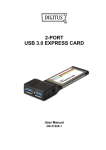
Thank you for purchasing the MANHATTAN SuperSpeed USB PCI
Express Card, Model 150491.
Connect data storage, digital media and other USB peripheral devices
to your PCI Express-enabled computer by adding a pair of hot-swappable,
internal ports — each supporting data transfer rates of up to 5 Gbps.
Installation of the card is quick and simple, so you’ll soon be enjoying
the benefits of these additional features:
• Fits PCI Express x1, x2, x4, x8 and x16 lane buses
• 4-pin power connector for receiving extra power from system
• Plug and Play installation; hot-swappable; Windows compatible
• Lifetime Warranty
®
System Requirements
• Windows XP/Vista/7 32- and 64-bit
• PCI Express-enabled system with an available PCI Express slot
• CD-ROM drive
hardware installation
1. Turn off your computer.
2.Unplug the power cord and
remove your computer’s cover.
3.Remove the slot bracket from
an available PCIe slot.
4.Carefully align the card’s bus
connector with the selected
PCIe slot on the motherboard.
Push the board down firmly.
5.Replace the slot bracket’s
holding screw to secure the
card.
6.Replace the
computer
cover and
reconnect the power cord.
2
4-pin power
connector
2 USB 3.0 ports