1
driver installation
1.Insert the included driver CD into the computer’s CD-ROM drive.
2.On the computer desktop, go to Start, then Run.
3.Enter “D:\PCIe\NEC uPD720200\Setup.exe” (where “D” or another
appropriate letter corresponds to your CD-ROM drive designation),
then click “OK.”
4.Follow the on-screen instructions to complete the installation.
Verifying Driver Installation
1.On the desktop, go to Start, then Control Panel, then System
Properties.
2.Click the “Device Manager” tab and confirm that “NEC Electronics USB
3.0 Host Controller” and “NEC Electronics USB 3.0 Root Hub” are both
listed under “Universal Serial Bus controllers,” indicating the driver has
been installed properly.
specifications
Standards and Certifications
• CE; FCC; USB 1.0, 1.1, 2.0 & 3.0; PCI Express Specification, rev. 2.0
Ports
• 2 SuperSpeed USB external ports, type A
• Data transfer rates of 5 Gbps, 480 Mbps, 12 Mbps and 1.5 Mbps
• NEC USB controller
Bus
• PCI Express x1
• Bus speed 5 Gbps (bi-directional)
Package Contents
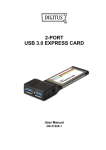
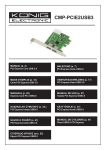
• SuperSpeed USB PCI Express Card, x1 lane
• User manual and CD driver
3