1
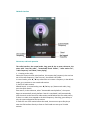
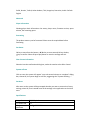
3: select button; hold “ok ”for Fast Rewind .
4: USB connector.
5: “M” button, press it for return to the previous; hold for back to the main menu;
6: select button; hold for fast-forward.
7: “ PLAY” button for Stop and Stop using when playing media files,
8: headphone jack
Description:
1. In all kinds of menu, if it has no special instructions, ◄ / ► Button to up and
down , “ OK” button to confirm the selection, “ M” key to return to the previous
menu
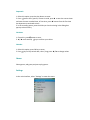
2. Under the application, press OK button, it will appear a window for Volume
Adjusting, press ◄ / ► keys to adjust the volume.
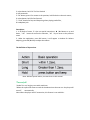
The definition of keys actions
Note: Without special advice, it means short in this manual.
*Turn on/off
*Under Turn on, long key can switch machines.
*When the system idle time to reach the shutdown time that user set. the player will
turn off
automatically.
Note: When the player and PC connection, this feature is not available..