1
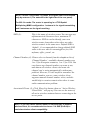
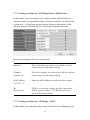
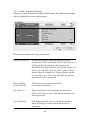
2-7-1-4 Setup procedure for ‘AP Bridge-Point to Multi-Point’:
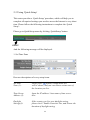
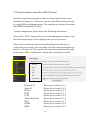
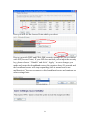
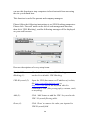
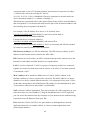
In this mode, you can connect your wireless router with at least four
wireless routers to expand the scope of wireless network, and all clients
(wired only – AP will not accept wireless clients in this mode) of the
wireless routers will think they’re on the same physical network.
1
2
3
4
5
6
7
8
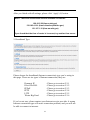
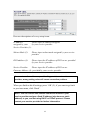
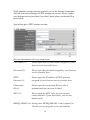
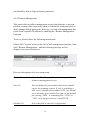
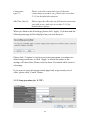
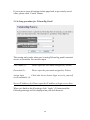
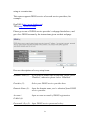
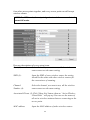
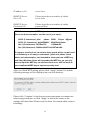
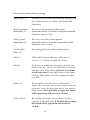
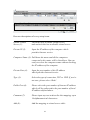
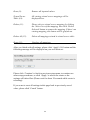
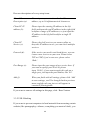
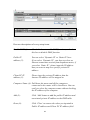
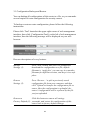
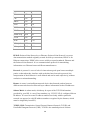
Here are descriptions of every setup items:
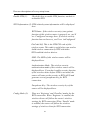
Band (2):
Select the band you want to use, all the wireless
routers must use the same setting.
Channel
Number (3):
Select the channel you want to use, all the wireless
routers must use the same setting.
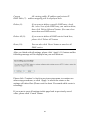
MAC address
1 to 4 (4 - 7):
Input the MAC address of other wireless routers.
Set
Security (8):
Click to set security settings for this connection
(Please go to section ‘2-7-3 Wireless Security’
for detailed instructions).
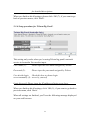
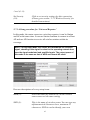
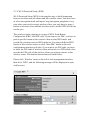
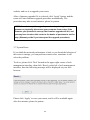
2-7-1-5 Setup procedure for ‘AP Bridge – WDS’
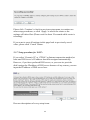
In this mode, you can expand the scope of network by combining up to
65