1
EN
c) Connect MT5078 with computer using USB2.0 cable
or E-SATA cable (not included).
d) Enable device with ON/OFF switch.
b)
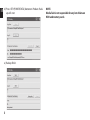
NOTE. New (not partitioned) hard discs must be initialized in Windows system before formatting. HDD
initialization procedure is described in MS Windows
help (F1).
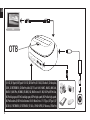
3.3 Installing 3,5” HDD
a) Remove bracket from HDD compartment.
b) Switch off device. Put carefully 3,5” HDD into the
HDD compartment.
c) Connect MT5078 with computer using USB2.0 cable
or E-SATA cable (not included).
d) Enable device with ON/OFF switch.
NOTE.
New (not partitioned) hard discs must be initialized
in Windows system before formatting. HDD initialization procedure is described in MS Windows help
(F1).
NOTE.
Everytime when HDD is inserting or removing,
COMBO TERMINAL must be switched OFF to avoid
HDD electrical damage.
4
4. Use built-in card reader
After device installation in the system inserted HDD
and card reader will be identified as disk icons in My
computer group. Insert carefully memory card to proper slot and click corresponding disk icon.