1
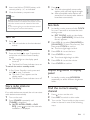
The unit can automatically search and store
radio stations (see “Get started” > “Store radio
stations automatically”). You can also search and
store radio stations manually.
2
Place the iPhone/iPod in the dock.
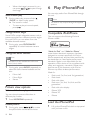
Tune to a radio station
1 Press FM.
2 Press and hold / for more than 2
seconds.
» The radio tunes to a station with
strong reception automatically.
3
Repeat step 2 to tune to more stations.
• To tune to a weak station, press
/ repeatedly until you find optimal
reception.
Program radio stations
automatically
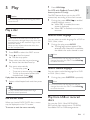
Listen to the iPhone/iPod
1 Press iPhone/iPod to select iPhone/iPod
2
3
source.
Load your iPhone/iPod onto this apparatus.
Play the desired file on your iPhone/iPod.
• To pause/resume play, press
.
• To skip to a track, press / .
• To navigate the menu: press
MENU/ to access the menu, press
/ to select an item, and then
press OK to confirm.
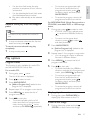
Charge the iPhone/iPod
Note
• You can program a maximum of 20 preset
radio stations.
1
Press and hold ANGLE/PROG for
2 seconds to activate automatic
programming.
» [AUTO] (auto) is displayed briefly.
» All available stations are programmed
in the order of waveband reception
strength.
» The first programed radio station is
broadcast automatically.
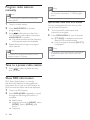
When the unit is connected to power, the
docked iPhone/iPod begins to charge.
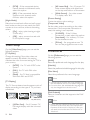
Remove the iPhone/iPod
1 Pull the iPhone/iPod out of the dock.
2 Press down to hide the dock.
EN
19
English
7 Listen to radio