1
USING THE OVEN MANUALLY
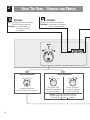
Turn the oven ON as indicated in the “TURNING THE OVEN ON AND OFF” chapter.
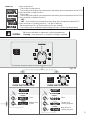
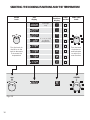
Operate the oven manually by selecting the oven function and temperature as indicated
in the “SELECTING THE COOKING FUNCTIONS AND THE TEMPERATURE” chapter.
The oven will start to operate immediately.
If “A” symbol is shown on the left display (semi-automatic or automatic cooking selected), then you need to cancel the preset automatic cooking as indicated in the “CANCELLING A SET PROGRAMME” chapter.
Turn OFF the oven as indicated in the “TURNING THE OVEN ON AND OFF” chapter.
CANCELLING A SET PROGRAMME
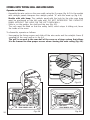
To cancel a set programme (“A” symbol activated on the left display):
• Select “dur” on the left display by using the MODE knob. While “dur” and the cooking
time (in minutes) alternate turn the MODE knob to the left until “---’” appears on the
display.
• A set programme is also cancelled when the oven is switched OFF. At the next power
up the oven is not programmed.
IMPORTANT: If the oven is ON, remember to switch it off manually otherwise it
does not stop operating in the set mode.
16