1
DV4M2H-N.BUSALLK_ENG
9/11/08
5:04 PM
Page 10
Adjust the lock settings
You must set the [Area Code] option to use the lock options. Select [Area Code]
option then press B. Enter a 4-digit password then press ENTER. Enter it again
then press ENTER to verify. If you make a mistake while entering number, press
CLEAR then correct it.
If you forget your password you can reset it. First, remove the disc in the unit.
Display setup menu then input the 6-digit number “210499”. The “P CLR”
appear in the display window and the password is deleted.
Rating – Select a rating level. The lower the level, the stricter the rating. Select
[Unlock] to deactivate the rating.
Password – Sets or changes the password for lock settings.
[New]: Enter a new 4-digits password using the numerical buttons then press
ENTER. Enter the password again to confirm.
[Change]: Enter the new password twice after entering the current password.
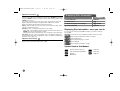
Displaying Disc Information
ON REMOTE
1 Press DISPLAY:
DISPLAY
2 Select a item:
vV
3 Adjust the Display menu settings:
b B / ENTER
4 To return the exit:
DISPLAY
Displaying Disc Information - more you can do
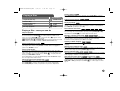
You can select an item by pressing vV and change or select the setting by
pressing b B.
Area Code – Select a code for a geographic area as the playback rating level.
This determines which area’s standards are used to rate DVDs controlled by the
parental lock. (See page 15)
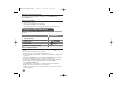
Current title (or track) number/total number of titles (or tracks)
Current chapter number/total number of chapters
Elapsed playing time
Adjust the others settings
Selected audio language or channel
B.L.E. (Black Level Expansion) – To select the black level of playback
pictures. Set your preference and monitor’s ability.
Selected subtitle
Selected angle/total number of angles
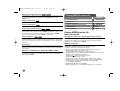
Symbol Used in this Manual
ALL
DVD
MP3
MPEG4
10
All discs and file listed below
ACD
Audio CDs
DVD and finalized DVD±R/RW
CD-G
CD-G discs
MP3 files
WMA
WMA files
MPEG4 files