1
DV4M2H-N.BUSALLK_ENG
9/11/08
Watching a enlarged video image
5:04 PM
DVD
Page 12
MPEG4
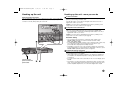
During playback or pause mode, press ZOOM repeatedly to select zoom mode.
You can move through the zoomed picture using vVb B buttons. Press
CLEAR to exit.
Viewing the title menu
DVD
Press TITLE to display the disc's title menu, if available.
Viewing the DVD menu
DVD
Playing MPEG4 movie file
ON REMOTE
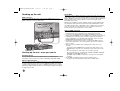
1 Open the disc tray:
Z
2 Insert a disc:
-
3 Close the disc tray:
Z
4 Select a movie file from the menu:
v V, DVD MENU
OPEN/CLOSE
OPEN/CLOSE
Press DVD MENU to display the disc menu, if available.
5 Start playback:
N
PLAY
Starting play from selected time
6 To stop playback:
x
STOP
DVD
MPEG4
Searches for the starting point of entered time code. Press DISPLAY then
select clock icon. Enter a time then press ENTER. For example, to find a scene
at 1 hours, 10 minutes, and 20 seconds, enter "11020" and press ENTER.
If you enter the wrong number, press CLEAR to enter again.
Playing MPEG4 movie file -
Last Scene Memory
Changing the character set to display MPEG4 subtitle correctly
DVD
ACD
This unit memorizes last scene from the last disc that is viewed. The last scene
remains in memory even if you remove the disc from the player or switch off the
unit. If you load a disc that has the scene memorized, the scene is automatically recalled.
Screen Saver
The screen saver appears when you leave the unit in Stop mode for about five
minutes. If the Screen Saver is displayed for five minutes, the unit automatically
turns itself off.
Mixed disc or USB Flash Drive – MPEG4, MP3/WMA and JPEG
When playing a disc or USB Flash Drive contained with MPEG4, MP3/WMA
and JPEG files together, you can select which menu of files you would like to
play by pressing TITLE.
12
more you can do
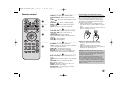
Press and hold SUBTITLE for 3 seconds during playback. The language code
will appear. Press b B to select another language code until the subtitle is
displayed properly and then press ENTER.
MPEG4 file requirement
This unit does not support the DivX file.
MPEG4 file compatibility with this player is limited as follows:
• Available resolution size: 720x576 (W x H) pixel
• The file names of MPEG4 and subtitle are limited to 45 characters.
• MPEG4 file extensions: “.avi”, “.mpg”, “.mpeg”
• Playable MPEG4 subtitle: SubRip (.srt / .txt), SAMI (.smi),
SubStation Alpha (.ssa/.txt), MicroDVD (.sub/.txt), SubViewer 2.0 (.sub/.txt),
TMPlayer (.txt), DVD Subtitle System (.txt),
VobSub(*.sub)
Sub/idx, stream based format
• Playable Codec format: “3IV1 “, “3IV2”
• Playable Audio format: “Dolby Digital”, “DTS”, “PCM”, “MP3”, “WMA”
• Sampling frequency: within 8 - 48 kHz (MP3), within 22 - 48 kHz (WMA)
• Bit rate: within 8 - 320 kbps (MP3), within 32 - 256 kbps (WMA),
less than 6Mbps (MPEG4 file)
• CD-R/RW, DVD±R/RW Format: ISO 9660
• Maximum Files/Floder: Less than 600 (total number of files and folders)