1
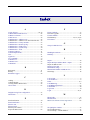
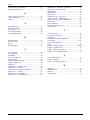
Contents
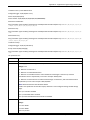
Web Interface Opens ............................................................................................................................................... 24
Navigating the Windows ....................................................................................................................................... 25
Menus ...................................................................................................................................................................... 25
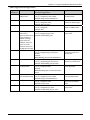
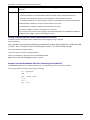
Table of Menus and Sub-Menus .............................................................................................................................. 26
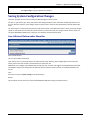
Saving System Configuration Changes ................................................................................................................... 27
Save & Restart Button under Menu Bar .................................................................................................................. 27
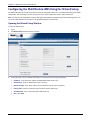
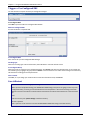
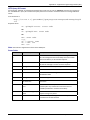
Configuring the MultiModem iSMS Using the Wizard Setup .................................................................................. 28
Opening the Wizard Setup Window......................................................................................................................... 28
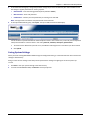
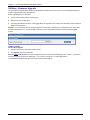
Saving System Settings ............................................................................................................................................. 29
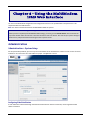
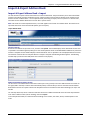
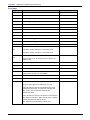
Chapter 4 – Using the MultiModem iSMS Web Interface.............................................................................. 30
Administration ..................................................................................................................................................... 30
Administration > System Setup ................................................................................................................................ 30
Administration > SNTP Client ................................................................................................................................... 32
Administration > Administrative Access .................................................................................................................. 34
Administration > Admin Access > Allowed Networks .............................................................................................. 35
Administration > Remote Syslog .............................................................................................................................. 35
Administration > Tools ............................................................................................................................................. 36
Administration > Factory Defaults ........................................................................................................................... 37
Network Setup ..................................................................................................................................................... 38
Network Setup > IP Settings..................................................................................................................................... 38
Network Setup > Cellular Modem............................................................................................................................ 39
Save & Restart .......................................................................................................................................................... 41
SMS Services ........................................................................................................................................................ 42
SMS Services > Address Book................................................................................................................................... 42
SMS Services > Groups ............................................................................................................................................. 44
SMS Services > International Number ..................................................................................................................... 45
SMS Services > Users................................................................................................................................................ 45
SMS Services > SMS Settings .................................................................................................................................... 47
SMS Services > Send SMS ......................................................................................................................................... 48
SMS Services > SMS API ........................................................................................................................................... 51
SMS Services > Load Balancing ................................................................................................................................ 53
SMS Services > Inbox................................................................................................................................................ 54
SMS Services > Outbox............................................................................................................................................. 55
Triggers ................................................................................................................................................................ 56
Triggers > Authentic List........................................................................................................................................... 56
Triggers > Broadcast Triggers ................................................................................................................................... 56
Triggers > Action Triggers......................................................................................................................................... 58
Triggers > Pre-Configured SMS ................................................................................................................................ 60
MultiModem® iSMS Administrator’s Guide
4