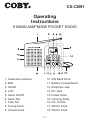
1
POWER SOURCE
BATTERY OPERATION
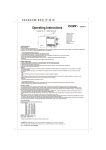
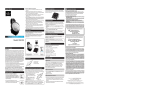
. Open the battery cover.
. Insert 2 “AA” size (National UM-3 or equivalent batteries into
the Battery Compartment, making sure that the batteries are
installed in the designated numerical order and that the proper
polarities (+ and -) are maintained.
To prevent possible damage to this unit:
* Load new batteries with their polarities (+ and -) aligned correctly.
* Do not apply heat to batteries, or internal short-circuit may
occur.
* If this unit is not to be used for a long period of time, remove all
batteries and store them in a cool and dry place.
* Remove spent batteries immediately and dispose of them.
* Do not use old and new batteries together. Also never use an
alkaline battery with a manganese battery.
* Battery life
If the sound becomes low or distorted, replace all the batteries
with new ones.
RADIO OPERATION
. Rotate the VOLUME Knob anti-clockwise to turn radio on and
adjust to desired sound level.
. Select the preferred wave range (FM/AM/SW) by sliding the
Band Knob. The selected wave range will appear on the
display.
. Rotate the Tuning Knob to tune in desired station. The display
shows the frequency.
. Adjust the antenna (See ANTENNAS).
. Press Power knob to turn off the radio.
Note: Press the ALARM on/off knob to turn off the radio.
--