1
1 Important safety information
General maintenance
Recycling the product and the built-in
battery
2 Your new VIBE
8 Audiobooks
3
3
6
What’s in the box
7
7
3 Getting started
8
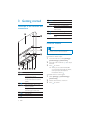
Overview of the controls and
connections
Limit the volume
Overview of the main menu
Connect and charge
Software loaded on the VIBE
Files loaded on the VIBE
4 Update VIBE
Manually verify / update the firmware
5 Turn VIBE on and off
Automatic shut-down
Lock the keys
6 Philips Songbird
Build a media library
Browse your media library
Organize and manage your Songbird
library
Playlists
Change the look of the Songbird
library
Format VIBE (erase all music and data)
Repair VIBE (restore factory settings)
7 Music
Listen to music
Navigate inside a music track
Play music from a filtered selection
Find your music
8
8
9
9
10
10
11
11
12
12
12
Add audiobooks to VIBE
Audiobook controls
Select audiobook by book title
Add a bookmark in an audiobook
Find a bookmark in an audiobook
Delete a bookmark in an audiobook
9 Video
22
22
22
22
22
Play videos
Navigate inside a video
Delete the currently playing video
Delete one or more videos
10 Pictures
Add pictures to VIBE
View pictures
Start a slideshow
Delete the currently displayed picture
Delete one or more pictures
11 Radio
14
15
16
16
17
18
18
18
18
18
23
23
23
23
23
23
24
24
24
24
24
Listen to FM radio
Manually tune a radio station
Auto-tune radio station presets
Play a preset radio station
12 Recordings
13
13
14
20
20
20
20
21
21
21
Record audio/voices
Listen to recordings
Upload your recordings to a computer
Delete the currently playing video
Delete one or more recordings
25
25
25
25
25
26
13 Use the VIBE to carry data files
27
14 Settings
28
15 Technical data
30
30
System requirements
16 Glossary
31
EN
1
English
Contents