1
APPLICATION NOTE - Configuring and Deploying the AX411 Wireless Access Point
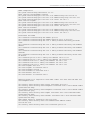
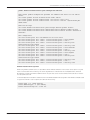
id 1
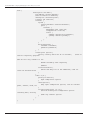
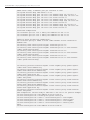
set vlans CorpNet vlan-id 2
set vlans CorpNet l3-interface vlan.2
set interfaces vlan unit 2 family inet address 192.168.2.1/24
set vlans default vlan-id 1
set vlans default l3-interface vlan.1
set interfaces vlan unit 1 family inet address 192.168.1.1/24
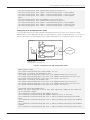
#Security Zones and policies configuration. Please note that the vlan.0 interface
MUST be assigned to a zone
set security zones security-zone untrust interfaces ge-0/0/0.0
set security zones security-zone management interfaces vlan.1 host-inbound-traffic
system-services dhcp
set security zones security-zone management interfaces vlan.1 host-inbound-traffic
system-services ping
set security zones security-zone management interfaces vlan.1
#Note that ping is not required in the CorpNet zone, as the keepalives are sent
only over the management vlan
set security zones security-zone trust interfaces vlan.2
#Note that no security policies are required for the management zone as no
through traffic should be allowed from/to this zone.
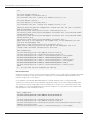
#APs configuration.
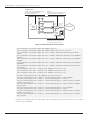
set wlan access-point AP-1
set wlan access-point AP-1
set wlan access-point AP-1
set wlan access-point AP-1
set wlan access-point AP-1
set wlan access-point AP-1
set wlan access-point AP-1
set wlan access-point AP-1
#AP-2
#... All the other APs are
mac-address 00:12:cf:c5:4a:40
access-point-options country US
radio 1 virtual-access-point 0 ssid CorpNet
radio 1 virtual-access-point 0 vlan 2
radio 1 virtual-access-point 0 security none
radio 2 virtual-access-point 0 ssid CorpNet
radio 2 virtual-access-point 0 vlan 2
radio 2 virtual-access-point 0 security none
configured the same way
MAC Authentication
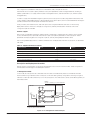
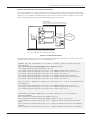
Building on our previous scenario, we will now assume that some basic form of authentication is required. If the number
of devices in the network is small, and over the air confidentiality is not a requirement, MAC-based authentication
provides a simple access control method.
A local database of allowed and denied MAC addresses is created. Whenever a VAP is configured with MAC
authentication, the access point uses this database to determine if a particular association request will be granted.
Two mutually exclusive lists are provided—allow lists and deny lists. If the allow list is configured, any station with a
MAC address not on the list will be denied access. Similarly, if the deny list is configured, all stations will be allowed
with the exception of the ones present on the list.
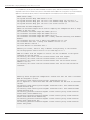
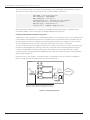
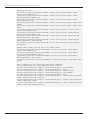
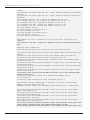
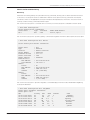
#AP-1 configuration
set wlan access-point AP-1
set wlan access-point AP-1
…
set wlan access-point AP-1
set wlan access-point AP-1
set wlan access-point AP-1
address 00:16:cb:05:1e:af
set wlan access-point AP-1
12
mac-address 00:12:00:00:00:00
mac-address 00:12:00:00:00:01
access-point-options country US
mac-address 00:12:cf:c5:4a:40
access-point-options station-mac-filter allow-list macradio 1 virtual-access-point 0 ssid CorpNet
Copyright © 2009, Juniper Networks, Inc.