1
AXIS T8310/T8311/T8312/T8313 User’s Guide
Page 7
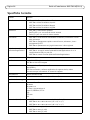
Troubleshooting
If you experience problems during the installation, please do or check the following:
•
•
•
•
Restart the supporting application software, e.g. AXIS Camera Station.
Disconnect the USB plug from the computer, wait 10 seconds and then reconnect.
Move the USB plug to another available USB port on your computer.
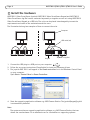
Verify that the operating system has identified the joystick. Go to Start > Control
Panel > Game Controllers and follow the provided troubleshooting steps.
ENGLISH