1
Safety Instructions and Approval
Safety
Instructions
Warranty
z
z
Read the installation guide thoroughly before you set up the router.
The router is a complicated electronic unit that may be repaired only be
authorized and qualified personnel. Do not try to open or repair the router
yourself.
z
Do not place the router in a damp or humid place, e.g. a bathroom.
z
The router should be used in a sheltered area, within a temperature range of +5 to
+40 Celsius.
z
Do not expose the router to direct sunlight or other heat sources. The housing and
electronic components may be damaged by direct sunlight or heat sources.
z
Do not deploy the cable for LAN connection outdoor to prevent electronic shock
hazards.
z
Keep the package out of reach of children.
z
When you want to dispose of the router, please follow local regulations on
conservation of the environment.
We warrant to the original end user (purchaser) that the router will be free from any
defects in workmanship or materials for a period of two (2) years from the date of
purchase from the dealer. Please keep your purchase receipt in a safe place as it serves
as proof of date of purchase. During the warranty period, and upon proof of purchase,
should the product have indications of failure due to faulty workmanship and/or
materials, we will, at our discretion, repair or replace the defective products or
components, without charge for either parts or labor, to whatever extent we deem
necessary tore-store the product to proper operating condition. Any replacement will
consist of a new or re-manufactured functionally equivalent product of equal value, and
will be offered solely at our discretion. This warranty will not apply if the product is
modified, misused, tampered with, damaged by an act of God, or subjected to abnormal
working conditions. The warranty does not cover the bundled or licensed software of
other vendors. Defects which do not significantly affect the usability of the product will
not be covered by the warranty. We reserve the right to revise the manual and online
documentation and to make changes from time to time in the contents hereof without
obligation to notify any person of such revision or changes.
Be a Registered
Owner
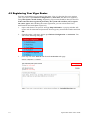
Web registration is preferred. You can register your Vigor router via
http://www.draytek.com.
Firmware & Tools
Updates
Please consult the DrayTek web site for more information on newest firmware, tools
and documents. For more detailed information, please refer to http://www.draytek.com
Parts of the anti-virus features are powered by Kaspersky Lab ZAO. For more detailed
information, please refer to http://www.kaspersky.com.
ii
VigorPro5300 Series User’s Guide