1
19 Security in the dLAN
4.2 dLAN 200 AV network encryption using the dLAN Configuration Wizard
When using dLAN 200 AV adapters without encryption
buttons, data encryption can only be set up using the
dLAN Configuration Wizard. Start by updating the firmware (see 3.4.1 Firmware update) of the dLAN 200
AV adapters.
After successfully installing the devolo software, you
can launch the dLAN Configuration Wizard via the
Start Programs devolo program group and the
Device Start dLAN Configuration Wizard of the
devolo Informer.
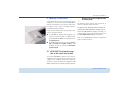
Before beginning with this step, make a note of the security IDs of all existing dLAN adapters. This unique
identifier of each dLAN device is located on the label of
the housing. It consists of 4 x 4 letters separated by dashes (e.g. ANJR-KMOR-KSHT-QRUV). Ensure that all
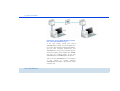
dLAN adapters are connected to the power grid and
computers or other network components as appropriate.
devolo dLAN 200 AVmini
If the dLAN Configuration Wizard cannot
find a dLAN device in your network even
though one is plugged tightly into a power
outlet, follow the instructions for bandwidth
optimisation in the Appendix.
Configuring your dLANs using the dLAN Configuration
Wizard consists of three steps:
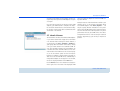
Scan for local adapter
After launching the wizard, it initially scans for a dLAN
adapter connected directly to your computer.
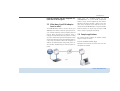
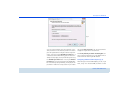
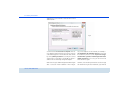
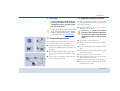
Entering a network password (fig. 7)
If your dLAN adapter has been found that is reachable
directly from your computer, you can select a network
password in the next step to be valid for this and all
other specified adapters in your personal home network.