1
RocketRAID 174x BIOS Utility
not utilize the full available capacity at the time of creation, these disks may be used
as spares.
For example: a RAID 0 array was created between two 200GB hard disks, but only
200GB of space (out of a grand total of 400GB), was assigned to that array. In this
example, 200GB of disk space remains unallocated. This unallocated space would
allow these disks to be set as spares for a separate redundant array that falls into the
same capacity range (200GB).
4 - Updating the BIOS
BIOS updates are released periodically, and posted on our website for download.
There are several ways to flash the RR174x BIOS.
For Windows based operating systems:
1)
Download the desired BIOS update from the Support section provided for
the RR174x host adapter. Extract the download to the directory of your
choice.
2)
Insert the Driver and Software CD included with the RR174x retail box into
the system’s CD-ROM or DVD drive.
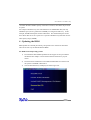
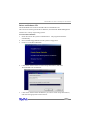
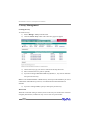
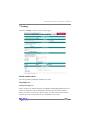
The CD should autorun, and display the following screen:
3)
3-5