1
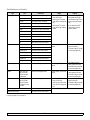
Common Macintosh problems
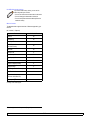
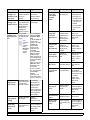
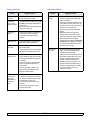
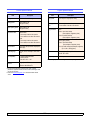
Problem
Suggested solutions
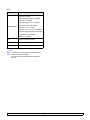
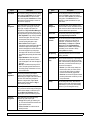
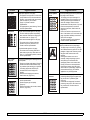
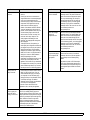
PDF file does not print
correctly-some parts are
missing in the graphics,
text or illustrations.
Incompatibility between the PDF file and
the Acrobat products.
Printing the PDF file as an image may
enable the file to print. Turn on Print As
Image from the Acrobat printing options.
Note: It will take longer to print when
you print a PDF file as an image.
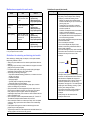
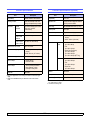
The document has
printed, but the print job
has not disappeared from
the spooler in
Mac OS 10.3.2.
Update your Mac OS to OS 10.3.3. or
higher.
Some letters are not
displayed normally
during the cover page
printing.
This problem is caused because Mac
OS cannot find the font during the cover
page printing.
Alphanumeric characters, in the Billing
Info field, are only allowed for printing on
the cover page. Other characters will be
broken on the printout.
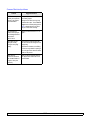
When printing a
document in Macintosh
with Acrobat Reader 6.0
or higher, colors print
incorrectly.
Make sure that the resolution setting in
your printer driver matches the one in
Acrobat Reader.
12.25
<Troubleshooting>