1
4.3 Upgrade to iCPlate2 XT
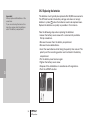
The iCPlate2 X may be upgraded to an iCPlate2 XT. The functions which you did not purchase initially may be added by inputting a special code. When you request the upgrade from your dealer, you will receive a code allowing you to access the additional functions. To activate the upgrade, proceed as followed:
1. Press the <RESET> button and keep it pressed
2. Press the <DOWN> button and keep it pressed
3. Release the <RESET> button
4. Release the <DOWN> button. Thereafter, the iCPlate2 is in the programming mode. A four4 digit code is displayed.
5. Use the <UP and <DOWN> button to set the code for this digit
6. Press the <ENTER> button (the cursor moves the next digit)
7. Repeat step 5 and 6 until all digits are entered
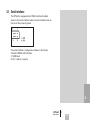
8. After the last digit, the additional functions are available. On the startup screen, the version “XT” is displayed.
4
42
iCPlate2
4•Appendix